
In an increasingly digital world, managing your finances often extends beyond traditional bank accounts. Online payment platforms like PayPal have become integral to how we send, receive, and manage money, conduct online shopping, and even facilitate business transactions. Given its widespread adoption, it’s not uncommon for individuals to wonder, “Do I already have a PayPal account?” Perhaps you signed up years ago for a specific purchase, received money from a friend, or simply forgot amidst the myriad of online services you use. Confirming your PayPal account status is a critical first step towards leveraging this powerful financial tool, ensuring secure transactions, and maintaining a clear overview of your digital financial footprint.
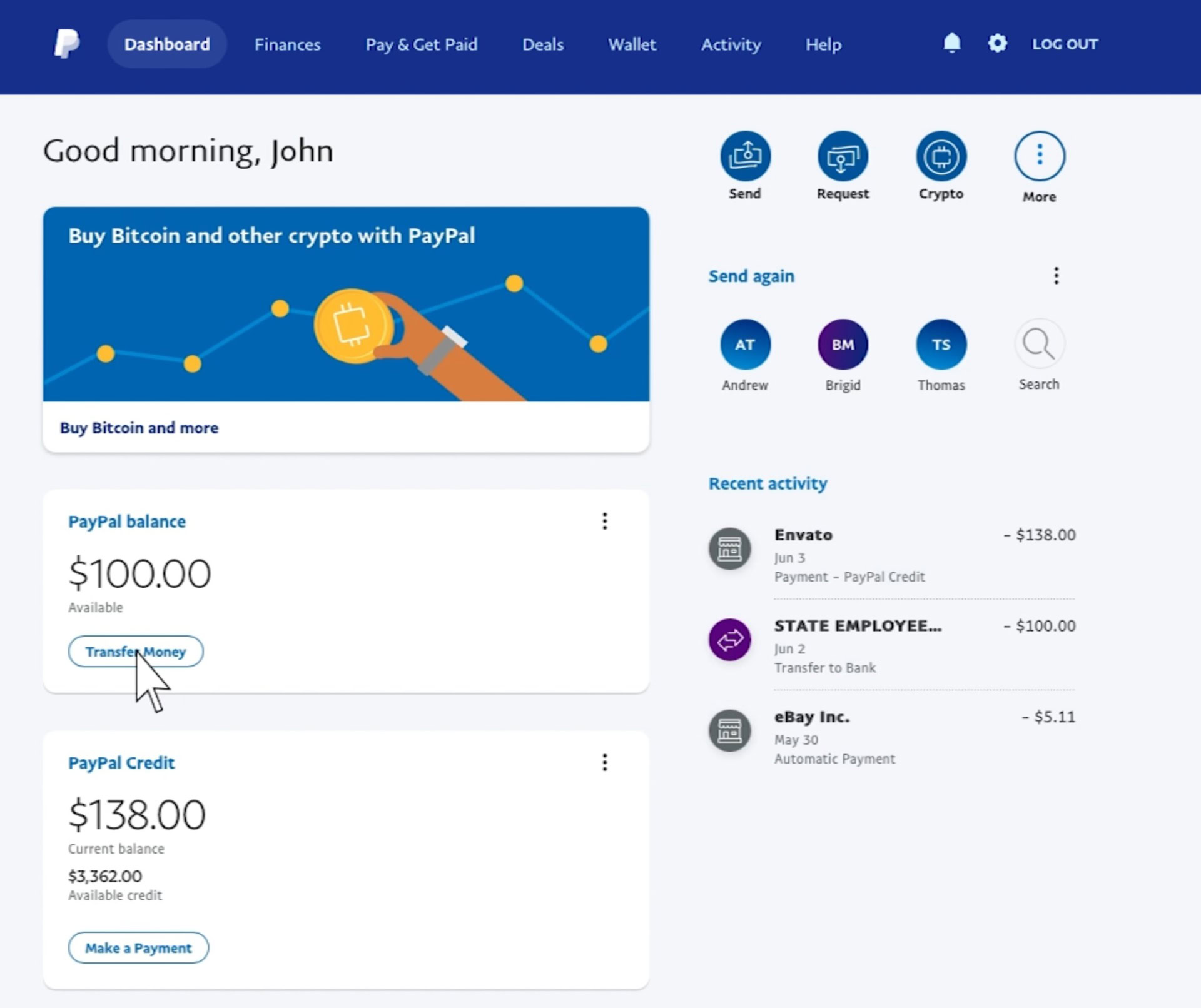
This guide delves into the practical steps and considerations for determining whether you hold a PayPal account, emphasizing the financial implications and advantages of doing so. We’ll explore methods for uncovering forgotten accounts, recovering access, and understanding how an active PayPal account can serve as a vital component of your personal financial ecosystem.
The Financial Imperative: Why Confirm Your PayPal Account?
Understanding whether you possess an active PayPal account goes beyond mere curiosity; it’s a financial necessity in today’s digital economy. An identified and accessible PayPal account can unlock numerous financial benefits and streamline various aspects of your personal and business finance.
Streamlining Online Transactions and Payments
At its core, PayPal simplifies online money movement. If you’re unsure whether you have an account, you might be missing out on a convenient, secure method for making purchases without constantly inputting credit card details. Knowing your account status allows you to quickly pay for goods and services across millions of websites, send money to family and friends, or even contribute to crowdfunding campaigns. Each transaction processed through an established PayPal account offers a layer of buyer protection, providing a financial safety net that might not be available through direct card payments. Confirming your account ensures you’re ready to engage in seamless financial interactions whenever the need arises.
Accessing Funds and Managing Digital Wallets
PayPal isn’t just for spending; it’s a significant channel for receiving funds. Many freelancers, small businesses, and individuals receive payments via PayPal for services rendered, sales, or gifts. If you’ve ever been paid through PayPal or expect to be, confirming your account is paramount to accessing these funds. An active account serves as a digital wallet where you can hold balances, transfer money to your linked bank account, or use it for subsequent online purchases. Forgetting about an existing account means potentially leaving funds dormant and inaccessible, diminishing your overall financial liquidity and control. Verifying your account helps you consolidate and manage all your digital earnings effectively.
Preventing Redundant Account Creation and Confusion
Attempting to create a new PayPal account when you already have an existing one can lead to complications. PayPal’s terms of service generally allow only one personal account per individual, linked to a unique email address and financial instruments. Duplicate accounts can trigger security flags, lead to account limitations, or create confusion regarding which account holds your funds or transaction history. By systematically checking for an existing account, you prevent unnecessary hurdles and ensure compliance with the platform’s policies. This not only saves time but also safeguards the integrity of your financial identity within the PayPal ecosystem, preventing potential issues with fund access or service limitations down the line.
Initial Checks: Tracing Your Digital Financial Footprint
The journey to discovering if you have a PayPal account often begins with a few straightforward investigations into your digital financial history. These initial checks are usually the quickest ways to confirm your status without requiring extensive effort.
The Email Address Trail: Your Primary Identifier
Your email address is the most critical piece of information when it comes to identifying an online account, and PayPal is no exception. Start by recalling all email addresses you’ve used over the years – personal, professional, or even old addresses you might have used for online registrations.
Here’s how to check:
- Direct Login Attempt: Go to the PayPal login page (paypal.com/signin). Try to log in with each of your known email addresses. If an email address is associated with an account, PayPal will likely prompt you for a password. If it says “That email address isn’t connected to an account,” you can rule out that specific email.
- Password Recovery: If an email address is recognized but you don’t remember the password, initiate the password recovery process. This is often the most definitive way to confirm an account’s existence. PayPal will send a password reset link or code to the registered email address. If you receive it, you have an account associated with that email.
- Email Inbox Search: Search through the inboxes of your common email addresses for terms like “PayPal,” “payment received,” “transaction confirmation,” “welcome to PayPal,” or “security notification.” Any emails from PayPal are clear indicators that an account has been registered or used with that specific email address. Even old promotional emails can be a clue.
This method is highly effective because PayPal’s core functionality revolves around email-based notifications for financial activities, making it difficult to miss a trace if an account exists.
Scrutinizing Bank Statements and Transaction Histories
Another powerful way to identify a dormant PayPal account is by reviewing your historical financial records. PayPal often links directly to your bank accounts or credit cards to facilitate fund transfers and payments.
What to look for:
- Bank Statements: Go through your online or paper bank statements from past years. Look for transactions labeled “PayPal,” “PayPal Inc.,” or similar descriptions. These could indicate transfers to or from PayPal, suggesting you either sent money through the platform or withdrew funds into your bank account.
- Credit Card Statements: Similarly, check your credit card statements. Online purchases made via PayPal often appear on card statements with a “PayPal” descriptor, even if the funds were drawn from your card through the PayPal gateway.
- Linked Account Checks: If you have access to old bank accounts or credit cards you no longer actively use, check their statements too. You might have linked them to a PayPal account in the past.
Finding such entries is a strong indicator that a PayPal account was established and utilized at some point, providing a concrete starting point for account recovery.
Exploring Past Online Shopping Experiences
Think back to your online purchasing habits. Did you frequently shop on eBay, Etsy, or other e-commerce sites that prominently feature PayPal as a payment option? Many online retailers offer PayPal as a primary or expedited checkout method.
Consider these points:
- E-commerce History: Access your order history on popular online marketplaces. If you see PayPal listed as the payment method for past purchases, it’s highly probable you used an existing PayPal account for those transactions.
- Subscription Services: Review any recurring subscription services you may have. Some services use PayPal for automatic billing. Checking your subscription details might reveal a linked PayPal account.
- “Guest Checkout” vs. Account Usage: While PayPal offers a “guest checkout” option for one-time payments without an account, many users opt to log in for convenience and buyer protection. If you recall choosing PayPal multiple times, it’s likely you have an account.
Recalling these past interactions can provide valuable clues, sometimes even revealing the email address you used to complete those financially driven online transactions.
Recapturing Access: When Your PayPal Memory Fails
Discovering that you do have a PayPal account but can’t remember the login details can be frustrating. However, PayPal has robust mechanisms in place to help you regain access to your financial hub, safeguarding your funds and transaction history.
The Password Reset Protocol: Gateway to Your Funds
The most common hurdle to accessing an existing account is a forgotten password. Fortunately, PayPal’s password reset process is designed to be straightforward and secure, acting as the primary gateway back to your financial account.
- Initiate Reset: On the PayPal login page, click “Having trouble logging in?” or “Forgot your password?”.
- Email/Phone Verification: You will be prompted to enter the email address or phone number associated with your account. Ensure you use one of the addresses or numbers you identified during your initial checks.
- Security Challenge: PayPal will then ask you to confirm your identity through a security challenge. This might involve:
- Receiving a code via text message to your registered phone.
- Receiving a link or code via email.
- Answering security questions you previously set up.
- Confirming details from a linked financial instrument (e.g., the last four digits of a credit card).
- Create New Password: Once your identity is verified, you can create a new, strong password. Make sure it’s unique and not easily guessed to protect your financial information.
Successfully completing this process not only grants you access but also confirms that an account indeed exists and is linked to the verification method used.
Email Verification and Security Challenges
Beyond password resets, PayPal employs various layers of security to protect your financial assets. If you’ve been inactive for a long time or are logging in from a new device, you might encounter additional verification steps. These are in place to prevent unauthorized access to your funds.
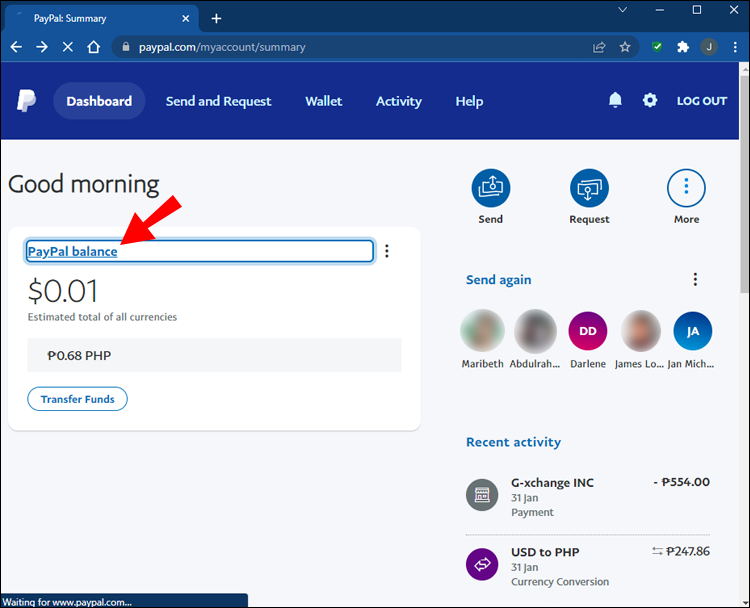
- Email Confirmation: You might receive an email asking you to click a link to confirm it’s really you trying to log in. This is a common security measure to verify your identity.
- Two-Factor Authentication (2FA): If you previously enabled 2FA, you’ll need to input a code generated by an authenticator app or sent to your phone number in addition to your password. This adds a crucial layer of protection to your financial account.
- Security Questions: Be prepared to answer any security questions you set up during account creation. These questions are designed to be personal to you, acting as a final safeguard to ensure only you can access your account.
These challenges, while sometimes momentarily inconvenient, are essential for securing your financial information and preventing potential fraud.
Reaching Out to PayPal Support for Account Recovery
If the automated password reset and verification processes prove unsuccessful, or if you suspect your account has been compromised, contacting PayPal’s customer support team is your next crucial step. Their team is equipped to handle more complex account recovery scenarios.
When to contact support:
- You cannot remember the email address or phone number linked to the account.
- You no longer have access to the registered email or phone.
- The automated security challenges fail to verify your identity.
- You believe your account has been accessed without your permission.
What to expect:
When contacting support, be prepared to provide as much identifying information as possible, such as your full name, date of birth, previous addresses, and details of any linked financial accounts (bank accounts or credit cards). They may ask for documentation to verify your identity, ensuring that only the rightful owner gains access to the financial account. While this process might take a little longer, it’s a secure way to regain control over your digital finances when all other methods have been exhausted.
Leveraging Your Discovered PayPal Account for Financial Advantage
Once you’ve successfully identified and regained access to your PayPal account, the next step is to optimize it for maximum financial benefit and security. An active and well-managed PayPal account can significantly enhance your ability to conduct online transactions securely and efficiently.
Verifying Your Account for Enhanced Financial Flexibility
A “verified” PayPal account offers greater financial flexibility and fewer limitations compared to an unverified one. Verification typically involves linking and confirming a bank account or credit card. This process authenticates your identity and provides PayPal with more assurance regarding your financial legitimacy.
Benefits of verification:
- Increased Sending Limits: Verified accounts usually have higher limits on how much money you can send or withdraw. This is crucial for larger purchases or business transactions.
- Full Access to Features: Some PayPal features, like certain types of payments or withdrawals, may only be available to verified users.
- Enhanced Security: The verification process adds another layer of security, making it harder for unauthorized individuals to use your account.
- Streamlined Payments: With a verified account, your payments are generally processed more smoothly and are less likely to be flagged for review.
Taking the time to verify your account is a smart financial move, ensuring your ability to use PayPal without unforeseen restrictions.
Linking Bank Accounts and Cards: Optimizing Fund Flows
To truly leverage PayPal as a financial tool, you should link your primary bank account and any frequently used credit or debit cards. This integration is vital for managing your funds effectively.
- Bank Account Linkage: Linking a bank account allows you to easily transfer money from your PayPal balance to your bank account (and vice versa), providing a direct conduit for moving your digital funds into your traditional banking system. This is essential for withdrawing earnings or topping up your PayPal balance for larger transactions.
- Card Linkage: Connecting credit or debit cards provides a fallback funding source for payments when your PayPal balance is low, or for making purchases that require immediate payment from your card. It also offers the convenience of not re-entering card details for every transaction.
Ensuring these financial instruments are correctly linked and up-to-date is key to optimizing your fund flows and making PayPal a seamless part of your overall financial strategy.
Setting Up Security Features for Financial Protection
Protecting your PayPal account is synonymous with protecting your financial assets. With access regained, immediately review and enhance your account’s security settings.
- Enable Two-Factor Authentication (2FA): This is perhaps the most critical security step. With 2FA, even if someone obtains your password, they cannot access your account without the additional code sent to your phone or generated by an authenticator app.
- Review Connected Apps: Check which third-party applications or services have permission to access your PayPal account. Revoke access for any you no longer use or don’t recognize. This prevents unauthorized financial transactions.
- Strong, Unique Password: Ensure your new password is robust and unique to PayPal. Avoid using easily guessable information or passwords you’ve used for other online services.
- Regular Activity Review: Periodically log in and review your transaction history. Immediately report any unauthorized activity to PayPal. Early detection is crucial for minimizing potential financial losses.
By proactively securing your PayPal account, you ensure that this powerful financial tool remains a safe and reliable component of your personal finance management.
Establishing Your Financial Ecosystem: If a PayPal Account is Absent
After exhausting all avenues and concluding that you genuinely do not have an existing PayPal account, you are now in a prime position to establish one. Creating a new account opens up a world of convenience for managing your digital finances.
The Benefits of a New PayPal Account for Personal Finance
Deciding to create a PayPal account, if you don’t already have one, is a strategic move for modern personal finance. It positions you to take advantage of several benefits that can simplify money management and enhance your online financial interactions.
- Global Reach: PayPal facilitates international payments, making it easier to send or receive money from friends, family, or clients across borders, often with competitive exchange rates.
- Convenience and Speed: Transactions are typically instant, allowing for immediate payments and faster access to funds.
- Buyer and Seller Protection: PayPal offers robust protection policies for both buyers and sellers, adding a layer of security to your online financial activities that might not be available with other payment methods.
- Budgeting and Tracking: Your PayPal account provides a centralized record of your online spending and income, which can be invaluable for budgeting and tracking your digital cash flow.
- Integration with E-commerce: Its widespread acceptance means you can shop confidently on countless websites, often with expedited checkout processes.
These benefits highlight why a PayPal account is more than just a payment option; it’s a comprehensive tool for navigating the complexities of digital personal finance.
Step-by-Step Account Creation: Building Your Digital Wallet
Creating a new PayPal account is a straightforward process designed to get you set up quickly.
- Visit PayPal.com: Navigate to the official PayPal website.
- Click “Sign Up”: You’ll find a “Sign Up” button, typically in the top right corner.
- Choose Account Type: You’ll be asked to choose between a “Personal Account” or a “Business Account.” For most individuals, a Personal Account is appropriate. If you plan to use it primarily for selling goods or services, consider a Business Account.
- Enter Your Details: Provide your full name, email address (choose a primary, secure email), and create a strong password. You’ll also need to provide your phone number for verification purposes.
- Verify Your Phone Number: PayPal will send a verification code to your phone. Enter this code to confirm your number.
- Provide Personal Information: Fill in your address, date of birth, and other required details. These are necessary for identity verification and compliance with financial regulations.
- Agree to Terms: Read and accept PayPal’s User Agreement and Privacy Policy.
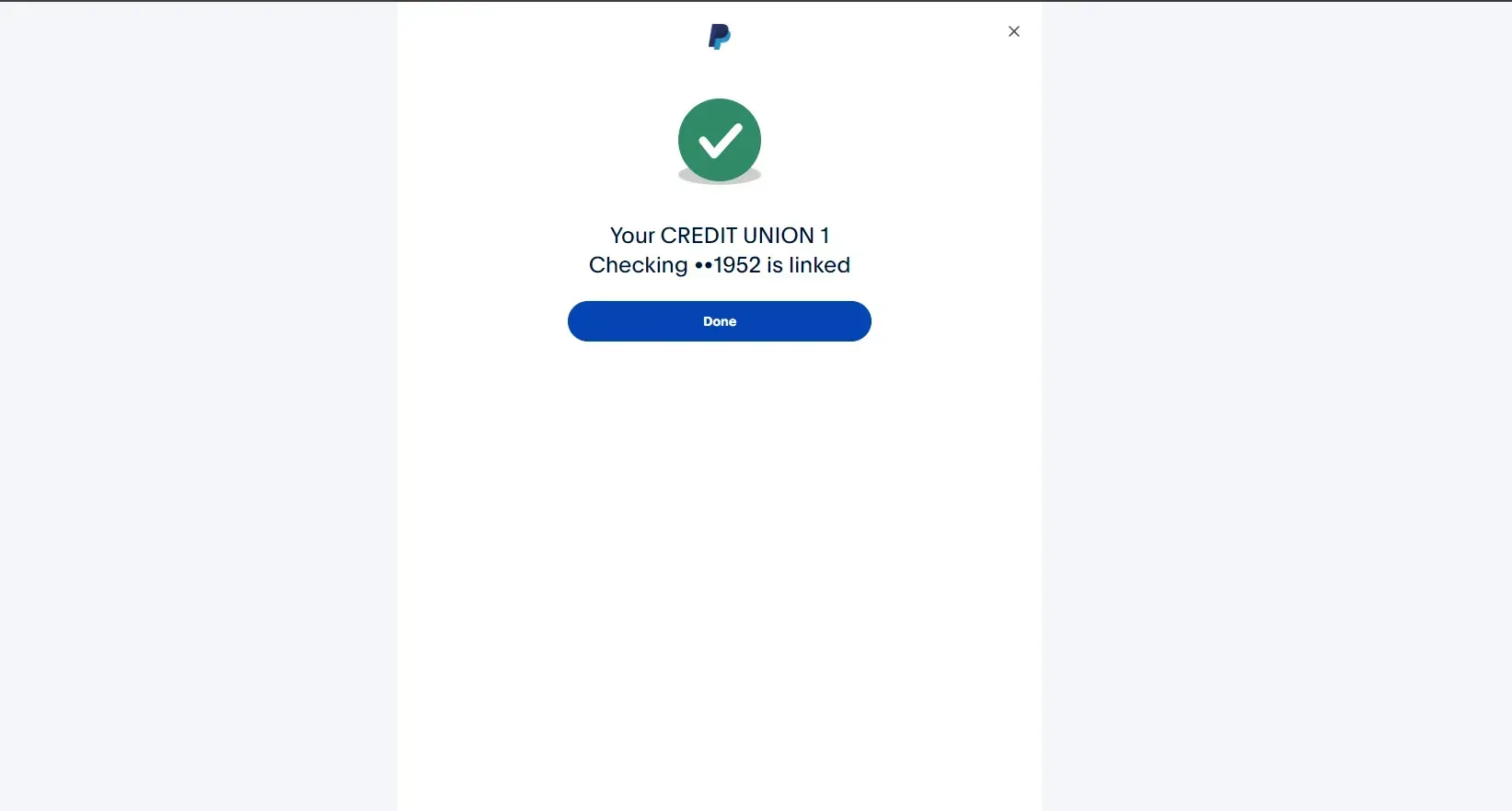
- Link Financial Instrument (Optional but Recommended): You’ll have the option to link a bank account or credit/debit card immediately. While optional, doing so streamlines verification and provides funding sources for your transactions.
Following these steps will quickly establish your new digital wallet, ready for use.
Initial Setup and Financial Customization
Once your account is created, take some time to set it up properly to maximize its utility as a financial tool.
- Complete Profile Information: Ensure all your personal and contact information is accurate and up-to-date.
- Link and Confirm Financial Instruments: As discussed earlier, link your bank account and preferred cards. Follow the instructions to confirm them (e.g., small deposits to your bank account). This step is crucial for verifying your account and unlocking full functionality.
- Set Up Security Features: Immediately enable two-factor authentication and review other security settings to protect your new financial asset.
- Review Notifications: Customize your notification preferences so you receive alerts for important financial activities but aren’t overwhelmed by unnecessary emails.
- Explore Features: Familiarize yourself with PayPal’s various features, such as sending/requesting money, paying online, managing subscriptions, and accessing your transaction history.
By diligently setting up and customizing your new PayPal account, you transform it into an efficient and secure component of your overall financial strategy, enabling you to confidently navigate the digital landscape of personal finance.
aViewFromTheCave is a participant in the Amazon Services LLC Associates Program, an affiliate advertising program designed to provide a means for sites to earn advertising fees by advertising and linking to Amazon.com. Amazon, the Amazon logo, AmazonSupply, and the AmazonSupply logo are trademarks of Amazon.com, Inc. or its affiliates. As an Amazon Associate we earn affiliate commissions from qualifying purchases.