
In the rapidly evolving landscape of artificial intelligence, Large Language Models (LLMs) have emerged as groundbreaking tools, capable of revolutionizing everything from content generation to complex problem-solving. Among the pantheon of powerful LLMs, Mistral 7B stands out as a particularly compelling option. Developed by Mistral AI, this model offers an impressive balance of performance, efficiency, and accessibility, making it a favorite for developers and researchers alike. Unlike its larger, more resource-intensive counterparts, Mistral 7B can often be deployed and run on consumer-grade hardware, opening up a world of possibilities for local development, enhanced privacy, and cost-effective experimentation.
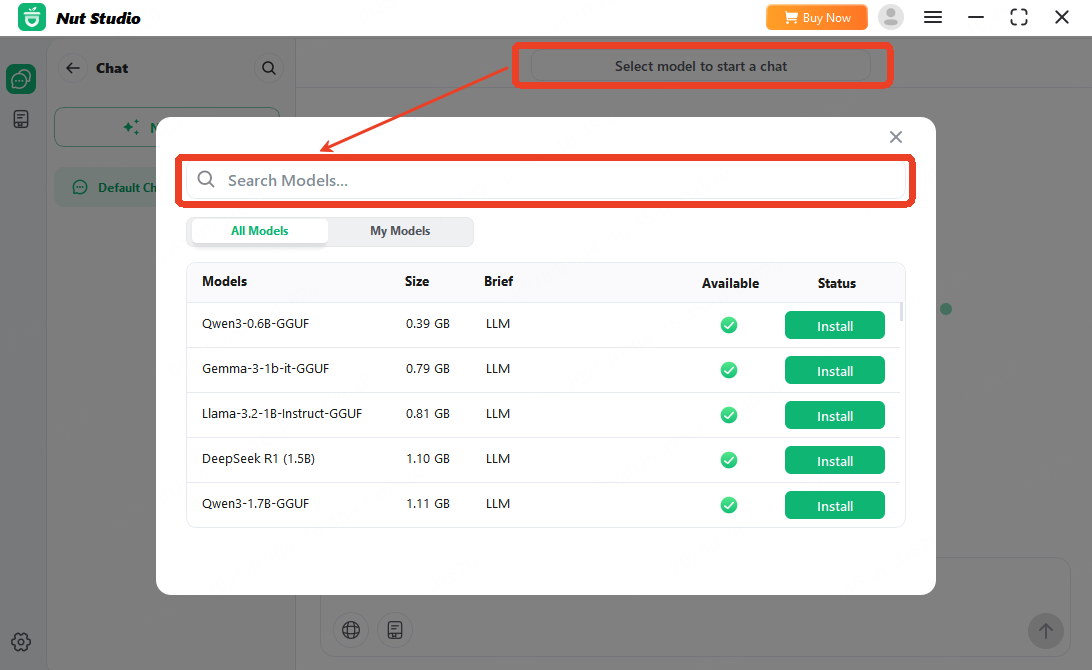
This comprehensive guide will walk you through the process of installing and getting Mistral 7B up and running on your local machine. We’ll explore various methods, discuss the necessary prerequisites, and provide practical steps to help you harness the power of this remarkable AI model directly from your desktop. Whether you’re a seasoned AI enthusiast looking to integrate a new model into your workflow, an independent developer keen on building innovative applications, or simply curious about the mechanics of deploying an LLM, this tutorial is designed to equip you with the knowledge and tools you need.
Understanding Mistral 7B: Why It Matters for Developers and Innovators
Before we dive into the technicalities of installation, it’s crucial to grasp what Mistral 7B is and why its emergence has created such a buzz in the AI community. Understanding its capabilities and the benefits of local deployment will not only motivate you through the setup process but also illuminate the vast potential it holds for innovation.
What is Mistral 7B?
Mistral 7B is a 7-billion parameter language model developed by Mistral AI, a Paris-based startup that has quickly made a name for itself by prioritizing efficiency and open access. Despite its relatively modest size compared to behemoths like GPT-4 or even Llama 2 70B, Mistral 7B punches significantly above its weight. It achieves state-of-the-art performance for its size across a range of benchmarks, outperforming larger models in several categories. Key characteristics include:
- Efficiency: Designed for fast inference, making it suitable for real-time applications and environments with limited computational resources.
- Open-Source Philosophy: Mistral AI has committed to an open-source approach, releasing the model weights and allowing for broad community access and modification. This fosters innovation and collaboration, distinguishing it in an industry often dominated by proprietary models.
- Robustness: Demonstrates strong capabilities in code generation, reasoning, summarization, and instruction following, making it versatile for a wide array of tasks.
- Permissive Licensing: Released under the Apache 2.0 license, which grants significant freedom for both commercial and non-commercial use, further lowering the barrier to entry for developers and businesses.
For the “Tech” enthusiast, Mistral 7B represents a sweet spot where cutting-edge AI meets practical deployability. It’s a testament to the fact that you don’t always need billions of dollars in compute to build powerful AI solutions.
The Allure of Local Deployment: Privacy, Cost, and Customization
While cloud-based LLM APIs (like OpenAI’s GPT models) offer convenience, deploying a model like Mistral 7B locally provides distinct advantages, particularly relevant to aspects of “Brand” and “Money.”
- Enhanced Privacy and Security: When running an LLM locally, your data never leaves your machine. This is paramount for handling sensitive information, proprietary business data, or maintaining user privacy in applications. For brands, this can be a significant selling point, reassuring clients and customers about data sovereignty.
- Cost-Effectiveness: Using cloud APIs typically involves per-token charges, which can quickly accumulate, especially for high-volume usage or extensive experimentation. Local deployment, while requiring an initial hardware investment, eliminates these recurring operational costs. Over time, this translates to substantial “Money” savings for developers and businesses, freeing up budget for other ventures or scaling initiatives.
- Unrestricted Customization and Control: A locally hosted model offers unparalleled flexibility. You have complete control over the model’s environment, dependencies, and fine-tuning process. This enables deep integration into existing systems, specialized application development, and experimentation with various quantization techniques or custom prompts without external API limitations.
- Offline Functionality: Once installed, Mistral 7B can run without an internet connection, making it ideal for remote work, air-gapped environments, or applications where connectivity is unreliable.
- Performance Optimization: With direct access to your hardware, you can fine-tune resource allocation and leverage specific GPU capabilities to achieve optimal inference speeds tailored to your specific setup.
For an aspiring entrepreneur or a business owner looking into AI, the ability to experiment and build solutions with a locally controlled, cost-effective LLM like Mistral 7B can be a game-changer for developing new products or services, potentially leading to new revenue streams or efficiencies.
Preparing Your Environment: Essential Prerequisites
Before you can embark on the installation of Mistral 7B, you need to ensure your system meets certain requirements. Properly preparing your environment is the most critical step and often where new users encounter the most hurdles. A well-prepared system ensures a smoother installation and optimal performance.
Hardware Requirements
The exact hardware needed depends on which installation method you choose and your performance expectations. However, here are general guidelines:
- GPU (Graphics Processing Unit):
- Minimum (for
transformersor serious local inference): An NVIDIA GPU with at least 8GB of VRAM (Video RAM) is highly recommended. Models with 7 billion parameters, especially in full precision, are VRAM-hungry. For comfortable experimentation, 12GB or 16GB VRAM (e.g., NVIDIA RTX 3060/3080/4060/4090) is ideal. - CPU-only inference (
llama.cpp): While possible, it will be significantly slower. You’ll need substantial system RAM (16GB minimum, 32GB+ recommended) to load the quantized models.
- Minimum (for
- System RAM:
- With GPU: 16GB system RAM is usually sufficient, as the model primarily loads onto the VRAM.
- CPU-only: 32GB or more system RAM is strongly advised to avoid performance bottlenecks and out-of-memory errors when loading quantized GGUF models.
- Storage: At least 20-30GB of free disk space is needed for the model weights (even quantized versions) and necessary libraries. SSDs (Solid State Drives) are highly recommended over HDDs for faster loading times.
Software Foundations
-
Operating System: Linux (Ubuntu, Debian, Fedora) is generally preferred for AI development due to better driver support and ecosystem, but Windows (with WSL2 for GPU support) and macOS (especially newer Apple Silicon Macs with unified memory) are also viable.
-
Python: Install Python 3.8 or newer. Python 3.10 or 3.11 are often recommended for compatibility with the latest AI libraries. You can download it from python.org.
-
Git: Essential for cloning repositories and downloading models. Download it from git-scm.com.
-
NVIDIA Drivers & CUDA Toolkit (for NVIDIA GPUs):
- Ensure your NVIDIA GPU drivers are up-to-date.
- Install the appropriate CUDA Toolkit version compatible with your PyTorch installation. This is crucial for harnessing your GPU’s power. Instructions are available on NVIDIA’s developer website.
-
Virtual Environment: Always use a virtual environment (like
venvorconda) to manage your project dependencies. This prevents conflicts between different projects and keeps your system Python installation clean.python -m venv mistral_env source mistral_env/bin/activate # On Windows: .mistral_envScriptsactivate(All subsequent
pip installcommands should be run within this activated environment.)
Method 1: Installing Mistral 7B via Hugging Face Transformers (GPU-Accelerated)
This is the most common and generally recommended method for users with NVIDIA GPUs, leveraging the powerful transformers library by Hugging Face. It offers excellent flexibility and integrates well with the broader AI ecosystem.
Setting Up Your Python Environment
Assuming you’ve activated your virtual environment (e.g., mistral_env):
pip install torch torchvision torchaudio --index-url https://download.pytorch.org/whl/cu118
# Replace cu118 with cu121 or appropriate version based on your CUDA toolkit.
# Check https://pytorch.org/get-started/locally for the exact command.
This step installs PyTorch with CUDA support, which is the backbone for GPU acceleration.
Installing Necessary Libraries
Next, install the transformers library and other essential packages:
pip install transformers accelerate bitsandbytes sentencepiece
transformers: The core library for interacting with pre-trained models.accelerate: A Hugging Face library that simplifies using multiple GPUs, mixed precision, and other advanced training/inference techniques.bitsandbytes: Essential for efficient 8-bit or 4-bit quantization, allowing you to run larger models on GPUs with less VRAM.sentencepiece: A dependency for tokenization used by many Transformer models, including Mistral 7B.
Downloading the Model and Running Inference
Mistral 7B is hosted on Hugging Face Hub. We’ll use a specific version, mistralai/Mistral-7B-Instruct-v0.1, which is finetuned for instruction following.
Create a Python script (e.g., mistral_inference.py):
from transformers import AutoModelForCausalLM, AutoTokenizer
import torch

# 1. Define the model name
model_name = "mistralai/Mistral-7B-Instruct-v0.1"

# 2. Check for GPU availability and set device
device = "cuda" if torch.cuda.is_available() else "cpu"
print(f"Using device: {device}")

# 3. Load the tokenizer
print(f"Loading tokenizer for {model_name}...")
tokenizer = AutoTokenizer.from_pretrained(model_name)
print("Tokenizer loaded.")

# 4. Load the model
# Using 'load_in_8bit=True' or 'load_in_4bit=True' can help if you have limited VRAM (e.g., 8-12GB)
# If you have ample VRAM (16GB+), you can omit these for full precision.
print(f"Loading model {model_name} to {device}...")
model = AutoModelForCausalLM.from_pretrained(
    model_name,
    load_in_8bit=True,  # Or load_in_4bit=True
    torch_dtype=torch.float16, # Use float16 for reduced memory footprint and faster inference
    device_map="auto" # Automatically map model layers to available devices (GPU/CPU)
)
print("Model loaded.")

# 5. Define your prompt
# The Instruct model expects a specific chat format.
messages = [
    {"role": "user", "content": "What is the capital of France?"},
    {"role": "assistant", "content": "The capital of France is Paris."},
    {"role": "user", "content": "What is the largest organ in the human body?"}
]


<p style="text-align:center;"><img class="center-image" src="https://images.imyfone.com/nutstudioen/assets/article/run_mistral_7b_via_ollama.png" alt=""></p>


# Mistral's instruct models use a specific chat template for optimal results
# This ensures the model receives the input in the format it was trained on.
encoded_input = tokenizer.apply_chat_template(messages, return_tensors="pt")
encoded_input = encoded_input.to(device)

# 6. Generate a response
print("Generating response...")
with torch.no_grad(): # Disable gradient calculation for inference to save memory
    output_tokens = model.generate(
        encoded_input,
        max_new_tokens=200,      # Maximum number of tokens to generate
        do_sample=True,          # Sample from the probability distribution
        top_k=50,                # Consider only the top_k most probable tokens
        top_p=0.95,              # Nucleus sampling: consider tokens whose cumulative probability exceeds top_p
        temperature=0.7,         # Controls randomness: lower means more deterministic
        num_return_sequences=1,
        repetition_penalty=1.1,  # Discourage repeating text
        eos_token_id=tokenizer.eos_token_id # Stop generation at end-of-sequence token
    )

# 7. Decode and print the output
decoded_output = tokenizer.decode(output_tokens[0], skip_special_tokens=True)

# Post-process to extract only the new assistant response if using chat template
# This logic might need refinement depending on the exact template output
print("n--- Model Response ---")
print(decoded_output)
print("----------------------")

# Example of extracting just the last assistant response:
# This can be tricky with complex chat templates, sometimes a simple split works
# For Mistral-Instruct, it typically outputs the full conversation, so you'd look for the last assistant turn
try:
    # A more robust way might be to parse the full conversation output
    # For a simple instruction, the model might just append to the last user query.
    # We need to find where the model's new generation starts.
    # The output will typically be a concatenation of the input messages + model's response.
    # A quick way to get the *new* part is to remove the input tokens from the output.
    # This might require some careful indexing or pattern matching.
    # For now, we'll just print the full decoded output and user can manually parse.
    pass
except Exception as e:
    print(f"Could not parse specific assistant response: {e}")
Run this script:
python mistral_inference.py
The first time you run this, it will download the Mistral 7B model weights (around 14GB for the full precision model, less if quantized) to your Hugging Face cache directory. Subsequent runs will use the cached model.
Understanding the Code Snippet
AutoModelForCausalLM: This class automatically loads a causal language model suitable for text generation.AutoTokenizer: Loads the tokenizer appropriate for the specified model. The tokenizer converts text into numerical tokens that the model understands and vice-versa.load_in_8bit=True/load_in_4bit=True: These parameters are crucial for running large models on GPUs with limited VRAM. They load the model weights in lower precision, significantly reducing memory usage at a minimal cost to performance. Requiresbitsandbytes.torch_dtype=torch.float16: Specifies that the model should use 16-bit floating-point numbers instead of 32-bit, again for memory and speed benefits.device_map="auto": This intelligently distributes the model’s layers across available GPUs and CPU memory, making the most of your resources.model.generate(): The core function for text generation. Parameters likemax_new_tokens,temperature,top_k, andtop_pallow you to control the length, creativity, and diversity of the generated text.
Method 2: CPU-Centric Deployment with llama.cpp (Quantized Models)
If you don’t have a powerful NVIDIA GPU, or prefer running models entirely on your CPU for maximum compatibility and perhaps even lower power consumption for specific use cases, llama.cpp is an exceptional project. It allows for efficient inference of LLMs on CPU, often using highly optimized and quantized versions of the models.
What is llama.cpp and GGUF?
llama.cpp: A C/C++ project that implements an efficient inference engine for LLMs (originally LLaMA models, but now extended to many others, including Mistral). It’s designed for speed and minimal resource usage on commodity hardware, including Apple Silicon.- GGUF (GPT-Generated Unified Format): A new format for storing LLMs that
llama.cppuses. GGUF models are typically highly quantized (e.g., Q4KM, Q5KS), meaning their weights are stored with fewer bits, drastically reducing file size and memory footprint while retaining much of the original model’s performance.
Compiling llama.cpp
First, you need to clone the llama.cpp repository and compile it. This process usually involves make or cmake.
git clone https://github.com/ggerganov/llama.cpp.git
cd llama.cpp

# Compile with make (recommended for most Linux/macOS users)
make
# If you have an NVIDIA GPU and want to use it with llama.cpp (e.g., for offloading layers):
# make LLAMA_CUBLAS=1
# For Apple Silicon GPUs (M1/M2/M3):
# make LLAMA_METAL=1
Successful compilation will result in an executable file (e.g., main, quantize) in the llama.cpp directory.
Obtaining Quantized Mistral 7B GGUF Models
Since Mistral 7B is not natively in the GGUF format, you’ll need to download a pre-quantized version. Hugging Face Hub is the best place for this, specifically looking for models uploaded by TheBloke, who is renowned for quantizing many popular LLMs into various formats, including GGUF.
Search for “Mistral-7B-Instruct-v0.1 GGUF” on Hugging Face. You’ll likely find repositories like TheBloke/Mistral-7B-Instruct-v0.1-GGUF.
Download your preferred quantized model (e.g., mistral-7b-instruct-v0.1.Q4_K_M.gguf) into your llama.cpp directory (or a models subdirectory within it). The Q4_K_M version offers a good balance of size, speed, and quality.
# Example using curl (replace with actual download link from Hugging Face)
# This is a placeholder command, you must get the actual URL from the model card on Hugging Face.
# curl -L -o models/mistral-7b-instruct-v0.1.Q4_K_M.gguf "https://huggingface.co/TheBloke/Mistral-7B-Instruct-v0.1-GGUF/resolve/main/mistral-7b-instruct-v0.1.Q4_K_M.gguf"
# Or simply use 'wget' or your browser to download it.
Running Inference with llama.cpp
Once you have the main executable and the GGUF model file, you can run inference from your terminal:
cd llama.cpp

./main -m models/mistral-7b-instruct-v0.1.Q4_K_M.gguf -p "What is the largest animal on Earth?" -n 128 -e --temp 0.7
Let’s break down the command:
./main: Executes thellama.cppinference program.-m models/mistral-7b-instruct-v0.1.Q4_K_M.gguf: Specifies the path to your downloaded GGUF model.-p "What is the largest animal on Earth?": Your input prompt.-n 128: Generates up to 128 new tokens.-e: Instructs the model to process the prompt as an “instruction” (often useful for instruct-tuned models).--temp 0.7: Sets the generation temperature (controls randomness).-i: (Optional) Interactive mode. You can type multiple prompts.-ngl <num_layers>: (Optional, if compiled withLLAMA_CUBLAS=1orLLAMA_METAL=1) Number of layers to offload to the GPU. This can significantly speed up inference. Start with a high number (e.g.,30for a 7B model) and adjust based on your GPU’s VRAM.
llama.cpp provides a highly efficient way to run Mistral 7B, especially on systems without high-end NVIDIA GPUs. It’s an excellent solution for embedding AI capabilities into applications where resource efficiency is paramount.
Post-Installation: Optimizing and Extending Your Mistral 7B Experience
Successfully installing Mistral 7B is just the beginning. To truly leverage its potential, you might want to optimize its performance, integrate it into larger projects, and understand common troubleshooting steps.
Performance Tuning and Resource Management
- Quantization Levels: Experiment with different quantization levels (e.g., Q4_K_M, Q5_K_S) for GGUF models. Lower quantization levels mean smaller models and faster inference but might come with a slight degradation in quality.
- Batching: For multiple prompts, processing them in batches can improve GPU utilization and overall throughput. The
transformerslibrary supports this naturally. - Offloading (llama.cpp): If you have a GPU but are using
llama.cpp, experiment with the-nglparameter to offload layers to the GPU. This can provide a significant speed boost compared to pure CPU inference. torch.compile()(PyTorch 2.0+): If usingtransformerswith PyTorch 2.0 or newer, consider compiling your model for potential performance gains:model = torch.compile(model).- Hardware Monitoring: Use tools like
nvidia-smi(for NVIDIA GPUs) or your OS’s task manager to monitor VRAM, GPU utilization, and CPU usage during inference. This helps identify bottlenecks.
Integrating Mistral 7B into Applications
Once you have Mistral 7B running locally, the possibilities for application development are immense.
- Chatbots and Virtual Assistants: Build privacy-preserving chatbots for customer service, internal knowledge bases, or personal assistants.
- Content Generation: Automate report writing, draft marketing copy, generate creative content, or produce personalized summaries. For “Brand” consistency, you can fine-tune the model to align with your brand’s voice and style.
- Code Generation and Refactoring: Utilize its coding capabilities to assist developers with boilerplate code, debugging, or migrating legacy code.
- Data Analysis and Summarization: Process and summarize large documents, research papers, or customer feedback locally.
- Educational Tools: Create interactive learning experiences or personalized tutoring systems.
For the “Money”-minded entrepreneur, integrating Mistral 7B could mean developing innovative, AI-powered products that offer a unique value proposition due to their local, private, and cost-effective nature. Imagine a secure, offline document analysis tool or a personalized writing assistant without subscription fees.
Common Troubleshooting Tips
- Out-of-Memory Errors (OOM):
- GPU: Reduce
max_new_tokens, useload_in_8bit=Trueorload_in_4bit=Truewithtransformers, or try a smaller quantized GGUF model withllama.cpp. - CPU: Ensure you have ample system RAM (32GB+).
- GPU: Reduce
- CUDA/PyTorch Compatibility: Always double-check that your installed CUDA Toolkit version is compatible with your PyTorch installation. Mismatches are a frequent source of errors.
- Driver Issues: Ensure your GPU drivers are up-to-date.
- Slow Inference:
- Ensure your GPU is being utilized (check
nvidia-smi). - For
llama.cpp, try offloading more layers to the GPU using-ngl. - Consider a higher-performance quantization.
- Ensure your GPU is being utilized (check
- Model Not Responding/Garbled Output:
- Verify your prompt format, especially for instruct models. They expect specific structures (like the
apply_chat_templateshown above). - Check
temperatureand other generation parameters. Very hightemperaturecan lead to incoherent output. - Ensure the model fully loaded without errors.
- Verify your prompt format, especially for instruct models. They expect specific structures (like the
Installing Mistral 7B locally is a rewarding endeavor that unlocks a new realm of AI possibilities. By following this guide, you should now have a robust understanding of the model, its benefits, and the practical steps required to get it running on your system. Embrace the power of local AI, innovate freely, and explore the myriad ways Mistral 7B can enhance your projects and propel your understanding of cutting-edge language models.
aViewFromTheCave is a participant in the Amazon Services LLC Associates Program, an affiliate advertising program designed to provide a means for sites to earn advertising fees by advertising and linking to Amazon.com. Amazon, the Amazon logo, AmazonSupply, and the AmazonSupply logo are trademarks of Amazon.com, Inc. or its affiliates. As an Amazon Associate we earn affiliate commissions from qualifying purchases.