
The landscape of in-car entertainment has undergone a massive transformation over the last two decades. While traditional AM/FM radio relied on localized terrestrial towers, the advent of satellite radio introduced a seamless, continent-wide broadcasting system that revolutionized the driving experience. For those asking how to bring SiriusXM into their vehicle, the answer depends largely on the age of your car, the sophistication of its head unit, and your preference for hardware-based or software-based solutions. This guide provides a deep technical dive into the various integration methods available, from factory-activated tuners to digital app-based streaming.
Assessing Your Vehicle’s Native Hardware
Most modern vehicles manufactured within the last decade come equipped with some form of satellite radio readiness. However, “ready” does not always mean “active.” Understanding the internal hardware of your car is the first step in the integration process.
Identifying Factory-Installed Satellite Radios
The simplest way to get SiriusXM is through a factory-installed tuner. High-end trim levels often include the SiriusXM module as a standard feature within the infotainment system. To verify if your car has this hardware, look for a “SAT” or “SR” button on your dashboard or navigate through the source menu on your touchscreen.
Technically, these systems utilize an Electronic Serial Number (ESN) or a Radio ID (RID). By tuning your radio to Channel 0, the internal software will display this unique 8-digit alphanumeric identifier. This ID is essential because it allows SiriusXM’s ground stations to send an encrypted “handshake” signal to your specific receiver via their satellite constellation. If your vehicle has the hardware but no active service, the integration is purely a software activation handled through the provider’s server.
Activating the Internal Tuner
If the hardware is present, the activation process involves a digital refresh. When you subscribe, the service provider sends a signal through the S-band spectrum. For your car to “catch” this signal, it must have a clear line of sight to the sky. From a technical standpoint, the car’s shark-fin or puck-style antenna is tuned to frequencies between 2320 and 2345 MHz. Once the activation command is received, the internal decryption chip unlocks the channels associated with your subscription tier.
Integrating SiriusXM into Older or Non-Compatible Vehicles
If your vehicle was manufactured before satellite radio became a standard feature, or if you opted for a base model without an integrated tuner, you are not excluded from the ecosystem. There are several hardware-centric workarounds that can bridge the gap between legacy car audio and modern satellite technology.
External Plug-and-Play Satellite Tuners
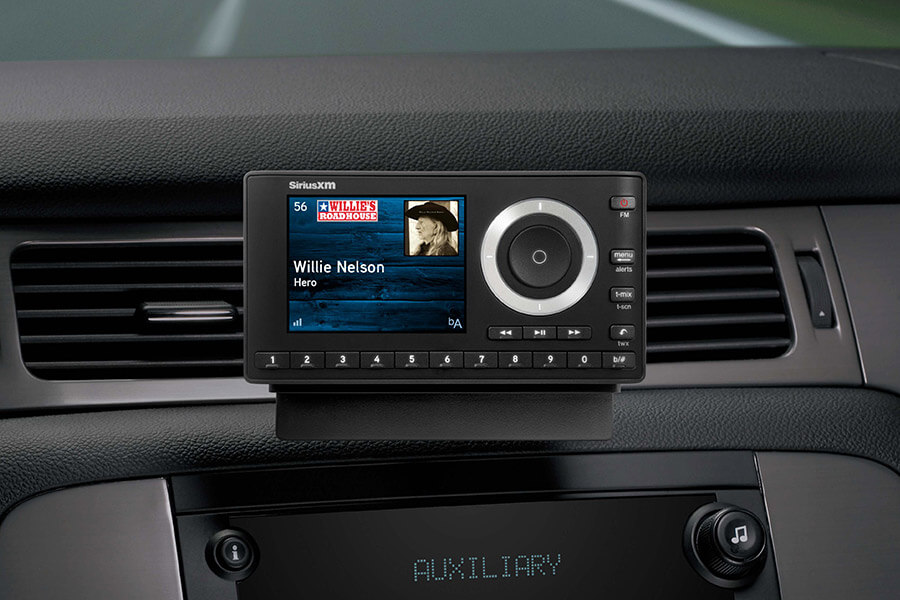
The most common hardware solution for older cars is the “Plug-and-Play” satellite radio receiver, such as the SiriusXM Onyx or Tour series. These devices act as standalone tuners that bypass your car’s internal head unit.
The technical setup involves three primary components: the receiver, the cradle, and the magnetic mount antenna. The antenna must be routed from the exterior of the vehicle (typically the roof) to the receiver. This is critical because satellite signals cannot penetrate metal; the antenna requires a direct view of the geostationary satellites. The audio signal is then transmitted to your car’s stereo via one of three methods:
-
Auxiliary Input: A 3.5mm cable connects the receiver’s output to your car’s “Aux In” port. This provides the highest analog audio fidelity.
-
FM Transmitter: The receiver broadcasts a low-power FM signal that your car’s existing radio can tune into. This is often prone to interference in urban areas where FM frequencies are crowded.
-
FM Modulator: A more robust technical solution where the tuner is hardwired directly into the car’s FM antenna lead, providing a cleaner signal than wireless transmission.
The Hidden Tuner: Dashboard Integration Kits
For those who prefer a cleaner aesthetic without visible wires or cradles, a hidden integration kit (like the VAIS Technology or Commander Touch systems) is the professional choice. These kits involve installing a hideaway tuner module behind the dashboard.
The module interfaces with your factory radio via the CD changer port or the satellite-ready bus. The benefit of this technical approach is that it allows you to control SiriusXM through your car’s existing steering wheel buttons and factory screen. It mimics the factory experience by translating the satellite data stream into a format the car’s original bus system (such as CAN-bus or MOST) can understand and display.
The Digital Shift: App-Based Streaming and Smartphone Integration
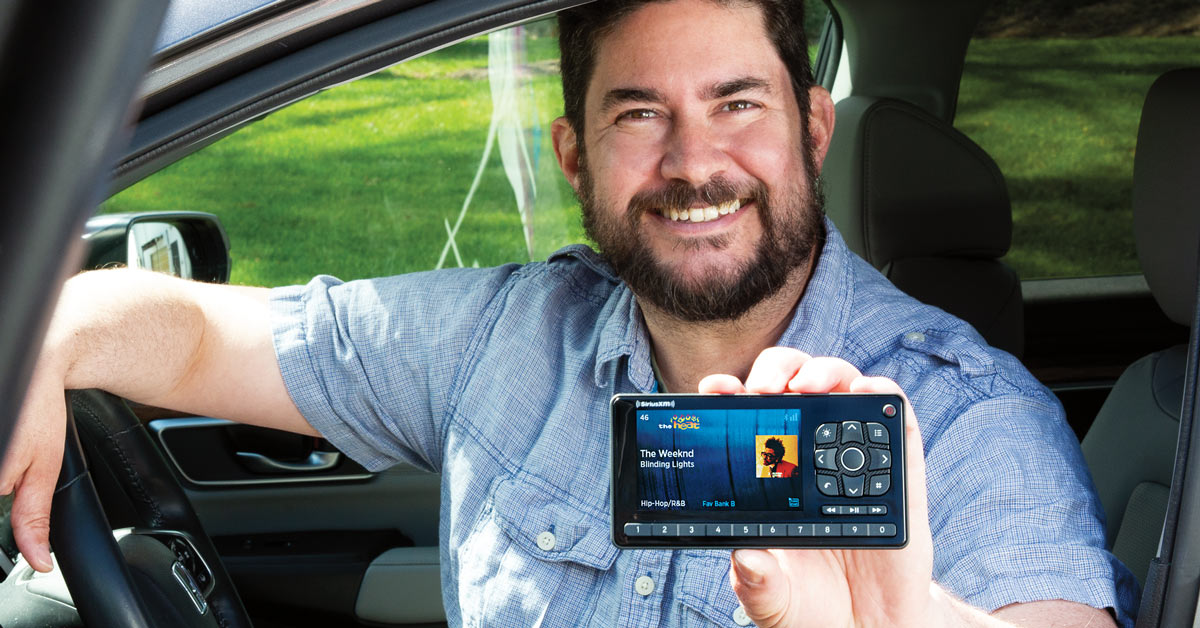
As cellular networks have evolved from 4G to 5G, the necessity for a physical satellite tuner has diminished for many users. The SiriusXM app has become a powerful alternative to hardware-based reception, offering a high-bandwidth digital stream that often surpasses the audio quality of traditional satellite signals.
Leveraging Apple CarPlay and Android Auto
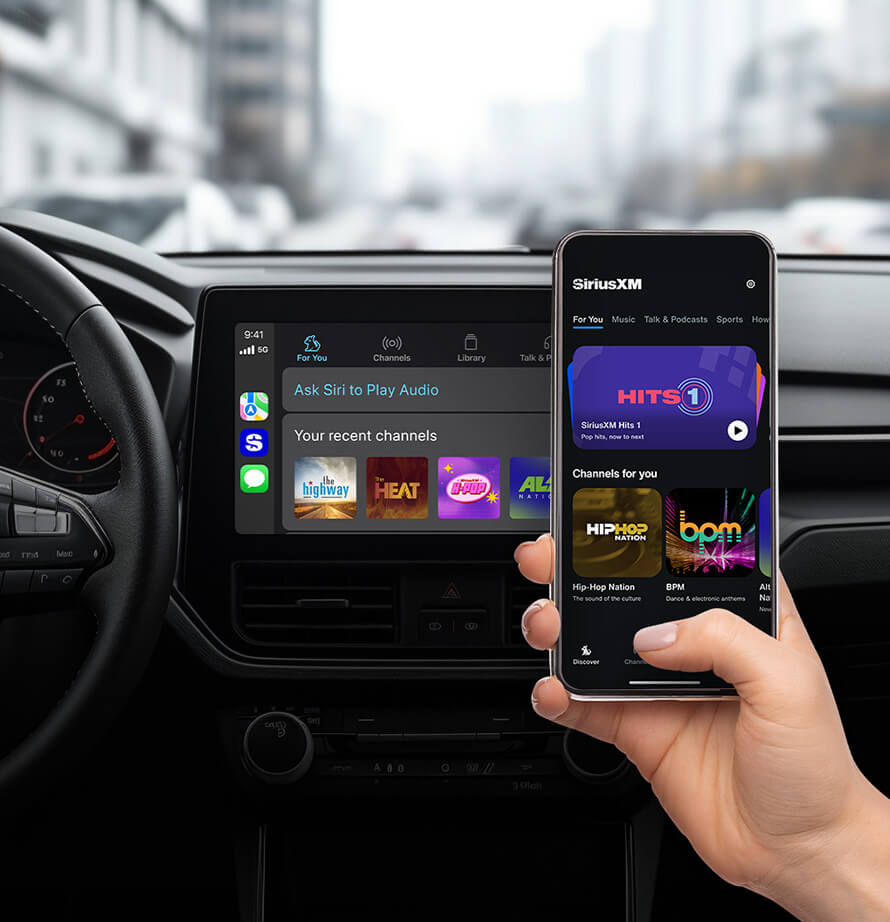
If your car supports Apple CarPlay or Android Auto, getting SiriusXM is as simple as installing the app on your smartphone. When connected via USB or wireless interface, the phone acts as the primary processor and receiver.
The technical advantage here is significant. While traditional satellite radio is limited by the bitrates of S-band broadcasting, the app uses IP-based streaming, which allows for higher-quality audio codecs and metadata features like album art, “Start Now” (restarting a song from the beginning), and personalized “For You” recommendations. The car’s head unit essentially becomes a remote display and controller for the app running on your mobile device.
Bluetooth and Auxiliary Connectivity Solutions
For vehicles that have Bluetooth or an auxiliary port but lack modern smartphone mirroring interfaces, you can still stream SiriusXM from your phone.
-
Bluetooth A2DP: This profile allows for high-quality stereo audio streaming. Once paired, the phone sends the digital audio packets to the car’s receiver. While convenient, this method relies heavily on your mobile data plan and the stability of the cellular towers in your driving path.
-
The Latency Factor: One technical consideration when streaming via a phone is signal latency. Because the data travels from a server to a cell tower, then to your phone, and finally to your car’s speakers via Bluetooth, there can be a slight delay compared to the near-instantaneous reception of a direct satellite tuner.
Technical Troubleshooting and Signal Optimization
Regardless of the method you choose, maintaining a consistent signal is the primary challenge of satellite radio technology. Understanding the physics of the signal can help you optimize your setup.
Antenna Placement and Signal Loss
Satellite radio relies on a line-of-sight signal. If you are using an aftermarket antenna, placement is paramount. Most installers recommend the rear of the roof, centered. The metal of the car roof actually acts as a “ground plane,” enhancing the antenna’s ability to pull in the weak signals from space.
If you experience “Signal Acquisition” errors, it is often due to terrestrial interference. In large cities, SiriusXM employs “Terrestrial Repeaters”—ground-based towers that rebroadcast the satellite signal to overcome the “urban canyon” effect created by skyscrapers. If you lose signal frequently, your hardware may have a faulty antenna connection or be unable to switch between satellite and repeater modes efficiently.
Firmware Updates and Software Syncing
Modern infotainment systems are essentially computers on wheels. If you find that your integrated SiriusXM radio is glitching or failing to display channel names, a firmware update may be required. Most manufacturers now offer Over-the-Air (OTA) updates, but older systems may require a manual update via a USB drive. These updates ensure the radio’s “channel map” is current, as SiriusXM frequently reconfigures its bandwidth allocation to add new stations or improve audio quality.
The Future of In-Car Infotainment: 360L and Beyond
The pinnacle of current SiriusXM technology is the 360L platform. This is a hybrid system that combines satellite reception with integrated cellular connectivity.
How 360L Operates
The 360L system is designed to provide the “best of both worlds.” It uses the satellite tuner for reliable coverage in remote areas where cell service is non-existent, and it uses an on-board LTE/5G modem to provide two-way communication. This allows for features previously impossible on one-way satellite hardware, such as on-demand content, personalized listener profiles, and real-time sports updates.
From a technical perspective, 360L manages the handover between satellite and IP streaming seamlessly. If you drive into a tunnel, the system can buffer the stream via the cellular connection to prevent an outage. If you are in a cellular dead zone, it reverts to the S-band satellite signal. This level of integration represents the future of how users will consume media in their vehicles—merging traditional broadcasting with the flexibility of the internet.
Conclusion of the Technical Setup
Getting SiriusXM in your car is no longer a one-size-fits-all hardware installation. Whether you are leveraging the sophisticated 360L hybrid systems in a new luxury vehicle, installing a hidden integration kit in a classic car, or simply utilizing the streaming power of your smartphone through CarPlay, the goal remains the same: a stable, high-fidelity connection to a global content network. By understanding the hardware requirements and the software interfaces available, you can ensure that your vehicle remains at the cutting edge of digital audio technology.
aViewFromTheCave is a participant in the Amazon Services LLC Associates Program, an affiliate advertising program designed to provide a means for sites to earn advertising fees by advertising and linking to Amazon.com. Amazon, the Amazon logo, AmazonSupply, and the AmazonSupply logo are trademarks of Amazon.com, Inc. or its affiliates. As an Amazon Associate we earn affiliate commissions from qualifying purchases.