
In an increasingly digital world, access to a vast ecosystem of services and conveniences has become a cornerstone of modern consumer experience. Among these, Amazon Prime stands out as a colossal digital subscription, offering far more than just expedited shipping. It’s a bundled suite of digital services designed to integrate seamlessly into your daily life, spanning entertainment, shopping, and convenience, all managed through sophisticated online platforms and applications. For those new to the Amazon ecosystem or simply looking for a definitive guide, understanding the technical pathway to acquiring and optimizing a Prime membership is crucial. This guide will walk you through the precise steps, technical considerations, and best practices to not only secure your Prime membership but also to harness its full technological potential.

Understanding the Prime Ecosystem: More Than Just Shipping
Before diving into the “how,” it’s essential to grasp the breadth of what Amazon Prime offers from a technological perspective. It’s not merely a delivery service; it’s a digital key unlocking a vast array of interconnected applications and features.
A Gateway to Digital Conveniences
At its core, Prime is a curated collection of digital services that enhance various aspects of your digital life. These include:
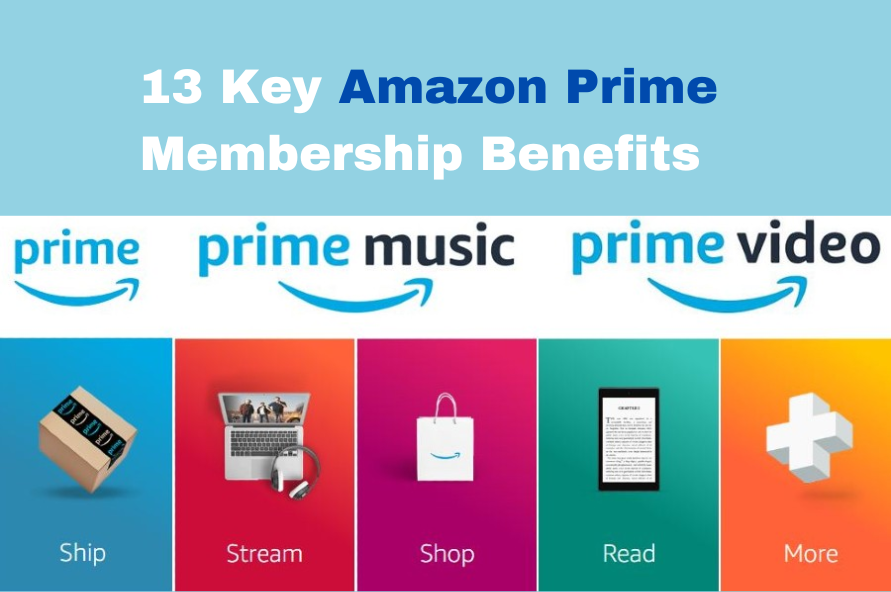
- Prime Video: A streaming service offering thousands of movies, TV shows, and Amazon Originals, accessible via web browsers, dedicated apps on smart TVs, mobile devices, gaming consoles, and Amazon Fire devices. This involves streaming technology, personalized recommendation algorithms, and multi-device synchronization.
- Prime Music: Ad-free access to millions of songs and thousands of stations, streamable or downloadable for offline listening through the Amazon Music app or web player. This leverages cloud-based music libraries and digital rights management.
- Prime Reading: A rotating selection of free eBooks, magazines, and comics, available through the Kindle app or Kindle e-readers. This involves digital content delivery and reading software.
- Amazon Photos: Unlimited full-resolution photo storage in the cloud, along with 5 GB for videos and other files. This is a robust cloud storage solution, offering backup, sharing, and viewing across multiple devices.
- Prime Gaming (formerly Twitch Prime): Free games, in-game content, and a free channel subscription on Twitch, integrating with the popular live-streaming platform for gamers.
- Early Access to Deals: Often tied to Amazon’s various sales events, Prime members get 30-minute early access to Lightning Deals, giving them a technological advantage in securing sought-after items.
Devices and Platforms
The beauty of Prime’s technological integration lies in its cross-platform availability. Your membership allows you to access services across a multitude of devices, ensuring continuity and convenience. This includes:
- Smartphones and Tablets: Dedicated apps for Prime Video, Music, Photos, Kindle, and the main Amazon shopping app provide a seamless mobile experience.
- Smart TVs and Streaming Devices: Apps on Roku, Apple TV, Android TV, and, of course, Amazon’s own Fire TV sticks and smart TVs, allow for living room entertainment.
- Computers: All services are accessible via web browsers, offering a universal access point.
- Gaming Consoles: PlayStation and Xbox consoles support the Prime Video app.
- Amazon Echo Devices: Integration with Alexa allows for voice-controlled access to Prime Music and other features, forming a key part of Amazon’s smart home ecosystem.
Understanding this intricate web of services and platforms sets the stage for a smooth onboarding process, allowing you to anticipate how you’ll leverage your membership across your personal tech landscape.
The Step-by-Step Technical Onboarding Process
Acquiring an Amazon Prime membership is a straightforward digital process, designed for user accessibility. However, familiarity with the technical steps ensures a smooth and secure activation.
Navigating to the Prime Enrollment Page
Your journey begins at Amazon’s digital storefront.
- Visit Amazon.com (or your regional Amazon domain): Open your web browser (Chrome, Firefox, Edge, Safari, etc.) and type in
www.amazon.com. If you’re outside the U.S., use your respective domain (e.g.,amazon.co.uk,amazon.ca,amazon.de). - Locate the Prime Section: On the Amazon homepage, look for “Try Prime” or “Prime” in the navigation bar, usually located at the top. Alternatively, you can often find a banner advertisement promoting Prime. Clicking this link will direct you to the dedicated Prime landing page, which outlines benefits and membership options.
- Use the Amazon App: If you prefer mobile, download and open the Amazon Shopping app from your device’s app store (Google Play Store for Android, Apple App Store for iOS). Once logged in, you’ll typically find a “Prime” icon or a menu option that leads to the Prime enrollment section.
Account Creation and Information Entry
To get Prime, you must first have an Amazon account. If you don’t already have one, the system will prompt you to create one.
- Sign In or Create Account: On the Prime enrollment page, you’ll be prompted to sign in with an existing Amazon account or create a new one.
- New Account Creation:
- Click “Create your Amazon account.”
- Enter your full name.
- Provide a valid email address or mobile number. This will be your primary login ID.
- Choose a strong password. Aim for a combination of uppercase and lowercase letters, numbers, and symbols to enhance digital security.
- Amazon will send a verification code to your email or phone. Enter this code to confirm your contact information and activate your account. This is a crucial security step.
Selecting Your Membership Tier
Amazon offers various Prime membership options to cater to different needs and demographics.
- Standard Membership: The most common option, typically offered monthly or annually. Annual plans often provide a cost saving over monthly subscriptions.
- Student Prime: If you’re a student enrolled in a qualifying university or college, Amazon offers a discounted Prime membership, often with an extended free trial period. You’ll typically need to provide a
.eduemail address or other proof of enrollment for verification, which is handled digitally through a verification service. - EBT/Medicaid Recipients: In some regions, individuals receiving government assistance may qualify for a discounted Prime membership. Similar to student verification, this requires digital verification of your EBT or Medicaid status.
- Free Trial: Amazon typically offers a 30-day free trial for new members. This allows you to experience the full suite of Prime benefits before committing financially. Ensure you understand the trial’s end date to avoid unintended charges.
Select the option that best suits you and click to proceed.
Payment Method Integration
This is a critical step for securing your membership, even for free trials, as it ensures continuity once the trial ends or for recurring payments.
- Add a Payment Method: You will be prompted to enter your payment details. This typically includes:
- Credit Card Number
- Expiration Date
- Cardholder Name
- Billing Address
- Secure Processing: Amazon uses encrypted connections (look for “https://” in the URL and a padlock icon) to process your payment information securely. This digital security measure protects your financial data during transmission.
- Confirm and Start Membership: After entering your payment details, review your selection and confirm. Your Prime membership will activate almost immediately.
Confirmation and First-Time Access
Once you’ve completed the payment process, you’ll receive a digital confirmation.

- Email Confirmation: Amazon will send a confirmation email to the address associated with your account, detailing your new membership, its benefits, and the next billing date.
- Accessing Prime Benefits: You can now immediately start utilizing Prime’s features.
- Shopping: Items eligible for Prime shipping will show the Prime badge.
- Streaming: Navigate to Prime Video or Prime Music (via browser or dedicated apps), sign in with your Amazon credentials, and begin streaming.
- Photos: Upload your photos to Amazon Photos.
- Reading: Download the Kindle app and explore Prime Reading titles.
Optimizing Your Prime Experience: Tech Tips and Tricks
Simply having Prime is one thing; leveraging its full technological potential is another. Smart management and utilization of its features can significantly enhance your digital lifestyle.
Managing Your Membership Digitally
Your Amazon account settings serve as your central hub for managing your Prime subscription.
- Access Membership Settings: Log in to Amazon.com, hover over “Account & Lists,” and click “Prime Membership” or navigate to
amazon.com/prime. - Update Payment Information: If your credit card expires or you wish to use a different one, update it here to prevent service interruptions.
- Change Plan: Switch between monthly and annual plans if available.
- Cancel Membership: You can easily cancel your membership from this page. Amazon will often offer a pro-rated refund if you haven’t used many Prime benefits during the current billing cycle.
Leveraging Prime Apps for Full Potential
While web access is convenient, dedicated apps often offer a superior and more integrated user experience.
- Download Dedicated Apps: Install Prime Video, Amazon Music, Amazon Photos, and Kindle apps on your smartphones, tablets, and smart TVs. These apps are optimized for their respective services, offering better performance, offline downloads (for video/music), and device-specific features.
- Device Synchronization: Ensure you’re logged into all apps with the same Amazon account to synchronize progress, watchlists, and preferences across devices. Start watching a show on your TV and pick up exactly where you left off on your tablet.
Digital Security Best Practices
Protecting your Amazon account is paramount, as it’s linked to your payment information and access to numerous digital services.
- Strong, Unique Password: Use a password that is complex and not reused on other websites.
- Two-Factor Authentication (2FA): Enable 2FA for your Amazon account. This adds an extra layer of security, requiring a code sent to your phone or an authenticator app in addition to your password when logging in from an unrecognized device. This significantly reduces the risk of unauthorized access.
- Beware of Phishing: Be cautious of suspicious emails or messages claiming to be from Amazon, especially those asking for personal information or payment details. Always verify the sender and, if in doubt, navigate directly to Amazon’s website rather than clicking links in emails.
Troubleshooting Common Access Issues
Even with the most robust systems, technical glitches can occur. Knowing how to troubleshoot common issues can save time and frustration.
- Login Problems: Double-check your username and password. If forgotten, use the “Forgot Password” link. Clear your browser’s cache and cookies or try a different browser.
- Streaming Errors (Prime Video/Music): Check your internet connection speed and stability. Try reducing the streaming quality in the app settings. Ensure your app or browser is updated to the latest version. Restart your device.
- Device Authorization Issues: Sometimes, streaming services have a limit on simultaneous streams or authorized devices. Check your Prime Video settings to manage your registered devices.
- Contact Customer Support: If you encounter persistent technical issues, Amazon’s customer service (accessible via chat, phone, or email through the “Help” section on the website) can provide specific technical assistance.
Beyond the Basics: Advanced Tech Integration
For the technologically inclined, Amazon Prime offers even deeper integration possibilities, especially within the Amazon ecosystem.
Smart Home Integration with Alexa
If you own Amazon Echo devices or other Alexa-enabled smart home tech, Prime unlocks a new level of convenience.
- Voice Control: Use Alexa to play Prime Music, find and play Prime Video content on compatible Fire TV devices, reorder Prime-eligible items, or check delivery statuses—all with voice commands. This seamless integration showcases advanced voice recognition and IoT capabilities.
- Shopping Lists: Add items to your shopping list via voice, which syncs directly with your Amazon account, making Prime-eligible purchases even more effortless.
Data Management and Privacy Considerations
As with any major digital service, understanding how your data is used is important.
- Personalized Recommendations: Amazon uses your viewing, listening, and shopping history to provide personalized recommendations across all Prime services. You can often manage your browsing history and viewing activity settings within your account to influence these recommendations or maintain privacy.
- Privacy Settings: Review Amazon’s privacy policy and explore the privacy settings within your account to understand and control what data is collected and how it’s utilized. This might include managing ad preferences or data sharing options.
Gifting Prime: A Digital Present
You can digitally purchase and send a Prime membership as a gift, providing a thoughtful and convenient digital present.
- Gift Purchase: On the Prime landing page, look for an option to “Give the gift of Prime.” You’ll specify the recipient’s email address and the desired duration (e.g., three months or a year).
- Digital Delivery: The recipient receives an email with instructions on how to redeem their gifted Prime membership. This is a purely digital transaction, activated by a unique code or link.
Conclusion
Acquiring an Amazon Prime membership is more than just signing up for a service; it’s stepping into a vast, interconnected digital ecosystem. By following this comprehensive tech guide, you can confidently navigate the enrollment process, secure your account with best practices, and optimize your experience across numerous devices and applications. From streaming high-definition content to backing up your precious photos and enjoying expedited deliveries, Prime’s technological framework is designed to offer unparalleled convenience and entertainment. Embrace the full potential of your Prime membership by exploring its features, integrating it with your smart devices, and staying vigilant about your digital security. The digital world of Amazon Prime awaits.
aViewFromTheCave is a participant in the Amazon Services LLC Associates Program, an affiliate advertising program designed to provide a means for sites to earn advertising fees by advertising and linking to Amazon.com. Amazon, the Amazon logo, AmazonSupply, and the AmazonSupply logo are trademarks of Amazon.com, Inc. or its affiliates. As an Amazon Associate we earn affiliate commissions from qualifying purchases.