
In the realm of personal finance, your bank account number is a critical piece of information, serving as a unique identifier for your specific financial repository within a larger institution. Whether you’re setting up direct deposit for your paycheck, initiating a wire transfer, or linking your account to an external financial service, knowing how to access this number promptly and securely is paramount. This guide will walk you through the various methods to retrieve your Chase account number, ensuring you can manage your financial affairs with confidence and efficiency.
Understanding Your Chase Account Number: Why It Matters
Your Chase account number is more than just a sequence of digits; it’s a vital component of your financial identity. It distinguishes your individual checking, savings, or money market account from the millions of others managed by Chase. Understanding its significance and how it interacts with other financial identifiers is the first step in effective money management.
The Difference Between Account and Routing Numbers
Before delving into retrieval methods, it’s crucial to clarify the distinction between your account number and your routing number, as they often appear together but serve different purposes:
- Account Number: This is your specific identifier for your individual account at Chase. It tells the bank exactly which account the funds should go into or come from. It is typically 10-12 digits long.
- Routing Number (ABA Transit Number): This nine-digit code identifies the financial institution (Chase, in this case) and the specific branch where your account was opened. It’s like the bank’s address for electronic transactions. Chase has various routing numbers depending on the state or region where your account was opened, and also specific ones for wire transfers or electronic payments.
When setting up direct deposits, bill payments, or transfers, you will almost always need both your routing number (to identify Chase) and your account number (to identify your specific account at Chase). Misunderstanding or swapping these numbers can lead to significant delays or misdirected funds, creating unnecessary financial stress.
Common Scenarios Requiring Your Account Number
Several everyday financial activities necessitate the use of your Chase account number:
- Direct Deposit Setup: The most common use. Employers, government agencies (like for tax refunds or social security), and other payers require your account number (along with the correct Chase routing number) to deposit funds directly into your checking or savings account.
- Automated Bill Payments: If you’re setting up recurring payments directly from your bank account for utilities, loan installments, or other services, you’ll need your account number to authorize these transactions.
- Linking External Accounts: Many people manage their finances across multiple institutions. Whether you’re connecting your Chase account to an investment platform, another bank, or a peer-to-peer payment service, your account number is essential for verification and transaction processing.
- Wire Transfers: For larger or international money transfers, both the sending and receiving parties will require accurate account and routing (or SWIFT/BIC code for international) numbers to ensure the funds reach the intended recipient without delay.
- Applying for Financial Products: While less common, some loan applications or other financial product setups might request your bank account number for verification purposes or to establish an initial funding source.
- Tax Purposes: In specific situations, such as receiving a tax refund via direct deposit, your account number is mandatory.
Given its pervasive utility, knowing where and how to find your Chase account number is a foundational skill in personal finance.
Accessing Your Chase Account Number Through Digital Channels
In today’s digital age, the quickest and most convenient ways to retrieve your Chase account number are often through their online banking portal or mobile application. These platforms are designed for ease of access while maintaining robust security measures.
Online Banking Portal
Chase’s online banking portal is a comprehensive tool for managing all aspects of your accounts, including finding your account number.
Steps:
- Log In: Visit the official Chase website (chase.com) and log in to your account using your username and password. Always ensure you are on the legitimate Chase website to avoid phishing scams.
- Navigate to Account Details: Once logged in, you will typically see a summary of all your Chase accounts. Click on the specific checking, savings, or money market account for which you need the number.
- View Account Number: On the account’s detailed page, look for a section that displays “Account Details,” “Account Summary,” or similar. Often, the account number might be partially masked (e.g., showing only the last few digits for security). Look for an option like “Show full account number” or a small eye icon to reveal the complete number. You may be prompted to re-enter your password or respond to a multi-factor authentication prompt (like a code sent to your phone) to fully display the sensitive information.
Using the online portal allows you to easily copy and paste the number, reducing the chance of transcription errors. Always perform these actions on a secure, private network and device.
Chase Mobile App
The Chase Mobile App offers a streamlined experience for managing your finances on the go, including quick access to your account number.
Steps:
- Open and Log In: Launch the Chase Mobile App on your smartphone or tablet. Log in using your fingerprint, face ID, or username and password.
- Select Account: From the main dashboard, tap on the specific account (checking, savings, etc.) whose number you need.
- Find Account Details: On the account’s dedicated page, you’ll usually find an option like “Show details,” “Account details,” or a gear/settings icon. Tap on this.
- Reveal Account Number: Similar to the online portal, your account number might be partially obscured for security. Tap to reveal the full number. You might need to verify your identity again, for instance, by re-entering your password or using biometrics.
The mobile app is incredibly convenient, but be mindful of your surroundings when accessing sensitive financial data in public. Avoid using public Wi-Fi networks when logging into your banking app, as they can be less secure.
Traditional Methods for Retrieving Your Account Number
While digital methods are often preferred, there are several reliable traditional avenues to obtain your Chase account number, catering to those who prefer physical records or need alternatives when digital access is unavailable.
Bank Statements
Your monthly or quarterly bank statements are a treasure trove of financial information, including your account number.
Steps:
- Locate a Recent Statement: Find a physical paper statement that Chase sends to your mailing address.
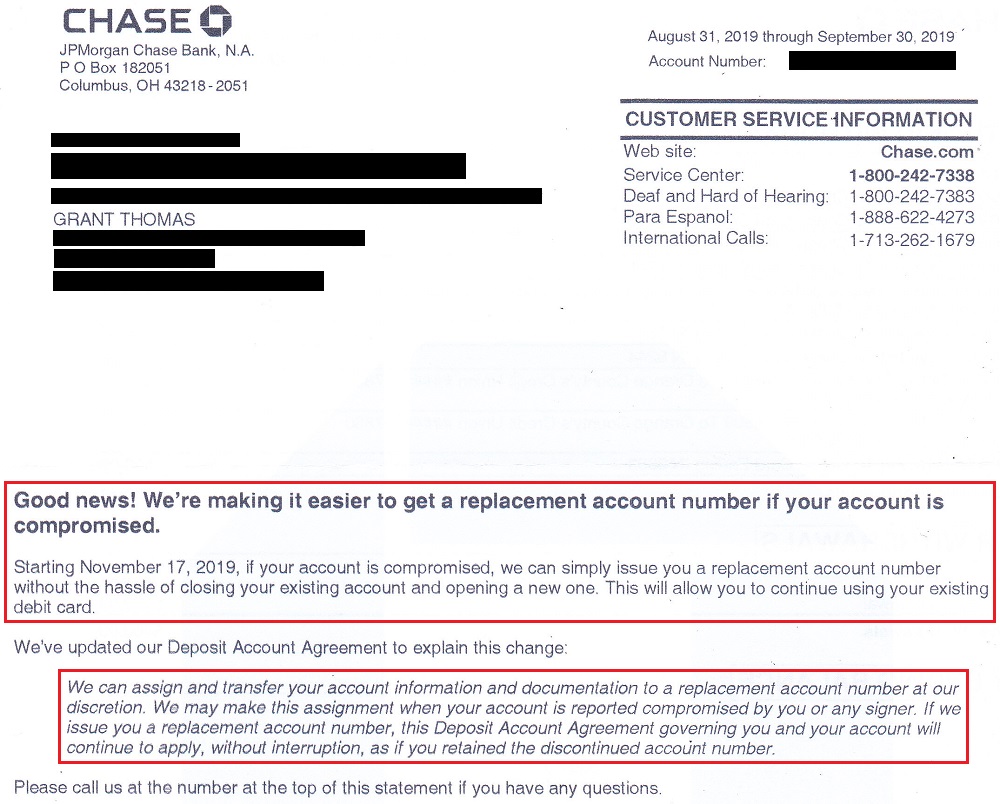
- Identify the Number: Your account number is typically printed prominently on the statement, often near the top right or within the “Account Summary” section. It’s usually labeled clearly as “Account Number.”
- Access E-Statements (if applicable): If you’ve opted for paperless statements, you can usually access digital versions (e-statements) through the Chase online banking portal or mobile app, then follow the same steps as for a physical statement to locate the number. E-statements are secure and can be downloaded as PDFs.
Keeping organized records of your bank statements is a sound financial practice, offering a convenient way to reference account details and monitor your spending.
Your Checkbook
For checking accounts, your physical checkbook is a direct and readily available source of your account number.
Steps:
- Open Your Checkbook: Take out one of your personal checks.
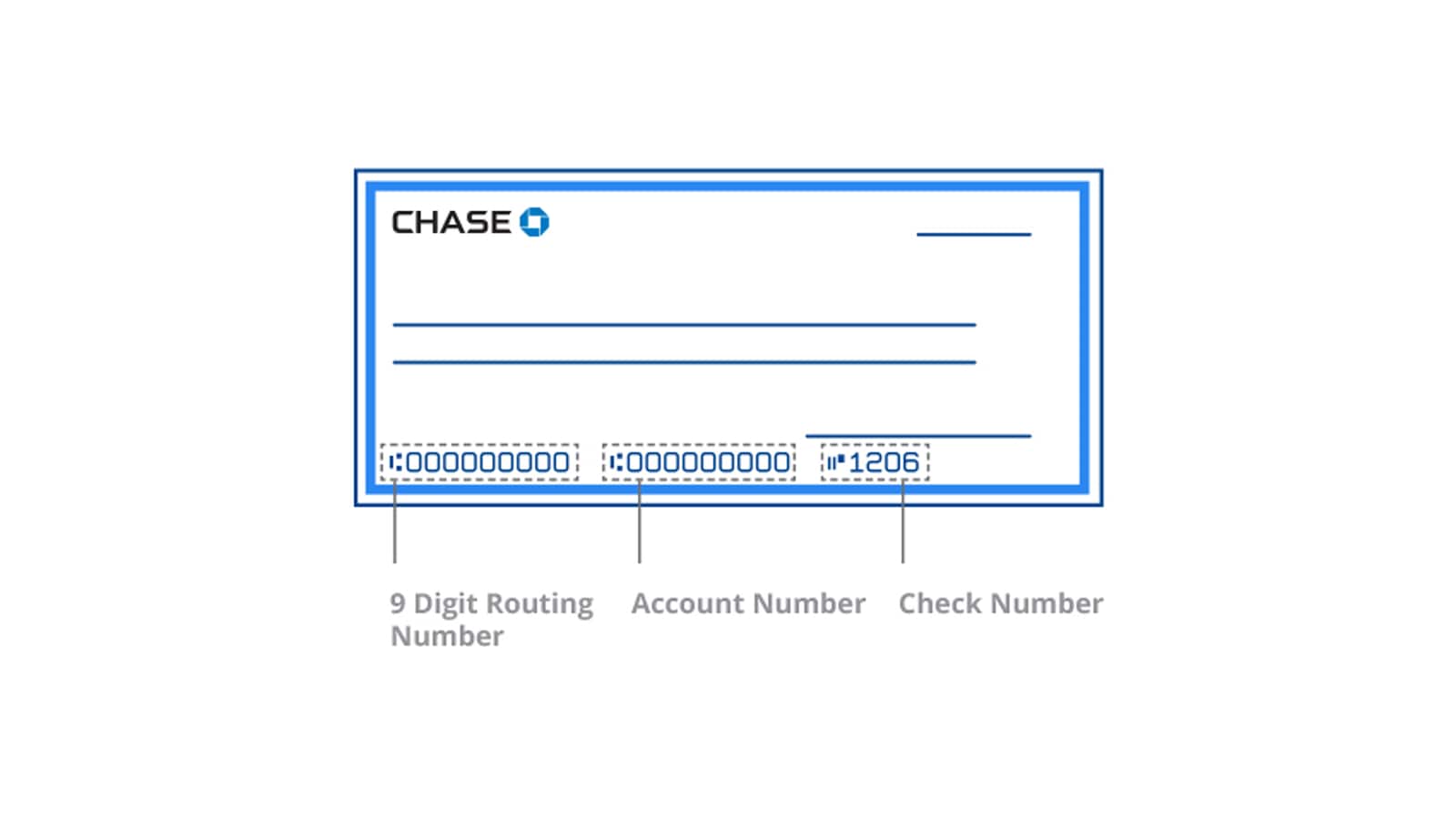
- Locate the Number Sequence: Look at the bottom of the check. You’ll see three sets of numbers printed in magnetic ink.
- The first set on the left is typically your 9-digit Chase routing number.
- The middle set of numbers is your specific checking account number.
- The last set of numbers is the check number.
Be cautious when using checks. While they offer easy access to your account number, they also contain all the information needed for someone to potentially access your funds if they fall into the wrong hands. Avoid sharing blank checks unnecessarily.
Contacting Chase Customer Service
If you’ve exhausted other options, or if you prefer speaking directly with a representative, contacting Chase customer service is always a viable route. This is particularly useful if you’re unable to access your digital accounts or locate physical documents.
Steps:
- Call the Official Number: Dial the customer service number listed on the back of your Chase debit card, on their official website (chase.com), or on a past statement. Avoid numbers found through internet searches that aren’t officially linked to Chase, to prevent calling fraudulent services.
- Identity Verification: Be prepared to answer several security questions to verify your identity. This typically includes your full name, address, date of birth, Social Security Number (or parts of it), and possibly details about recent transactions or account activity. This rigorous process is for your protection.
- Request Account Number: Once your identity is verified, clearly state that you need your account number. The representative will be able to provide it.
Alternatively, you can visit a local Chase branch in person. Bring a valid government-issued ID (like a driver’s license or passport) and be prepared for the same identity verification process. A branch representative can look up your account details and provide the number.
Safeguarding Your Financial Information
While retrieving your account number is a necessary financial task, it also highlights the importance of protecting sensitive information. Your account number, especially when combined with your routing number and personal details, can be used for unauthorized transactions.
Best Practices for Account Security
Implementing robust security measures is fundamental to protecting your financial assets:
- Strong, Unique Passwords: Use complex passwords for your online banking and mobile app, combining letters, numbers, and symbols. Avoid using the same password across multiple sites.
- Enable Two-Factor Authentication (2FA): Always activate 2FA for your Chase accounts. This adds an extra layer of security, requiring a code from your phone or another device in addition to your password.
- Monitor Account Activity Regularly: Check your account statements and transaction history frequently for any unauthorized or suspicious activity. Set up alerts for large transactions or withdrawals.
- Be Wary of Phishing Attempts: Chase will never ask for your full account number, password, or PIN via unsolicited email, text message, or phone call. Be extremely cautious of communications that request this information, even if they appear to be from Chase.
- Secure Your Devices: Ensure your computer and mobile devices are protected with up-to-date antivirus software, firewalls, and operating system updates. Use strong lock screen security (PIN, fingerprint, face ID) on your mobile devices.
- Limit Sharing: Only provide your account number when absolutely necessary and to trusted entities (e.g., your employer for direct deposit). Never write it down on unsecured documents or share it over insecure communication channels.

What to Do If Your Information Is Compromised
If you suspect your Chase account number or other financial information has been compromised:
- Contact Chase Immediately: Call Chase’s fraud department as soon as possible. Their contact information can be found on their official website or the back of your debit/credit card. Report any suspicious activity or unauthorized transactions.
- Change Passwords: Immediately change the passwords for your Chase online banking and any other financial accounts that might be linked or use similar credentials.
- Monitor Your Credit Reports: Regularly check your credit reports from the three major bureaus (Experian, Equifax, TransUnion) for any signs of identity theft. You can get free annual reports at AnnualCreditReport.com.
- File a Police Report: If you believe you are a victim of identity theft, file a police report. This can be crucial for disputing fraudulent charges and for recovery efforts.
- Understand Chase’s Fraud Protection: Familiarize yourself with Chase’s fraud liability policies. They often offer protections against unauthorized transactions, but timely reporting is usually a condition.
Knowing how to obtain your Chase account number is an essential aspect of managing your personal finances. By utilizing the digital and traditional methods outlined above, and by diligently protecting your financial information, you can ensure smooth and secure financial operations.
aViewFromTheCave is a participant in the Amazon Services LLC Associates Program, an affiliate advertising program designed to provide a means for sites to earn advertising fees by advertising and linking to Amazon.com. Amazon, the Amazon logo, AmazonSupply, and the AmazonSupply logo are trademarks of Amazon.com, Inc. or its affiliates. As an Amazon Associate we earn affiliate commissions from qualifying purchases.