
In an era defined by interconnected digital ecosystems, managing our online subscriptions and accounts has become a critical aspect of personal tech proficiency. Amazon Prime, with its vast array of services ranging from expedited shipping to extensive streaming libraries, often becomes a cornerstone of our digital lives. However, circumstances change, and for various reasons – whether cost-saving, shifting priorities, or simply streamlining digital clutter – the need to cancel an Amazon Prime account arises. This guide dives deep into the technical process of discontinuing your Prime membership, framed specifically through the lens of digital account management, user interface navigation, and the broader implications for your digital footprint. We aim to provide a professional, insightful, and engaging walkthrough for anyone looking to reclaim control over their digital subscriptions.

Understanding Your Prime Membership and Its Digital Footprint
Before initiating the cancellation process, it’s crucial to understand the intricate web of services that constitute your Prime membership and how deeply integrated they might be into your personal digital ecosystem. Amazon Prime is far more than just a delivery service; it’s a multifaceted platform impacting various aspects of a user’s tech interactions.
The Digital Ecosystem of Amazon Prime
Amazon Prime consolidates numerous digital services under one umbrella, each with its own technical dependencies and user experience implications. From a technological standpoint, this includes:
- Expedited Shipping Algorithms: Prime leverages sophisticated logistics and data analytics to offer faster delivery options, influencing your online shopping habits and expectations.
- Prime Video Streaming Platform: A dedicated streaming service with its own content library, user profiles, watch history, and device integrations (Smart TVs, Fire Sticks, mobile apps).
- Amazon Music Prime: A curated music streaming service, distinct from Amazon Music Unlimited, offering ad-free access to a selection of songs.
- Prime Reading and Amazon First Reads: Digital access to a rotating library of ebooks and magazines, often integrated with Kindle devices and apps.
- Prime Gaming (formerly Twitch Prime): Benefits for gamers, including free games, in-game content, and a free Twitch channel subscription, requiring linking to a Twitch account.
- Amazon Photos: Unlimited full-resolution photo storage, a cloud service that rivals others like Google Photos or iCloud, and often serves as a primary digital photo backup solution for users.
- Whole Foods Market Discounts: While a physical benefit, the digital aspect involves linking your Prime account for price adjustments.
- Amazon Pharmacy: Prime members often receive additional discounts on prescriptions, managed through their digital profiles.
Each of these services contributes to your overall digital footprint with Amazon. When you cancel Prime, the accessibility and functionality of these interconnected services will be immediately impacted.
Identifying Your Digital Commitments
A critical preliminary step is to audit your usage of these Prime-specific services. Consider:
- Linked Devices: Are there any Fire TV sticks, tablets, smart speakers (Alexa devices), or other smart home gadgets linked specifically to your Prime account’s benefits (e.g., for Prime Video streaming)?
- Cloud Storage: If you use Amazon Photos extensively, understand that while your core Amazon account remains, the “unlimited full-resolution” benefit for photos will cease, potentially reverting to a standard storage limit or requiring you to download your data.
- Digital Content: Have you “purchased” free Kindle books or Twitch games that might become inaccessible without an active Prime membership? Most purchased content remains, but Prime-exclusive freebies may not.
- Family Sharing: If you’re part of an Amazon Household or sharing Prime benefits, understand the implications for other family members’ digital access.
Distinguishing Prime from Your Core Amazon Account
It’s vital to clarify a common point of confusion: canceling your Amazon Prime membership does not delete your primary Amazon shopping account. Your main Amazon account, which stores your purchase history, payment methods, wish lists, and shipping addresses, will remain active. You will still be able to shop on Amazon, albeit without the Prime-exclusive benefits like free expedited shipping, Prime Video, or Music. This distinction is crucial for managing your broader digital identity and data with Amazon.
The Step-by-Step Technical Process to Cancel Prime
Navigating Amazon’s interface to cancel a subscription can sometimes feel like a deliberate challenge, designed to make users reconsider. This section provides a clear, technical walkthrough of the process, highlighting key screens and decisions.
Accessing Your Account Settings
The journey begins by logging into your Amazon account from a desktop web browser (recommended for clearer navigation compared to mobile apps, which can sometimes abstract menu options).
- Log In: Go to Amazon.com and log in with your credentials.
- Navigate to “Accounts & Lists”: In the top right corner of the Amazon homepage, hover over “Accounts & Lists.” A dropdown menu will appear.
- Select “Prime Membership”: Within this dropdown, locate and click on “Prime Membership.” This will take you to a dedicated page detailing your Prime benefits and membership status.
Locating the Cancellation Option
Once on the “Prime Membership” page, Amazon’s interface presents your current benefits prominently, often requiring a bit of searching to find the cancellation link.
- “Manage Membership” Dropdown: On the “Prime Membership” page, look for a box or banner related to your membership details. There should be a “Manage Membership” dropdown menu or a gear icon next to your membership renewal date. Click on this.
- “End Membership” or “Update, Cancel, and More”: From the “Manage Membership” dropdown, select “End Membership” or an equivalent option like “Update, Cancel, and More.” This is the gateway to the cancellation flow.
Navigating Amazon’s Retention Prompts
Amazon’s system is designed to maximize member retention. You will likely encounter several screens attempting to persuade you to stay.
- “Don’t End Your Prime Membership” Page: This page typically summarizes the benefits you’re about to lose (e.g., “You’ll lose free delivery,” “You’ll lose Prime Video access”). It might also display an estimated refund amount if applicable (more on this below).
- Offers and Alternatives: Amazon may present alternative options, such as:
- Paying Monthly: If you’re on an annual plan, they might suggest switching to a more expensive monthly plan to alleviate upfront cost concerns.
- Special Deals: Occasionally, they might offer a discount for staying or a temporary pause option.
- Reminders of Unused Benefits: They might highlight benefits you haven’t recently used, hoping to spark renewed interest.
- “End Benefits” or “Continue to Cancel”: To proceed, you must persistently click through these prompts. Look for buttons like “End Benefits,” “I Do Not Want My Benefits,” or “Continue to Cancel.” The specific phrasing can vary.
- Final Confirmation: You will reach a final confirmation screen detailing the last date of your benefits and any potential refund. Click “End My Membership” or “Cancel Prime” to finalize.
Confirmation and Digital Record-Keeping
Upon successful cancellation, you should receive a confirmation email from Amazon. This email serves as your official digital record of the transaction. It’s a best practice to:
- Retain the Email: Keep this confirmation email in your archives.
- Screenshot Confirmation Pages: For critical digital transactions, taking screenshots of the final confirmation pages can provide an additional layer of proof.
Navigating Post-Cancellation Digital Implications
The immediate aftermath of canceling Prime involves more than just a lack of expedited shipping. It triggers a series of digital and service-related changes that users should be aware of.

Loss of Prime-Specific Digital Services
The most immediate impact will be the cessation of access to all Prime-exclusive digital services:
- Prime Video and Music: Your access to the Prime Video and Music libraries will be revoked. Any downloaded content will become inaccessible. Purchased or rented content (not Prime-exclusive) will generally remain accessible via your core Amazon account.
- Prime Reading: Access to the rotating library of free books will cease.
- Amazon Photos: Your unlimited full-resolution photo storage will revert to the standard 5 GB free tier, or whatever storage limit applies to non-Prime members. If you exceed this, you may need to either download your photos or purchase additional storage.
- Prime Gaming: Any free games or in-game content claimed through Prime Gaming may become inaccessible or require new purchases.
Data Retention and Privacy
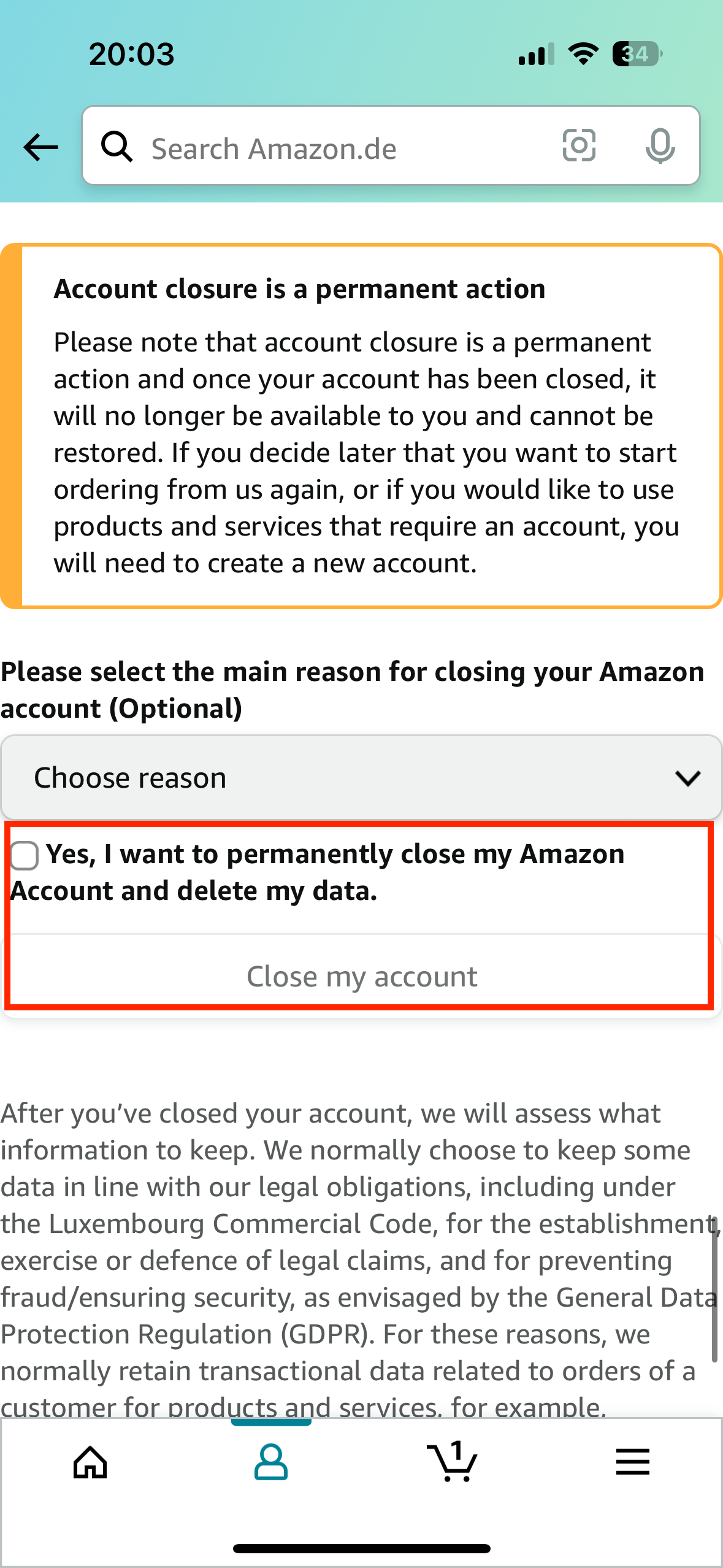
While you lose Prime benefits, your core Amazon account and its associated data remain. Amazon’s privacy policy outlines its data retention practices. Generally, your purchase history, browsing data (unless manually deleted), and profile information associated with your main Amazon account will be retained. This is distinct from the Prime membership itself. If you wish to delete your entire Amazon account and associated data, that is a separate, more involved process.
Device De-linking and Account Security
It’s prudent to review and potentially de-link devices that were heavily integrated with your Prime benefits:
- Fire TV Sticks/Smart TVs: If you logged into Prime Video on these devices, you might want to log out or unlink the Amazon account from those devices, especially if they are shared or publicly accessible.
- Alexa Devices: While Alexa functionality remains, any Prime-specific integrations (e.g., playing Prime Music) will cease.
- General Security: As a best practice, consider reviewing your login activity on Amazon and ensuring Two-Factor Authentication (2FA) is enabled for your main Amazon account. Changing your Amazon password periodically is also a sound digital security habit.
Alternative Digital Strategies: Pausing vs. Full Cancellation
Sometimes, a full cancellation isn’t the only or best tech strategy. Amazon’s system might offer alternatives or specific refund policies to consider.
Leveraging the “Pause” Feature (If Available/Applicable)
While Amazon does not typically offer a straightforward “pause” button for Prime memberships globally, there are scenarios where a temporary suspension or partial refund effectively serves a similar purpose. For instance, if you’ve barely used your membership, Amazon’s system might calculate a full refund. If you’ve used some benefits, it calculates a pro-rata refund. The cancellation process itself can act as a “pause” if executed early in a billing cycle and a refund is issued, allowing you to re-subscribe later without losing much. Always check the specific options presented during the cancellation flow, as features can vary by region or evolve over time.
Exploring Partial Refunds and Pro-Rata Calculations
Amazon’s system is engineered to assess usage. If you cancel a paid Prime membership but haven’t used any Prime benefits (such as Prime shipping, Prime Video, or Prime Music) during your current billing period, you are typically eligible for a full refund of your current membership fee. If you’ve used some benefits, Amazon usually calculates a pro-rata refund based on the remaining days of your membership and the extent of benefits utilized. This automated calculation is presented during the cancellation flow, allowing you to make an informed decision.
Managing Multiple Amazon Accounts or Family Plans
The complexity increases if your Prime membership is part of an Amazon Household or if you manage multiple Amazon accounts.
- Amazon Household: If your Prime membership is shared within an Amazon Household, canceling your membership will revoke Prime benefits for all members in that Household. Ensure clear communication with other household members before proceeding.
- Business Accounts: If you have an Amazon Business account linked to Prime, assess the impact on business operations, expedited shipping, and purchasing.
These scenarios require a more thorough technical assessment of account linkages and shared digital access before cancellation.
Best Practices for Digital Subscription Management and Security
Canceling Amazon Prime is an excellent opportunity to reflect on broader digital hygiene and proactive account management.
Auditing Your Digital Subscriptions Regularly
The proliferation of subscription services means that many users are unknowingly paying for services they no longer use.
- Periodic Reviews: Schedule a quarterly or bi-annual review of all your recurring digital subscriptions (streaming services, software, apps, cloud storage, etc.).
- Financial Tools: Leverage personal finance apps or bank features that categorize spending to identify all recurring payments.
- Password Managers: Many advanced password managers now include features to track subscriptions and their renewal dates, providing a centralized dashboard for managing your digital commitments.
Proactive Account Security Measures
Beyond simply canceling, maintaining the security of your remaining Amazon account and other digital assets is paramount.
- Two-Factor Authentication (2FA): Always enable 2FA on your Amazon account and any other critical online services. This adds an essential layer of security by requiring a second verification method (like a code from your phone) in addition to your password.
- Strong, Unique Passwords: Use a unique, complex password for your Amazon account that is different from all other online accounts. A password manager can help generate and store these securely.
- Review Login Activity: Periodically check your Amazon account’s “Login & Security” section for unusual activity or unrecognized devices.
Understanding Terms of Service and Digital Contracts
Every digital service comes with its own Terms of Service (ToS). While rarely read, these documents govern cancellation policies, data retention, and refunds. Familiarizing yourself with the ToS, especially for high-value or long-term subscriptions, empowers you to navigate cancellations more efficiently and avoid surprises.
Conclusion
Closing your Amazon Prime account is a straightforward technical process once you understand the necessary steps and are prepared for the digital implications. By approaching it systematically, understanding the intricacies of Amazon’s interface, and being aware of the broader context of digital subscription management and security, you can smoothly transition your digital life. This exercise is not merely about clicking a few buttons; it’s about asserting control over your digital footprint and fostering better habits for managing your online presence in an increasingly complex tech landscape. Take charge of your subscriptions and ensure your digital ecosystem serves your evolving needs.
aViewFromTheCave is a participant in the Amazon Services LLC Associates Program, an affiliate advertising program designed to provide a means for sites to earn advertising fees by advertising and linking to Amazon.com. Amazon, the Amazon logo, AmazonSupply, and the AmazonSupply logo are trademarks of Amazon.com, Inc. or its affiliates. As an Amazon Associate we earn affiliate commissions from qualifying purchases.