
Closing a savings account, regardless of the financial institution, is a common financial task. For Chase customers, understanding the process for closing a savings account is crucial for managing their finances effectively, whether they’re consolidating accounts, moving to a different bank with better offerings, or simply no longer need the account. This guide will walk you through the steps involved in closing a Chase savings account, ensuring a smooth and efficient process.
Understanding the Implications of Closing a Savings Account
Before you initiate the closing process, it’s important to consider the potential implications. This section will delve into the considerations you should make, ensuring you’re making an informed decision and are prepared for the aftermath of closing your Chase savings account.

Assessing Your Current Financial Landscape
The first step is to take stock of your overall financial situation. Why are you looking to close this particular savings account? Are you moving your funds to a different savings vehicle that offers a higher Annual Percentage Yield (APY)? Are you consolidating multiple accounts to simplify your financial management? Or perhaps you’ve found a better suite of banking services elsewhere. Understanding your motivations will help you confirm that closing this account is indeed the best course of action.
Consider the following:
- Current Account Balances and Interest Earned: Review the current balance in your Chase savings account. How much interest has it generated over time? If it’s a significant amount, ensure you’ve factored this into your decision.
- Purpose of the Savings Account: Was this account designated for a specific goal, such as a down payment for a house, an emergency fund, or a vacation? If so, how will closing it impact your progress towards that goal?
- Alternative Savings Options: If you’re closing the account to move your money, have you identified a suitable alternative? Researching other savings accounts, high-yield savings accounts (HYSAs), money market accounts, or Certificates of Deposit (CDs) should be a priority. Compare interest rates, fees, minimum balance requirements, and other features.
- Direct Deposit and Automatic Transfers: Check if your Chase savings account is linked to any direct deposits (e.g., salary, government benefits) or automatic transfers (e.g., bill payments, recurring savings contributions). You will need to update these settings with your new banking information to avoid any disruptions.
Reviewing Chase Bank’s Policies and Your Account Agreement
Every bank has specific policies regarding account closures. Familiarizing yourself with Chase’s terms and conditions is a proactive step that can prevent unexpected issues.
- Account Closure Fees: While many banks do not charge a fee to close a savings account, some may impose a fee if the account is closed within a certain period after opening (often 90 or 180 days) or if there’s a negative balance. It’s essential to check your account agreement or contact Chase directly to confirm if any closure fees apply to your specific account.
- Minimum Balance Requirements: Ensure your account balance is not below any minimum requirement that might trigger a fee before you attempt to close it. If it is, you’ll need to deposit funds to meet the minimum before proceeding.
- Overdrafts and Negative Balances: If your savings account has any outstanding fees or a negative balance, you will need to bring it to a zero balance before Chase will allow you to close it. Failure to do so will prevent the closure and could lead to further charges.
Methods for Closing Your Chase Savings Account
Chase offers several convenient methods for closing your savings account. The most suitable method for you will depend on your preferences and the circumstances of your account.
Closing Your Account In Person at a Branch
Visiting a Chase branch is often the most straightforward and personal way to close your account. This method allows for direct interaction with a bank representative, who can guide you through the process and answer any immediate questions.
- Locate a Chase Branch: Use the Chase branch locator tool on their website or mobile app to find the nearest branch to you.
- Gather Necessary Identification: You will typically need a valid, government-issued photo ID (such as a driver’s license or passport) to verify your identity.
- Bring Account Information: While not always strictly required, having your account number or a recent statement can expedite the process.
- Withdraw or Transfer Funds: Before your visit, ensure you have decided how you want to receive the remaining funds in your account. You can opt for a cashier’s check, a direct transfer to another Chase account, or if closing at a branch, you might be able to withdraw the funds in cash (up to certain limits).
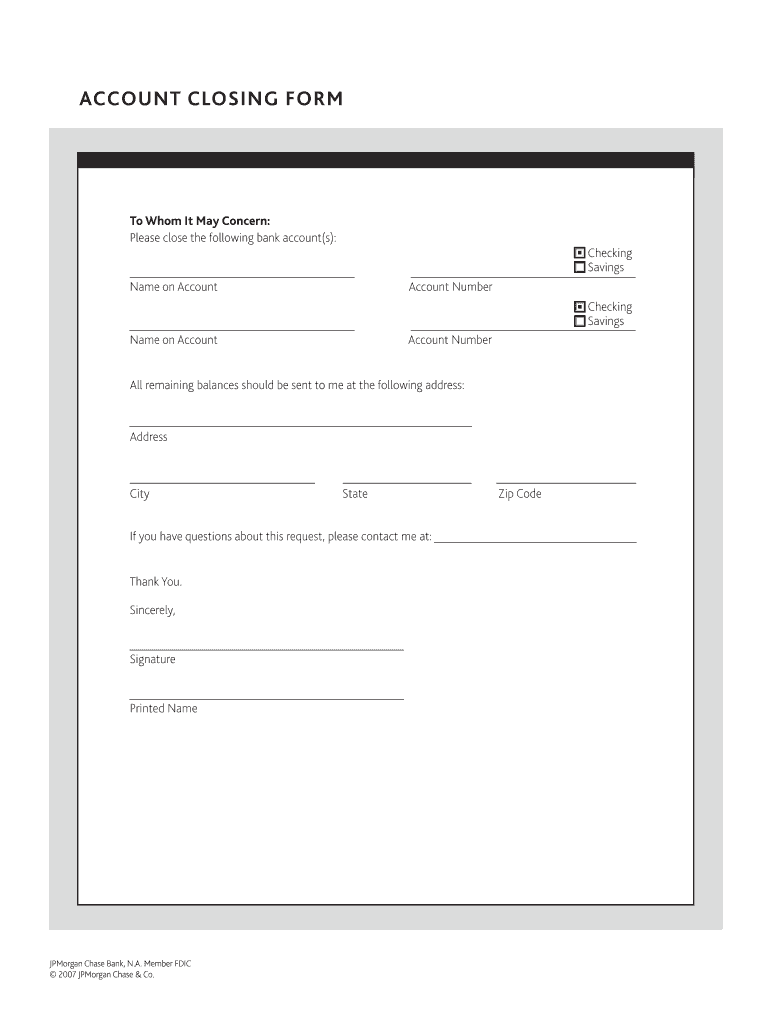
- Communicate Your Intent Clearly: Inform the bank teller that you wish to close your savings account. They will guide you through the necessary paperwork, which usually involves signing a closure form.
- Obtain Confirmation: Request a written confirmation or receipt for your account closure. This document serves as proof that the account has been successfully closed and can be valuable for future reference.
Closing Your Account by Phone

For customers who prefer the convenience of not visiting a branch, closing your savings account over the phone is a viable option. This method is efficient, especially if you have already moved your funds or are prepared to do so.
- Find the Correct Customer Service Number: The primary customer service number for Chase is typically found on the back of your debit card, on your bank statements, or on the Chase website. For specific savings account inquiries, it’s best to call the general customer service line and ask to be directed to the appropriate department.
- Be Prepared for Verification: The representative will ask you a series of security questions to verify your identity. These may include your full name, date of birth, Social Security number, the last four digits of your Social Security number, your mother’s maiden name, or answers to security questions you previously set up.
- Clearly State Your Request: Inform the customer service representative that you wish to close your savings account.
- Discuss Fund Transfer Options: The representative will explain how you can transfer the remaining funds. Common options include:
- Transfer to another Chase account: If you have another Chase account (checking or savings), you can usually transfer the balance to it.
- Wire transfer: Chase may offer wire transfer services to an account at another financial institution, though this might involve a fee.
- Cashier’s check: A cashier’s check can be mailed to your address. Be aware that it might take several business days for you to receive it.
- Confirm Account Closure: Ensure the representative confirms that the account has been closed and ask for a reference number for the interaction or a confirmation number for the closure.
Closing Your Account Online (Limited Options)
While Chase has a robust online banking platform, the ability to fully close a savings account solely through the online portal can be limited and may depend on the specific account type and the user’s history with the bank. In many cases, online banking may initiate the process, but finalization might require a phone call or branch visit.
- Log In to Your Chase Online Account: Access your account through the Chase website or the Chase Mobile app.
- Navigate to Account Services: Look for options related to account management, settings, or services.
- Seek Account Closure Options: Explore sections like “Account Closure,” “Close Account,” or “Manage Account.” If an online closure option is available, follow the on-screen instructions. This may involve a multi-step process.
- Likely Need for Further Action: It’s common for Chase’s online system to guide you towards contacting customer service by phone or visiting a branch to complete the closure, especially if there are specific conditions to be met or if the account has a complex history. If you are prompted to call, follow through to ensure the account is fully closed.
- Transferring Funds Online: If you can initiate the closure online, you will likely be able to initiate a transfer of funds to another Chase account as part of the online process. For transfers to external accounts, you may need to set up external transfer details or arrange for a wire transfer.
Post-Closure Procedures and Considerations
Once you have successfully initiated the closure of your Chase savings account, there are a few final steps and considerations to ensure a clean break and avoid any lingering issues.
Confirming the Closure and Final Statements
It’s always wise to have concrete proof that your account has been closed.
- Reviewing Your Final Statement: Chase will mail you a final account statement shortly after your account is closed. This statement will show the final balance (which should be zero, unless funds were transferred via cashier’s check), any applicable fees, and confirmation of the closure date. Review this statement carefully for accuracy.
- Keeping Records: Retain a copy of your final statement and any confirmation receipts for your records. This documentation can be useful for tax purposes or if any discrepancies arise in the future.
- Monitoring Your Credit Report (Rarely Necessary for Savings Accounts): While closing a savings account typically has no direct impact on your credit report, it’s a good practice to monitor your credit periodically. This is more relevant for credit accounts, but it’s a general good financial hygiene tip.
Managing Direct Deposits and Automatic Payments
This is a crucial step to avoid service disruptions or missed payments.
- Updating Direct Deposit Information: If any of your income or benefits were directly deposited into the closed Chase savings account, you must update your direct deposit information with the source of those funds immediately. This includes employers, government agencies (like Social Security or tax refunds), or any other payers. Provide them with the account and routing numbers of your new primary bank account.
- Updating Automatic Payment Information: If you had any automatic bill payments or subscriptions linked to this account (even for transfers to other savings vehicles), ensure you update the payment information with your new banking details. Failure to do so could result in returned payments, late fees, or service interruptions.
What to Do If You Need to Reopen the Account
In most cases, once a savings account is closed, it cannot be reopened. If you change your mind or realize you still need a savings account with Chase, you will typically have to open a new one.
- New Account Application: You will need to go through the standard application process for opening a new savings account with Chase. This will involve providing your personal information, identification, and making an initial deposit.
- Consider Account Options: When opening a new account, take the opportunity to explore Chase’s current savings account offerings and compare them with other institutions to ensure you are choosing the best option for your needs.
By understanding these steps and considerations, you can confidently navigate the process of closing your Chase savings account, ensuring a smooth transition to your updated financial management strategy.
aViewFromTheCave is a participant in the Amazon Services LLC Associates Program, an affiliate advertising program designed to provide a means for sites to earn advertising fees by advertising and linking to Amazon.com. Amazon, the Amazon logo, AmazonSupply, and the AmazonSupply logo are trademarks of Amazon.com, Inc. or its affiliates. As an Amazon Associate we earn affiliate commissions from qualifying purchases.