
Gift cards have become a ubiquitous part of modern commerce, serving as convenient presents, efficient refunds, and versatile payment methods. Their popularity stems from their flexibility, allowing recipients to choose exactly what they want from a particular retailer. However, this convenience often comes with a common challenge: accurately knowing the remaining balance on the card. An unchecked balance can lead to awkward moments at the checkout, forgotten funds, or even the expiration of valuable credit.
In an increasingly digital world, technology provides numerous avenues for consumers to easily and securely verify their gift card balances. This comprehensive guide will walk you through the various tech-driven methods available, from navigating brand-specific websites and mobile applications to leveraging automated phone systems and understanding vital digital security practices. By mastering these techniques, you can ensure smart spending, prevent unused funds, and maximize the value of every gift card you possess.
The Digital Gateways: Websites and Mobile Applications
The internet and mobile devices offer the most common and often the most convenient ways to check gift card balances. Retailers have invested heavily in digital infrastructure to make this process as seamless as possible for their customers.
Navigating Brand-Specific Websites for Balance Checks
The official website of the retailer that issued your gift card is typically the most reliable digital resource for checking its balance. Most major brands incorporate a dedicated section for gift card management, often found in intuitive locations.
To effectively use a retailer’s website:
- Locate the Official Site: Always start by ensuring you are on the legitimate website of the gift card issuer. Look for “https://” in the URL and a padlock icon, indicating a secure connection. Avoid clicking suspicious links from emails or unfamiliar sources.
- Find the Gift Card Section: Navigate to the website’s footer, customer service section, or directly search for “gift card balance,” “check balance,” or “gift cards” using the site’s search bar. Many sites will have a prominent link to their gift card portal.
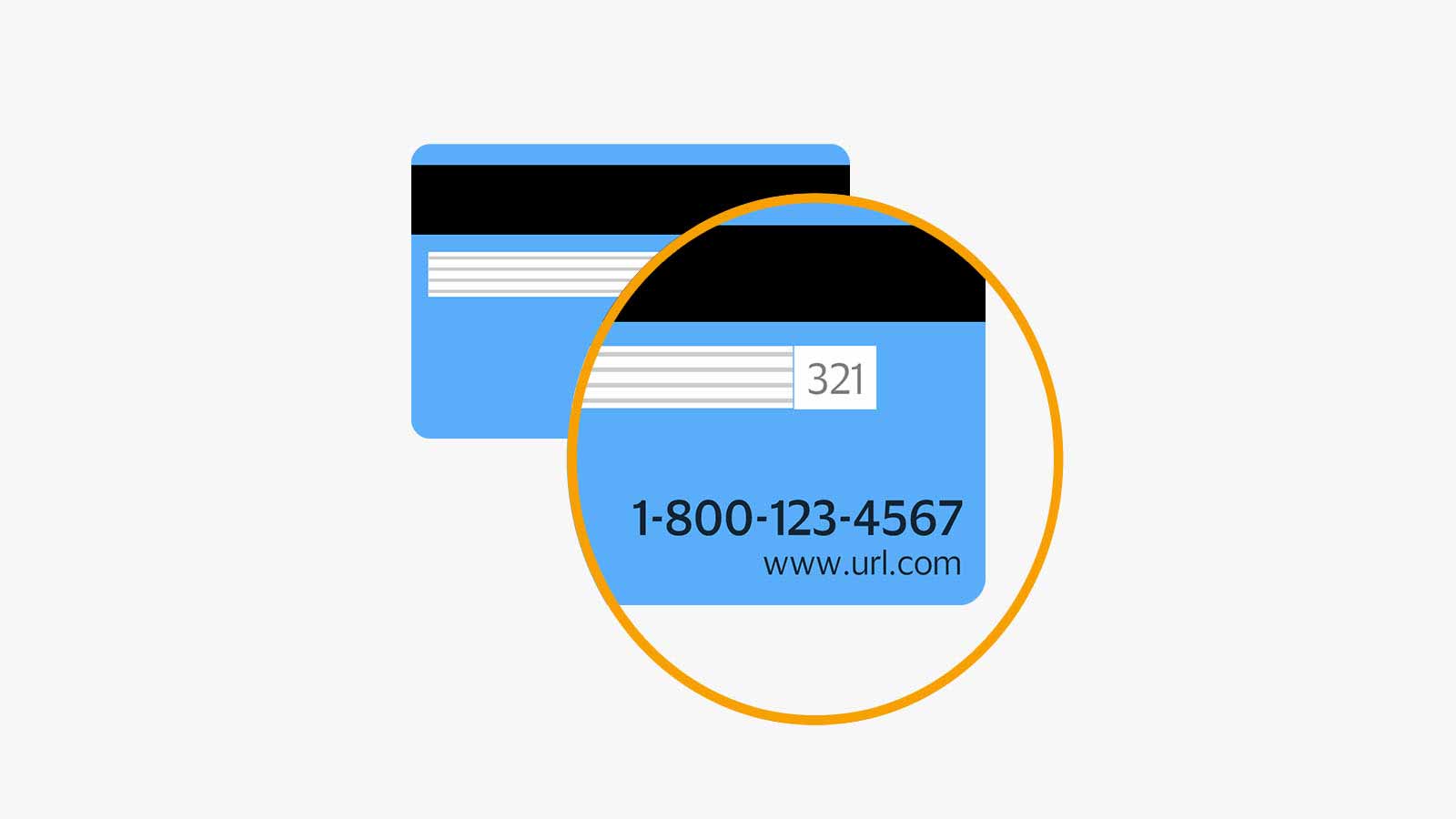
- Identify Required Information: You will almost always need the gift card number, which is typically a 16-digit code found on the front or back of the card. Many cards also require a PIN (Personal Identification Number) or a security code, often located under a scratch-off panel on the back for physical cards, or explicitly provided in an email for e-gift cards.
- Input Details Carefully: Enter the requested numbers into the designated fields. Double-check for typos, as incorrect entries are a common reason for failed balance inquiries.
- Submit and View Balance: Click the “Check Balance” or “Submit” button. Your remaining balance should then be displayed on the screen.
Tech Tip: For frequently used gift cards, consider bookmarking the direct balance check page of the retailer’s website for quicker access in the future.
Leveraging Retailer Mobile Applications
For those who prefer managing their shopping and finances on the go, retailer mobile applications offer an exceptionally convenient way to track gift card balances. Many major retailers provide robust apps that integrate gift card management directly into your digital shopping experience.
Here’s how to utilize mobile apps:
- Download the Official App: Ensure you download the legitimate app directly from your device’s official app store (Apple App Store for iOS or Google Play Store for Android).
- Log In or Create an Account: Many apps require you to have an account with the retailer. If you already have one, log in. Otherwise, you might need to create a new one.
- Locate Gift Card Management: Within the app, navigate to your account settings, payment methods, or a dedicated “Gift Cards” section. This is often found under a profile icon or a “More” menu.
- Add or Scan Your Card: Apps often provide an option to “Add Gift Card.” You might be able to scan the card’s barcode using your phone’s camera, or manually enter the card number and PIN. Once added, the app will typically display the current balance.
- Benefits of App Integration: Once a gift card is added, its balance is often updated in real-time, and you can frequently use the card directly from the app for online or in-store purchases. Some apps even allow you to store multiple gift cards for easy tracking.
The Role (and Risks) of Third-Party Aggregator Tools
While various third-party websites and apps claim to check gift card balances across multiple retailers, exercising extreme caution is paramount. These aggregators might require you to input sensitive gift card numbers and PINs into their systems. This poses significant security risks, as you are entrusting your card details to an unknown entity. Unless a third-party service is explicitly endorsed by a major financial institution or is a widely recognized and trusted digital wallet with robust security protocols, it is strongly advised to stick to the official channels provided directly by the gift card issuer. The potential convenience does not outweigh the risk of exposing your financial information.
Traditional and Automated Channels: Phone Systems and In-Store Assistance
While digital methods dominate, there are still highly effective non-web-based technological options and in-person solutions available for checking gift card balances. These can be particularly useful if you’re not near a computer or prefer direct interaction.
Utilizing Automated Phone Systems (IVR)
Most gift cards, especially physical ones, include a toll-free customer service number printed on the back. This number typically connects you to an Interactive Voice Response (IVR) system designed to handle routine inquiries, including balance checks.
The process usually involves:
- Dialing the Number: Have your gift card handy and dial the provided toll-free number.
- Following Voice Prompts: The IVR system will guide you through a series of spoken options. Listen carefully for prompts related to “gift card balance,” “account inquiry,” or “check balance.”
- Entering Card Details: Using your phone’s keypad, you will be prompted to enter your gift card number and, if applicable, your PIN.
- Listening for the Balance: The automated system will then verbally announce your current gift card balance.
- Connecting to an Agent (Optional): If the automated system doesn’t meet your needs or you encounter issues, there’s usually an option to connect with a customer service representative.
Tech Tip: When using an IVR, make sure you are in a quiet environment to clearly hear the prompts and the balance announcement. Have your card number and PIN written down beforehand to avoid fumbling.
In-Person Checks at the Point of Sale (POS)

For a direct and immediate balance check, visiting a physical store location of the retailer is always an option. This method leverages the store’s Point of Sale (POS) system, which is capable of reading and interpreting gift card data.
Here’s how it works:
- Visit the Retailer: Go to any physical store location that accepts the gift card.
- Approach Customer Service or a Cashier: Head to the customer service desk or approach any available cashier.
- Present Your Card: Hand your gift card to the staff member.
- POS Scan: The staff will typically scan the barcode or manually enter the gift card number into their POS system.
- Receive Balance Information: The POS system will display the current balance, and the staff member can verbally confirm it or print a receipt showing the amount.
This method is particularly useful if you are already in the store or if digital methods have proven difficult. It offers immediate confirmation and can be helpful before making a purchase to ensure you have sufficient funds.
Essential Tech Tips for a Smooth and Secure Balance Check
Beyond knowing the methods, employing best practices can significantly enhance the efficiency and security of checking your gift card balances.
Locating Key Information: Card Numbers and PINs
The most crucial pieces of information for any balance check are the gift card number and its associated PIN or security code.
- Card Number: This is typically a longer string of digits (often 16) found on the front or back of a physical card. For e-gift cards, it will be clearly displayed in the email or digital certificate.
- PIN (Personal Identification Number): For physical cards, the PIN is often hidden under a metallic scratch-off panel on the back, similar to a lottery ticket. Scratch it off gently to reveal the code. For e-gift cards, the PIN will be provided alongside the card number.
Security Reminder: Always treat your gift card number and PIN as you would sensitive financial information. Do not share them freely, write them down in unsecured locations, or send them via unencrypted emails.
Troubleshooting Common Digital Hurdles
Even with the best technology, you might occasionally encounter issues. Here are common troubleshooting steps:
- Double-Check Entry: The most frequent error is a typo. Carefully re-enter your card number and PIN.
- Clear Browser Data: If using a website, clear your browser’s cache and cookies, or try a different web browser (e.g., Chrome, Firefox, Edge) or device.
- Internet Connection: Ensure you have a stable and reliable internet connection.
- Official Channels Only: If you’re receiving an error, verify you are on the official retailer website or app.
- Contact Customer Support: If issues persist, refer to the customer service number on the back of the card or the retailer’s website for assistance. There might be a temporary system outage or a specific issue with your card.
Digital Security Best Practices for Gift Cards
Protecting your gift card balances requires a proactive approach to digital security:
- Use Official Sources Only: Always check balances via the official retailer’s website, app, or designated phone number. Avoid third-party sites that look suspicious or request excessive personal information.
- Be Wary of Phishing: Gift card scams are prevalent. Never respond to emails, texts, or social media messages that ask you for your gift card numbers and PINs, especially if they claim to be from a utility company, government agency, or offer an implausible reward.
- Secure Your Physical Cards: Treat physical gift cards like cash. Keep them in a safe place. If a physical card is lost or stolen, report it to the issuer immediately. While recovery is not guaranteed, some retailers may be able to transfer the remaining balance if you have the original purchase receipt and card details.
- Strong Passwords for Apps: If you’re storing gift card information in a retailer’s app, ensure your account is protected by a strong, unique password and, if available, two-factor authentication.
Beyond the Balance: Maximizing Your Digital Gift Card Experience
Technology doesn’t just help you check balances; it can also enhance the overall utility and management of your gift cards.
Digital Wallet Integration and Management
Many modern gift cards can be integrated into digital wallets like Apple Pay, Google Pay, or specific retailer-branded apps. This offers several benefits:
- Reduced Clutter: No need to carry physical cards.
- Easy Access: Your gift card is readily available on your smartphone or smartwatch.
- Automatic Balance Display: Some digital wallets or retailer apps will automatically display the card’s balance once added, and update it after each purchase.
- Enhanced Security: Digital wallets often use tokenization, which means your actual card number isn’t transmitted during a transaction, offering an additional layer of security.
To integrate, look for an “Add Payment Method” or “Add Gift Card” option within your preferred digital wallet app and follow the prompts.
Setting Up Reminders for Expiry Dates and Usage
Gift cards can sometimes have expiry dates or inactivity fees, leading to a loss of funds if not used. Technology can help you keep track:
- Calendar Apps: Use your smartphone’s calendar to set reminders for when a gift card is approaching its expiry date.
- Reminder Apps: Dedicated reminder apps can help you create lists of gift cards, their values, and their expiry dates, sending you notifications when necessary.
- Note-Taking Apps: A simple note in an app like Evernote, OneNote, or Google Keep can serve as a digital inventory of your gift cards, allowing you to quickly reference details and balances.
- Specialized Finance Trackers: Some personal finance apps offer features for tracking various assets, including gift cards, though this is less common.
By actively managing your gift cards using these tech tools, you can ensure that you utilize every dollar before it’s too late.

Conclusion
Knowing how to check your gift card balance is a fundamental skill for any savvy consumer in the digital age. Whether you prefer the convenience of websites and mobile apps, the clarity of automated phone systems, or the directness of in-store assistance, technology offers multiple reliable avenues. By understanding these methods, practicing digital security, and leveraging additional tech tools for management, you can transform gift cards from potential sources of forgotten funds into valuable, easily managed assets. Embrace these technological solutions to ensure every gift card you receive or give is fully utilized, empowering smarter shopping and preventing unnecessary financial loss.
aViewFromTheCave is a participant in the Amazon Services LLC Associates Program, an affiliate advertising program designed to provide a means for sites to earn advertising fees by advertising and linking to Amazon.com. Amazon, the Amazon logo, AmazonSupply, and the AmazonSupply logo are trademarks of Amazon.com, Inc. or its affiliates. As an Amazon Associate we earn affiliate commissions from qualifying purchases.