
In an increasingly digital world, managing our online financial accounts requires both convenience and strategic foresight. While platforms like PayPal have revolutionized online transactions, there may come a time when closing an account becomes a necessary step. Whether due to changes in financial habits, concerns over data privacy, or simply streamlining your digital footprint, the decision to cancel your PayPal account should be approached systematically. This comprehensive guide will walk you through the essential considerations, preparatory steps, and the exact process to ensure a smooth and secure closure, rooted firmly in the principles of responsible software management and digital security.
Understanding the Implications Before You Close
Before initiating the cancellation process, it’s crucial to grasp the full scope of what closing your PayPal account entails. This isn’t merely clicking a button; it’s a decision with financial, operational, and data retention consequences that warrant careful consideration.
Common Reasons for Account Closure
Users opt to close their PayPal accounts for a variety of reasons, each carrying its own set of motivations and potential ramifications. A common driver is a shift in primary banking or payment methods. Perhaps a user has found an alternative digital wallet that better suits their needs, or they’ve consolidated their financial activities with a traditional bank that offers integrated online payment solutions. Data privacy concerns frequently emerge as another significant factor. In an era of heightened awareness regarding personal information and digital footprints, some individuals may choose to reduce their online presence, viewing dormant or infrequently used accounts as potential vulnerabilities.
Furthermore, changes in business operations might necessitate closure. A small business owner might cease using PayPal if they transition to a different e-commerce platform with its own payment gateway, or if their business model evolves away from online transactions. For personal users, the infrequent use of the account can also be a motivator. Why maintain an account that rarely sees activity, potentially adding to digital clutter and the administrative overhead of managing yet another login? Understanding your specific reason for closure will help you navigate the process with a clearer perspective on your goals.
What Happens When Your Account is Closed?
Closing your PayPal account is a permanent action, with a few key outcomes. Primarily, you will lose access to your transaction history. PayPal typically retains records for regulatory compliance, but your direct access through the user interface will be terminated. This means if you need past transaction data for tax purposes, budgeting, or dispute resolution, you must download it before closing the account. This historical data, often spanning years, is invaluable and cannot be retrieved once your account is inaccessible.
Secondly, any linked financial instruments will be disconnected. This includes bank accounts, credit cards, and debit cards. While this is part of the security process, it also means you’ll need to update these details with any services that might have been automatically pulling payments from PayPal. Thirdly, you will lose the ability to send or receive money through that specific PayPal account. This is obvious but important to state clearly, as it means any pending transactions or expected payments must be completed or redirected elsewhere. Finally, any disputes that are open or unresolved at the time of closure may be affected, potentially making resolution more complicated. It’s always best practice to settle all outstanding issues before proceeding with closure.
Important Considerations and Alternatives to Cancellation
Before making the final decision, pause to consider if permanent closure is truly necessary. PayPal offers some flexibility that might serve your needs without resorting to full cancellation. For instance, if your primary concern is security after a potential breach, you might consider freezing your account temporarily rather than outright cancelling it. This allows for investigation and remediation without irreversible data loss.
If you simply want to reduce your online presence or stop receiving promotional emails, you can often adjust your notification settings within the PayPal platform without closing the account. Similarly, if you’re concerned about linking too many financial accounts, you can simply unlink specific bank accounts or credit cards while keeping the PayPal account active for occasional use. For business accounts, PayPal offers options to downgrade to a personal account if your business operations scale down, allowing you to retain historical data and contacts without the full suite of business features. Explore these alternatives carefully, as they might provide the desired outcome with less effort and fewer long-term implications.
Essential Preparatory Steps for a Smooth Closure
To ensure a seamless and regret-free cancellation, thorough preparation is key. Rushing the process without attending to pending issues can lead to complications, from lost funds to unresolved financial obligations.
Zeroing Out Your Balance and Withdrawing Funds
The most critical preparatory step is to ensure your PayPal balance is zero. Any funds remaining in your account when you attempt to close it will either be forfeited or necessitate a more complex withdrawal process through customer service, potentially delaying the closure. To avoid this, log into your PayPal account and navigate to your Wallet or Balance section. Here, you should see your available balance. Initiate a transfer of all funds to a linked bank account. This process typically takes a few business days, so plan accordingly. If you have a negative balance, you will need to add funds to cover it before PayPal allows you to close the account. Ensure all transactions have cleared and no payments are pending before initiating the withdrawal.
Resolving Outstanding Issues and Disputes
Before closing, it’s imperative that all financial disputes, claims, or limitations on your account are resolved. If you have any ongoing buyer protection claims, seller disputes, or chargebacks, these must be finalized. Closing an account with open issues can compromise your ability to participate in the resolution process, potentially leading to unfavorable outcomes or leaving you liable. Similarly, check if your account has any limitations placed on it – these usually need to be cleared before you can proceed with closure. This might involve submitting documentation or verifying identity. Contact PayPal customer support if you’re unsure about the status of any open issues or limitations.
Disconnecting Linked Financial Instruments
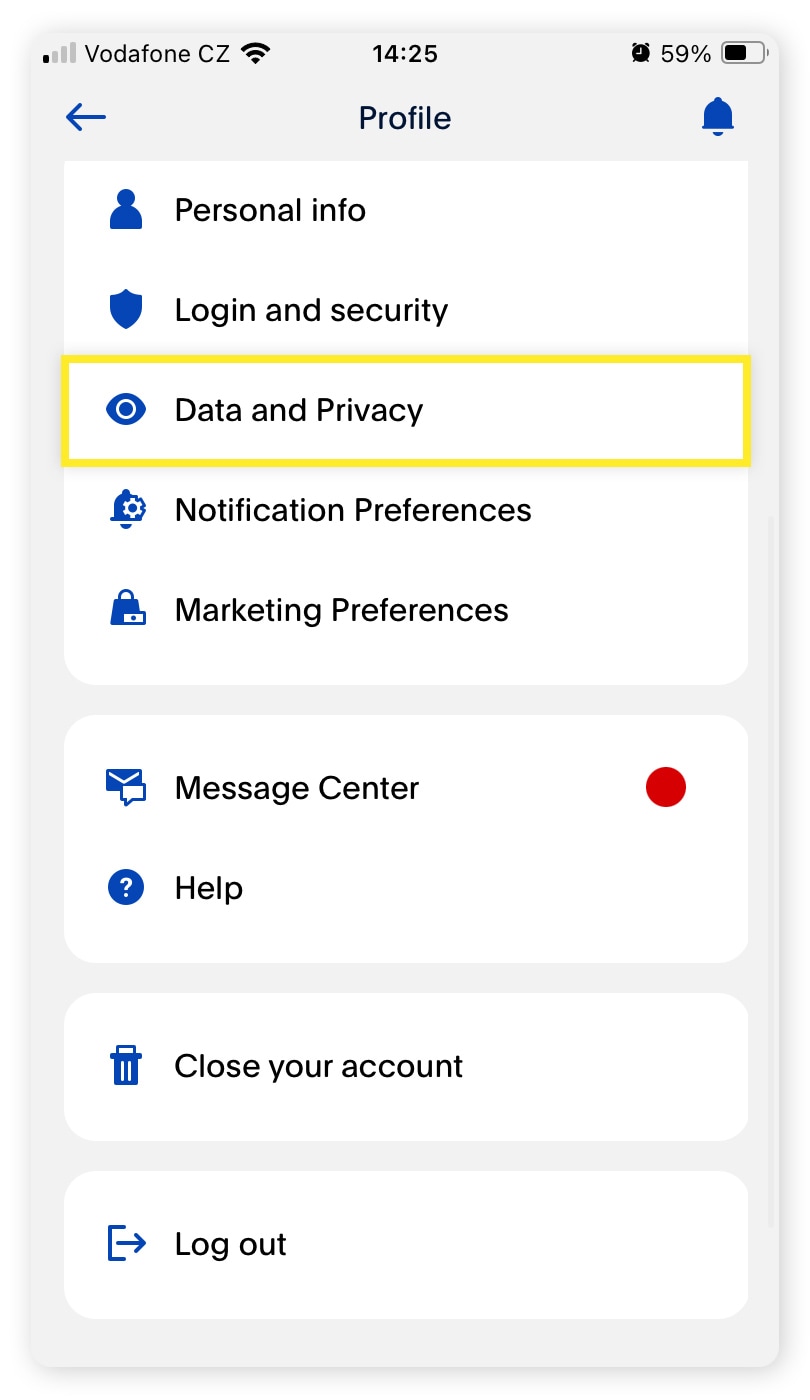
For security and operational clarity, it’s wise to manually disconnect all linked bank accounts, credit cards, and debit cards before attempting to close your PayPal account. While PayPal will typically disconnect these automatically upon closure, doing it proactively ensures that no erroneous transactions occur during the transition period. Navigate to your Wallet or Payment Methods section in your PayPal settings. For each linked account or card, select the option to remove or unlink it. This also serves as a good opportunity to update your payment details with any other online services that might have been using your PayPal account as an intermediary.
Managing Recurring Payments and Subscriptions
One often-overlooked step is managing recurring payments and subscriptions linked through your PayPal account. Many online services, from streaming platforms to software subscriptions, allow you to pay directly via PayPal. If you close your account without cancelling these subscriptions, they might attempt to charge a non-existent account, leading to failed payments and potential service interruptions.
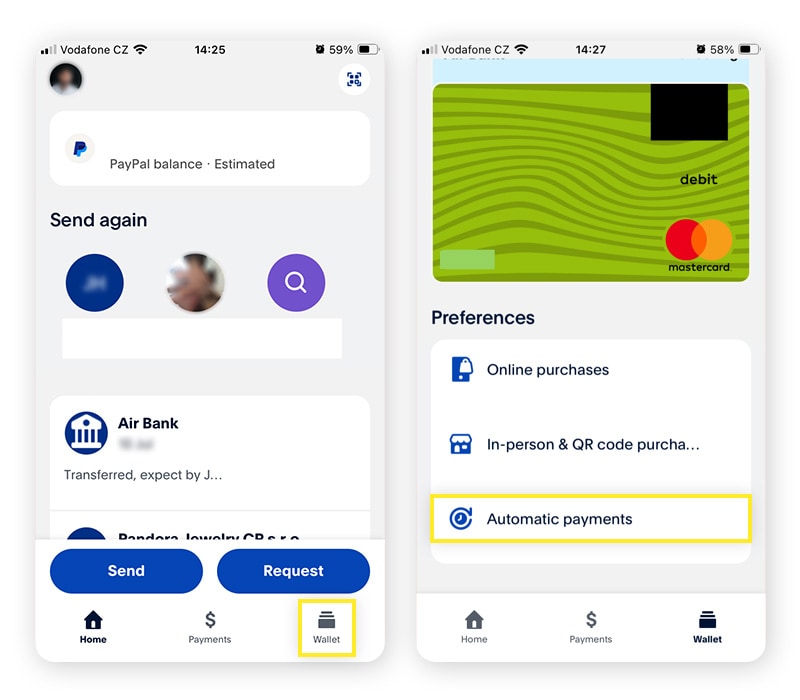
Access the “Preapproved Payments” or “Automatic Payments” section within your PayPal settings. Here, you will find a list of all services authorized to draw funds from your account. For each active subscription, you should click on it and select “Cancel” or “Disable.” It’s also a good practice to log into those individual service accounts (e.g., Netflix, Spotify, Microsoft) and update your payment method directly, ensuring a smooth transition to a new payment source. This dual approach minimizes the risk of service interruption and ensures no unexpected charges appear on a different card after your PayPal account is closed.
The Step-by-Step Process to Cancel Your PayPal Account
Once all preparatory steps are complete and you’re confident in your decision, the actual process of closing your PayPal account is relatively straightforward.
Navigating to Account Settings
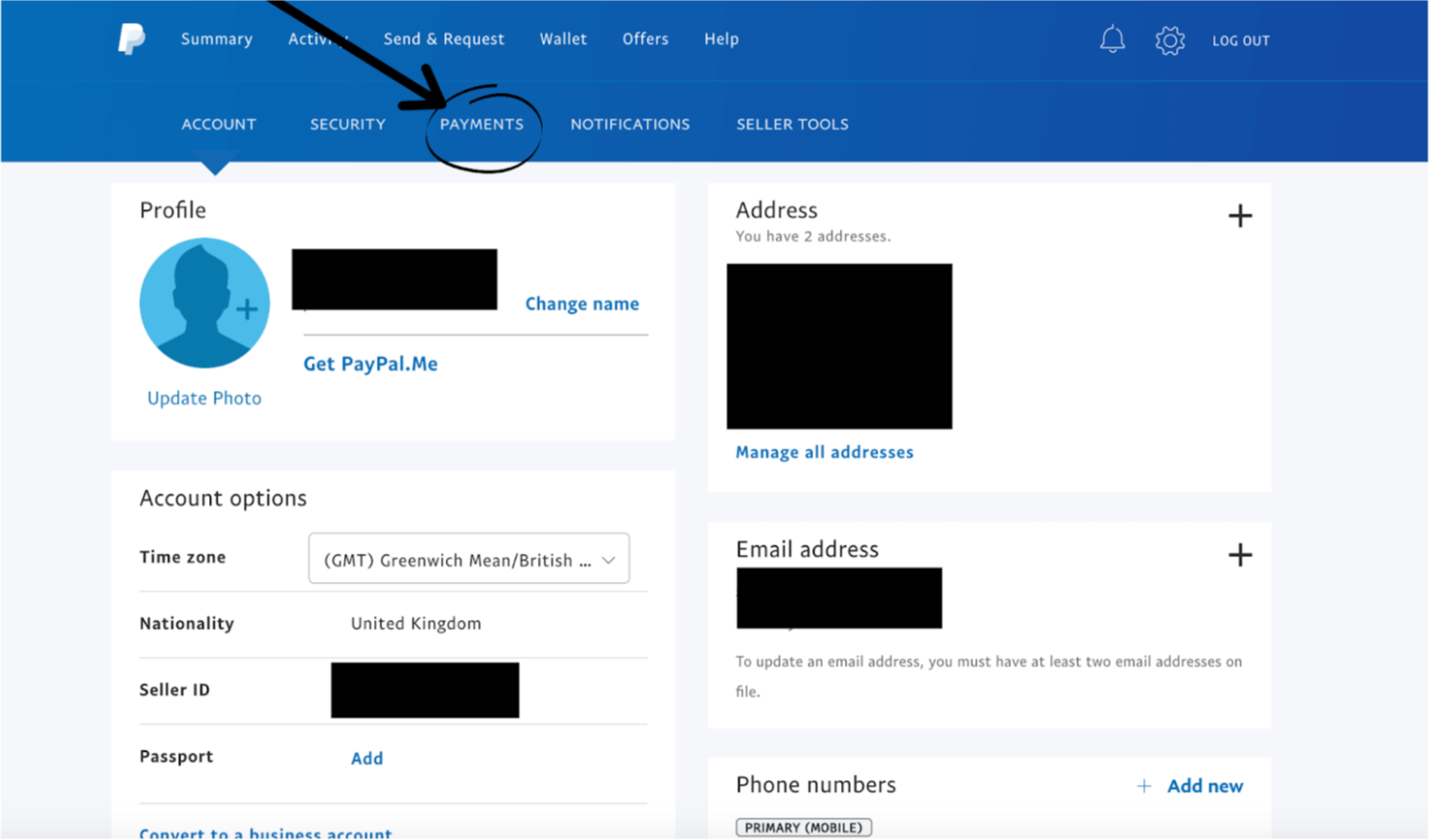
Log into your PayPal account securely using your username and password. Once logged in, you’ll typically see a summary dashboard. Look for the “Settings” icon, often represented by a gear cog, usually located in the top right corner of the page next to your name or profile picture. Click on this icon to access your account settings.
Within the settings menu, you’ll find various tabs or sections such as “Account,” “Security,” “Payments,” and “Notifications.” You’re looking for options related to your account profile or personal information. The exact location of the account closure option can vary slightly depending on whether you have a personal or business account, and sometimes due to regional interface differences, but it generally resides within the “Account” or “Profile” settings. You might need to scroll down or look for a small text link, often labeled “Close your account” or “Close account.”
Initiating the Closure Request
Once you’ve located the “Close your account” link, click on it. PayPal will then present you with a page detailing the implications of account closure – reiterating many of the points we’ve covered regarding loss of transaction history, disconnection of linked accounts, and the permanent nature of the action. This is a final safeguard to ensure you understand what you’re doing.
You may also be asked to provide a reason for closing your account. This is typically for PayPal’s internal data collection and service improvement, and while you can usually select a general option, providing feedback can be helpful. After reviewing the information and selecting a reason, you will usually be prompted to confirm your identity. This is a crucial security step to prevent unauthorized closure. You might be asked to enter your password again, answer security questions, or verify via a code sent to your registered phone number or email address. Follow the on-screen prompts carefully.
Confirmation and Final Verification
After successfully confirming your identity, you will typically see a final confirmation screen. This screen will explicitly state that your account has been closed, or that the closure request is being processed. PayPal may also send a confirmation email to your registered email address, affirming the successful cancellation of your account. It’s advisable to retain this email as proof of closure for your records.
While the closure is often immediate, sometimes it can take a few hours or even a business day for the process to fully propagate across all systems. During this brief period, avoid attempting to log back in, as it could potentially complicate the closure. Once you receive the final confirmation, you can consider your PayPal account officially closed. Remember that while your account is closed, PayPal is legally obligated to retain certain data for a specific period to comply with financial regulations and prevent fraud. This data is no longer accessible to you but is securely maintained by PayPal.
Post-Cancellation Considerations and Data Management
Even after your PayPal account is closed, there are a few lingering aspects related to data and potential future interactions that warrant attention.
Data Retention Policies and Your Privacy
As a financial institution, PayPal is subject to strict regulatory requirements regarding data retention. This means that even after you close your account, PayPal will likely retain some of your personal and transactional data for a specified period, often several years. This is primarily for fraud prevention, anti-money laundering (AML) compliance, and tax audit purposes. It’s important to understand that this is standard practice across financial services and is not unique to PayPal.
While your direct access to the account and its data is terminated, the company stores it securely. If you have specific concerns about your data, it’s advisable to review PayPal’s privacy policy, which outlines their data retention periods and your rights regarding your personal information, including options to request data access or deletion where legally permissible. Be aware that the right to erasure (or “right to be forgotten”) under regulations like GDPR often has carve-outs for legal and regulatory obligations, meaning financial data may be exempt from immediate deletion.
What If You Change Your Mind? Reopening an Account
Life circumstances and financial needs can change, and you might find yourself needing a PayPal account again in the future. The ability to reopen a previously closed PayPal account can be complex and is not always guaranteed. In many cases, PayPal’s policy is that once an account is closed, it cannot be reopened. You would typically need to create a new account.
However, there can be exceptions, particularly if the closure was very recent or if there were specific extenuating circumstances. If you find yourself in this situation, your best course of action is to contact PayPal customer support directly. They will be able to advise you on whether your specific account can be reactivated or if creating a brand-new account under the same or a different email address is your only option. Be prepared to go through rigorous identity verification if reactivation is even considered.
Seeking Support for Complex Scenarios
While this guide covers the general process, individual situations can sometimes present unique challenges. If you encounter difficulties during the cancellation process, have complex outstanding issues, or if your account has specific limitations that prevent straightforward closure, don’t hesitate to contact PayPal’s customer support.
Their support channels typically include a help center with FAQs, an online chat function, and phone support. Be prepared to provide your account details and clearly explain your situation. Having a detailed record of your preparatory steps, any error messages, or specific issues will help the support team assist you more efficiently. Remember that closing a financial account, even a digital one, is a serious administrative task, and seeking expert assistance when needed is a responsible approach to digital financial management.
In conclusion, cancelling your PayPal account is a definitive step in managing your digital financial landscape. By understanding the implications, meticulously preparing, following the clear steps, and being aware of post-closure considerations, you can ensure this process is executed smoothly, securely, and without unforeseen complications, ultimately giving you greater control over your online presence.
aViewFromTheCave is a participant in the Amazon Services LLC Associates Program, an affiliate advertising program designed to provide a means for sites to earn advertising fees by advertising and linking to Amazon.com. Amazon, the Amazon logo, AmazonSupply, and the AmazonSupply logo are trademarks of Amazon.com, Inc. or its affiliates. As an Amazon Associate we earn affiliate commissions from qualifying purchases.