
In the modern era of fintech, our digital wallets often become as cluttered as our physical ones. Among the giants of the industry, PayPal has long stood as a cornerstone of online commerce and peer-to-peer transfers. However, as the financial landscape evolves, many users find themselves reassessing their relationship with older platforms. Whether you are seeking to consolidate your financial tools, moving toward high-yield neo-bank alternatives, or simply practicing better digital hygiene, knowing how to properly close a PayPal account is a vital skill in personal finance management.
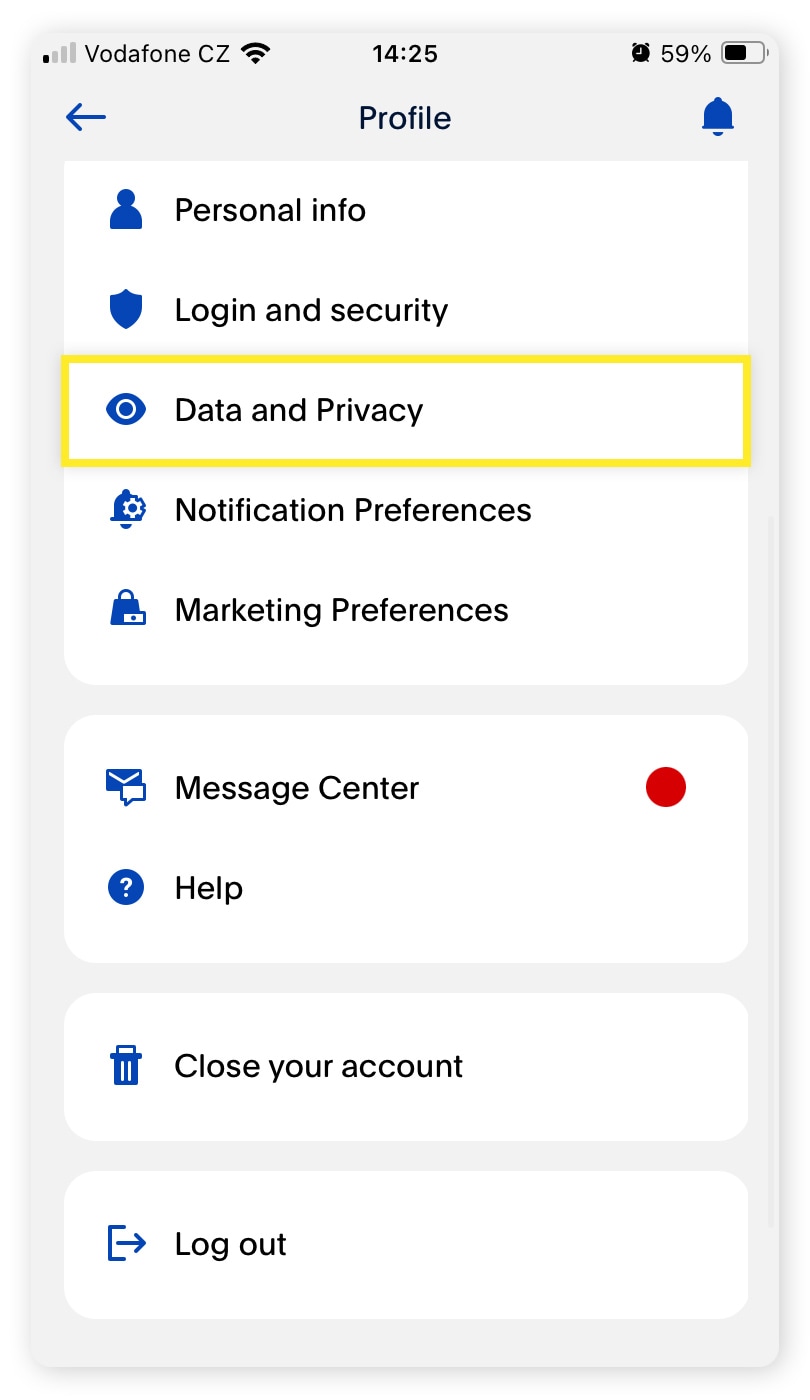
Closing a financial account is rarely as simple as clicking a “delete” button. It requires a strategic approach to ensure no capital is left behind, all tax obligations are documented, and your personal data is secured. This guide provides a deep dive into the financial implications and the step-by-step process of retiring your PayPal account within the context of a modern personal finance strategy.
1. The Financial Pre-Checklist: Securing Your Assets Before Closure
Before you initiate the technical process of closing your account, you must perform due diligence. PayPal is not just an app; it is a repository for your capital and a record-keeper for your financial history. Rushing the closure can lead to “trapped” funds or missing documentation during tax season.
Emptying Your Balance and Transferring Capital
The most critical step is ensuring your PayPal balance is zero. You should initiate a transfer to your linked bank account at least three to five business days before you plan to close the account. If you have a PayPal Savings account or any cryptocurrency held within the platform, these must be liquidated or moved to an external wallet first. From a wealth management perspective, ensure that these funds are redirected to a vehicle that offers better returns, such as a high-yield savings account (HYSA) or a brokerage account, rather than letting them sit idle in a non-interest-bearing digital wallet.
Resolving Pending Transactions and Disputes
PayPal will not allow you to close an account if there are pending transactions, open disputes, or an unresolved negative balance. Check your activity feed for any “Pending” status items. If you are a merchant or a freelancer, ensure that all customer “Purchase Protection” windows have closed, or be prepared to handle potential chargebacks through other financial avenues. Closing an account to avoid a dispute is generally ineffective, as PayPal reserves the right to hold funds or pursue the balance through debt collection agencies if the account is in the red.
Archiving Financial Records for Tax Compliance
In the “Money” niche, record-keeping is king. PayPal is often required to issue 1099-K forms to users who meet certain payment thresholds. Once your account is closed, you will lose access to your transaction history. It is imperative to download your “Activity” reports in CSV or PDF format for the last seven years. These records are essential for auditing your business expenses, proving income to the IRS or relevant tax authorities, and maintaining a clear trail of your digital spending habits.
2. The Strategic Execution: How to Permanently Close the Account
Once your financial house is in order, you can proceed with the closure. It is important to note that this action is permanent. Unlike some social media platforms that allow for “deactivation,” PayPal account closure is a finality that deletes your transaction history and removes your ability to use that specific email address for a new account in some instances.
Closing via the Desktop Interface
While the PayPal mobile app is convenient for quick transfers, the full web interface provides the most stable environment for account management.
- Log in to your account on a secure, private connection.
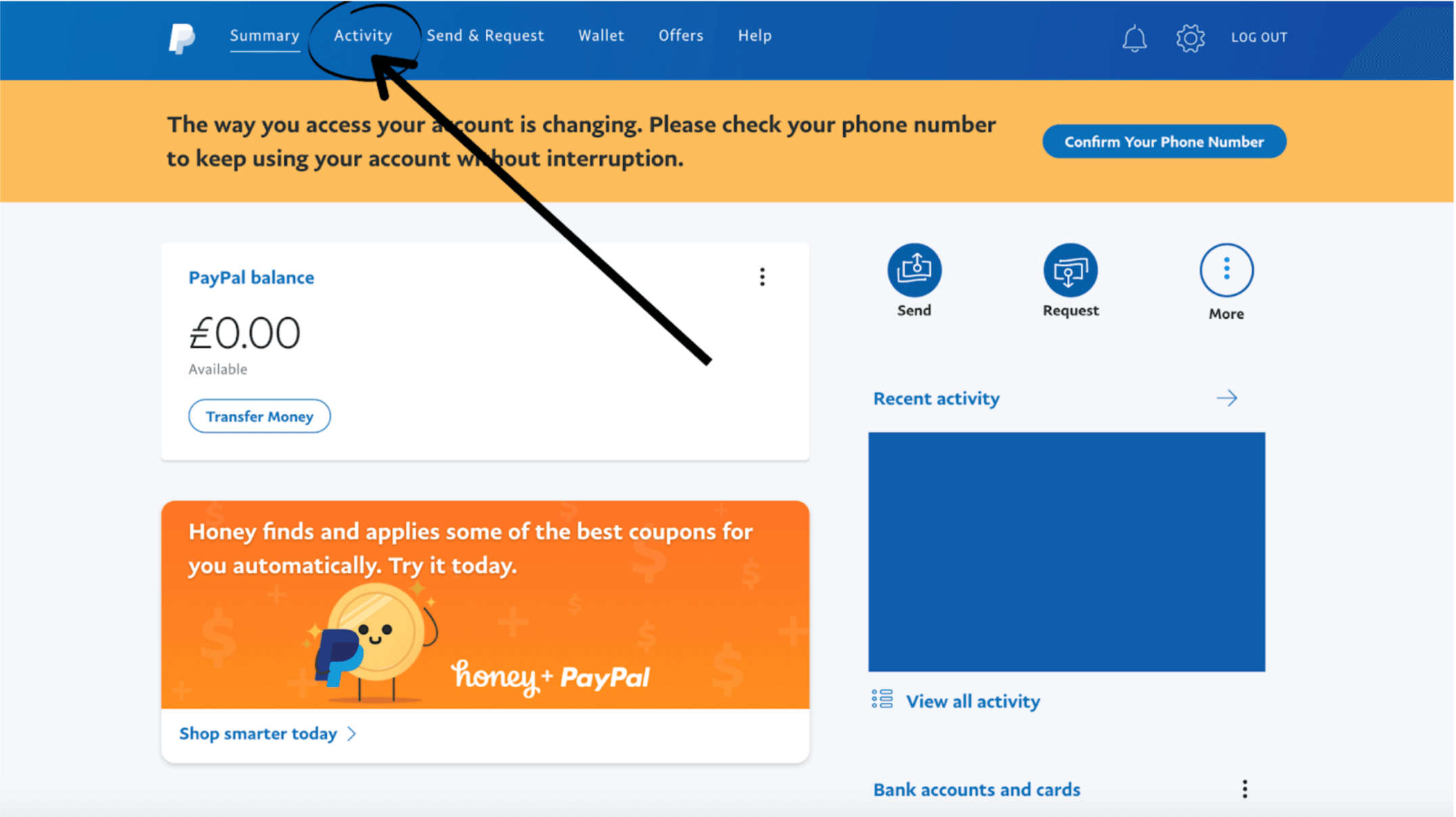
- Navigate to the “Settings” icon (the gear symbol) near the log-out button.
- Under the “Account” tab, scroll to the bottom of the page to find the “Close your account” option.
- PayPal may ask for a reason for your departure; select the most accurate one to help the platform improve its services.
- Confirm the action. You will receive a confirmation email shortly thereafter.
Limitations of the Mobile App
Currently, the “Close Account” feature is often restricted on the mobile app version to prevent accidental deletions. If you cannot find the option on your smartphone, you must use a mobile or desktop browser. From a security standpoint, always ensure you are on the official paypal.com domain before entering your credentials, as phishing attempts often spike around topics of account closure or security updates.
3. Why Consolidate? The Benefits of Reducing Financial “Bloat”
Deciding to cancel a PayPal account is often a move toward financial minimalism. In an age where every fintech startup wants to be your primary “super-app,” having your capital spread across five or six different platforms can lead to “financial bloat.”
Mitigating Security and Fraud Risks
Every digital account you own is a potential entry point for identity theft. By closing dormant or underutilized accounts like PayPal, you shrink your digital footprint. This reduces the risk of “credential stuffing” attacks, where hackers use leaked passwords from one site to gain access to others. From a personal finance perspective, a tighter circle of accounts makes it easier to monitor for unauthorized transactions and simplifies your monthly reconciliation process.
Avoiding “Inactivity” Fees and Subscription Traps
While PayPal does not typically charge a monthly fee for basic consumer accounts, they have introduced inactivity fees in certain regions for accounts that remain dormant for over 12 months. More importantly, PayPal is often the “hidden” intermediary for recurring subscriptions. By closing the account, you are forced to audit your recurring payments. This often reveals forgotten subscriptions—”zombie” expenses that have been quietly draining your bank account for months. Canceling the platform acts as a hard reset for your subscription economy.
Optimizing Your Credit Profile
While closing a PayPal account doesn’t directly impact your FICO score (as it isn’t a credit card), it does affect how you interact with “Buy Now, Pay Later” (BNPL) services like PayPal Credit. If you are trying to move away from consumer debt, removing the easy-access “credit” button provided by PayPal can be a psychological and financial win, encouraging you to spend only what you have in your liquid accounts.
4. Identifying Superior Alternatives: Where to Move Your Capital
If you are closing PayPal, it is likely because you have found a tool that serves your financial goals better. The landscape of digital finance has shifted toward platforms that offer more transparency, lower fees for international transfers, and better integration with accounting software.
Neo-banks and High-Yield Ecosystems
For those who used PayPal as a secondary “bucket” for savings, moving toward neo-banks like SoFi, Ally, or Chime can be much more lucrative. These institutions offer interest rates that significantly outperform the standard 0% return of a basic PayPal wallet. By automating transfers to these accounts, you turn a stagnant digital wallet into an active wealth-building tool.
Specialized Peer-to-Peer (P2P) and Business Tools
If your primary use for PayPal was international transfers, platforms like Wise (formerly TransferWise) often offer mid-market exchange rates with much lower, more transparent fees. For small business owners and freelancers, moving toward Stripe or Square can provide a more professional invoicing experience and better integration with tools like QuickBooks or Xero. These platforms are designed for the “Money” professional, offering deeper analytics and faster payout cycles than traditional PayPal consumer accounts.
5. Post-Closure Hygiene: Protecting Your Financial Identity
Closing the account on the PayPal website is the penultimate step. To ensure a clean break and protect your financial identity, there are two final actions you must take.
Unlinking Bank Accounts and Credit Cards
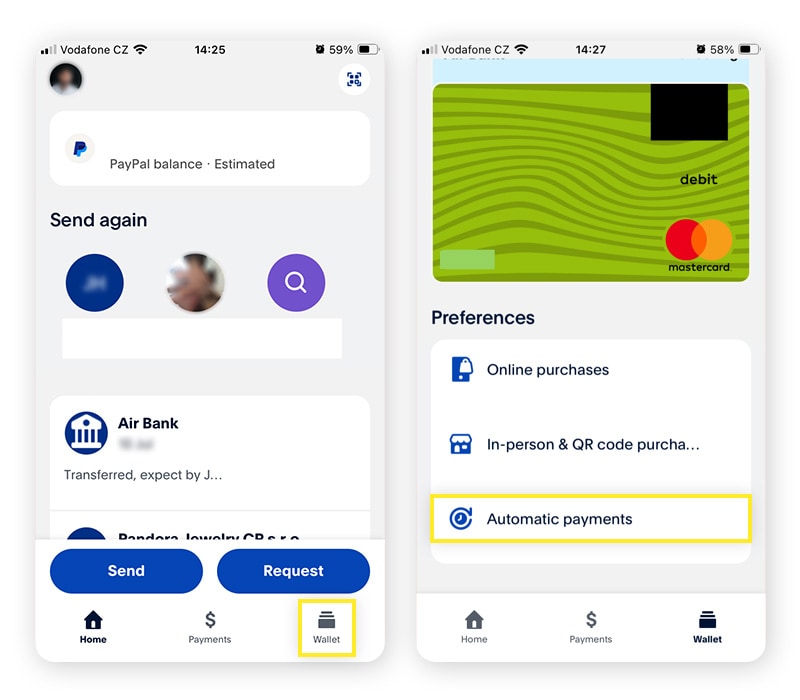
Before the final click of “Close Account,” it is a “best practice” in financial security to manually remove your linked bank accounts and credit cards. While PayPal claims to delete this data upon closure, taking the manual step of unlinking ensures that no “stale” permissions remain in the banking system. Furthermore, you should check your bank’s “Linked Apps” or “Third-Party Access” settings to ensure the PayPal API no longer has a digital “handshake” with your primary checking account.
Monitoring for “Ghost” Transactions
For 30 days following the closure, keep a close eye on your primary bank statements. Occasionally, a pre-authorized payment or a delayed merchant settlement might attempt to pull from the closed PayPal account, resulting in an “NSF” (Non-Sufficient Funds) fee from your bank. Being proactive during this month-long transition period ensures that your journey toward a more streamlined financial life isn’t hampered by avoidable bank penalties.
In conclusion, canceling a PayPal account is a powerful step toward taking full control of your digital financial life. It is an exercise in intentionality—moving away from a “default” tool toward a curated selection of platforms that align with your current financial goals, whether that is maximizing interest, minimizing fees, or securing your personal data. By following this structured approach, you ensure that your exit is clean, your records are safe, and your capital is ready to be redeployed into more productive financial avenues.
aViewFromTheCave is a participant in the Amazon Services LLC Associates Program, an affiliate advertising program designed to provide a means for sites to earn advertising fees by advertising and linking to Amazon.com. Amazon, the Amazon logo, AmazonSupply, and the AmazonSupply logo are trademarks of Amazon.com, Inc. or its affiliates. As an Amazon Associate we earn affiliate commissions from qualifying purchases.