
The phrase “How can I zoom?” has evolved from a simple question about camera lenses into a fundamental query of the digital age. In a world defined by remote connectivity and high-definition visuals, “zooming” encompasses everything from launching a video conference to manipulating digital imagery through sophisticated software algorithms. As technology continues to bridge the gap between physical distances and visual limitations, understanding the tools, security protocols, and hardware mechanics behind zooming is essential for any modern professional or tech enthusiast.
This guide explores the multifaceted nature of zooming in the technology niche, covering the nuances of the Zoom platform, the security of digital communication, and the evolution of visual zooming technology.

The Software Revolution: Navigating the Zoom Video Platform
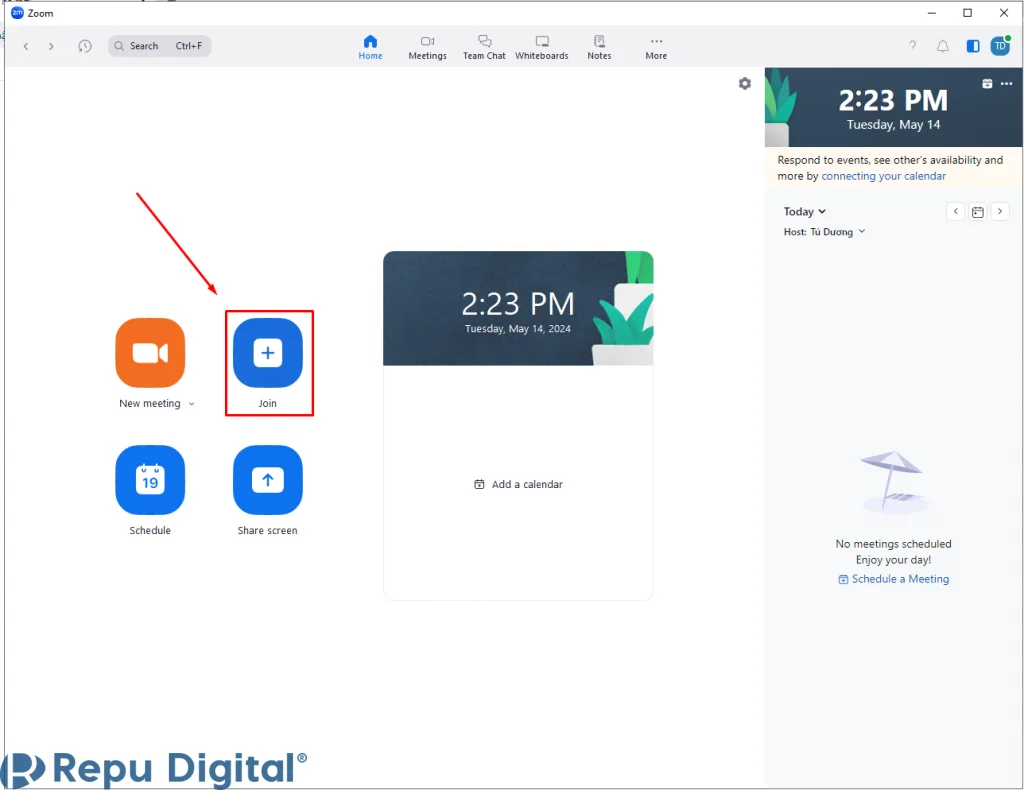
The most common interpretation of “how can I zoom” today refers to the Zoom Video Communications platform. What started as a niche enterprise tool has become the backbone of global communication. Navigating this software requires more than just clicking a link; it requires a grasp of its deep feature set to maximize productivity.
Getting Started with Installation and Setup
To begin your journey with Zoom, the first step is selecting the right client for your device. While Zoom offers a web browser experience, the dedicated desktop application for Windows and macOS provides the most robust feature set, including hardware acceleration and advanced audio filtering. Mobile users on iOS and Android can utilize the app for “on-the-go” connectivity, though it sacrifices some multitasking capabilities.
Once installed, the initial setup involves optimizing your profile. This includes setting a professional avatar and configuring your “Personal Meeting ID” (PMI). Tech-savvy users often prefer vanity URLs to make their virtual meeting rooms more accessible and memorable for recurring tech demos or team syncs.
Essential In-Meeting Controls for Effective Communication
The core of the Zoom experience lies in its in-meeting UI. Mastering the toolbar is the difference between a seamless presentation and a technical disaster. Key features include:
- Mute/Unmute Logic: Utilizing the “Space Bar to Unmute” shortcut is a pro-tip for maintaining audio hygiene in large groups.
- Video Settings: Accessing the “Touch Up My Appearance” and “Adjust for Low Light” settings can significantly improve video quality without requiring new hardware.
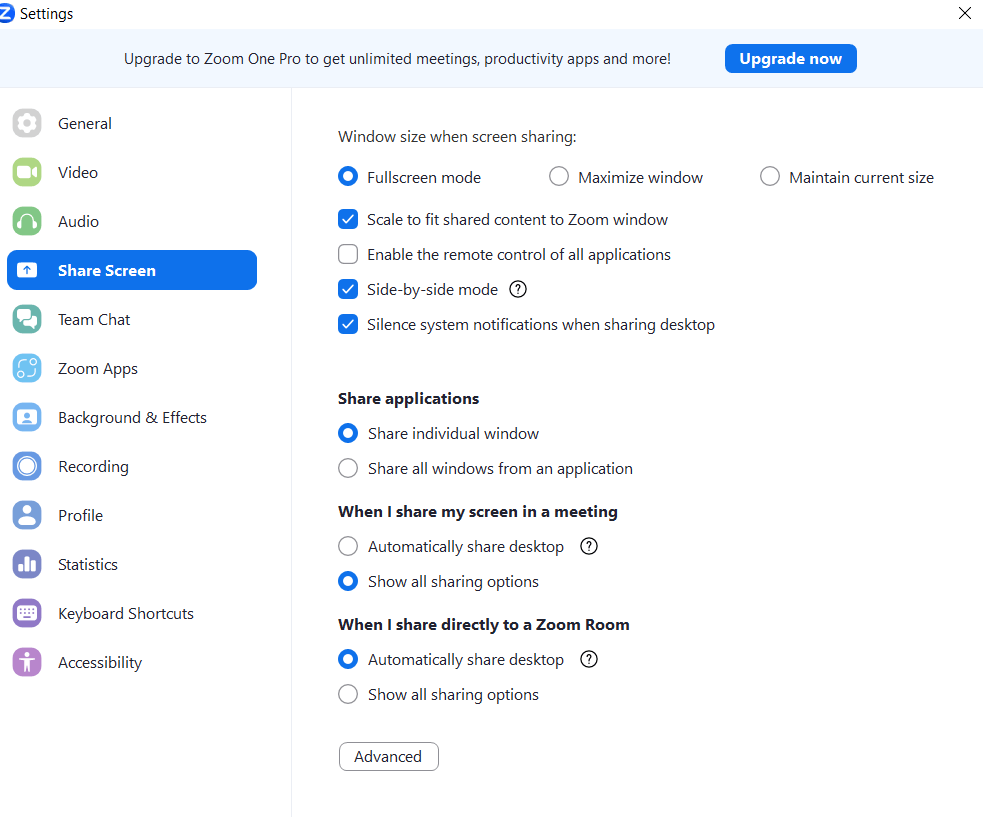
- Screen Sharing: The ability to share specific windows rather than the entire desktop is a critical privacy feature that prevents the accidental display of sensitive notifications or personal files.
Advanced Features: Breakout Rooms and Integration
For those managing large-scale tech workshops or educational webinars, “Breakout Rooms” are indispensable. This feature allows hosts to split a single meeting into up to 50 separate sessions, facilitating small-group collaboration. Furthermore, the integration of third-party apps—ranging from digital whiteboards like Miro to project management tools like Trello—directly into the Zoom interface allows for a “single pane of glass” workflow, reducing the friction of switching between different software environments.
Optimizing Your Digital Presence and Security
In the tech sector, the “how” of zooming is inextricably linked to the “how safely.” As video conferencing became ubiquitous, it also became a target for digital interference. Securing your digital space is as important as the quality of the conversation itself.
Securing Your Meetings: Privacy and Security Protocols
The term “Zoom-bombing” entered the tech lexicon as a cautionary tale of unsecured digital meetings. To prevent unauthorized access, users must move beyond basic settings.
- Waiting Rooms: This acts as a digital foyer where the host must manually admit participants.
- Passcodes: Implementing mandatory passcodes adds an extra layer of encryption-protected entry.
- Locking the Meeting: Once all participants have arrived, “Locking” the meeting prevents any new entries, regardless of whether they have the credentials.
- End-to-End Encryption (E2EE): For high-stakes tech discussions involving intellectual property, enabling E2EE ensures that the communication is encrypted using cryptographic keys known only to the devices of the participants.
Enhancing Visual and Audio Quality through Software
Beyond security, technical optimization is paramount. High-fidelity audio and video require a synergy between hardware and software settings. Users should explore the “Original Sound for Musicians” setting if they need to transmit high-quality audio without the platform’s standard echo cancellation—which can sometimes clip important frequencies. On the visual side, utilizing “Virtual Backgrounds” isn’t just for aesthetics; it utilizes AI-driven green-screen technology to mask cluttered environments, maintaining a professional tech-focused atmosphere even in a home office.
The Mechanics of Visual Zooming: From Lenses to Pixels
When we move away from video conferencing, “how can I zoom” refers to the act of magnifying an image. This is a critical component of digital photography, satellite imaging, and mobile device technology. Understanding the difference between how a device “zooms” can drastically change the quality of the output.
Optical vs. Digital Zoom: Understanding the Difference
In the realm of hardware, not all zooms are created equal.
- Optical Zoom: This is a physical process where the camera lens moves to change the focal length. Because it relies on glass and light, there is no loss in image resolution. For professionals in tech and design, optical zoom is the gold standard for capturing crisp, detailed images.
- Digital Zoom: This is essentially an in-camera cropping tool. The software enlarges a portion of the image and then uses “interpolation” to create new pixels to fill the gaps. Historically, digital zoom resulted in “pixelated” or blurry images. However, modern smartphone technology has bridged this gap significantly.
AI-Enhanced Zooming in Modern Devices
We are currently in the era of “Computational Photography.” High-end smartphones and professional editing software now use AI and Machine Learning (ML) to enhance digital zoom. Through a process called “Super Resolution,” AI models analyze thousands of images to learn what textures—such as hair, skin, or fabric—should look like. When a user “zooms” digitally, the AI reconstructs the missing detail, creating an image that rivals traditional optical zoom. This tech is particularly prevalent in flagship gadgets, where multiple lenses work in tandem to provide a “seamless zoom” experience across various focal lengths.
Future Trends in Virtual Interaction and AI
As we look toward the future, the concept of “zooming” is expanding into the realms of Artificial Intelligence and Extended Reality (XR). The technology is moving from 2D video feeds to immersive, intelligent environments.
The Integration of AI Assistants in Video Conferencing
The next phase of “zooming” involves AI agents that live within the call. These tools are designed to automate the administrative overhead of tech meetings. AI can now provide real-time transcription, generate automated meeting summaries, and even track action items based on verbal cues. “Smart Gallery” views use AI to crop and frame individual participants in a conference room, giving everyone their own “zoom” window, ensuring equity in digital representation regardless of physical location.
Immersive Tech: From 2D Video to Spatial Presence
The ultimate evolution of the “zoom” is the move toward spatial computing and holographics. Tech giants are currently developing “Telepresence” rooms where high-resolution cameras and 3D depth sensors allow users to “zoom” into a virtual space as a lifelike avatar. In this context, zooming is no longer about looking at a screen; it is about “zooming” your digital self into a different location. This involves complex tech stacks including 5G/6G connectivity for low latency, advanced haptics, and volumetric video rendering.
Conclusion
Whether you are asking “how can I zoom” to join a Monday morning sync or to capture a distant subject with your smartphone, the answer lies in a sophisticated blend of software engineering and hardware innovation. Mastery of the Zoom platform requires a focus on both functionality and digital security, ensuring that communication remains productive and private. Simultaneously, understanding the transition from optical lenses to AI-driven digital magnification reveals the incredible pace of technological advancement in our devices.
As we move forward, “zooming” will continue to be a cornerstone of the tech niche, evolving with AI and spatial computing to make the world feel smaller, more connected, and infinitely more detailed. Staying updated on these trends is not just about using a tool—it is about mastering the digital landscape.
aViewFromTheCave is a participant in the Amazon Services LLC Associates Program, an affiliate advertising program designed to provide a means for sites to earn advertising fees by advertising and linking to Amazon.com. Amazon, the Amazon logo, AmazonSupply, and the AmazonSupply logo are trademarks of Amazon.com, Inc. or its affiliates. As an Amazon Associate we earn affiliate commissions from qualifying purchases.