
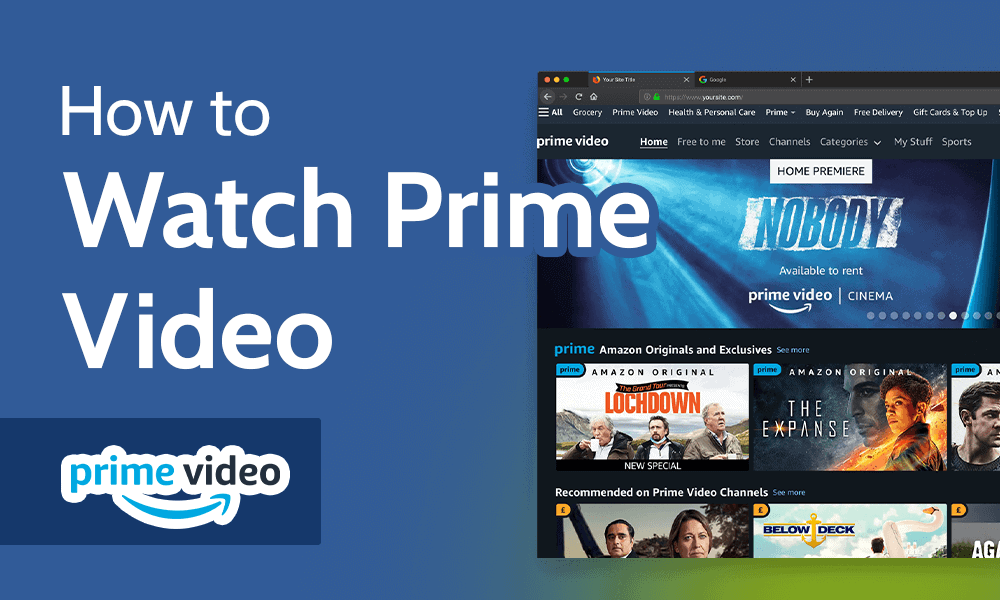
Amazon Prime Video has evolved from a secondary perk of a shipping subscription into one of the most technologically advanced streaming platforms globally. For users looking to access its massive library of 4K Ultra HD content, original programming, and live sports, the question of “how” involves a multi-faceted look at hardware compatibility, software ecosystems, and network optimization. To get the most out of the service, one must understand the technical infrastructure that supports it and the various gateways through which content is delivered.
Hardware Compatibility: Choosing the Right Gateway
The hardware you choose significantly dictates the visual and auditory fidelity of your streaming experience. Amazon Prime Video is engineered to scale across a vast array of devices, but the technical capabilities of these devices vary.
Smart TVs and Dedicated Streaming Sticks
Most modern Smart TVs from manufacturers like Samsung (Tizen OS), LG (webOS), and Sony (Google TV) come with the Prime Video app pre-installed. These platforms are optimized for the specific hardware of the television, allowing for seamless integration of features like HDR10+ and Dolby Vision.
For those with older televisions or users who prefer a more robust interface, dedicated streaming sticks are the gold standard. The Amazon Fire TV Stick 4K Max, for instance, utilizes Wi-Fi 6 support to reduce congestion and provide smoother 4K streaming. Competing hardware, such as the Apple TV 4K or Roku Ultra, offers high-performance processors that handle the heavy lifting of decoding high-bitrate video streams, often providing a snappier user interface than built-in TV apps.
Gaming Consoles and Set-Top Boxes
Gaming consoles are high-performance computers disguised as entertainment hubs. The PlayStation 5 and Xbox Series X/S support Prime Video with high-end graphical output. These consoles are particularly useful for users who want to centralize their entertainment through a single HDMI input. Because these devices have significant cooling systems and powerful GPUs, they are often more stable during long-duration streaming sessions than smaller, fanless dongles.
Mobile Devices and Tablets
On the mobile front, Prime Video is available on iOS, iPadOS, and Android. The tech stack for mobile devices is unique because it must balance high-quality playback with battery efficiency. Modern tablets, especially the iPad Pro with its Liquid Retina XDR display or high-end Samsung Galaxy Tabs with AMOLED screens, provide some of the best contrast ratios available for portable viewing. These devices also utilize hardware-based HEVC (High Efficiency Video Coding) decoding to ensure that video playback doesn’t drain the battery prematurely.
Software Requirements and App Installation
Accessing Prime Video isn’t just about having the right screen; it’s about the software layers that facilitate the handshake between Amazon’s servers and your device.
Web Browser Architecture and Desktop Viewing
For users on desktops or laptops, Prime Video functions through standard web browsers. However, not all browsers are created equal in the eyes of Digital Rights Management (DRM). To prevent unauthorized distribution, Amazon utilizes Widevine or FairPlay DRM.
-
Google Chrome and Microsoft Edge: These browsers typically support up to 1080p (HD) streaming on Windows and macOS.
-
Safari: On macOS, Safari is often the preferred choice for optimized battery life and can support higher resolutions due to its deep integration with Apple’s hardware-accelerated video decoding.
-
Hardware Acceleration: Users should ensure that “Hardware Acceleration” is toggled on in their browser settings. This allows the browser to offload video processing from the CPU to the GPU, preventing system lag and overheating.
The App Ecosystem and Updates
On mobile and smart devices, the Prime Video app acts as a dedicated shell. Keeping this software updated is critical for two reasons: security patches and codec improvements. Amazon frequently updates its apps to include better compression algorithms, which allow for higher-quality video at lower bitrates.
To install the app, users navigate to their respective app stores (Apple App Store, Google Play, or the Amazon Appstore). Once installed, the “Register Your Device” process typically involves a 2FA (Two-Factor Authentication) or a QR code scan, ensuring that the connection between the device and the user’s account is encrypted and secure.
Digital Security and VPN Usage
From a technical standpoint, Prime Video uses geo-blocking to manage licensing agreements. While some tech-savvy users employ Virtual Private Networks (VPNs) to access different libraries, Amazon employs sophisticated proxy-detection technology. High-quality VPNs with obfuscated servers are often required to bypass these checks, though this can sometimes lead to a decrease in streaming speeds due to the overhead of encryption and the physical distance of the VPN server.
Connectivity and Streaming Quality Optimization
The bottleneck for most streaming issues is not the device itself, but the network infrastructure supporting it. To watch Prime Video in its highest possible quality, certain technical benchmarks must be met.
Bandwidth Requirements for 4K and HDR
Prime Video dynamically adjusts its bitrate based on real-time network conditions. However, to maintain a consistent “Ultra HD” (4K) stream, Amazon recommends a minimum download speed of 15 to 25 Mbps. For standard High Definition (1080p), 5 Mbps is usually sufficient.
The technical challenge arises when multiple devices occupy the same bandwidth. Utilizing a router with Quality of Service (QoS) settings allows users to prioritize streaming traffic over other data, such as background software updates or cloud backups, ensuring that the Prime Video stream remains uninterrupted.
Managing Data Usage and Offline Downloads
For users on capped data plans or those traveling, the Prime Video app offers sophisticated data management tools. Within the “Streaming Quality” settings, users can choose between:
-
Good: Roughly 0.38 GB per hour.
-
Better: Roughly 1.40 GB per hour.
-
Best: Roughly 6.84 GB per hour (4K/UHD).
The “Download” feature is a standout tech implementation. It allows users to save encrypted video files locally on their mobile device or tablet. This is particularly useful for environments with zero connectivity, such as airplanes. These files are time-stamped and will automatically “expire” based on the licensing window, managed by the app’s internal clock.
Troubleshooting Network Latency and Buffering
If you encounter buffering, the technical culprit is often “jitter” or high latency in the Wi-Fi signal. Switching from a 2.4GHz band to a 5GHz (or 6GHz) band can significantly reduce interference from household appliances. For the ultimate stable connection, using an Ethernet adapter to hardwire your streaming device directly to the router eliminates the variables of wireless interference entirely.
Advanced Features and Ecosystem Integration
Watching Prime Video is no longer a passive experience. The platform incorporates several high-tech features that enhance user interaction and accessibility.
Leveraging X-Ray for Deep Metadata
One of the most technically impressive features of Prime Video is “X-Ray,” powered by IMDb. While a movie is playing, the X-Ray overlay identifies actors on screen, lists the background music currently playing, and provides trivia. This is achieved through time-coded metadata synchronized with the video stream. It’s an integrated database query that runs in parallel with the video playback, providing an interactive layer that few other streaming services offer.
Audio Tech: Dolby Atmos and Spatial Audio
For the audiophiles, Prime Video supports Dolby Atmos on select titles. This object-based audio format goes beyond traditional channels to create a 3D soundscape. To utilize this, your hardware chain must be compatible: the streaming device must output Atmos, and the soundbar or A/V receiver must be capable of decoding it. Often, this requires an HDMI eARC (Enhanced Audio Return Channel) connection to handle the high-bandwidth audio data.
Smart Home Ecosystems and Voice Control
Amazon’s Echo devices and Alexa integration allow for a “headless” navigation experience. By linking a Fire TV or a compatible Smart TV to an Alexa-enabled speaker, users can use Natural Language Processing (NLP) to control their viewing. Commands like “Alexa, find action movies on Prime Video” or “Alexa, rewind thirty seconds” utilize cloud-based voice processing to send API calls directly to the streaming app, creating a hands-free tech environment.
Profiles, Parental Controls, and Privacy
From a data management perspective, Prime Video allows for up to six user profiles. Each profile maintains its own “Watch Next” list and personalized recommendations based on machine learning algorithms. Furthermore, the platform offers robust parental controls involving PIN-based restrictions. These settings are synced at the account level across all devices, ensuring that security protocols remain consistent whether a child is watching on a tablet or the main living room TV.
By understanding the hardware requirements, mastering the software interface, and optimizing the network environment, users can transform their Prime Video experience from a simple stream into a high-fidelity home cinema. The intersection of powerful codecs, advanced metadata, and robust hardware makes it a premier example of modern streaming technology.
aViewFromTheCave is a participant in the Amazon Services LLC Associates Program, an affiliate advertising program designed to provide a means for sites to earn advertising fees by advertising and linking to Amazon.com. Amazon, the Amazon logo, AmazonSupply, and the AmazonSupply logo are trademarks of Amazon.com, Inc. or its affiliates. As an Amazon Associate we earn affiliate commissions from qualifying purchases.