
The landscape of television consumption has undergone a revolutionary transformation. Gone are the days when the only pathway to live broadcast content was through a coaxial cable tethered to a traditional set-top box. Today, a world of choice, flexibility, and personalized viewing awaits, driven by the power of the internet. “Live TV streaming” has become a pervasive term, signifying a paradigm shift from scheduled broadcasting to on-demand access, wherever and whenever you choose. For many, the allure of cutting the cord—shedding expensive cable subscriptions in favor of more agile, often more affordable, streaming alternatives—is incredibly strong. This comprehensive guide will demystify the process, explore the myriad options available, and equip you with the knowledge to confidently navigate the exciting world of live TV streaming.
Whether you’re looking to watch breaking news, catch a live sports event, keep up with your favorite network shows, or simply enjoy the immediacy of a linear broadcast schedule without the traditional cable commitment, streaming offers a robust solution. The technology behind it, often referred to as IPTV (Internet Protocol Television) or OTT (Over-the-Top) content, delivers video programming directly to your internet-connected devices, bypassing conventional terrestrial, satellite, and cable television formats. This shift not only empowers consumers with unprecedented control over their entertainment but also opens up a competitive market brimming with innovative services and features.
The appeal extends beyond mere cost savings. Flexibility is a cornerstone of the streaming experience. Imagine watching a live football game on your tablet while commuting, catching up on the morning news on your smart TV over breakfast, or tuning into a specific channel from your laptop while traveling abroad. This portability, coupled with increasingly sophisticated user interfaces, robust cloud DVR capabilities, and the integration of on-demand libraries, makes live TV streaming a compelling alternative for modern viewers. Understanding the core components—from the internet connection that powers it all to the streaming devices that bring it to your screen and the services that provide the content—is the first step towards embracing this digital revolution.
Understanding the Landscape of Live TV Streaming
The journey from traditional cable to live TV streaming is often motivated by a desire for greater control, cost efficiency, and enhanced user experience. To fully grasp “how can I stream live TV,” it’s crucial to understand the foundational shifts and terminology that define this modern media ecosystem.
The Cord-Cutting Revolution: Why Now?
The phenomenon of “cord-cutting” is more than just a trend; it’s a significant cultural and economic movement. Historically, consumers were bound by long-term contracts and bundled packages from cable and satellite providers, often paying for dozens or even hundreds of channels they never watched. The internet, with its capacity for high-bandwidth data transfer, disrupted this model by enabling new content delivery mechanisms.
Several factors fuel this revolution:
- Cost Savings: Traditional cable bills can be exorbitant, often exceeding $100-$200 per month when all fees and taxes are factored in. Live TV streaming services typically offer more competitive pricing, with base packages starting as low as $30-$70 per month, allowing consumers to choose packages that align more closely with their viewing habits and budget.
- Flexibility and Customization: Unlike rigid cable bundles, streaming services often provide greater flexibility in channel lineups, add-ons, and contract terms (often month-to-month). This allows users to pay for what they truly want to watch and cancel services when they’re not needed.
- Enhanced Features: Streaming platforms often come with modern features such as robust cloud DVRs, multiple simultaneous streams, personalized recommendations, and seamless integration with other streaming apps (like Netflix or Disney+), all accessible across a wide array of devices.
- Portability: The internet allows content to be delivered virtually anywhere with a connection. This means you’re no longer confined to your living room TV; you can watch live TV on smartphones, tablets, laptops, and even abroad (with certain considerations).
Key Terminology: What You Need to Know
Navigating the world of live TV streaming requires a basic understanding of some core terms:
- IPTV (Internet Protocol Television): This is the underlying technology that delivers television content over IP networks (the internet). Instead of broadcasting signals through traditional cable or satellite, IPTV converts video content into data packets and transmits them over the internet, similar to how web pages or emails are sent.
- OTT (Over-The-Top): This refers to any content provided directly to viewers over the internet, bypassing traditional broadcast, cable, or satellite television providers. Live TV streaming services like Hulu + Live TV or YouTube TV are prime examples of OTT services.
- Streaming Device: This is any hardware that connects to your TV (or is built into it) and allows you to access internet-based content. Examples include Roku, Amazon Fire TV Stick, Apple TV, Google Chromecast, smart TVs, gaming consoles, and even your smartphone or computer.
- Cloud DVR: Unlike traditional DVRs that record to a physical hard drive, cloud DVRs store your recordings on remote servers. This means you can often access your recorded content from any compatible device, without worrying about storage limits on a local device.
- VPN (Virtual Private Network): A VPN creates a secure, encrypted connection over a less secure network, such as the internet. For streamers, VPNs are often used to mask their geographical location, potentially allowing access to geo-restricted content or services that are not available in their current region. This can be particularly useful when traveling.
Popular Methods for Streaming Live TV
With a clearer understanding of the underlying principles, the next step is to explore the practical avenues for streaming live TV. The options typically fall into two main categories: subscription-based services offering a comprehensive channel lineup, and more limited free alternatives.
Subscription-Based Live TV Streaming Services
These services are designed to replicate the traditional cable experience, offering a bundle of live channels, often including local affiliates, sports networks, and popular entertainment channels, but delivered over the internet. They typically require a monthly fee and are the most direct answer to replacing a cable subscription.
- Hulu + Live TV: One of the most popular choices, Hulu + Live TV offers a robust package including live local channels (ABC, CBS, FOX, NBC in most markets), a wide range of popular cable channels, and full access to Hulu’s extensive on-demand library. It also comes with a cloud DVR and options for simultaneous streams. Its seamless integration of live and on-demand content makes it a strong contender.
- YouTube TV: Known for its user-friendly interface and strong performance, YouTube TV boasts an impressive channel lineup, unlimited cloud DVR storage (recordings kept for nine months), and up to six individual accounts per household, each with their own personalized library. It’s particularly strong for local channels and sports.
- Sling TV: Often considered a more budget-friendly option, Sling TV offers two main packages (“Orange” and “Blue”) that can be combined. Sling Orange is better for ESPN and Disney channels, while Sling Blue focuses on Fox and NBC channels (including NFL Network and local Fox/NBC affiliates in select markets). It’s a customizable service, allowing users to add specific channel bundles.
- FuboTV: This service positions itself as a sports-centric option, offering a vast array of sports channels alongside a respectable selection of entertainment and news networks. While its sports coverage is extensive, FuboTV has expanded its general entertainment offerings significantly. It also includes cloud DVR and multiple simultaneous streams.
- DirecTV Stream (formerly AT&T TV Now): Positioned as a premium option, DirecTV Stream offers various packages, often including regional sports networks that are difficult to find elsewhere. While it can be pricier, it aims to deliver a comprehensive cable-like experience with a wide channel selection and robust features.
When choosing a service, consider the following:
- Channel Lineup: Does it include your must-have local channels, sports networks, and entertainment channels?
- Pricing: Does the monthly cost fit your budget? Look out for hidden fees or add-on costs for premium channels.
- Cloud DVR: What are the storage limits and how long are recordings kept?
- Simultaneous Streams: How many devices can watch at the same time?
- Device Compatibility: Does it work on your preferred streaming devices?
- User Interface: Is it intuitive and easy to navigate?
Free Live TV Streaming Options
While subscription services offer comprehensive bundles, there are legitimate ways to stream live TV for free, though with more limited content. These are excellent options for supplementing a primary streaming service or for those on a tight budget.
-
Ad-Supported Streaming Services (FAST Channels):
- Pluto TV: Owned by Paramount, Pluto TV offers hundreds of “channels” organized by genre (movies, TV shows, news, sports, comedy). These are essentially curated linear streams of older content, but they include several live news channels and some sports content.
- Tubi: A Fox-owned service, Tubi provides a large library of on-demand movies and TV shows, but also features a “Live TV” section with news channels, sports channels, and genre-specific linear channels, all supported by ads.
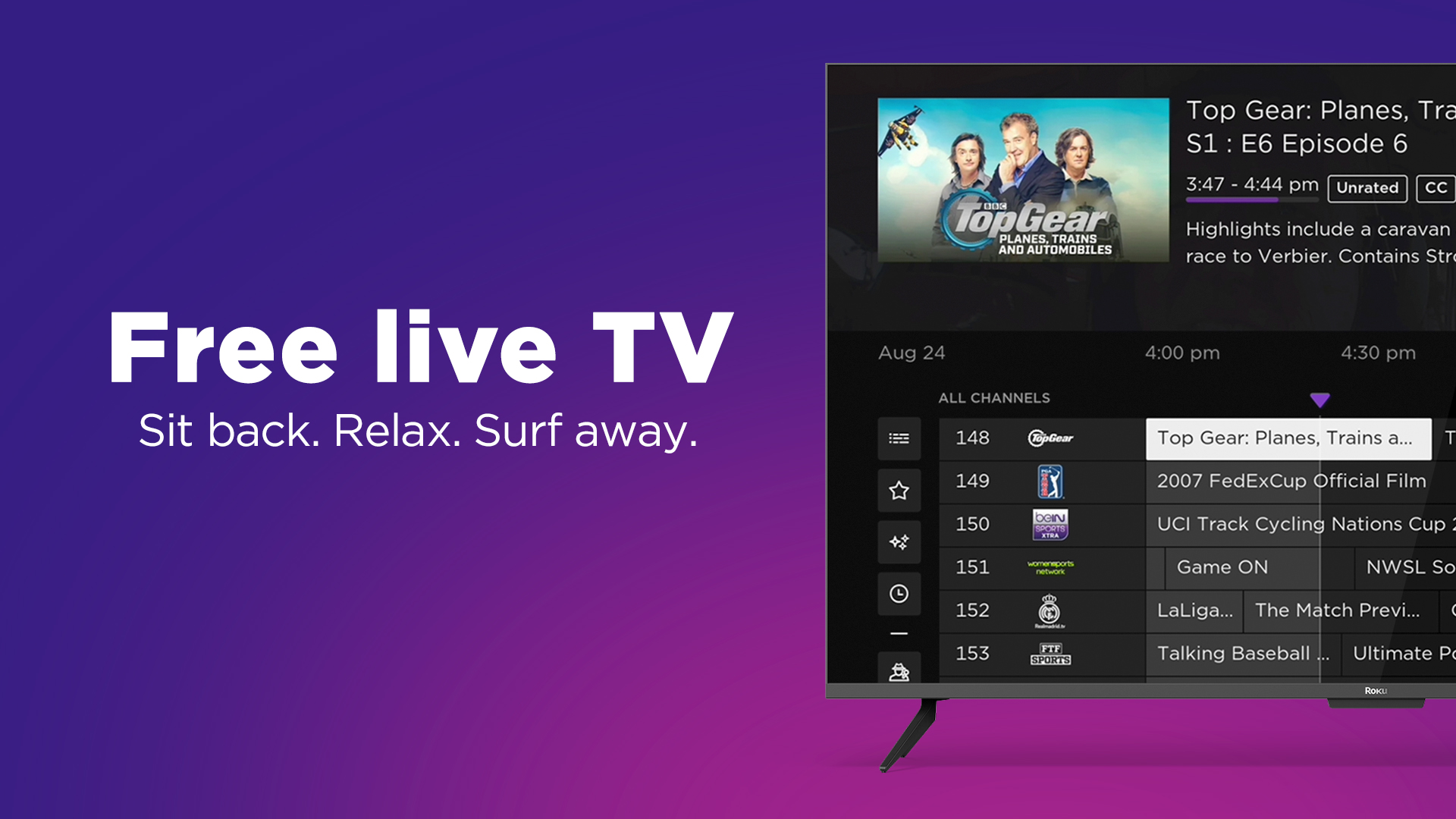
- The Roku Channel: Available on Roku devices and web browsers, this service offers a mix of free movies, TV shows, and a growing selection of live linear channels, including news, reality, and sports programming.
- Peacock (Free Tier): NBCUniversal’s streaming service has a free tier that offers access to a limited selection of content, including some live news and sports programming, though the bulk of live events are behind its premium paywall.
-
Network-Specific Apps and Websites: Major broadcasters like ABC, CBS, NBC, and FOX often have their own apps (e.g., CBS News, NBC News NOW, ABC Live) or sections on their websites that offer live streams of their news programming for free. Full network prime-time schedules or specific sports events often require a cable or live TV streaming service login to access the live stream.
-
Over-the-Air (OTA) Antenna + Streaming Device: For genuinely free live local channels (ABC, CBS, FOX, NBC, PBS, and more, depending on your location), a digital OTA antenna is an unbeatable solution. When combined with certain streaming devices (like some Roku TVs, Fire TV Recast, or Plex with a tuner), you can integrate these free broadcast channels directly into your streaming interface, sometimes even with DVR capabilities. This is a one-time investment for ongoing free access to major networks.
Essential Gear and Setup for Optimal Streaming
The quality of your live TV streaming experience hinges significantly on your underlying infrastructure. Having the right equipment and an optimized setup is paramount to avoiding frustrating buffering, pixelated images, or dropped connections.
Internet Connection: Speed is Key
Your internet connection is the backbone of all streaming. Without sufficient bandwidth, even the best streaming service will falter.
- Minimum Requirements: For standard definition (SD) streaming, about 3-5 Mbps (megabits per second) is generally sufficient. For high definition (HD) content (1080p), most services recommend at least 5-10 Mbps per stream.
- Recommendations for HD/4K: To enjoy a seamless experience with multiple users streaming HD content simultaneously, or for 4K Ultra HD streaming, you’ll want significantly more. A general recommendation for a household with multiple devices streaming is 50-100+ Mbps. For 4K content, 25 Mbps is typically the bare minimum per stream, meaning a household might need 100-200+ Mbps to avoid bottlenecks.
- Check Your Speed: Use online speed tests (e.g., Speedtest.net) to verify your actual download speed, not just what your internet service provider (ISP) advertises. Remember that advertised speeds are “up to” values and real-world performance can vary.
Streaming Devices: Your Gateway to Content
Once you have a solid internet connection, you need a device to convert the internet signal into watchable content on your screen. The market is saturated with excellent options:
- Smart TVs: Many modern televisions come with built-in smart TV platforms (e.g., Roku TV, LG webOS, Samsung Tizen, Google TV). These often have pre-installed apps for popular streaming services and an app store to download more. They offer a convenient, integrated experience.
- Streaming Sticks and Boxes: These are dedicated devices that plug into your TV’s HDMI port.
- Roku Devices (Roku Streaming Stick, Roku Express, Roku Ultra): Known for their user-friendly interface, extensive app support, and wide price range.
- Amazon Fire TV Devices (Fire TV Stick, Fire TV Cube): Integrate seamlessly with Amazon’s ecosystem, offer Alexa voice control, and have a vast app library.
- Apple TV (Apple TV HD, Apple TV 4K): A premium option, offering excellent performance, tight integration with Apple’s services, and a polished user experience.
- Google Chromecast with Google TV: Combines the casting functionality of traditional Chromecast with a full smart TV interface, allowing app downloads and remote control.
- Gaming Consoles (PlayStation, Xbox): Modern gaming consoles support most major streaming apps, making them versatile entertainment hubs.
- Mobile Devices (Smartphones, Tablets): All major live TV streaming services offer dedicated apps for iOS and Android, allowing you to watch on the go.
- Computers: You can access most streaming services directly through a web browser on your laptop or desktop computer.
Home Network Optimization
Even with fast internet and a great streaming device, a poorly optimized home network can lead to issues.
- Wi-Fi vs. Ethernet: For the most stable and fastest connection, especially for a primary streaming device or 4K content, a wired Ethernet connection is always superior to Wi-Fi. If your device and router are close, consider connecting with an Ethernet cable.
- Router Quality and Placement: An old or low-quality Wi-Fi router can be a bottleneck. Invest in a modern router that supports Wi-Fi 5 (802.11ac) or Wi-Fi 6 (802.11ax) for better speeds and performance. Place your router in a central location, away from obstructions, and ideally higher up, to maximize signal strength throughout your home.
- Mesh Wi-Fi Systems: For larger homes or those with dead spots, a mesh Wi-Fi system can significantly improve coverage and consistency by creating multiple Wi-Fi access points that work together.
Advanced Tips and Considerations for a Seamless Experience
Beyond the basic setup, a few advanced considerations can elevate your live TV streaming experience, ensuring you get the most out of your subscriptions and avoid common pitfalls.
Geo-Restrictions and VPNs: Accessing Content Anywhere
A common challenge for streamers is encountering geo-restrictions, where certain content or services are unavailable in specific geographic regions due to licensing agreements. This is particularly relevant when traveling abroad or trying to access a service only available in a different country.
- How VPNs Help: A Virtual Private Network (VPN) can mask your real IP address and route your internet traffic through a server in a different location. By connecting to a VPN server in, say, the United States, you can make it appear as if you are browsing from the US, potentially allowing you to access US-only streaming services.
- Legality and Service Compliance: While using a VPN is generally legal, streaming services often have terms of service that prohibit their use to bypass geo-restrictions. They may also actively block known VPN IP addresses. If detected, your access might be temporarily or permanently blocked.
- Choosing a VPN for Streaming: Not all VPNs are created equal for streaming. Look for services that offer:
- Fast Speeds: Crucial for uninterrupted streaming.
- Numerous Servers: A wide selection of servers in different countries/regions.
- Obfuscated Servers: Features that help bypass VPN detection.
- Dedicated IP Addresses: Some services offer dedicated IPs that are less likely to be blacklisted.
- Examples: NordVPN, ExpressVPN, Surfshark are frequently recommended for streaming, though success can vary as streaming services continually update their detection methods.
Cloud DVR and On-Demand Libraries: Never Miss a Show
One of the significant advantages of live TV streaming over traditional cable is the robust integration of cloud DVRs and extensive on-demand content.
- Cloud DVR Advantages:
- Remote Access: Unlike a physical DVR, your cloud recordings are accessible from any device where you log into your streaming service account.
- No Storage Limits (often): Many services, like YouTube TV, offer “unlimited” cloud DVR storage, meaning you can record as much as you want without worrying about running out of space, though recordings usually expire after 9 months. Other services might offer 50-200 hours of storage.
- Simultaneous Recording: You can often record multiple shows at the same time, a significant upgrade from older single or dual-tuner DVRs.
- On-Demand Libraries: Most live TV streaming services complement their live channels with an extensive on-demand library of shows, movies, and specials. This often includes recently aired network shows, older seasons, and sometimes even exclusive content. This feature ensures that even if you miss a live broadcast, you can typically catch up at your convenience. Familiarize yourself with how to browse and search these libraries within your chosen service.
Bundling and Promotions: Saving Money
While streaming services are generally more affordable than cable, costs can add up if you subscribe to many. Smart strategies can help you save:
- Trial Periods: Almost all major live TV streaming services offer free trial periods (usually 7-14 days). Utilize these to test out the channel lineup, user interface, and overall experience before committing.
- Promotional Deals: Keep an eye out for introductory offers or seasonal promotions from services, which can include discounted first months or free premium add-ons for a limited time.
- Annual Subscriptions: Some services offer a slight discount if you pay annually instead of monthly.
- Bundles: Occasionally, streaming providers or even mobile carriers might offer bundles (e.g., combining a live TV service with another on-demand service or mobile plan) that can result in savings.
- Rotate Services: If your viewing habits are seasonal (e.g., only watching specific sports leagues), consider subscribing only during those seasons and canceling during the off-season. Most services are month-to-month, allowing this flexibility.
Troubleshooting Common Issues
Even with an optimal setup, occasional streaming issues can arise. Knowing how to troubleshoot can save frustration:
- Buffering or Lag:
- Check your internet speed.
- Restart your router and modem.
- Close other bandwidth-intensive applications or devices on your network.
- Try connecting your streaming device via Ethernet if possible.
- Lower the video quality setting in your streaming app if available.
- App Crashes or Freezes:
- Close and restart the streaming app.
- Restart your streaming device (unplug it for 30 seconds, then plug back in).
- Check for app or device software updates.
- Clear the app’s cache (if your device allows).
- “Content Not Available” or Geo-Restriction Errors:
- If using a VPN, try connecting to a different server in the desired region.
- Disable your VPN entirely to see if it resolves the issue (if not trying to bypass restrictions).
- Check the service’s support pages for known outages or content licensing changes.
By understanding these advanced aspects, you can fine-tune your streaming setup, optimize your viewing experience, and effectively manage your streaming subscriptions.
Conclusion
The evolution of live TV streaming has irrevocably changed how we consume content, offering a compelling blend of choice, flexibility, and technological prowess that traditional cable services struggle to match. From understanding the core principles of IPTV and OTT to selecting the right subscription service or leveraging free options, and finally optimizing your home network and gear, the path to cutting the cord is clearer and more accessible than ever.
Whether your priority is catching every major sports event, staying informed with breaking news, keeping up with network dramas, or simply exploring a vast library of entertainment, there’s a live TV streaming solution tailored for you. The ability to watch on virtually any internet-connected device, coupled with features like cloud DVRs and extensive on-demand libraries, empowers viewers to shape their own entertainment schedules rather than being dictated by broadcast schedules.
As technology continues to advance, we can expect even more personalized experiences, further integration across platforms, and potentially new innovations that will continue to redefine the future of live television. By embracing the insights and practical guidance outlined in this guide, you are well-equipped to confidently answer “how can I stream live TV” and unlock a world of seamless, on-demand entertainment tailored to your modern lifestyle. The future of television is here, and it’s streaming live.
aViewFromTheCave is a participant in the Amazon Services LLC Associates Program, an affiliate advertising program designed to provide a means for sites to earn advertising fees by advertising and linking to Amazon.com. Amazon, the Amazon logo, AmazonSupply, and the AmazonSupply logo are trademarks of Amazon.com, Inc. or its affiliates. As an Amazon Associate we earn affiliate commissions from qualifying purchases.