
SiriusXM satellite radio has transformed the in-car audio experience for millions, offering an unparalleled selection of music, news, talk, sports, and entertainment channels free from geographic limitations and traditional radio commercials. For many drivers, integrating SiriusXM into their vehicle is a top priority, whether they’re buying a new car or looking to upgrade an older model. Understanding the various technical avenues for receiving satellite radio in your car is key to enjoying this expansive content library on the go.
Understanding SiriusXM: What It Is and Why You Might Want It
SiriusXM is a subscription-based satellite radio service that broadcasts hundreds of digital audio channels directly to receivers. Unlike terrestrial FM/AM radio, which relies on local broadcast towers and is prone to signal fading and limited selection, satellite radio utilizes geostationary satellites to provide a consistent, coast-to-coast signal across North America.
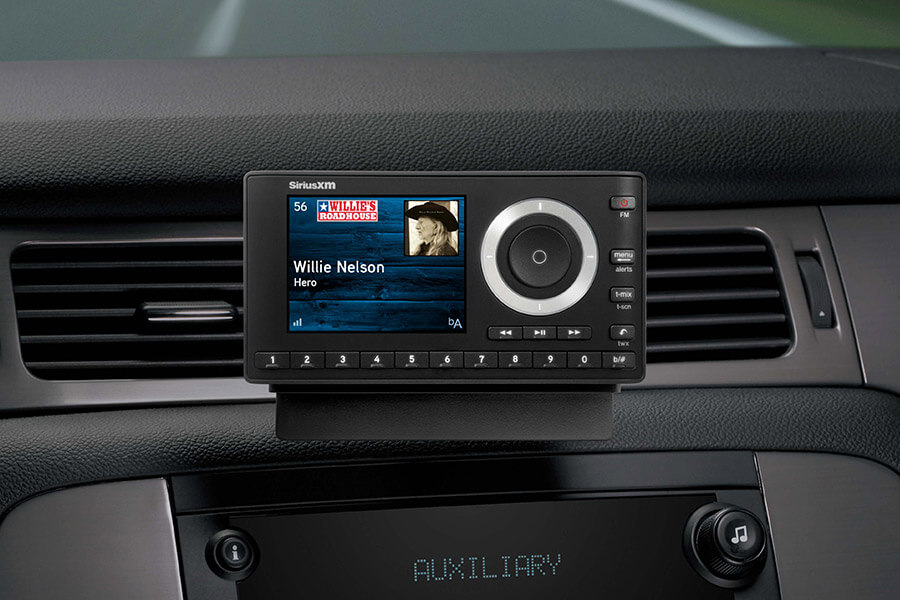
The Allure of Satellite Radio
The primary appeal of SiriusXM lies in its vast, diverse programming and superior signal quality. Subscribers gain access to ad-free music channels spanning virtually every genre, live sports coverage (including every MLB, NBA, and NHL game, plus NASCAR), exclusive talk shows, uncensored comedy, and dedicated news and traffic updates. This breadth of content ensures there’s always something fresh and engaging to listen to, regardless of your location or preferences. Furthermore, the digital nature of the signal often results in clearer audio fidelity compared to analog FM broadcasts, especially in areas with poor reception for traditional radio.
Key Features and Content
Beyond the sheer volume of channels, SiriusXM offers several compelling features:
- Exclusive Content: Many channels, shows, and personalities are unique to SiriusXM, unavailable anywhere else.
- On-Demand Access: With an internet-connected subscription (often included), listeners can access content on-demand via the SiriusXM app outside the car.
- Personalization: Users can often create personalized music channels based on artists or genres.
- Traffic & Weather: Dedicated channels provide detailed, real-time traffic and weather information for major metropolitan areas.
- Parental Controls: Specific programming can be blocked, allowing for a family-friendly listening environment.
Primary Methods for In-Car Access
There are several technical pathways to bring SiriusXM into your car, each with its own advantages, installation complexities, and cost implications. The best method often depends on your vehicle’s make and model, your desired level of integration, and your budget.
Factory-Installed Systems
Many modern vehicles come equipped with factory-installed SiriusXM tuners. This is the most seamless and integrated option. The receiver and antenna are professionally installed by the manufacturer, often integrated directly into the car’s infotainment system.
- Identification: Look for a SiriusXM logo on your radio head unit or check your vehicle’s owner’s manual. You can also tune to channel 0 or channel 1 (the preview channel) to see if you receive a signal or a prompt to activate.
- Activation: If your vehicle has a factory-installed tuner, you typically just need to call SiriusXM or activate online using your radio ID (found on channel 0). Many new car purchases include a complimentary trial subscription.
- Advantages: Perfect integration with the car’s controls, display, and steering wheel buttons; no external wires or devices; highest audio quality.
- Disadvantages: Only an option for newer vehicles; cannot be retrofitted to older cars without extensive and costly modifications.
Aftermarket Satellite Radio Tuners
For vehicles without factory-installed SiriusXM, aftermarket solutions provide a flexible and widely compatible alternative. These fall into several categories:
1. Standalone Receivers (Dock-and-Play Units)
These are complete, self-contained satellite radio units (e.g., SiriusXM Onyx EZR, Stratus 7) that come with their own display, controls, and often a vehicle kit for power, antenna, and audio output.
- Installation: Involves mounting the receiver on your dashboard or console, connecting a magnetic antenna (typically mounted on the roof), and routing wires for power and audio.
- Audio Output: Audio can be transmitted to your car stereo via:
- FM Transmitter: The most common and easiest method. The receiver broadcasts to an unused FM frequency on your car radio. Quality can vary based on interference.
- Auxiliary Input (AUX): If your car stereo has a 3.5mm AUX jack, this provides a direct, high-quality wired connection.
- Cassette Adapter: For older cars with a cassette player, a cassette adapter can route audio.
- Bluetooth: Some advanced receivers can transmit audio wirelessly to a car stereo with Bluetooth audio streaming capabilities.
- Advantages: Universal compatibility; easily transferable between vehicles (with additional vehicle kits); relatively simple DIY installation.
- Disadvantages: Cluttered dashboard with wires and a separate device; audio quality can be inconsistent with FM transmission.
2. Car Radio Adapters and Integrators
These devices aim for a more integrated look and feel than standalone units, often by connecting directly to your car stereo’s input or replacing parts of it.
- Direct Connect Adapters: These modules connect directly to the back of your car’s existing head unit (if it has a compatible input, often an auxiliary or CD changer port). They provide dedicated SiriusXM control through your factory radio’s buttons, eliminating the need for an external display.
- Installation: More complex, often requiring removal of the car stereo. Specific adapters are needed for different car makes/models.
- Advantages: Cleaner installation; high audio quality; uses existing car controls.
- Disadvantages: More involved installation; not universally compatible; can be more expensive.
- Replacement Head Units: An alternative is to replace your entire car stereo with an aftermarket head unit that has a built-in SiriusXM tuner or is “SiriusXM Ready” (meaning it can connect to a SiriusXM Connect Vehicle Tuner).
- Installation: Requires professional installation or advanced DIY skills, including wiring harness adapters and dash kits.
- Advantages: Modern features (Bluetooth, USB, navigation); superior audio processing; full integration.
- Disadvantages: Most expensive option; irreversible modification to your car’s factory setup.
Smartphone App Integration
SiriusXM also offers a robust mobile app for smartphones and tablets. While not a direct “in-car radio” solution in the traditional sense, it provides access to the same content when connected to your car’s audio system.
- Connectivity: You can stream the SiriusXM app audio to your car stereo via Bluetooth, an AUX cable, or a USB connection (if your car stereo supports phone integration like Apple CarPlay or Android Auto).
- Requirements: A smartphone with the SiriusXM app, a data plan (or Wi-Fi), and an internet-connected subscription.
- Advantages: Uses hardware you already own; access to on-demand content and personalized stations; no installation of separate devices required.
- Disadvantages: Consumes cellular data; relies on phone battery; may not have the same seamless control as dedicated car tuners.
Detailed Look at Installation and Setup for Aftermarket Solutions
For those opting for aftermarket satellite radio, understanding the installation process is crucial. While professional installation is always an option, many standalone units and basic adapters can be installed by a DIY enthusiast.
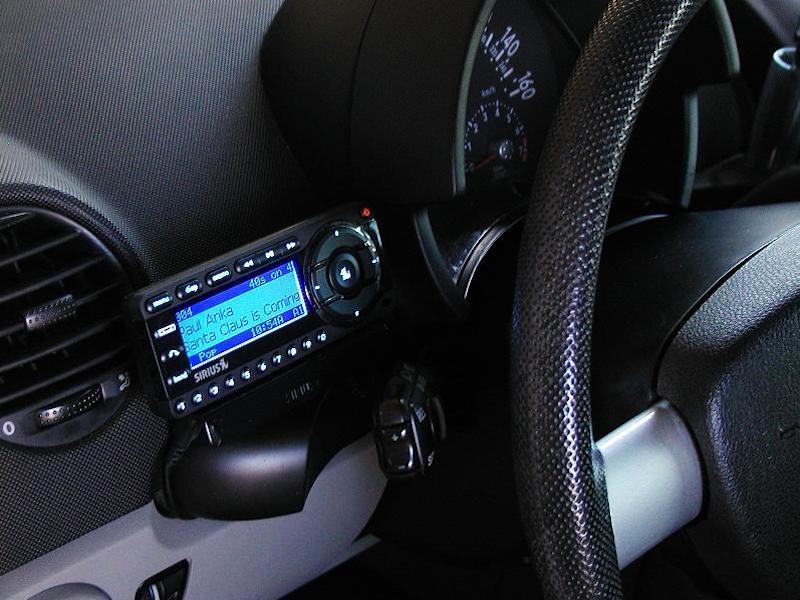
Standalone Receivers
- Mounting the Receiver: Choose a location on your dashboard or console that is easily visible and accessible, but doesn’t obstruct your view or airbags. Use the included adhesive mount or vent clip.
- Antenna Placement: This is critical for good signal reception. The magnetic antenna should be mounted on the exterior of the vehicle, typically on the roof or rear deck lid. It needs a clear, unobstructed view of the sky. Route the thin antenna cable discreetly along the vehicle’s window seams, under trim panels, and into the cabin. Avoid sharp bends or kinks in the cable.
- Power Connection: Most standalone units use a 12V DC power adapter that plugs into your car’s cigarette lighter or accessory port. For a cleaner look, some users opt to hardwire the unit directly to the car’s fuse box (requires basic electrical knowledge and a fuse tap).
- Audio Connection:
- FM Transmitter: Select an unused FM frequency on your car radio and set your SiriusXM receiver to transmit on that same frequency. Experiment to find the clearest channel.
- AUX Input: Plug one end of the 3.5mm audio cable into the receiver’s audio out port and the other into your car stereo’s AUX input. Select the AUX source on your car radio.
- Bluetooth: If both your receiver and car stereo support Bluetooth audio, pair them up and select the Bluetooth audio source on your car stereo.
Car Radio Adapters and Integrators
Installing these solutions typically involves removing the car’s factory radio head unit from the dashboard. This often requires specialized dash trim removal tools to avoid damage.
- Accessing the Head Unit: Research your specific vehicle’s dashboard disassembly procedure. Once the head unit is exposed, disconnect its power and speaker harnesses.
- Connecting the Adapter: The SiriusXM adapter module will connect in-line with the factory radio’s wiring harness or into a dedicated input port. Ensure all connections are secure.
- Antenna Connection: The adapter will have a coaxial input for the SiriusXM antenna. Route and connect the included satellite antenna as described for standalone receivers.
- Reassembly: Carefully reassemble your dashboard, ensuring all wires are tucked away and no rattles are introduced.
Antenna Placement and Wiring
Proper antenna placement is paramount for uninterrupted satellite radio reception.
- Location: The highest point on the vehicle with the clearest view of the sky is ideal, typically the roof. Avoid placing it near large metal objects or integrated roof antennas that could cause interference.
- Mounting: Magnetic antennas are common for ease of installation. Ensure the surface is clean and flat for a strong hold. For a more permanent solution, some aftermarket antennas require drilling a small hole.
- Cable Routing: Route the cable carefully. For roof placement, it often runs along the roofline, down a doorjamb, and under the dashboard. Use cable clips or zip ties to secure it and prevent it from interfering with moving parts or creating a tripping hazard.
Activating Your SiriusXM Service
Once your hardware is installed and powered up, the final step is to activate your subscription.
Subscription Tiers and Pricing Models
SiriusXM offers various subscription packages, typically categorized by content access (e.g., Music & Entertainment, Platinum, Streaming). Each tier includes different channels and features. Pricing models can vary with promotional offers, annual versus monthly payments, and bundled services (e.g., in-car plus streaming). Researching the current offerings on the SiriusXM website is advisable.
The Activation Process
- Locate Your Radio ID: Tune your newly installed SiriusXM receiver to channel 0. The 8-digit radio ID will display prominently on the screen. Make a note of it.
- Contact SiriusXM: You can activate your service online at the SiriusXM website or by calling their customer service number.
- Provide Information: You will need to provide your radio ID and select your desired subscription package.
- Send Activation Signal: Once the subscription is processed, SiriusXM will send an activation signal to your receiver. This typically takes a few minutes, but can sometimes take up to an hour. Park your vehicle in an open area with a clear view of the sky during activation.
- Verify Service: Once activated, your receiver should begin playing channels beyond channel 1.
Troubleshooting and Enhancing Your Experience
Even with proper installation, occasional issues can arise. Knowing how to troubleshoot and optimize your setup can significantly enhance your SiriusXM experience.
Signal Issues and Solutions
- “Acquiring Signal” or “No Signal”:
- Check Antenna: Ensure the antenna is securely connected to the receiver and has a clear view of the sky. Large buildings, tunnels, parking garages, and dense foliage can block the signal temporarily.
- Cable Integrity: Inspect the antenna cable for any damage, kinks, or loose connections.
- Location: Try moving your vehicle to an open area away from tall structures or power lines.
- “Antenna Not Connected”: This indicates a disconnection between the antenna and the receiver. Re-seat the antenna connector firmly. If the issue persists, the antenna or cable may be faulty.
- “Check Antenna”: This message typically suggests an issue with the antenna itself or the connection.
Optimizing Audio Quality
- FM Transmitter Issues: If using an FM transmitter, interference can degrade audio quality.
- Find a Clear Frequency: Scan for a truly empty FM frequency (one with only static, no faint music or talk). Use an online tool or app to find local clear frequencies.
- Relocate Receiver: Sometimes moving the receiver slightly can improve FM transmission.
- Direct Connection: For the best audio, always prioritize a direct wired connection (AUX, USB, or integrated adapter) over an FM transmitter.
- Volume Levels: Adjust the audio output level on your SiriusXM receiver to match the volume of other audio sources in your car to avoid sudden changes or distortion.
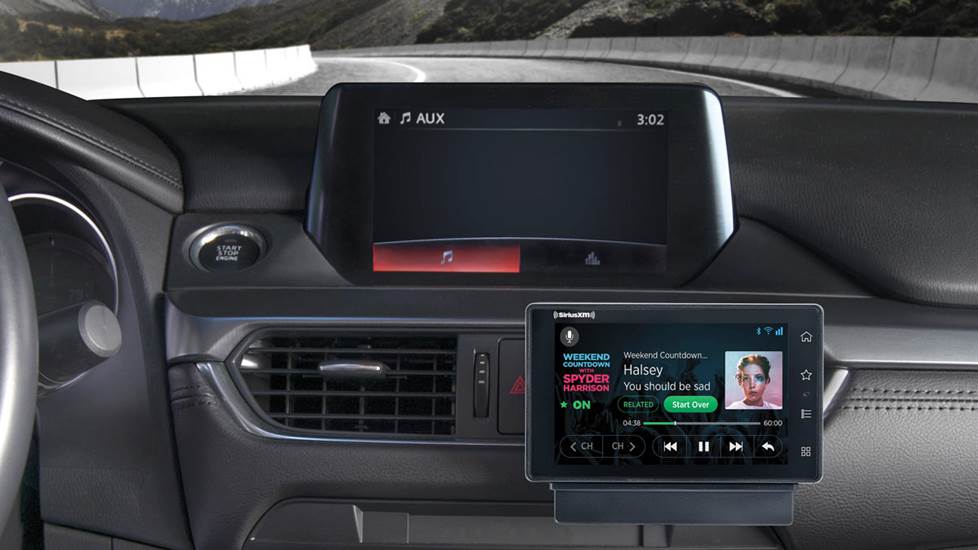
Exploring Advanced Features
Many SiriusXM receivers and integrations offer additional functionalities:
- Presets: Save your favorite channels for quick access.
- Pause, Rewind, Replay: Some advanced units allow you to pause, rewind, and replay live radio, similar to a DVR.
- TuneStart/TuneMix: Features that let you start a song from the beginning when you tune to a new channel or create custom mixes of your favorite channels.
- Alerts: Set alerts for when your favorite artists, songs, or sports teams are playing.
By carefully considering the available technical options and following best practices for installation and troubleshooting, you can seamlessly integrate SiriusXM into your car and unlock a world of diverse, high-quality audio entertainment on every drive.
aViewFromTheCave is a participant in the Amazon Services LLC Associates Program, an affiliate advertising program designed to provide a means for sites to earn advertising fees by advertising and linking to Amazon.com. Amazon, the Amazon logo, AmazonSupply, and the AmazonSupply logo are trademarks of Amazon.com, Inc. or its affiliates. As an Amazon Associate we earn affiliate commissions from qualifying purchases.