
In the ever-evolving landscape of modern computing, the ability to deploy and manage software efficiently across distributed systems is paramount. Python, with its rich ecosystem of libraries and frameworks, has become the lingua franca for data science, machine learning, scientific computing, and web development. However, the seemingly straightforward task of installing a Python module can transform into a complex odyssey when dealing with cluster environments. “Can I install Python modules in a cluster?” is a question that resonates with countless engineers, researchers, and data scientists, and the answer, while unequivocally “yes,” comes with a crucial caveat: it depends on a myriad of factors, demanding strategic planning and a deep understanding of distributed systems.
This article delves into the intricacies of installing Python modules in various cluster architectures, providing a roadmap for seamless integration. We’ll explore the unique challenges posed by shared computing resources, unveil robust deployment strategies, and highlight best practices that not only ensure functionality but also promote reproducibility, efficiency, and long-term maintainability—critical elements for any tech-driven endeavor, impacting everything from project delivery to a company’s bottom line and brand reputation.
Understanding the Cluster Landscape: Why Standard Installs Fall Short
The familiar pip install command, a cornerstone of Python development on a local machine, often falls short in a cluster environment. Clusters, by their very nature, are designed for shared resources, parallel processing, and often, stringent security protocols. These characteristics introduce a host of complexities that necessitate a more sophisticated approach to module management.
The Nuances of Shared Computing Environments
A cluster is not just a collection of powerful computers; it’s a meticulously orchestrated symphony of nodes, networks, and storage, all working in concert. In such an environment, multiple users and applications often share the same operating system, Python installations, and underlying libraries. This shared nature immediately raises concerns about isolation and potential conflicts. If User A installs a specific version of tensorflow, and User B requires an older, incompatible version for their project, a system-wide pip install can lead to “dependency hell,” breaking one or both users’ workflows. This lack of isolation directly impacts team productivity, creating frustrating troubleshooting cycles that erode project timelines and inflate operational costs. From a “Brand” perspective, a development team constantly battling environmental issues can appear less competent, impacting internal morale and external perception.
Permission Roadblocks and Dependency Hell
One of the most immediate hurdles encountered when attempting a standard pip install in a cluster is insufficient user permissions. In enterprise or academic HPC (High-Performance Computing) environments, users typically do not have root or administrator privileges. This prevents system-wide installations that modify core Python directories. Attempts to bypass this often lead to Permission Denied errors, grinding progress to a halt.
Beyond permissions, the aforementioned “dependency hell” is a pervasive issue. Python modules frequently rely on other modules, which in turn have their own dependencies. These dependency trees can be vast and complex. When a module requires a specific version of a shared library (e.g., numpy compiled against a particular BLAS/LAPACK library, or a pandas version requiring a specific python-dateutil), conflicts can arise that are extremely difficult to resolve without proper isolation. This scenario not only complicates development but also introduces fragility into the production pipeline, increasing the risk of costly failures and diminishing the “Money” value derived from data processing.
Scalability and Reproducibility Challenges
Clusters are built for scale. An application developed and tested on a single node must perform identically when distributed across hundreds or thousands of nodes. A naive installation approach, where modules are installed ad-hoc on each node, is not only impractical but also introduces inconsistencies. Imagine manually installing 50 Python packages with their specific versions on 100 nodes—a logistical nightmare prone to errors.
More critically, scientific research, data analysis, and machine learning models demand reproducibility. The ability to rerun an experiment or an analysis with the exact same software environment is fundamental for validating results, debugging issues, and ensuring compliance. Ad-hoc module installations make reproducibility a pipe dream, creating opaque processes that hinder collaboration and undermine trust in outcomes. For a “Brand,” the inability to reproduce critical results can lead to reputational damage, especially in fields where data integrity is paramount. From a “Money” standpoint, unreproducible results can invalidate months of work, leading to significant financial losses and missed opportunities.
Core Strategies for Module Deployment in Clusters
Given the challenges, a range of robust strategies has evolved to effectively manage Python modules in cluster environments. Each approach offers varying degrees of isolation, control, and portability, making the choice dependent on the specific cluster architecture, project requirements, and organizational policies.
Virtual Environments: The First Line of Defense
Virtual environments (venv or conda environments) are the simplest and often the first line of defense against dependency conflicts. A virtual environment creates an isolated Python installation, allowing users to install modules specific to a project without affecting the global Python interpreter or other projects.
venv: Python’s built-in module for creating lightweight virtual environments. It’s straightforward to use, but requires the base Python interpreter to be available on the cluster. The environment, once created, can often be copied to other nodes if they share the same OS and architecture, or recreated from arequirements.txtfile.conda: A powerful, language-agnostic package, dependency, and environment manager.condaenvironments are particularly popular in data science due to their ability to manage non-Python dependencies (e.g., compiled C/C++ libraries) more effectively thanvenv. Acondaenvironment can be exported to aYAMLfile (environment.yml), enabling easy recreation on different cluster nodes, provided Conda is installed.
While virtual environments offer excellent isolation for a single user or project, deploying them across an entire cluster still requires a mechanism to distribute these environments to all relevant nodes and ensure that the correct environment is activated for each job. This often involves placing the environment on a shared filesystem or including activation steps within job scripts.
Containerization: Docker and Kubernetes for Isolation
Containerization, primarily through Docker and orchestrated by platforms like Kubernetes, has revolutionized software deployment in distributed systems. A container packages an application and all its dependencies—including Python, its modules, system libraries, and configuration files—into a single, isolated, and portable unit.
- Docker: A Docker image defines a complete execution environment. You can build an image that contains a specific Python version, all required modules, and even your application code. This image can then be run consistently across any machine with Docker installed. This provides ultimate isolation and reproducibility.
- Kubernetes (K8s): For large-scale, dynamic cluster environments, Kubernetes orchestrates Docker containers. It automates deployment, scaling, and management of containerized applications. In a K8s cluster, you define your application’s environment (including Python modules) within a Docker image, and Kubernetes handles scheduling and running these containers across the cluster nodes.
The benefits of containerization are immense: unparalleled reproducibility (the “Brand” of your software is consistent), simplified dependency management, and efficient resource utilization. However, it introduces an additional layer of abstraction and requires familiarity with container technologies, which can be a learning curve. The initial setup and image build process might require more upfront investment, but the long-term “Money” savings from reduced debugging, faster deployments, and reliable operations are significant.
Centralized Package Management Systems (Condas, Spack, Lmod)
In larger, more managed cluster environments, especially HPC facilities, centralized package management systems are often employed. These systems are typically managed by cluster administrators and provide curated software stacks to users.
- Conda (as a central system): Administrators can provide central Conda installations and manage common environments for various user groups.
- Spack: A flexible, cross-platform package manager designed for supercomputers, HPC, and scientific computing. Spack allows users or administrators to specify complex software stacks, including Python and its modules, with specific compilers and build options. It handles dependency resolution and builds software from source, providing highly optimized installations.
- Lmod / Environment Modules: Common in HPC, Lmod (or similar ‘module’ systems) allows users to dynamically modify their environment (PATH, LDLIBRARYPATH, PYTHONPATH) to include specific software versions. Administrators install various Python versions and module sets, and users simply
module load python/3.9.7-condaormodule load my_custom_python_libs. This provides a controlled and reproducible way for users to access pre-installed software.
These centralized systems reduce the burden on individual users, ensure consistency, and optimize software for the cluster hardware. However, they rely on administrator support and might not offer the immediate flexibility for cutting-edge or highly customized packages that individual projects might demand.
Distributed Filesystems and Manual Installations
In some scenarios, particularly in smaller clusters or highly specialized setups, a combination of shared filesystems and manual installations might be employed.
- Shared Filesystems (NFS, Lustre, GPFS): If the cluster nodes share a common network filesystem, a virtual environment or even a custom Python installation can be placed on this shared storage. All nodes can then access the same environment. This simplifies distribution but introduces a single point of failure and potential performance bottlenecks if not managed carefully.
- Manual Installation and Syncing: In rare cases, users might compile and install Python modules manually into a specific directory (
~/.local/lib/pythonX.Y/site-packagesor a project-specific path) and then ensure this directory is either synced across nodes or included in thePYTHONPATHfor their jobs. This is generally discouraged due to complexity, lack of reproducibility, and high maintenance overhead, but can be a last resort.
Best Practices for Robust Cluster Deployments
Regardless of the chosen strategy, adhering to best practices is crucial for ensuring stable, efficient, and maintainable Python module deployments in cluster environments. These practices contribute directly to the “Brand” of a robust and reliable data platform and generate tangible “Money” savings by preventing costly errors and accelerating development cycles.
Prioritizing Environment Isolation
As highlighted, environment isolation is the cornerstone of successful cluster module management. Always strive to create isolated environments for each project or application. Whether it’s venv, conda, Docker containers, or Spack environments, ensuring that one project’s dependencies do not clash with another’s is paramount. This prevents cascading failures, simplifies debugging, and improves the overall stability of the cluster.
Streamlining Dependency Management
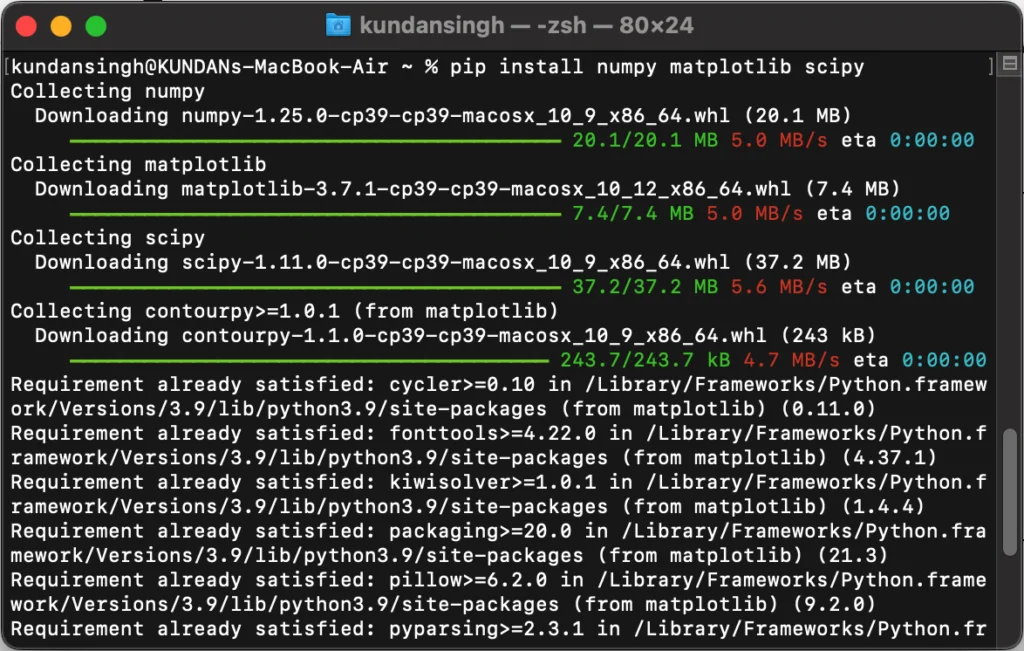
Explicitly defining and managing all project dependencies is a non-negotiable best practice.
- Pin Dependencies: Always pin exact versions of all direct and indirect dependencies (
package==1.2.3). Avoid vague specifications (package>=1.2.0) in production environments. This prevents unexpected breakage when a new version of a dependency is released. requirements.txt/environment.yml: Use these files to meticulously list all required packages and their versions. These files serve as the blueprint for recreating the environment.- Automate Updates: While pinning is crucial for reproducibility, regularly review and update dependencies in a controlled manner to benefit from security patches, bug fixes, and performance improvements. Automated tools for dependency scanning and updating can save significant developer time and reduce security risks.
Version Control and Reproducibility
Treat your environment definitions (Dockerfile, requirements.txt, environment.yml) as critical code and place them under version control (e.g., Git). This allows you to track changes, revert to previous states, and ensure that anyone can recreate the exact same environment at any point in time. Reproducibility is not just a scientific ideal; it’s an engineering necessity for debugging, auditing, and scaling. For financial applications or critical data pipelines, the ability to reproduce historical results is often a compliance requirement, directly impacting “Money” and “Brand.”
Testing and Validation in Clustered Setups
Never assume an installation will work correctly just because it did on your local machine or a single node. Thoroughly test your module installations and application within the target cluster environment.
- Unit and Integration Tests: Ensure your application’s tests pass within the cluster.
- Environment Validation: Write small scripts to verify that all necessary modules are present and correctly importable. Check
sys.pathand package versions. - Smoke Tests: Run small-scale jobs that utilize critical modules to confirm functionality and performance.
- Benchmarking: For performance-critical applications, benchmark your module’s performance on the cluster to identify any bottlenecks or unexpected behavior.
Robust testing minimizes costly production failures, solidifies the “Brand” of your data infrastructure, and protects against financial losses due to downtime or incorrect processing.
Tailoring Solutions to Specific Cluster Architectures
The “best” way to install Python modules often depends heavily on the specific type of cluster you are working with. Different architectures come with their own conventions, tools, and limitations.
High-Performance Computing (HPC) Clusters
HPC clusters are typically managed by system administrators and emphasize raw computational power and efficient resource scheduling (often using job schedulers like Slurm, PBS, or LSF).
- Module Systems (Lmod): This is the most common approach. Admins provide various
module loadoptions for Python versions and popular libraries. Users thenmodule load python/3.9.7and then create avenvorcondaenvironment within their user space, which they activate in their job scripts. - Singularity/Apptainer: This containerization solution is popular in HPC because it runs unprivileged (doesn’t require root access on the host) and is well-suited for scientific applications. Users build a Singularity image on their local machine or a build server, which bundles Python and all modules, then transfer and run it on the cluster.
- Spack: As discussed, Spack can be used by users to build custom software stacks, including Python and its libraries, tailored for the specific HPC architecture.
Kubernetes and Cloud-Native Deployments
Kubernetes is the de facto standard for orchestrating containerized applications in cloud-native environments.
- Docker Images: The primary method is to build custom Docker images. Each image contains the specific Python version, all required
pippackages, and even the application code. These images are pushed to a container registry (e.g., Docker Hub, AWS ECR, Google Container Registry). - Helm Charts: For complex applications, Helm charts are used to define, install, and upgrade Kubernetes applications. A Helm chart can specify the Docker images to use, configuration details, and dependencies, making deployment highly reproducible and manageable.
- Operators: For more complex, stateful applications or specific domain problems (e.g., ML workflows), Kubernetes Operators extend K8s functionality to manage specific applications, often including Python environments, automatically.
Big Data Ecosystems (Hadoop, Spark, Databricks)
Clusters centered around Big Data technologies like Apache Hadoop and Apache Spark have unique requirements for distributing Python code.
- Spark with
spark-submit --py-files: For smaller sets of Python files or custom modules,spark-submitcan include local.pyor.zipfiles using the--py-filesargument. These files are then distributed to the Spark executors. - Conda Environments with YARN/Spark: For more complex dependency sets, it’s common to create a Conda environment, zip it, and then distribute this zip file to Spark executors. Tools like
conda-packfacilitate this. The Spark job then activates this Conda environment on each executor. - Databricks Libraries: Managed platforms like Databricks offer built-in library management. Users can upload Python
.whlor.eggfiles, specify PyPI packages, or upload custom Condaenvironment.ymlfiles directly to a Databricks workspace. These libraries are then automatically installed on the cluster nodes. - AWS Glue/Google Cloud Dataproc: Similar to Databricks, these managed services provide mechanisms to specify required Python libraries (either from PyPI or custom
.zipfiles) during job configuration, which the service then handles distributing and installing on the cluster workers.
Enterprise and Managed Services
Many organizations leverage enterprise-grade managed services (e.g., private cloud deployments, specialized ML platforms). These often abstract away much of the underlying complexity.
- Platform-Specific Integrations: These services usually provide their own UI or API for uploading and managing Python packages. This might involve specifying PyPI dependencies, uploading custom wheel files, or integrating with internal package repositories.
- Admin-Managed Base Environments: Administrators often provide pre-configured base environments with common tools and libraries, allowing users to build upon them.
Beyond Installation: Optimizing for Performance and Maintainability
Installing Python modules is just the first step. To truly harness the power of cluster computing, attention must also be paid to optimizing performance and ensuring long-term maintainability. These factors directly contribute to a positive return on investment (“Money”) and solidify the “Brand” of a reliable and efficient tech organization.
Performance Considerations for Large-Scale Workloads
Python, while versatile, can face performance bottlenecks, especially when dealing with numerical computations or high-throughput data processing.
- Compiled Libraries: Many data science modules (e.g., NumPy, SciPy) rely on underlying C/Fortran libraries. Ensuring these are compiled with optimized linear algebra libraries (like OpenBLAS, MKL) for your cluster’s specific CPU architecture can yield significant performance gains.
- Parallel Processing: Utilize Python’s multiprocessing capabilities or distributed computing frameworks (like Dask, Spark) effectively. Understand the Global Interpreter Lock (GIL) and how it affects true parallelism for CPU-bound tasks.
- Data Locality: In big data clusters (e.g., Spark, Hadoop), minimize data movement over the network. Process data where it resides.
- Memory Management: Monitor memory usage, especially for large datasets. Python objects can consume substantial memory, and inefficient code can lead to OOM (Out Of Memory) errors on cluster nodes.
Maintaining and Updating Modules in Production
Production environments require vigilance. Modules need to be updated to incorporate security patches, bug fixes, and new features.
- Scheduled Reviews: Implement a schedule for reviewing and updating dependencies.
- Staging Environments: Always test updates in a staging environment that mirrors production before deploying.
- Automated Scans: Utilize tools to scan for known vulnerabilities in your dependencies.
- Clear Ownership: Assign clear ownership for maintaining production environments.
- Documentation: Maintain comprehensive documentation of your environment setup, including all module versions and installation procedures. This is invaluable for troubleshooting and onboarding new team members, enhancing productivity and “Brand” reputation.
Troubleshooting Common Installation Issues
Despite best efforts, issues can arise. Knowing how to troubleshoot effectively is key.
PYTHONPATHissues: IncorrectPYTHONPATHcan prevent Python from finding installed modules.- Permissions: Always verify read/write/execute permissions on installation directories and relevant files.
- Missing System Dependencies: Python modules often depend on external C libraries (e.g.,
libssl-dev,gcc,gfortran). Check system logs or module build logs for missing prerequisites. - Network Restrictions: Firewalls or proxy settings can block
pipfrom downloading packages. - Version Mismatches: Conflicts between Python versions, package versions, or underlying system libraries.
- Read the Error Messages: Python error messages are often verbose; read them carefully to pinpoint the root cause.

Conclusion
Installing Python modules in a cluster environment is a sophisticated task that moves beyond simple command-line executions. It demands a thoughtful approach, an understanding of the underlying infrastructure, and a commitment to best practices. Whether leveraging isolated virtual environments, robust containerization with Docker and Kubernetes, or specialized cluster package managers like Spack and Lmod, the goal remains the same: to create a reproducible, scalable, and efficient software ecosystem.
By embracing strategies like environment isolation, rigorous dependency management, version control, and comprehensive testing, organizations can transform potential headaches into streamlined workflows. This meticulous approach not only ensures the smooth execution of complex data and compute tasks, but also contributes significantly to a positive “Brand” image for technical teams, fostering trust and reliability. Furthermore, by optimizing deployments for performance and maintainability, businesses can realize substantial “Money” savings through reduced downtime, faster development cycles, and more efficient resource utilization. The future of data-driven innovation lies in mastering these distributed deployment complexities, turning the challenge of “can I install Python modules in a cluster?” into a confident “yes, and here’s how we do it effectively.”
aViewFromTheCave is a participant in the Amazon Services LLC Associates Program, an affiliate advertising program designed to provide a means for sites to earn advertising fees by advertising and linking to Amazon.com. Amazon, the Amazon logo, AmazonSupply, and the AmazonSupply logo are trademarks of Amazon.com, Inc. or its affiliates. As an Amazon Associate we earn affiliate commissions from qualifying purchases.