
In an increasingly digital academic landscape, the question of privacy in online learning environments like Canvas has become a critical concern for students and educators alike. As technology permeates every facet of our lives, the line between personal space and institutional oversight blurs, particularly when it comes to tools designed for learning and assessment. The specific query, “Can Canvas see what tabs you have open?”, cuts right to the heart of this tension, touching upon digital security, student privacy, and the evolving ethics of educational technology.

Understanding the capabilities and limitations of a Learning Management System (LMS) like Canvas is essential for navigating the modern classroom confidently. While Canvas itself is a powerful platform for course delivery, assignments, and communication, its direct capacity to monitor browser tabs is often misunderstood. The truth lies not just in Canvas’s native functionalities but also in the ecosystem of third-party tools that educational institutions integrate to enhance academic integrity and support remote learning. This exploration will delve into the technical realities, ethical dilemmas, and practical advice surrounding digital privacy in the context of online education, drawing insights from technology trends, brand reputation, and financial implications.
The Technical Truth: How Learning Management Systems (LMS) Interact with Your Browser
To accurately answer whether Canvas can see your open tabs, we must first distinguish between the core functionalities of the LMS itself and the capabilities of supplemental technologies often used in conjunction with it. The digital learning environment is a layered construct, where various software components play distinct roles.
Understanding Canvas’s Core Functionality
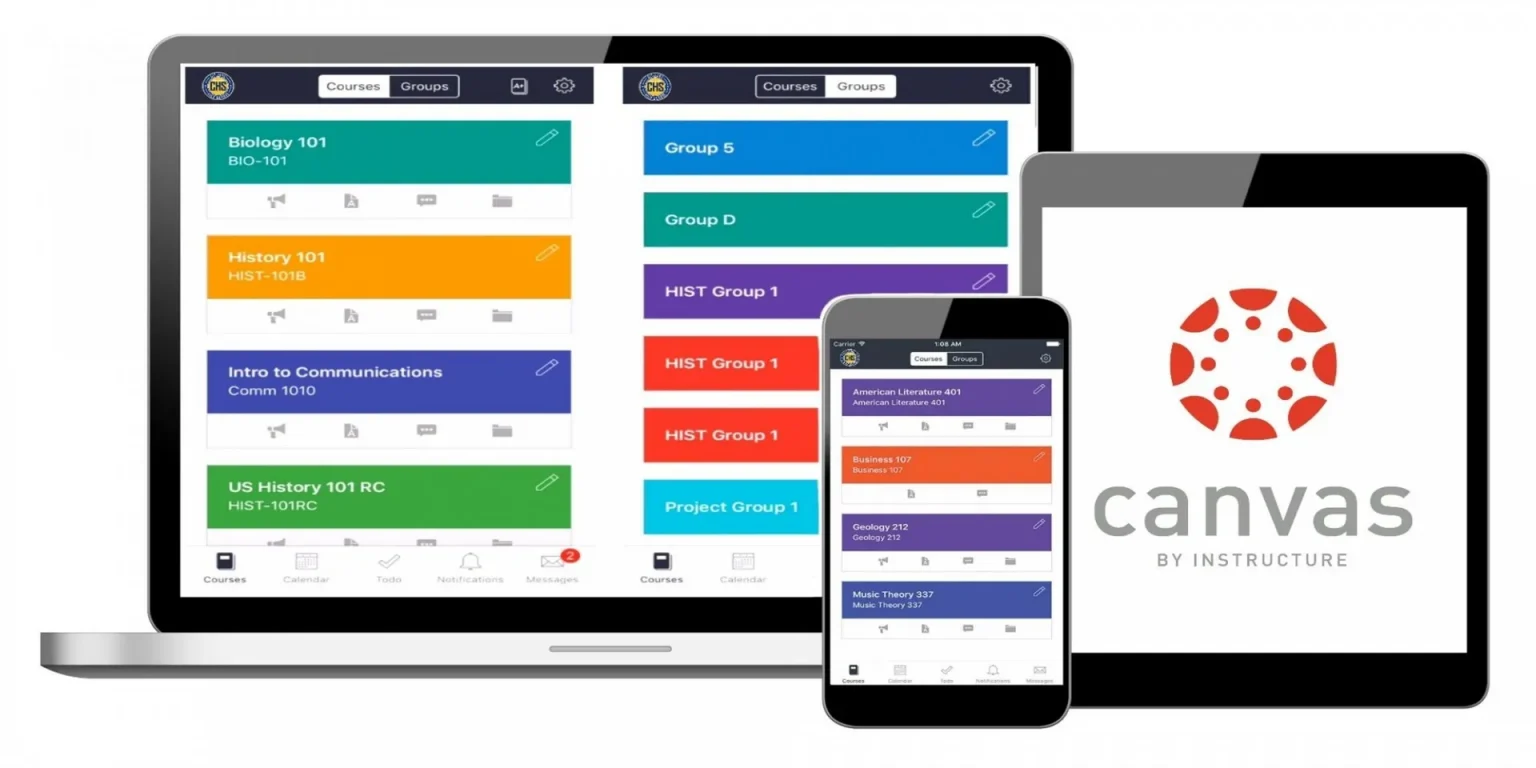
At its foundation, Canvas by Instructure is designed as a comprehensive platform to facilitate teaching and learning. Its primary functions include hosting course content, managing assignments and submissions, facilitating discussions, tracking grades, and providing communication tools. When you log into Canvas, the system primarily tracks your activities within its own interface. This includes:
- Page Views: Which pages or modules you access and for how long.
- Login/Logout Times: When you access the platform.
- Submission Timestamps: When assignments are submitted, allowing instructors to enforce deadlines.
- Quiz and Exam Attempts: Recording when you start, pause, and submit assessments, along with your responses.
- Discussion Board Activity: Your posts, replies, and engagement levels.
Crucially, Canvas itself, as a standalone LMS, does not possess the inherent capability to monitor other tabs open in your web browser, track your general web browsing history outside of its domain, or access files on your computer. Its scope is generally confined to the browser tab where Canvas is actively running. This is a fundamental privacy distinction; Canvas is built to manage learning activities, not to serve as a comprehensive surveillance tool for your entire digital environment.
The Role of Third-Party Proctoring Software
The confusion and concern surrounding tab monitoring largely stem from the widespread adoption of third-party proctoring software, especially during online exams. When institutions need to ensure academic integrity in a remote setting, they often integrate specialized tools designed to monitor students during assessments. These applications are not part of Canvas’s core offering but are deployed alongside it. Common examples include:
- Respondus Monitor: Often used with Respondus LockDown Browser. The LockDown Browser restricts your ability to open new tabs, access other applications, or print during an exam. Respondus Monitor further uses a webcam to record the student and their environment. While primarily focused on locking down the browser, some versions or settings might log attempts to switch applications or open new tabs, flagging these as potential integrity breaches.
- Proctorio: This AI-powered proctoring solution operates as a browser extension. When activated for an exam, Proctorio can monitor a wide array of activities, depending on the settings chosen by the institution. This can include:
- Detecting open tabs: Identifying if other browser tabs are open or accessed.
- Monitoring screen activity: Recording what’s displayed on your screen.
- Tracking head and eye movements: Using your webcam to detect suspicious behavior.
- Monitoring keyboard and mouse movements.
- Flagging attempts to copy/paste or print.
- ExamSoft, Honorlock, and other similar platforms: These tools share similar functionalities, often employing combinations of browser lockdown, webcam monitoring, microphone access, and desktop monitoring to create a secure testing environment. Their precise capabilities regarding tab detection depend on the specific product and the configuration set by the university.
These proctoring solutions are designed to go beyond the native capabilities of an LMS like Canvas. They install browser extensions, run as separate applications, or utilize a dedicated secure browser to gain a broader view of your computing environment during an assessment. It’s during the use of these tools, not Canvas itself, that the monitoring of open tabs and other desktop activities becomes a distinct possibility.
Browser Extensions and Digital Footprints
Beyond institutional proctoring software, it’s worth remembering the general digital footprint we leave online. Every website we visit, every search query, and many browser extensions contribute to a complex network of data. While Canvas isn’t directly involved in this broader tracking, awareness of how information flows on the internet is crucial for overall digital security. Many everyday browser extensions, for instance, request permissions to “read and change all your data on the websites you visit” – a broad permission that could theoretically capture information from multiple tabs. Understanding these permissions, managing your browser settings, and using privacy-focused tools are general best practices for protecting your digital privacy, regardless of specific Canvas usage.
In summary, while Canvas itself doesn’t monitor your tabs, the third-party proctoring software integrated with it can and often does have this capability. The answer to “Can Canvas see what tabs you have open?” is nuanced: No, not Canvas directly, but yes, the proctoring tools used through or with Canvas might.
Privacy vs. Academic Integrity: A Balancing Act for Educational Institutions
The decision by educational institutions to deploy proctoring software is not made lightly. It stems from a fundamental tension between two critical priorities: upholding academic integrity and protecting student privacy. This balancing act has profound implications for an institution’s brand, its relationship with its students, and the perceived value of its degrees.
The Rationale Behind Monitoring
The primary driver for implementing proctoring solutions, especially in fully online or hybrid learning models, is the need to maintain academic standards and prevent cheating. In a traditional classroom, a proctor physically oversees students, ensuring fairness and deterring dishonest practices. Replicating this in a virtual environment presents unique challenges. Institutions utilize monitoring technologies to:
- Ensure Fairness: Guarantee that all students are tested under similar, controlled conditions, preventing an unfair advantage for those who might cheat.
- Preserve Degree Value: Protect the credibility and reputation of the degrees they award. If degrees can be easily obtained through academic dishonesty, their value diminishes, impacting the institution’s brand and the career prospects of its graduates.
- Verify Identity: Confirm that the person taking the exam is indeed the registered student.
- Comply with Accreditation Standards: Some accreditation bodies may have expectations regarding the integrity of assessment processes, particularly for professional programs.
- Adapt to Remote Learning: The rapid pivot to online learning necessitated solutions to conduct secure assessments remotely, leading to increased reliance on proctoring technologies.
These reasons are compelling from an institutional perspective, particularly given the investment in time, resources, and reputation that goes into delivering quality education.
Student Privacy Concerns and Digital Rights
While the institutional rationale is clear, the implementation of widespread digital proctoring has ignited significant student privacy concerns. Students often feel that these tools are intrusive, surveillance-oriented, and create an atmosphere of distrust. Key concerns include:
- Data Collection and Retention: What data is collected (webcam feeds, screen recordings, keystrokes, biometric data)? How long is it stored? Who has access to it?
- Security of Personal Data: Is student data adequately protected from breaches? The “Digital Security” aspect of our website topics is highly relevant here, as a breach involving proctoring data could be catastrophic.
- Scope of Monitoring: The feeling of being watched in one’s private space can be unsettling, leading to anxiety and stress, potentially impacting performance. This goes beyond just tabs; it extends to the environment, body language, and even accidental actions.
- Bias in AI Algorithms: Concerns exist that AI-powered proctoring tools might exhibit biases against certain demographic groups or individuals with unique physical characteristics or disabilities, leading to false positives for cheating.
- Lack of Transparency and Consent: Students often feel they are not fully informed about what data is collected, how it’s used, and what their rights are, especially when these tools are mandatory for course completion.
- Impact on Productivity and Mental Well-being: The stress of constant surveillance can detract from the learning experience and contribute to mental health challenges, running counter to the goal of “Productivity.”
These concerns highlight a conflict between the convenience and necessity of online assessments and the fundamental right to privacy in one’s personal space and data.
Institutional Responsibilities and Transparency
Given these profound concerns, institutions bear a significant responsibility to address them proactively and transparently. A strong brand reputation in education is built on trust, and a perceived breach of privacy can severely damage that trust. To navigate this challenge, institutions should:
- Develop Clear Policies: Articulate clear, accessible policies outlining what data is collected, why it’s collected, how it’s stored, who has access, and how long it’s retained. These policies should be readily available to students.
- Ensure Data Security: Implement robust cybersecurity measures to protect sensitive student data collected by proctoring software. Regular audits and compliance with data protection regulations (like GDPR, CCPA) are crucial.
- Provide Alternatives Where Possible: Explore alternative assessment methods that reduce the need for intrusive proctoring, or offer alternative accommodations for students with specific privacy concerns or disabilities.
- Educate Students: Proactively educate students about how these technologies work, what is being monitored, and what their rights are. Foster an environment where students feel comfortable asking questions.
- Vet Vendors Thoroughly: Conduct due diligence on third-party proctoring vendors, scrutinizing their privacy policies, security practices, and track record.
- Balance Monitoring with Pedagogy: Ensure that the level of proctoring is appropriate for the assessment and doesn’t overshadow the primary goal of learning.
Striking this balance is crucial not just for ethical reasons, but also for maintaining the “Brand” of the institution as one that values its students’ well-being and rights, while simultaneously upholding academic rigor.
Navigating the Digital Classroom: Best Practices for Students and Institutions
In the complex ecosystem of online learning, both students and institutions have roles to play in ensuring a secure, productive, and respectful digital environment. Implementing best practices can mitigate privacy risks while still fostering academic integrity.
For Students: Safeguarding Your Digital Privacy
Students are the primary users of these systems and have a crucial role in managing their own digital security and privacy. While some aspects of proctoring are mandatory, several steps can be taken to protect personal data and maintain peace of mind:
- Understand the Technology: Before an exam, familiarize yourself with the specific proctoring software being used. Review the institution’s policies and the software’s privacy statements. Know what permissions you’re granting.
- Use a Dedicated Browser/Profile: If possible, use a separate browser profile or even a different web browser altogether for proctored exams. This helps compartmentalize your activities and keeps your personal browsing history and extensions separate.
- Close Unnecessary Applications and Tabs: Before starting a proctored exam, close all non-essential applications and browser tabs. This minimizes the risk of accidental flagging and reduces the amount of data the proctoring software might potentially access or log.
- Review Browser Extension Permissions: Be mindful of the extensions installed in your primary browser. Some extensions might collect data that could unintentionally be captured by proctoring software or simply pose a general privacy risk. Consider disabling non-essential extensions for exams.
- Utilize Incognito/Private Mode (where allowed): While proctoring software might still operate in these modes, it can help prevent your normal browsing history or cookies from being accessed or modified by the exam session. Always check if this is permitted by your instructor.
- Ensure a Private Testing Environment: Choose a quiet, private space for your exams to minimize distractions and avoid privacy issues for others in your household who might inadvertently appear on camera.
- Strong Passwords and Account Security: Always use strong, unique passwords for your Canvas and other academic accounts. Enable two-factor authentication if available to protect your “Digital Security.”
- VPNs (Use with Caution): While VPNs enhance privacy by encrypting your internet traffic, some proctoring software might flag their use as suspicious or block them. Always check with your instructor or IT support before using a VPN during a proctored exam.
Taking these proactive steps empowers students to have more control over their digital footprint and mitigate potential privacy risks in the online learning environment, improving their overall “Productivity” by reducing anxiety.
For Institutions: Fostering Trust and Ethical Tech Use
Educational institutions have a moral and ethical imperative to implement technology responsibly, especially when it concerns student data and privacy. Their choices directly impact their “Brand” and reputation.
- Prioritize Transparency: Clearly communicate the purpose, scope, and data practices of any proctoring software to students well in advance. Provide easily understandable FAQs and support resources.
- Conduct Privacy Impact Assessments: Before adopting new technologies, perform thorough assessments to identify and mitigate potential privacy risks.
- Invest in Training and Support: Ensure instructors and staff are well-trained on the capabilities and limitations of proctoring tools, and that robust technical support is available for students.
- Explore Pedagogical Alternatives: Encourage instructors to explore diverse assessment strategies that reduce reliance on high-stakes, proctored exams. This could include project-based learning, open-book exams, oral defenses, or staggered assignments.
- Regularly Review Policies and Technologies: The tech landscape evolves rapidly. Institutions should regularly review their digital security policies and the proctoring technologies they use, ensuring they remain relevant, secure, and ethical.
- Engage in Dialogue with Students: Create channels for students to voice their concerns and provide feedback on proctoring technologies. This collaborative approach can help build trust and refine policies.
- Focus on Data Minimization: Only collect the data strictly necessary for the purpose of proctoring, and retain it only for as long as ethically and legally required.
By embracing these best practices, institutions can build a more secure, respectful, and effective digital learning environment that balances the need for academic integrity with student privacy concerns, ultimately strengthening their educational “Brand.”
The Future of Online Assessment and Data Privacy
The discussion around “Can Canvas see what tabs you have open?” is a microcosm of larger trends shaping the future of education, technology, and privacy. As AI tools become more sophisticated and digital security threats evolve, the landscape of online assessment will continue to transform, bringing both opportunities and new challenges related to data privacy and the financial models supporting ed-tech.
Emerging Technologies and AI in Education
The role of Artificial Intelligence (AI) in education, particularly in assessment, is rapidly expanding. AI tools are being developed to:
- Enhance Proctoring: Beyond simple tab detection, AI can analyze behavioral patterns, facial expressions, eye movements, and even audio cues to detect anomalies that might indicate cheating. This promises more sophisticated, less human-intensive monitoring.
- Personalized Learning: AI can adapt learning paths based on student performance, identify areas of struggle, and offer tailored resources.
- Automated Grading and Feedback: AI can automate the grading of certain assignment types and provide instant feedback, freeing up instructor time.
- Predictive Analytics: AI can help institutions identify students at risk of dropping out, allowing for early intervention.
While these “AI Tools” offer immense potential for efficiency and improved learning outcomes, they also magnify privacy concerns. The more data AI systems collect and analyze, the greater the potential for misuse, algorithmic bias, and the erosion of personal privacy. The “Tech” sector is constantly innovating, but ethical guidelines and robust safeguards must evolve alongside these innovations.
The Evolving Landscape of Digital Security and Privacy Laws
The legal and regulatory environment surrounding data privacy is becoming increasingly stringent globally. Laws like the General Data Protection Regulation (GDPR) in Europe and the California Consumer Privacy Act (CCPA) in the United States set high standards for how personal data is collected, processed, and stored. Educational institutions, especially those with international student bodies, must navigate a complex web of compliance requirements.
These laws mandate:
- Consent: Clear and informed consent for data collection.
- Right to Access and Erasure: Individuals’ right to know what data is held about them and to request its deletion.
- Data Minimization: Collecting only necessary data.
- Data Security: Implementing appropriate measures to protect data.
- Breach Notification: Promptly informing individuals and authorities in case of a data breach.
The evolving nature of “Digital Security” and privacy laws will continue to shape how ed-tech companies design their products and how institutions implement them, driving a greater focus on transparency and accountability.

The Financial and Brand Implications of Ed-Tech Choices
The adoption of sophisticated proctoring software and AI tools comes with significant financial implications for educational institutions. Licensing fees, implementation costs, training, and ongoing support represent substantial investments. These expenditures ultimately contribute to the overall cost of education, impacting tuition fees or institutional budgets. From a “Money” perspective:
- Cost-Benefit Analysis: Institutions must carefully weigh the financial cost of these technologies against their effectiveness in upholding academic integrity and their potential impact on student satisfaction and enrollment.
- Return on Investment (ROI) of Online Education: The value proposition of online degrees is tied to their perceived rigor. Investing in proctoring aims to protect this ROI, but excessive costs or privacy concerns could detract from it.
- Business Models of Ed-Tech Companies: The growth of the ed-tech sector is fueled by institutional needs. This creates a market where companies compete to offer the most effective (and often data-intensive) solutions.
Furthermore, the choices an institution makes regarding proctoring and data privacy directly impact its “Brand.” An institution known for its strong privacy protections and student-centric approach will attract and retain students who value these principles. Conversely, an institution perceived as overly surveillant or prone to data breaches could suffer reputational damage, affecting enrollment and long-term financial viability. The careful management of technology, privacy, and security is therefore not just an operational concern but a strategic imperative for the modern educational institution.
In conclusion, the question of whether Canvas can see your tabs is a gateway to a much broader conversation about the intricate relationship between technology, privacy, and academic integrity in the digital age. While Canvas itself adheres to a defined scope, the suite of third-party proctoring tools frequently integrated with it does indeed possess the capability to monitor various aspects of your digital environment, including open tabs, during assessments. Navigating this landscape requires vigilance from students in protecting their digital privacy and a commitment from institutions to transparent, ethical, and secure technology implementation. As education continues its digital transformation, a balanced approach—one that prioritizes both robust academic standards and fundamental student rights—will be crucial for fostering trust and ensuring the continued growth and integrity of online learning.
aViewFromTheCave is a participant in the Amazon Services LLC Associates Program, an affiliate advertising program designed to provide a means for sites to earn advertising fees by advertising and linking to Amazon.com. Amazon, the Amazon logo, AmazonSupply, and the AmazonSupply logo are trademarks of Amazon.com, Inc. or its affiliates. As an Amazon Associate we earn affiliate commissions from qualifying purchases.