
In the dynamic world of digital content creation, animation stands as a powerful medium for storytelling, education, marketing, and entertainment. From captivating feature films to engaging web series, interactive games, and dynamic motion graphics, the demand for high-quality animated content continues to surge. For aspiring animators, seasoned professionals, or businesses looking to integrate animation into their strategy, a pivotal question often arises: “What program is best for animation?” The answer, however, is rarely singular. It hinges on a confluence of factors, including the specific type of animation, project scale, budget, and crucially, the animator’s skill level and workflow preferences. Navigating the vast landscape of animation software requires a deep dive into their capabilities, target audiences, and technical ecosystems.
Defining “Best”: Beyond Technical Specifications
The concept of the “best” animation software is inherently subjective, akin to declaring one musical instrument superior to all others. Each program is engineered with distinct strengths, catering to particular animation styles, workflows, and user demographics. Understanding these nuances is paramount before committing to a costly license or a significant time investment in learning.
User Skill Level and Learning Curve
Some animation programs are renowned for their intuitive interfaces and gentle learning curves, making them ideal for beginners and hobbyists. Others, while incredibly powerful and feature-rich, demand a substantial investment in time and effort to master, often requiring a foundational understanding of animation principles and computer graphics. For instance, a program like Blender offers immense power but can initially intimidate newcomers, whereas Adobe Animate might feel more accessible for traditional 2D animators. The “best” program for a novice will likely differ significantly from that for an industry veteran.
Type of Animation: 2D, 3D, or Motion Graphics
The specific animation discipline dictates the software choice more than any other factor. Are you looking to create hand-drawn, frame-by-frame 2D cartoons? Or perhaps delve into character rigging and rendering photorealistic 3D worlds? Maybe your focus is on dynamic text, logos, and visual effects for video? Each of these categories has specialized tools designed to optimize that particular workflow. Attempting complex 3D character animation in a tool primarily designed for 2D motion graphics would be inefficient, if not impossible.
Project Scale, Industry Standards, and Budget
Professional studios often rely on industry-standard software like Autodesk Maya for 3D or Toon Boom Harmony for 2D, due to their robust feature sets, collaborative tools, and long-standing reputations within major production pipelines. These programs often come with higher price tags and subscription models. Independent animators or small studios, however, might prioritize cost-effectiveness, open-source alternatives, or programs offering perpetual licenses, such as Blender or OpenToonz. The scale of the project, whether it’s a short film, a full-length feature, a game asset, or a short explainer video, will also influence the choice, as larger projects demand more robust asset management, rendering capabilities, and team collaboration features.
Community Support and Resources
Learning animation software is an ongoing journey. The availability of tutorials, forums, online communities, and official documentation can significantly impact the learning experience and problem-solving process. Programs with large, active communities often provide a wealth of free resources, tips, and troubleshooting advice, which can be invaluable, especially for self-taught animators.
Top Contenders for 2D Animation
2D animation encompasses a broad spectrum, from traditional hand-drawn cel animation to vector-based cut-out animation and puppet animation. The software choices reflect this diversity.
Adobe Animate
Key Features: Vector-based drawing tools, robust timeline for frame-by-frame animation, tweening capabilities, excellent integration with other Adobe Creative Cloud applications (e.g., Photoshop, Illustrator), widely used for web animation (HTML5 Canvas, WebGL, SVG), banner ads, and interactive content.
Best For: Animators familiar with the Adobe ecosystem, character animation (both frame-by-frame and puppet), interactive web content, short-form digital animation.
Considerations: Subscription model, can be less robust for highly complex, feature-film-level traditional animation compared to dedicated solutions.
Toon Boom Harmony
Key Features: Industry-standard for traditional and cut-out animation in television and feature film. Offers powerful tools for drawing, rigging, animation, and compositing, with multi-plane camera effects, deformers, and advanced brush engines. Multiple editions (Essentials, Advanced, Premium) cater to different needs.
Best For: Professional 2D animation studios, traditional animators seeking robust tools for high-quality production, character animation with advanced rigging.
Considerations: Steep learning curve, professional pricing model, demands significant commitment to master.
OpenToonz
Key Features: Free and open-source software, originally developed by Digital Video S.p.A. and customized by Studio Ghibli for their productions. Offers tools for traditional drawing, scanning, vector painting, effects, and compositing. Supports both raster and vector graphics.
Best For: Independent animators, traditional animation enthusiasts, those seeking a powerful, free alternative with a history of professional use, educational purposes.
Considerations: Can be less user-friendly than commercial alternatives, community support is strong but may not be as extensive as Adobe or Toon Boom.
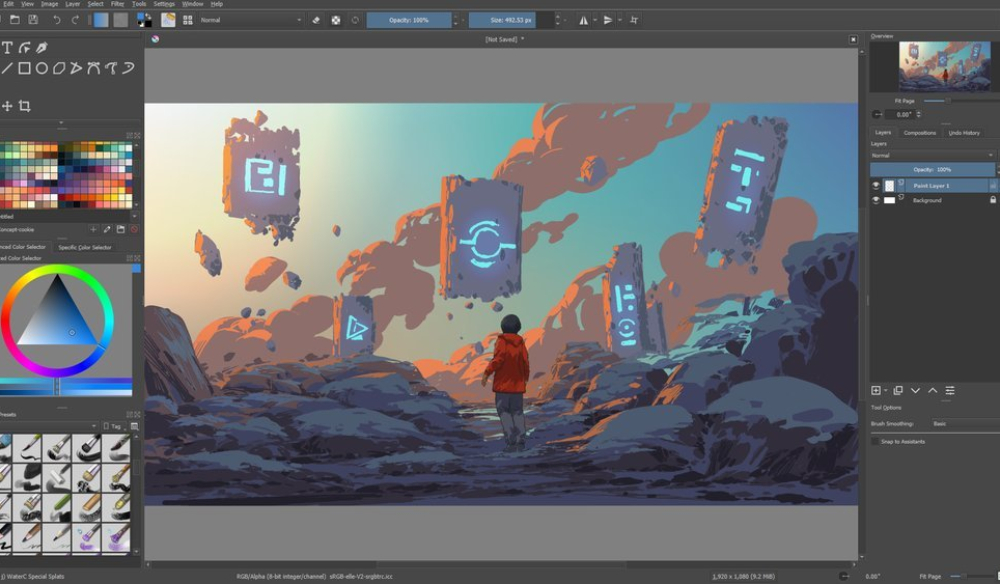
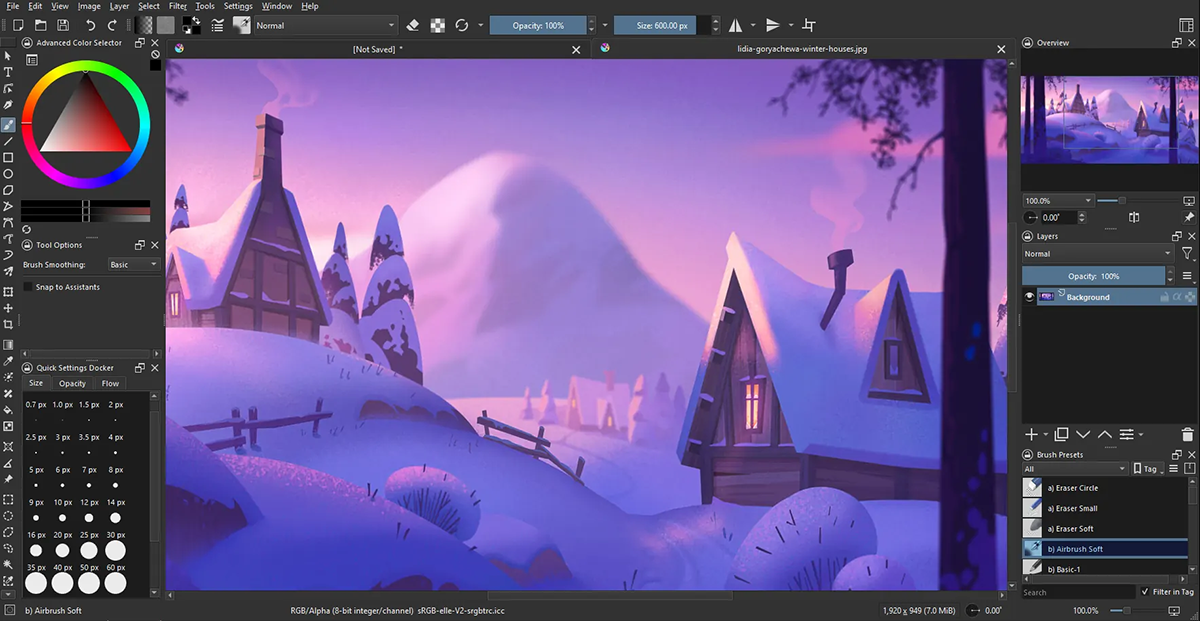
Krita
Key Features: Primarily a free and open-source digital painting program, Krita also includes a competent set of animation tools. It supports traditional frame-by-frame animation with features like onion skinning, allowing artists to draw directly in the software.
Best For: Artists who primarily draw and paint and want to add simple, hand-drawn animation to their workflow, comic artists, illustrators.
Considerations: Animation features are not as comprehensive or production-ready as dedicated animation software, best for short loops or simple sequences.
Leading Software for 3D Animation
3D animation involves creating three-dimensional models that can be manipulated and animated in a virtual space, then rendered into images or video. This often includes modeling, rigging, animation, texturing, lighting, and rendering.
Autodesk Maya
Key Features: The undisputed industry standard for 3D animation in film, television, and video games. Offers an incredibly comprehensive suite of tools for modeling, sculpting, texturing, rigging, animation, visual effects (VFX), and rendering. Known for its powerful character animation capabilities.
Best For: Professional 3D animators, large studios, high-end film and game production, character animation, complex VFX.
Considerations: Very steep learning curve, expensive subscription, demanding on hardware.
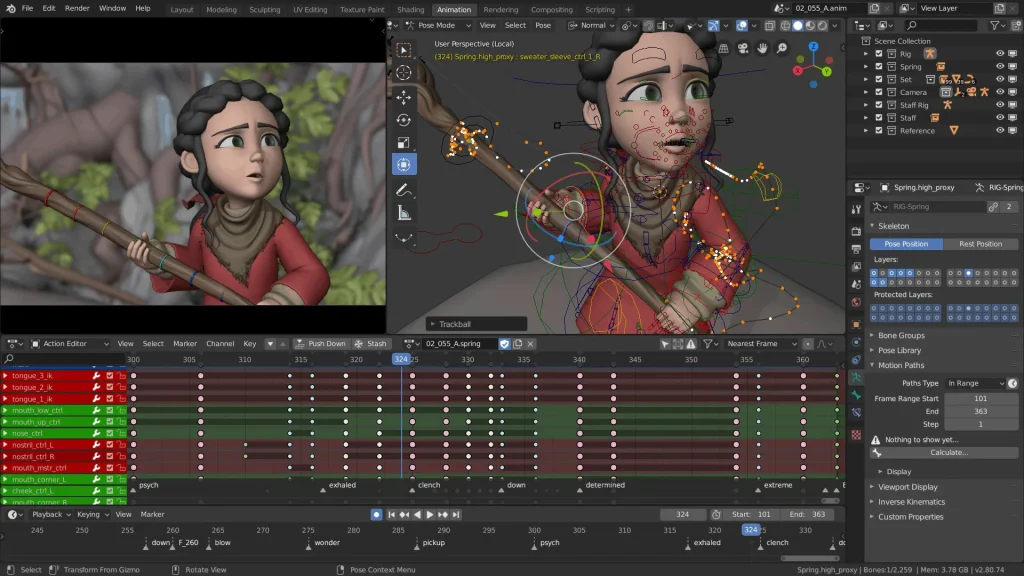
Blender
Key Features: Free and open-source, Blender has evolved into a powerhouse rivaling commercial software. It offers a complete 3D pipeline: modeling, rigging, animation, simulation, rendering, compositing, motion tracking, and even video editing. Its Grease Pencil tool also enables powerful 2D animation within a 3D environment.
Best For: Independent artists, small studios, game developers, aspiring 3D animators, those seeking a free yet incredibly capable solution, a burgeoning community.
Considerations: Can be challenging for beginners due to its vast feature set, though recent UI improvements have made it more accessible.
Cinema 4D
Key Features: Renowned for its user-friendly interface and robust capabilities in motion graphics. Cinema 4D excels at creating dynamic, abstract, and text-based animations quickly. It integrates well with Adobe After Effects and offers powerful modeling, animation, and rendering tools, including its acclaimed MoGraph module.
Best For: Motion graphics artists, broadcast designers, product visualization, animators needing fast iteration and integration with compositing software.
Considerations: Professional pricing, while powerful, it might not be the primary choice for extremely complex character animation or high-end VFX compared to Maya.
ZBrush
Key Features: While not strictly an “animation” program in the traditional sense, ZBrush is an industry leader in digital sculpting. Its organic modeling capabilities allow artists to create highly detailed characters, creatures, and props, which are then often exported to other 3D software (like Maya or Blender) for rigging and animation.
Best For: Character artists, concept artists, sculptors, those needing to create incredibly detailed organic models for animation.
Considerations: A highly specialized tool; it’s part of a larger 3D animation pipeline, not a standalone solution for all animation tasks.
Exploring Motion Graphics and VFX Tools
Motion graphics and visual effects (VFX) represent another crucial facet of animation, often bridging the gap between design and cinematic storytelling. These tools focus on dynamic visual elements, compositing, and post-production effects.
Adobe After Effects
Key Features: The industry standard for motion graphics and visual effects compositing. After Effects allows users to animate text, logos, shapes, and images, create complex visual effects, composite live-action footage with animated elements, and integrates seamlessly with other Adobe applications. It supports 2.5D animation by manipulating 2D layers in 3D space.
Best For: Motion graphics designers, video editors, VFX artists, those looking to create dynamic intros, lower thirds, explainer videos, and visual effects.
Considerations: Primarily a compositing and motion graphics tool, not ideal for full-fledged character animation or complex 3D modeling/rendering on its own.
DaVinci Resolve
Key Features: Primarily known as a professional video editing suite, DaVinci Resolve has integrated powerful modules for color grading, audio post-production (Fairlight), and visual effects/motion graphics (Fusion). Fusion offers node-based compositing, 3D particles, and vector paint tools, providing a comprehensive solution for post-production and animation.
Best For: Video editors who need integrated motion graphics and VFX tools, independent filmmakers, those seeking a powerful, free-tier option that covers a vast array of post-production tasks.
Considerations: While Fusion is powerful, its learning curve can be steep for those new to node-based workflows.
Nuke
Key Features: A high-end node-based compositing software widely used in major film and television productions for visual effects. Nuke offers unparalleled control over compositing multiple layers, advanced tracking, roto, and paint tools, and 3D environment capabilities for complex shot finalization.
Best For: Professional VFX artists, large studios working on feature films and high-end television series, complex compositing tasks.
Considerations: Extremely high price point, very steep learning curve, primarily for compositing and not an animation creation tool in itself.
The Ecosystem Approach: Combining Tools for Optimal Workflow
In professional animation pipelines, it’s rare for a single program to handle every aspect of a project. Instead, animators often leverage an ecosystem of specialized tools, each excelling at a particular stage of production. For example, a 3D character might be sculpted in ZBrush, modeled and rigged in Maya, animated in Blender, and then composited with visual effects in After Effects or Nuke.
This interoperability is facilitated by common file formats (e.g., FBX, OBJ, Alembic for 3D; EXR for high-dynamic-range images; various video formats) and plugins that bridge software functionalities. Understanding how different tools integrate and complement each other is a hallmark of an advanced animation workflow. The “best” program might often be a combination of several, strategically chosen to maximize efficiency and creative output across a project’s lifecycle.
Ultimately, the best program for animation is the one that aligns most closely with your specific needs, creative goals, technical proficiency, and budget. It’s advisable to explore free trials, open-source alternatives, and extensive tutorials before committing. The most powerful software in the world is only as effective as the artist wielding it, and a strong understanding of animation principles often trumps a mastery of any single piece of software.
aViewFromTheCave is a participant in the Amazon Services LLC Associates Program, an affiliate advertising program designed to provide a means for sites to earn advertising fees by advertising and linking to Amazon.com. Amazon, the Amazon logo, AmazonSupply, and the AmazonSupply logo are trademarks of Amazon.com, Inc. or its affiliates. As an Amazon Associate we earn affiliate commissions from qualifying purchases.