
The question “What is HomeKit on Roku?” often arises from a natural desire for seamless integration within a connected home, where disparate smart devices and entertainment systems ideally work in harmony. To fully address this, it’s essential to first understand what each technology entails independently and then explore their points of interaction, or lack thereof.
Understanding the Core Technologies: Apple HomeKit and Roku
Before delving into any potential integration, a clear understanding of Apple HomeKit and Roku’s primary functions and ecosystems is paramount. They operate in distinct spheres of the smart home and entertainment landscape.
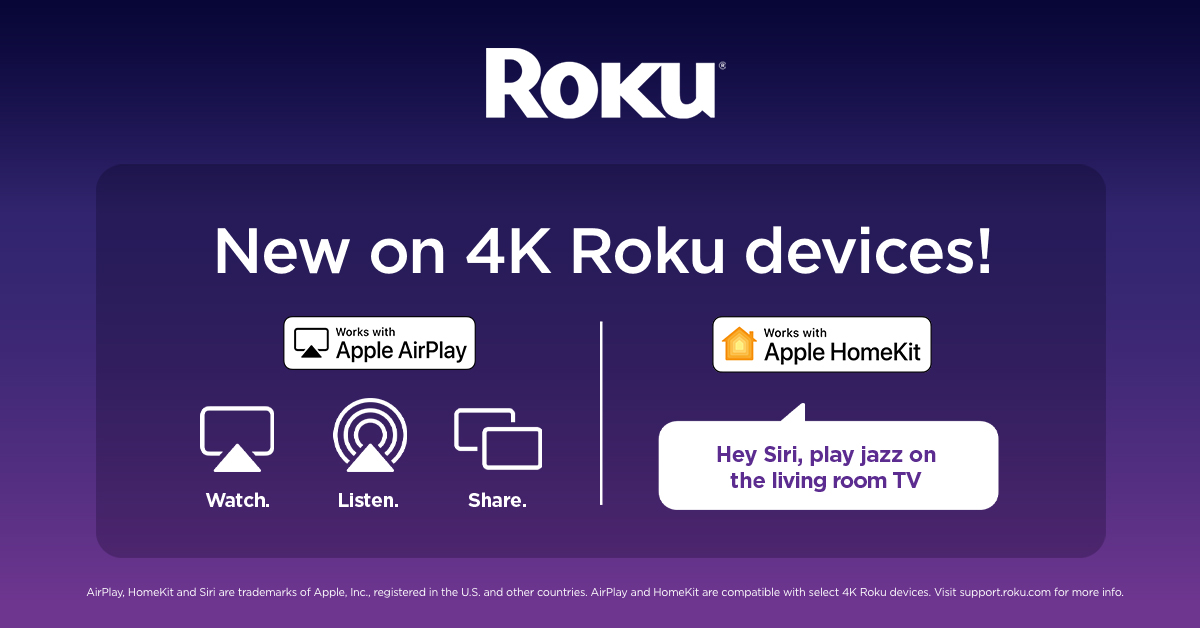
Apple HomeKit: Your Smart Home Hub
Apple HomeKit is a software framework and protocol that allows users to securely control compatible smart home accessories using their Apple devices, such as iPhones, iPads, Apple Watches, HomePods, and Apple TVs. It’s an ecosystem designed for automation, convenience, and privacy, enabling users to manage everything from lighting and thermostats to door locks and security cameras through the Home app or via Siri voice commands. Devices “Works with Apple HomeKit” are certified by Apple to meet strict security and compatibility standards, ensuring a reliable and integrated smart home experience. HomeKit’s core strength lies in its ability to consolidate control over various smart home devices into a single, intuitive interface, allowing for scenes, automations, and remote access.
Roku: The Streaming Powerhouse
Roku, on the other hand, is a pioneer in the streaming media player market. Roku devices—which include streaming sticks, set-top boxes, and integrated Roku TVs—provide access to a vast array of streaming services like Netflix, Hulu, Disney+, YouTube, and countless others, often referred to as “channels” within the Roku ecosystem. Its primary function is to deliver digital entertainment content directly to your television. Roku prides itself on its simple user interface, extensive content library, and affordability, making it a popular choice for consumers looking to cut the cord or enhance their TV viewing experience. Unlike HomeKit, Roku is not designed as a smart home control hub; its focus is almost exclusively on media consumption and content delivery.
The Direct Answer: Native Integration and Current Realities
Given their distinct purposes, it’s crucial to clarify the direct relationship, or lack thereof, between Apple HomeKit and Roku.
No Direct HomeKit Control of Roku (as a Smart Home Device)
To be unequivocal: there is no native, direct integration that allows Apple HomeKit to control a Roku device as a smart home accessory. HomeKit is built to manage devices that typically fall under categories like lighting, climate, security, and smart appliances. Roku devices, being media players, do not fit into these traditional smart home categories in a way that HomeKit is designed to manage. You cannot add a Roku device to your Apple Home app as a light switch, a thermostat, or a camera. This means you cannot use Siri on a HomeKit-enabled device to directly change channels on Roku, launch specific apps, or control playback functions in the same way you might dim smart lights or adjust a HomeKit thermostat.
The Misconception Explained
The confusion often stems from the broader trend of device interconnectivity and the desire for a unified control experience. Users naturally assume that if two prominent technology platforms exist in their home, there should be a way for them to talk to each other. Furthermore, Apple offers its own streaming device, the Apple TV, which does integrate deeply with HomeKit, acting as a home hub and allowing some control over its functions within the Home app. This deep integration with Apple TV, combined with Roku’s widespread popularity, leads users to inquire about similar functionality for their Roku devices. The critical distinction is that HomeKit’s integration for media devices is primarily geared towards Apple’s own hardware, or devices that adhere to a specific, HomeKit-centric media device profile, which Roku currently does not implement.
Bridging the Gap: Indirect Interactions and Solutions
While direct HomeKit control of Roku devices is not a reality, there are significant indirect interactions and clever workarounds that allow users to leverage their Apple ecosystem with their Roku streamers. These solutions enhance the overall user experience, bringing a sense of integration even without direct HomeKit certification.
AirPlay 2: Apple’s Bridge to Roku
The most prominent and widely adopted form of integration between Apple devices and Roku is through AirPlay 2. Many modern Roku devices, including various Roku streamers and Roku TVs, support AirPlay 2. This technology, developed by Apple, allows users to wirelessly stream audio, video, photos, and even screen mirror content directly from their iPhone, iPad, Mac, or Apple TV to their Roku device.
For instance, you can:
- Share Videos: Play a video from the Photos app, YouTube, or Safari on your iPhone and send it directly to your Roku TV.
- Stream Music: Play Apple Music, Spotify, or any audio from your Apple device through your Roku’s connected sound system.
- Mirror Your Screen: Display your entire iPhone or Mac screen on your TV, useful for presentations, sharing photos, or browsing the web on a larger display.
- Siri Control for AirPlay: You can even use Siri on your Apple device to initiate AirPlay to your Roku. For example, “Hey Siri, play [song/podcast] on Living Room Roku.”

Setting up AirPlay 2 on Roku is straightforward: ensure your Roku device and Apple device are on the same Wi-Fi network. On your Roku, navigate to Settings > Apple AirPlay and HomeKit (or System > AirPlay and HomeKit) and enable AirPlay. You might need to set a passcode requirement for enhanced security. This feature provides a robust bridge for content sharing, significantly enhancing the utility of Roku for Apple users.
Siri Shortcuts and Automation Possibilities
While Siri cannot directly control Roku functions through HomeKit, Siri Shortcuts offer a powerful avenue for creating custom commands that can interact with various apps and services. If a Roku channel or a third-party app related to Roku has Siri Shortcut support, you might be able to create custom phrases to trigger actions.
For example, a shortcut could be created to launch a specific app on your phone that then sends a command to Roku, or to initiate an AirPlay session with a particular piece of content. More advanced users might leverage complex shortcuts that combine HomeKit actions (like dimming lights) with an AirPlay command to a Roku device, creating a “movie night” scene where lights dim and a movie starts casting. This isn’t direct HomeKit integration, but rather Siri acting as an orchestrator across different apps and services on your Apple device.
Leveraging HomeBridge for Deeper Integration
For advanced users seeking a more integrated smart home experience, HomeBridge presents an intriguing solution. HomeBridge is an open-source server that allows non-HomeKit compatible devices to be integrated into the Apple HomeKit ecosystem. It runs on a small computer, such as a Raspberry Pi, and acts as a bridge, translating commands between HomeKit and devices that don’t natively support it.
The HomeBridge community has developed numerous plugins for various devices, including Roku. A HomeBridge Roku plugin can expose basic Roku functions, such as power on/off, play/pause, and launching specific channels, as accessories within the Home app. This means you could, in theory, use Siri to say, “Hey Siri, turn on Living Room TV” (where “Living Room TV” is your Roku device exposed via HomeBridge) or “Hey Siri, open Netflix on Living Room TV.”
This approach requires technical proficiency to set up and maintain, as it involves installing HomeBridge, finding and configuring the appropriate Roku plugin, and understanding network configurations. However, for those willing to invest the effort, HomeBridge offers the closest approximation to direct HomeKit control over a Roku device, allowing it to participate in HomeKit scenes and automations.
Roku’s Own Voice Control and Smart Assistant Integrations
It’s also worth noting that Roku devices often feature their own voice search capabilities via their remote controls, and many are compatible with third-party smart assistants like Amazon Alexa and Google Assistant. Users can typically link their Roku account to an Alexa or Google Assistant speaker to issue commands such as “Alexa, open Netflix on Roku” or “Hey Google, turn off Roku.” While this doesn’t involve HomeKit, it demonstrates Roku’s broader commitment to smart home voice control, just not specifically within the Apple ecosystem directly. This highlights that Roku can be controlled by smart assistants, just not yet HomeKit without workarounds.
Future Prospects and User Expectations
The landscape of smart home and entertainment technology is constantly evolving, driven by user demand for more cohesive and intuitive experiences.
The Demand for Unified Experiences
The continued asking of “What is HomeKit on Roku?” underscores a clear user expectation: the desire for a single, unified interface to control all aspects of their home, from lighting and climate to entertainment. Users envision a future where their smart home hub—whether it’s HomeKit, Alexa, or Google Assistant—can seamlessly manage their streaming experience alongside other smart devices. This demand is fueled by the convenience offered by voice control and automation, where a simple command or a scheduled routine can prepare a room for movie night by adjusting lights, locking doors, and starting a favorite show.
What an Ideal Integration Would Look Like
An ideal native HomeKit-Roku integration would allow Roku devices to appear directly in the Apple Home app. Users could then:
- Add Roku to HomeKit scenes (e.g., “Good Night” scene turns off Roku).
- Use Siri to launch specific Roku channels or search for content.
- Control playback (play, pause, skip) via the Home app or Siri.
- Adjust volume through HomeKit.
- Potentially receive notifications from Roku directly within the Home app, though this is less common for media players.
While Roku does support AirPlay 2, offering a valuable content-sharing bridge, a full-fledged HomeKit integration would signify a deeper level of control and automation, allowing Roku to function more like an integrated smart device rather than just a passive AirPlay receiver.

Conclusion: Maximizing Your Connected Entertainment
In summary, while Apple HomeKit does not natively control Roku devices as smart home accessories in the same way it manages smart lights or thermostats, the interaction between these two powerful platforms is far from nonexistent. AirPlay 2 provides a seamless way for Apple users to cast content and mirror screens to their Roku, enhancing the entertainment experience. For those with a technical inclination, HomeBridge offers a robust pathway to introduce basic Roku controls into the HomeKit ecosystem, enabling voice commands and automation that bridge the gap.
Ultimately, understanding the strengths and intended functions of both HomeKit and Roku is key. By leveraging available indirect integrations and understanding their capabilities, users can still create a highly connected and convenient entertainment setup that harmonizes their Apple devices with their favorite Roku streaming experience. The dream of a completely unified smart home continues to drive innovation, and while direct HomeKit-Roku control remains an aspirational feature, current solutions offer powerful ways to maximize your connected entertainment.
aViewFromTheCave is a participant in the Amazon Services LLC Associates Program, an affiliate advertising program designed to provide a means for sites to earn advertising fees by advertising and linking to Amazon.com. Amazon, the Amazon logo, AmazonSupply, and the AmazonSupply logo are trademarks of Amazon.com, Inc. or its affiliates. As an Amazon Associate we earn affiliate commissions from qualifying purchases.