
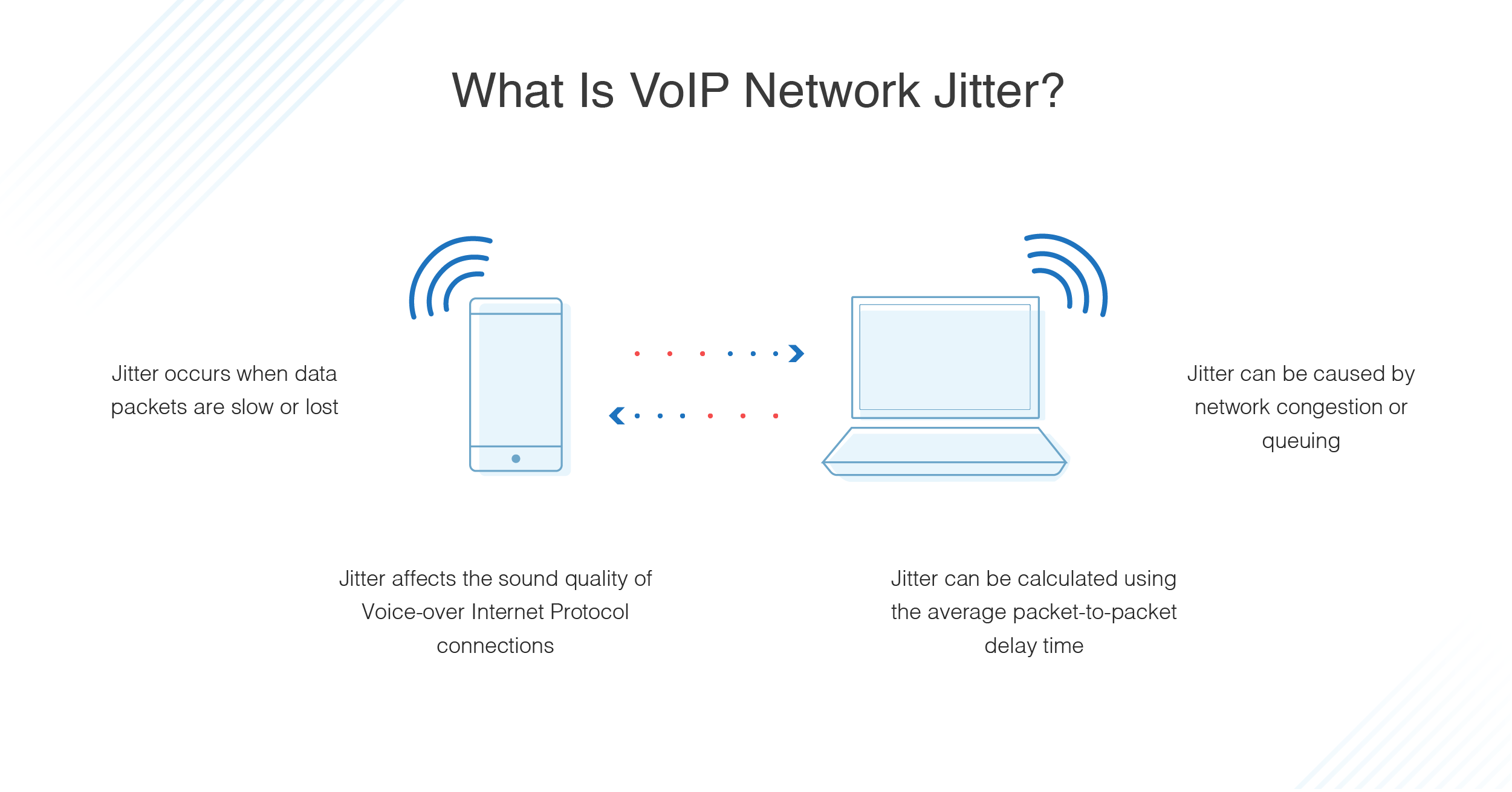
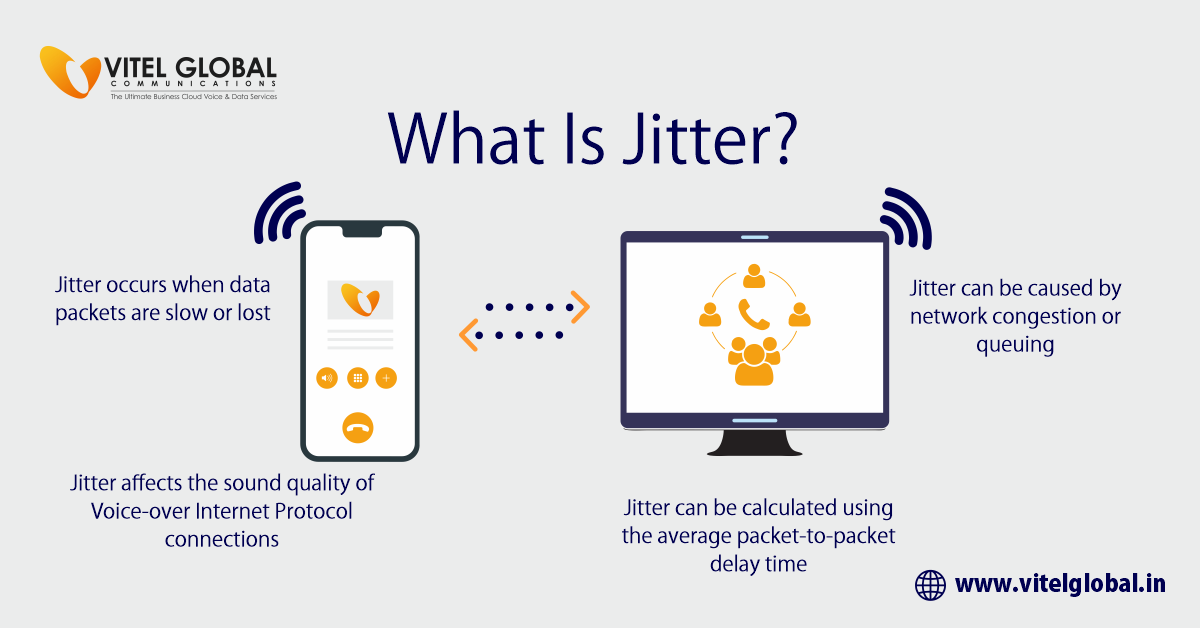
Network jitter, often simply referred to as “jitter,” is a critical metric in understanding the performance and reliability of digital networks, particularly for applications sensitive to consistent data flow. At its core, jitter describes the variation in the delay of received packets. In simpler terms, while network latency measures the total time it takes for a data packet to travel from its source to its destination, jitter measures the inconsistency of that travel time. It’s the unpredictable fluctuation in packet arrival times, leading to an uneven data stream.
Imagine data packets as cars on a highway. Latency is the total travel time from point A to point B. Jitter, however, is what happens if some cars arrive much faster than expected, and others much slower, even if the average travel time remains the same. This inconsistency, even if the average delay is acceptable, can be profoundly disruptive to real-time communications and other time-sensitive applications. Understanding, measuring, and mitigating net jitter is fundamental for ensuring seamless digital experiences in today’s interconnected world.

The Fundamentals of Network Jitter
To truly grasp net jitter, it’s essential to differentiate it from other common network performance indicators like latency and packet loss. While all three negatively impact network quality, they represent distinct issues.
Latency is the total time delay that occurs in a communication system. It’s a measure of the round-trip time (RTT) for a packet to be sent from a source, reach a destination, and receive an acknowledgment. High latency means a noticeable delay in interactions, like a pause before a webpage loads or a perceptible lag in a video call.
Packet Loss occurs when one or more data packets travelling across a computer network fail to reach their destination. This can happen due to network congestion, hardware issues, or signal degradation. When packets are lost, the receiving application often has to request retransmission, which further adds to delay and can manifest as gaps in audio or pixelation in video.
Jitter, as established, is the variability of latency. It’s not about the average delay, but how much that delay fluctuates from one packet to the next. For applications that require a steady stream of data, like voice or video, erratic packet arrival times are highly problematic. Even if the average latency is low, high jitter means that packets arrive out of order, too close together, or with significant gaps, disrupting the reconstruction of the original data stream at the receiver. This can lead to distorted audio, choppy video, or unresponsive gaming experiences.
The significance of jitter lies in its impact on the real-time nature of many modern applications. While a web browser can tolerate variable packet arrival times and simply display content as it arrives, applications like Voice over IP (VoIP), live streaming, online gaming, and industrial control systems demand a predictable and consistent data flow.
Root Causes of Network Jitter
Several factors can contribute to net jitter, ranging from the physical infrastructure to the software configurations within a network. Identifying these causes is the first step toward effective mitigation.
Network Congestion
This is perhaps the most common culprit. When too many devices attempt to send data over a network simultaneously, or when a network segment has insufficient bandwidth for the current traffic load, congestion occurs. Data packets get queued, waiting for their turn to be transmitted. The length of these queues can vary dynamically, causing some packets to experience longer delays than others, leading directly to jitter. Factors like peak usage hours, large file transfers, or multiple streaming services running concurrently can exacerbate congestion.
Router and Switch Performance
The networking hardware itself plays a significant role. Older, underpowered, or improperly configured routers and switches can introduce jitter. These devices have limited processing power and buffer sizes. When traffic spikes, they may struggle to process packets quickly enough, leading to variable queuing delays. Malfunctioning hardware, firmware bugs, or a lack of adequate RAM in these devices can also contribute.
Wireless Interference and Instability
Wi-Fi networks are particularly susceptible to jitter. Radio frequency interference from other wireless devices (cordless phones, microwaves, neighboring Wi-Fi networks), physical obstructions (walls, furniture), and signal degradation over distance can all cause packets to be delayed or require retransmission. The dynamic nature of wireless channel allocation and signal quality means that packet arrival times can fluctuate significantly.
Server and Client Device Limitations
The end-points of communication are not immune to causing jitter. If a server is overloaded with requests, or a client device (e.g., a computer, smartphone) has insufficient processing power, memory, or is running too many background applications, it can struggle to process incoming data packets consistently. The operating system’s scheduler or application-level buffering mechanisms can also introduce variability in packet handling times.
Route Fluctuation and Internet Peering
For data traveling across the internet, the path taken from source to destination isn’t always static. Dynamic routing protocols can shift traffic between different paths based on network conditions, traffic load, or link failures. Each path might have a different latency. Frequent changes in these routes, especially across different Internet Service Providers (ISPs) at peering points, can introduce significant jitter as packets traverse varying network segments with different characteristics.
The Tangible Impact of Jitter on Digital Experiences
The consequences of high net jitter are most apparent in applications that demand low latency and consistent timing.
Voice over IP (VoIP) and Video Conferencing
This is where jitter’s impact is perhaps most noticeable. In a VoIP call, high jitter manifests as choppy audio, dropped syllables, or a robotic voice quality. For video conferencing, it leads to frozen frames, pixelation, or unsynchronized audio and video. Users might experience a “warbling” effect or echoes as the system attempts to compensate for erratic packet arrival. This happens because the receiving application struggles to reconstruct the continuous voice or video stream from inconsistently arriving packets.
Online Gaming
For competitive online gaming, consistent timing is paramount. High jitter causes “lag spikes,” where the game momentarily freezes or becomes unresponsive, leading to frustrating scenarios like “rubber-banding” (where your character snaps back to a previous position). This directly impacts player performance and fairness, as the game client struggles to maintain synchronization with the game server.
Real-time Data Transmission and IoT
Beyond consumer applications, jitter can have critical implications for industrial control systems, medical devices, and other Internet of Things (IoT) applications that rely on precise, real-time data exchange. In manufacturing, variable data delivery from sensors to actuators could lead to production errors. In healthcare, it could affect the reliability of remote monitoring or surgical robots.
Streaming Media
While less critical than VoIP or gaming due to larger buffering capabilities, excessive jitter can still cause issues for streaming video and audio. It can lead to prolonged buffering times, especially at the start of a stream, or sudden drops in quality as the player struggles to maintain a steady buffer.
Digital Security and Surveillance Systems
Real-time surveillance feeds and security systems depend on consistent data streams. High jitter can result in dropped frames or significant delays in video feeds, potentially compromising the effectiveness of monitoring. In situations requiring immediate alerts or responses, variable data delivery can be a serious vulnerability.
Measuring and Monitoring Jitter
Effective management of network jitter begins with accurate measurement and continuous monitoring. Several tools and metrics are employed to assess jitter levels within a network.
Key Metrics
- Mean Jitter: The average variation in packet arrival times over a specific period.
- Maximum Jitter: The highest single variation recorded, indicating peak instability.
- Packet Inter-Arrival Time Variance: A statistical measure of how much the time between successive packet arrivals varies from the ideal.
- Jitter Buffer Size: Not a direct measure of jitter, but the size of the buffer needed by an application to reorder packets, which correlates with the level of jitter it can handle.
Tools and Techniques
- Ping and Traceroute: While primarily for latency and route analysis, repeated pings can show varying response times, indirectly indicating jitter. Traceroute can pinpoint where delays are occurring on a path.
- Specialized Network Monitoring Tools: Tools like Wireshark capture and analyze network traffic, providing detailed statistics on packet arrival times and jitter. Dedicated Quality of Service (QoS) monitoring solutions can track jitter alongside other performance metrics in real-time across an entire network infrastructure.
- VoIP/Video Quality Testers: Many applications and services designed to test VoIP or video conferencing quality will explicitly report jitter measurements, often alongside MOS (Mean Opinion Score) values that reflect perceived quality.
- Built-in OS Tools: Some operating systems provide command-line utilities or network performance monitors that can display network statistics, including variations in packet timings.
Interpreting Results
Understanding what constitutes “acceptable” jitter depends heavily on the application. For instance, VoIP applications typically require jitter to be below 30 milliseconds (ms) for good quality. Online gaming often needs even tighter tolerances. Streaming video, with its larger buffers, can sometimes tolerate higher jitter but will still suffer from extreme fluctuations. Regular monitoring helps identify patterns, such as peak jitter during specific times of day or when certain applications are in use, aiding in diagnosis and troubleshooting.
Strategies for Mitigating Network Jitter
Successfully reducing net jitter often involves a multi-faceted approach, addressing various potential causes across the network infrastructure and client devices.
Quality of Service (QoS) Configuration
QoS is a foundational strategy for managing network traffic and prioritizing critical data. By configuring QoS policies on routers and switches, administrators can:
- Prioritize critical traffic: Mark real-time applications (VoIP, video conferencing, gaming) with higher priority, ensuring their packets are processed and forwarded ahead of less time-sensitive data.
- Traffic shaping: Control the outgoing traffic from a network interface to optimize performance, ensuring that no single application or user monopolizes bandwidth.
- Bandwidth reservation: Dedicate a specific amount of bandwidth to essential services, guaranteeing they always have the resources they need.
Network Infrastructure Upgrades
Investing in modern and robust network hardware can significantly reduce jitter.
- Higher bandwidth connections: Upgrading internet service or internal network segments to higher capacities reduces the likelihood of congestion.
- Modern routers, switches, and access points: Newer equipment often features more powerful processors, larger buffers, and more efficient packet handling capabilities, reducing internal delays.
- Wired connections: Whenever possible, using Ethernet cables instead of Wi-Fi for critical applications eliminates wireless interference and instability, providing a more consistent connection.
Jitter Buffers
Jitter buffers are client-side software mechanisms designed to counteract the effects of jitter. The receiving application collects incoming packets and holds them in a buffer for a brief period before processing. This allows packets arriving out of order to be re-sequenced and packets arriving early to be delayed slightly, smoothing out the data stream.
- Optimal size: The challenge is finding the right balance. A larger buffer can absorb more jitter but introduces additional latency. A buffer that is too small will still result in dropped or disordered packets. Many applications dynamically adjust their jitter buffer size based on observed network conditions.
Minimizing Network Congestion
Proactive measures can help prevent network overload.
- Scheduling large data transfers: Move backups, software updates, or other bandwidth-intensive tasks to off-peak hours.
- Optimizing network topology: Design the network to avoid bottlenecks and ensure efficient data flow between segments.
- Utilizing SD-WAN solutions: Software-Defined Wide Area Network (SD-WAN) technologies can dynamically select the best path for traffic across multiple internet links, reducing congestion and improving consistency.
System and Software Optimization
Ensuring that end-user devices and the applications themselves are optimized can also play a role.
- Adequate resources: Verify that client devices (PCs, laptops, servers) have sufficient CPU, RAM, and disk I/O to handle application demands without introducing internal delays.
- Software updates: Keep network drivers, operating system software, and application software updated to benefit from performance improvements and bug fixes.
- Disable unnecessary processes: Close background applications or services that consume significant network or processing resources on client devices.
Dedicated Network Segments
For highly sensitive applications, segmenting the network can provide an isolated, consistent environment.
- VLANs (Virtual Local Area Networks): Create separate logical networks for different types of traffic (e.g., a dedicated VLAN for VoIP traffic) to prevent less critical traffic from interfering.
- Physical separation: In enterprise environments, separate physical networks can be established for critical operational technology (OT) or security systems.
By understanding the intricacies of net jitter and implementing these mitigation strategies, organizations and individuals can significantly improve the quality and reliability of their digital communications and real-time applications.
aViewFromTheCave is a participant in the Amazon Services LLC Associates Program, an affiliate advertising program designed to provide a means for sites to earn advertising fees by advertising and linking to Amazon.com. Amazon, the Amazon logo, AmazonSupply, and the AmazonSupply logo are trademarks of Amazon.com, Inc. or its affiliates. As an Amazon Associate we earn affiliate commissions from qualifying purchases.