
CarPlay represents a pivotal integration point between Apple’s powerful iOS ecosystem and the automotive world, transforming the in-car infotainment experience. Far from being just another app, CarPlay is a smart, safer way to use your iPhone while driving, putting essential functionalities like navigation, communication, and entertainment directly onto your car’s built-in display. It’s an extension of your iPhone, meticulously designed with a driver-friendly interface that minimizes distractions and maximizes convenience, leveraging the processing power and familiar interface of your personal device.
The Core Concept: Integrating iOS with Your Vehicle
At its heart, CarPlay is about bridging the gap between the familiar, intuitive experience of an iPhone and the complex, often disparate systems found in modern vehicles. It’s not an operating system for your car, but rather an interface that mirrors key iOS apps and features onto the car’s screen, optimized for the driving environment.
A Seamless Extension of Your Digital Life
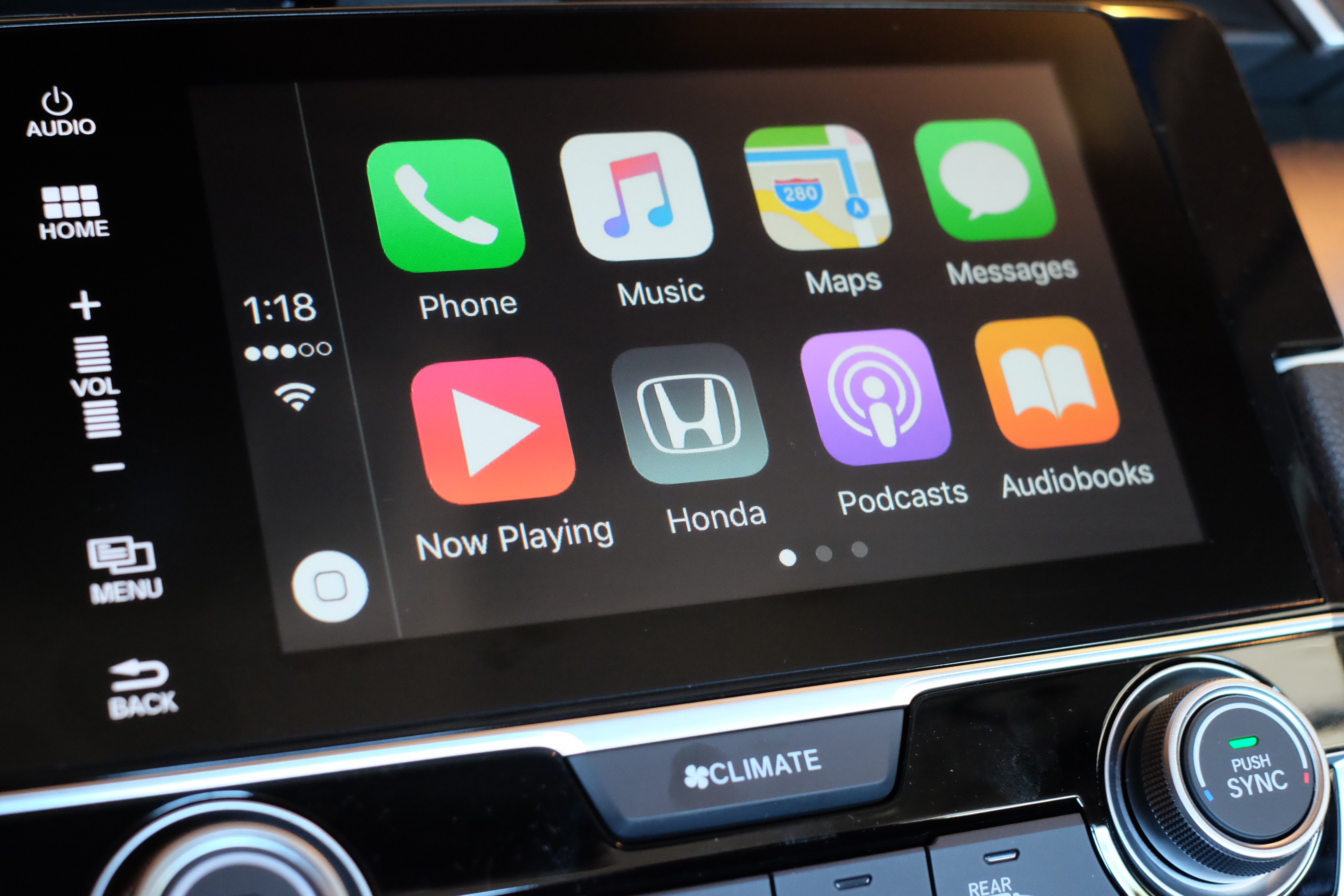
Imagine stepping into your car and having instant access to your preferred navigation app, your music playlists, and your message notifications, all presented in a consistent, easy-to-read format. This is the promise of CarPlay. It extends the digital comfort and familiarity of your iPhone into your vehicle’s cabin, ensuring continuity of your digital life without compromising safety. Users don’t need to learn a new interface or adapt to proprietary car software; they simply plug in their iPhone (or connect wirelessly), and their personalized digital world appears on the dashboard. This seamless integration means less time fumbling with controls and more time focused on the road, while still maintaining connectivity and access to essential services.
How it Works: Software and Hardware Synergy
CarPlay functions through a sophisticated synergy of software and hardware. On the software side, it’s a specific mode within iOS that enables compatible apps to project their interfaces onto the car’s display. This projection is optimized for larger screens, touch input, and often, physical controls like knobs and buttons in the vehicle. The underlying hardware requirement is a CarPlay-compatible head unit in the car, which provides the display, audio output, and input mechanisms (touchscreen, voice activation, steering wheel controls).
When an iPhone is connected, either via a Lightning cable or wirelessly (using Wi-Fi and Bluetooth), it essentially “takes over” the car’s infotainment screen. The iPhone processes all the information and runs the apps, sending the visual and audio output to the car’s display and speakers, respectively. Input from the car’s touchscreen or controls is then relayed back to the iPhone. This architecture ensures that the user experience is driven by Apple’s software and the iPhone’s processing power, guaranteeing a smooth and consistent performance across various vehicle models, as long as they support CarPlay.
Key Features and Functionality
CarPlay consolidates critical smartphone functions into an accessible, automotive-friendly format. Its primary objective is to make driving safer by reducing the need to interact directly with the iPhone, thereby minimizing driver distraction.
Navigation Reinvented: Maps and Real-time Traffic
Navigation is arguably one of CarPlay’s most impactful features. Users can leverage Apple Maps, Google Maps, Waze, and other compatible third-party navigation apps directly from their car’s display. This provides access to up-to-date maps, real-time traffic conditions, turn-by-turn directions, and estimated arrival times, all with the familiar interfaces and personal preferences saved on their iPhone. The larger screen makes directions easier to follow, and voice prompts are seamlessly integrated with the car’s audio system, often dimming music to deliver instructions clearly. This capability eliminates the need for separate GPS devices and ensures drivers always have the most current mapping data available.
Communication on the Go: Calls, Messages, and Voice Assistants
Staying connected responsibly while driving is a core tenet of CarPlay. It allows drivers to make and receive calls, access voicemails, and manage messages using Siri and the car’s controls. Calls can be initiated by voice command or through a simplified contacts interface, with audio routed through the car’s speakers and microphone. For messaging, Siri can read incoming messages aloud and compose replies based on dictation, keeping the driver’s hands on the wheel and eyes on the road. This hands-free communication significantly enhances safety by reducing the temptation to pick up the phone.
Entertainment at Your Fingertips: Music, Podcasts, and Audiobooks
CarPlay transforms the in-car entertainment experience. It provides direct access to the iPhone’s music library, Apple Music, Spotify, Pandora, podcasts, and audiobooks from services like Audible. The interfaces for these apps are simplified and adapted for driving, featuring large touch targets and clear displays of album art, track information, and playback controls. Users can browse playlists, search for artists, or switch between audio sources effortlessly, all while maintaining focus on the road. This integration means no more fumbling with small phone screens or unreliable Bluetooth connections for audio streaming.
Third-Party App Integration: Expanding Horizons Safely
Beyond Apple’s native apps, CarPlay supports a growing ecosystem of third-party applications. Developers must adhere to strict guidelines to ensure their apps are safe and non-distracting for in-car use. This extends CarPlay’s utility to areas like charging station locators for electric vehicles, parking assistance, and even specific news or productivity apps designed for auditory consumption. The controlled integration ensures that while the functionality expands, the core principle of driver safety is never compromised. Apps like Audible, WhatsApp, and ChargePoint are examples of the diverse range of services that have been adapted for the CarPlay environment, offering tailored experiences that are intuitive and safe for use on the road.
Safety, Convenience, and User Experience
CarPlay’s design philosophy prioritizes driver safety and convenience, striving to make the in-car experience as intuitive and distraction-free as possible.
Designed for Driver Focus: Simplified Interface and Voice Control
Every aspect of CarPlay’s user interface is crafted with the driver in mind. The icons are large, the text is clear, and the overall layout is uncluttered, making it easy to see information at a glance. Navigation through menus is streamlined, reducing the number of steps required to perform common tasks. The system predominantly relies on voice commands via Siri and simplified physical controls provided by the vehicle, such as steering wheel buttons or control knobs. This design philosophy directly addresses the primary cause of many accidents: driver distraction. By minimizing complex visual interactions and prioritizing auditory and tactile controls, CarPlay allows drivers to keep their attention where it belongs—on the road.
Siri Integration: Your Co-pilot for Hands-Free Operation
Siri is an indispensable component of the CarPlay experience, acting as a virtual co-pilot. With a simple “Hey Siri” or a press of a button on the steering wheel, drivers can issue commands to make calls, send messages, get directions, play music, or even check the weather, all without ever touching their iPhone or the car’s touchscreen. Siri’s natural language processing allows for conversational commands, making interactions feel intuitive and less like interacting with a machine. This robust voice control system is a cornerstone of CarPlay’s safety features, enabling a truly hands-free experience for a wide range of tasks.
Customization and Personalization
While safety is paramount, CarPlay also offers a degree of personalization to enhance convenience. Users can rearrange the order of apps on the CarPlay home screen directly from their iPhone settings, ensuring their most frequently used apps are easily accessible. They can also choose between light and dark modes, which can automatically adjust based on ambient light conditions or the car’s headlights. This level of customization allows each driver to tailor the interface to their specific preferences and driving habits, further integrating the system into their daily routine.
Compatibility and Connectivity
Understanding the technical requirements and setup procedures is crucial for unlocking the full potential of CarPlay.
iPhone Models and iOS Versions
CarPlay requires an iPhone 5 or later running iOS 7.1 or newer. Since its introduction, Apple has consistently updated CarPlay with each major iOS release, adding new features, improving performance, and expanding app compatibility. Keeping your iPhone updated to the latest iOS version is recommended to ensure the best and most secure CarPlay experience. Older iPhones might still support basic CarPlay functions, but newer models will often benefit from faster processing and access to the latest features.
Vehicle Compatibility: Wired vs. Wireless CarPlay
The automotive industry has rapidly adopted CarPlay, with most major manufacturers offering it as a standard or optional feature in their newer models. Compatibility varies by make, model, and year, so it’s essential to check your vehicle’s specifications.
- Wired CarPlay: This is the most common form, where the iPhone connects to the car’s infotainment system via a Lightning cable plugged into a designated USB port. This connection provides reliable data transfer and simultaneously charges the iPhone.
- Wireless CarPlay: A more recent innovation, wireless CarPlay connects the iPhone to the car using both Wi-Fi and Bluetooth. Bluetooth is used for the initial handshake and for phone call audio, while Wi-Fi handles the higher bandwidth data transfer for the display and apps. This offers greater convenience as the phone doesn’t need to be physically tethered, allowing it to remain in a pocket or bag. However, it can consume more iPhone battery and may require the car to have specific hardware for wireless connectivity.
Getting Started: Initial Setup and Troubleshooting Tips
Setting up CarPlay is generally straightforward. For wired connections, simply plug your iPhone into the car’s USB port, and follow the on-screen prompts on both the iPhone and the car’s display. For wireless CarPlay, you typically pair your iPhone via Bluetooth first, which then initiates the Wi-Fi connection for CarPlay.
Common troubleshooting tips include:
- Ensure your iPhone is unlocked and running the latest iOS.
- Check the USB cable for damage if using wired CarPlay; sometimes a different cable can resolve connection issues.
- Restart both your iPhone and your car’s infotainment system.
- Verify that CarPlay is enabled in your iPhone’s settings (Settings > General > CarPlay).
- For wireless issues, ensure Bluetooth and Wi-Fi are enabled on your iPhone, and try “forgetting” the car in your iPhone’s Bluetooth settings and re-pairing.
The Future of In-Car Infotainment
CarPlay is not a static technology; it’s an evolving platform that continues to push the boundaries of in-car digital integration.
Evolution of CarPlay: Enhanced Features and Deeper Integration
Apple consistently invests in enhancing CarPlay’s capabilities. Future iterations are expected to offer even deeper integration with vehicle hardware, moving beyond merely mirroring the iPhone screen. Concepts like displaying information on digital instrument clusters, controlling vehicle functions directly (e.g., climate control, radio, seat adjustments), and leveraging the car’s built-in sensors for enhanced navigation and safety features are already emerging. The “Next Generation CarPlay” concept unveiled by Apple promises a full-screen, multi-display experience that effectively takes over every screen in the car, offering highly customizable layouts and deep integration with vehicle-specific data. This signifies a shift from an overlay interface to a more foundational operating environment within the vehicle itself.

Competing Platforms and the Drive for Innovation
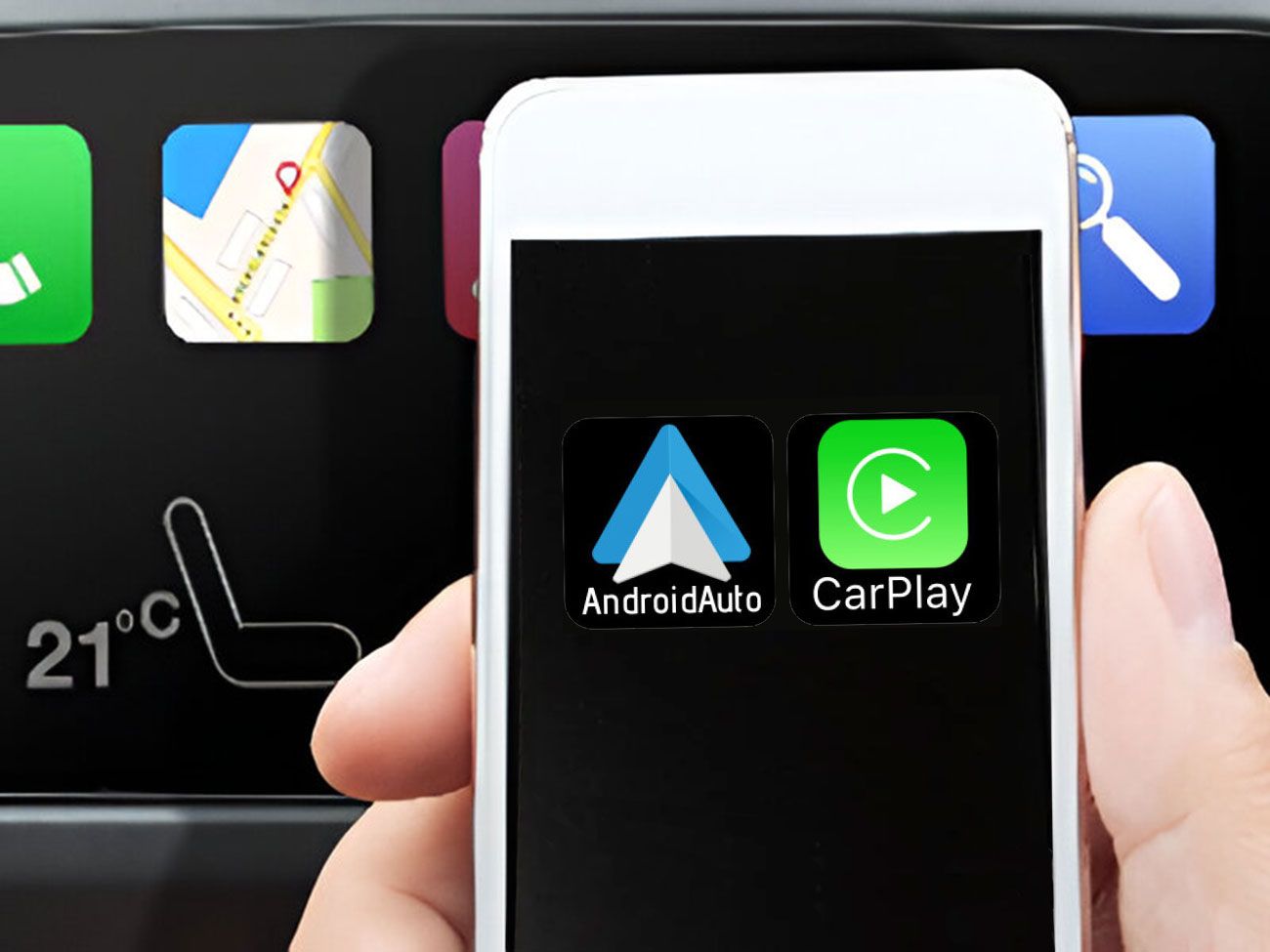
While CarPlay holds a significant market share, it operates within a competitive landscape. Google’s Android Auto offers similar functionalities for Android smartphones, and many vehicle manufacturers also develop their proprietary infotainment systems. This competition fosters innovation, pushing Apple to continuously refine CarPlay’s user experience, expand its feature set, and ensure its platform remains a preferred choice for drivers. The ongoing drive for better connectivity, enhanced safety features, and a more personalized in-car experience will continue to shape the evolution of CarPlay, cementing its role as a cornerstone of modern automotive technology. As vehicles become more connected and autonomous, the digital interface becomes increasingly crucial, and CarPlay is positioned to lead this transformation.
aViewFromTheCave is a participant in the Amazon Services LLC Associates Program, an affiliate advertising program designed to provide a means for sites to earn advertising fees by advertising and linking to Amazon.com. Amazon, the Amazon logo, AmazonSupply, and the AmazonSupply logo are trademarks of Amazon.com, Inc. or its affiliates. As an Amazon Associate we earn affiliate commissions from qualifying purchases.