
In the modern digital landscape, the internet is designed to be a universal space. However, for millions of users who rely on assistive technologies—such as screen readers—to navigate the web, the experience depends entirely on the quality of the underlying code. Among the most essential tools in a web developer’s arsenal for ensuring accessibility is the aria-label attribute. As part of the Accessible Rich Internet Applications (ARIA) suite, this attribute serves as a vital bridge between visual design and non-visual accessibility.
Understanding the Role of ARIA in Web Accessibility
The Accessible Rich Internet Applications (ARIA) specification is a set of roles and attributes that define ways to make web content and web applications more accessible to people with disabilities. When HTML’s native elements—such as buttons, headers, or nav tags—are insufficient to describe the function or state of a dynamic component, ARIA fills the gap.
The Purpose of aria-label
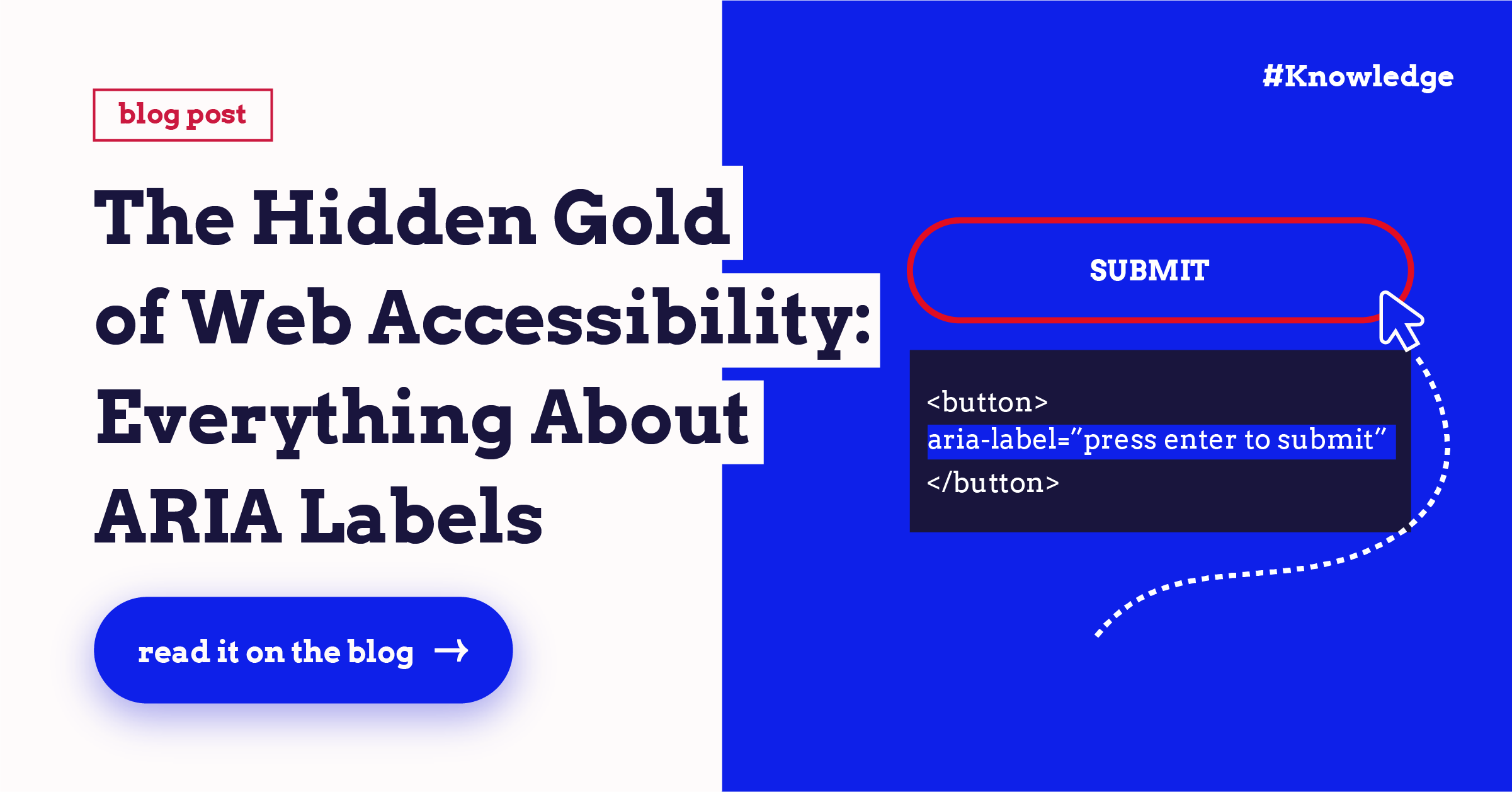
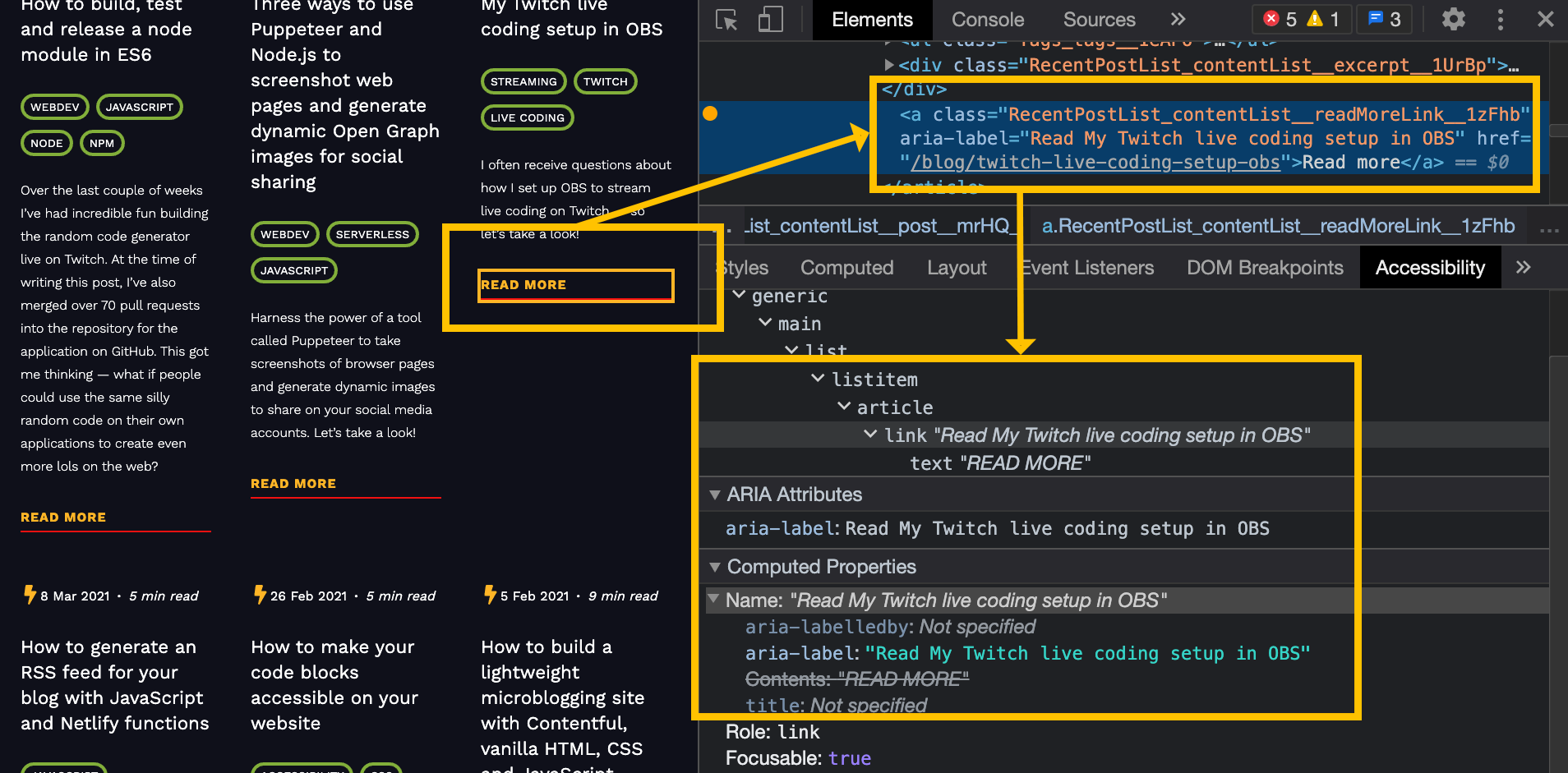
The aria-label attribute is used to provide a string value that labels an element. Unlike visible text labels that appear on the screen for every user, the aria-label is specifically designed for assistive technologies. When a screen reader encounters an element with this attribute, it announces the contents of the label rather than the visual text or the generic element name. This allows developers to clarify the purpose of an icon-only button, a complex interactive widget, or a form field that lacks a traditional <label> element.
When to Use aria-label vs. Native HTML
A fundamental rule in web accessibility is the “First Rule of ARIA”: if you can use a native HTML element to achieve your goal, do so before resorting to ARIA. For example, a standard <button> tag with text inside is inherently accessible and recognized by screen readers. You do not need aria-label for a button that already says “Submit.” However, if you are designing a button that only displays a magnifying glass icon to perform a search, a screen reader would otherwise announce it as “Button” or “Unlabeled Button.” In this scenario, aria-label="Search" provides the necessary context to ensure the user knows exactly what will happen when they activate that control.
Best Practices for Implementing aria-label
Implementing aria-label correctly requires a disciplined approach. While it is a powerful tool, it can also create confusion if misused or overused. Accessibility is not just about adding tags; it is about providing a meaningful experience for the user.
Avoiding Redundancy
One of the most common mistakes is providing information via aria-label that is already visible to the user or announced by the browser. If a button already has visible text, adding an aria-label is generally unnecessary and can even be detrimental. Screen readers handle elements differently; sometimes they may prioritize the label and ignore the visible text, or vice versa, leading to a disjointed user experience. Use the attribute only when the existing content is ambiguous or missing.
Keeping Labels Concise and Descriptive
The content within an aria-label should be brief, informative, and actionable. It should answer the question: “What will happen if I interact with this?” For example, an icon-only button that closes a modal window should be labeled aria-label="Close" or aria-label="Close dialog," rather than something generic like “X” or “Button 1.” The label serves as the primary navigation cue for screen reader users, so it must be as precise as possible.
Handling Dynamic Content and State
Modern web applications often involve dynamic UI elements that change state. While aria-label is excellent for static labeling, developers must also consider other ARIA attributes like aria-pressed for toggle buttons or aria-expanded for dropdown menus. When combined with aria-label, these states create a rich, navigable environment where the user understands both what the element is and its current condition.
Common Pitfalls and Troubleshooting
Even with the best intentions, developers often encounter challenges when implementing accessibility attributes. Navigating these pitfalls is essential for maintaining a truly inclusive website.
Over-reliance on ARIA
A common trap is trying to “fix” poor HTML structure with excessive ARIA. If a page is built using generic <div> or <span> elements for everything, adding aria-label to each one is a “band-aid” solution that fails to provide the semantic structure that screen readers require. Proper accessibility starts with semantic HTML—using <nav>, <main>, <button>, and <input> where they belong. Use aria-label only to supplement these structures, not as a replacement for them.
Testing with Assistive Technologies
You cannot assume your aria-label is working simply because it is present in your code. Accessibility must be validated through testing. This means using screen readers like NVDA, JAWS, or VoiceOver on different platforms to hear exactly how the element is announced.
The Language and Localization Challenge
For globalized applications, aria-label strings must be internationalized just like any other text on the page. If your website supports multiple languages, the labels provided in the aria-label attribute must be translated accordingly. Failure to do so results in a jarring experience where a user in a non-English speaking country encounters English labels while using a localized screen reader.
The Broader Impact on User Experience
While the primary beneficiary of aria-label is the user with a visual impairment, the practice of writing accessible code often leads to a higher-quality experience for everyone.
Accessibility as a Quality Standard
Accessible web development often correlates with cleaner, more maintainable code. By labeling your interactive elements, you are effectively self-documenting your interface. When a developer returns to the code months later, they will have a clear understanding of the intent behind every icon and dynamic component.
SEO and Search Engine Crawlers
There is a nuanced relationship between accessibility and SEO. While aria-label is not a direct ranking factor for search engines like Google, the structured data it implies can indirectly benefit your site. Search engine crawlers appreciate well-labeled, semantic content. When you provide clear descriptions for your buttons and widgets, you are contributing to a more logical page structure, which helps crawlers understand the hierarchy and functionality of your site.
The Commitment to Inclusivity
Ultimately, using aria-label correctly is an ethical commitment to inclusivity. The web is a fundamental utility, and designing it so that it is inaccessible to a segment of the population is, in effect, creating a digital barrier. By mastering attributes like aria-label, developers move beyond the surface-level aesthetics of web design and engage in the substantive work of making technology available to everyone, regardless of the tools they use to access it.
As front-end technologies continue to evolve, the tools at our disposal will change, but the core requirement remains: technology must be usable. The aria-label attribute remains a cornerstone of this goal. By combining semantic HTML with thoughtful ARIA implementations, developers can ensure that the interactive elements of their sites—from simple icons to complex data tables—are fully accessible, intuitive, and efficient. Every line of code written with accessibility in mind is a step toward a truly equitable digital future.