
In an increasingly digital world, the humble physical wallet is rapidly giving way to its smarter, more versatile counterpart: the wallet app. From securely storing payment cards and loyalty programs to streamlining transit and event access, these applications have become indispensable tools for modern living. More than just a digital replica of your leather wallet, these apps leverage cutting-edge technology to offer unparalleled convenience, speed, and security in everyday transactions and interactions.
This guide will demystify the wallet app, providing a thorough walkthrough of its core functionalities, advanced features, and critical security protocols. Whether you’re a seasoned tech enthusiast or just beginning your journey into digital payments, understanding how to effectively use your wallet app is key to unlocking a smoother, more secure, and ultimately, more efficient daily routine. We will explore everything from initial setup to advanced tips, ensuring you can harness the full power of this essential digital tool.
The Fundamentals of Your Digital Wallet
At its core, a wallet app is a software application designed to securely store various digital credentials and facilitate transactions. While the specifics may vary slightly between platforms like Apple Wallet, Google Wallet, or Samsung Wallet, the underlying principles of operation and benefits remain consistent. Understanding how to set up and navigate these apps is the first step towards embracing digital convenience.
Setting Up Your Wallet App
The journey begins with establishing your digital wallet. For most modern smartphones, a wallet app comes pre-installed, eliminating the need for a separate download. The initial setup focuses on populating it with your essential cards and information.
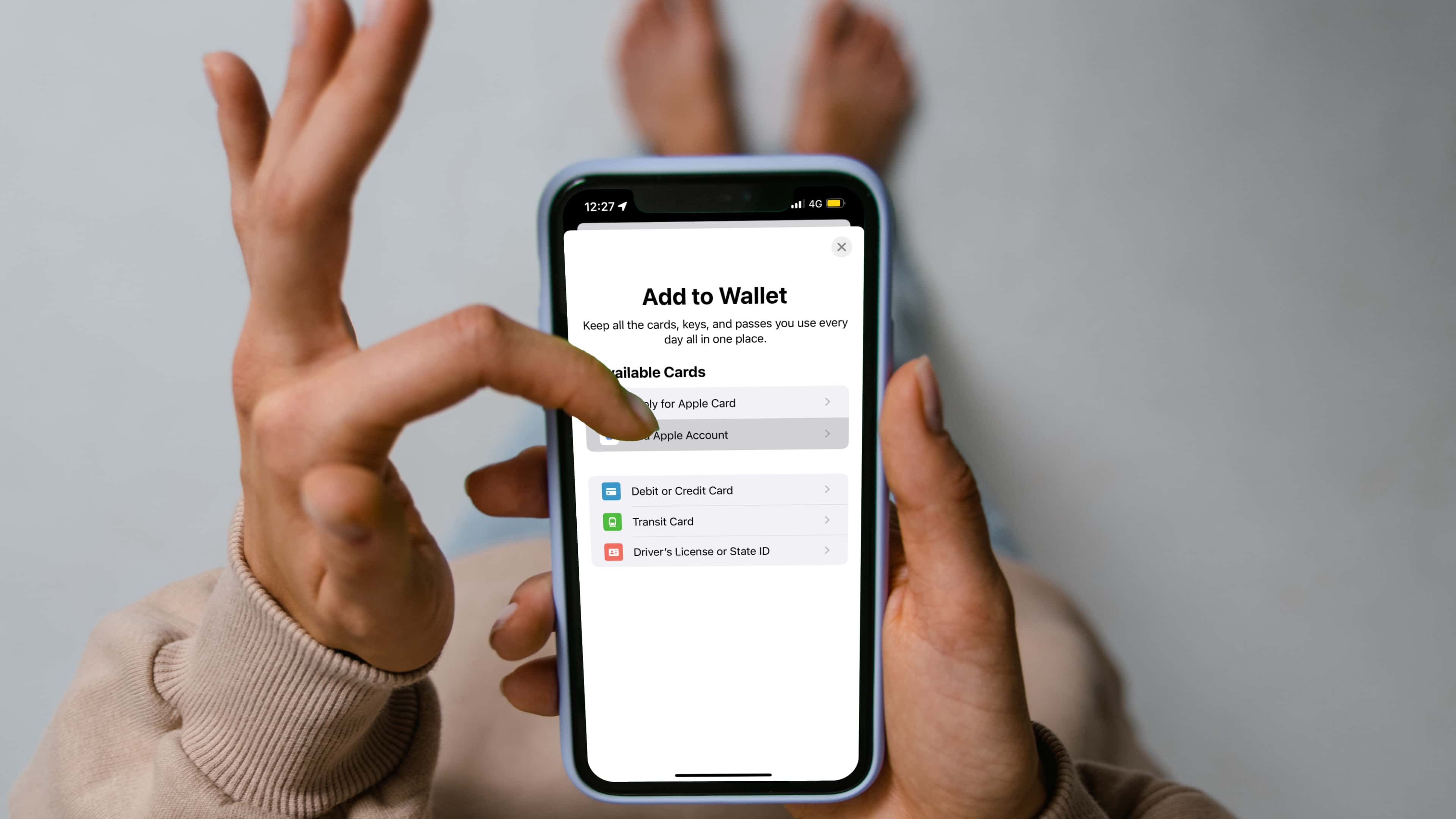
- Adding Payment Cards (Credit/Debit): This is typically the primary function for most users. You can add cards by either scanning them with your phone’s camera, which automatically captures the card number and expiry date, or by manually inputting the details. Crucially, your bank will often require a verification step – this might involve receiving a one-time code via SMS, email, or a phone call to confirm your ownership and authorize the card for digital use. This verification is a critical security layer, preventing unauthorized individuals from adding your cards to their devices.
- Adding Loyalty Programs and Gift Cards: Beyond payments, wallet apps excel at decluttering your physical wallet by digitizing loyalty cards from your favorite stores, coffee shops, or airlines. Similar to payment cards, these can often be added by scanning a barcode or QR code, or by manually entering the membership number. Gift cards can also be added, making it easier to track balances and ensure they aren’t forgotten.
- Adding Transit and Event Tickets: Many public transit systems, airlines, and event venues now support adding digital tickets directly to your wallet app. This eliminates the need for paper tickets or separate apps, simplifying boarding processes and entry. Look for options like “Add to Apple Wallet” or “Save to Google Wallet” when purchasing tickets online.
- Digital IDs (Emerging Feature): In select regions and for specific governmental entities, wallet apps are beginning to support digital driver’s licenses, state IDs, and even vaccination records. This feature, while still nascent globally, represents a significant step towards a fully digital identity and reduces the need to carry physical documents.
Navigating the Interface
Once your cards and passes are added, familiarizing yourself with the app’s interface is straightforward. Most wallet apps prioritize ease of access and quick transactions.
- Card Carousel/List View: Typically, your payment cards are displayed prominently in a scrollable carousel or a list view, allowing you to quickly swipe or tap to select the card you wish to use. The default card for payments can usually be set in the app’s settings.
- Accessing Other Passes: Loyalty cards, tickets, and other passes are usually organized separately, often accessible via a scroll-down gesture or a dedicated tab. Each item will display relevant information such as barcodes, QR codes, or membership numbers.
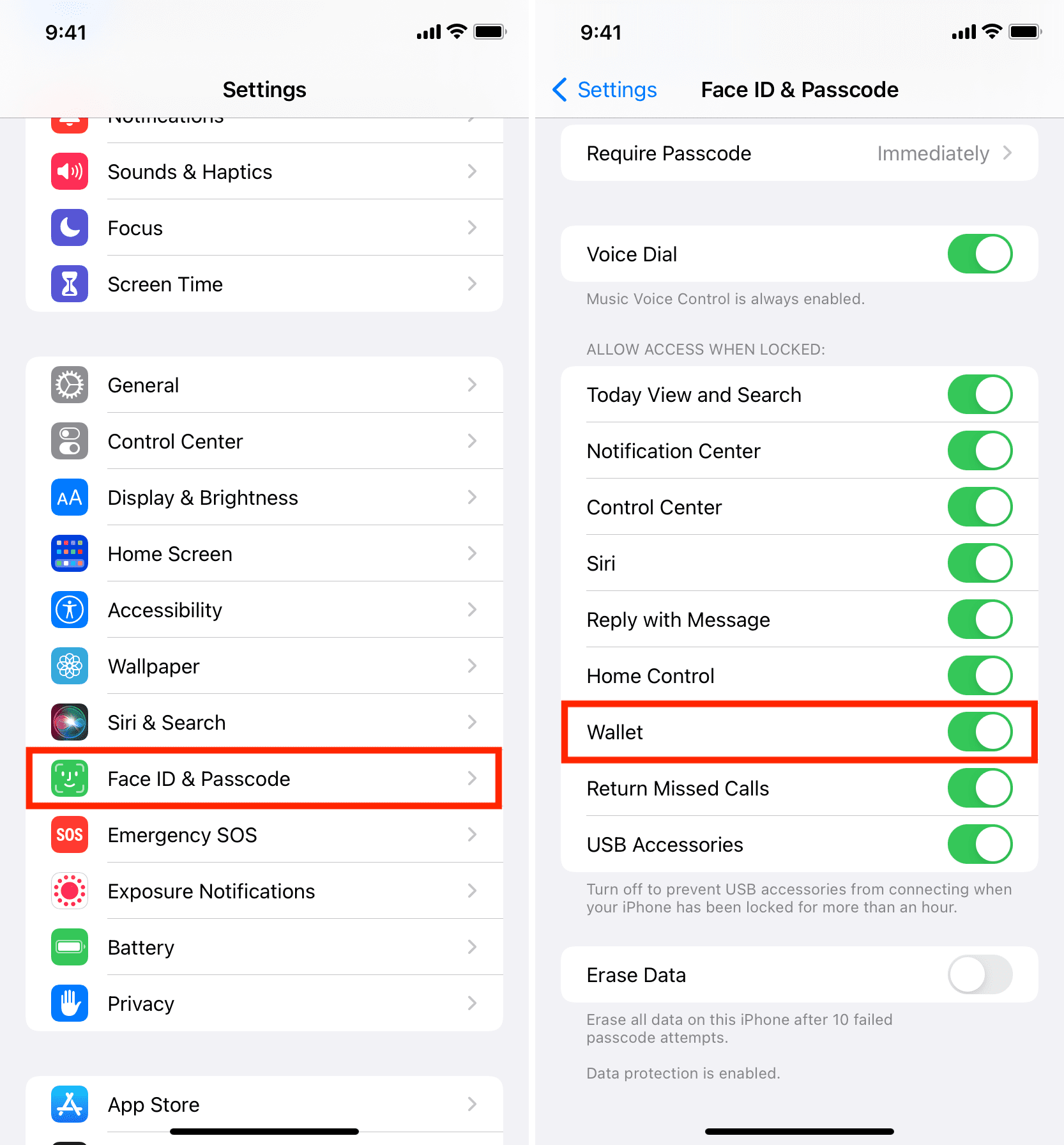
- Quick Access: For rapid payments, most smartphones allow quick access to the wallet app from the lock screen (e.g., double-tapping the side button on iPhones or swiping up on certain Android devices), ensuring your digital wallet is always just a gesture away.
Making Payments and Transactions
The most frequently used function of a wallet app is undoubtedly facilitating payments. The technology behind this is highly sophisticated, yet the user experience is designed to be simple and intuitive.
In-Store Payments (NFC/Contactless)
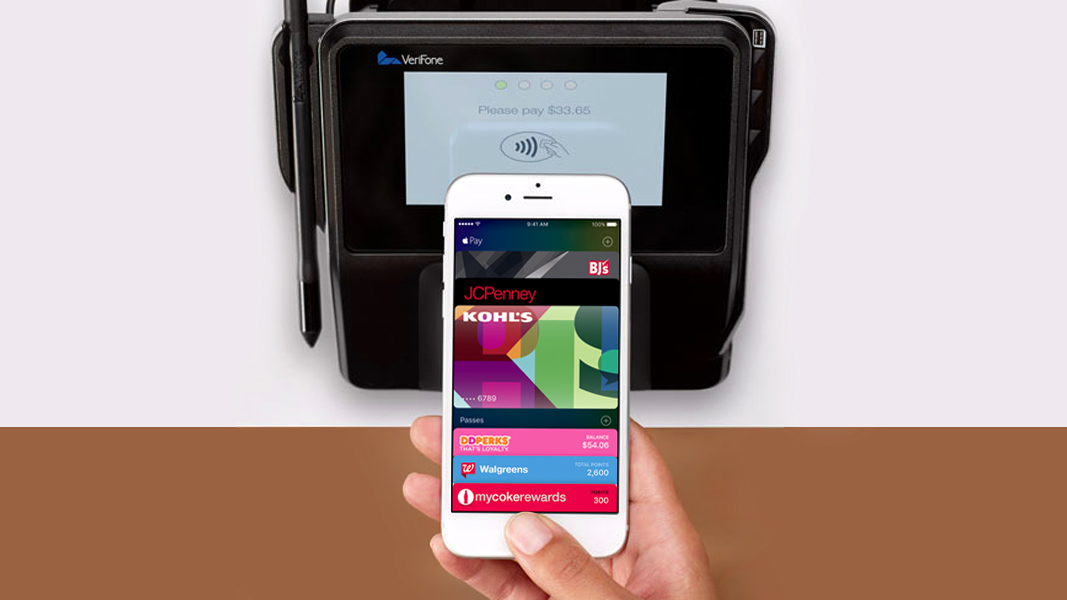
The magic of tap-and-pay at a physical terminal relies on Near Field Communication (NFC) technology. This short-range wireless communication allows your phone to securely interact with a compatible payment terminal.
- Prerequisites: Ensure your smartphone has NFC enabled (most modern smartphones do). The merchant’s payment terminal must also support contactless payments, often indicated by the contactless payment symbol (four curved lines).
- The Tap-and-Pay Process: To make a payment, wake your phone and authenticate yourself (using your passcode, fingerprint, or facial recognition). Then, hold the top of your phone near the payment terminal’s contactless reader. A successful transaction is usually confirmed by a checkmark on your phone screen and/or an audible chime from the terminal. For larger transactions, some terminals may still request your PIN, even after phone authentication.
- Authentication and Security: This is where the wallet app shines in terms of security. Your actual card number is never transmitted during the transaction. Instead, a unique, encrypted “token” is sent, a process known as tokenization. This makes it incredibly difficult for fraudsters to intercept and use your card details. Your biometric authentication (fingerprint/face ID) adds another layer, ensuring only you can authorize payments from your device.
- Troubleshooting: If a payment fails, double-check that NFC is on, your default card is correctly selected, and you’ve properly authenticated. Sometimes, repositioning the phone closer to the terminal can help.
Online and In-App Payments
Wallet apps also streamline online shopping and in-app purchases, offering a secure and convenient alternative to manually entering card details every time.
- One-Click Checkout: When shopping online on your phone or in a compatible app, you’ll often see an option to “Pay with Apple Pay” or “Pay with Google Pay.” Selecting this option allows you to complete the purchase with a single tap and biometric authentication, eliminating the need to type in card numbers, expiry dates, or billing addresses.
- Tokenization for E-commerce: Similar to in-store payments, your actual card number is not shared with the merchant during online transactions. Instead, a unique device account number and a transaction-specific dynamic security code are used, significantly reducing the risk of data breaches. This enhances both security and convenience, as you don’t expose sensitive card details to multiple websites.
Beyond Payments: Maximizing Wallet App Features
While payments are a central function, modern wallet apps are designed to be multi-faceted digital organizers, extending their utility far beyond mere financial transactions.
Managing Loyalty Programs and Rewards
The days of fumbling through a stack of plastic loyalty cards at the checkout are largely over, thanks to wallet apps.
- Digital Consolidation: Wallet apps provide a centralized hub for all your loyalty programs. Instead of carrying physical cards for every store, you can store their digital equivalents, complete with barcodes or QR codes that can be easily scanned. This not only lightens your physical wallet but also ensures you never miss out on earning points or redeeming rewards because you forgot a card.
- Automatic Application (Emerging): Some advanced integrations allow certain loyalty programs to be automatically recognized and applied when you make a purchase at a participating merchant using a payment card linked to that loyalty program, further simplifying the reward process.
- Accessing Offers: Some wallet apps may even display current offers or promotions associated with your stored loyalty cards, helping you save money or earn extra rewards.
Storing Digital IDs and Passes
The versatility of wallet apps extends to managing various forms of identification and access passes, enhancing convenience and reducing paper waste.
- Boarding Passes and Event Tickets: Airlines, concert venues, and sports stadiums increasingly support adding boarding passes and event tickets directly to your wallet app. These passes often dynamically update with relevant information, such as gate changes or event schedules. Using them is as simple as presenting your phone for scanning.
- Cinema Tickets and Coupons: Many movie theaters and coupon providers also integrate with wallet apps, allowing you to store tickets and discount vouchers digitally. This ensures you have all your necessary information in one place and readily accessible.
- Health and Digital Identity Documents: As mentioned earlier, the trend towards storing official digital IDs, such as driver’s licenses or vaccination records, is gaining momentum. This offers a highly secure and convenient way to carry sensitive documents, subject to governmental regulations and technological infrastructure.
Tracking Transactions and Spending
While not a full-fledged budgeting tool, wallet apps provide a useful snapshot of your payment activity.
- Transaction History: Most wallet apps offer a basic transaction history for each card, showing recent purchases made using the app. This allows for quick verification of transactions and helps in monitoring spending patterns.
- Security Monitoring: Regularly reviewing your transaction history within the app is a good security practice. It allows you to quickly spot any unauthorized activity and report it to your bank immediately.
Digital Security and Privacy: Your Wallet App as a Fortress
The single most significant concern users have about digital wallets is security. Fortunately, wallet apps are engineered with multiple layers of cutting-edge security measures, often making them safer than carrying physical cards.
Built-in Security Features
The technology underpinning wallet apps is designed to protect your financial and personal data from compromise.
- Tokenization: This is the cornerstone of wallet app security. When you add a card, the app doesn’t store your actual 16-digit card number. Instead, it creates a unique, encrypted Device Account Number (token) that is associated with your card. This token is what’s transmitted during a transaction. If intercepted, this token is useless outside of your device, as it cannot be reverse-engineered to reveal your actual card number.
- Biometric Authentication: Requiring a fingerprint, facial scan, or a strong passcode to authorize every transaction ensures that even if your phone is lost or stolen, no one else can make payments using your wallet app. This is a critical barrier against unauthorized use.
- Secure Elements: Most smartphones incorporate a dedicated “Secure Element” – a tamper-resistant chip that acts as a secure enclave for sensitive data like payment tokens and biometric information. This hardware-level security is isolated from the main operating system, making it extremely difficult for malware to access.
- Remote Wipe/Lock Capabilities: In the unfortunate event that your phone is lost or stolen, you can remotely lock or wipe its data using services like “Find My iPhone” or “Find My Device” on Android. This includes rendering your wallet app unusable, further safeguarding your financial information.
Best Practices for Users
While wallet apps boast robust security, user vigilance remains paramount.
- Strong Device Passcodes: Always use a strong, unique passcode for your smartphone. This is the first line of defense for all your digital data, including your wallet app.
- Keep Software Updated: Regularly update your phone’s operating system and apps. Updates often include critical security patches that address newly discovered vulnerabilities.
- Be Wary of Phishing Attempts: Never click on suspicious links or respond to unsolicited messages asking for your card details or wallet app login information. Wallet apps do not typically require you to re-enter sensitive details outside of the app itself during setup.
- Report Lost/Stolen Devices Promptly: If your device is lost or stolen, immediately use remote wipe/lock features and notify your bank about any cards linked to your digital wallet as a precautionary measure.
- Understand Data Privacy: Review the privacy settings for your wallet app and smartphone. Understand what data is collected and how it’s used. Generally, transaction data is anonymized or handled with high privacy standards by the wallet app providers.
Future Trends and Evolution of Wallet Apps
The evolution of wallet apps is far from complete. As technology advances, we can expect these digital tools to become even more integrated, intelligent, and indispensable.
Integration with Smart Devices
The seamless integration of wallet app functionalities across a wider ecosystem of smart devices is a clear trend.
- Smartwatches and Wearables: Payments via smartwatches are already common, offering incredible convenience for quick transactions without needing to pull out your phone. Future wearables, such as smart rings or even integrated apparel, could further expand the horizons of tap-to-pay functionality.
- Smart Home and IoT Devices: Imagine authorizing purchases or managing subscriptions directly from your smart refrigerator or car infotainment system. As the Internet of Things (IoT) expands, wallet app integration will likely extend to a myriad of connected devices, creating truly seamless commerce experiences.
Advanced Digital Identity and Credentials
The potential for wallet apps to become a universal digital identity hub is immense and will likely accelerate.
- Wider Adoption of Digital IDs: We will see more governments and institutions adopting digital driver’s licenses, health cards, and other official credentials within wallet apps. This will simplify verification processes for everything from age-restricted purchases to international travel.
- Enhanced Verification: Digital identity in wallet apps could provide more granular control over what information is shared during verification. For instance, an app could confirm you are over 21 without revealing your exact birthdate.
Enhanced Personalization and AI
Artificial intelligence and machine learning will play a crucial role in making wallet apps smarter and more user-centric.
- Context-Aware Offers: Wallet apps could leverage AI to provide highly personalized offers and discounts based on your location, past purchases, and preferences, directly within the app interface.
- Smarter Organization: AI could automatically categorize your passes, prioritize frequently used cards, and even remind you to use expiring gift cards or loyalty points, turning the wallet app into a truly intelligent personal assistant.
- Cryptocurrency and Digital Assets: While not mainstream for typical wallet apps yet, the integration of cryptocurrency and other digital assets (NFTs, digital deeds) into these platforms is a distinct possibility, expanding their scope as a comprehensive digital asset manager.
Conclusion
The wallet app has cemented its status as a cornerstone of modern digital life. It represents a powerful convergence of convenience, efficiency, and robust security, transforming how we interact with our finances and manage our personal credentials. From the simplicity of a contactless payment to the sophistication of tokenized transactions and biometric authentication, these apps are designed to protect your data while simplifying your day. By understanding their features and adhering to best security practices, you can fully leverage the potential of your digital wallet. As technology continues to evolve, your wallet app will undoubtedly grow in capability, promising an even more integrated and intelligent future for managing your digital world.
aViewFromTheCave is a participant in the Amazon Services LLC Associates Program, an affiliate advertising program designed to provide a means for sites to earn advertising fees by advertising and linking to Amazon.com. Amazon, the Amazon logo, AmazonSupply, and the AmazonSupply logo are trademarks of Amazon.com, Inc. or its affiliates. As an Amazon Associate we earn affiliate commissions from qualifying purchases.