
In the intricate landscape of business finance, navigating federal tax obligations can often feel like a formidable challenge. For employers, one of the most critical responsibilities is the accurate and timely remittance of payroll taxes through Form 941, the Employer’s Quarterly Federal Tax Return. This document details the wages paid, tips reported, federal income tax withheld, and the employer and employee shares of Social Security and Medicare taxes. While the traditional paper filing method still exists, the digital age has ushered in a far more efficient, secure, and convenient alternative: online filing.

Embracing the digital pathway for Form 941 is not merely a matter of convenience; it’s a strategic move that enhances accuracy, streamlines compliance, and frees up valuable resources that can be better allocated to core business operations. This guide will meticulously break down everything you need to know about filing Form 941 online, ensuring you stay compliant with IRS regulations and optimize your financial processes.
Understanding Form 941: The Basics of Employer Tax Obligations
Before delving into the mechanics of online filing, it’s crucial to grasp the fundamental purpose and requirements of Form 941. This form is more than just a piece of paperwork; it’s a vital declaration of your quarterly federal tax liability as an employer, ensuring that collected taxes are appropriately remitted to the government.
What is Form 941 and Who Must File?
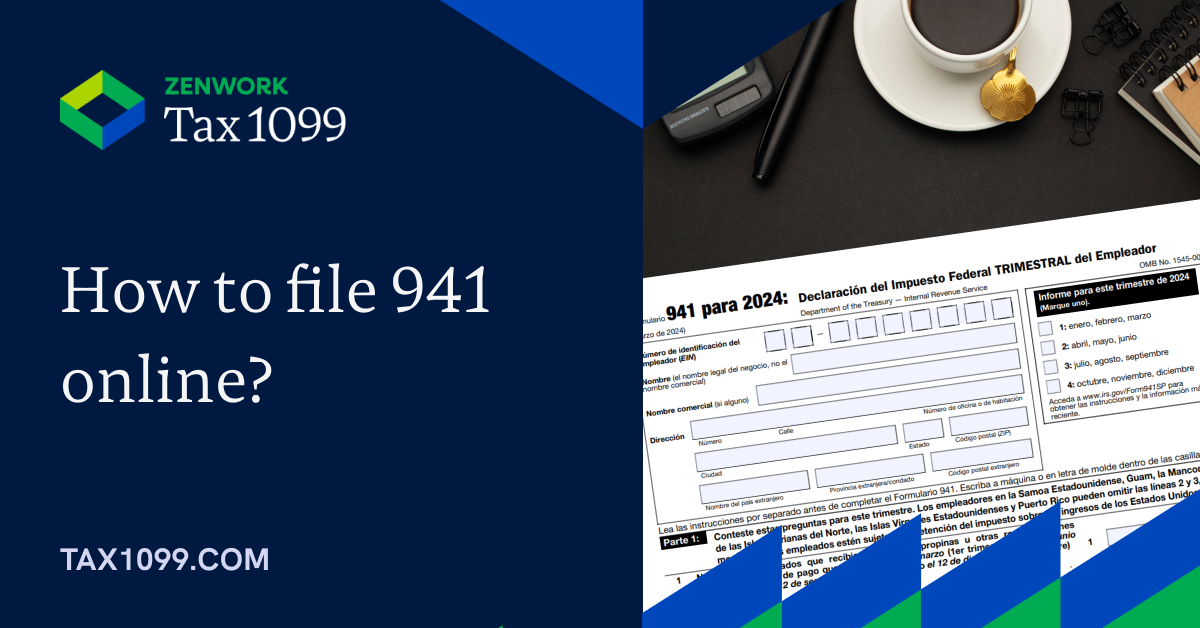
Form 941, officially titled “Employer’s Quarterly Federal Tax Return,” is used by employers to report income taxes, Social Security tax, or Medicare tax withheld from employee’s paychecks, as well as the employer’s share of Social Security and Medicare taxes. Most employers who pay wages subject to income tax withholding, Social Security, or Medicare taxes must file Form 941 quarterly. This applies to a vast majority of businesses, regardless of their size or industry, as long as they have employees.
The quarterly nature of this form means that your business’s tax liability and payments are assessed four times a year, providing a regular cadence for financial reporting and remittance. Exemptions exist for certain types of employers, such as those with seasonal employees (who may not file in quarters when they have no employees), household employers (who typically use Schedule H, Form 1040), and agricultural employers (who use Form 943). However, for the vast majority of businesses, Form 941 is a non-negotiable quarterly financial exercise.
Key Information Required for Filing
Accurate preparation of Form 941 hinges on having precise financial data readily available. When preparing to file, you’ll need to compile comprehensive information related to your payroll for the given quarter. This typically includes:
- Employer Details: Your Employer Identification Number (EIN), business name, and address.
- Number of Employees: The total number of employees who received wages, tips, or other compensation during the quarter.
- Wages, Tips, and Other Compensation: The total amount of taxable wages, tips, and other compensation paid to all employees.
- Federal Income Tax Withheld: The total federal income tax withheld from employees’ paychecks.
- Taxable Social Security and Medicare Wages/Tips: The amounts subject to these taxes, broken down by employee and employer shares.
- Adjustments: Any adjustments for fractions of cents, sick pay, or uncollected taxes.
- Total Tax Liability and Deposits: A summary of your total tax liability for the quarter and the total amount of deposits made.
Maintaining meticulous payroll records throughout the quarter is paramount. These records serve as the backbone for accurate Form 941 preparation and are critical for reconciliation and audit preparedness.
Important Filing Deadlines
Timeliness is a cornerstone of tax compliance, and Form 941 is no exception. The IRS mandates specific deadlines for each quarter, and missing these can lead to penalties, interest charges, and unnecessary financial strain. The standard deadlines are:
- Quarter 1 (January 1 to March 31): Due April 30
- Quarter 2 (April 1 to June 30): Due July 31
- Quarter 3 (July 1 to September 30): Due October 31
- Quarter 4 (October 1 to December 31): Due January 31 of the following year
It’s important to note that if a due date falls on a Saturday, Sunday, or legal holiday, the deadline is extended to the next business day. Furthermore, if you made all your tax deposits on time and in full, you might have an additional 10 calendar days to file. However, it’s always safest to aim for the primary deadlines. Establishing a robust system for tracking these dates and initiating the filing process well in advance can help prevent costly oversights.
The Advantages of Filing Form 941 Online
While paper filing remains an option, the advantages of transitioning to online filing for Form 941 are overwhelmingly compelling for modern businesses. Digital submission transforms a potentially cumbersome task into a streamlined, secure, and highly efficient process, aligning perfectly with contemporary business finance best practices.
Efficiency and Accuracy
One of the most significant benefits of online filing is the dramatic improvement in efficiency and accuracy. IRS-approved e-file software and platforms often incorporate automated calculations, which significantly reduce the risk of human error in arithmetic. These systems typically validate data entry in real-time, flagging potential discrepancies or missing information before submission. This built-in error-checking mechanism minimizes the chances of miscalculations that could lead to penalties or delays in processing. Moreover, the digital submission process is almost instantaneous, eliminating mail delays and ensuring your return reaches the IRS without geographical constraints.
Enhanced Security
Concerns about data security are paramount in today’s digital age, especially when dealing with sensitive financial information. Online filing methods, when utilizing IRS-approved providers, typically employ robust encryption technologies and secure servers to protect your data during transmission. This level of security often surpasses that of traditional paper filing, where documents can be lost or intercepted in transit. Reputable e-file providers adhere to strict security protocols, safeguarding your business’s financial data and employee information from unauthorized access, offering a critical layer of protection against identity theft and fraud.
Record Keeping and Accessibility
Digital filing revolutionizes record keeping. Instead of managing stacks of paper forms, online platforms provide a centralized, digital archive of your filed returns. This offers unparalleled accessibility, allowing you to retrieve past returns, payment records, and confirmations with just a few clicks. This digital trail is invaluable for internal financial review, audit purposes, or simply to cross-reference data for future filings. The ability to instantly access historical data streamlines reconciliation processes and ensures that your financial records are always organized and readily available, contributing to better financial management and strategic planning.
Convenience and Time Savings
Perhaps the most immediately noticeable benefit for busy employers is the sheer convenience and time savings afforded by online filing. The ability to prepare and submit your Form 941 from any location with an internet connection—whether it’s your office, home, or while traveling—offers unparalleled flexibility. This eliminates the need for manual form completion, printing, collating, and trips to the post office. By automating much of the process, online filing frees up valuable administrative time that can be redirected towards more productive business activities, contributing directly to operational efficiency and cost savings.
Step-by-Step Guide to Filing Form 941 Electronically
Transitioning to online filing for Form 941 is a straightforward process once you understand the necessary steps and tools. It primarily involves selecting the right platform, gathering your data, and meticulously reviewing your submission.
Choose an Approved IRS e-File Provider
The IRS does not directly provide a free online filing tool for businesses (unlike some individual tax programs). Instead, businesses must use an authorized IRS e-file provider. These providers can take several forms:
- Third-Party Software: Commercial payroll or accounting software (e.g., QuickBooks, Gusto, ADP) often includes Form 941 e-file capabilities. Many offer direct integration with your payroll data, making the process seamless.
- Professional Tax Preparers: Many certified public accountants (CPAs) or tax preparation services are authorized IRS e-file providers and can file on your behalf. This is a good option if your business has complex payroll or you prefer professional assistance.
- Standalone E-file Services: There are also services specifically designed for e-filing various tax forms, including Form 941, which may or may not integrate with your payroll system.
When choosing a provider, ensure they are listed on the IRS website as an authorized e-file provider for Forms 940/941/943/944. Consider factors like ease of use, cost, customer support, and integration with your existing financial tools.
Gather Your Financial Data
Before logging into your chosen e-file platform, organize all necessary financial data for the quarter. This includes:
- Payroll Records: Detailed summaries of all wages, salaries, bonuses, and commissions paid to employees.
- Withholding Information: Total federal income tax, Social Security, and Medicare taxes withheld from employee paychecks.
- Employer Contributions: Your business’s share of Social Security and Medicare taxes.
- Previous Form 941 Filings: Having previous quarters’ returns on hand can be useful for cross-referencing and consistency.
- EFTPS Records: Details of all electronic federal tax payments made during the quarter.
Having this information meticulously organized beforehand will make the data entry process quick and accurate.
Inputting Information into the Software
Once you’ve selected your provider and gathered your data, the next step is to input this information into the e-file software. Most platforms are designed with user-friendly interfaces that mirror the sections of the physical Form 941. You’ll typically be guided through a series of prompts to enter:
- Your business’s EIN and contact information.
- The number of employees.
- Total taxable wages, tips, and other compensation.
- Total federal income tax withheld.
- Taxable Social Security and Medicare wages and tips (both employee and employer portions).
- Any applicable adjustments or credits.
- A summary of your tax liability for the quarter.
- A breakdown of your tax deposits made through EFTPS.

Take your time during this phase, double-checking each entry against your source documents. Many platforms automatically populate certain fields or perform calculations, which can be a significant time-saver.
Review and Verify Your Return
This is perhaps the most critical step in the entire process. Before transmitting your return, thoroughly review every section of the digital Form 941. Compare the figures in the software with your compiled financial records and payroll reports.
- Check for Consistency: Ensure all numbers align with your internal books.
- Verify Calculations: While software automates calculations, a quick manual check of key totals can catch unforeseen errors.
- Confirm Personal Information: Double-check your EIN, business name, and address for accuracy.
- Review Liability vs. Payments: Ensure your total tax liability for the quarter matches the sum of your deposits.
Many e-file platforms include a final review page or an “error check” feature that highlights potential issues, allowing you to correct them before submission. Do not skip this crucial verification stage; it’s your last chance to catch mistakes that could lead to IRS notices or penalties.
Authorize and Transmit Your Filing
Once you are confident in the accuracy of your Form 941, you will typically need to authorize the filing. This often involves an electronic signature or PIN provided by the IRS (such as the Practitioner PIN or a self-selected PIN if you’re the business owner). Follow the specific instructions of your chosen software for this step. After authorization, you will transmit the return directly to the IRS through the e-file provider’s secure system.
Payment of Taxes
It is critical to remember that e-filing Form 941 does not automatically pay your taxes. The tax payment is a separate, though often integrated, process. Most employers are required to make federal tax deposits using the Electronic Federal Tax Payment System (EFTPS).
- EFTPS: Enroll in EFTPS well in advance. You can schedule payments up to 365 days in advance. Ensure your tax deposits are made on time according to your deposit schedule (monthly or semi-weekly).
- Direct Debit: Some e-file software allows you to schedule a direct debit from your bank account for the balance due when you file. However, this is typically for the remaining balance after your regular EFTPS deposits have been made, not for the deposits themselves.
Always confirm that your tax payments have been successfully made and reconcile them with your Form 941 liability.
Common Pitfalls and How to Avoid Them
Even with the efficiencies of online filing, certain mistakes can lead to issues. Being aware of these common pitfalls can help you navigate the process smoothly and maintain impeccable financial compliance.
Incorrect Data Entry
Despite automated calculations, the most frequent error stems from incorrect initial data entry. A single misplaced decimal, transposed number, or missed payroll item can cascade into an inaccurate return.
- Solution: Implement robust internal controls for payroll data. Reconcile payroll registers with general ledger accounts regularly. Always double-check source documents against what you enter into the software. Consider a “four-eyes” principle where one person enters data and another reviews it.
Missing Deadlines
Forgetting quarterly deadlines or miscalculating extensions can result in hefty penalties for late filing or late payment.
- Solution: Set up multiple reminders using calendars, email alerts, or project management tools. Leverage your payroll software’s features for automated reminders. If using a professional tax preparer, confirm their process for timely filing. Prioritize Form 941 preparation well before the due date.
Unreconciled Payroll Records
Discrepancies between your internal payroll records and the data submitted on Form 941 can trigger IRS inquiries or audits. This often happens when adjustments or manual payroll entries are not properly recorded.
- Solution: Conduct monthly or quarterly reconciliations of your payroll reports with your general ledger accounts. Ensure that all wage adjustments, bonuses, and tax withholdings are consistently recorded across all financial systems. A discrepancy check before filing is essential.
Choosing the Wrong Software
Opting for an unreliable or non-IRS-approved e-file provider can expose your business to data security risks or lead to improperly filed returns.
- Solution: Always verify that your chosen software or service is an authorized IRS e-file provider for Forms 940/941/943/944. Research reviews, compare features, and ensure the provider offers adequate security measures and customer support. Don’t simply opt for the cheapest option without due diligence.
What Happens After You File?
Filing Form 941 online is a significant step, but the process doesn’t end with hitting “submit.” There are crucial follow-up actions and considerations to ensure complete compliance and readiness for any potential IRS communications.
Confirmation and Record Keeping
After successfully transmitting your return, your e-file provider will typically send you a confirmation, often with an IRS acceptance number. This confirmation is vital proof that your return was received and processed by the IRS.
- Action: Save and print this confirmation. Store it electronically alongside your filed Form 941 and all supporting payroll records. This digital archive serves as your official record and is indispensable if any questions arise later. Maintaining a complete and organized financial paper trail is a cornerstone of responsible business finance.
Correcting Errors (Form 941-X)
Despite best efforts, errors can sometimes occur. If you discover a mistake on a previously filed Form 941, do not refile Form 941 for that quarter. Instead, you must use Form 941-X, Adjusted Employer’s Quarterly Federal Tax Return or Claim for Refund.
- Action: Form 941-X is used to correct errors for income tax, Social Security, or Medicare taxes that you reported on a previously filed Form 941. It’s important to file Form 941-X as soon as you discover an error to avoid additional penalties or interest. Most e-file providers also support the electronic filing of Form 941-X, maintaining the benefits of digital submission.
The Role of EFTPS for Tax Payments
It bears repeating: Form 941 is a report of your tax liability, while EFTPS is the system through which you pay those taxes. These are two distinct but interconnected processes. Your Form 941 will summarize your total tax liability and the total payments made through EFTPS for the quarter.
- Action: Ensure your EFTPS payments align perfectly with your reported liability on Form 941. Reconcile these figures consistently. Any discrepancies can lead to IRS notices or penalties. Proactive management of your EFTPS account and careful scheduling of payments are crucial for maintaining good standing with the IRS.
By understanding the synergy between your Form 941 filing and your EFTPS payments, you ensure a holistic approach to your payroll tax obligations, preventing common pitfalls and reinforcing your business’s financial integrity.
Conclusion
Filing Form 941 online represents a significant leap forward in managing employer tax obligations. It transforms a complex, time-consuming process into an efficient, accurate, and secure financial operation. By leveraging IRS-approved e-file providers, businesses can minimize errors, meet critical deadlines, safeguard sensitive financial data, and free up invaluable time and resources.
Embracing this digital approach is not just about compliance; it’s about smart business finance. It fosters better record keeping, provides instant access to crucial financial data, and ultimately contributes to a more streamlined and resilient financial infrastructure for your organization. By following this comprehensive guide, employers can confidently navigate the nuances of online Form 941 filing, ensuring their business remains compliant, financially sound, and poised for sustained growth.
aViewFromTheCave is a participant in the Amazon Services LLC Associates Program, an affiliate advertising program designed to provide a means for sites to earn advertising fees by advertising and linking to Amazon.com. Amazon, the Amazon logo, AmazonSupply, and the AmazonSupply logo are trademarks of Amazon.com, Inc. or its affiliates. As an Amazon Associate we earn affiliate commissions from qualifying purchases.