
Accessing the vast world of satellite radio from SiriusXM within your vehicle is a pursuit driven by the desire for diverse entertainment, commercial-free music, and exclusive content. The journey to bring SiriusXM into your car involves several technological avenues, ranging from factory-installed systems to sophisticated aftermarket solutions and smart device integration. Understanding these pathways is crucial for selecting the most suitable and seamless experience for your specific vehicle and preferences.
Understanding SiriusXM Compatibility and Access Methods
Bringing SiriusXM into your car fundamentally relies on two core technological approaches: dedicated satellite radio hardware or internet streaming via an app. Each method offers distinct advantages and integration complexities, catering to different vehicle types and user needs.
Factory-Installed SiriusXM Radios
Many modern vehicles arrive directly from the manufacturer equipped with a SiriusXM satellite radio tuner built into the car’s infotainment system. This is often the most straightforward way to access the service, offering a native and integrated user experience.
- Identification: The simplest way to determine if your car has a factory-installed SiriusXM radio is to check your infotainment display for the SiriusXM logo or a dedicated “SAT” or “XM” button. You can also consult your car’s owner’s manual or input your Vehicle Identification Number (VIN) on the SiriusXM website or through a dealership service department. Most new vehicles come with a trial subscription, typically lasting a few months, allowing you to experience the service before committing to a paid plan.
- Activation Process: If your car is equipped, activation is usually a simple process. Tune your radio to channel 0, which displays your unique Radio ID. With this ID, you can visit the SiriusXM website or call their customer service to initiate a subscription or activate your trial. The signal is then sent wirelessly to your car’s tuner, typically activating within minutes, though sometimes it may require the car to be parked outside with a clear view of the sky for optimal signal reception.
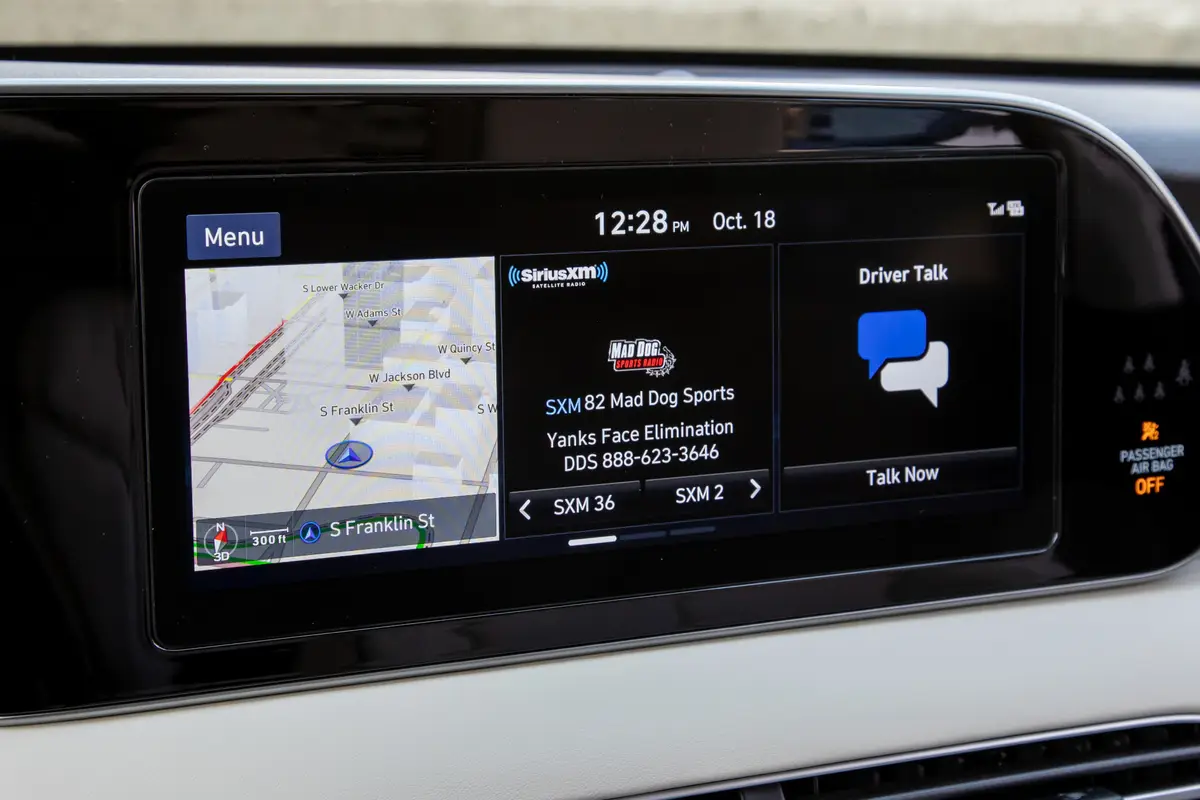
- Seamless Integration: Factory systems are designed for optimal integration with your car’s existing controls, including steering wheel buttons, voice commands, and the primary touchscreen interface. This provides a clean aesthetic and intuitive user interaction, often displaying station logos, song titles, and artist information directly on the car’s display.
Aftermarket Solutions for Any Vehicle
For vehicles not equipped with factory-installed SiriusXM, or if you prefer a more portable or customizable setup, a robust market of aftermarket solutions exists. These options bring the full SiriusXM experience to virtually any car, regardless of its age or original configuration.
- Satellite Radio Tuners (Connect-and-Play/Vehicle Tuners): These are dedicated devices designed to receive the SiriusXM satellite signal.
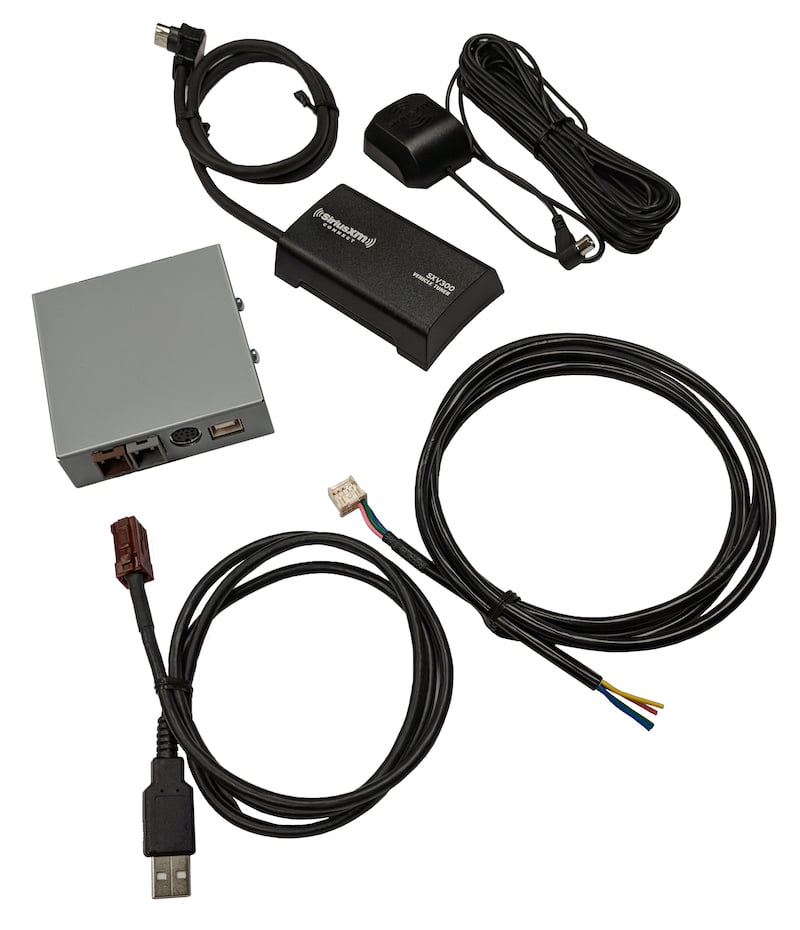
- External Tuner Kits: These typically consist of a small satellite receiver module and an antenna that connects to a compatible aftermarket car stereo (head unit). Many modern aftermarket stereos are “SiriusXM-Ready,” meaning they can integrate directly with these tuners to display channel information and allow control via the stereo’s interface. Installation usually involves connecting the tuner module, routing the antenna to a clear view of the sky (often on the roof or dashboard), and potentially professional wiring to the head unit.
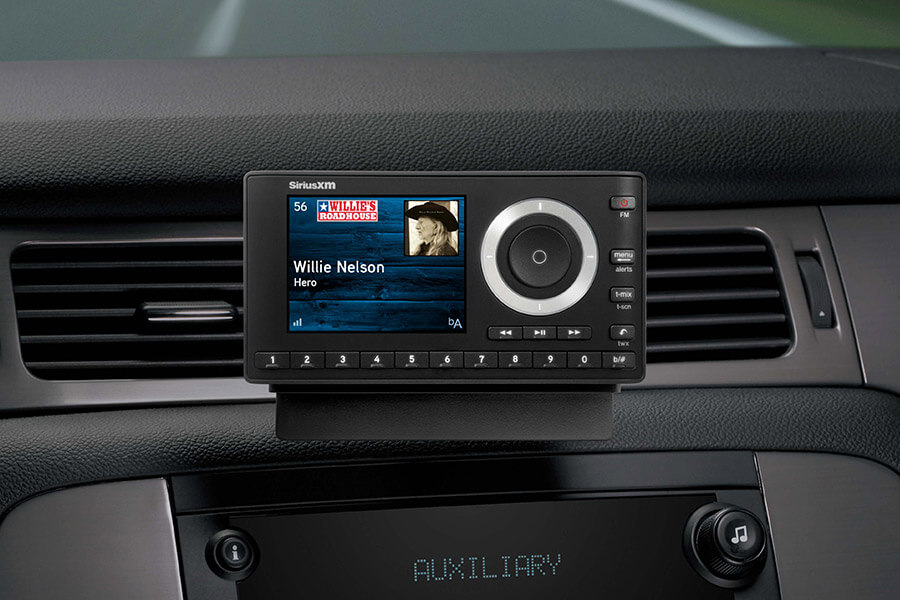
- Portable Satellite Radios (Dock & Play): These self-contained units include a display, tuner, and controls. They are designed for portability and can be moved between vehicles using a specific vehicle kit that includes a docking station, antenna, and power adapter. Audio is typically routed to the car’s stereo via an auxiliary input, an FM transmitter, or a cassette adapter. While offering flexibility, their screen and controls are separate from the car’s native system, which may be less integrated.
- Installation Considerations: The primary technical considerations for aftermarket satellite radio tuners revolve around antenna placement and power. The antenna must have an unobstructed view of the southern sky for optimal signal reception. It’s often magnetically mounted on the exterior roof or adhered to the dashboard with careful cable routing to conceal wires. Power is typically drawn from the car’s electrical system, often through a 12V adapter or direct wiring for a more permanent installation. Professional installation can ensure optimal performance and a clean setup, especially for integrated tuner kits.
Leveraging Your Smartphone for In-Car SiriusXM
Beyond dedicated satellite hardware, the advent of ubiquitous mobile internet has opened up a highly flexible and increasingly popular method for accessing SiriusXM: through your smartphone. This approach bypasses the need for a satellite antenna and tuner, relying instead on cellular data or Wi-Fi connectivity.
The SiriusXM App: A Modern Approach
The official SiriusXM app for iOS and Android smartphones transforms your device into a versatile SiriusXM receiver, offering significant advantages, especially for users who prefer streaming or have multiple listening environments.
- How it Works: The app streams SiriusXM content directly over an internet connection. This means you’re not reliant on satellite signals but rather your phone’s data plan or an available Wi-Fi network. This method provides access to a broader catalog of content, including live channels, On Demand programming, podcasts, and personalized stations, often exceeding what’s available via satellite alone.
- Required Subscriptions: To use the app, you need a SiriusXM subscription that includes streaming access. Many satellite radio plans bundle streaming access, but there are also “Streaming Only” plans for those who solely wish to listen via the app on their phone or other internet-connected devices. It’s important to verify your plan includes streaming if this is your preferred method.
- Features and Benefits: The app offers robust features, including pause, rewind, and fast-forward for live content, the ability to create favorite channels, and access to an extensive library of On Demand shows. It’s an excellent solution for vehicles without satellite radio hardware, rental cars, or when you want to continue listening seamlessly outside your vehicle.
Integrating Your Phone with Your Car’s Audio System
Once SiriusXM is playing on your smartphone, the next step is to get that audio into your car’s sound system. Modern vehicle infotainment systems offer several tech-driven ways to achieve this, from wireless to wired connections.
- Bluetooth Connectivity: This is the most common and convenient wireless method. Most modern cars have Bluetooth audio streaming capabilities. Simply pair your smartphone with your car’s Bluetooth system, select “Bluetooth Audio” as the source on your car’s stereo, and start playing SiriusXM from the app. The audio will stream wirelessly, and basic controls (play/pause, skip track) may be available via your car’s steering wheel or infotainment system.
- USB Audio Connection (Apple CarPlay / Android Auto): For an even more integrated experience, Apple CarPlay and Android Auto utilize a USB connection to mirror a customized version of your phone’s interface onto your car’s touchscreen. The SiriusXM app is fully compatible with both CarPlay and Android Auto, providing a dedicated interface for browsing channels, On Demand content, and controlling playback directly from your car’s display. This method often charges your phone simultaneously and offers superior audio quality compared to Bluetooth.
- Auxiliary Input (AUX): Many cars, particularly older models, feature a 3.5mm auxiliary audio input jack. You can connect your smartphone to this input using a standard audio cable. While simple and providing good audio quality, it doesn’t offer any control over the app from your car’s system; all control remains on your phone.
- FM Transmitters: As a last resort, if your car lacks Bluetooth, USB, or an AUX input, an external FM transmitter can broadcast your phone’s audio over an unused FM frequency, which your car’s radio can then pick up. While functional, FM transmitters can be susceptible to interference and generally offer lower audio fidelity compared to direct connections.
Navigating Subscription Plans and Activation
Beyond the hardware and streaming methods, activating your SiriusXM service involves selecting an appropriate subscription plan and completing the technical activation process to ensure your chosen method functions correctly.
Choosing the Right SiriusXM Plan
SiriusXM offers various subscription tiers, each designed to cater to different listening habits and technical access methods. Understanding these plans is key to ensuring you have the features you need for in-car listening.
- Plan Tiers: Plans typically range from “Music & Entertainment” to “Platinum” or “Streaming Only.” Lower tiers may offer basic satellite radio channels, while higher tiers often include more channels, streaming access, On Demand content, and personalized stations. A “Streaming Only” plan is ideal if you solely intend to use the SiriusXM app via your smartphone and do not have or require a satellite radio tuner in your car.
- Decision Factors: Your choice should be guided by whether your car has a satellite radio tuner, if you plan to use the smartphone app extensively, and the specific content you desire (e.g., live sports, Howard Stern, exclusive music channels). Many plans offer a combination of satellite and streaming access, providing the most flexibility.
Activating Your SiriusXM Service
Once you’ve chosen your hardware or software method and selected a plan, the final technical step is activation. This process links your subscription to your specific radio ID or streaming account.
- Online Activation: The most common method is via the SiriusXM website. You’ll need your Radio ID (found on channel 0 for satellite radios) or your streaming account credentials. Follow the prompts to select your plan and activate.
- Calling Customer Service: If you encounter issues or prefer direct assistance, SiriusXM customer service can activate your service over the phone. They will guide you through the process and ensure your radio or streaming account is properly configured.
- Refreshing Signal: For satellite radios, after activation, it might take a few minutes for the signal to refresh. Ensure your vehicle is outdoors with a clear view of the sky and tuned to channel 184 (or any music channel) to facilitate activation. If the service doesn’t activate, a “signal refresh” can be initiated online or by phone, sending another activation signal to your radio.
- Troubleshooting Common Activation Issues: If your satellite radio displays messages like “Check Antenna,” “No Signal,” or “Acquiring Signal” for an extended period after activation, it usually points to an antenna issue (improper placement, damage) or a temporary obstruction. For app-based streaming, ensure you have a strong, stable internet connection and that your subscription includes streaming access.
Optimizing Your SiriusXM In-Car Experience
Beyond initial setup, several technical considerations can enhance your daily SiriusXM listening experience, ensuring reliable performance and optimal audio quality.
Signal Reception and Troubleshooting
For satellite radio tuners, consistent signal reception is paramount for uninterrupted listening.
- Antenna Placement: The small magnetic antenna that comes with aftermarket kits is critical. It must be placed on the exterior of your car with an unobstructed view of the sky, typically the roof or dashboard near the windshield. Avoid placing it under metal objects, tinted windows with metallic properties, or near other antennas, which can cause interference.
- Environmental Factors: Tall buildings, dense foliage, tunnels, and parking garages can temporarily block the satellite signal, leading to dropouts. These are inherent limitations of satellite technology. If you frequently encounter “No Signal” messages in specific areas, it’s often due to these environmental obstructions.
- Troubleshooting “No Signal”: If your satellite radio consistently shows “No Signal,” first check the antenna connection to the tuner. Ensure the cable is securely fastened and free from damage. Verify the antenna itself is placed in an optimal location. If problems persist, and especially if the issue is widespread across different locations, the tuner itself or the antenna may be faulty.
Enhancing Audio Quality and Control
Regardless of whether you’re using satellite or streaming, optimizing your car’s audio settings can significantly improve the listening experience.
- Car Stereo EQ Settings: Utilize your car’s built-in equalizer (EQ) settings to tailor the sound profile to your preferences and the acoustics of your vehicle. Adjust bass, treble, and mid-range frequencies to make music sound richer or dialogue clearer.
- Higher Quality Streaming (App): If using the SiriusXM app, ensure you are on a robust internet connection (Wi-Fi or strong cellular data) for optimal streaming quality. Some app settings may allow you to choose higher bitrate audio, though this will consume more data.
- Voice Commands and Steering Wheel Controls: Leverage your car’s integrated controls for convenience. If your car supports it, use steering wheel buttons to change channels, adjust volume, or activate voice commands to request specific stations, minimizing distraction while driving. For CarPlay and Android Auto, these controls are usually well-integrated.
- Managing Presets: Take advantage of the preset functionality on your car’s stereo (for satellite radio) or within the SiriusXM app. Saving your favorite channels allows for quick access and a more engaging experience, ensuring your preferred content is just a tap or button press away.
By carefully considering these technical aspects, from initial setup to daily optimization, you can ensure a reliable, high-quality SiriusXM listening experience in your car, transforming your daily commute or road trips with an unparalleled variety of audio entertainment.
aViewFromTheCave is a participant in the Amazon Services LLC Associates Program, an affiliate advertising program designed to provide a means for sites to earn advertising fees by advertising and linking to Amazon.com. Amazon, the Amazon logo, AmazonSupply, and the AmazonSupply logo are trademarks of Amazon.com, Inc. or its affiliates. As an Amazon Associate we earn affiliate commissions from qualifying purchases.