
In the fast-paced world of digital finance, apps like Venmo have become indispensable tools for managing transactions. However, when technical glitches, security concerns, or urgent issues arise, knowing how to effectively contact support for a digital platform is crucial. Unlike traditional banks with readily available phone lines, many modern tech companies, including Venmo, prioritize a digital-first support ecosystem. Understanding this framework, and when and how to escalate to a direct phone call, is key to efficient problem resolution.
Understanding Venmo’s Support Ecosystem
Venmo, as a leading peer-to-peer payment application, embodies the contemporary tech company’s approach to customer service: an emphasis on self-service and digital communication channels. This model is designed for efficiency, scalability, and often, faster resolution for common issues. Direct phone calls, while available, are typically positioned as a secondary, rather than primary, method of contact for specific, more complex scenarios.

This app-first strategy is a hallmark of fintech platforms. It leverages integrated help centers, automated troubleshooting, and asynchronous messaging to address user queries. The logic behind this approach is multifaceted: it allows users to find immediate answers to frequently asked questions, reduces wait times for support agents by filtering out simple queries, and provides a documented trail for all communications, which can be beneficial for both the user and the support team.
The App: Your First Point of Contact
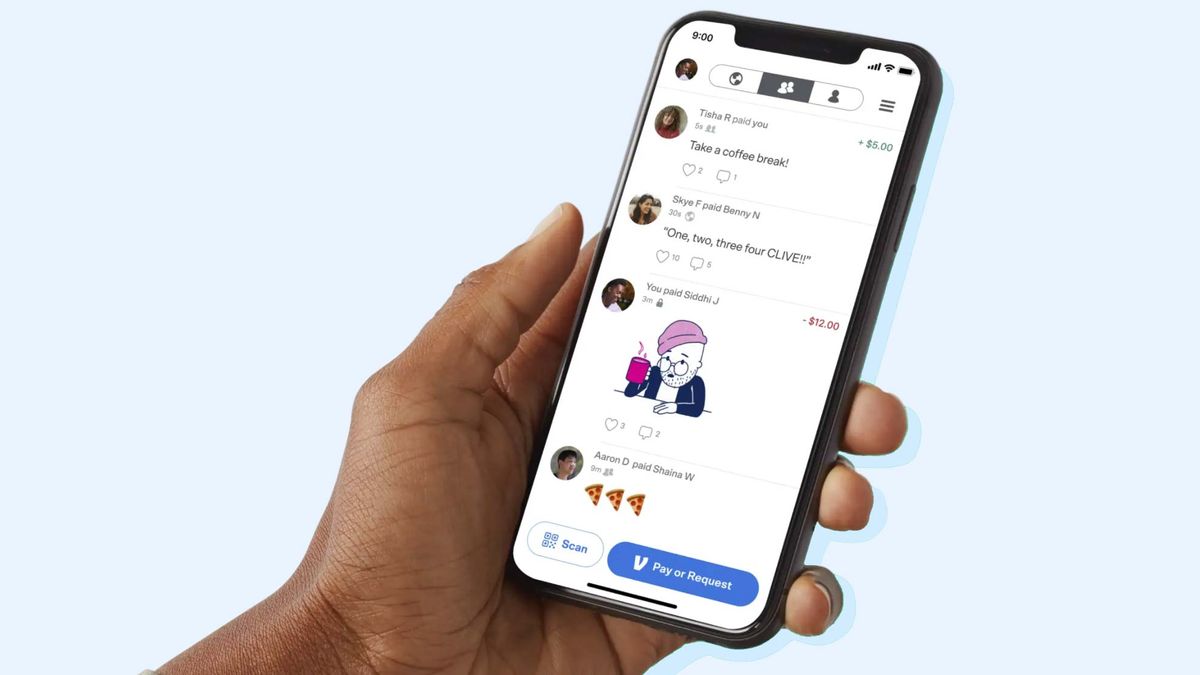
For the vast majority of Venmo users, the most direct and often most efficient path to assistance begins within the application itself. The Venmo app is not just a transaction platform; it’s an integrated support hub.
- In-App Help Center: Located typically under “Me” or “Settings,” the in-app help center is a comprehensive repository of articles, FAQs, and troubleshooting guides. Before attempting to contact a human agent, it’s highly recommended to search this section. Many common issues, such as failed transactions, understanding privacy settings, or managing linked bank accounts, have detailed, step-by-step solutions readily available. This feature is a testament to the self-service paradigm prevalent in tech support.
- Reporting Issues Directly from Transactions: If your issue pertains to a specific transaction, Venmo often allows you to report a problem directly from the transaction detail screen. This contextual reporting helps streamline the support process by automatically associating your query with the relevant data, expediting investigation and resolution. This feature highlights how tech platforms integrate support directly into their user experience.
- Security Features and Proactive Measures: Modern digital wallets prioritize user security. Venmo includes features like PIN protection, fingerprint/Face ID login, and transaction alerts. Activating and regularly reviewing these settings can prevent many issues that might otherwise necessitate contacting support, effectively acting as your first line of digital defense. Understanding and utilizing these in-app security tools is a crucial tech skill for all users.
Web-Based Support Resources
Beyond the mobile application, Venmo extends its digital support infrastructure to its official website, offering additional avenues for assistance and detailed information.
- Venmo Help Center Website: The official Venmo Help Center (found at help.venmo.com) mirrors and often expands upon the in-app resources. It’s an invaluable tool for users who prefer a larger screen for reading or for those who cannot access their app. It categorizes topics comprehensively, from account and security to payments and troubleshooting, providing a wealth of information at your fingertips.
- Contact Forms and Email Support: When an issue cannot be resolved through self-service articles, Venmo offers contact forms on its website. These forms are designed to gather specific details about your problem, ensuring that your query is routed to the most appropriate support team. Email support, initiated via these forms, typically provides a structured way to communicate complex issues, allowing users to attach screenshots or relevant documentation, and offering a written record of the interaction. This asynchronous communication method is a cornerstone of modern tech support, allowing for detailed problem descriptions and considered responses.
When a Direct Phone Call Becomes Necessary
While digital and self-service options are efficient for many inquiries, there are specific situations where a direct phone call to Venmo’s support team becomes not only preferable but essential. These generally involve urgent, sensitive, or complex issues that require immediate human intervention or detailed, real-time discussion.
Typical scenarios warranting a phone call include:
- Suspected Fraud or Unauthorized Activity: If you notice transactions you didn’t authorize or believe your account has been compromised. This is a critical digital security issue requiring immediate action.
- Account Lockout or Access Issues: When you are unable to log into your account, and self-service password recovery methods fail.
- Urgent Payment Disputes: Issues where a significant amount of money is involved, or a dispute needs rapid resolution to prevent further financial impact.
- Technical Glitches Preventing Essential Functions: Persistent app crashes, transaction failures, or other severe technical impediments that are not addressed by general troubleshooting.
These situations highlight the limitations of purely digital channels when immediacy, nuanced explanation, and personal assurance are required. Tech companies understand that for certain high-stakes issues, the human touch remains invaluable.
Locating the Official Venmo Phone Number
One of the most critical aspects of contacting Venmo by phone is ensuring you are calling an official number. The digital landscape is rife with scam artists who publish fake support numbers to phish for personal information or money.

- Official Venmo Website: The safest and most reliable place to find Venmo’s customer service phone number is on its official website, specifically within the Help Center or contact us section. Avoid using numbers found through generic web searches unless cross-referenced with the official site.
- In-App: Sometimes, the official support number might also be presented within the app’s help section, especially when guiding users to escalate issues that require a call.
Always verify the number against multiple official sources if you have any doubt. This adherence to official channels is a fundamental digital security best practice.
Preparing for Your Call: Essential Tech Info
To maximize the efficiency of your phone call and facilitate a quicker resolution, preparation is key. Having relevant information at hand streamlines the support process and demonstrates preparedness.
- Account Details: Your Venmo username, the email address and phone number linked to your account, and any other relevant identification details.
- Transaction Specifics: For payment-related issues, gather precise transaction IDs, dates, amounts, and the Venmo usernames of the parties involved.
- Device and App Information: Be ready to provide details about the device you’re using (e.g., iPhone 15, Android 13), your Venmo app version, and your operating system version. This helps support agents diagnose potential technical incompatibilities or bugs.
- Security Verification: Be prepared to answer security questions, provide a PIN, or verify your identity through other means as requested by the agent. This is a critical step in protecting your account and ensuring you are the legitimate account holder.
- Relevant Documentation: If possible, have screenshots of error messages, transaction histories, or other pertinent information readily accessible to describe your issue clearly.
Digital Security and Fraud Prevention in Contacting Support
The act of seeking support, particularly by phone, can inadvertently expose users to new digital security risks if proper precautions are not taken. Scammers often target individuals actively seeking help, leveraging their vulnerability.
Avoiding Scams and Impersonators
The single most important rule when contacting any financial tech service is to assume skepticism and verify.
- Never Share Your Password or PIN: Venmo support will never ask for your full password, PIN, or other sensitive authentication credentials. Be immediately suspicious if prompted for this information.
- Beware of Unsolicited Calls: Venmo will not typically call you out of the blue to resolve an issue unless you have an open support ticket and are expecting a call. If you receive an unexpected call claiming to be Venmo, hang up and initiate contact yourself through official channels.
- Verify Website and Phone Number Sources: Always start your support journey from the official Venmo app or website. Phishing websites and fake phone numbers are common tactics used by fraudsters to steal account information.
- Question Unusual Requests: If an agent asks you to download software, grant remote access to your device, or make a payment to “verify” your account, these are red flags indicative of a scam.
Best Practices for Secure Communication
Beyond avoiding scams, adopting robust digital security habits enhances your protection when interacting with tech support.
- Strong, Unique Passwords and 2FA: Ensure your Venmo account (and email account linked to it) uses a strong, unique password and has two-factor authentication (2FA) enabled. This significantly reduces the risk of unauthorized access.
- Monitor Account Activity: Regularly review your Venmo transaction history. Prompt detection of suspicious activity allows for quicker reporting and resolution.
- Understand Venmo’s Security Protocols: Familiarize yourself with how Venmo authenticates users during support interactions. Knowing what to expect helps you identify legitimate procedures versus fraudulent attempts.
Beyond the Call: Post-Support Best Practices
Once you’ve contacted Venmo support and an issue is being addressed, the process doesn’t necessarily end there. Proactive follow-up and continued vigilance are vital for complete resolution and long-term security.
Leveraging Technology for Future Prevention
After an issue is resolved, it’s an opportune moment to review and reinforce your digital security posture and understanding of the app.
- Set Up Alerts and Notifications: Configure Venmo to send you alerts for every transaction, login, or password change. Real-time notifications are your early warning system for unauthorized activity.
- Regular Security Checks: Periodically review your linked bank accounts, debit/credit cards, and privacy settings within the Venmo app. Ensure all information is current and authorized.
- Understand Terms of Service: Familiarize yourself with Venmo’s user agreement, especially sections pertaining to dispute resolution, liability, and account security. This knowledge empowers you to navigate future issues more effectively.
- Keep Software Updated: Ensure your Venmo app and your device’s operating system are always updated to the latest versions. Software updates often include critical security patches and performance improvements that protect against newly identified vulnerabilities.
By approaching Venmo support with a clear understanding of its digital ecosystem, prioritizing official channels, and adhering to robust digital security practices, users can efficiently resolve issues and maintain the integrity of their financial transactions. The “how to call” question for modern tech apps often leads to a broader discussion of how to interact securely and effectively with digital service providers in an increasingly complex online world.
aViewFromTheCave is a participant in the Amazon Services LLC Associates Program, an affiliate advertising program designed to provide a means for sites to earn advertising fees by advertising and linking to Amazon.com. Amazon, the Amazon logo, AmazonSupply, and the AmazonSupply logo are trademarks of Amazon.com, Inc. or its affiliates. As an Amazon Associate we earn affiliate commissions from qualifying purchases.