
Filing taxes can be a daunting annual task, and for many Americans, TurboTax has become synonymous with simplified tax preparation. However, as tax situations become more complex, so too can the cost of using this popular software. The question “how much to file with TurboTax?” isn’t always straightforward, as the price can vary significantly based on your individual circumstances, the version of the software you choose, and additional services you opt for. Understanding these variables is key to managing your tax preparation budget effectively and ensuring you’re only paying for what you truly need.
TurboTax, a product of Intuit, offers a spectrum of services, from completely free filing options for basic returns to premium packages that include live expert assistance and robust support for self-employed individuals and investors. This guide will break down the different pricing tiers, explore the common factors that influence your final cost, shed light on potential hidden expenses, and provide strategies to minimize your out-of-pocket spending while still achieving accurate and compliant tax filing. By the end, you’ll have a clear picture of what to expect financially when you choose TurboTax for your tax preparation needs.
TurboTax’s Tiered Pricing: Matching Your Tax Complexity
TurboTax structures its offerings into several distinct tiers, each designed to cater to different levels of tax complexity and user needs. The core principle is simple: the more intricate your financial life, and the more guidance you require, the higher the cost. Understanding these tiers is the first step in determining how much you might pay.
The Free Edition: For Basic Filers
For a significant portion of taxpayers with straightforward financial situations, TurboTax offers a Free Edition. This tier is typically suitable for individuals who only need to file a Form 1040, reporting W-2 income, unemployment income, standard deductions, child tax credits, and the earned income tax credit. If you don’t own a home, have no investments, and aren’t self-employed, the Free Edition is a powerful and popular option to prepare and file your federal and often state taxes without incurring any software costs. It’s an excellent starting point for students, entry-level professionals, and those with very simple tax profiles. However, it’s crucial to confirm annually what specific forms and deductions are covered, as these can occasionally change.
Deluxe and Premier: For Homeowners, Investors & Itemizers
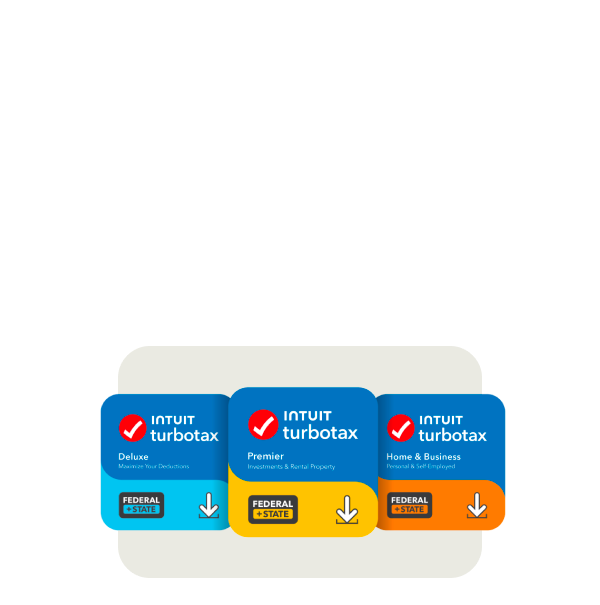
Moving up the ladder, the Deluxe and Premier editions address increasingly complex tax scenarios. TurboTax Deluxe is the most popular paid option, generally aimed at homeowners, those with significant deductions, and individuals who need to itemize rather than take the standard deduction. This includes deductions for mortgage interest, property taxes, charitable contributions, and health savings accounts (HSAs). For many middle-income families and homeowners, Deluxe offers the necessary forms and guidance to maximize their deductions and credits.
The Premier edition builds upon Deluxe by adding specific support for investors and those with rental property income. This tier is designed for individuals who have income from stocks, bonds, mutual funds (requiring Schedule D for capital gains and losses), Employee Stock Purchase Plans (ESPPs), and K-1 forms from partnerships or S corporations. It also provides comprehensive guidance for reporting rental property income and expenses (Schedule E), making it indispensable for landlords and active investors. The cost for these tiers escalates with the breadth of forms and expert guidance provided.
Self-Employed: Tailored for Business Income
The highest tier in the standard TurboTax lineup is the Self-Employed edition, specifically crafted for freelancers, independent contractors, small business owners, and gig economy workers. This version is essential for anyone who receives 1099-NEC forms, needs to report business income and expenses (Schedule C), calculate self-employment taxes, and deduct qualified business expenses. It includes features like industry-specific expense identification, depreciation calculations, and guidance on quarterly estimated tax payments. Given the complexities and potential deductions associated with self-employment, this edition is the most comprehensive and, consequently, the most expensive, reflecting the specialized tools and expertise it offers to help maximize business deductions and comply with tax laws.
Beyond the Federal Form: Additional Costs to Anticipate
While the tiered software options form the base of your TurboTax cost, several other factors can significantly impact your final bill. These often overlooked expenses can transform a seemingly affordable plan into a more substantial investment.
State Filing Fees: The Unavoidable Extra
One of the most common additional costs is for state tax filing. While the Free Edition often includes one state filing for free, higher tiers almost universally charge an additional fee for each state return you need to file. This is crucial for individuals who live in one state but work in another, or those who have rental properties in multiple states, potentially necessitating several state filings. These fees are set by TurboTax and are separate from any taxes you might owe to the state itself. It’s a significant consideration because, depending on your residency and income sources, these state filing fees can quickly add up, sometimes equaling or even exceeding the cost of the federal software itself. Always check the current year’s state filing fees when budgeting for your tax preparation.
TurboTax Live: Expert Help at a Premium

For those who desire professional assistance without hiring a traditional accountant, TurboTax offers TurboTax Live. This premium service allows users to connect with a certified tax expert (CPA or Enrolled Agent) via one-way video or phone for personalized advice and a final review of their return. TurboTax Live is offered in two main forms: Live Assisted, where an expert reviews your return before you file, and Live Full Service, where an expert prepares and files your return for you. Both options are available across all tiers (Deluxe, Premier, Self-Employed) and come with a substantial additional cost compared to the software-only versions. The cost varies based on the tier you select and the level of service (assisted vs. full service), significantly increasing your overall expense. However, for those needing reassurance, complex guidance, or simply wanting to offload the entire process, the added expense can be a worthwhile investment in peace of mind and accuracy.
Other Add-Ons: Audit Defense and Refund Options
Beyond the core software and live expert help, TurboTax provides several other optional services that can increase your total cost. Audit Defense is a popular add-on that provides representation and support in case your tax return is audited by the IRS or state tax authorities. While many find this service reassuring, it comes with an additional fee. Another common charge is for refund processing service, where you can opt to have any TurboTax fees deducted directly from your federal tax refund, rather than paying upfront with a credit card. While convenient, this service often incurs a separate processing fee, effectively reducing the amount of your refund that lands in your bank account. Other smaller charges might include the cost of printing and mailing your return if you prefer a physical copy over e-filing. Each of these add-ons, though optional, can contribute to a higher final price tag.
Smart Strategies to Minimize Your TurboTax Expenses
Understanding TurboTax’s pricing structure and potential additional costs empowers you to make informed decisions. By employing a few smart strategies, you can often significantly reduce your tax preparation expenses.
Know Your Tax Situation Before You Start
The most effective way to avoid unnecessary upgrades is to accurately assess your tax situation before you even open TurboTax. Gather all your tax documents—W-2s, 1099s, investment statements, mortgage interest statements, charitable donation receipts, and business expense records. This comprehensive overview will clarify whether you have a simple return (qualifying for Free Edition), need to itemize (Deluxe), have investments or rental properties (Premier), or are self-employed (Self-Employed). Don’t start inputting data haphazardly, as TurboTax’s guided interview process can sometimes lead you down a more expensive path if you select options that suggest a higher tier prematurely. By knowing exactly what you need, you can select the most appropriate (and least expensive) version from the outset.
Leverage Promotions and Free Filing Programs
TurboTax, like many software providers, frequently offers discounts and promotions, particularly early in the tax season. Filing earlier in the year can often lead to lower prices for paid versions of the software. Keep an eye out for promotional codes, bundle deals, or special offers through financial institutions, employers, or membership organizations. Additionally, if your Adjusted Gross Income (AGI) falls within specific IRS guidelines (typically under $79,000 for 2023 tax year), you may qualify for the IRS Free File program, which allows you to use a guided tax preparation software like TurboTax (through the IRS Free File Alliance portal) at no cost. This is different from the standard TurboTax Free Edition and can sometimes accommodate slightly more complex situations. Always check the IRS Free File website to see if you qualify and to access the correct portal.
Desktop Software vs. Online Versions
While the online version of TurboTax is incredibly convenient and popular, the desktop software (available for purchase as a CD or download) can sometimes be a more cost-effective solution, especially if you anticipate needing to file multiple returns or if you frequently amend returns. Desktop versions are typically purchased once and installed on your computer, often allowing for five federal e-files and one state download (with additional state filings incurring a separate fee). For families with multiple filing needs or those who prefer local software installation, the upfront cost of the desktop version can sometimes be lower than continually purchasing upgrades for online versions, particularly for Deluxe and Premier tiers. Compare the features and costs of both online and desktop options before making your choice, considering your specific needs for the current and potentially future tax years.
The Value Proposition: Is TurboTax Worth the Cost?
Ultimately, the decision of “how much to file with TurboTax” boils down to evaluating its value against its cost in the context of your personal situation. For millions, TurboTax offers an invaluable service, but it’s not always the perfect fit for everyone.
Convenience, Accuracy, and Peace of Mind
The primary value proposition of TurboTax lies in its convenience, accuracy, and the peace of mind it offers. The software is designed to be highly user-friendly, guiding you step-by-step through the complex tax code in plain language. Its error-checking features help prevent common mistakes, and its various guarantees (e.g., maximum refund, 100% accurate calculations) provide a layer of reassurance. For many, the time saved and the reduction in stress compared to manually navigating tax forms, or the cost savings compared to a full-service accountant, justify the expense. The ability to import data directly from financial institutions and employers further streamlines the process, making tax filing quicker and less prone to transcription errors. For those who value a guided, accessible, and relatively secure self-service tax preparation experience, TurboTax’s cost is often seen as a reasonable investment.

When Alternatives Might Be Better
Despite its advantages, there are scenarios where TurboTax might not be the most cost-effective or appropriate solution. If your tax situation is exceptionally simple, like only having W-2 income and taking the standard deduction, then free alternatives beyond TurboTax’s own Free Edition, such as IRS Free File partners, may offer the exact same functionality without any upsell attempts. On the other hand, if your financial life is extremely complex—involving multiple businesses, foreign income, intricate trust funds, or significant real estate transactions—a traditional certified public accountant (CPA) might be a more prudent choice. While a CPA will undoubtedly cost more than TurboTax, their personalized expertise, tax planning advice, and comprehensive understanding of niche tax laws can potentially save you more money in taxes or avoid penalties in the long run. Additionally, if you have very low income, consider local Volunteer Income Tax Assistance (VITA) or Tax Counseling for the Elderly (TCE) programs, which offer free tax preparation by IRS-certified volunteers.
In conclusion, determining how much to file with TurboTax requires a careful assessment of your tax profile, a clear understanding of its tiered pricing, and an awareness of potential additional fees. By being proactive, leveraging available discounts, and choosing the right version for your needs, you can effectively manage your tax preparation costs. Ultimately, the best approach balances cost-efficiency with the confidence that your taxes are filed accurately and optimally.
aViewFromTheCave is a participant in the Amazon Services LLC Associates Program, an affiliate advertising program designed to provide a means for sites to earn advertising fees by advertising and linking to Amazon.com. Amazon, the Amazon logo, AmazonSupply, and the AmazonSupply logo are trademarks of Amazon.com, Inc. or its affiliates. As an Amazon Associate we earn affiliate commissions from qualifying purchases.