
In the rapidly evolving landscape of digital finance, tools like Apple Cash have revolutionized how we send and receive money, offering unparalleled convenience and speed. The ability to instantly transfer funds to friends, family, or even certain merchants with just a few taps on an iPhone or Apple Watch has become an indispensable part of modern life. However, like any sophisticated technology, Apple Cash transactions aren’t always instantaneous. Encountering a “pending” status can be a source of confusion and frustration, leading users to wonder what exactly is happening behind the scenes. This article delves into the technical intricacies of why your Apple Cash transaction might be pending, offering insights into the various digital processes, security protocols, and system checks that contribute to these temporary delays.

Understanding the “pending” state isn’t just about troubleshooting; it’s about gaining a deeper appreciation for the complex interplay of software, network infrastructure, and security measures that underpin every digital financial interaction. By demystifying these technical underpinnings, we aim to empower users with the knowledge to navigate their digital financial experiences more confidently, recognizing that a “pending” status is often a necessary step in ensuring the integrity and security of their funds.
The Anatomy of a Digital Transaction: From Tap to Completion
To understand why a transaction might be pending, it’s crucial to first grasp the lifecycle of a typical digital payment, especially within an ecosystem like Apple Cash. It’s far more complex than a simple transfer of numbers; it’s a meticulously choreographed dance between multiple systems, each performing specific verification and recording tasks.
The Immediate Action: Initiating the Payment
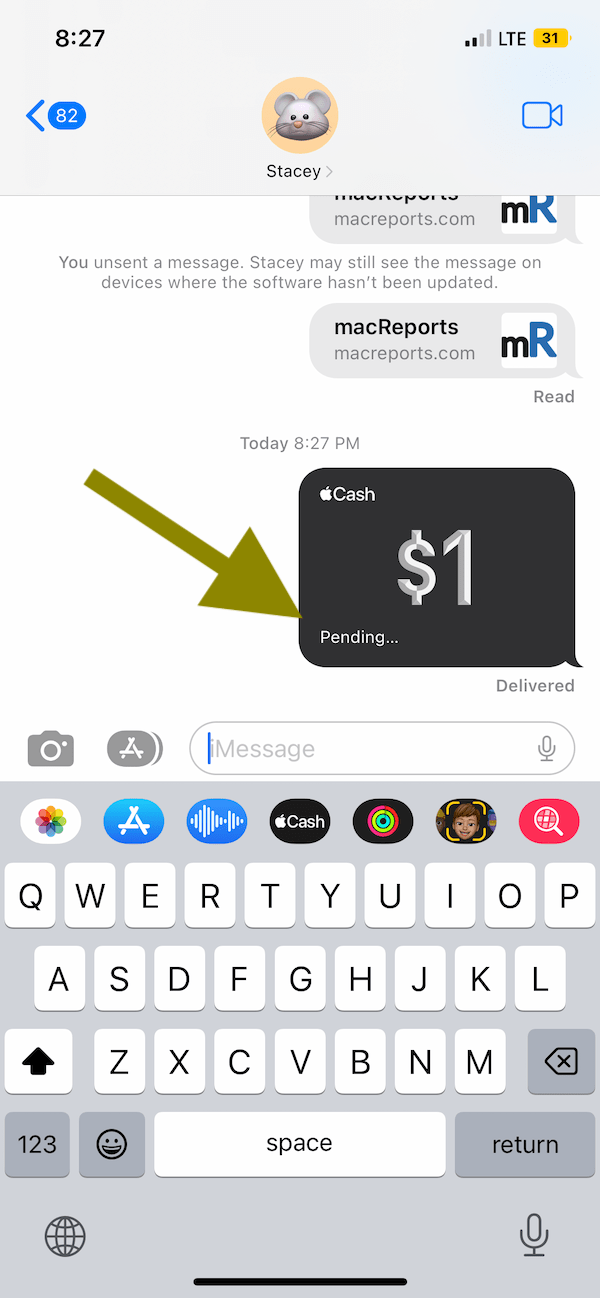
The moment you tap “Send” on an Apple Cash transaction, you’re initiating a cascade of events. Your device first encrypts the transaction details—sender, recipient, amount, and a unique transaction ID. This encrypted data is then sent over a secure connection to Apple’s servers. At this initial stage, the system performs a preliminary check: does the sender have sufficient funds in their Apple Cash balance? Is the recipient a valid Apple Cash user? Are there any immediate flags for suspicious activity based on basic parameters? This step is almost instantaneous and is critical for quickly rejecting invalid transactions before they consume further system resources. If these basic checks pass, the transaction officially enters the processing queue, often immediately reflected as “pending” on your device.
Backend Processing: The Digital Handshake
Once Apple’s servers receive the encrypted transaction request, the real backend processing begins. This phase involves a sophisticated “digital handshake” between various components. Apple’s payment infrastructure communicates with its banking partners (Green Dot Bank for Apple Cash accounts in the US) to verify the availability of funds and to prepare for the actual movement of money. This isn’t a direct debit from your bank account to the recipient’s; it’s an internal ledger adjustment within the Apple Cash system and its banking partner, which then updates the balances.
During this stage, several internal system checks are performed:
- Balance Reconciliation: Ensuring that the sender’s available balance genuinely reflects the funds that can be moved.
- Ledger Updates: Preparing the digital ledgers to decrement the sender’s balance and increment the recipient’s.
- Transaction Logging: Every step of the transaction is meticulously logged for auditing, security, and dispute resolution purposes. This creates an immutable record of the payment’s journey.
- System Resource Allocation: The transaction is queued and processed alongside thousands or millions of other transactions, requiring efficient resource management from Apple’s servers.
This backend processing is where a significant portion of “pending” time can occur, especially if there’s high system load, a brief network hiccup, or a more intensive security review.
Settlement and Confirmation
The final stage is settlement and confirmation. Once all internal checks are passed, and the ledger adjustments are successfully made, the funds are officially transferred. For the recipient, this means their Apple Cash balance is updated, and they receive a notification. For the sender, the transaction status changes from “pending” to “complete.” This confirmation is crucial as it signifies the irreversible transfer of funds. In some cases, especially with larger sums or specific account types, there might be an additional layer of settlement with a clearinghouse or interbank network, although for peer-to-peer Apple Cash, much of this is handled internally by Apple’s banking partner. The speed of this final confirmation can sometimes be influenced by the real-time processing capabilities of the financial institutions involved, even if it’s primarily an internal system update within the Apple ecosystem.
Common Technical Reasons for “Pending” Status
While the general transaction flow is designed for speed, several technical factors can cause an Apple Cash transaction to remain in a “pending” state longer than expected. These are often related to the underlying infrastructure, software, or network conditions.
Network and Connectivity Issues
The entire Apple Cash ecosystem relies heavily on stable internet connectivity, both for your device and for Apple’s servers.
- Your Device’s Connectivity: If your iPhone or Apple Watch experiences intermittent Wi-Fi or cellular data connectivity during the transaction initiation or confirmation phase, the data packet might not be fully transmitted or received. This can cause the transaction to hang in a pending state until a stable connection is re-established and the system can confirm the data exchange.
- Apple’s Server-Side Connectivity: Less common but possible are issues with Apple’s own data centers or network infrastructure. While Apple maintains robust, redundant systems, localized network disruptions or routing issues can temporarily impede the flow of transaction data. If the servers can’t communicate effectively with their banking partners or internal ledgers, transactions will naturally queue up as pending.
System Overload and Maintenance
Digital payment systems, particularly those handling millions of transactions daily, are incredibly complex.
- High Transaction Volume: During peak times, such as major holidays, promotional events, or specific hours of the day, the sheer volume of transactions can sometimes overwhelm the system’s immediate processing capacity. While systems are built to scale, there can be brief periods where transactions are queued more extensively, leading to longer pending times. Think of it like a digital traffic jam.
- Scheduled and Unscheduled Maintenance: Apple, like any major tech company, performs regular maintenance on its servers, databases, and network infrastructure. While typically scheduled during off-peak hours to minimize disruption, maintenance activities can sometimes temporarily slow down transaction processing. Unscheduled maintenance or system updates to address emergent issues can also cause brief periods of pending transactions.
Software Glitches and Outdated Apps
The software on your device and on Apple’s servers must work in perfect harmony.
- App-Specific Bugs: Occasionally, a bug in the Apple Cash feature within the Wallet app or Messages app on your device can cause a transaction to get stuck. This might be due to a corrupted cache, a conflict with other apps, or an issue introduced in a recent update.
- Outdated Software: Running an older version of iOS or watchOS can sometimes lead to compatibility issues with Apple’s backend servers, especially if the server-side protocols have been updated. Outdated app versions might also lack critical bug fixes or performance enhancements, contributing to transaction instability. Always ensure your device’s operating system and apps are up to date to leverage the latest security patches and performance improvements.
- Server-Side Software Issues: Rarely, a bug within Apple’s own server-side transaction processing software can cause delays. These are typically identified and resolved quickly by Apple’s engineering teams, but they can manifest as widespread pending transactions for a short period.
Security Protocols and Fraud Prevention
Beyond mere technical processing, a significant portion of “pending” time is dedicated to ensuring the security and integrity of your funds. Apple Cash employs sophisticated security protocols to protect users from fraud, unauthorized access, and financial crime. These checks are paramount, even if they sometimes add a few extra moments to a transaction.
Algorithmic Fraud Detection
Every transaction within Apple Cash is subjected to real-time algorithmic analysis. Machine learning models continuously monitor transaction patterns for anomalies that could indicate fraudulent activity.
- Pattern Recognition: The system analyzes factors such as transaction amount, frequency, recipient history, location, and device information. If a transaction deviates significantly from your typical behavior (e.g., a unusually large sum, a payment to a brand new recipient, or multiple rapid transactions), it might be flagged for further review.
- Behavioral Biometrics (Implicit): While not explicitly stated, some systems infer behavioral patterns. For instance, if an unexpected pattern of usage emerges from your device, it might trigger a security check. This is all done implicitly to maintain a high level of security without explicit user intervention for every transaction.
When a flag is raised, the transaction is temporarily held in a pending state while the system performs deeper verification, often without human intervention, before releasing or blocking the funds.
Identity Verification and Transaction Limits
Apple Cash, like any regulated financial service, operates under strict anti-money laundering (AML) and know-your-customer (KYC) regulations.
- Account Verification: While initial setup requires identity verification, subsequent transactions might trigger checks if there’s any ambiguity. For instance, if your identity verification documents are expiring or if there’s a perceived discrepancy, a transaction could be paused.
- Transaction Limits: Apple Cash has daily, weekly, and per-transaction limits. If a transaction pushes you close to or exceeds these limits, especially for the first time in a while, it might be subjected to additional review to ensure compliance and prevent misuse. This is particularly relevant for new users or those initiating unusually large transfers. The system needs to technically verify that the transaction adheres to these predefined boundaries before proceeding.
Unusual Activity Flags
Beyond algorithmic patterns, specific types of transactions or account statuses can trigger manual or enhanced automated reviews.
- Disputed Transactions: If there have been recent disputes or chargebacks associated with your account or the recipient’s, new transactions might be reviewed more closely.
- Account Suspensions/Restrictions: If an account has been temporarily suspended or restricted due to previous security concerns, any attempt to transact will automatically result in a pending status while the underlying issue is resolved.
- Cross-Border Anomalies (if applicable): While Apple Cash is primarily a domestic P2P service, any edge cases involving international usage or IP addresses that suggest out-of-region activity could trigger security scrutiny, even if the primary purpose is for domestic transactions. The underlying network architecture routes and flags based on geographical IP data.
These security checks are vital for protecting your money and maintaining the integrity of the financial system, even if they occasionally result in a temporary “pending” status.
External Factors Beyond Apple’s Control
While many pending issues stem from Apple’s internal systems or security protocols, some factors are entirely external, involving other financial institutions or even the recipient’s actions.
Linked Bank Delays
If you’re transferring money from your Apple Cash balance to your linked bank account, or adding money from your bank account to Apple Cash, the transaction involves external financial institutions.
- Bank Processing Times: Banks have their own processing schedules, which can vary. While instant transfers are becoming more common, standard bank transfers (ACH transactions) can take 1-3 business days to clear, especially if initiated outside of banking hours or on weekends/holidays. The “pending” status reflects the period during which your bank is processing the request, and Apple is awaiting confirmation.
- Bank-Specific Holds: Your linked bank might place its own holds on incoming or outgoing funds for various reasons, such as suspected fraud, large transaction review, or insufficient funds if you’re pulling from a bank account into Apple Cash. These holds are entirely at the discretion of your bank and will prolong the pending status until resolved.
Recipient-Side Issues
Sometimes, the delay isn’t with the sender or Apple, but with the recipient.
- Unclaimed Payments: If a recipient hasn’t yet set up Apple Cash, or if they have certain restrictions on their account, the payment might remain “pending” until they take action to accept it. Apple Cash payments sent via Messages require the recipient to accept the money if they haven’t auto-accepted previously.
- Recipient Account Restrictions: Just like a sender, a recipient’s Apple Cash account might have limits or restrictions that prevent immediate receipt of funds, causing the transaction to pend until those issues are resolved on their end.
- Incorrect Recipient Details: While Apple Cash payments typically use phone numbers or Apple IDs, a slight technical mismatch or an error on the recipient’s end during the initial setup could cause a delay as the system attempts to reconcile the details.
Regulatory Compliance Checks
In an increasingly regulated financial world, transactions are sometimes subject to broader compliance checks that extend beyond Apple’s immediate purview.
- Governmental Sanctions Lists: Financial institutions are required to screen transactions against various governmental sanctions lists (e.g., OFAC in the US). While usually automated and quick, a match or a near-match, however erroneous, could trigger an investigative hold.
- Jurisdictional Differences: If the transaction somehow involves different regulatory jurisdictions (though less common for typical Apple Cash P2P), the additional layers of compliance could contribute to delays. This is more relevant for larger cross-border payments but is a general consideration for any financial tool.
These external factors highlight that the “pending” status isn’t always an internal Apple issue but often a reflection of the broader, interconnected financial ecosystem.
Troubleshooting Your Pending Apple Cash Transaction
When faced with a pending Apple Cash transaction, there are several steps you can take to understand and potentially resolve the issue, focusing on common technical remedies and diagnostic checks.
Basic Checks: Connectivity and App Updates
Before panicking, start with the fundamentals:
- Check Your Internet Connection: Ensure your iPhone or Apple Watch has a stable Wi-Fi or cellular data connection. Try switching between Wi-Fi and cellular, or restarting your router, to rule out local network issues.
- Verify Apple System Status: Visit Apple’s System Status page (apple.com/support/systemstatus) to check if there are any reported outages or issues with Apple Pay & Wallet, or other Apple services that might be affecting transactions. This is a crucial first step to determine if the problem is widespread.
- Update iOS/watchOS and Apps: Make sure your device is running the latest version of its operating system (iOS for iPhone, watchOS for Apple Watch). Also, ensure all relevant apps (Wallet, Messages) are updated. Software updates often contain bug fixes and performance improvements that can resolve underlying technical glitches.
- Restart Your Device: A simple restart can often clear temporary software bugs or network configuration issues that might be causing the transaction to hang.
Reviewing Transaction Details
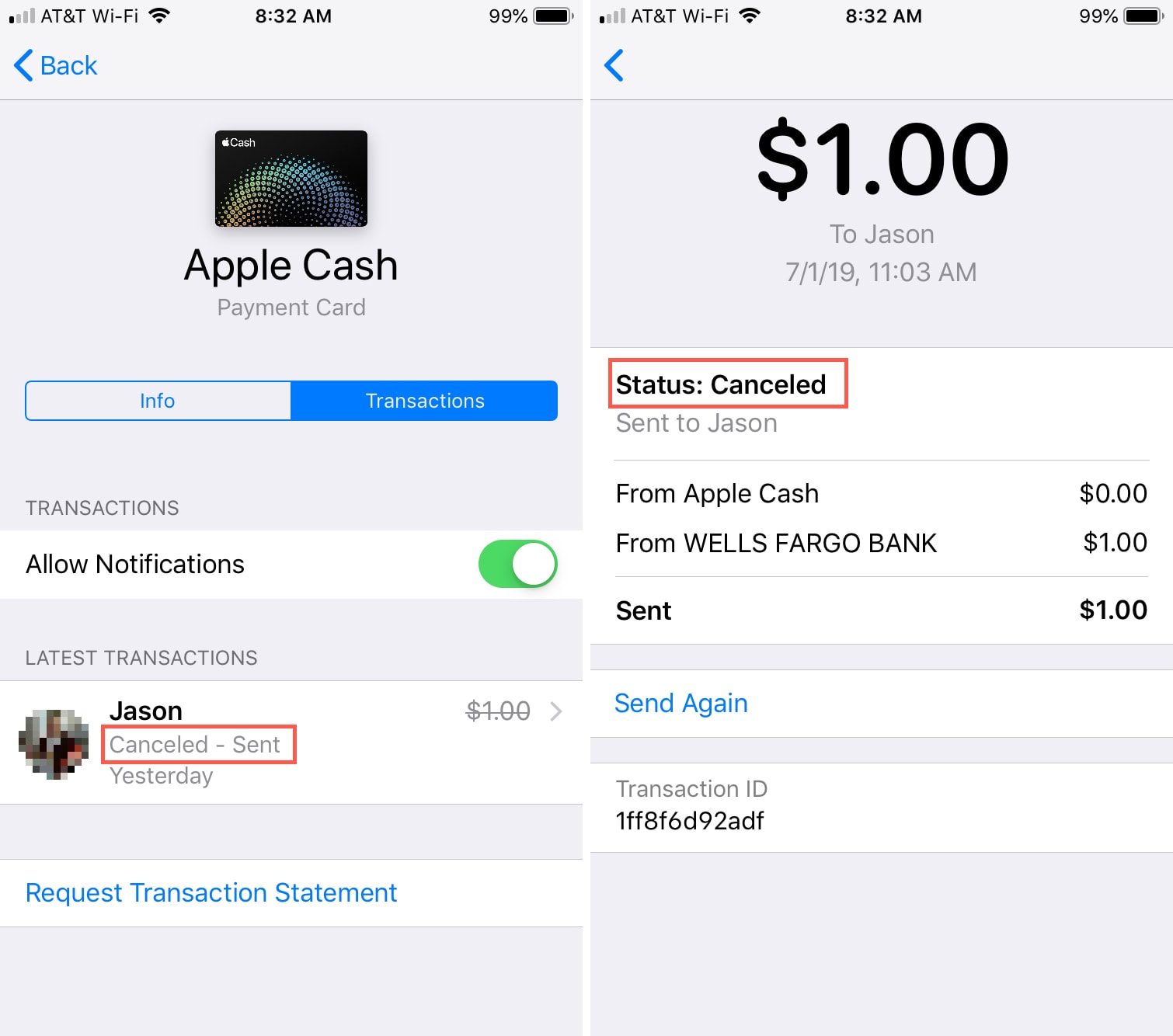
Carefully examine the pending transaction within your Wallet app.
- Recipient Information: Double-check that the recipient’s phone number or Apple ID is correct. A typo, however small, could lead to the transaction being stuck or eventually failing.
- Transaction Amount: Ensure the amount is accurate and within your established limits.
- Transaction History: Look at previous transactions with the same recipient. If earlier transactions processed fine, it might indicate a new or temporary issue.
- Transaction Status Message: Pay attention to any specific message accompanying the “pending” status. Sometimes, it offers clues, like “Recipient needs to accept” or “Review required.”
Contacting Apple Support and Your Bank
If basic troubleshooting doesn’t resolve the issue and the transaction remains pending for an unusually long time (e.g., more than 24 hours without a clear explanation):
- Contact Apple Support: Apple’s support team has access to backend system diagnostics and can investigate specific transaction IDs. Provide them with as much detail as possible, including the transaction amount, date, time, recipient, and any error messages you’ve seen. They can often provide a more precise reason for the pending status and guide you on next steps.
- Contact Your Linked Bank (if applicable): If the pending transaction involves adding money from your bank account to Apple Cash, or transferring money from Apple Cash to your bank, it’s advisable to contact your bank as well. They can check their internal systems for any holds, delays, or issues on their end that are preventing the transaction from clearing. Have your bank statement or transaction details ready when you call.
Remember that patience is key with pending transactions. Many of the underlying technical and security checks are automated and require a certain amount of time to complete. By systematically addressing these troubleshooting steps, you can often quickly identify the root cause or get the necessary assistance to resolve your Apple Cash transaction issue.
Conclusion
A “pending” status on your Apple Cash transaction, while initially unsettling, is a common occurrence in the complex world of digital payments. Far from being a random glitch, it’s often a necessary operational state that reflects the intricate dance between sophisticated software, robust network infrastructure, stringent security protocols, and sometimes, external financial systems. From the moment you tap “send,” your money embarks on a digital journey involving multiple technical validations and security clearances designed to ensure its safe and accurate transfer.
Whether it’s due to a temporary network hiccup, a server experiencing high traffic, an essential security review to guard against fraud, or even processing delays from a linked bank, each technical reason plays a vital role in upholding the integrity of your funds. By understanding these underlying mechanisms, users can gain clarity and confidence, recognizing that these temporary pauses are often indicators of a system diligently working to protect their financial interests. Armed with this knowledge and a structured approach to troubleshooting, you can navigate your Apple Cash transactions with greater assurance, knowing that a pending status is typically a sign of a robust technological framework doing its job.
aViewFromTheCave is a participant in the Amazon Services LLC Associates Program, an affiliate advertising program designed to provide a means for sites to earn advertising fees by advertising and linking to Amazon.com. Amazon, the Amazon logo, AmazonSupply, and the AmazonSupply logo are trademarks of Amazon.com, Inc. or its affiliates. As an Amazon Associate we earn affiliate commissions from qualifying purchases.