
In the rapidly evolving landscape of digital finance, the convergence of various payment platforms and money transfer applications has become a central point of user curiosity and innovation. Two behemoths in this space, Apple Pay and Cash App, have carved out significant niches, each offering distinct functionalities for managing personal funds. Apple Pay provides a seamless, secure method for in-person and online payments through Apple devices, leveraging NFC technology and tokenization for robust security. Cash App, on the other hand, excels as a peer-to-peer (P2P) payment service, enabling easy money transfers between individuals, direct deposits, and even stock/Bitcoin trading. The question of “how to put Apple Pay money on Cash App” is a natural extension of users seeking to maximize the utility and interoperability of their digital financial tools.

This article delves into the technical realities and practical strategies for navigating the interaction between Apple Pay and Cash App. We will explore the underlying architectural principles that govern these platforms, demystify common misconceptions about direct transfers, and provide actionable, tech-informed guidance on how to effectively move funds between them using indirect but reliable methods. Our focus remains firmly within the technological domain, examining app functionalities, digital security protocols, and the broader ecosystem of fintech interoperability.
Understanding the Digital Wallet Ecosystem: Apple Pay and Cash App Explained
Before diving into the specifics of fund transfers, it’s crucial to understand the fundamental design and purpose of both Apple Pay and Cash App within the broader digital wallet ecosystem. While both deal with money, their primary operational models and the underlying technologies differ significantly, influencing how they interact—or don’t interact—with each other.
Apple Pay: More Than Just a Tap
Apple Pay is fundamentally a digital wallet and mobile payment service, not a bank account or a standalone fund storage mechanism. When you “have money on Apple Pay,” what you’re actually referring to is the funds accessible via the debit or credit cards linked to your Apple Wallet. Apple Pay itself doesn’t hold money; it acts as a secure intermediary for transactions. It facilitates payments by tokenizing your card details, meaning your actual card number is never shared with merchants. This tokenization, coupled with biometric authentication (Face ID or Touch ID), forms a robust security layer that has redefined convenient and safe mobile payments. Its core utility lies in making secure, contactless payments at point-of-sale terminals, within apps, and on websites using compatible Apple devices. The “money” associated with Apple Pay is inherently tied to your underlying bank accounts or credit lines.
Cash App: The Peer-to-Peer Powerhouse
Cash App, developed by Block, Inc., operates differently. It is primarily a mobile payment service that allows users to transfer money to one another using a mobile phone app. Unlike Apple Pay’s role as a payment facilitator for existing cards, Cash App functions more like a digital bank account (though it’s not a bank itself). Users have a balance within Cash App, which can be loaded from linked bank accounts or debit cards, or received from other Cash App users. This balance can then be spent using the Cash Card (a customizable Visa debit card linked to the Cash App balance), sent to others, or withdrawn to a linked bank account. Its strength lies in its simplicity for P2P transfers, direct deposit capabilities, and its foray into investment features like Bitcoin and stock trading. It’s a closed-loop system for its core P2P function, meaning transactions typically occur within the Cash App network.
The Interoperability Challenge
The distinct architectures of Apple Pay and Cash App immediately highlight the core interoperability challenge. Apple Pay is a gateway to your existing financial instruments, while Cash App is a container for funds that operates somewhat independently, drawing funds from or pushing them to traditional banking rails. The “money on Apple Pay” is, in essence, money on your linked debit card. The goal, therefore, isn’t to transfer funds from Apple Pay to Cash App, but rather to transfer funds from the bank account or card associated with your Apple Pay setup into your Cash App balance. This distinction is critical for understanding the indirect pathways required.
Deconstructing Direct Transfers: Why It’s Not a Straight Path
The most common misconception is that one can directly transfer funds from an Apple Pay wallet to a Cash App account, much like sending money between two Cash App users or two Venmo users. However, the technical architecture of both platforms, coupled with financial regulations and security protocols, prevents such a direct “Apple Pay to Cash App” bridge.
The Closed-Loop Systems of Fintech
Fintech applications often operate within what are known as “closed-loop” or “semi-closed-loop” systems. Cash App is a prime example of a semi-closed-loop system; while it interacts with traditional banks for loading and withdrawing funds, its internal P2P transfers largely occur within its own network. Apple Pay, while facilitating payments, does so by interacting directly with the card networks (Visa, Mastercard, American Express) and your issuing bank. There is no direct “Apple Pay balance” that can be universally transferred. The funds are always tied to the underlying financial institution. This lack of a direct interface or API (Application Programming Interface) between Apple Pay’s payment facilitation layer and Cash App’s internal fund management system is the primary technical barrier. They are designed to operate side-by-side rather than as directly interchangeable components.
Technical Architectures and API Limitations
The technical designs of Apple Pay and Cash App do not include direct API integrations that would allow for a seamless, instantaneous transfer of funds between them. Apple Pay’s architecture focuses on securing card details and enabling transactions via NFC or online payment gateways. It authenticates the user and provides a tokenized version of card information to the merchant or payment processor. It does not initiate outgoing peer-to-peer transfers to other non-bank platforms. Cash App, conversely, is designed to link directly to bank accounts and debit cards, utilizing standard banking protocols (like ACH for bank transfers or card networks for debit card transactions) to move funds in and out of its system. The absence of a shared API endpoint or a mutual agreement to facilitate direct transfers means that any interaction must go through established banking infrastructure.
Understanding Transaction Flows
When you use Apple Pay, the transaction flow looks like this:
User (with Apple Device) -> Apple Pay (tokenizes card) -> Payment Terminal/Online Merchant -> Card Network -> Issuing Bank (authorizes transaction). Funds are deducted from your linked bank account or credit card.
When you add money to Cash App, the flow is:
User (with Cash App) -> Cash App -> Linked Debit Card/Bank Account -> Card Network/ACH Network -> Issuing Bank. Funds are pulled from your linked account into your Cash App balance.
Notice the crucial difference: Apple Pay is not an “account” that holds funds; it’s a secure method of payment using existing accounts. Cash App is an account (or a balance within an app). Therefore, the process isn’t about moving money from Apple Pay, but rather leveraging the bank account or debit card that is also accessible through Apple Pay to fund your Cash App.
Effective Strategies for Bridging Apple Pay and Cash App

Given the technical limitations of direct transfers, the most effective strategies involve utilizing the traditional banking infrastructure that both platforms ultimately connect to. The core principle is to use your linked bank account or debit card as the essential bridge.
The Bank Account as the Essential Bridge
The most reliable and universally applicable method to transfer money from an account linked to Apple Pay to your Cash App balance is to route the funds through your primary bank account.
- Identify the Source of Funds: If the “Apple Pay money” originates from a specific debit card linked to your Apple Wallet, recognize that those funds are actually residing in the bank account associated with that debit card.
- Ensure Bank Account is Linked to Cash App: Make sure the same bank account (or a different one from which you want to draw funds) is linked to your Cash App account. You can do this by going to the “Banking” or “Linked Banks” section within the Cash App settings. You’ll typically need to provide your bank’s routing number and your account number, or log in via your bank’s portal.
- Add Funds to Cash App:
- Open Cash App.
- Tap on the “Banking” tab (the house icon) or the dollar sign icon for your balance.
- Tap “Add Cash.”
- Enter the desired amount.
- Confirm the transfer.
This process draws funds directly from your linked bank account into your Cash App balance. Since Apple Pay itself is a conduit for your bank cards, using the underlying bank account is the most direct way to get funds from your traditional banking rails into Cash App.
Leveraging Debit Cards for Fund Transfers
A highly efficient indirect method involves using a debit card that is linked to your Apple Wallet. This is often the fastest way to move money into Cash App, typically completing instantly.
- Ensure Debit Card is Linked: Verify that the debit card associated with the funds you want to transfer is linked to your Cash App account. If not, go to the “Linked Banks” section in Cash App, tap “Link Debit Card,” and enter your card details. It’s crucial that this is a debit card, as credit cards have different rules for funding Cash App and may incur cash advance fees.
- Add Cash to Cash App:
- Open Cash App.
- Navigate to your balance or the “Add Cash” option.
- Enter the amount you wish to add.
- Select the linked debit card as the funding source.
- Confirm the transaction.
This method effectively uses the debit card as the direct conduit. While Apple Pay facilitates using this debit card for payments, Cash App directly utilizes the card details to pull funds from the associated bank account. This is often perceived by users as “moving Apple Pay money” because the same underlying financial instrument (the debit card/bank account) is accessible through both.
The Role of Cash App’s Cash Card
For outbound spending, the Cash Card (the physical or virtual debit card issued by Cash App) can be added to your Apple Wallet. This allows you to spend your Cash App balance using Apple Pay at contactless terminals or online. While this doesn’t help with putting “Apple Pay money” onto Cash App, it highlights the complementary nature of the services. It enables you to seamlessly use funds from Cash App in environments where Apple Pay is accepted, demonstrating a form of reverse interoperability. This setup effectively allows you to use your Cash App balance with the convenience and security features of Apple Pay.
Navigating Digital Transactions with Security and Best Practices
When dealing with digital financial platforms like Apple Pay and Cash App, security should always be paramount. Understanding the inherent security features of each and adopting best practices is crucial for protecting your funds and personal information.
Protecting Your Financial Data
Both Apple Pay and Cash App employ sophisticated security measures. Apple Pay’s tokenization means your actual card number is never transmitted during a transaction, significantly reducing the risk of fraud. Cash App uses encryption and fraud detection technology to secure transactions and protect user data. However, user vigilance is key:
- Strong, Unique Passwords: Use complex, unique passwords for all your financial apps.
- Two-Factor Authentication (2FA): Always enable 2FA on Cash App and your Apple ID for an extra layer of security.
- Biometric Security: Utilize Face ID or Touch ID for Apple Pay and to secure access to your device and financial apps.
- Phishing Awareness: Be wary of suspicious emails, texts, or calls purporting to be from Apple, Cash App, or your bank. Always verify sender identity and never click on unverified links or provide personal information.
Verifying Transaction Details
Before confirming any transfer or payment, meticulously verify all transaction details. Ensure the recipient (for Cash App P2P transfers) is correct, and that the amount is accurate. Once funds are sent via Cash App, especially to another user, they can be difficult or impossible to recover if sent erroneously. For transfers to your own Cash App balance, double-check the amount before authorizing. Regular review of transaction history in both your Cash App and bank statements can help detect any unauthorized activity promptly.
Staying Informed on App Updates
Both Apple and Block (for Cash App) regularly release updates to their applications. These updates often include security patches, bug fixes, and sometimes new features. Keeping your apps updated ensures you benefit from the latest security enhancements and optimal performance. Enable automatic updates on your device or manually check for updates frequently to maintain the highest level of digital security. Furthermore, staying informed about any changes to terms of service or privacy policies is a good practice for all digital finance users.
The Evolving Interoperability of Fintech Platforms
The landscape of financial technology is in constant flux, driven by consumer demand for greater convenience and seamless integration. While direct Apple Pay to Cash App transfers are not currently feasible due to architectural differences, the industry is gradually moving towards greater interoperability.
Anticipating Future Integrations
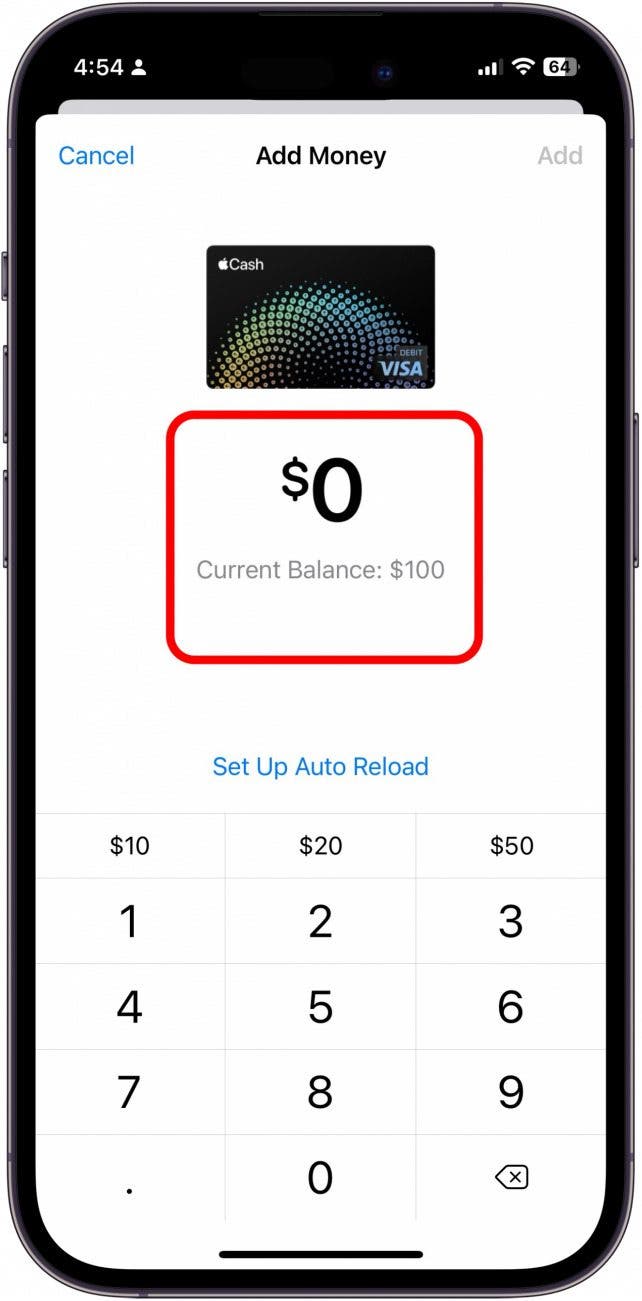
The trend in fintech is towards creating more connected ecosystems. Initiatives like Open Banking and evolving API standards suggest a future where financial data and transactional capabilities might be more easily shared between diverse platforms, with user consent at the forefront. As regulatory frameworks adapt and technology advances, we might see new forms of integration emerge. For instance, payment service providers could act as intermediaries, or new universal digital wallets could emerge that truly aggregate funds from various sources and allow fluid movement between them. Apple itself offers Apple Cash (formerly Apple Pay Cash), which functions as a direct P2P service and could be seen as its own closed-loop system for digital funds. The competitive nature of the market also pushes companies to innovate and find ways to expand their utility.
The Consumer’s Role in Driving Innovation
Ultimately, consumer demand for greater ease of use and reduced friction in financial transactions plays a significant role in driving innovation. As users continue to seek ways to seamlessly manage their money across different apps and services, fintech companies will respond by exploring new integration points and features. Providing clear feedback to both Apple and Cash App regarding desired functionalities can contribute to the evolution of these platforms. While direct transfers remain elusive for now, understanding the current technical pathways empowers users to effectively manage their digital finances today, preparing them for an even more interconnected financial future.
aViewFromTheCave is a participant in the Amazon Services LLC Associates Program, an affiliate advertising program designed to provide a means for sites to earn advertising fees by advertising and linking to Amazon.com. Amazon, the Amazon logo, AmazonSupply, and the AmazonSupply logo are trademarks of Amazon.com, Inc. or its affiliates. As an Amazon Associate we earn affiliate commissions from qualifying purchases.