
In today’s fast-paced digital landscape, financial technology (fintech) applications have revolutionized how we manage our money. Among these, Cash App stands out as a popular peer-to-peer payment service that also functions as a digital wallet. Millions of users rely on Cash App for sending and receiving money, making it an indispensable tool for everything from splitting dinner bills to accepting payments for side gigs. However, the ultimate utility of a digital wallet often hinges on its ability to seamlessly integrate with traditional banking systems – specifically, the process of moving funds from your Cash App balance to your conventional bank account.

This comprehensive guide will demystify the process of transferring money from your Cash App account to your linked bank account. We’ll delve into the mechanics, explore different transfer options, highlight crucial security measures, and provide advanced tips to ensure a smooth and efficient experience. Whether you’re a seasoned Cash App user or new to the platform, understanding these processes is key to fully harnessing its potential as a personal financial tool.
Demystifying Cash App Transfers: An Overview of Its Core Functionality
Before diving into the step-by-step instructions, it’s essential to grasp the fundamental architecture of Cash App and how it facilitates money transfers. At its heart, Cash App is designed to simplify transactions, acting as a bridge between various financial touchpoints.
The Digital Wallet Ecosystem: Cash App’s Role
Cash App operates as a digital wallet that allows users to store funds, send and receive payments, invest in stocks and Bitcoin, and even acquire a customizable debit card (the Cash Card). Your Cash App balance represents the funds available within this digital ecosystem. While incredibly convenient for in-app transactions or using your Cash Card, many users eventually need to move these funds into their traditional bank accounts for broader financial management, bill payments, or savings. This necessitates a clear understanding of the transfer mechanisms in place.
Connecting Your Bank: The Foundation of Transfers
The cornerstone of transferring money from Cash App to your bank is the initial linking of your bank account. This process typically involves providing your bank’s routing number and your account number. Cash App uses secure encryption protocols to protect this sensitive information, ensuring that your financial data remains private and secure. It’s crucial to ensure the linked bank account belongs to you and is active to avoid any transfer complications. Without a properly linked bank account, direct transfers are not possible.
Understanding Cash App Balances and Available Funds
Before initiating a transfer, always confirm your available Cash App balance. This is the amount that can be transferred out. Funds can accumulate from payments received from other users, direct deposits, or even from selling investments within the app. Only the funds reflected in your “Cash App Balance” are eligible for transfer. Any pending transactions or holds might reduce the immediately available amount, so always check the displayed balance within the app’s main interface.
A Detailed Tutorial: Standard and Instant Cash Out Procedures
Cash App offers two primary methods for transferring funds to your bank: the standard transfer and the instant deposit. Each comes with its own timeline and associated fees, catering to different user needs.
Linking Your Debit Card and Bank Account for Seamless Transactions
If you haven’t already, the first crucial step is to link your debit card and bank account.
- Open Cash App: Launch the application on your mobile device.
- Navigate to the Profile Icon: Tap the profile icon (often a circle with your picture or initials) in the top-right corner.
- Select “Linked Banks”: Scroll down and select this option.
- Link Account: Tap “Link Bank” and follow the prompts to connect your bank using your bank’s login credentials (securely processed by Plaid, a third-party service) or by manually entering your routing and account numbers. You may also be prompted to link a debit card, which speeds up future transactions and verification.
Step-by-Step: Initiating a Standard (Free) Transfer
The standard transfer is the most common and cost-effective method. It’s free but takes a few business days to complete.
- Access the Banking Tab: On the Cash App home screen, tap the “Banking” tab (the house icon or dollar sign icon, depending on your app version) in the bottom-left corner.
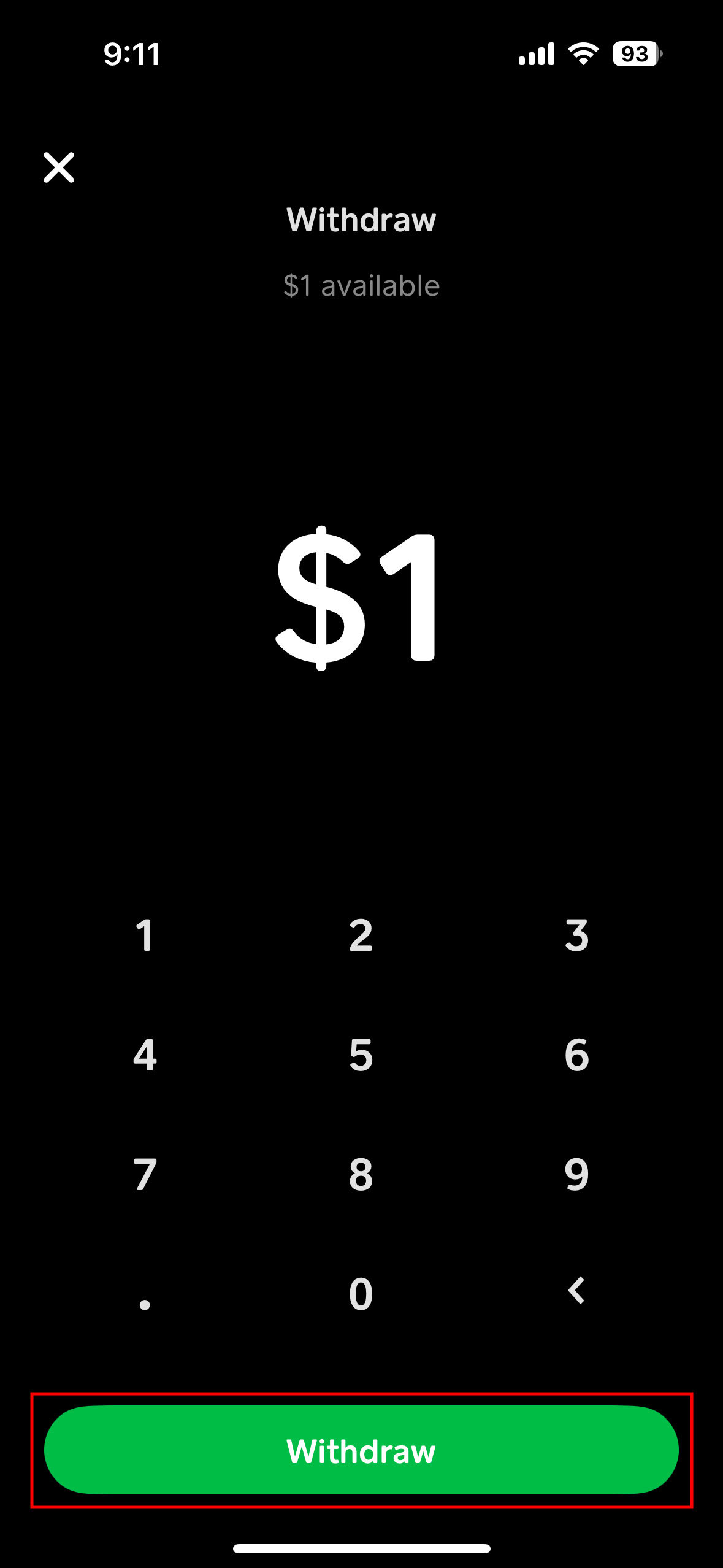
- Tap “Cash Out”: You’ll see your current Cash App balance displayed. Tap the “Cash Out” button.
- Enter Amount: Input the specific amount you wish to transfer to your bank.
- Choose Transfer Speed: Select “Standard” from the options provided. You will see an estimated arrival date, typically 1-3 business days.
- Confirm Transfer: Review the details and tap “Confirm” to initiate the transfer.
Once confirmed, the funds will be deducted from your Cash App balance and will begin processing. Remember that weekends and public holidays do not count as business days, which can extend the transfer time.
The Instant Deposit Feature: Speed for a Small Fee
For those situations where you need immediate access to your funds, Cash App offers an “Instant Deposit” option.
- Follow Steps 1-3 for Standard Transfer: Go to the “Banking” tab, tap “Cash Out,” and enter the desired amount.
- Choose “Instant”: When prompted to select transfer speed, choose “Instant.”
- Review Fee: Cash App charges a small fee for instant deposits, typically 0.5% to 1.75% of the transfer amount, with a minimum fee. The exact fee will be clearly displayed before you confirm.
- Confirm Transfer: If you agree to the fee, tap “Confirm” to complete the instant transfer.
Instant deposits usually appear in your linked bank account within minutes, though processing times can vary slightly depending on your bank. This feature is particularly useful for urgent expenses or when time is of the essence.
Verifying Transfer Status and History
After initiating a transfer, you can always check its status:
- Go to the Activity Tab: Tap the clock icon in the bottom-right corner of the Cash App home screen.
- Review Transactions: Your recent transactions, including cash-out requests, will be listed here. Pending transfers will typically show a status like “Pending” or “In Progress.”
- Check Bank Account: For successful transfers, especially instant ones, check your linked bank account’s transaction history or statement. Standard transfers will reflect once the processing period is complete.
Navigating Common Technical Hurdles and Security Best Practices
While Cash App is designed for ease of use, technical issues can occasionally arise. Furthermore, maintaining digital security is paramount when dealing with financial transactions.
Addressing Failed Transfers: Common Causes and Solutions
A transfer might fail for several reasons. Understanding these can help you troubleshoot quickly:
- Incorrect Bank Details: Double-check that your linked bank account’s routing and account numbers are accurate and up-to-date.
- Bank Account Issues: Your bank account might be closed, frozen, or have reached its transaction limits. Contact your bank directly if you suspect this.
- Insufficient Funds: Although you specify the amount, ensure that the full amount is available in your Cash App balance at the moment of transfer.
- App Glitches: Occasionally, a temporary app bug or connectivity issue might cause a transfer to fail. Try restarting the app or your device, or waiting a short period before attempting again.
- Security Holds: Cash App’s automated security systems might flag a transaction as unusual, temporarily holding it for review. This is usually resolved automatically, but if persistent, contacting support is recommended.
Enhancing Digital Security for Your Cash App Account
Protecting your Cash App account is crucial to prevent unauthorized transfers.
- Enable Security Lock: Always use a PIN, Face ID, or Touch ID to secure your Cash App account. This prevents unauthorized access if your phone falls into the wrong hands.
- Strong, Unique Password: If you use a password (for initial login or recovery), ensure it’s strong and unique, not reused from other services.
- Two-Factor Authentication (2FA): Enable 2FA whenever possible. Cash App typically uses SMS verification for certain actions, but always confirm the legitimacy of these requests.
- Monitor Activity: Regularly review your Cash App activity log for any suspicious transactions.
- Keep App Updated: Ensure your Cash App is always updated to the latest version to benefit from the newest security patches and features.
Recognizing and Avoiding Scams During Transfers
Scammers often target Cash App users. Be vigilant:
- Never Share Your PIN or Sign-In Code: Cash App support will never ask for your PIN or full sign-in code.
- Beware of Phishing: Be cautious of unsolicited emails, texts, or calls claiming to be from Cash App. Always verify the sender and never click suspicious links.
- “Payment Pending” Scams: If someone claims to have sent you money that requires you to “send money back” or “pay a fee” to release, it’s a scam. Legitimate payments do not require you to send money first.
- “Customer Support” Scams: Only use the official Cash App support channels within the app or on their website.
- Only Send to Trusted Contacts: Treat Cash App like cash. Once sent, payments are typically irreversible.
Contacting Cash App Support for Technical Assistance
If you encounter persistent technical issues or believe your account has been compromised, contact Cash App support immediately:
- In-App Support: The most direct way is through the app itself: Tap the profile icon > Scroll down and select “Support” > Browse topics or contact support.
- Official Website: Visit Cash App’s official support website for FAQs and contact options.
- Social Media: Cash App has official support channels on X (formerly Twitter), but be wary of unofficial accounts.
Optimizing Your Cash App Experience: Advanced Tips for Efficient Fund Management
Beyond basic transfers, Cash App offers features and best practices that can further streamline your digital financial management.
Setting Up Auto-Cash Out for Recurring Payments
For users who frequently receive funds into their Cash App and prefer them to automatically transfer to their bank, the Auto-Cash Out feature is invaluable.
- Access Banking Tab: Go to the “Banking” tab.
- Tap “Cash Out”: Select “Cash Out.”
- Choose “Automatic Cash Out”: Look for an option to enable or manage automatic cash outs.
- Set Frequency: You can typically set it to transfer your balance daily or weekly, ensuring your funds are regularly moved to your bank account without manual intervention. This is a standard transfer and thus free, taking 1-3 business days.
Understanding Transfer Limits and How to Increase Them
Cash App imposes limits on how much money you can send, receive, and transfer out.
- Initial Limits: New or unverified accounts will have lower limits (e.g., $250 send, $1,000 receive over 30 days).
- Increasing Limits: To increase these limits, you typically need to verify your identity by providing your full legal name, date of birth, and the last four digits of your Social Security Number (SSN). This process usually takes minutes and significantly raises your limits, allowing for larger cash outs. Check your profile settings under “Limits” or “Personal” for verification options.
Leveraging Cash App for Integrated Digital Finances
Once you master the transfer process, consider how Cash App fits into your broader digital financial strategy:
- Direct Deposit: Set up direct deposit for your paycheck into Cash App for faster access to funds, then transfer to your bank as needed.
- Budgeting: Use the transfer functionality to move specific amounts to your bank for different budgeting categories.
- Investment Cashing Out: If you use Cash App to buy stocks or Bitcoin, understanding the transfer process is essential for cashing out your investments to your bank.
In conclusion, transferring money from your Cash App to your bank account is a straightforward process, but one that benefits from a thorough understanding of its features, timelines, and security considerations. By following these guidelines, you can ensure your funds are moved efficiently and securely, making Cash App an even more powerful tool in your digital financial arsenal. Always stay informed about app updates and security best practices to protect your financial well-being in the ever-evolving fintech landscape.
aViewFromTheCave is a participant in the Amazon Services LLC Associates Program, an affiliate advertising program designed to provide a means for sites to earn advertising fees by advertising and linking to Amazon.com. Amazon, the Amazon logo, AmazonSupply, and the AmazonSupply logo are trademarks of Amazon.com, Inc. or its affiliates. As an Amazon Associate we earn affiliate commissions from qualifying purchases.