
In the rapidly evolving landscape of digital finance, peer-to-peer (P2P) payment applications have become indispensable tools for managing personal transactions. Among these, Cash App stands out as a leading platform, enabling millions to send, receive, and manage money with remarkable ease and speed. Whether you’re splitting a dinner bill, sending money to a friend, or paying a small business, understanding the mechanics of “how to Cash App someone” is a fundamental skill for navigating today’s cashless society. This guide dives deep into the technological underpinnings and user-centric design of Cash App, providing a professional, insightful, and engaging tutorial for both new and experienced users. We’ll explore the core features, step-by-step processes, and crucial security considerations that make Cash App a powerful and reliable digital wallet.
Understanding Cash App: The Foundation of Digital Transactions
At its core, Cash App is more than just a money-sending service; it’s a sophisticated financial technology platform designed to simplify and accelerate digital transactions. Developed by Block, Inc. (formerly Square, Inc.), it has revolutionized how individuals interact with their funds, leveraging mobile technology to create a seamless user experience.
What is Cash App?
Cash App is a mobile-first financial service that allows users to send and receive money instantaneously using a smartphone. It functions as a digital wallet, linking directly to a user’s bank account or debit card. Beyond its primary P2P function, the application has expanded its feature set to include direct deposit capabilities, investing in stocks and Bitcoin, and the issuance of a customizable debit card (the Cash Card). The intuitive interface and robust backend infrastructure make it a favorite for quick, low-friction financial exchanges. Its design prioritizes accessibility and efficiency, abstracting complex financial processes into simple taps and swipes within the app.
Why Choose Cash App for P2P Payments?
The appeal of Cash App for peer-to-peer transactions lies in several key technological advantages and user benefits. Firstly, its speed and immediacy are unparalleled; funds typically transfer instantly between Cash App accounts, avoiding the delays often associated with traditional bank transfers. Secondly, its user-friendliness is a major draw. The streamlined interface ensures that even technologically less savvy individuals can navigate the app with confidence. Thirdly, ubiquity and interoperability mean that a vast network of users can connect, facilitating transactions across a wide demographic. Finally, Cash App integrates robust security protocols, including encryption and optional PIN/biometric authentication, to safeguard user data and transactions, providing peace of mind in a digital world fraught with security concerns. From a tech perspective, its efficient architecture minimizes latency, ensuring a smooth and responsive user experience.
Getting Started: Account Setup and Verification
Before you can confidently “Cash App someone,” you need to set up and, ideally, verify your account. The process is designed to be straightforward:
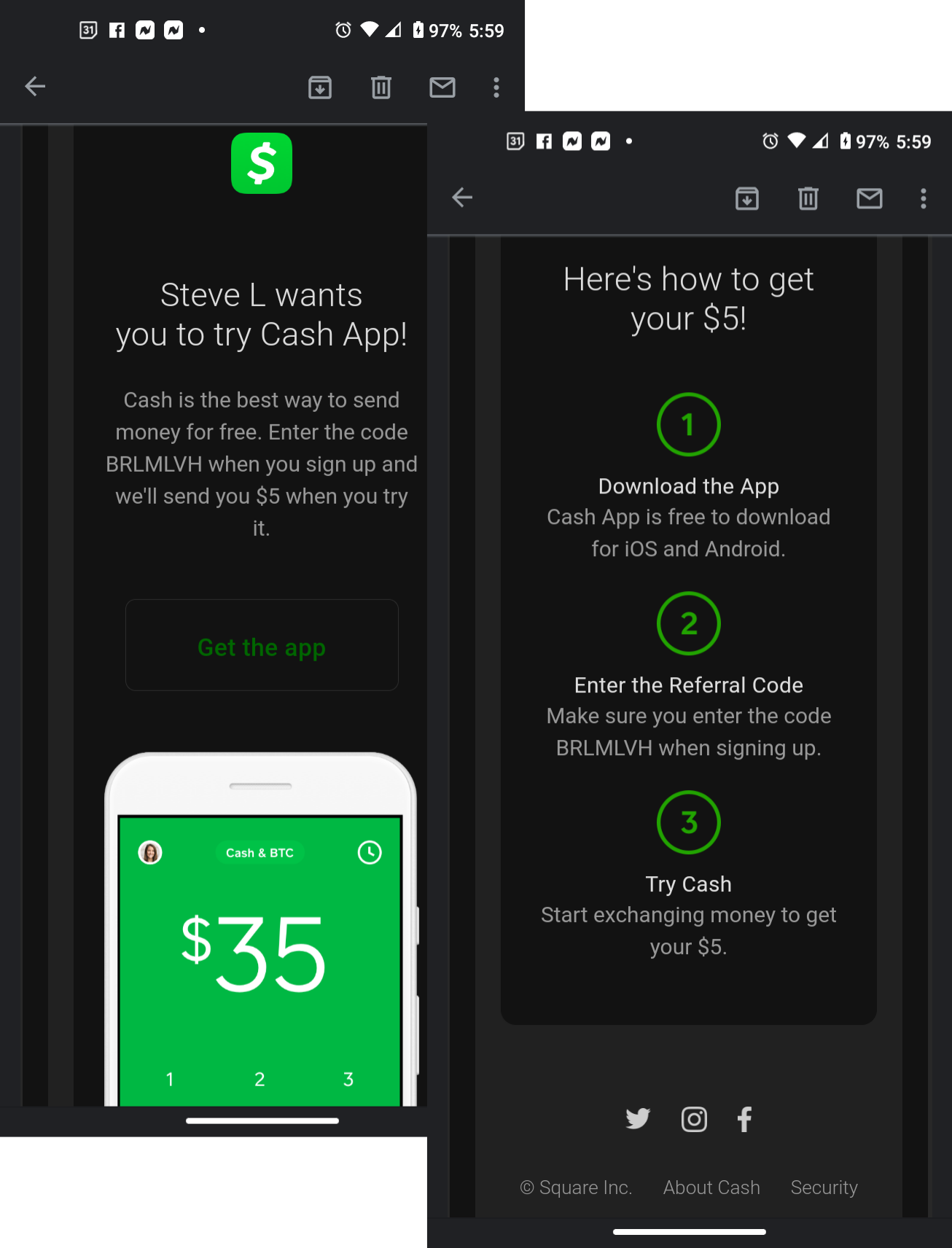
- Download the App: Begin by downloading Cash App from the Apple App Store or Google Play Store.
- Sign Up: Enter your phone number or email address, which will serve as your primary identifier.
- Link a Bank Account/Debit Card: To send money, you’ll need to link a funding source. This typically involves inputting your debit card number, expiry date, CVV, and zip code. This connection allows Cash App to draw funds for outgoing payments and deposit incoming ones.
- Verification: For higher transaction limits and enhanced security features, Cash App will prompt you to verify your identity. This usually involves providing your full legal name, date of birth, and the last four digits of your Social Security Number (SSN). This step is crucial from a regulatory and security standpoint, enabling the platform to comply with financial regulations and offer a more robust service.
The Step-by-Step Process of Sending Money on Cash App
Sending money via Cash App is designed to be intuitive. Follow these detailed steps to ensure a successful and secure transaction every time. This section focuses purely on the interaction with the app’s interface and features.
Initiating a Payment: The “Pay” Tab
Once you’ve launched the Cash App on your smartphone, the process begins from the home screen.
- Open Cash App: Tap the green and white Cash App icon on your device.
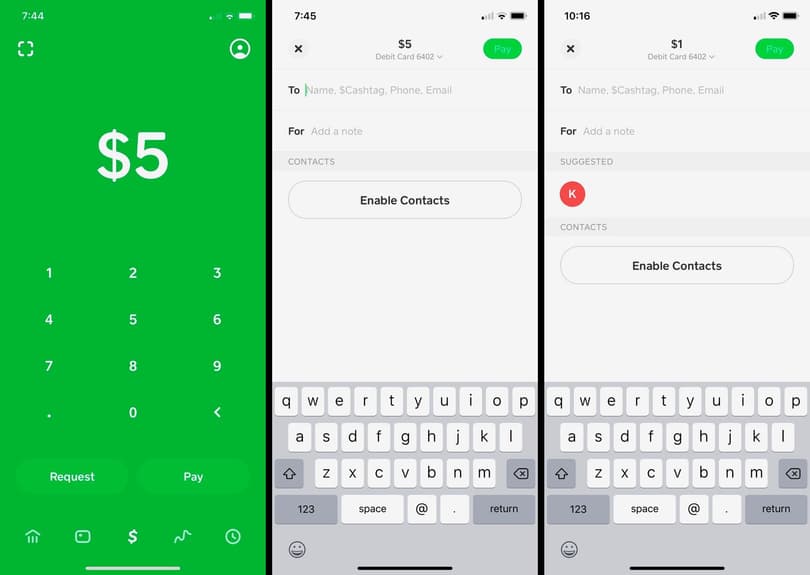
- Navigate to the Payment Screen: Look for the “$_” icon or the prominent “Pay” button, usually located at the bottom center of the screen. Tapping this will bring up the payment interface. Here, you’ll see a numerical keypad where you’ll input the amount you wish to send. The app’s design emphasizes directness, presenting the most common action front and center.
Entering the Recipient’s Information
Accuracy is paramount when identifying your recipient to avoid misdirected funds. Cash App offers several methods to find the correct person:
- Input Amount: First, enter the exact dollar amount you intend to send using the keypad.
- Select “Pay”: After entering the amount, tap the “Pay” button (which might appear as a green “Pay” or “Next” button depending on the app version).
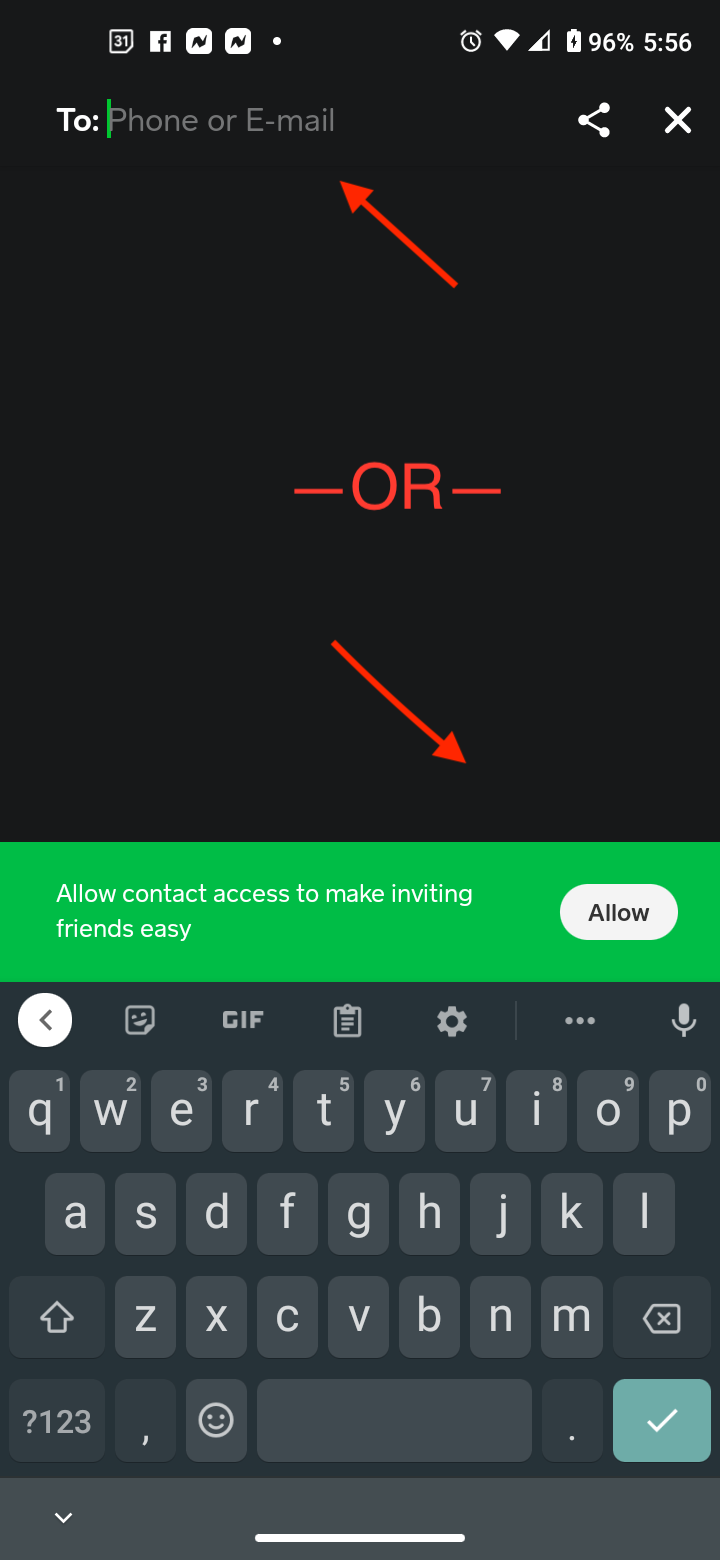
- Identify Recipient: You will then be prompted to enter the recipient’s details. You can search for them using:
- $Cashtag: This is a unique identifier (e.g., “$JohnDoe”) that Cash App users choose. It’s the most reliable method for confirming identity.
- Phone Number: The mobile number linked to their Cash App account.
- Email Address: The email linked to their Cash App account.
- From Contacts: If the recipient is in your phone’s contact list and has their Cash App account linked to their number/email, the app may suggest them.
- Verify Name: As you type, Cash App will often display the recipient’s name or a part of it. Always double-check this against the intended recipient’s known name or profile picture.
Specifying the Amount and Purpose
Clarity in transactions, even P2P ones, can prevent misunderstandings and help with personal record-keeping.
- Confirm Amount: Ensure the numerical value displayed is precisely what you intend to send.
- Add a Note/Memo: Below the recipient’s details, there will be an optional “For” or “Add a Note” field. This is highly recommended. You can type a brief description of the payment’s purpose (e.g., “Dinner last night,” “Rent,” “Birthday gift”). This digital breadcrumb can be invaluable for both parties for future reference and can simplify dispute resolution if ever needed.
Reviewing and Confirming the Transaction
The final step before dispatching the funds is a critical review.
- Review All Details: Carefully scrutinize the screen, confirming:
- The amount is correct.
- The recipient’s $Cashtag/name is accurate.
- The note is clear.
- Tap “Pay”: Once you are 100% certain all details are correct, tap the final “Pay” or “Send” button.
- Authentication (if enabled): Depending on your security settings, you may be prompted to enter your PIN, use Touch ID, or Face ID to authorize the transaction. This is an additional layer of technological security designed to protect your funds.
- Confirmation: You will receive an immediate confirmation within the app that the payment has been sent. The recipient will also receive a notification. Funds are typically available instantly in their Cash App balance.
Ensuring Secure and Smooth Cash App Transactions
While Cash App is built with security in mind, the ultimate responsibility for safe transactions often lies with the user. Understanding and utilizing the app’s security features and practicing diligent digital habits are paramount for a smooth experience. This section focuses on the technological safeguards and user practices for digital security.
Verifying Recipient Details: A Crucial First Step
The most common cause of misdirected funds on any digital payment platform is user error in recipient identification. Unlike bank transfers that often have layers of verification, P2P apps prioritize speed, which means less friction but also less forgiveness for mistakes.
- Double-Check $Cashtags: Always confirm the recipient’s exact $Cashtag. This unique identifier is designed to be specific.
- Confirm with Recipient: If possible, verbally or through another communication channel, confirm the recipient’s $Cashtag, phone number, or email immediately before sending, especially for new contacts or large sums. The instantaneous nature of Cash App transactions means that once sent, reversing a payment can be difficult or impossible without the recipient’s cooperation.
Leveraging Security Features
Cash App provides several technological features to enhance the security of your account and transactions:
- PIN, Touch ID, or Face ID: Enable these authentication methods within the app’s settings. This ensures that even if your phone falls into the wrong hands, unauthorized individuals cannot initiate payments without your biometric data or secret PIN. This is a fundamental layer of device-level security.
- Security Lock: This feature adds an extra layer of protection, requiring your PIN or biometric confirmation for every transaction. While it adds a fraction of a second to each payment, it significantly enhances security.
- Notifications: Enable push notifications for all account activity. Instant alerts for incoming or outgoing payments allow you to detect and address any suspicious activity immediately.
Recognizing and Avoiding Scams
Digital payment apps, by their very nature, can be targets for scammers. Staying informed about common scam tactics is essential for maintaining digital financial security.
- “Customer Support” Scams: Be wary of unsolicited calls, texts, or emails claiming to be Cash App support asking for your login details or to send money to “verify” your account. Cash App will never ask for your PIN or for you to send them money. Always use the in-app support or official website.
- “Too Good To Be True” Offers: Avoid “cash flipping” schemes or promises of large returns for a small upfront payment. These are almost always scams designed to defraud users.
- Fake Payment Confirmations: Always check your Cash App activity directly within the app to confirm receipt of funds. Do not rely solely on screenshots or external messages from senders.
- “Accidental” Payments: If someone sends you money “by accident” and asks you to send it back, verify the original transaction yourself. If it truly was an error, Cash App often has tools for the original sender to request a refund. Contact Cash App support if you are unsure. This is an exercise in critical digital literacy.
Dealing with Payment Issues
Even with all precautions, occasional issues can arise. Understanding the technical avenues for resolution is key.
- Wrong Recipient: If you send money to the wrong person, immediately try to contact the recipient through the app’s payment activity screen to request a refund. If that fails, contact Cash App support through the app. The technical ability to reverse a payment is limited, often requiring the recipient’s consent.
- Failed Transactions: If a payment fails, check your internet connection, linked bank account status, and Cash App balance. Sometimes, temporary technical glitches occur, and a retry is all that’s needed. If persistent, reach out to Cash App support.
Beyond Basic Payments: Advanced Tips for Cash App Users
While the core functionality of Cash App revolves around sending and receiving money, the platform offers additional features that extend its utility as a comprehensive digital financial tool. These features enhance its technological value and provide users with more control over their digital money.
Requesting Money: The Other Side of P2P
Just as you can send money, Cash App makes it easy to request it from others.
- Navigate to the Payment Screen: Like sending money, start by tapping the “$_” icon or “Pay” button.
- Input Amount: Enter the amount you wish to request.
- Select “Request”: Tap the “Request” button.
- Identify Sender: Enter the $Cashtag, phone number, or email of the person you’re requesting money from.
- Add a Note (Optional): Include a note explaining the request.
- Send Request: Tap the “Request” button to send it. The recipient will receive a notification and can approve or decline the request within their app. This feature leverages the same P2P infrastructure, offering bidirectional financial interaction.
Understanding Transaction Limits
Cash App implements transaction limits for both sending and receiving money, which are part of its risk management and regulatory compliance framework.
- Initial Limits: Unverified accounts typically have lower limits (e.g., sending $250 per week and receiving $1,000 per month).
- Increased Limits with Verification: By verifying your identity (providing full name, date of birth, and the last four digits of your SSN), these limits are significantly increased, often removing the receiving limit entirely and raising the sending limit considerably. This technological gating ensures responsible usage and adherence to financial regulations like KYC (Know Your Customer) policies.
Cash App Card and Direct Deposit Integration
For a truly integrated digital financial experience, Cash App offers further functionalities:
- Cash Card: This is a free, customizable Visa debit card linked directly to your Cash App balance. It allows you to spend your Cash App funds at any retailer that accepts Visa, both online and in physical stores. It effectively extends your digital wallet into the physical world, offering a seamless spending experience without needing to transfer funds back to your traditional bank account first. Managing the card, freezing it, or ordering a new one are all handled within the app, demonstrating tight hardware-software integration.
- Direct Deposit: You can set up your Cash App account to receive direct deposits from employers or government benefits. This feature gives you an account and routing number specific to your Cash App, transforming it into a primary banking alternative for many users. This expands Cash App’s role from a simple P2P tool to a more comprehensive digital banking solution.
Conclusion
Cash App has firmly established itself as a cornerstone of modern digital finance, simplifying the act of sending and receiving money for millions. Understanding “how to Cash App someone” is more than just learning a few steps; it’s about mastering a powerful piece of financial technology that can streamline your daily transactions. By familiarizing yourself with its intuitive interface, leveraging its robust security features, and adhering to best practices for digital safety, you can harness the full potential of this innovative application. Cash App continues to evolve, pushing the boundaries of what a mobile payment service can offer, making it an indispensable tool for anyone seeking efficiency, speed, and control over their digital funds. Embrace the technology, practice caution, and enjoy the seamless experience of modern peer-to-peer payments.
aViewFromTheCave is a participant in the Amazon Services LLC Associates Program, an affiliate advertising program designed to provide a means for sites to earn advertising fees by advertising and linking to Amazon.com. Amazon, the Amazon logo, AmazonSupply, and the AmazonSupply logo are trademarks of Amazon.com, Inc. or its affiliates. As an Amazon Associate we earn affiliate commissions from qualifying purchases.