
In an increasingly data-driven world, the ability to quickly and accurately perform calculations is not just a convenience; it’s a fundamental digital literacy skill. Among the myriad functions packed into our calculators – be they physical gadgets or sleek smartphone apps – the percent key often stands as one of the most misunderstood yet incredibly powerful tools. Far more than a simple shortcut for multiplying by 0.01, mastering the percent function can unlock significant efficiencies in everything from quick retail calculations to complex data analysis.

This guide delves deep into the mechanics and applications of the percent key across various calculator types. We’ll explore its underlying logic, demystify its operation, and illustrate how to leverage it for maximum productivity and accuracy, solidifying your command over a crucial piece of everyday technology. Understanding this single function is a step towards greater digital fluency, empowering users to interact with numbers more intuitively and effectively in an age defined by instant information.
Understanding the Calculator’s Percent Key: Beyond Basic Arithmetic
At first glance, the percent key might seem redundant. After all, isn’t 20% just 0.20? While mathematically true, the percent key on a calculator is designed to streamline multi-step operations, providing a user-friendly interface for common percentage-based calculations. It’s an intelligent feature built into the calculator’s operating system, anticipating common user needs and simplifying complex inputs.
The Evolution of Calculation Tools: From Abacus to Advanced Calculators
The journey of calculation tools is a testament to humanity’s relentless pursuit of efficiency. From the ancient abacus to the mechanical marvels of Pascal and Leibniz, each innovation aimed to extend our cognitive abilities in processing numbers. The advent of electronic calculators in the 20th century, particularly with Texas Instruments and Hewlett-Packard leading the charge, democratized advanced computation. Early models were robust, dedicated devices, and as integrated circuits became more sophisticated, specialized functions like the percent key began to appear. Today, these functions are seamlessly integrated into everything from basic pocket calculators to sophisticated graphing calculators and omnipresent smartphone apps, transforming them from mere number crunchers into intuitive problem-solving gadgets. This evolution highlights a continuous effort to make technology more accessible and powerful for the average user.
Why the Percent Key Matters: Efficiency and Accuracy in Modern Computing
The true value of the percent key lies in its ability to condense multiple arithmetic steps into one or two button presses. Consider calculating a sales tax or a discount: without the percent key, you’d convert the percentage to a decimal, multiply, and then add or subtract. The percent key often handles the conversion and the subsequent operation automatically, reducing the chances of input errors and significantly speeding up the process. This isn’t just about saving seconds; it’s about minimizing cognitive load and maintaining accuracy, especially when dealing with long strings of calculations or under pressure. In a world where digital tools are expected to deliver immediate results, the percent key exemplifies efficient UI/UX design in a computing device.
The Universal Appeal: Across Scientific, Financial, and Smartphone Calculators
While the exact implementation might vary slightly, the core functionality of the percent key is remarkably consistent across different calculator types. On a basic calculator, it primarily facilitates finding a percentage of a number or adding/subtracting a percentage. Scientific calculators, while often used for more complex mathematical functions, still retain this utility for general calculations, sometimes requiring the user to explicitly define the operation (e.g., * %). Financial calculators, as expected, integrate it deeply into functions for interest, profit margins, and loan amortizations. And perhaps most universally, smartphone calculator apps replicate this behavior, offering an intuitive touch interface for percentage calculations, making them indispensable digital tools for everyday life. This ubiquity underscores its importance as a foundational computational feature.
Mastering Basic Percent Calculations with Your Calculator
Getting started with the percent key is straightforward, but understanding its nuances can elevate your computational prowess. Most calculators follow a similar logic, though some models might require an extra Equals button press. It’s always a good idea to test your specific calculator’s behavior with simple examples.
Calculating a Percentage of a Number: Finding 20% of 150
This is arguably the most common use case. You want to find what portion of a number a certain percentage represents.
-
Standard Method:
- Enter the base number:
150 - Press the multiplication key:
* - Enter the percentage value:
20 - Press the percent key:
% - Result:
30(20% of 150 is 30)
Explanation: The calculator internally converts
20%to0.20and performs150 * 0.20. - Enter the base number:
Determining the Percentage Change: Price Increases and Decreases
Calculating percentage change is vital for understanding trends, whether it’s a price hike, a stock drop, or growth in user engagement.
-
To Add a Percentage (e.g., a 15% service charge to a $200 bill):
- Enter the base number:
200 - Press the addition key:
+ - Enter the percentage value:
15 - Press the percent key:
% - Press the equals key:
= - Result:
230(200 + 15% of 200 = 230)
Explanation: The calculator first computes 15% of 200 (which is 30) and then adds it to 200.
- Enter the base number:
-
To Subtract a Percentage (e.g., a 10% discount on a $75 item):
- Enter the base number:
75 - Press the subtraction key:
- - Enter the percentage value:
10 - Press the percent key:
% - Press the equals key:
= - Result:
67.5(75 – 10% of 75 = 67.5)
Explanation: The calculator first computes 10% of 75 (which is 7.5) and then subtracts it from 75.
- Enter the base number:
Advanced Applications and Common Pitfalls
While the basics are simple, the true power of the percent key emerges in more complex scenarios. However, with power comes the need for precision and an understanding of calculator logic to avoid common errors.
Chaining Operations: Multiple Discounts and Taxes
Imagine an item priced at $100, first subjected to a 10% discount, and then a 5% sales tax applied to the discounted price.
- Incorrect Method (Applying sequentially as separate steps without the percent key’s logic):
100 - 10% = 9090 + 5% = 94.5
- This is correct, but let’s see how the percent key helps:
- Chaining with the Percent Key:
- Enter
100 - Press
- - Enter
10 - Press
%(the display should show90or10) - If the display shows
90, simply press+ - If the display shows
10(the discount amount), press=to get90, then press+ - Enter
5 - Press
% - Press
= - Result:
94.5
- Enter
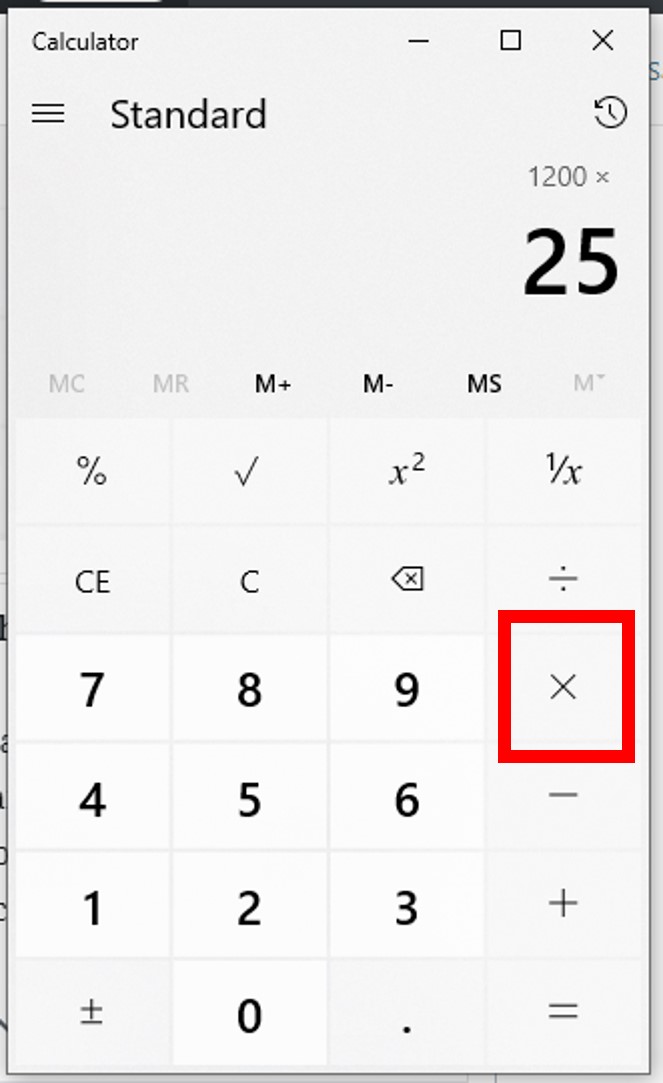
The key here is understanding when your calculator applies the percentage and updates the running total. Practice makes perfect.
Reverse Percentages: Finding the Original Value
Sometimes you have the final amount after a percentage change and need to find the original value. For example, an item costs $108 after a 8% tax was added. What was the original price? While not directly a single percent key function, the percent key can be used as a step in these calculations.
- Manual Calculation (more common without direct percent key support for reverse):
- If $108 is 108% of the original price (100% + 8% tax), then Original Price = $108 / 1.08 = $100.
- Using the percent key to verify or during a longer chain: You might use the percent key to quickly calculate
8% of 100(100 * 8% = 8) to confirm the tax amount in an initial setup, before dividing to find the base. Some advanced calculators or apps might have a dedicated “markup” or “tax-back” function, which indirectly uses percentage logic.
The Importance of Order of Operations: PEMDAS and Calculator Logic
Calculators generally follow the standard order of operations (PEMDAS/BODMAS). However, the percent key can sometimes act as a special operator that resolves its segment immediately.
- For example,
100 + 20 * 5%might be interpreted as100 + (20 * 0.05)or100 + (20 * 5)%. Most calculators will correctly interpret this as100 + (20 * 0.05) = 100 + 1 = 101. Always be mindful of how your specific calculator handles operations involving the percent key in complex expressions. When in doubt, use parentheses or break down the calculation into smaller, distinct steps.
Common Errors and How to Avoid Them: Inputting Incorrect Values, Misinterpreting Results
The most frequent mistakes arise from:
- Incorrect Order: Pressing the percent key too early or too late in an operation. Always ensure the base number and the operation (+, -, *, /) are entered correctly before the percentage value.
- Misinterpreting Intermediate Results: Some calculators momentarily display the calculated percentage amount (e.g.,
10%of100displays10) before performing the final operation (e.g.,+or-). If you don’t wait for the final=or miss the intermediate display, you might proceed with the wrong number. - Mixing Up Addition/Subtraction: Accidentally adding a discount or subtracting a tax. Double-check your intended operation.
- Assumptions About Reverse Percentages: Most percent keys are designed for forward calculations. Don’t assume it will automatically perform reverse calculations unless your calculator has a specific function for it.
The best way to avoid these pitfalls is to understand your calculator’s specific logic (check the manual if available, or simply experiment with known values) and to practice regularly.
Leveraging Calculator Features for Enhanced Productivity
Modern calculators, especially those integrated into digital devices, offer more than just basic arithmetic. Understanding these additional features can significantly boost your productivity when working with percentages and other calculations.
Exploring Different Calculator Interfaces: Physical vs. Digital (Apps)
The experience of using the percent key can vary subtly between physical calculators and digital apps.
- Physical Calculators: Offer tactile feedback, dedicated buttons, and often a clearer, always-on display. Their simplicity can be an advantage.
- Digital Apps (Smartphone, Desktop): Provide flexibility, often more features (like history, unit conversion), and the convenience of being always available on your primary device. Many apps also feature a larger display, making it easier to follow complex chained operations and review inputs. Some even offer different “modes” (basic, scientific, programmer), each with its own layout and functions. Being adept at both types ensures you’re never without your computational capabilities.
Utilizing Memory Functions with Percentages
For calculations involving multiple percentage components or where you need to reuse an intermediate percentage result, the calculator’s memory functions (M+, M-, MR, MC) are invaluable.
- Example: Calculate 15% of 200, then find 25% of that result.
200 * 15 % =(Result: 30)- Press
M+to store30in memory. MR * 25 % =(Result: 7.5)
- This prevents having to manually re-enter numbers and keeps the workflow efficient, especially in longer multi-step problems where accuracy is paramount.
Customizing Your Calculator Experience: Settings and Modes
Many digital calculators, particularly apps on smartphones or operating systems like Windows and macOS, offer customization options.
- Decimal Precision: Adjust the number of decimal places displayed for results. This is crucial for financial calculations or scientific work where precision is critical.
- Thousands Separators: Toggle thousands separators for easier readability of large numbers.
- Mode Switching: Easily switch between basic, scientific, and programmer modes, each offering different functions and layouts. While the percent key is universal, accessing other specialized functions alongside it (like logarithms or statistical functions) can be streamlined through mode switching. Understanding and configuring these settings can tailor your calculator to your specific digital workflow and enhance overall user experience.
Beyond the Basics: The Broader Impact of Calculator Proficiency
Mastering your calculator, especially a seemingly simple function like the percent key, is more than just about performing arithmetic. It’s about developing a deeper interaction with digital tools and fostering a mindset of accuracy and efficiency.
Enhancing Digital Literacy and Problem-Solving Skills
Proficiency with a calculator, particularly its nuanced functions, is a cornerstone of digital literacy. It signifies an ability to understand and effectively operate everyday technology. Beyond the mechanics, using the percent key effectively hones problem-solving skills:
- Decomposition: Breaking down complex percentage problems into manageable calculator steps.
- Pattern Recognition: Understanding how the percent key behaves in different contexts.
- Error Correction: Identifying and rectifying input mistakes, a critical skill in any digital environment.
These skills are transferable to countless other digital tools and challenges, empowering individuals to navigate a technologically advanced world with greater confidence.
Practical Applications Across Fields: From Engineering to Everyday Life
The percent function’s utility spans far beyond simple shopping discounts.
- Business & Finance: Calculating profit margins, sales growth, interest rates, tax liabilities, and investment returns.
- Science & Engineering: Determining measurement errors, material compositions, and efficiency percentages in systems.
- Healthcare: Dosage calculations based on body weight or solution concentrations.
- Education: A fundamental tool for students across various disciplines, from basic math to advanced statistics.
- Everyday Life: Splitting bills, tipping, budgeting, understanding nutritional labels, and comparing loan offers.
The ability to quickly and accurately perform these calculations using the percent key makes one more adept at interacting with data and making informed decisions in almost any domain.

The Future of Calculation: Integration with AI and Smart Devices
As technology continues to evolve, so too will our calculators. We are already seeing the integration of computational capabilities into smart devices, voice assistants, and AI platforms. Imagine simply asking your smart speaker, “What’s a 15% tip on $78.50?” or “Calculate the price after a 20% discount on an item marked $120, then add 7% tax.”
While dedicated calculator apps and physical devices will likely remain relevant for specific tasks, the underlying logic of functions like the percent key will be seamlessly integrated into more intelligent, conversational interfaces. Understanding the foundational principles of how percentages work on a calculator today equips us to adapt to these future computational paradigms, ensuring we remain digitally efficient and capable in an ever-smarter world.
In conclusion, the humble percent key on your calculator is a testament to thoughtful technological design, offering a powerful shortcut that enhances accuracy and efficiency. By investing a little time in understanding its functionality, you not only master a specific tool but also advance your overall digital literacy, preparing you for a future where computation is increasingly integrated into every aspect of our lives.
aViewFromTheCave is a participant in the Amazon Services LLC Associates Program, an affiliate advertising program designed to provide a means for sites to earn advertising fees by advertising and linking to Amazon.com. Amazon, the Amazon logo, AmazonSupply, and the AmazonSupply logo are trademarks of Amazon.com, Inc. or its affiliates. As an Amazon Associate we earn affiliate commissions from qualifying purchases.