
The sudden realization that your iPhone is missing can send a wave of panic through even the calmest individual. In an instant, a device that has become an extension of ourselves – our connection to loved ones, our personal assistant, our entertainment hub, our financial manager, and a repository of countless memories – vanishes. The initial surge of adrenaline is often followed by a scramble, a frantic retracing of steps, and a growing sense of dread about the potential consequences.
Losing your iPhone isn’t just about losing a piece of technology; it’s about potentially compromising your digital identity, your financial security, and even your personal brand. In today’s interconnected world, our smartphones hold the keys to so much of our lives, making the stakes incredibly high. This comprehensive guide is designed to empower you with the knowledge and immediate steps to take when your iPhone goes missing, leveraging Apple’s robust ecosystem and integrating best practices from the realms of technology, personal branding, and financial security to navigate this stressful situation effectively.
Immediate Actions: The First Crucial Steps
When your iPhone goes missing, time is of the essence. Swift and decisive action can significantly increase your chances of recovery and, more importantly, mitigate potential risks to your personal data and privacy. Don’t panic; act strategically.
Activating “Lost Mode” via Find My
Apple’s “Find My” feature is your first and most powerful line of defense. It’s a critical tool that every iPhone user should be familiar with before an incident occurs.
- Access Find My: From another Apple device (iPad, Mac, another iPhone of a family member) or via a web browser (iCloud.com/find), sign in with your Apple ID.
- Locate Your Device: Once logged in, Find My will attempt to locate your iPhone on a map. If it’s online, you’ll see its current location. If it’s offline but powered on, you might see its last known location. Even if it’s offline, the “Find My network” (a vast, anonymous network of hundreds of millions of Apple devices) can help pinpoint its location by securely relaying its position to you.
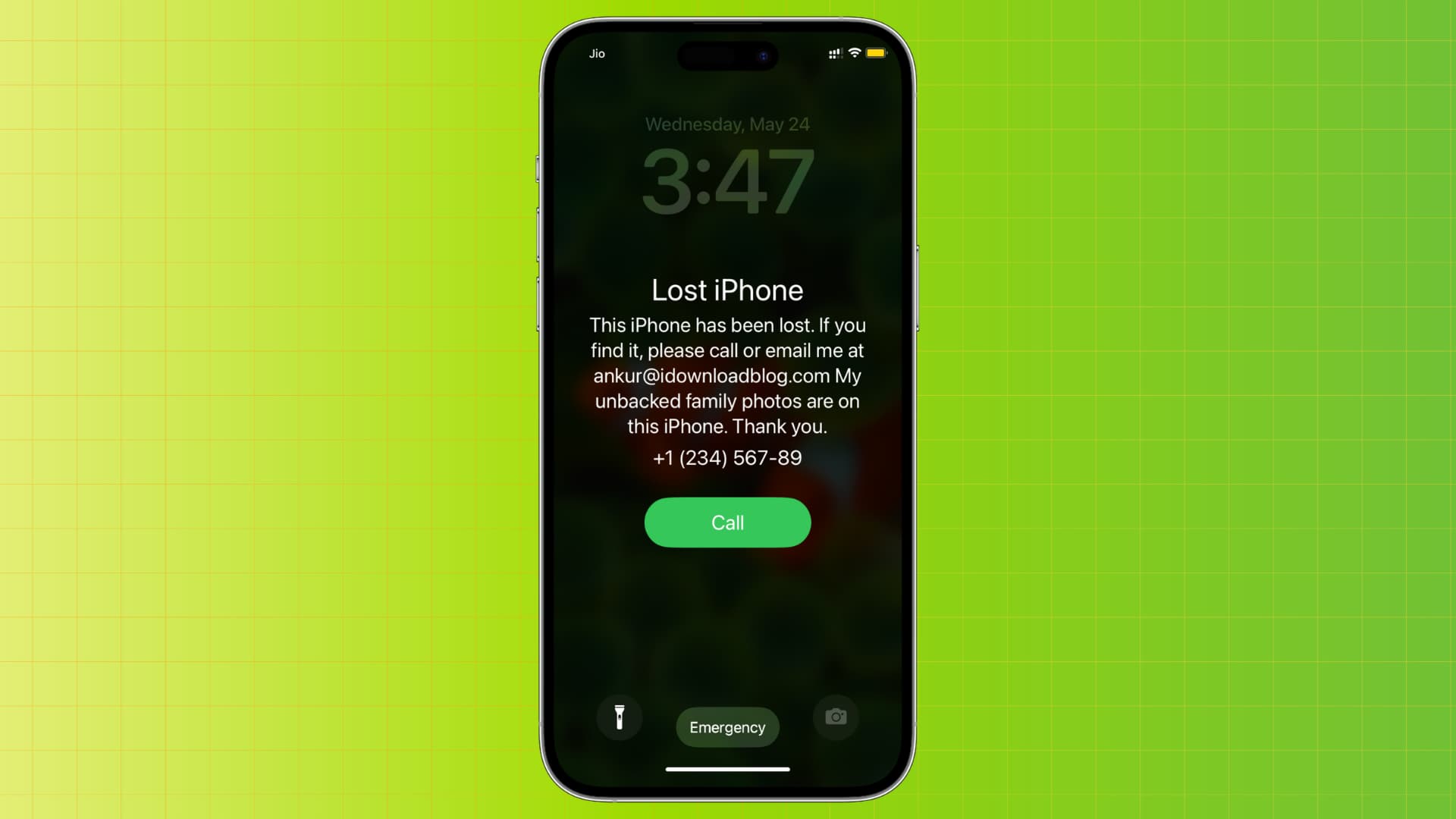
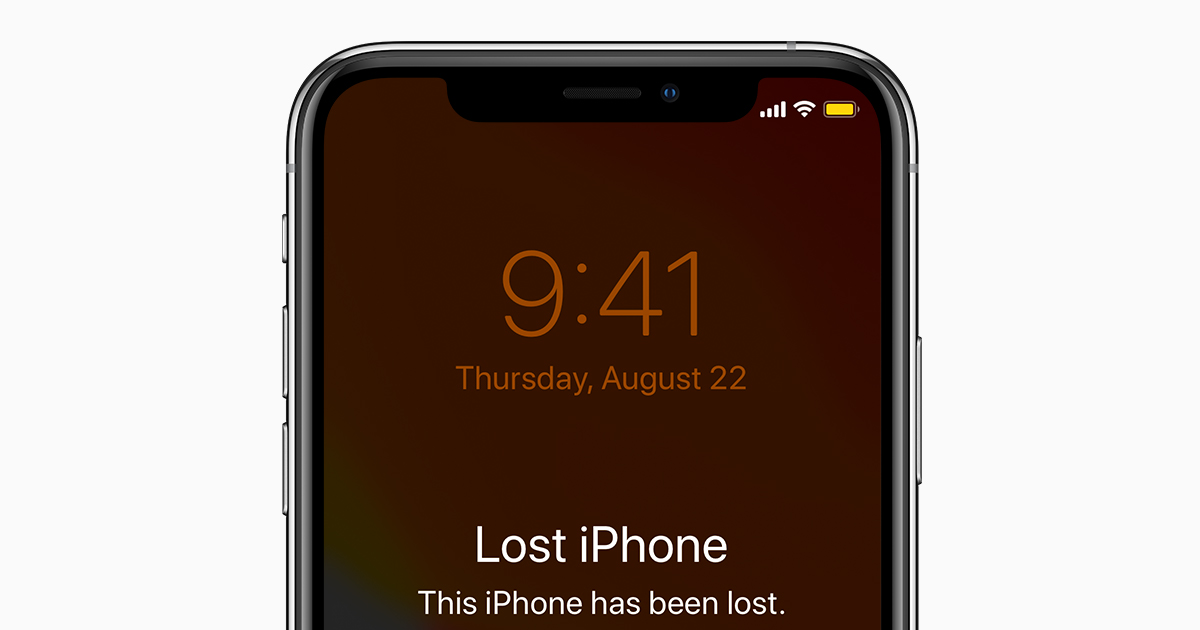
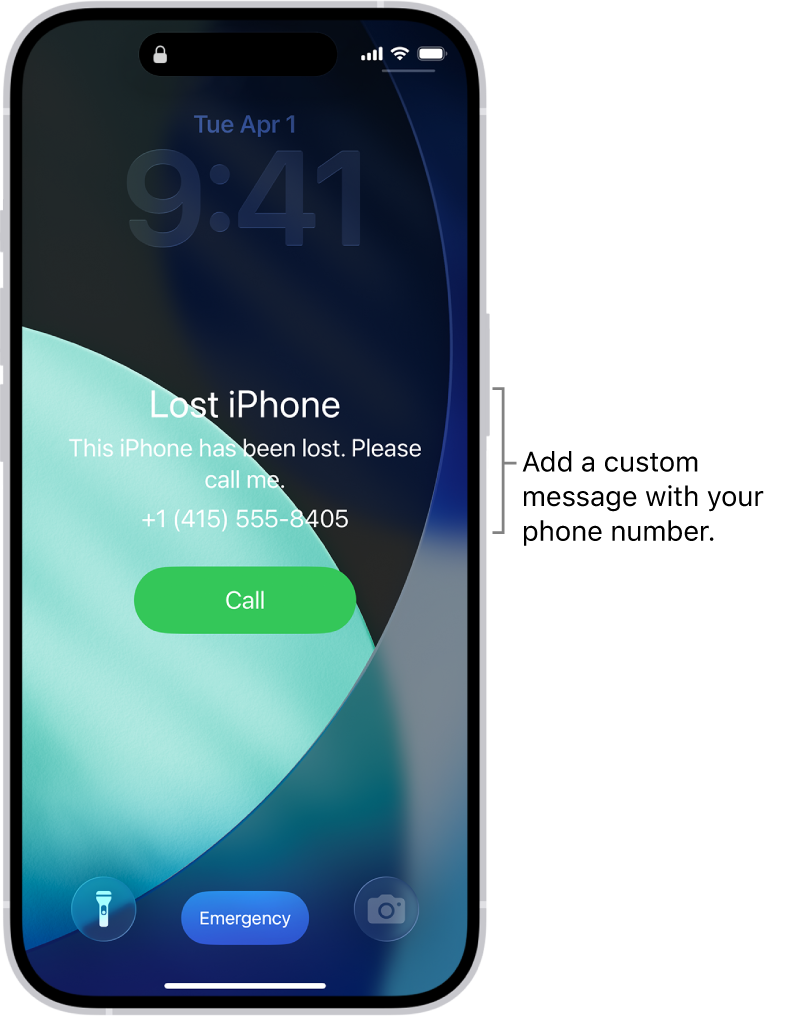
- Activate Lost Mode: Select your missing iPhone and choose “Lost Mode.” This immediately locks your device with your existing passcode, even if it wasn’t previously locked. It also suspends Apple Pay, preventing any unauthorized transactions. You can display a custom message on the lock screen, such as an alternative contact number, to help a good Samaritan return it. This message will appear even if the phone is locked.
- Play a Sound: If you suspect the phone is nearby (e.g., slipped between couch cushions, dropped in a crowded space), you can select “Play Sound.” This will make your iPhone emit a loud sound, even if it’s on silent, helping you pinpoint its exact location.
Enabling Lost Mode is paramount. It immediately fortifies your device against casual snoopers and prevents access to your private information, buying you valuable time to take further steps.
Reporting to Authorities and Carrier
While technology provides incredible tools, traditional methods still play a vital role in the recovery process and protection against fraud.
- Contact Your Local Police: File a police report as soon as possible. Provide them with your iPhone’s serial number and IMEI (International Mobile Equipment Identity) number, which can be found on your original packaging, purchase receipt, or by logging into your Apple ID account page (appleid.apple.com). A police report is often a prerequisite for insurance claims and can be crucial if your phone is later recovered or used in illicit activities. Even if the police cannot actively search for your phone, having a record is important for your financial protection.
- Notify Your Mobile Carrier: Contact your service provider (e.g., AT&T, Verizon, T-Mobile, Vodafone, etc.) to report your phone as lost or stolen. They can suspend your service, preventing anyone from using your data, making calls, or sending texts from your number. This action protects you from incurring unexpected charges and prevents potential identity theft through SIM swapping, a tactic used by criminals to gain access to your accounts. Provide them with your IMEI number as well. They may also be able to block the device from being used on their network, rendering it useless to a thief.
These steps are critical for both the potential recovery of your device and for creating a paper trail that can protect you from various forms of fraud and financial liabilities.
Securing Your Digital Life
Your iPhone is a gateway to your entire digital existence. Losing it means potential exposure of your emails, social media, banking apps, and cloud services. Proactive password changes are non-negotiable.
- Change Critical Passwords: From a secure computer or another trusted device, immediately change the passwords for your most sensitive accounts. Prioritize:
- Your Apple ID: This is paramount, as it controls Find My, iCloud, and all your Apple services.
- Primary Email Account: Often the reset mechanism for many other accounts.
- Banking and Financial Apps: Protect your money.
- Social Media Accounts: Prevent identity impersonation.
- Any Work-Related Accounts: Especially if you access sensitive company data.
- Password Manager (if applicable): If you use one, change its master password.
- Remove from Trusted Devices: Log into your Apple ID account page (appleid.apple.com). Under the “Devices” section, you can review all devices associated with your Apple ID. Remove your lost iPhone from this list. This will require two-factor authentication for any new login attempts from that device, further securing your account even if a thief somehow bypasses your passcode.
This phase is about containment – limiting the damage and preventing unauthorized access to your broader digital footprint. It shifts your focus from just the physical device to the invaluable data it contained and the networks it accessed.
Leveraging Apple’s Ecosystem for Recovery and Protection
Apple has invested heavily in creating a robust ecosystem designed to help users manage, secure, and potentially recover their devices. Understanding and utilizing these features is key to navigating the aftermath of a lost iPhone.
Understanding Find My iPhone’s Capabilities
Beyond just activating Lost Mode, Find My offers several sophisticated capabilities that can be instrumental.
- Precise Location Tracking (Even When Offline): One of the most groundbreaking features is the ability to locate an iPhone even when it’s offline or out of battery. The Find My network anonymously leverages other Apple devices to detect the Bluetooth signal from your lost iPhone and relay its location to you. This “crowd-sourced” location data is encrypted and completely anonymous, making it a powerful tool for finding devices that would otherwise be untraceable.
- “Notify When Found”: If your iPhone is offline when you mark it as lost, you can opt to “Notify When Found.” This means you’ll receive an alert (and its location) the moment your device comes back online or is detected by the Find My network. This passive tracking allows you to continue with other tasks while still being alerted to any updates.
- Activation Lock: This is a powerful anti-theft feature inherent in Apple’s ecosystem. Once you sign into iCloud on your iPhone, Activation Lock is automatically enabled. This links your Apple ID to your device, making it impossible for anyone else to erase and reactivate it without your Apple ID password. Even if a thief manages to wipe your device, it will remain locked to your Apple ID, rendering it useless to them. This dramatically reduces the resale value for thieves, often acting as a deterrent.
These technical safeguards are a testament to Apple’s commitment to user security and privacy, turning a lost device into a less appealing target for criminals.
The Nuclear Option: Erasing Your iPhone Remotely
Sometimes, despite all efforts, an iPhone is truly unrecoverable. In such dire circumstances, protecting your data becomes the absolute priority, even if it means sacrificing the device itself.
- When to Use “Erase iPhone”: This action should be considered a last resort. Once you remotely erase your iPhone, you will no longer be able to track it using Find My. You should only proceed with this if you are certain the device is irretrievable and you prioritize the absolute security of your data above all else. For instance, if your iPhone contains highly sensitive corporate data, critical financial information, or irreplaceable personal documents, erasing it might be the most responsible course of action.
- What it Does: Erasing your iPhone remotely wipes all your personal data, settings, and media from the device. It essentially restores it to factory settings. This ensures that no one can access your photos, messages, banking apps, or any other sensitive information.
- Activation Lock Implications: Even after erasing, Activation Lock remains enabled. This means that a thief cannot reactivate or use the iPhone without your Apple ID and password. While they might have a blank device, they won’t be able to bypass your Apple ID to set it up for their own use or resell it easily. This maintains its bricked status, making it unattractive to anyone attempting to profit from it.
The decision to erase is a difficult one, but it’s a powerful tool for maintaining your privacy and digital security when all hope of recovery is lost.
The Importance of iCloud Backups
A lost iPhone can be a devastating experience, but it doesn’t have to mean losing all your precious memories and essential data. This is where iCloud backups become your digital lifeline.
- How Backups Save Your Data: When you enable iCloud Backup, your iPhone periodically (typically when connected to Wi-Fi, power, and locked) uploads a copy of your device data to Apple’s secure cloud servers. This includes photos, videos, contacts, messages, app data, health data, HomeKit settings, and more. Essentially, it creates a digital snapshot of your iPhone.
- Restoring Data to a New Device: Should you need to replace your lost iPhone, an iCloud backup allows you to seamlessly restore almost all your data and settings onto a new device. This means that your new iPhone will feel instantly familiar, with your apps in place, your photos recovered, and your settings largely preserved. This minimizes the disruption and emotional impact of losing your original device.
- Ensuring Automatic Backups are Enabled: Proactive preparation is key. Go to
Settings > [your name] > iCloud > iCloud Backupand ensure “iCloud Backup” is toggled on. It’s also wise to check your “iCloud Storage” (Settings > [your name] > iCloud > Manage Storage) to ensure you have enough space to accommodate your backups. If you’re running low, consider upgrading your iCloud storage plan, as it’s a small investment for immense peace of mind.
Regular, automatic backups transform a potentially catastrophic data loss into a recoverable inconvenience, safeguarding your digital legacy.
Protecting Your Personal Brand and Financial Well-being
Beyond the emotional distress and the technological challenge, a lost iPhone poses significant risks to your personal reputation and financial health. Addressing these concerns proactively is an integral part of dealing with the incident.
Safeguarding Your Digital Identity and Personal Brand
In an age where our digital presence is intertwined with our personal and professional lives, the compromise of an iPhone can have far-reaching implications for one’s brand.
- The Risk of Personal Data Exposure: Your iPhone holds the raw materials of your personal brand: private photos, confidential messages, professional emails, drafts of ideas, and access to your social media profiles. If a malicious individual gains access, they could potentially exploit this data, leading to identity theft, reputational damage, or blackmail. Imagine sensitive work documents being leaked or private conversations being made public – these can severely impact trust and professional standing.
- Reviewing Linked Accounts and Social Media Presence: Take this opportunity to review which accounts are linked to your phone number or email, and how easily they could be accessed. Ensure two-factor authentication (2FA) is enabled on all critical social media and professional networking sites. Consider temporarily deactivating profiles that might be at high risk if sensitive login information was stored on the device, or at least posting a cautionary message to your network if you suspect a breach.
- Proactive Steps to Mitigate Reputational Damage: If there’s any chance sensitive information has been compromised, consider reaching out to key contacts or stakeholders to alert them. Transparency, when handled carefully, can mitigate potential fallout. For instance, if you communicate with clients via your iPhone, informing them about the loss can prevent confusion if they receive unusual messages from your number or email.
- Two-Factor Authentication (2FA) as a Shield: This is not just a tech tip; it’s a brand protection strategy. Even if a thief gets your password, 2FA prevents them from logging into accounts without the second factor (e.g., a code sent to another trusted device, a biometric scan). This is a critical barrier against unauthorized access to the platforms that define your online identity.
Maintaining a strong personal brand in the digital age requires vigilance. A lost iPhone is a stark reminder of how interconnected our physical devices are with our virtual personas.
Shielding Your Finances from Unauthorized Access
Your iPhone is often a mobile wallet, housing access to banking apps, payment platforms, and potentially even cryptocurrency wallets. The financial implications of a lost device are significant.
- Banking Apps, Payment Info, Crypto Wallets: These are high-value targets for thieves. Most banking apps require additional authentication (passcode, Face ID/Touch ID) but some may auto-login. Apple Pay is generally secure because it uses tokenization and requires Face ID/Touch ID for each transaction, but other stored payment methods might be vulnerable if your device is unlocked. Cryptocurrency apps are particularly risky given the often-irreversible nature of transactions.
- Notifying Banks/Financial Institutions: If you believe your device’s security has been compromised, or if you had banking apps with stored credentials, contact your bank and credit card companies immediately. They can monitor your accounts for suspicious activity, place temporary holds, or even issue new cards if necessary.
- Freezing Credit (If Sensitive Financial Info Was Accessible): If you stored highly sensitive financial documents, tax information, or social security numbers on your phone, or if you suspect identity theft, consider placing a fraud alert or freezing your credit with the major credit bureaus (Experian, Equifax, TransUnion). This prevents new credit accounts from being opened in your name.
- Using Strong Passcodes and Face ID/Touch ID: These are your primary defenses. A robust alphanumeric passcode, combined with biometric authentication, makes it exceedingly difficult for anyone to access your device and, by extension, your financial apps. Ensure your device locks quickly after inactivity.
The financial fallout from a lost iPhone can be severe, but prompt action and prior preparation can significantly reduce the risk and cost.
Financial Recovery: Insurance and Replacement Costs
Beyond the immediate crisis, there’s the practical matter of replacing a valuable piece of technology. This is where foresight and financial planning come into play.
- Checking Phone Insurance Policies: Many individuals unknowingly have coverage for their lost or stolen iPhone.
- Homeowners/Renters Insurance: Check your policy. Many standard policies offer personal property coverage that extends to devices like smartphones, even when they’re away from home. However, be mindful of deductibles, which might be higher than the phone’s value.
- Specific Device Insurance: Some carriers (e.g., AT&T Protection 360, Verizon Protect) offer dedicated device insurance plans that specifically cover loss, theft, and damage. These often have lower deductibles tailored for phone replacements.
- Credit Card Benefits: Some premium credit cards offer purchase protection or extended warranty benefits that might cover a lost or stolen item purchased with that card, often for a limited period after purchase.
- Understanding Deductibles and Replacement Values: When making a claim, you’ll typically pay a deductible. Compare this deductible against the cost of a new or refurbished iPhone. Sometimes, paying out-of-pocket might be more economical if your deductible is very high. Understand if your policy replaces with a brand-new device, a refurbished one, or provides cash value.
- Budgeting for a New Device: If insurance isn’t an option or the deductible is too high, you’ll need to budget for a replacement. Consider whether you need the latest model or if a slightly older generation or a refurbished device fits your needs and budget better. Explore carrier upgrade programs or payment plans.
- Considering Options like AppleCare+: Apple offers AppleCare+ with Theft and Loss, which provides coverage for up to two incidents of accidental damage, theft, or loss every 12 months. While it has an upfront cost and a service fee per incident, it can be a valuable investment for peace of mind, especially for higher-end iPhones.
The financial preparedness for a lost iPhone is an often-overlooked aspect, but it’s crucial for minimizing the monetary impact and getting back on track quickly.
Proactive Measures: Prevention is the Best Defense
While knowing what to do in the event of a loss is vital, the best strategy is always to prevent the loss from happening and to fortify your device against potential threats. This synthesis of technology, brand awareness, and financial wisdom ensures maximum security and peace of mind.
Setting Up Your iPhone for Maximum Security and Recoverability
Prevention starts with setting up your device correctly from day one.
- Enabling Find My Before It’s Lost: This cannot be stressed enough. Go to
Settings > [your name] > Find My > Find My iPhoneand ensure it’s turned on, along with “Find My network” and “Send Last Location.” Without this, Apple’s powerful tracking features are useless. - Strong Passcodes, Face ID/Touch ID: Implement a strong alphanumeric passcode (not just a 4 or 6-digit PIN). Enable Face ID or Touch ID, as these biometrics offer quick and secure access while keeping your device locked to others. Ensure your phone automatically locks after a very short period of inactivity (e.g., 30 seconds).
- Regular iCloud Backups: As discussed, ensure automatic iCloud backups are enabled and that you have sufficient iCloud storage. Consider supplementing with local backups via your computer if you handle extremely sensitive data.
- Activating 2FA for Apple ID and Other Critical Accounts: Two-factor authentication is a fundamental security layer. Enable it for your Apple ID, primary email, banking apps, and any other service offering it. This adds a crucial second verification step, making it significantly harder for unauthorized users to gain access even if they somehow obtain your password.
These foundational steps transform your iPhone into a highly defensible digital asset, increasing both its recoverability and the security of your data.
Digital Hygiene Best Practices
Beyond technical settings, adopting smart habits in your daily digital interactions further fortifies your overall security posture.
- Minimizing Sensitive Data Stored Directly on the Phone: Avoid keeping highly sensitive information (e.g., social security numbers, passport copies, credit card photos, lists of passwords) directly on your device, especially in easily accessible apps like Notes or Photos. Utilize encrypted cloud storage or dedicated secure apps for such data.
- Using Password Managers: Instead of writing down passwords or reusing them, employ a reputable password manager (e.g., 1Password, LastPass, Dashlane). These tools generate strong, unique passwords for each account and securely store them, requiring only one master password to access. This protects your accounts even if one service is breached.
- Being Aware of Surroundings: Simple physical awareness can prevent theft. Don’t leave your phone unattended in public places. Be mindful of pickpockets in crowded areas. Avoid using your phone conspicuously in high-risk environments.
- Logging Out of Financial Apps When Not in Use: While convenient, staying logged into banking, investment, or payment apps increases risk. Make it a habit to log out after each session, or at least ensure they require re-authentication (Face ID/Touch ID/passcode) for every access.
These practices contribute to a robust “security mindset” that extends beyond just your iPhone to your entire digital life.
The Investment in Peace of Mind
Ultimately, security is an investment – an investment in your data, your identity, and your financial stability.
- Evaluating Device Insurance: Revisit the discussion on insurance. Is the cost of a dedicated device protection plan or an upgrade to your homeowners/renters insurance worth the peace of mind and the potential cost savings in case of loss or damage? For many, especially those with expensive phones, the answer is yes.
- Benefits of AppleCare+ (Theft and Loss Option): If you’re an iPhone user, seriously consider AppleCare+ with Theft and Loss. While it involves an upfront cost and a service fee, it significantly simplifies the replacement process and can be more cost-effective than a full-price replacement, especially if you’re prone to accidents or live in an area with higher theft rates.
- The Long-Term Value of Strong Security Practices: The small efforts involved in setting strong passcodes, enabling 2FA, backing up regularly, and practicing good digital hygiene collectively offer immense long-term value. They safeguard not just your current iPhone but your entire digital ecosystem, protecting your personal brand from reputational damage, and your finances from potential fraud. This ongoing vigilance is far more valuable than the cost of any device.
The loss of an iPhone is undoubtedly a stressful event, but it doesn’t have to be a catastrophic one. By understanding the immediate steps to take, leveraging Apple’s powerful security and recovery features, and proactively safeguarding your digital identity and financial assets, you can navigate this challenge with confidence. Remember, preparation is your greatest ally. Set up Find My, enable backups, secure your accounts with 2FA, and practice smart digital hygiene – these actions will provide you with the ultimate peace of mind, ensuring that your valuable iPhone, and the life it contains, remains protected.
aViewFromTheCave is a participant in the Amazon Services LLC Associates Program, an affiliate advertising program designed to provide a means for sites to earn advertising fees by advertising and linking to Amazon.com. Amazon, the Amazon logo, AmazonSupply, and the AmazonSupply logo are trademarks of Amazon.com, Inc. or its affiliates. As an Amazon Associate we earn affiliate commissions from qualifying purchases.