
In the sprawling digital marketplace, Shopify has emerged as a cornerstone of e-commerce, empowering millions of entrepreneurs to launch their online stores. Unlike monolithic marketplaces such as Amazon or eBay, Shopify serves as the underlying technology platform that enables individual businesses to create their unique digital storefronts. For the discerning shopper, understanding how to navigate this vast ecosystem is key to discovering unique products, supporting independent brands, and enjoying a secure, efficient online retail experience. This comprehensive guide will demystify the process, transforming you from a casual browser into an adept Shopify shopper. We’ll delve into the mechanics of finding stores, interacting with their interfaces, completing secure transactions, and managing post-purchase logistics, all while emphasizing the technological framework that underpins your shopping journey.
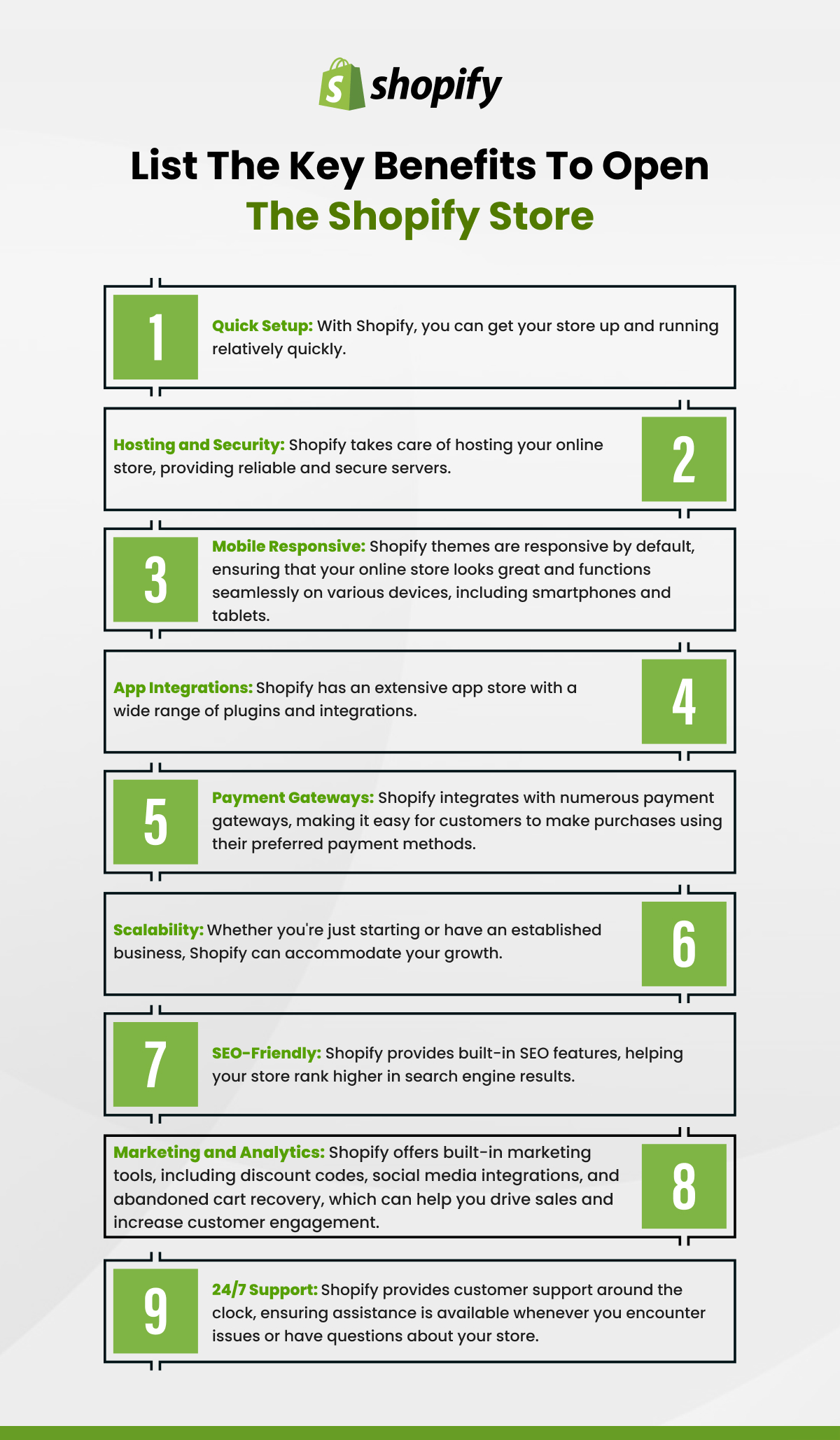
Understanding the Shopify Ecosystem from a Buyer’s Perspective
Before diving into the mechanics of purchasing, it’s crucial to grasp what Shopify represents from a consumer’s viewpoint. Unlike a single, consolidated storefront, Shopify is a robust, cloud-based platform that hosts a myriad of independent online businesses. Each “Shopify store” is an individual merchant utilizing Shopify’s sophisticated toolkit to build, manage, and scale their e-commerce operations.
What is Shopify (for shoppers)?
For the shopper, Shopify isn’t a destination in itself but rather the powerful engine driving countless independent online boutiques. Imagine a high-tech shopping mall where each store is distinct, yet all benefit from a shared, advanced infrastructure for payments, inventory, and website management. When you “shop on Shopify,” you are actually shopping at a store powered by Shopify. This distinction is vital because it means each store operates with its own branding, policies, product selection, and customer service, even though the underlying technology for the shopping cart and checkout might look familiar across different sites. This decentralized model fosters innovation and allows for incredible product diversity, ranging from artisanal crafts to cutting-edge electronics, fashion, and food.
The Decentralized Shopping Experience
This decentralized nature fundamentally differentiates shopping on Shopify from platforms like Amazon or Etsy. On Amazon, you primarily interact with Amazon’s interface, policies, and often, their fulfillment network, regardless of the third-party seller. With Shopify, your interaction is directly with the individual brand. This implies a more personalized, direct-to-consumer experience, where you connect more closely with the business owner and their ethos. While this offers a rich tapestry of unique products and direct support, it also means that each store’s policies (shipping, returns, privacy) are unique and dictated by the merchant, rather than a universal platform standard. Understanding this empowers you to scrutinize individual store policies with greater awareness.
Recognizing a Shopify Store
Identifying if an online store is powered by Shopify is often straightforward and can offer a sense of technological familiarity and transactional security. While merchants can customize their stores extensively, several common indicators give away the Shopify backend. Often, you’ll see a “Powered by Shopify” badge, typically in the footer of the website. During the checkout process, the URL might temporarily change to a checkout.shopify.com domain, signifying the platform’s secure payment gateway is in use. Additionally, the overall sleek design, intuitive navigation, and consistent payment options (like Shop Pay, Apple Pay, Google Pay) across various independent stores are hallmarks of the Shopify platform. Recognizing these subtle cues assures you that the store is leveraging a reliable and secure e-commerce framework.
Discovering and Navigating Shopify Stores
With millions of stores utilizing the Shopify platform, the challenge for shoppers isn’t a lack of options, but rather finding the specific stores and products that align with their interests. The journey begins with discovery and continues through efficient on-site navigation.
Finding Stores: Direct Search, Social Media, Curated Lists
The decentralized nature of Shopify means there isn’t one central “Shopify marketplace” to browse. Instead, discovering these stores often happens through various channels. Direct search on platforms like Google is a primary method; simply searching for the specific product or niche you’re interested in will likely lead you to relevant Shopify stores. For example, “handmade ceramics online” or “sustainable fashion boutique” will yield results. Social media platforms like Instagram, TikTok, and Facebook are powerful discovery tools, where brands frequently advertise their Shopify stores and engage with potential customers. Many influencers also link directly to Shopify-powered shops. Furthermore, curated lists and directories from fashion blogs, tech reviewers, or niche publications often highlight emerging or popular Shopify brands, providing a trusted avenue for discovery. Keep an eye out for “Shop Local” or “Support Small Business” initiatives, many of which spotlight Shopify merchants.
Website Navigation: User Interface and Search Functions
Once you land on a Shopify store, the platform’s robust architecture ensures a generally intuitive and user-friendly experience. Most Shopify themes are designed with clear navigation menus, typically located at the top or side of the page, categorizing products, providing access to “About Us” sections, and offering contact information. Look for prominent search bars, a crucial tool for quickly finding specific items within a store. Effective Shopify stores will have well-optimized search functions that can handle keywords, product names, and even descriptive phrases, guiding you directly to relevant listings. Pay attention to filters (price, size, color, brand) which allow you to narrow down extensive product catalogs, optimizing your browsing efficiency. A well-structured Shopify site makes exploring its offerings a seamless experience.
Product Pages: Details, Images, and Reviews
The product page is where the decision-making happens, and Shopify provides merchants with powerful tools to present their offerings comprehensively. A good product page will feature high-quality images from multiple angles, often with zoom capabilities, and sometimes even videos to showcase the product in use. Crucially, look for detailed product descriptions that cover materials, dimensions, features, and any specific care instructions. Shopify’s framework allows for rich text and media, so expect comprehensive information. Pay close attention to customer reviews and testimonials, which are often integrated directly onto product pages. These peer insights, typically powered by Shopify apps or built-in features, offer valuable social proof and can inform your purchasing decision by highlighting real-world experiences with the product and the merchant’s service. Always check for available variations (size, color, style) and their corresponding prices and stock levels.
The Seamless Shopping Cart and Checkout Process
One of Shopify’s core strengths, particularly from a consumer’s standpoint, is its highly optimized and secure shopping cart and checkout system. This standardized, yet customizable, process is designed to minimize friction and ensure a smooth transaction.
Adding Items to Your Cart
The process of adding items to your virtual shopping cart on a Shopify store is universally intuitive. On each product page, you’ll typically find a clear “Add to Cart” or “Buy Now” button. Before clicking, ensure you’ve selected any necessary options like size, color, or quantity. Once added, a mini-cart often appears or updates, allowing you to review your selections without leaving the current page. You can continue browsing and adding more items, with the cart icon (usually in the header) dynamically updating to reflect the number of items or total cost. Shopify’s robust backend manages inventory in real-time, ensuring that once an item is in your cart, it’s typically reserved for a short period, preventing overselling.
Reviewing Your Order and Applying Discounts
Before proceeding to payment, a critical step is to review your entire order. Accessing your shopping cart (usually by clicking the cart icon) will display a summary of all items, quantities, and subtotal. This is your opportunity to make final adjustments, such as updating quantities or removing unwanted items. Crucially, this page or the subsequent checkout screen is also where you’ll typically find a dedicated field for discount codes or gift cards. If you have a promotional code, enter it carefully here and ensure the discount is applied to your total before moving forward. Shopify’s system efficiently calculates the new total, including any applicable taxes based on your shipping destination.

Secure Checkout: Payment Options and Data Protection
The Shopify checkout process is renowned for its security and efficiency. As you proceed, you’ll be prompted to enter your shipping information, followed by payment details. Shopify stores universally support major credit and debit cards (Visa, Mastercard, Amex, Discover). Many also integrate accelerated payment options like Shop Pay (Shopify’s own secure one-click checkout), Apple Pay, Google Pay, and sometimes PayPal, making the transaction even quicker and more secure as your payment details are tokenized or managed by these trusted third parties.
Shopify adheres to rigorous security standards, including PCI DSS compliance, which is a mandatory standard for all organizations that handle credit card information. This means your sensitive payment data is encrypted and handled in an extremely secure environment. The use of SSL (Secure Socket Layer) encryption is standard across all Shopify stores, indicated by the padlock icon in your browser’s address bar and the “https://” prefix, ensuring all data transmitted between your browser and the store’s servers remains private and secure. This technological backbone provides a robust defense against cyber threats, protecting your financial and personal information throughout the transaction.
Account Creation vs. Guest Checkout
During checkout, many Shopify stores offer the option to create an account or proceed as a guest. Guest checkout is ideal for one-time purchases, requiring only essential shipping and payment details without saving them for future visits. It offers speed and anonymity. However, creating an account with the store, typically a straightforward process involving an email and password, offers several benefits:
- Faster Future Checkouts: Your shipping and billing information can be saved, expediting subsequent purchases.
- Order History: Easily track past orders and access digital receipts.
- Wishlists: Some stores allow registered users to save favorite items for later.
- Exclusive Offers: Merchants often provide special discounts or early access to sales for their registered customers.
The choice depends on your preference for convenience versus privacy for a particular store.
Post-Purchase: Tracking, Support, and Returns
The shopping experience doesn’t end when you click “Place Order.” Shopify’s infrastructure also supports robust post-purchase functionalities, ensuring you’re informed and supported until your order arrives and beyond.
Order Confirmation and Tracking
Immediately after a successful purchase, you will receive an order confirmation email from the Shopify store. This email typically includes your order number, a summary of your purchased items, your shipping address, and the total cost. Crucially, once your order is processed and shipped, you will usually receive a separate shipping confirmation email containing a tracking number and a link to the carrier’s tracking portal (e.g., UPS, FedEx, USPS). This allows you to monitor your package’s journey from dispatch to delivery in real-time. Many Shopify stores also integrate tracking information directly into your customer account if you created one, or through a dedicated “Track Your Order” page accessible via the website footer.
Customer Support Channels
As you are shopping directly with an independent business, their customer support is your primary point of contact for any inquiries or issues. Shopify provides merchants with various tools to facilitate customer service. Most stores will have a dedicated “Contact Us” page that typically includes a contact form, an email address, and sometimes a phone number. Many modern Shopify stores also incorporate live chat functionality, often powered by third-party apps integrated seamlessly into the Shopify platform, offering immediate assistance during business hours. For common questions, look for an FAQ (Frequently Asked Questions) section, which can quickly provide answers on topics like shipping times, product care, or sizing guides. Remember to check these channels first for the quickest resolution.
Understanding Return and Refund Policies
Given the decentralized nature, each Shopify store sets its own return and refund policies. Before making a significant purchase, it’s highly advisable to locate and read the store’s Return Policy page, usually linked in the footer or during the checkout process. This policy will outline:
- Eligibility for Returns: What products can be returned (e.g., final sale items, used items).
- Return Window: The timeframe within which you must initiate a return (e.g., 14 days, 30 days).
- Return Process: Step-by-step instructions on how to return an item, often involving a return merchandise authorization (RMA) or a specific return portal.
- Refund Method: Whether you’ll receive a full refund, store credit, or exchange.
- Shipping Costs: Who is responsible for return shipping fees.
Understanding these details upfront can save considerable frustration later, ensuring a smooth process should a return become necessary.
Tips for a Superior Shopify Shopping Experience
To truly master shopping within the Shopify ecosystem, employing a few savvy strategies can enhance security, satisfaction, and overall efficiency.
Verifying Store Authenticity
While Shopify provides a secure platform, individual merchant practices can vary. To ensure you’re shopping with a legitimate and reputable store, look for several indicators. Check for a professional website design, comprehensive product descriptions, and clear contact information. A robust “About Us” page and active social media presence can also lend credibility. Scrutinize customer reviews not just on product pages, but also via third-party review sites if available. Be wary of prices that seem too good to be true, generic-looking websites with poor grammar, or stores that only offer obscure payment methods. The presence of a padlock icon and “https://” in the URL are fundamental security indicators, but also look for clear, transparent policies on shipping, returns, and privacy, which are hallmarks of a trustworthy merchant utilizing Shopify’s full capabilities.
Leveraging Customer Reviews and Testimonials
Customer reviews are invaluable assets for informed decision-making. Shopify stores frequently integrate review platforms directly into their product pages. Before purchasing, take the time to read through these reviews. Look for patterns in feedback regarding product quality, sizing, shipping speed, and customer service. Photos submitted by other customers can give you a more realistic view of the product than professional studio shots. Don’t just focus on five-star ratings; understand both positive and negative experiences. These insights, directly from other shoppers, provide a powerful layer of social proof and transparency, helping you set accurate expectations for your purchase.
Mobile Shopping Optimization
A significant portion of online shopping now occurs on mobile devices. Shopify’s platform is inherently designed to be mobile-responsive, ensuring that stores look and function seamlessly on smartphones and tablets. Many merchants also offer dedicated mobile apps for their stores, providing an even more streamlined and personalized experience with features like push notifications for sales or order updates. Whether using a browser or a dedicated app, ensure your internet connection is secure, especially when making payments. Mobile shopping offers unparalleled convenience, allowing you to browse and purchase from anywhere, provided the store has optimized its mobile experience effectively.
Data Privacy and Security Considerations
In an increasingly data-conscious world, understanding how your personal information is handled is paramount. Shopify mandates that all its merchants adhere to global data privacy regulations, such as GDPR and CCPA, if applicable to their customer base. Before providing personal information, always review the store’s Privacy Policy, typically linked in the website footer. This policy should clearly state what data is collected, how it’s used, and whether it’s shared with third parties. During checkout, the use of secure payment gateways (Shop Pay, Apple Pay, Google Pay) means your credit card details are tokenized or handled by these trusted providers, adding an extra layer of security as the merchant itself doesn’t directly store your full card information. Always use strong, unique passwords if creating an account, and be cautious about clicking suspicious links in emails, even if they appear to be from a legitimate store. Your vigilance, combined with Shopify’s robust security infrastructure, creates a safer shopping environment.
By understanding the technological underpinnings of Shopify stores, navigating their diverse offerings with confidence, and prioritizing secure practices, you can unlock a world of unique products and support independent businesses, making your online shopping journey both satisfying and secure.
aViewFromTheCave is a participant in the Amazon Services LLC Associates Program, an affiliate advertising program designed to provide a means for sites to earn advertising fees by advertising and linking to Amazon.com. Amazon, the Amazon logo, AmazonSupply, and the AmazonSupply logo are trademarks of Amazon.com, Inc. or its affiliates. As an Amazon Associate we earn affiliate commissions from qualifying purchases.