
In an increasingly digitized world, peer-to-peer (P2P) payment applications have become indispensable tools for managing personal finances, simplifying everything from splitting dinner bills to sending emergency funds. Among these, Venmo stands out as a pioneering platform, seamlessly blending the utility of a digital wallet with a distinct social networking flair. Understanding “how to send Venmo” isn’t merely about tapping a few buttons; it’s about navigating a sophisticated piece of financial technology designed for convenience, speed, and security.
This guide delves into the technical intricacies and user-centric design of Venmo, providing a comprehensive walkthrough for anyone looking to master its core functionality: sending money. From its underlying mechanics to advanced features and crucial security protocols, we’ll explore Venmo not just as a financial service, but as a robust application that embodies modern digital payment technology.

Understanding Venmo’s Core Mechanics and Technology
At its heart, Venmo is a mobile-first application that facilitates instant money transfers between individuals. Its popularity stems from its intuitive interface and the speed with which transactions are processed, leveraging a robust technological infrastructure to bridge the gap between traditional banking and digital convenience.
What is Venmo and How Does It Work?
Venmo operates as a digital wallet that allows users to send and receive money directly from their linked bank accounts, debit cards, or using a stored Venmo balance. When you “send Venmo,” the app initiates a transaction that debits your chosen payment source and credits the recipient’s Venmo balance. The technological backbone involves secure API integrations with financial institutions, encrypted data transmission, and real-time processing capabilities. This ensures that while the user experience feels instantaneous, a complex series of data exchanges and validations occurs in the background to guarantee funds are moved accurately and securely.
Unlike traditional bank transfers that can take days, Venmo’s near-instantaneous transfers are a hallmark of its technological design, relying on a sophisticated architecture that queues and executes transactions with minimal latency. This makes it an ideal tool for immediate financial exchanges, powered by efficient server-side processing and mobile-optimized protocols.
The Venmo Ecosystem: Social Payments and Privacy Settings
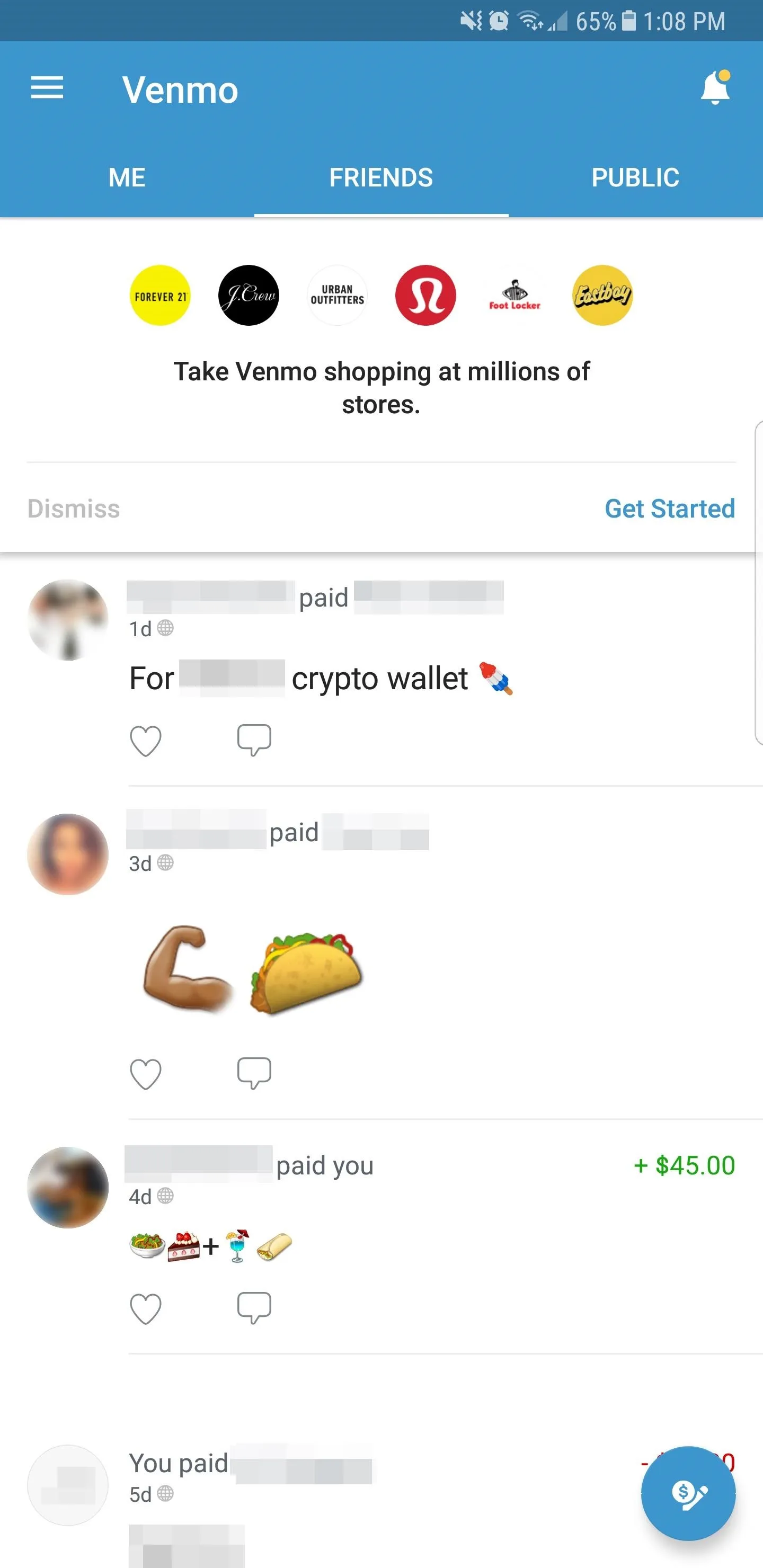
A defining feature of Venmo, differentiating it from many other financial apps, is its integrated social feed. Each transaction can be accompanied by a note and shared publicly, with friends, or kept private. This social layer is a deliberate technological design choice, leveraging principles of social networking to make financial interactions more engaging and transparent (if users choose). From a tech perspective, this involves managing a complex data stream of transactions, comments, and emojis, presenting it in an easily digestible, scrollable feed.
However, this social component also introduces an important aspect of user control: privacy settings. Venmo provides granular control over each transaction’s visibility, a critical design element for user autonomy and digital security. Users can default their payments to “private,” ensuring that sensitive financial details or even the mere act of sending money remains confidential. Understanding and configuring these privacy settings is paramount for any user, as it directly impacts their digital footprint within the app’s ecosystem. The app’s architecture must effectively segment and display data according to these user-defined preferences, a non-trivial task in a high-volume transaction environment.
Step-by-Step Guide: Sending Money via the Venmo App
Mastering the art of sending money through Venmo is straightforward, thanks to its user-centric design. This section provides a technical walkthrough of the process, highlighting the application’s interface and underlying functionalities.
Getting Started: Account Setup and Verification
Before sending any money, a user must first download the Venmo app from their respective app store (iOS or Android) – a standard application deployment and installation process. Account creation involves setting up a profile with an email address, phone number, and creating a secure password. Crucially, linking a payment method is a foundational step. This typically involves connecting a bank account via instant verification (often through services like Plaid, which securely connects to online banking portals) or adding a debit card directly. Credit cards can also be linked, though they often incur a small transaction fee for sending money, a technical limitation imposed by card networks and passed on by Venmo. These initial setup steps are critical for establishing a verified digital identity and ensuring that funds can be reliably moved in and out of the Venmo ecosystem.
Initiating a Payment: The “Pay or Request” Button
The core action of sending money begins with the prominent “Pay or Request” button, usually located at the bottom-center of the app’s navigation bar. Tapping this button activates a new transaction interface. The app then prompts you to identify the recipient. Venmo offers several tech-enabled methods for this:
- Searching by Username: Venmo usernames are unique identifiers, allowing for precise targeting of recipients.
- Searching by Phone Number or Email: If the recipient has linked these to their Venmo account, the app can find them.
- Scanning a QR Code: A highly efficient and secure method, Venmo’s built-in QR scanner allows for contactless and error-free recipient identification, leveraging mobile camera technology for instant data capture.
- Selecting from Friends List: If you’re already connected with the person on Venmo, they’ll appear in your friends list, simplifying selection.
These various methods showcase Venmo’s flexible search algorithms and data linking capabilities, ensuring users can find their intended recipient regardless of their preferred identification method.
Entering Details: Amount, Note, and Privacy
Once the recipient is selected, the next step involves inputting the transaction details:
- Amount: Enter the exact numerical value to be sent. The app’s numeric keypad and input validation ensure accuracy.
- Note: This is where Venmo’s social aspect comes into play. Users can add a descriptive note (often accompanied by emojis) about the payment. From a technical standpoint, this note is plain text data associated with the transaction object.
- Privacy: This is a crucial setting. Below the note field, users can select the privacy level for the transaction:
- Public: Visible to everyone on Venmo’s global feed.
- Friends: Visible only to your Venmo friends.
- Private: Visible only to you and the recipient.
This granular control over data visibility is a key feature of Venmo’s architecture, allowing users to balance convenience with their personal privacy preferences.
Review and Confirm: The Final Send
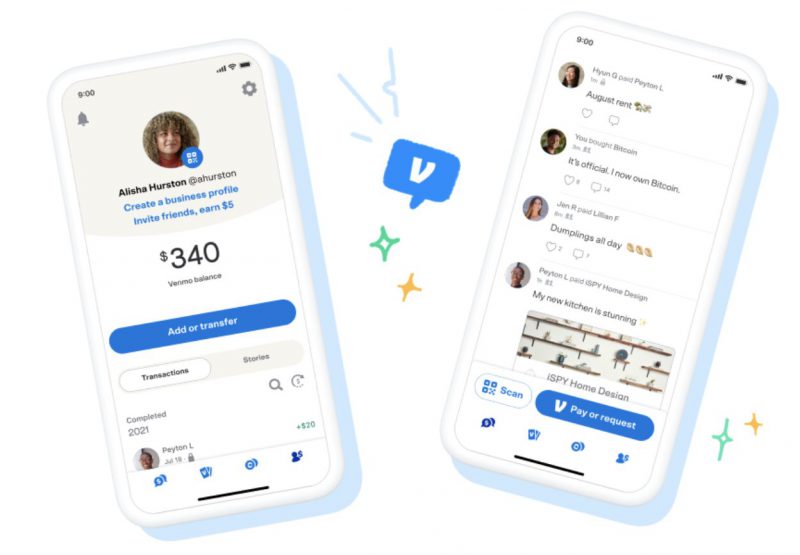
Before the funds are dispatched, Venmo provides a final review screen. This is a critical checkpoint where users can verify the recipient, amount, note, and privacy setting. Once satisfied, tapping the “Pay” button (or similar confirmation) initiates the transaction. At this point, the app sends a secure instruction to Venmo’s backend systems to process the payment. Due to the near-instant nature of Venmo transactions, once confirmed and processed, reversing a payment can be challenging, underscoring the importance of careful review before the final tap. This near-immutability of confirmed transactions is a fundamental design choice in digital payment systems, prioritizing speed and finality.
Advanced Features and Troubleshooting for Venmo Users
Beyond basic sending, Venmo offers several advanced functionalities and requires users to be aware of potential issues. These features further illustrate its technical capabilities and user support mechanisms.
Leveraging QR Codes for Seamless Payments
Venmo’s integrated QR code functionality represents a significant leap in user convenience and transaction speed. Each Venmo user has a unique QR code accessible within their profile. To send money, one user simply scans another’s QR code using the app’s built-in scanner. This eliminates the need to manually type in usernames, phone numbers, or emails, significantly reducing potential errors and speeding up the transaction process. The technology behind this involves real-time image recognition and data parsing, securely linking the scanned code to a specific user ID within Venmo’s database. It’s an elegant solution for in-person payments, embodying touchless transaction technology.
Understanding Transaction Limits and Fees
Like any robust financial application, Venmo operates with certain technical constraints and fee structures. These are often in place to manage risk, comply with regulations, and cover processing costs.
- Sending Limits: Venmo implements weekly rolling limits on how much money users can send. These limits vary based on account verification status. Verified users (those who have confirmed their identity through government-issued ID and social security number) typically have significantly higher limits than unverified users. This tiered system is a technological implementation of regulatory compliance (KYC – Know Your Customer) and fraud prevention.
- Transaction Fees: While sending money from a Venmo balance, bank account, or debit card is generally free, a 3% fee is typically applied when sending money using a credit card. Additionally, instant transfers from Venmo to a bank account or debit card incur a small percentage fee, while standard transfers remain free but take longer. These fees are direct reflections of the underlying payment processing network costs and Venmo’s operational model. Understanding these limits and fees is crucial for efficient and cost-effective use of the application.
Troubleshooting Common Sending Issues
Despite Venmo’s reliability, users might occasionally encounter technical glitches or issues when sending money.
- Failed Payments: Often due to insufficient funds in the linked payment method, incorrect card details, or bank-imposed restrictions. The app’s error messages are designed to guide users towards the specific problem.
- Incorrect Recipient: If money is sent to the wrong person, immediate action is required. Venmo’s system processes transactions quickly, making reversals difficult. The app facilitates requesting the money back from the unintended recipient, but it relies on their cooperation. This highlights the importance of the review step before confirmation.
- App Glitches: General app issues can often be resolved by ensuring the app is updated to the latest version, clearing the app’s cache, or restarting the device – standard troubleshooting steps for mobile applications. Venmo’s technical support channels are also available to address more persistent issues, leveraging integrated helpdesk technology.
Requesting Money and Splitting Bills
Beyond sending, Venmo also allows users to request money and split bills, expanding its utility as a comprehensive digital payment tool. The “Request” functionality mirrors the “Pay” process but in reverse, allowing users to specify an amount and send a request to another user. For group payments, the “Split” feature simplifies dividing costs among multiple people, automatically calculating shares and sending individual requests. These features demonstrate the app’s flexible transaction management capabilities, enhancing its social and practical utility for everyday financial interactions.
Enhancing Your Venmo Experience with Digital Security and Best Practices
While Venmo provides a robust and secure platform, user vigilance and adherence to best practices are crucial for maintaining digital safety. The app incorporates several security technologies, but informed user behavior is the ultimate defense against digital threats.
Protecting Your Account: Two-Factor Authentication and PINs
Venmo employs industry-standard security measures to protect user accounts and transactions.
- Two-Factor Authentication (2FA): This critical security feature adds an extra layer of protection by requiring a second form of verification (e.g., a code sent to your phone) in addition to your password during login or sensitive actions. Activating 2FA is highly recommended as it significantly mitigates the risk of unauthorized access even if your password is compromised. It’s a standard cryptographic and authentication protocol in modern web and mobile applications.
- PIN/Biometric Lock: Users can set up a PIN or enable biometric authentication (fingerprint or facial recognition) to access the Venmo app. This prevents unauthorized access to the app on your device, even if your phone is unlocked. This leverages the device’s native security hardware and software to protect the application’s data.
Recognizing Scams and Staying Safe Online
The convenience of digital payments also attracts malicious actors. Users must be aware of common scam tactics:
- Phishing Attempts: Be wary of emails or messages purporting to be from Venmo that request personal information or ask you to click suspicious links. Venmo will never ask for your password or sensitive information via unsecure channels.
- Overpayment Scams: Scammers might send more money than requested and then ask for the excess back, often using fraudulent funds that will later be reversed, leaving the victim out of pocket.
- “Payment Pending” Scams: Scammers might claim a payment is pending for goods or services and try to trick you into releasing items before the funds have genuinely cleared.
Always verify payments within the Venmo app before taking any action or releasing goods. Understanding how to identify these digital threats is a key component of responsible app usage.
Managing Notifications and App Settings
Effectively managing Venmo’s notification settings and other app preferences can significantly enhance your user experience and security. Users can customize which notifications they receive (e.g., payment received, payment sent, social activity), ensuring they are informed of critical events without being overwhelmed. Reviewing linked bank accounts and cards periodically, and removing any that are no longer in use, is also a good practice for digital hygiene. These settings allow users to tailor the application’s behavior to their personal preferences and security posture, demonstrating the app’s configurable and adaptable nature.
Conclusion
Sending money with Venmo is a fundamental aspect of modern digital life, powered by a sophisticated and user-friendly technological platform. From its secure backend integrations with financial systems to its intuitive mobile interface, Venmo has redefined peer-to-peer payments. By understanding its core mechanics, mastering the step-by-step sending process, leveraging advanced features like QR codes, and adhering to best practices for digital security, users can fully harness the power of this innovative application. Venmo is more than just an app; it’s a testament to how technology can simplify, secure, and even socialize the act of managing money in the 21st century.
aViewFromTheCave is a participant in the Amazon Services LLC Associates Program, an affiliate advertising program designed to provide a means for sites to earn advertising fees by advertising and linking to Amazon.com. Amazon, the Amazon logo, AmazonSupply, and the AmazonSupply logo are trademarks of Amazon.com, Inc. or its affiliates. As an Amazon Associate we earn affiliate commissions from qualifying purchases.