
Effectively managing digital funds is a cornerstone of modern personal finance, and platforms like Cash App have become indispensable financial tools for millions. While sending and receiving money is a primary function, knowing how to efficiently and strategically withdraw funds from your Cash App balance is equally vital for financial liquidity and budgeting. Understanding the various withdrawal methods, associated costs, and limitations empowers users to make informed decisions that align with their financial goals and immediate needs. This guide delves into the mechanisms of accessing your money from Cash App, focusing on optimizing financial outcomes.

Accessing Your Funds: Core Withdrawal Methods
Cash App provides several avenues for users to move funds from their in-app balance to more traditional or physical forms. Each method carries distinct characteristics concerning speed, cost, and convenience, making the choice dependent on individual financial priorities. The primary methods include transferring funds to a linked bank account and utilizing the Cash Card for ATM withdrawals or point-of-sale cash back.
Direct Deposits to Your Bank Account: Standard and Instant Options
Transferring your Cash App balance directly to an external bank account is often the most common and financially prudent method for moving substantial sums. Cash App facilitates two distinct types of bank transfers: standard and instant deposits.
Standard Deposits (1-3 Business Days): The Cost-Effective Choice
The standard deposit option is designed for users who prioritize cost savings over immediate access to funds. When you initiate a standard transfer, Cash App moves your desired amount to your linked bank account within one to three business days. This timeframe excludes weekends and banking holidays, which is an important consideration for financial planning.
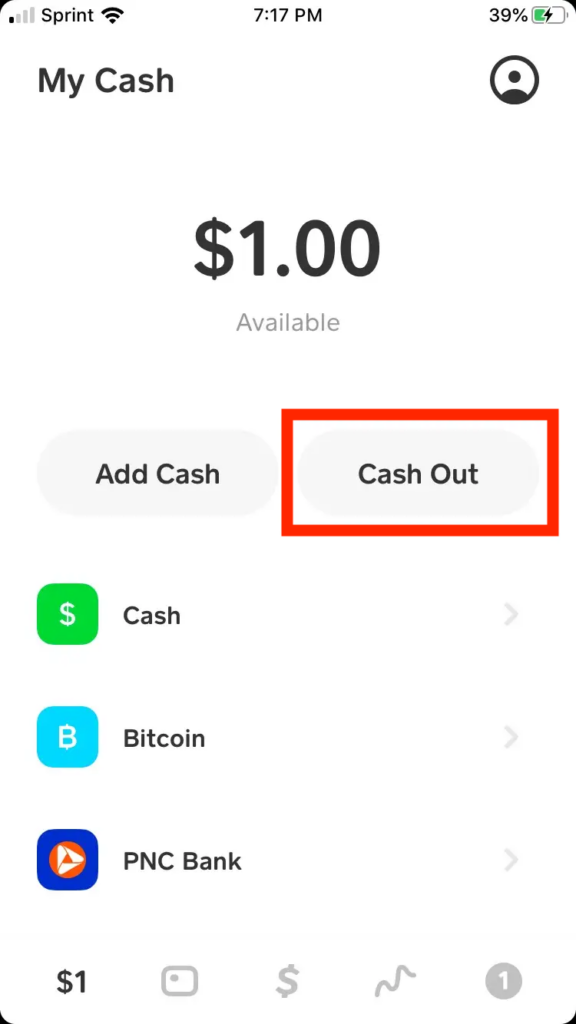
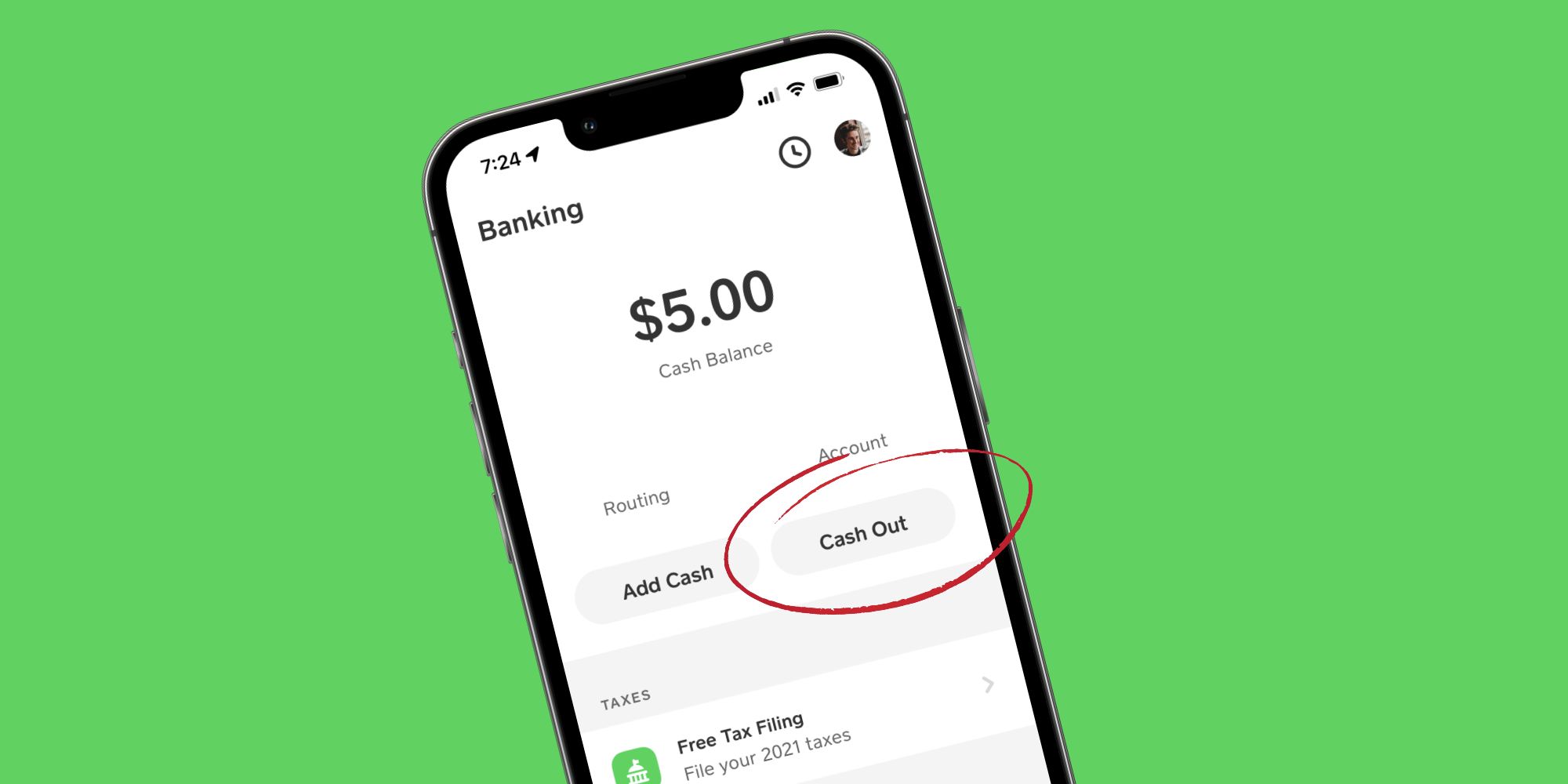
- Process: To execute a standard deposit, navigate to the “Banking” or “Cash Card” tab within the Cash App. Tap “Cash Out” (or “Withdraw”), enter the amount you wish to transfer, and select “Standard” as your transfer speed. Confirm the transaction, and the funds will typically appear in your linked bank account within the specified period.
- Financial Advantage: The paramount benefit of standard deposits is the absence of any associated fees from Cash App. This makes it the most cost-efficient method for accessing your funds, ensuring that the full amount you transfer arrives in your bank account without deductions.
- Planning Implications: This method requires foresight and careful financial planning, especially when funds are needed for upcoming expenses. It’s advisable to initiate standard transfers well in advance of when the money will be required to avoid any financial shortfalls or the need to resort to more expensive instant options.
Instant Deposits (Immediate Access): Weighing Convenience Against Cost
For situations demanding immediate access to funds, Cash App offers an instant deposit option. This feature is particularly useful for unexpected expenses, urgent bill payments, or when liquidity is critical.
- Process: The steps to initiate an instant deposit are similar to a standard transfer: access the “Banking” or “Cash Card” tab, tap “Cash Out,” enter the amount, but crucially, select “Instant” as your transfer speed. After confirmation, the funds are typically available in your linked bank account within minutes.
- Associated Fees: The speed and convenience of instant deposits come with a fee. Cash App typically charges a 1.75% fee on the total amount transferred, with a minimum charge. For instance, if you transfer $100 instantly, a $1.75 fee would be deducted, meaning $98.25 would arrive in your bank account. This fee structure directly impacts the net amount of funds available for immediate use.
- Strategic Use: While the fee is a consideration, instant deposits can be a valuable financial tool when time is of the essence. Users should weigh the cost of the fee against the urgency of their financial need. For recurring or planned withdrawals, the standard option remains financially superior.
Withdrawing Cash with the Cash Card: Physical Access to Your Funds
The Cash Card, Cash App’s customizable debit card powered by Visa, extends the utility of your in-app balance by enabling physical cash withdrawals. This provides another layer of financial flexibility, allowing users to access their funds without a traditional bank transfer.
Using ATMs with Your Cash Card
The Cash Card functions like any standard debit card at ATMs, allowing you to withdraw physical cash from your Cash App balance.
- Process: Insert your Cash Card into an ATM, select “Withdrawal,” choose “Checking Account” (as Cash App funds are generally treated as such for ATM purposes), enter the desired amount, and input your Cash Card PIN. The ATM will dispense the cash.
- ATM Fees: While Cash App itself does not charge a fee for ATM withdrawals if you receive at least $300 in direct deposits to your Cash App account each month (making all subsequent ATM withdrawals free), third-party ATM operators may impose their own service fees. These fees, typically ranging from $2.00 to $5.00 per transaction, are deducted directly from your Cash App balance or charged by the ATM operator.
- ATM Limits: Cash App imposes daily and weekly limits on ATM withdrawals. Typically, users can withdraw up to $310 per transaction, $1,000 per day, and $1,000 per week. These limits are designed to manage risk and protect user funds, requiring users to plan larger cash needs accordingly.
- Financial Strategy: To minimize ATM fees, prioritize using ATMs that are part of surcharge-free networks or aim to meet Cash App’s direct deposit criteria to qualify for free withdrawals. Planning your cash needs to stay within daily/weekly limits also prevents multiple transactions and potential cumulative fees.
Cash Back at Point-of-Sale (POS)
Another convenient way to get physical cash from your Cash App balance is by requesting cash back during a purchase at participating retailers.
- Process: When making a purchase with your Cash Card at a store, inform the cashier that you would like cash back. After your purchase is processed, you’ll be prompted to enter your PIN, and the requested cash amount will be added to your transaction total, then handed to you by the cashier.
- Fee Advantage: The primary financial benefit of cash back at POS is that it generally bypasses typical ATM fees. Most retailers do not charge a fee for this service, making it a cost-effective way to obtain small amounts of cash.
- Retailer Limits: Retailers often have their own limits on the amount of cash back they can provide, typically ranging from $20 to $100 per transaction. These limits are independent of Cash App’s own withdrawal limits but should be considered when planning to access larger sums of cash.
Navigating Withdrawal Limits and Fees: Maximizing Your Financial Control
Understanding the financial parameters governing withdrawals is crucial for optimizing your use of Cash App and managing your personal finances effectively. This includes being aware of both the limits on how much you can withdraw and the various fees that may apply.
Understanding Cash App Withdrawal Limits
Cash App implements limits on various types of transactions, including withdrawals, to enhance security and comply with regulatory requirements.
- Bank Transfer Limits: While instant transfers have a transaction fee, they generally have higher limits for the amount that can be sent to a linked bank account, often in the range of $25,000 per week, subject to account verification. Standard transfers typically share similar high limits.
- Cash Card ATM Limits: As previously mentioned, ATM withdrawals are capped at $310 per transaction, $1,000 per day, and $1,000 per week.
- Verification Impact: Unverified accounts typically have lower withdrawal limits. Completing identity verification within Cash App (providing your full name, date of birth, and the last four digits of your Social Security Number) can significantly increase these limits, granting greater financial flexibility. This step is a critical component of responsible financial management within the platform.
Decoding Withdrawal Fees
A clear understanding of withdrawal fees allows users to make economically sound choices.
- Instant Deposit Fee: The 1.75% fee for instant transfers directly reduces the amount of funds that reach your bank account. This fee is a direct cost of convenience.
- ATM Fees: While Cash App offers a pathway to fee-free ATM withdrawals for direct deposit users, third-party ATM surcharges can quickly accumulate. Users should prioritize using in-network ATMs or meeting direct deposit requirements to mitigate these costs.
- Fee Minimization Strategies:
- Prioritize Standard Transfers: For non-urgent fund access, always opt for standard bank transfers to avoid the 1.75% instant transfer fee.
- Utilize Direct Deposit: If you frequently need cash, setting up direct deposits to Cash App can unlock fee-free ATM withdrawals, leading to significant savings over time.
- Cash Back at POS: For smaller cash needs, requesting cash back during a debit card purchase is typically free and avoids ATM surcharges.
Best Practices for Secure and Efficient Withdrawals
Ensuring your withdrawals are both secure and efficient is paramount to sound financial management. Adhering to best practices can prevent financial disruptions and protect your assets.
Verifying Your Account Information
Accuracy in your financial details is non-negotiable for seamless transactions.
- Linked Bank Account: Regularly verify that your linked bank account information (account number, routing number) is correct and up-to-date within Cash App. Incorrect details can lead to failed transfers, delays, and potential complexities in recovering funds.
- Identity Verification: Complete the identity verification process to unlock higher limits and enhance account security, which is a fundamental aspect of financial due diligence.
- PIN Management: Keep your Cash Card PIN secure and never share it. A compromised PIN can lead to unauthorized withdrawals.
Monitoring Transactions and Statements
Proactive monitoring of your financial activity is a cornerstone of security.
- Regular Review: Periodically review your Cash App activity statement and your linked bank account statements to identify any unauthorized transactions or discrepancies promptly.
- Alerts and Notifications: Utilize Cash App’s notification features to receive alerts for all transactions, including withdrawals. This immediate feedback helps you stay informed about your fund movements.
- Dispute Resolution: In the event of an unauthorized transaction, report it to Cash App support immediately. Timely reporting is crucial for effective dispute resolution and fund recovery.
Planning Your Withdrawals Strategically
Strategic financial planning extends to how and when you access your funds.
- Budget Alignment: Align your withdrawal methods with your personal budget and financial needs. If an expense isn’t urgent, choose the fee-free standard transfer. If cash is needed on short notice, understand the cost of instant access.
- Anticipate Needs: Forecast upcoming expenses that may require cash or bank transfers, allowing you to use the most cost-effective withdrawal method available.
- Emergency Fund Access: While Cash App can hold emergency funds, consider the immediate accessibility and potential costs of withdrawing those funds in a crisis. Diversifying emergency savings across various accessible accounts (e.g., traditional savings account, Cash App) can be a robust financial strategy.
By understanding the mechanics, costs, and strategic implications of each withdrawal method, Cash App users can gain greater control over their digital finances, ensuring their money is always accessible on their terms, while minimizing unnecessary expenses.
aViewFromTheCave is a participant in the Amazon Services LLC Associates Program, an affiliate advertising program designed to provide a means for sites to earn advertising fees by advertising and linking to Amazon.com. Amazon, the Amazon logo, AmazonSupply, and the AmazonSupply logo are trademarks of Amazon.com, Inc. or its affiliates. As an Amazon Associate we earn affiliate commissions from qualifying purchases.