
For countless small and medium-sized businesses, QuickBooks Desktop has been the bedrock of their financial operations, a trusted partner in managing everything from invoicing to payroll. As 2024 unfolds, a critical question arises for both new adopters and long-time users: “How much is QuickBooks Desktop 2024?” This isn’t just a simple pricing query; it delves into the strategic financial planning for businesses, the value proposition of a robust accounting solution, and the shift in how Intuit now delivers its flagship desktop product. Understanding the costs associated with QuickBooks Desktop 2024 is paramount for prudent financial management, ensuring your business invests wisely in tools that drive efficiency and profitability.
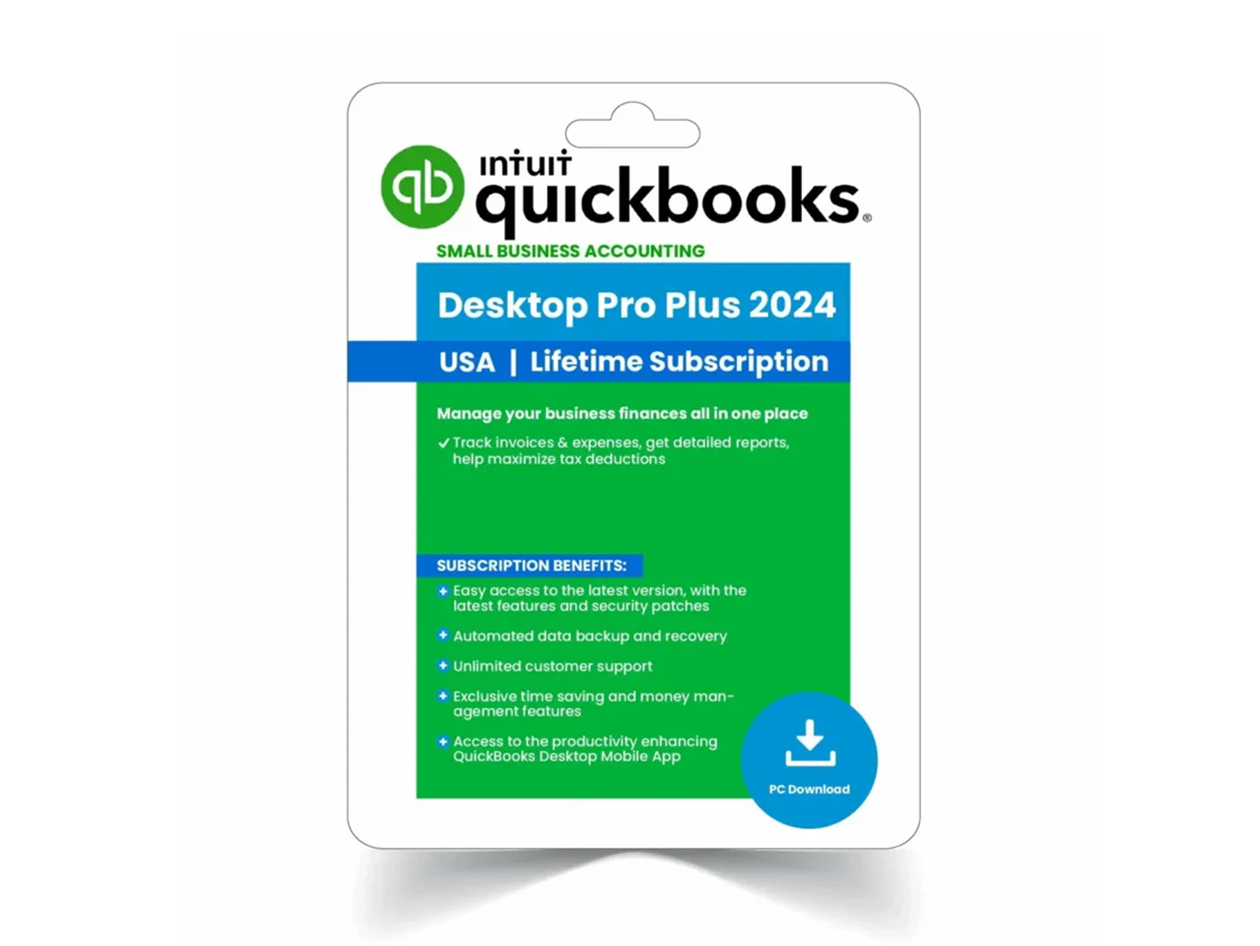
Intuit, the creator of QuickBooks, has significantly evolved its pricing and delivery model for the desktop versions in recent years. Gone are the days of a perpetual license purchased once. Today, QuickBooks Desktop operates under a “Plus” subscription model, requiring an annual renewal for continued access to the software, along with a suite of bundled services. This transition impacts not only the upfront cost but also ongoing operational budgets, making a thorough understanding of the 2024 pricing structure a cornerstone of effective business finance.
Deconstructing the 2024 QuickBooks Desktop Pricing Structure
The pricing for QuickBooks Desktop 2024 is structured around annual subscriptions, varying by the edition chosen (Pro Plus, Premier Plus, or Enterprise) and the number of users required. These “Plus” subscriptions are designed to offer a comprehensive package that goes beyond just the software itself, bundling essential services that enhance the overall value proposition.
QuickBooks Desktop Pro Plus 2024: The Foundation for Small Businesses
QuickBooks Desktop Pro Plus is typically the entry point for many small businesses. It offers robust features for managing income and expenses, invoicing, bill payment, basic reporting, and inventory. The “Plus” designation means the annual subscription includes:
- The software itself: Access to the latest version of QuickBooks Desktop Pro.
- Automatic updates: Ensures your software is always current with the latest features, security patches, and tax table updates.
- Unlimited customer support: Access to Intuit’s technical support team for assistance with software usage or issues.
- Data backup and recovery: Tools and services to help protect your financial data.
- Add-on services integration: Potential for seamless integration with other Intuit services like QuickBooks Payroll (often sold separately, but with integrated pricing benefits).
For 2024, businesses can expect to pay an annual subscription fee for Pro Plus, which generally covers a single user. Additional users typically incur an extra, albeit discounted, annual fee. Pricing can fluctuate based on promotions and the number of users, but budgeting for an annual expense in the range of several hundred dollars for the base single-user version is a reasonable starting point. This annual investment replaces the former one-time purchase, transitioning the software from a capital expense to an operational one.
QuickBooks Desktop Premier Plus 2024: Tailored for Growing Needs
QuickBooks Desktop Premier Plus builds upon the features of Pro Plus, offering industry-specific functionalities and enhanced reporting capabilities. It’s designed for businesses with more complex needs, often operating in specific sectors like manufacturing & wholesale, retail, professional services, non-profit, or contractors. The “Plus” subscription benefits remain the same as Pro Plus.
Premier Plus allows for more simultaneous users than Pro Plus, typically supporting up to five users. The annual subscription cost for Premier Plus will naturally be higher than Pro Plus, reflecting its expanded feature set and multi-user capacity. Businesses considering Premier Plus should evaluate the specific industry tools it provides and assess whether these features justify the increased annual outlay. For example, a manufacturing business might leverage advanced inventory tracking or job costing features that are unavailable in Pro Plus, thereby generating significant operational efficiencies and cost savings that outweigh the higher subscription fee. This becomes a clear financial decision based on return on investment from specialized functionality.
QuickBooks Desktop Enterprise 2024: Scalability for Large and Complex Operations
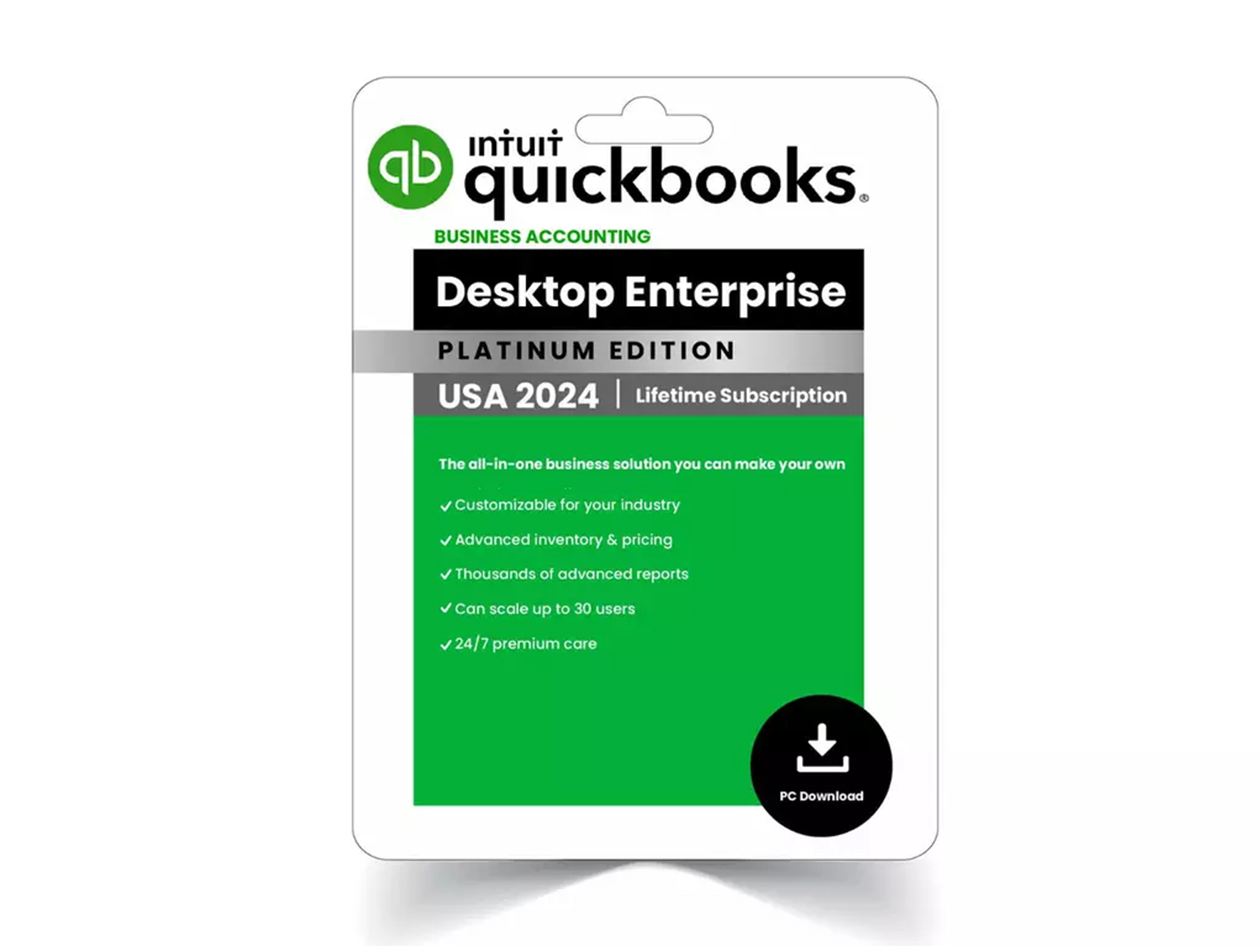
QuickBooks Desktop Enterprise is Intuit’s most powerful desktop solution, built for larger businesses with advanced inventory, robust reporting, and extensive user needs. It supports up to 40 simultaneous users and offers advanced features like enhanced inventory management (including bin location tracking, serialized inventory, and multi-location inventory), advanced pricing rules, and a significantly higher list limit for items, customers, and vendors.
The Enterprise “Plus” subscription, like its counterparts, includes updates, support, and data services. However, due to its comprehensive nature and scalability, the annual subscription cost for Enterprise is substantially higher than Pro Plus or Premier Plus. Pricing for Enterprise is highly dependent on the number of users and the specific add-ons or modules selected (e.g., Advanced Inventory, Advanced Pricing, Payroll). Businesses opting for Enterprise are making a significant annual financial commitment, but one that is justified by the scale and complexity of their operations, the need for robust data handling, and the potential for substantial efficiency gains across multiple departments. For large businesses, the cost savings from streamlined operations, accurate financial reporting, and reduced manual errors can far exceed the annual subscription fee.
Unpacking Discounts and Promotional Offers
Intuit frequently offers introductory discounts for new subscribers, particularly during peak tax seasons or end-of-year sales. These promotions can significantly reduce the first year’s subscription cost, often by 30-50%. While attractive, businesses should budget for the full, non-discounted price in subsequent years to avoid financial surprises. Additionally, bundling QuickBooks Desktop with other Intuit products, such as QuickBooks Payroll, can sometimes unlock further discounts. It’s always advisable for businesses to check Intuit’s official website or consult with an authorized reseller for the most current pricing and any available promotions to optimize their initial financial outlay.
The Financial Implications of the “Plus” Subscription Model
The shift to an annual “Plus” subscription model for QuickBooks Desktop represents a fundamental change in how businesses acquire and budget for their accounting software. This model has several key financial implications that businesses must consider.
From Capital Expense to Operational Expense
Historically, purchasing QuickBooks Desktop was a capital expenditure – a one-time purchase of an asset. With the “Plus” subscription, it transitions into an operational expense (OpEx). This means the cost is expensed annually rather than being depreciated over several years. For many businesses, this simplifies budgeting and can improve cash flow by spreading the cost over time, though it also means a recurring annual commitment. Financial managers need to update their accounting practices and forecasting to reflect this ongoing operational cost.
Budgeting for Predictable Annual Costs
The “Plus” model offers predictability. Businesses know precisely what they will pay annually for the software, updates, and support. This predictability aids in long-term financial planning and budgeting, removing the uncertainty of unexpected upgrade costs for new versions or separate support plan purchases. This stability allows for more accurate expense forecasting, which is crucial for maintaining healthy financial statements.
Value Beyond Just the Software
The “Plus” subscription isn’t merely a rental fee for the software. It bundles essential services that collectively represent significant value. Automatic updates ensure compliance with the latest tax laws and security standards, mitigating potential financial penalties or data breaches. Included support can save countless hours of troubleshooting, allowing employees to focus on productive tasks rather than grappling with software issues. The data backup service provides peace of mind, protecting against costly data loss scenarios. When evaluating the “how much” question, businesses must consider these bundled services as part of the overall value proposition, not just the cost of the software itself. The avoidance of financial risks and the preservation of productivity inherently contribute to the return on investment.

QuickBooks Desktop: A Value Proposition for Financial Efficiency
Beyond the sticker price, the true cost of QuickBooks Desktop lies in its overall value proposition to a business’s financial operations. The investment in this software is intended to generate efficiencies, improve accuracy, and provide critical financial insights that drive profitability.
Streamlining Financial Workflows and Reducing Labor Costs
QuickBooks Desktop automates many manual accounting tasks, from invoice generation and payment tracking to bank reconciliation and financial reporting. This automation significantly reduces the time employees spend on mundane data entry and administrative tasks. For businesses, this translates directly into reduced labor costs or, more positively, the ability for existing staff to dedicate their time to more strategic, value-added activities. The ability to quickly generate professional invoices ensures faster payment cycles, improving cash flow – a direct financial benefit.
Enhancing Accuracy and Compliance
Manual accounting is prone to human error, which can lead to costly mistakes in financial statements, tax filings, and inventory management. QuickBooks Desktop minimizes these errors through automated calculations and standardized processes. Furthermore, the “Plus” subscription ensures the software is always updated with the latest tax regulations, helping businesses maintain compliance and avoid costly penalties from tax authorities. Accurate financial records are indispensable for sound decision-making, investor confidence, and regulatory adherence, all of which have profound financial implications.
Empowering Data-Driven Financial Decisions
One of the most significant financial benefits of QuickBooks Desktop is its powerful reporting capabilities. Businesses can generate a wide array of financial reports – profit & loss statements, balance sheets, cash flow statements, sales reports, inventory valuations – at the click of a button. These reports provide invaluable insights into the financial health of the business, enabling owners and managers to identify trends, pinpoint areas of inefficiency, make informed budgeting decisions, and strategize for future growth. Understanding where money is coming from and where it is going is the cornerstone of effective financial management, and QuickBooks Desktop provides the tools to achieve this with precision.
QuickBooks Desktop vs. QuickBooks Online: A Financial Deliberation
When considering the cost of QuickBooks Desktop 2024, many businesses naturally weigh it against its cloud-based counterpart, QuickBooks Online (QBO). This comparison is not just about features but fundamentally about financial models and operational preferences.
Subscription Model Comparison
Both Desktop Plus and QBO operate on subscription models, but their pricing structures differ. QBO plans are typically billed monthly, starting at a lower price point than the annual Desktop Plus subscription. However, QBO’s monthly fees can accumulate to a similar or even higher annual cost depending on the plan (Simple Start, Essentials, Plus, Advanced) and the number of users/features. Desktop Plus, while a larger annual lump sum, often offers more robust features at its base tier compared to similarly priced QBO plans. Businesses must analyze their cash flow and budget to determine whether a larger annual payment or smaller monthly payments are more financially suitable.
Operational Cost Considerations
- Hosting: QuickBooks Desktop requires local installation on computers or a server. If a business opts for a hosted desktop solution (to gain cloud access), this incurs additional monthly or annual hosting fees from a third-party provider, increasing the overall operational cost. QBO, being cloud-native, has no such hosting costs.
- Hardware: Desktop versions might require more powerful local machines, especially for multi-user setups, potentially leading to higher hardware refresh costs. QBO, accessible via a web browser, is generally less demanding on local hardware.
- IT Support: Managing a local or hosted desktop environment might necessitate more internal or external IT support, which is another recurring financial expense. QBO typically offloads much of the IT burden to Intuit, reducing internal support needs.
From a financial perspective, businesses need to conduct a thorough total cost of ownership (TCO) analysis, factoring in not just the subscription fees but also potential IT, hardware, and hosting costs, when choosing between Desktop and Online.
Maximizing Your Investment in QuickBooks Desktop 2024
Once a business commits to the annual subscription for QuickBooks Desktop 2024, the focus shifts to maximizing that investment to ensure the best possible financial return.
Strategic Version Selection
Choosing the right edition (Pro Plus, Premier Plus, or Enterprise) is the first critical step in optimizing your financial outlay. Overspending on features you don’t need or, conversely, under-buying and facing limitations, both represent inefficient use of capital. A thorough needs assessment – considering transaction volume, inventory complexity, reporting requirements, and the number of users – will guide this decision. It’s a financial balancing act: invest enough to meet current and foreseeable needs, but avoid unnecessary expenses for unused capabilities.
Leveraging All Available Features
Many businesses only scratch the surface of QuickBooks Desktop’s capabilities. Fully utilizing features like advanced reporting, budgeting tools, job costing, sales orders, or industry-specific functionalities can unlock significant efficiencies and provide deeper financial insights. Investing time in training staff to harness these features effectively is an investment in human capital that yields strong returns in financial accuracy and productivity. For example, effectively using the budgeting tools can help prevent overspending, directly impacting the bottom line.
Integrating with Complementary Tools
QuickBooks Desktop can be integrated with a vast ecosystem of third-party applications for payroll, CRM, e-commerce, and more. Strategically integrating these tools can create a seamless financial workflow, eliminating duplicate data entry, reducing errors, and saving considerable time and money. When evaluating third-party integrations, businesses should perform a cost-benefit analysis of each integration, ensuring the added efficiency and functionality justify any additional subscription or setup costs.
Conclusion: A Prudent Financial Decision for 2024
The question “How much is QuickBooks Desktop 2024?” is more than a simple pricing inquiry; it’s an entry point into a comprehensive financial decision for any business. With the move to an annual “Plus” subscription model, understanding the costs of Pro Plus, Premier Plus, and Enterprise, alongside the bundled services, is crucial for accurate financial planning and budgeting.
Beyond the annual fee, businesses must weigh the operational cost implications, the value derived from streamlined financial workflows, enhanced accuracy, and the ability to make data-driven decisions. The investment in QuickBooks Desktop 2024 is an investment in the financial health and operational efficiency of your business. By carefully evaluating your needs, understanding the subscription model’s financial implications, and strategically maximizing the software’s capabilities, businesses can ensure that their outlay in QuickBooks Desktop translates into tangible financial returns and sustained growth in the year ahead.
aViewFromTheCave is a participant in the Amazon Services LLC Associates Program, an affiliate advertising program designed to provide a means for sites to earn advertising fees by advertising and linking to Amazon.com. Amazon, the Amazon logo, AmazonSupply, and the AmazonSupply logo are trademarks of Amazon.com, Inc. or its affiliates. As an Amazon Associate we earn affiliate commissions from qualifying purchases.