
Showtime has long been a powerhouse in premium television, renowned for its critically acclaimed original series, blockbuster movies, hard-hitting documentaries, and thrilling sports programming. In today’s dynamic digital landscape, accessing your favorite Showtime content is more flexible and convenient than ever before. Gone are the days when a traditional cable subscription was your only gateway. This guide delves into the various technological avenues available, from dedicated streaming apps and bundles to live TV services and traditional providers, ensuring you can enjoy Showtime’s rich library wherever and whenever you choose. We’ll explore the technical requirements, device compatibility, and user experience across different platforms, providing a comprehensive roadmap for every enthusiast.

Understanding Showtime’s Core Streaming Offerings
At the heart of modern content consumption lies direct-to-consumer streaming. Showtime has adapted significantly to this paradigm, offering multiple digital pathways for viewers to subscribe and engage with its content without the need for a legacy TV package.
The Standalone Showtime App/Service
For those who prefer a streamlined, direct approach, Showtime offers its own dedicated streaming service. This standalone option provides full access to Showtime’s entire catalog of original series (such as Yellowjackets, Billions, Dexter), an extensive library of films, documentaries, and live broadcasts of championship boxing and other sports.
To subscribe:
- Directly: You can subscribe directly through the Showtime website (showtime.com) using a web browser.
- Via App Stores: The Showtime app is available for download on a multitude of devices, including smart TVs, streaming media players, and mobile devices. Subscriptions can often be initiated directly through these apps via in-app purchases (e.g., Apple App Store, Google Play Store, Roku Channel Store, Amazon Appstore).
Once subscribed, the Showtime app provides an intuitive interface for browsing content, creating watchlists, and continuing shows from where you left off. It typically supports multiple user profiles and allows for simultaneous streams across different devices, catering to household viewing needs. The app’s design prioritizes ease of navigation, high-quality video playback, and often includes features like offline downloads for mobile viewing.
Showtime via Paramount+ Bundles
A significant evolution in Showtime’s digital strategy has been its integration with Paramount+. In an effort to consolidate ViacomCBS’s streaming assets and offer greater value, Showtime content has increasingly been bundled with Paramount+. This means that in many regions, especially in the U.S., you can access Showtime’s premium content as an add-on or as part of a higher-tier subscription to Paramount+.
The “Paramount+ with Showtime” bundle is often presented as a single subscription that grants access to all Paramount+ content (including originals, movies, and live sports like NFL on CBS) plus the entire Showtime library. This strategic bundling offers a comprehensive entertainment package, reducing the need for multiple separate subscriptions and simplifying billing. From a technical standpoint, this usually means accessing Showtime content directly within the Paramount+ application, often through a dedicated Showtime hub or section. Users benefit from a unified interface and improved content discovery across both platforms. This model is particularly attractive for consumers seeking a broad spectrum of entertainment from a single provider.
Accessing Showtime Through Live TV Streaming Services
For cord-cutters who still desire the experience of traditional television channels, live TV streaming services have emerged as a popular alternative. Many of these platforms offer Showtime as a premium add-on, integrating it seamlessly into their channel lineups and on-demand libraries.
Key Platforms Offering Showtime Add-ons
Several prominent live TV streaming services provide the option to subscribe to Showtime:
- Hulu + Live TV: Subscribers to Hulu’s live TV package can add Showtime as a premium channel. This integrates Showtime’s linear channels directly into Hulu’s live guide, while also making its full on-demand library available within the Hulu interface. This creates a unified experience for both live TV and premium on-demand content.
- YouTube TV: Google’s YouTube TV also allows subscribers to add Showtime. Similar to Hulu, this provides access to Showtime’s live feeds and its comprehensive on-demand collection, all accessible through the YouTube TV app across various devices.
- Sling TV: Known for its customizable channel packages, Sling TV offers Showtime as an optional premium add-on. This allows users to tailor their entertainment bundle, paying only for the premium channels they truly want alongside Sling’s base packages.
- FuboTV: Primarily focused on sports, FuboTV also includes entertainment options and offers Showtime as a premium add-on. This caters to sports fans who also enjoy premium drama and films, bringing a diverse content offering under one roof.
- Philo: While Philo generally focuses on more budget-friendly entertainment and lifestyle channels, it also provides premium add-ons, which may include Showtime depending on market availability and current offerings.
Evaluating Live TV Bundles and Features
When considering Showtime through a live TV streaming service, several technical and user experience factors come into play:
- Unified Interface: A significant advantage is the integration of Showtime content directly into the live TV service’s app. This means less app switching and a more cohesive browsing experience.
- Cloud DVR: Most live TV services offer cloud DVR functionality. If Showtime’s linear channels are included, you can typically record live shows and movies, allowing you to watch them later at your convenience, even if they aren’t immediately available on-demand.
- Device Compatibility: The chosen live TV service’s app will dictate the range of devices on which you can watch Showtime. Generally, these services support a wide array of smart TVs, streaming sticks, game consoles, and mobile devices.
- Cost vs. Convenience: While adding Showtime to a live TV package can be convenient, it’s important to compare the total cost against a standalone Showtime subscription or a Paramount+ bundle. Often, the premium add-on price is comparable, but the overall monthly outlay for a live TV service is significantly higher than standalone streaming.
Traditional Cable and Satellite Providers: The Enduring Option
Despite the rise of streaming, traditional cable and satellite providers remain a viable and popular way for many households to access Showtime. For those who prefer a bundled entertainment package or live in areas with limited broadband options, this method continues to offer reliability and familiarity.
Showtime as a Premium Add-on with Legacy Services
Major cable and satellite companies, such as Xfinity, Spectrum, Cox, DirecTV, and Dish Network, have long offered Showtime as a premium channel add-on to their base packages. When you subscribe to Showtime through these providers, you typically gain:
- Linear Channels: Access to Showtime’s multiple linear channels (e.g., Showtime, Showtime 2, Showtime Showcase, Showtime Extreme) in standard and high definition, providing a scheduled broadcast of movies, series, and sports.
- On-Demand Content: Most providers also offer an extensive Showtime on-demand library directly through their set-top boxes, allowing subscribers to watch past episodes of series or movies at any time.
- Showtime Anytime Access: A crucial technical benefit is often included: access to “Showtime Anytime.” This is a web portal and app that allows traditional subscribers to log in using their cable/satellite provider credentials and stream Showtime content on various devices, essentially bridging the gap between traditional TV and modern streaming. This provides flexibility to watch content on the go or on different screens within the home.
Hybrid Viewing: Combining Traditional Subscriptions with Digital Access

The “Showtime Anytime” feature exemplifies a hybrid viewing model. It allows consumers who prefer the stability and bundled nature of traditional cable or satellite to also enjoy the flexibility of digital streaming. This means you can:
- Watch on TV: Tune into the scheduled linear channels via your set-top box.
- Watch On-Demand via Box: Access a curated on-demand library directly from your provider’s interface.
- Stream Anywhere: Use the Showtime Anytime app or website on your smartphone, tablet, computer, or streaming device (e.g., Roku, Fire TV, Apple TV) by simply authenticating with your cable/satellite account details.
This hybrid approach ensures that traditional subscribers are not left behind in the streaming revolution, providing them with multi-platform access that rivals standalone streaming services, leveraging their existing subscription.
Compatible Devices and Technical Requirements for Showtime
Regardless of your chosen access method—standalone app, bundle, live TV service, or traditional provider via Showtime Anytime—understanding device compatibility and technical prerequisites is crucial for a smooth and enjoyable viewing experience.
Supported Streaming Devices
Showtime’s various access points are designed to be widely compatible with the most popular streaming devices on the market. These typically include:
- Smart TVs: Most modern smart TVs from brands like Samsung, LG, Sony, Vizio, and others running platforms such as Roku TV, Fire TV Edition, Android TV, or WebOS.
- Streaming Media Players: Dedicated devices like Roku players, Amazon Fire TV sticks and cubes, Apple TV, and Google Chromecast.
- Game Consoles: PlayStation (PS4, PS5) and Xbox (One, Series X/S) usually have Showtime apps or support apps that include Showtime (e.g., Hulu, YouTube TV).
- Mobile Devices: Smartphones and tablets running iOS (Apple iPhones and iPads) and Android.
- Web Browsers: Access is always available via web browsers on computers (laptops and desktops) through showtime.com or the respective streaming service’s website.
Always check the specific app store on your device or the Showtime website for the most up-to-date list of supported platforms.
Essential Internet Speed and Software Considerations
A reliable internet connection is paramount for high-quality streaming. For HD content, a minimum sustained download speed of 5-10 Mbps is generally recommended. For 4K UHD content, this requirement typically jumps to 20-25 Mbps or higher. While Showtime content is not as prevalent in 4K as some other services, having sufficient bandwidth ensures smooth playback without buffering or quality degradation.
Software-wise, ensure your device’s operating system and the Showtime app (or the app of your chosen service) are always updated to the latest version. Updates often include performance enhancements, bug fixes, and security patches, which are vital for an optimal streaming experience. Outdated software can lead to compatibility issues, crashes, or suboptimal video quality.
Troubleshooting Common Streaming Issues
Despite robust technology, occasional streaming hiccups can occur. Here are common issues and tech-centric troubleshooting tips:
- Buffering/Lag:
- Check your internet speed using an online speed test.
- Restart your router and modem.
- If using Wi-Fi, try moving closer to the router or using a wired Ethernet connection for streaming devices (if supported).
- Close other bandwidth-intensive applications or devices on your network.
- App Crashes/Freezing:
- Force-quit the app and restart it.
- Clear the app’s cache (usually in device settings under ‘Apps’ or ‘Storage’).
- Uninstall and reinstall the app.
- Ensure your device’s OS and the app itself are fully updated.
- Login Problems:
- Double-check your username and password.
- Try logging in on a different device or web browser to isolate if the issue is with a specific app/device.
- If using a cable provider login, ensure your subscription is active and that your provider supports Showtime Anytime.
- Video Quality Issues:
- Verify your internet speed meets the requirements for your desired quality.
- Check if the app or device has a manual quality setting you can adjust.
- Ensure your TV’s display settings are correctly configured for the input source.
Maximizing Your Showtime Experience: Tips and Tricks
Getting Showtime is just the first step. To truly unlock its full potential and enhance your viewing pleasure, a few smart strategies can make a significant difference.
Leveraging Free Trials and Promotional Offers
Before committing to a subscription, always look for free trials. Showtime, both as a standalone service and through its partners (like Paramount+, Hulu, Amazon Prime Video Channels), frequently offers 7-day or even 30-day free trials. These trials are an excellent way to explore the content library, test the app’s performance on your preferred devices, and ensure the service meets your expectations without any financial commitment. Keep an eye out for promotional bundles or discounts, especially during major events or holidays, which can significantly reduce the initial cost of access.
Exploring On-Demand Libraries and Original Programming
While Showtime has live channels, its true value lies in its extensive on-demand library. Dive into the archives to discover critically acclaimed original series from their complete runs, such as Homeland, Shameless, and The Affair. Don’t forget the vast collection of movies and documentaries. Many services organize content by genre, collections, or offer personalized recommendations, making discovery effortless. Take advantage of “continue watching” features to pick up exactly where you left off across all your devices, providing a seamless viewing experience.
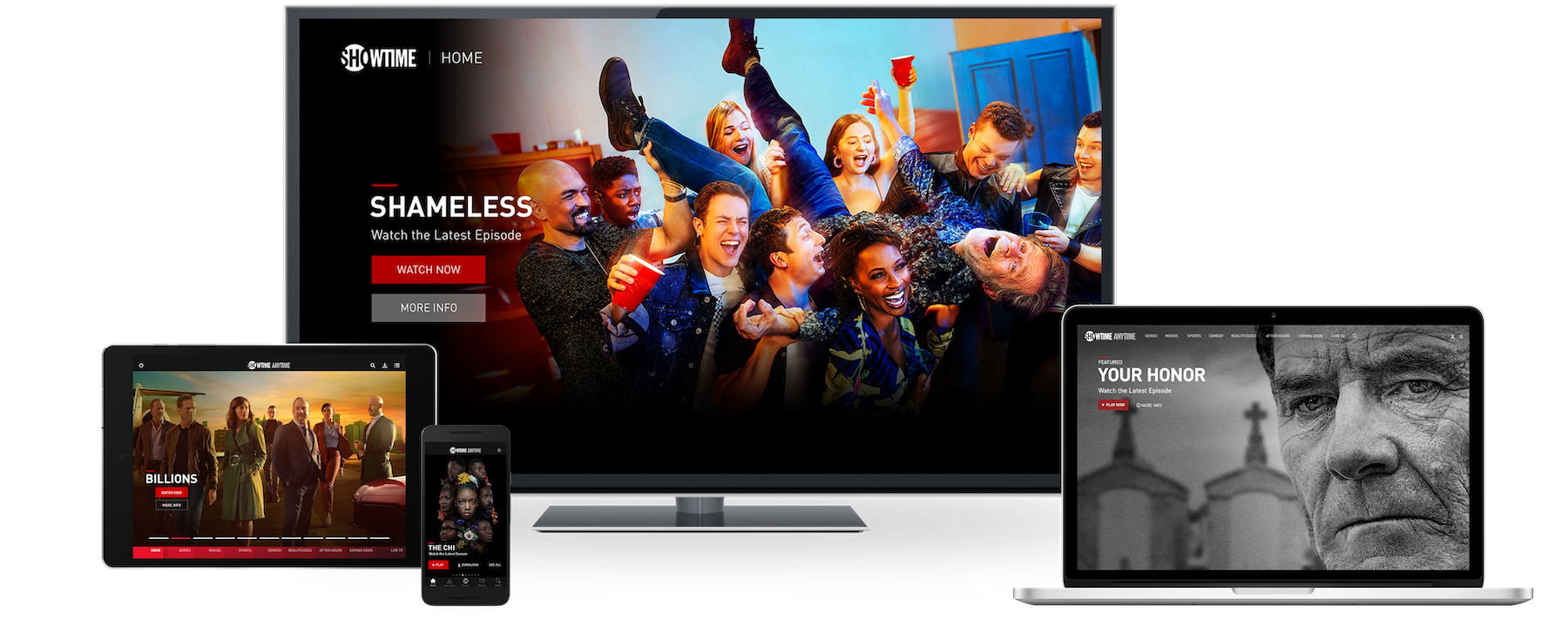
User Interface and Personalization Features
Modern streaming apps are designed with user experience in mind. Familiarize yourself with the interface of your chosen Showtime platform. Look for features like:
- Watchlists/Favorites: Curate a list of shows and movies you want to watch.
- User Profiles: If available, set up individual profiles for different family members to keep recommendations and watch histories separate.
- Parental Controls: Essential for families, these allow you to restrict content based on ratings.
- Search Functionality: Utilize robust search tools to quickly find specific titles, actors, or directors.
- Accessibility Features: Check for options like closed captions, subtitles, and audio descriptions to enhance accessibility.
By effectively navigating these features, you can tailor your Showtime experience to your specific preferences, ensuring you get the most out of your premium subscription.
In conclusion, watching Showtime in the current technological era is a matter of choice and convenience. Whether you opt for the direct streaming route, a bundled offering, integration with a live TV service, or leveraging a traditional cable subscription’s digital capabilities, a robust suite of options awaits. By understanding the technological underpinnings, device compatibility, and maximizing the features available, you’re empowered to enjoy Showtime’s exceptional content library on your terms.
aViewFromTheCave is a participant in the Amazon Services LLC Associates Program, an affiliate advertising program designed to provide a means for sites to earn advertising fees by advertising and linking to Amazon.com. Amazon, the Amazon logo, AmazonSupply, and the AmazonSupply logo are trademarks of Amazon.com, Inc. or its affiliates. As an Amazon Associate we earn affiliate commissions from qualifying purchases.