
In the ever-evolving landscape of personal computing, the Graphics Processing Unit (GPU) has cemented its status as one of the most critical components. Far from being an exclusive concern for hardcore gamers, a powerful GPU is now essential for a multitude of tasks, including professional content creation, artificial intelligence and machine learning development, video editing, 3D rendering, and even enhancing the responsiveness of modern operating systems. Yet, for many, the journey to acquire the ideal GPU can be fraught with challenges, from navigating complex specifications to overcoming market volatility and supply chain hurdles. This guide aims to demystify the process, offering a professional, insightful, and engaging roadmap to help you find the GPU that perfectly aligns with your needs and budget.
Understanding Your GPU Needs and Budget
Before embarking on the quest to find a GPU, the most crucial first step is a thorough self-assessment. A GPU is an investment, and like any significant investment, it should be informed by a clear understanding of your requirements and financial constraints. Without this foundation, you risk either overspending on features you don’t need or underspending on a card that won’t meet your performance expectations.
Defining Your Primary Use Case
The first question to ask yourself is: “What will I primarily use this GPU for?” The answer will drastically narrow down your options and help you focus on the most relevant specifications.
- Gaming: If gaming is your priority, consider the resolution and refresh rate of your monitor. A 1080p gaming setup requires significantly less graphical horsepower than a 4K, high-refresh-rate build. Specific game titles also matter; some games are more graphically demanding than others. Look for cards optimized for gaming, often featuring high clock speeds, ample VRAM (Video RAM), and robust cooling solutions.
- Professional Work (Content Creation, Video Editing, 3D Rendering): For creative professionals, GPU performance directly translates to productivity. Tasks like rendering complex 3D scenes, editing 4K/8K video, or performing intensive graphic design operations demand cards with substantial VRAM, strong core counts (CUDA cores for NVIDIA, Stream Processors for AMD), and reliable drivers. Professional-grade cards (like NVIDIA’s Quadro or AMD’s Radeon Pro series) exist, but high-end consumer GPUs often offer a compelling price-to-performance ratio for many creative tasks.
- Artificial Intelligence & Machine Learning (AI/ML): This field heavily leverages GPU parallel processing capabilities. Deep learning models, in particular, require massive amounts of computation, making VRAM and high core counts paramount. NVIDIA GPUs often hold an advantage here due to their CUDA platform, which is widely adopted in AI/ML frameworks.
- General Computing & Light Use: If your primary use involves web browsing, office applications, and occasional media consumption, an integrated GPU (built into your CPU) or a very entry-level discrete GPU might suffice. Overspending on a high-end card for such use cases is unnecessary.
Decoding GPU Specifications
Once you understand your use case, you can begin to make sense of the myriad specifications listed for GPUs. These numbers aren’t just jargon; they provide vital clues about a card’s potential performance.
- VRAM (Video RAM): This is dedicated memory for the GPU to store textures, buffers, and other graphical data. More VRAM is crucial for higher resolutions, detailed textures, and professional applications. For 1080p gaming, 8GB is often sufficient, but for 1440p, 4K, or professional work, 12GB, 16GB, or even more is highly recommended.
- Core Counts (CUDA Cores/Stream Processors): These are the GPU’s processing units. More cores generally mean more raw computational power. NVIDIA uses “CUDA Cores,” while AMD uses “Stream Processors.” While a direct comparison between the two is not always straightforward due to architectural differences, higher numbers within the same brand’s generation usually indicate better performance.
- Clock Speed (Boost Clock/Base Clock): Measured in MHz or GHz, this indicates how fast the GPU’s processing cores operate. A higher clock speed translates to faster processing, but it’s not the sole determinant of performance.
- Memory Bus & Bandwidth: The memory bus width (e.g., 256-bit) and memory bandwidth (e.g., GB/s) determine how quickly the GPU can access its VRAM. Higher numbers here contribute to smoother performance, especially under heavy loads.
- TDP (Thermal Design Power): Measured in watts, TDP indicates the maximum amount of heat generated by the GPU that the cooling system is designed to dissipate. It also gives an idea of power consumption. A higher TDP means the card draws more power and requires a more robust power supply unit (PSU) and potentially better case airflow.
- Ray Tracing Cores/Tensor Cores: Newer generations of GPUs (especially NVIDIA RTX series) feature dedicated hardware for specific tasks like real-time ray tracing (for realistic lighting) and AI acceleration (Tensor Cores for DLSS – Deep Learning Super Sampling, which boosts framerates).
Setting a Realistic Budget and Performance Expectations
Your budget is a critical factor. GPU prices can range from under $100 to well over $2000. It’s essential to set a realistic budget for the GPU component itself, keeping in mind that it’s part of a larger system. Also, manage your performance expectations accordingly. A $300 GPU will not deliver 4K Ultra gaming at 120 FPS; understand what level of performance is achievable within your price range. Research benchmarks for GPUs in your budget bracket to see real-world performance metrics in applications relevant to your use case.
Navigating the GPU Market: New vs. Used
The GPU market is dynamic, influenced by technological advancements, supply chain issues, and demand fluctuations. Understanding where and how to buy is almost as important as knowing what to buy. Both new and used markets present distinct advantages and disadvantages.
The New GPU Market: Authorized Retailers and Online Stores
Purchasing a new GPU from an authorized retailer or reputable online store offers several benefits:
- Warranty: New cards come with a manufacturer’s warranty, providing peace of mind against defects.
- Latest Technology: You get access to the newest architectures, features, and often, improved power efficiency.
- Reliability: Reduced risk of encountering faulty or misused hardware.
Major retailers like Amazon, Best Buy, Newegg, Micro Center (in the US), Overclockers UK, or Caseking (in Europe) are reliable sources. Additionally, checking directly with manufacturer websites (NVIDIA, AMD, ASUS, MSI, Gigabyte, EVGA, etc.) can sometimes yield results, especially during new product launches or specific drops. When buying new, be wary of third-party sellers on marketplaces who might inflate prices excessively. Always compare prices across multiple reputable vendors.
Exploring the Used GPU Market: Risks and Rewards
The used market can be a treasure trove for finding powerful GPUs at a fraction of their new price, especially as new generations are released. However, it comes with inherent risks.
- Platforms: Popular platforms include eBay, Facebook Marketplace, Craigslist, and dedicated hardware swap subreddits (e.g., r/hardwareswap).
- Risks:
- No Warranty: Most manufacturers’ warranties are non-transferable.
- Unknown History: The card might have been used for cryptocurrency mining (which can degrade card lifespan if not properly managed), overclocked excessively, or poorly maintained.
- Scams: Risk of counterfeit cards, non-functional units, or misrepresentations.
- Rewards: Significant cost savings, access to higher-tier cards that would be out of budget new.
Mitigating Risks on the Used Market:
- Seller Reputation: Always check seller ratings and reviews.
- Detailed Photos/Videos: Ask for clear, well-lit photos, and ideally, videos of the card running a benchmark or game.
- Communication: Engage with the seller. Ask about the card’s history, usage, and reason for selling.
- Local Pickup & Testing: If possible, arrange a local pickup where you can test the card in a functioning system before payment.
- Payment Protection: Use payment methods that offer buyer protection (e.g., PayPal Goods & Services, credit card disputes).
- Post-Purchase Testing: Thoroughly test the card upon arrival with benchmarks (e.g., 3DMark, FurMark) and stress tests to identify any hidden issues.
Understanding GPU Generations and Model Numbers
Both NVIDIA and AMD follow distinct naming conventions that indicate the card’s generation and performance tier.
- NVIDIA GeForce: Typically uses RTX (Ray Tracing) or GTX for older cards, followed by a series number (e.g., 40 for the latest Ada Lovelace generation, 30 for Ampere, 20 for Turing). The last two digits indicate performance tier (e.g., 90 is flagship, 80 high-end, 70 upper-mid, 60 mid-range, 50 entry-level). “Ti” indicates a slightly more powerful version, and “Super” often signifies a refresh with improved performance. Example: RTX 4090, RTX 3070 Ti.
- AMD Radeon RX: Uses similar generational numbering (e.g., 7000 series for RDNA 3, 6000 for RDNA 2), followed by a performance tier number. “XT” typically denotes a higher-performing variant. Example: RX 7900 XTX, RX 6700 XT.

Understanding these conventions helps you quickly gauge where a card stands in terms of age and performance relative to others.
Strategies for Securing a New GPU
In times of high demand or limited supply, simply walking into a store or finding a card readily available online can be challenging. Proactive strategies are often necessary to secure a new GPU, especially for popular models.
Leveraging Stock Trackers and Restock Alerts
Many websites and communities specialize in tracking GPU stock across various retailers.
- Discord/Telegram Communities: Several communities are dedicated to sharing real-time stock alerts. Joining these can give you a significant edge, as members often post links the moment a product becomes available.
- Dedicated Stock Tracker Websites/Apps: Services like HotStock, NowInStock, or browser extensions can monitor retailer pages for you and send notifications when a GPU is restocked. Configure alerts for specific models you are interested in.
- Twitter Accounts: Many bot accounts or enthusiasts post immediate stock updates. Follow key retailers and tech news outlets.
The key is speed; popular cards can sell out within minutes, sometimes seconds. Have your payment information ready and logged in on retailer sites.
Participating in Retailer Drops and Lotteries
Some retailers, to combat scalpers and ensure fair distribution, implement specific “drops” or lottery systems.
- “Drops”: These are scheduled times when a limited number of GPUs are released online. Follow retailer announcements closely for these events.
- Lotteries/Queues: Micro Center frequently uses a queue system for in-store purchases. Other online retailers might implement a lottery system where you register your interest, and selected customers get an opportunity to purchase. While success isn’t guaranteed, these systems can be a more equitable way to secure a card.
Considering Pre-built Systems for Value
Sometimes, buying a pre-built gaming PC or workstation can be more cost-effective than purchasing a standalone GPU, especially during periods of inflated GPU prices. System integrators often have preferential access to GPU stock from manufacturers.
- Advantages:
- Often cheaper than building a system piece-by-piece.
- Comes with a full system warranty.
- Guaranteed compatibility between components.
- Disadvantages:
- You might not get to choose every single component.
- Some pre-builts might cut corners on PSU, motherboard, or RAM quality.
- Less flexibility for future upgrades if components are proprietary.
Carefully research the specifications of the entire pre-built system to ensure it meets your needs and offers good value beyond just the GPU.
The Patience Game: Waiting for Price Drops and New Releases
For many, the most sensible strategy is patience. The GPU market is cyclical.
- New Generations: With each new generation of GPUs (typically every 18-24 months), older generation cards often see significant price drops. If you don’t need the absolute latest performance, waiting for the subsequent generation’s release can lead to excellent deals on the previous one.
- Market Corrections: Periods of high demand (e.g., crypto booms, pandemic-driven demand) eventually subside, leading to more stable pricing and better availability.
- Sales Events: Black Friday, Cyber Monday, Amazon Prime Day, and other major sales events can be opportune times to find discounts.
If your current system is still functional, waiting for a better market opportunity can save you hundreds of dollars and reduce stress.
Verifying and Installing Your Found GPU
Once you’ve successfully located and purchased a GPU, a few final steps are essential, especially if you’ve bought a used card. Proper verification ensures you’ve received what you paid for, and correct installation sets the stage for optimal performance.
Essential Checks Before Purchase (for Used GPUs)
If you’re buying a used GPU, a rigorous pre-purchase inspection can save a lot of headaches.
- Physical Inspection:
- Fans: Check for broken blades, excessive dust buildup, or signs of wear. Spin them gently to ensure they move freely.
- PCIe Connector: Inspect for damage or burn marks.
- Power Connectors: Look for discoloration or damage on the 6-pin/8-pin power sockets.
- Heatsink/Shrouds: Check for dents or significant scratches.
- Ports: Ensure HDMI, DisplayPort, or DVI ports are clean and undamaged.
- Stickers/Seals: Be wary if warranty stickers are broken on a card that should still be under warranty, or if screws look tampered with (unless the seller explicitly states it was opened for thermal paste replacement).
- Testing History: If possible, ask the seller for screenshots of benchmarks, GPU-Z readings, or even gameplay footage from the actual card. This provides a baseline.
- Thermal Paste: For older used cards, be prepared that replacing the thermal paste might be necessary to restore optimal temperatures, which is a relatively simple maintenance task.
Basic GPU Installation Overview
Installing a GPU is generally a straightforward process, but attention to detail is crucial.
- Power Off and Unplug: Always ensure your PC is completely powered down and unplugged from the wall.
- Open Case and Remove Old GPU (if applicable): Disconnect any power cables from the old GPU, unclip the PCIe retention latch, and unscrew it from the case. Gently pull the card straight out of the slot.
- Insert New GPU: Align the new GPU with the PCIe x16 slot (usually the top-most long slot on your motherboard). Apply firm, even pressure until it clicks into place and the retention latch secures it. Screw it into the case.
- Connect Power: Attach the appropriate PCIe power cables from your PSU to the GPU. Ensure all pins are fully seated. Some high-end cards require two or three power connectors.
- Connect Display: Plug your monitor’s cable into the new GPU’s display output, not the motherboard’s integrated graphics ports.
- Close Case and Power On: Re-attach the side panel, plug in your PC, and power it on.
Post-Installation Steps
Once the hardware is installed, software configuration is the next critical step.
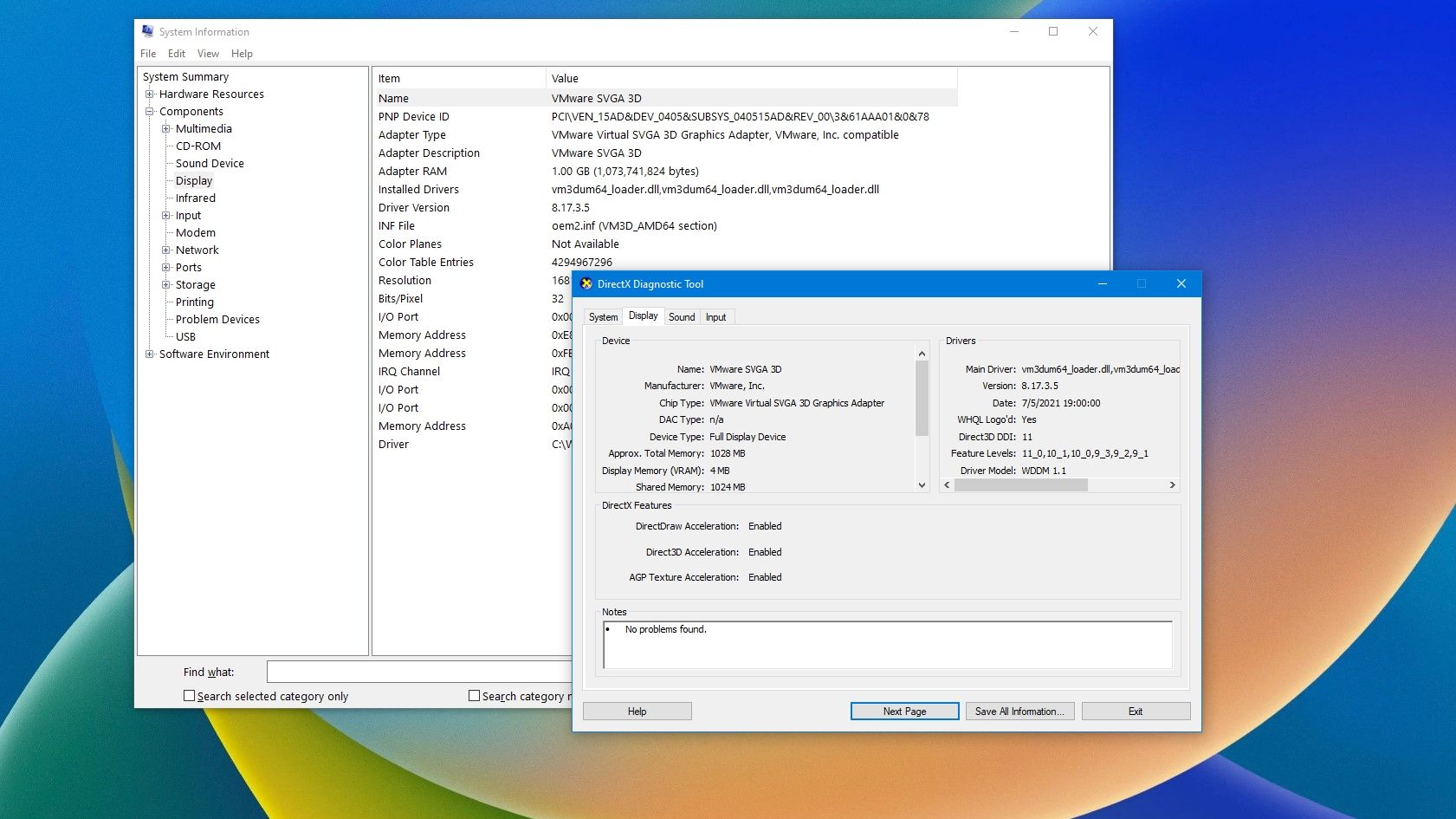
- Driver Installation: This is paramount. For a new card, download the latest drivers directly from NVIDIA’s or AMD’s official website. For an upgrade, it’s often best practice to use a tool like Display Driver Uninstaller (DDU) to completely remove old drivers before installing the new ones, preventing potential conflicts.
- Benchmarking and Stress Testing: Run benchmarks (e.g., 3DMark, Superposition, Unigine Heaven) to confirm performance and stability. Use a tool like FurMark or Prime95 (GPU torture test) combined with monitoring software (HWMonitor, MSI Afterburner) to check temperatures and clock speeds under load. This helps ensure the card is performing as expected and isn’t overheating.
- Game/Application Testing: Finally, test the GPU in your primary games or professional applications to ensure real-world performance meets your expectations.
Finding the right GPU can be a marathon, not a sprint, especially given market fluctuations. By thoroughly assessing your needs, understanding market dynamics, employing smart purchasing strategies, and performing diligent checks, you can successfully navigate the complexities and power your system with the perfect graphics processing unit. The rewards—whether it’s immersive gaming, accelerated creative workflows, or groundbreaking AI research—are well worth the effort.
aViewFromTheCave is a participant in the Amazon Services LLC Associates Program, an affiliate advertising program designed to provide a means for sites to earn advertising fees by advertising and linking to Amazon.com. Amazon, the Amazon logo, AmazonSupply, and the AmazonSupply logo are trademarks of Amazon.com, Inc. or its affiliates. As an Amazon Associate we earn affiliate commissions from qualifying purchases.