
In an era defined by ubiquitous digital connectivity and an insatiable demand for diverse entertainment options, satellite radio has carved out a unique and persistent niche, particularly within the automotive landscape. SiriusXM, the undisputed leader in this domain, offers an unparalleled array of audio content, from ad-free music channels spanning every conceivable genre to live sports, exclusive talk shows, and breaking news. However, unlocking this treasure trove of audio entertainment requires a fundamental first step: activation. For many new car owners or those acquiring a vehicle with an existing SiriusXM-ready radio, the process of activating the service can seem daunting. This comprehensive guide demystifies the activation process, providing a step-by-step walkthrough, troubleshooting tips, and insights into optimizing your in-car listening experience. We will delve into the technical underpinnings, user interface interactions, and digital processes involved, ensuring a smooth transition from a silent radio to a symphony of choices.
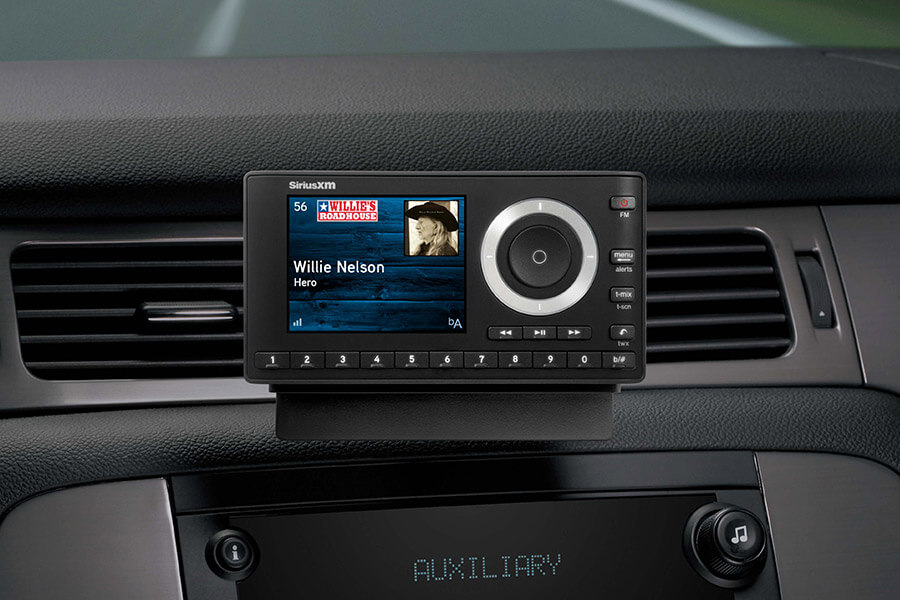
Understanding the SiriusXM In-Car Activation Ecosystem
Before diving into the mechanics of activation, it’s crucial to grasp the technological ecosystem that underpins SiriusXM’s operation. Satellite radio fundamentally differs from traditional AM/FM broadcasting. Instead of relying on terrestrial towers, it beams signals from geostationary satellites directly to a receiver in your car, offering nationwide coverage and a consistent signal quality, largely impervious to geographical barriers that plague conventional radio. The activation process bridges the gap between your vehicle’s receiver and SiriusXM’s subscription management system, initiating the flow of authorized content.
The Pre-Activation Checklist: Essential Preparations
A successful activation often hinges on meticulous preparation. Before you even contemplate initiating the process, ensure you have the following critical components and information readily available. This not only streamlines the procedure but also preempts common activation hurdles.
- Vehicle Ignition: Your car must be turned on and ideally parked in an open area with a clear view of the sky. This ensures the satellite radio receiver can acquire a signal and subsequently receive the activation command. An indoor garage or heavily treed area can obstruct the satellite signal, impeding activation.
- Radio ID (ESN/SID): This unique identifier, often a 12-digit alphanumeric code, is crucial for SiriusXM to identify your specific receiver. Without it, the activation signal cannot be directed to your car. Locating this ID is often the first technical challenge users encounter, and we’ll detail its retrieval shortly.
- Active Subscription Information: While many new vehicles come with a free trial, if you’re activating a renewed or new paid subscription, have your account details, including your email address and password, ready. This ensures a seamless link between your account and the radio ID.
- Internet Access (for online activation): If you opt for online activation, a stable internet connection on a computer or mobile device is necessary to navigate the SiriusXM website.
- Patience: While typically swift, technical processes can sometimes encounter minor delays. A calm approach helps in efficient troubleshooting.
Decoding Your SiriusXM Radio Type
SiriusXM radios generally fall into two primary categories, each with slight nuances in their activation process, particularly regarding how you locate the Radio ID:
- Factory-Installed Radios: These are integrated directly into your car’s infotainment system by the manufacturer (e.g., Ford SYNC, Chevrolet MyLink, Toyota Entune). They are the most common type and typically offer the most seamless user experience. The Radio ID is usually accessible through the radio’s interface.
- Aftermarket Radios: These are units installed post-purchase, either standalone satellite radios (like those from XM Onyx, Sirius Starmate) or aftermarket head units (e.g., Pioneer, Kenwood, Alpine) with a SiriusXM tuner module. The Radio ID might be displayed on the unit’s screen or sometimes found on a sticker on the tuner module itself.
Understanding which type you have will guide you in finding your specific Radio ID and navigating the activation interface.
The Activation Signal: How It Works
Once you provide SiriusXM with your Radio ID and confirm your subscription, their system sends an activation signal. This isn’t a physical signal you can see; rather, it’s a digital command embedded within the satellite broadcast stream. Your car’s receiver, continuously monitoring the satellite frequencies, identifies this command intended for its unique Radio ID. Upon receiving and processing it, the receiver unlocks the encrypted content channels relevant to your subscription plan. This process relies on a robust digital encryption and decryption mechanism, ensuring that only authorized subscribers can access the premium content.
Step-by-Step Activation Process: A Technical Walkthrough
The core of activating your SiriusXM radio lies in a straightforward, yet precise, series of steps. Accuracy in identifying your Radio ID and clarity in communicating with SiriusXM are paramount.
Locating Your Radio ID (ESN/SID)
This is often the trickiest part for first-time users. The Radio ID (Electronic Serial Number or Subscriber ID) is your receiver’s unique digital fingerprint.
- Tune to Channel 0 or Channel 1: In most SiriusXM-ready vehicles, simply tune your radio to channel 0 or channel 1. The Radio ID will typically display on the screen. It might scroll across, appear on the bottom, or be prominently featured.
- Using the Menu System (If Channels 0/1 Don’t Work):
- Navigate to the “Sirius” or “XM” mode on your radio.
- Look for options like “Settings,” “Info,” “Menu,” “System,” or “Subscription.”
- Within these menus, you should find a “Radio ID,” “ESN,” or “SID” listing. Consult your car’s owner’s manual or the aftermarket radio’s manual if you struggle to find it.
- For Aftermarket Radios: If it’s a standalone unit, the ID might also be printed on a sticker on the back or bottom of the receiver itself. For aftermarket head units with a separate tuner module, check the module.
- Important Note: Write down the Radio ID exactly as it appears. Even a single digit error will prevent successful activation.
Engaging SiriusXM for Activation: Digital and Analog Pathways
With your Radio ID in hand, you have several avenues to initiate the activation:
- Online Activation (Recommended for Speed and Efficiency):
- Go to the official SiriusXM activation website (e.g.,
siriusxm.com/activatenow). - Enter your Radio ID into the designated field.
- Follow the on-screen prompts to either start a new trial, link to an existing account, or purchase a new subscription.
- Confirm your details and submit the request. The website will usually indicate that an activation signal has been sent.
- Technical Insight: This method leverages web-based APIs to communicate directly with SiriusXM’s backend systems, allowing for near-instantaneous processing and signal dispatch.
- Go to the official SiriusXM activation website (e.g.,
- Phone Activation (For Personalized Assistance):
- Call SiriusXM customer service at their activation line (often 1-866-635-2349 in the U.S.).
- Be prepared to provide your Radio ID and personal information to the representative.
- They will process your request and send the activation signal.
- Technical Insight: While less instantaneous than online activation, phone support allows for human intervention to clarify complex account issues or troubleshoot unique scenarios, interfacing with the same backend systems.
- SiriusXM App Activation (If Applicable): Some newer vehicles and subscription types allow for activation directly through the SiriusXM mobile app, particularly if your vehicle’s infotainment system is deeply integrated with it. This involves linking your in-car receiver to your app account.
After initiating the activation, return to your car, ensure it’s still on and in an open area, and tune to Channel 184 (the preview channel) or Channel 1. Wait for 5-15 minutes. The channels should eventually begin to play. If not, proceed to troubleshooting.
Troubleshooting Initial Activation Hurdles
Despite following the steps diligently, sometimes the activation doesn’t go through immediately. Here are common issues and their solutions:
- “Acquiring Signal” or Blank Screen: This usually indicates your radio isn’t receiving a clear satellite signal. Move your car to a more open location, away from tall buildings, trees, or garages. Ensure the antenna (often a small fin on your car’s roof) isn’t obstructed.
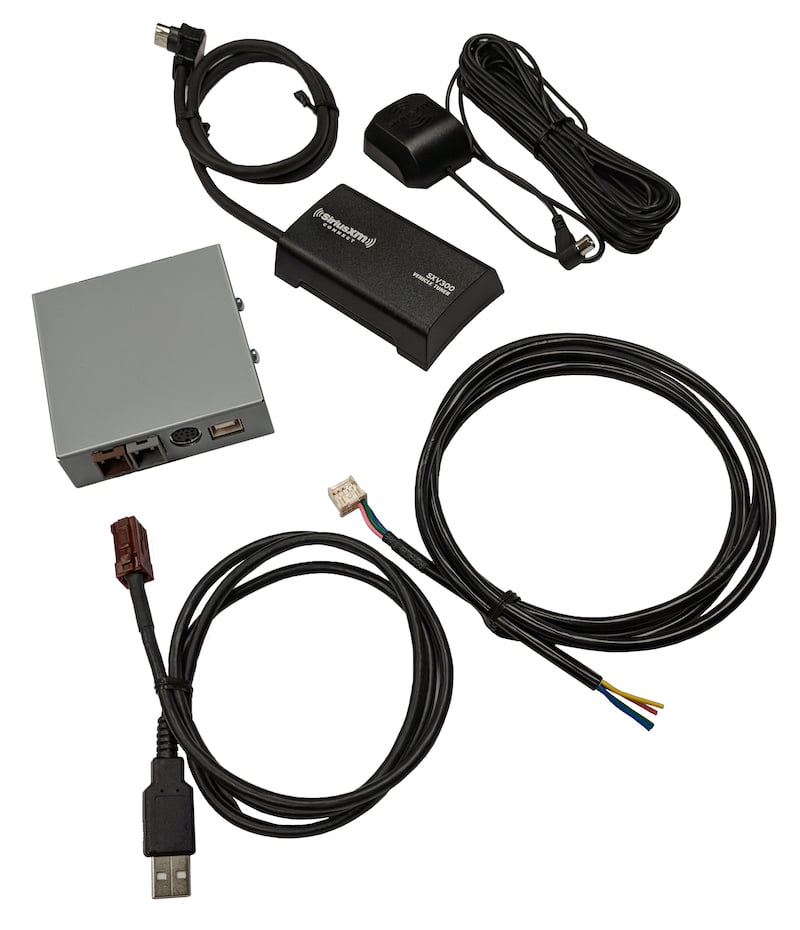
- “Check Antenna” Message: This points to a potential hardware issue with the satellite antenna or its connection to the radio. For factory-installed radios, this might require professional diagnosis. For aftermarket units, check the antenna cable connection.
- “Channel Not Available” or Only Preview Channels Playing: This suggests the activation signal hasn’t been fully received or processed.
- Resend Signal: Go back to the online activation page or call customer service and request a signal refresh. Many online tools have a “Resend Signal” button.
- Wait Longer: Sometimes, especially during peak times, it can take up to an hour for the signal to propagate and be received. Keep the radio on during this time.
- Verify Subscription: Double-check that your subscription is active and correctly linked to the Radio ID you provided.
- Incorrect Radio ID: Even a single digit mistake will prevent activation. Re-verify your Radio ID carefully using the methods described above.
- Power Cycle: Turn off your car completely, open and close the driver’s side door (to reset the electrical system in some vehicles), wait a minute, then restart the car. This can sometimes clear temporary glitches.
Optimizing Your SiriusXM Listening Experience
Activation is just the first step. To truly harness the power of SiriusXM, understanding how to navigate its vast content library and integrate it with other technologies is key to a superior in-car audio experience.
Mastering Channel Navigation and Presets
With hundreds of channels available, efficient navigation is critical. Modern in-car infotainment systems are designed to make this intuitive:
- Presets: Save your favorite channels to preset buttons for instant access. Most systems offer multiple pages of presets. Organize them logically (e.g., music on page 1, talk/news on page 2).
- Categories/Genres: Utilize the “Category” or “Genre” browsing features to explore new content. This is a powerful tool for discovering channels aligned with your interests.
- Direct Tuning: If you know a specific channel number, direct tuning is the fastest way to access it.
- Scan/Seek: Use these functions to quickly preview channels within a specific category or across the entire lineup.
Leveraging the SiriusXM Mobile App and Other Integrations
SiriusXM isn’t confined to your car. Your subscription often includes access to the SiriusXM mobile app, extending your listening experience to smartphones, tablets, and smart speakers.
- Seamless Transition: Start listening to a show in your car, then continue on your phone or at home via the app. This cross-platform continuity is a major technological advantage.
- On-Demand Content: The app often provides access to on-demand versions of popular shows, interviews, and performances, allowing you to catch up on missed content at your convenience. This is a significant enhancement over the live-only nature of traditional radio.
- Personalization: Features like “My Stations” or personalized recommendations on the app help you discover more content tailored to your listening habits, leveraging data analytics to enhance user experience.
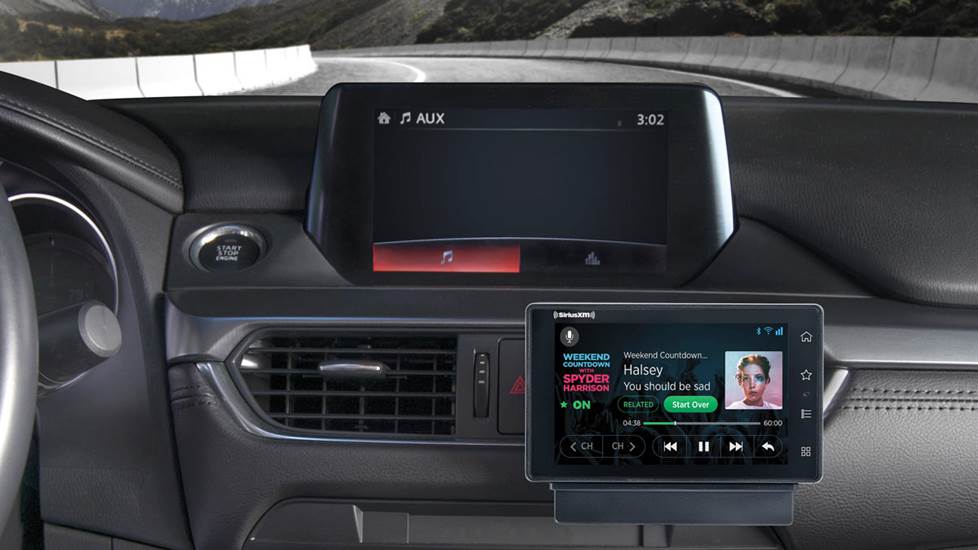
- Modern Infotainment Systems: Many newer vehicles with Apple CarPlay, Android Auto, or integrated apps allow you to control SiriusXM directly through these platforms, providing a familiar and rich user interface that mirrors your mobile experience. This convergence of automotive and mobile technology offers unparalleled convenience and functionality.
Enhancing Audio Quality: Beyond the Signal
While SiriusXM delivers a digital signal, the final audio quality is influenced by your car’s sound system.
- Equalizer (EQ) Settings: Experiment with your car’s equalizer settings (bass, treble, mid-range) to optimize the sound for different types of content and your personal preferences. For talk radio, emphasize clarity; for music, adjust for richness and depth.
- Audio Format and Bitrate: Understand that SiriusXM uses various bitrates for different channels. Music channels typically receive higher bitrates for better fidelity compared to talk channels. While you can’t change the source bitrate, a good sound system will expose the nuances.
- Speaker Quality: High-fidelity speakers and a well-insulated cabin will significantly improve the perceived audio quality, allowing you to fully appreciate the digital clarity of satellite radio. Consider aftermarket speaker upgrades if you’re an audiophile.
Advanced Considerations and The Future of In-Car Audio
As technology evolves, so does the in-car entertainment landscape. SiriusXM is continually adapting, integrating with new platforms and technologies to remain a frontrunner.
Satellite Radio vs. Streaming: A Technological Convergence
The debate between satellite radio and internet streaming services (like Spotify, Apple Music, Pandora) continues. From a technological standpoint:
- Satellite’s Strength: Reliable, pervasive signal coverage even in remote areas where cellular data is scarce or nonexistent. It’s a broadcast model designed for mobility and consistency.
- Streaming’s Strength: Vast on-demand libraries, hyper-personalization, and often higher fidelity audio (depending on bandwidth). It’s an internet-dependent, on-demand model.
- The Hybrid Approach: SiriusXM is increasingly offering a hybrid model, combining its live satellite broadcast with an internet streaming component via its app and connected car services. This leverages the best of both worlds, providing robust live programming and extensive on-demand content accessible via cellular or Wi-Fi.
The Evolution of In-Car Infotainment Systems
Modern vehicles are transforming into rolling tech hubs. SiriusXM’s integration with advanced infotainment systems is crucial for its long-term viability. Features like voice control, large touchscreens, and seamless integration with smartphone ecosystems (CarPlay, Android Auto) provide more intuitive ways to interact with SiriusXM. Future developments will likely involve even deeper integration, predictive content suggestions based on driving habits or time of day, and personalized audio zones within the vehicle.
Managing Your SiriusXM Account and Subscriptions
Beyond the initial activation, effective account management is a critical technical aspect of your SiriusXM experience.
- Online Account Portal: Your primary tool for managing your subscription, updating payment information, viewing billing history, and making changes to your plan. The user-friendly web interface provides complete control.
- Subscription Renewal: Understand your renewal terms. SiriusXM often offers promotional rates for initial subscriptions, which revert to standard rates upon renewal. You can often negotiate better rates by contacting customer service directly before your renewal date.
- Adding/Removing Radios: If you have multiple SiriusXM-enabled vehicles or devices, you can manage them all from a single account, adding or removing radios as needed. This flexibility is a key feature of the digital subscription model.
Conclusion: Unleashing Your In-Car Audio Potential
Activating SiriusXM in your car is a straightforward process when approached systematically. By understanding the technical requirements, diligently following the activation steps, and proactively troubleshooting any issues, you unlock a world of diverse, high-quality audio entertainment. From finding your unique Radio ID to leveraging online activation tools and understanding signal acquisition, each step is a gateway to enhancing your daily commute or road trip. Furthermore, by embracing the mobile app and recognizing the evolving landscape of in-car infotainment, you can extend your SiriusXM experience beyond the vehicle, truly making it a comprehensive audio companion for your connected lifestyle. This blend of robust satellite technology and modern digital integration ensures that SiriusXM remains a powerful and relevant player in the future of automotive entertainment.
aViewFromTheCave is a participant in the Amazon Services LLC Associates Program, an affiliate advertising program designed to provide a means for sites to earn advertising fees by advertising and linking to Amazon.com. Amazon, the Amazon logo, AmazonSupply, and the AmazonSupply logo are trademarks of Amazon.com, Inc. or its affiliates. As an Amazon Associate we earn affiliate commissions from qualifying purchases.