
The iPad, a quintessential tablet device from Apple, has revolutionized the way we interact with technology, blending the portability of a smartphone with the power of a laptop. Its versatility makes it an indispensable tool for everything from creative professional work to casual browsing, entertainment, and educational pursuits. With various models catering to diverse needs and budgets – from the powerful iPad Pro to the ultra-portable iPad Mini, the versatile iPad Air, and the capable base model iPad – understanding where and how to purchase one efficiently and securely is paramount. This guide delves into the myriad avenues available for acquiring an iPad, providing tech-focused insights into each option, ensuring you make an informed decision tailored to your specific requirements. We’ll explore official channels, alternative markets, and crucial technical considerations, empowering you to navigate the extensive iPad ecosystem with confidence.
Official Retail Channels: The Safest Bet for New Devices
When seeking a brand-new iPad directly from the source, official retail channels offer the highest assurance of authenticity, full warranty coverage, and access to the latest models and accessories. These avenues are ideal for users prioritizing peace of mind, immediate customer support, and the unboxing experience of a pristine device.
Apple Stores: The Premium Experience
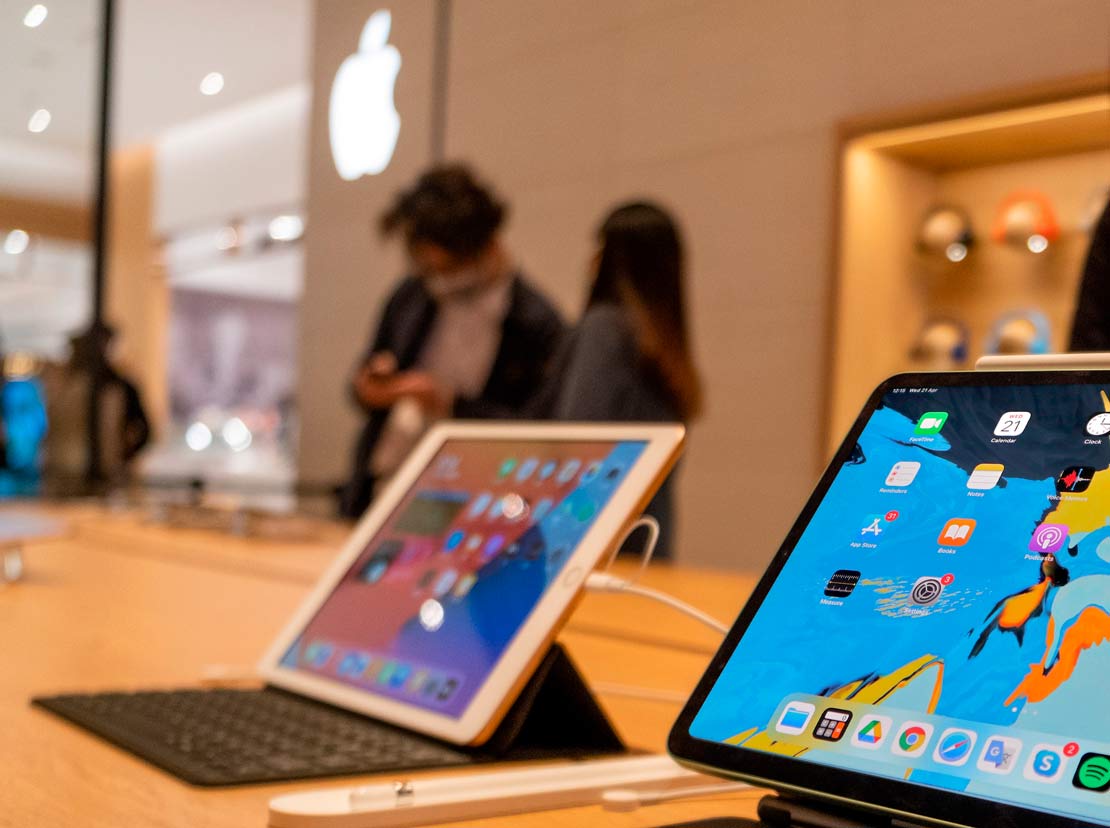
Purchasing directly from an Apple Store, whether a physical brick-and-mortar location or the Apple Online Store, provides the most direct and comprehensive Apple experience. In physical stores, customers benefit from personalized assistance from knowledgeable Apple Specialists, who can guide them through different models, specifications, and accessories, offering hands-on demonstrations. This allows for direct comparison of screen sizes, performance metrics, and accessory compatibility, crucial for making an informed tech decision. Furthermore, Apple Stores often host workshops and support sessions, deepening the value proposition for tech enthusiasts. The online store mirrors this experience digitally, offering detailed product pages, configuration options, and direct-to-door delivery. Both avenues guarantee authentic products, full manufacturer warranties, and hassle-free returns, backed by Apple’s renowned customer service. They are also the first places to stock new releases and exclusive configurations, making them the go-to for early adopters.
Authorized Resellers: Beyond the Apple Ecosystem
Beyond Apple’s direct retail presence, a robust network of authorized resellers provides another reliable avenue for purchasing new iPads. These include major electronics retailers like Best Buy, Amazon, Target, Walmart, and regional chains. Authorized resellers typically offer competitive pricing, especially during sales events, and provide alternative financing options or bundle deals that might not be available directly from Apple. From a tech perspective, purchasing from an authorized reseller ensures you receive a genuine Apple product, complete with the standard manufacturer’s warranty. Many of these retailers also offer their own extended warranty programs, tech support services, and accessory bundles, adding another layer of value. The advantage here often lies in convenience and geographical accessibility, allowing customers to pick up an iPad while shopping for other electronics or household items. It’s essential to verify that a retailer is indeed “authorized” by Apple to ensure product authenticity and warranty validity, protecting against potential grey market devices.
Carrier Stores: Bundled Connectivity and Financing
For iPads equipped with cellular connectivity, mobile network carriers (such as Verizon, AT&T, T-Mobile in the US, or their equivalents globally) present a unique purchasing option. These stores offer the convenience of purchasing an iPad simultaneously with a data plan, often with attractive financing options that spread the cost of the device over several months or years. This can make high-end models more accessible by integrating the device cost into a monthly bill. From a technological standpoint, buying from a carrier ensures the device is compatible with their network and often comes pre-configured for seamless activation. This is particularly appealing for users who require constant internet access on their iPad without relying solely on Wi-Fi hotspots. While the upfront cost might be lower or spread out, it’s crucial to scrutinize the total cost of ownership, including the data plan commitment and any associated fees, to ensure it aligns with your budget and usage patterns.
Unofficial & Secondary Markets: Exploring Alternatives
While official channels offer peace of mind, secondary and unofficial markets can present compelling alternatives, particularly for budget-conscious buyers or those seeking older models. These avenues require a more discerning approach due to varying product conditions, warranty situations, and potential risks.
Certified Refurbished Programs: Value and Reliability
Certified refurbished iPads strike an excellent balance between cost savings and reliability. Apple’s own Certified Refurbished program is a standout, offering devices that have undergone rigorous inspection, repairs, and cleaning, including a new battery and outer shell. These iPads come with a full one-year Apple warranty, just like new devices, and are eligible for AppleCare+, providing significant peace of mind. Other reputable third-party refurbishers (e.g., Gazelle, Mac of All Trades, certain authorized resellers) also offer refurbished iPads, often with their own warranties. From a tech perspective, certified refurbished devices offer an exceptional value proposition: you get a fully functional, rigorously tested iPad at a reduced price, often with the same performance and longevity as a new one. This is an excellent option for users who want premium Apple hardware without the premium price tag, especially if they are comfortable with a slightly older generation model. Always ensure the refurbisher is reputable and offers a clear warranty and return policy.
Pre-Owned Marketplaces: The Risk-Reward Equation
The pre-owned market, encompassing platforms like eBay, Craigslist, Facebook Marketplace, and local classifieds, offers the potential for significant savings on iPads. Here, devices are sold directly by previous owners, ranging from individuals upgrading their tech to those selling lightly used gadgets. The primary advantage is price flexibility; you can often find iPads at a fraction of their retail cost. However, this market carries the highest risk. The condition of the device can vary widely, from “like new” to “heavily used,” and warranties are typically non-existent.
Technological considerations here are critical:
- Battery Health: Batteries degrade over time, impacting device longevity and performance.
- Screen Condition: Scratches, cracks, or dead pixels can significantly detract from the user experience.
- Functional Issues: Buttons, cameras, speakers, and charging ports can be faulty.
- Activation Lock: This is perhaps the biggest pitfall. An iPad still linked to the previous owner’s Apple ID through “Find My” cannot be fully used by a new owner, rendering it a very expensive paperweight. Always ensure the seller has deactivated “Find My iPad” and factory reset the device.
Thorough inspection, meeting in a safe public place, and payment methods that offer buyer protection (if applicable) are essential when venturing into this market.
Specialty Used Electronics Retailers: Niche Marketplaces
Beyond general marketplaces, there are also specialty retailers focused solely on buying and selling used electronics. Websites like Swappa, Back Market, and Decluttr often act as intermediaries, connecting buyers with vetted sellers or purchasing devices themselves and then refurbishing them to a certain standard. These platforms usually offer some level of buyer protection, quality checks, and often a limited warranty, bridging the gap between direct peer-to-peer sales and certified refurbished programs. For tech-savvy buyers, these sites can offer a more secure way to purchase used iPads than open marketplaces, with clearer grading systems for device condition and often more reliable information about battery health and other key metrics. They are particularly useful for finding specific older models that might still meet your performance needs but are no longer available new.
Key Considerations Before Your iPad Purchase
Beyond simply knowing where to buy, understanding what to buy and what factors influence your decision within the tech realm is crucial for maximizing your investment. The iPad ecosystem is diverse, and choosing the right model and configuration is as important as the purchase location.
Model Selection: Finding the Right iPad for Your Needs
Apple currently offers several distinct iPad models, each designed for a particular user profile and set of tasks.
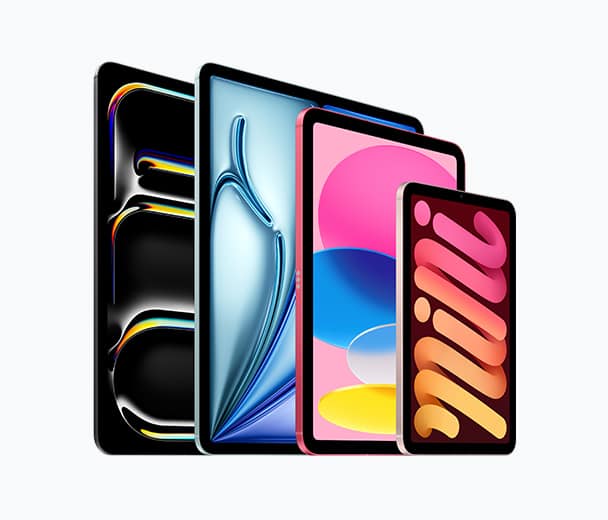
- iPad Pro: The pinnacle of iPad performance, featuring the most powerful Apple silicon (M-series chips), ProMotion displays with high refresh rates, Thunderbolt connectivity, and advanced camera systems. Ideal for creative professionals, video editors, graphic designers, and anyone demanding desktop-class performance and features for demanding applications.
- iPad Air: A fantastic middle-ground, offering powerful chips (often M-series), a sleek design, and compatibility with advanced accessories like the Apple Pencil 2 and Magic Keyboard. It’s perfect for students, professionals, and users who need strong performance for multitasking, creative work, and productivity without the Pro’s highest-end features or price tag.
- iPad Mini: The smallest and most portable iPad, featuring a compact design, powerful chip (often A-series or M-series from an older generation), and compatibility with Apple Pencil 2. It’s an excellent choice for on-the-go reading, gaming, note-taking, and users prioritizing ultimate portability.
- Base Model iPad: The most affordable option, offering solid performance for everyday tasks, browsing, media consumption, and light productivity. It’s an ideal entry point for students, casual users, and families, particularly with its support for the original Apple Pencil and Smart Keyboard.
Evaluating your primary use case – whether it’s for creative work, gaming, productivity, entertainment, or education – will dictate which model offers the best balance of features and cost.
Storage and Connectivity: Wi-Fi vs. Cellular
Two critical technical decisions involve internal storage capacity and connectivity type.
- Storage: iPads are available with various storage options, typically starting from 64GB or 128GB and going up to 2TB for Pro models. Your storage needs depend on how many apps you download, the size of your media library (photos, videos, music), and whether you work with large files (e.g., 4K video, complex design projects). While cloud storage (iCloud, Dropbox, Google Drive) can alleviate some pressure, local storage is essential for offline access and optimal performance, especially for demanding applications. It’s generally wise to opt for more storage than you think you’ll need, as it’s non-expandable after purchase.
- Connectivity (Wi-Fi vs. Wi-Fi + Cellular): All iPads come with Wi-Fi capabilities. Opting for a Wi-Fi + Cellular model adds the ability to connect to mobile data networks via a physical SIM or eSIM, enabling internet access even when Wi-Fi isn’t available. This is invaluable for professionals on the go, travelers, or anyone who requires constant connectivity. However, cellular models are more expensive upfront and require an ongoing data plan subscription. If your usage primarily occurs in areas with Wi-Fi (home, office, cafes), a Wi-Fi-only model is often sufficient and more cost-effective.
Accessories: Enhancing the iPad Experience
The iPad’s utility is significantly amplified by its ecosystem of accessories.
- Apple Pencil: Available in two generations, the Apple Pencil transforms the iPad into a powerful digital canvas or notebook. Apple Pencil 2 offers magnetic attachment and charging, gesture controls, and is compatible with iPad Pro, Air (4th gen and later), and Mini (6th gen). The original Apple Pencil is compatible with the base model iPad and older Air/Pro models. Artists, note-takers, and designers will find this indispensable.
- Keyboards: Apple’s Magic Keyboard and Smart Keyboard Folio offer excellent typing experiences and turn the iPad into a capable laptop replacement. Third-party keyboards also abound, often at lower price points. These are essential for anyone planning extensive typing or productivity tasks.
- Cases and Screen Protectors: Protecting your investment is vital. A good case can shield against drops and scratches, while a screen protector guards the display, especially crucial for touch-intensive devices. Considering these accessories at the time of purchase ensures immediate protection and functionality.
Warranty and Returns: Protecting Your Investment
Regardless of where you purchase your iPad, understanding the warranty and return policies is paramount. New iPads from Apple and authorized resellers come with a standard one-year limited warranty, covering manufacturing defects. AppleCare+ extends this coverage and adds accidental damage protection, highly recommended for a device that is handled frequently. Familiarize yourself with the return window to ensure you can exchange or return the device if it doesn’t meet your expectations or exhibits early faults. For purchases from secondary markets, warranties are typically limited or non-existent, highlighting the importance of thorough inspection and understanding the seller’s return policy, if any.
Optimizing Your Purchase: Tips and Best Practices
Making an informed tech purchase extends beyond choosing the right model and location; strategic timing and careful verification can lead to better deals and greater satisfaction.
Timing Your Purchase: New Releases and Sales Events
The timing of your iPad purchase can significantly impact the price and the technology you acquire. Apple typically updates its iPad lineup at least once a year, often in the spring or fall. Purchasing an iPad just before a new generation is announced might lead to buyer’s remorse when a newer, more powerful model is released. Conversely, buying a generation older right after a new release can offer excellent value, as retailers often clear out older stock at reduced prices. Major sales events like Black Friday, Cyber Monday, Prime Day, and back-to-school promotions are also prime opportunities to find discounts on iPads and their accessories from authorized resellers. Keeping an eye on tech news sites and deal aggregators can help you capitalize on these windows.
Price Comparison and Deal Hunting
Before committing to a purchase, invest time in comparing prices across different retailers. Online price comparison tools and browser extensions can automate this process, quickly identifying the best current deals. Remember to factor in shipping costs, sales tax, and any included bundles or promotions. Sometimes, a slightly higher price from an authorized reseller might be justified by additional benefits like extended warranties, generous return policies, or bundled accessories (e.g., discounted Apple Pencil with iPad purchase). For refurbished or used iPads, compare prices across various platforms, considering the reported condition and included accessories.
Verifying Authenticity and Condition
When purchasing an iPad from unofficial or secondary markets, diligent verification is non-negotiable.
- Authenticity: Check the device’s serial number on Apple’s coverage checker website (checkcoverage.apple.com) to verify its authenticity, warranty status, and model information.
- Condition (Physical): Inspect the screen for cracks, scratches, dead pixels, or discoloration. Test all buttons (power, volume, home/Face ID, Touch ID), speakers, microphones, and cameras. Check the charging port for damage and ensure it charges properly.
- Condition (Software/Functional): Ensure the iPad has been factory reset and is not linked to any Apple ID (Activation Lock). Navigate through the setup process to confirm full functionality. Test Wi-Fi and (if applicable) cellular connectivity.
- Battery Health: While not always easy to verify on older iOS versions or without specific tools, ask the seller about battery health (Settings > Battery > Battery Health). A significantly degraded battery will reduce the device’s longevity and require more frequent charging.
Post-Purchase: Getting Started with Your New iPad
Once you’ve made your purchase, the tech journey continues with setting up and maximizing your new device. This initial phase is crucial for seamlessly integrating the iPad into your digital life.
Initial Setup and Data Transfer
Upon unboxing your new iPad, the setup process is typically intuitive, guided by on-screen prompts. You’ll activate the device, connect to Wi-Fi, set up Face ID or Touch ID, and choose your preferred settings. If you’re upgrading from an older iPad or iPhone, Apple makes data transfer straightforward using iCloud backups, iTunes/Finder backups, or direct device-to-device migration. Ensuring your old device is backed up before purchasing your new one will save significant time and effort during setup, transferring all your apps, data, and settings effortlessly.
Essential Apps and Ecosystem Integration
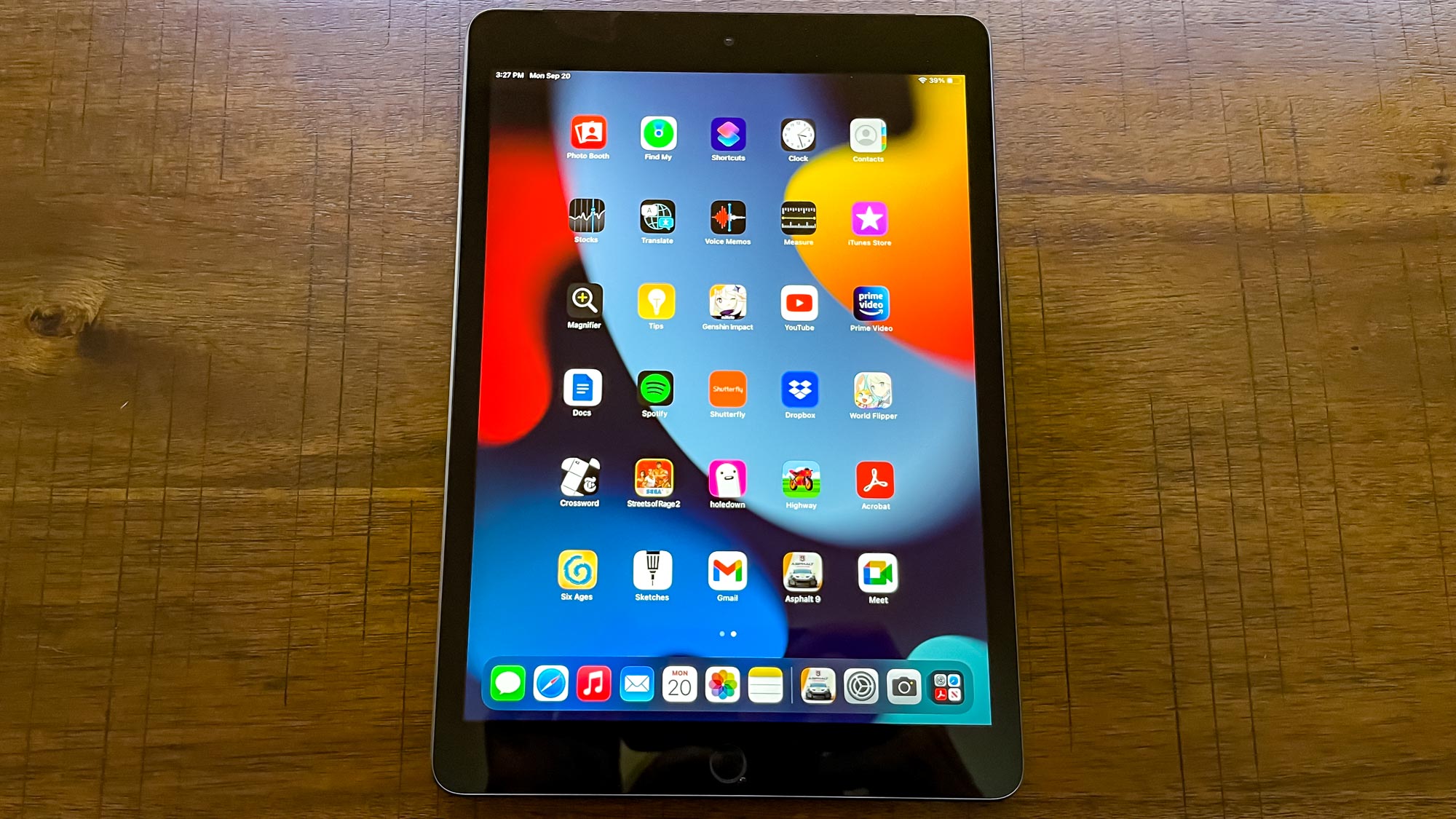
With your iPad ready, explore the vast App Store for apps that cater to your specific needs. From productivity suites (Microsoft Office, Google Workspace, Apple iWork) and creative tools (Procreate, Affinity Photo, LumaFusion) to educational resources and entertainment apps, the iPad’s strength lies in its diverse app ecosystem. Integrate your new iPad with your existing Apple ecosystem through iCloud, ensuring seamless synchronization of photos, documents, and other data across your iPhone, Mac, and other Apple devices. Explore features like Handoff, Universal Clipboard, and Sidecar (for Mac users) to enhance your cross-device workflow and truly leverage the iPad’s potential as a central piece of your personal technology arsenal.
In conclusion, purchasing an iPad involves a thoughtful consideration of various factors, from the specific model and its technical specifications to the reliability of the purchase channel. By understanding the advantages and disadvantages of official retailers, secondary markets, and the critical technical aspects of the device itself, you can confidently acquire an iPad that perfectly aligns with your technological needs and budget, ready to unlock a world of possibilities.
aViewFromTheCave is a participant in the Amazon Services LLC Associates Program, an affiliate advertising program designed to provide a means for sites to earn advertising fees by advertising and linking to Amazon.com. Amazon, the Amazon logo, AmazonSupply, and the AmazonSupply logo are trademarks of Amazon.com, Inc. or its affiliates. As an Amazon Associate we earn affiliate commissions from qualifying purchases.