
For countless small businesses, freelancers, and entrepreneurs, Square has become an indispensable tool for processing payments efficiently. From swiping credit cards at a pop-up market to invoicing clients online, Square simplifies the revenue collection process. However, revenue is only truly realized when it’s accessible in your bank account, ready to cover expenses, reinvest in your business, or manage personal finances. Understanding the nuances of transferring funds from your Square account to your bank is not just about moving money; it’s about mastering your cash flow, optimizing financial operations, and ensuring the health and stability of your financial ecosystem.
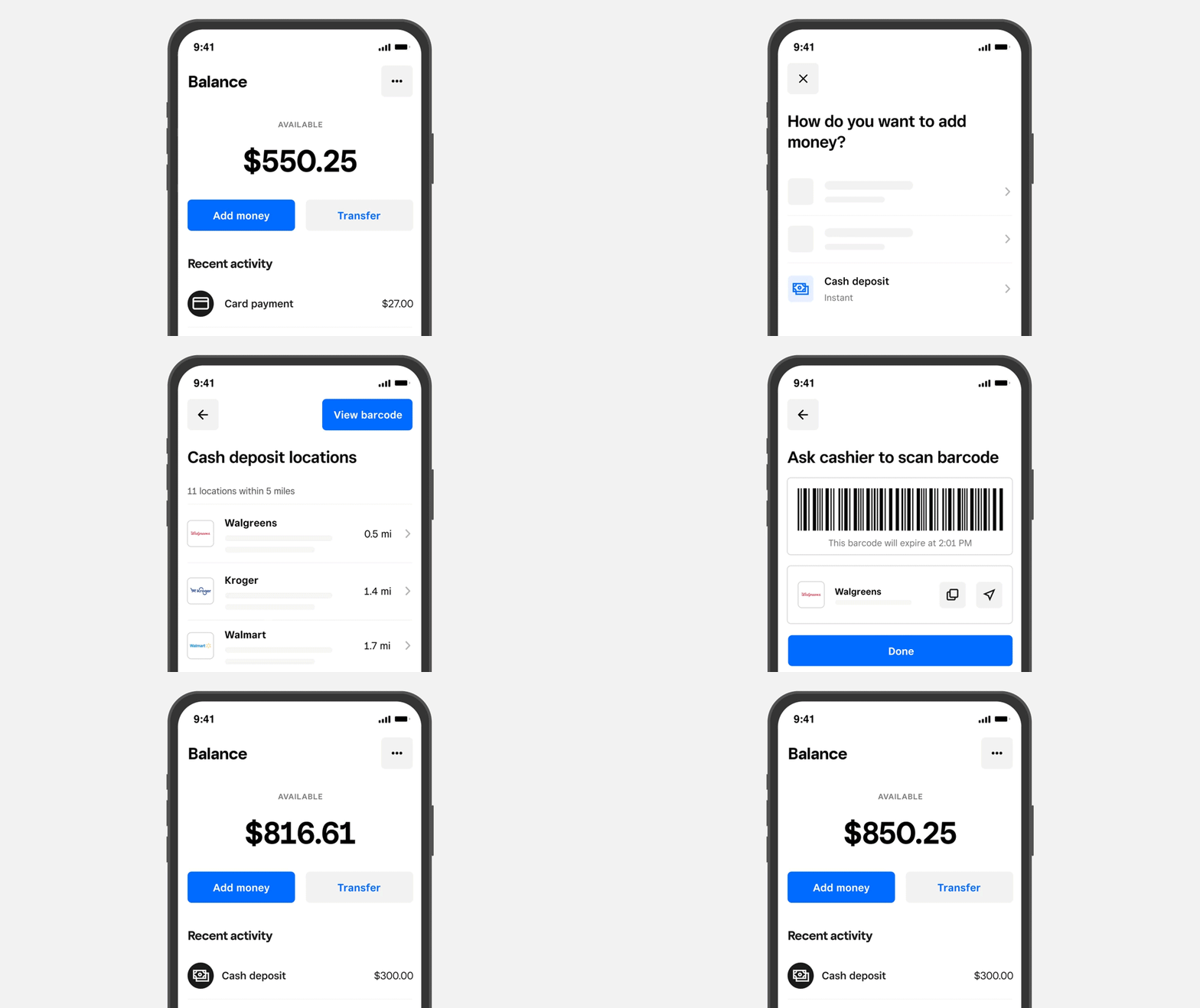
This guide will walk you through the essential steps and strategic considerations for managing your Square funds, ensuring a seamless, secure, and financially sound transfer process. We’ll delve into the mechanics of moving your hard-earned money, explore options for expediting transfers, and discuss best practices for integrating these financial flows into your broader financial management strategy.
Understanding Square Funds and Your Business Needs
Before diving into the transfer mechanics, it’s crucial to grasp how Square handles your funds and how that intersects with your financial planning. Square acts as a merchant service provider, facilitating transactions between your customers and your business. The money you earn through Square doesn’t immediately appear in your bank account; it first resides in your Square balance, awaiting a transfer instruction.
How Square Processes Payments and Holds Funds
When a customer makes a payment via Square, the transaction undergoes a series of verifications and processing steps. This typically involves authorization from the customer’s bank, transfer of funds to Square’s acquiring bank, and then Square crediting your Square balance. This process is designed for security and compliance, ensuring that all parties are protected.
Your Square balance represents the total amount of cleared funds available for transfer. It’s essential to differentiate between pending transactions and available funds. Pending transactions are those that have been initiated but not yet fully processed and cleared. Only cleared funds can be transferred to your bank account. Square typically clears transactions within one to two business days, but this can vary based on transaction type, volume, and review processes.
The Critical Role of Timely Fund Transfers for Cash Flow
Effective cash flow management is the lifeblood of any successful venture, and timely fund transfers are a cornerstone of this practice. Delays in moving funds from Square to your bank can lead to significant operational challenges:
- Meeting Expenses: If your funds are stuck in your Square account, you might struggle to pay suppliers, employees, rent, or other critical operational expenses on time. This can strain relationships and incur late fees.
- Reinvestment Opportunities: Timely access to capital allows you to seize opportunities for reinvestment, such as purchasing inventory, upgrading equipment, or launching new marketing initiatives.
- Financial Forecasting: Predictable fund transfers enable more accurate financial forecasting, helping you plan for future growth and potential challenges.
- Avoiding Overdrafts: For businesses operating on tight margins, delays can lead to unexpected overdrafts in your primary bank account, incurring bank fees and potentially impacting your credit standing.
Therefore, understanding and actively managing your transfer schedule is not merely a convenience but a strategic imperative for financial stability and growth.
Step-by-Step Guide to Transferring Funds from Square to Your Bank Account
The process of moving money from Square to your bank account is designed to be straightforward, but understanding each step ensures a smooth experience.
Linking Your Bank Account to Square
Before you can transfer any funds, your bank account must be securely linked to your Square account. This is usually done during the initial setup of your Square account.
- Access Settings: Log in to your Square Dashboard and navigate to the “Settings” section.
- Bank Accounts: Locate the “Bank Accounts” or “Account & Settings” tab.
- Link Bank Account: Click on “Link Bank Account” or “Add Bank Account.”
- Enter Details: You will be prompted to enter your bank’s routing number and your account number. Double-check these numbers for accuracy, as an incorrect digit can cause significant delays or misdirection of funds.
- Verification: Square typically verifies your bank account by making a small deposit (e.g., a few cents) that you’ll need to confirm in your Square Dashboard once it appears in your bank statement. This step ensures you are the legitimate owner of the bank account.
Initiating a Standard Transfer
The standard transfer is the default and most common method for moving funds. It’s reliable and generally free of charge.
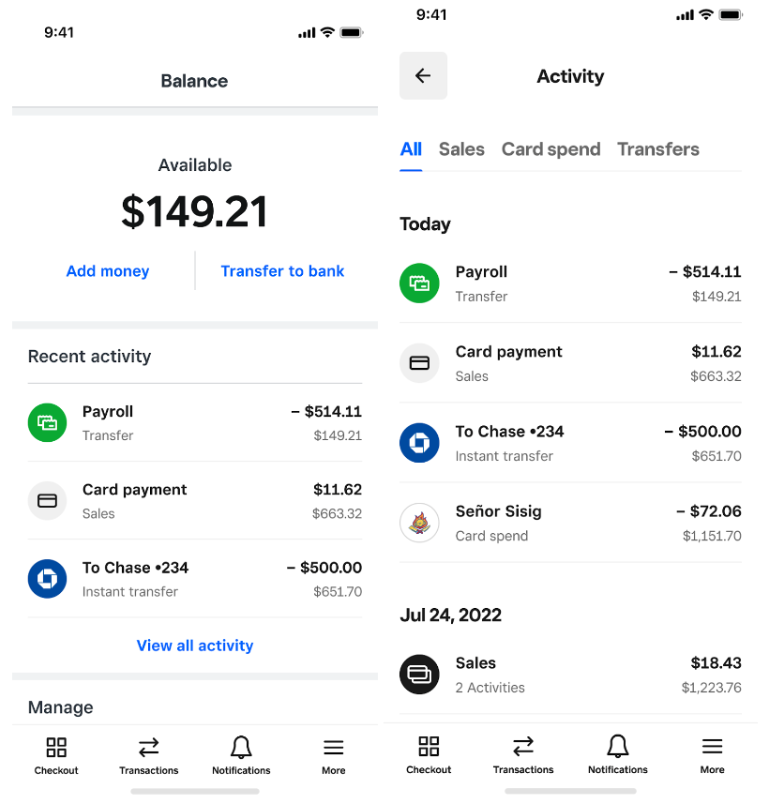
- Navigate to Balance: From your Square Dashboard, go to the “Balance” tab. This page displays your available balance and recent transaction activity.
- Select Transfer Funds: You will see an option to “Transfer Funds” or “Send to Bank.”
- Confirm Amount: By default, Square will prepare to transfer your entire available balance. You can usually specify a smaller amount if you wish to retain some funds in your Square balance for future instant transfers or other purposes.
- Confirm Bank Account: Ensure the correct linked bank account is selected.
- Initiate Transfer: Click “Transfer” or “Confirm Transfer.”
Standard transfers typically arrive in your bank account within 1-2 business days, excluding weekends and holidays. For example, funds transferred on a Monday would likely appear by Wednesday. Transfers initiated on a Friday might not arrive until Tuesday of the following week.
Opting for Instant Transfers
For situations requiring immediate access to funds, Square offers an Instant Transfer option. This is invaluable for unexpected expenses, urgent payroll, or simply maintaining a very agile cash flow.
- Check Eligibility: Instant transfers are usually available for a small fee (e.g., 1.75% of the transfer amount) and have certain limits on the maximum amount you can transfer at once.
- Initiate Transfer: From the “Balance” tab, after selecting “Transfer Funds,” you should see an option for “Instant Transfer.”
- Review Fee: Square will display the fee associated with the instant transfer and the net amount you will receive.
- Confirm: Confirm the transfer. The funds are typically deposited into your linked bank account within minutes, even on weekends and holidays.
While incredibly convenient, the associated fee for instant transfers means they should be used judiciously. Regularly relying on instant transfers for all your funds can erode your profit margins over time.
Verifying Transfer Status
After initiating a transfer, it’s good practice to monitor its status until the funds appear in your bank account.
- Review Transfer History: In your Square Dashboard, under the “Balance” or “Reports” section, you can access your transfer history.
- Check Status: Each transfer will show its status (e.g., “Pending,” “Completed,” “Failed”).
- Bank Account Confirmation: Cross-reference the “Completed” status with your actual bank account statement to ensure the funds have arrived. This helps catch any discrepancies early.
Optimizing Your Fund Transfer Strategy for Financial Health
Beyond the mechanics, strategic planning for your Square transfers can significantly enhance your financial operations and overall business health.
Managing Transfer Schedules for Predictable Cash Flow
Establishing a consistent transfer schedule can bring predictability to your cash flow.
- Daily Transfers: Ideal for businesses with high transaction volumes and frequent immediate needs, or those that prefer to keep minimal funds in their Square balance. This can require more active management.
- Weekly Transfers: A common strategy that balances quick access with reduced administrative overhead. You might choose a specific day each week to initiate a transfer, aligning with payroll or vendor payment cycles.
- On-Demand Transfers: Useful for businesses with fluctuating income or those that prefer to accumulate a certain balance before moving funds. Combine this with instant transfers for urgent needs.
Consider your business’s typical expenses, payment cycles, and desired liquidity when setting your schedule. Automating transfers, if Square offers that feature for your account type, can also be a valuable tool.
Understanding and Minimizing Transfer Fees
While standard transfers are typically free, instant transfers come with a fee. Being mindful of these costs is part of sound financial management.
- Budgeting for Fees: If you frequently use instant transfers, factor their cumulative cost into your operational budget.
- Strategic Use of Instant Transfers: Reserve instant transfers for genuine emergencies or critical time-sensitive payments where the cost is justified by the immediate need.
- Maximizing Standard Transfers: Whenever possible, plan ahead and utilize standard transfers to avoid fees. A robust cash flow forecast can help minimize the need for expedited funds.
Security Measures and Best Practices for Financial Safety
Protecting your funds during transfer is paramount.
- Strong Passwords and Two-Factor Authentication (2FA): Always use unique, strong passwords for your Square account and enable 2FA for an added layer of security.
- Regular Account Monitoring: Periodically review your Square transaction history and bank statements for any suspicious activity.
- Secure Network: Only access your Square Dashboard from secure, private networks. Avoid public Wi-Fi when managing financial accounts.
- Accurate Bank Details: As mentioned, always double-check your routing and account numbers. A single error can send your funds to the wrong account, potentially leading to irreversible losses or lengthy recovery processes.
- Phishing Awareness: Be wary of phishing attempts. Square will never ask for your password or sensitive information via email or unsolicited calls.
Reconciling Square Transfers with Your Accounting System
Integrating your Square transfers into your overall accounting system is critical for accurate financial records and tax compliance.
- Categorize Transactions: Ensure that Square income is correctly categorized in your accounting software (e.g., sales revenue).
- Match Transfers: Reconcile the funds transferred from Square to your bank account with the corresponding deposits in your bank ledger. This helps verify that all expected income has been received.
- Track Fees: Accurately record any Square fees (transaction fees, instant transfer fees) as business expenses. This provides a clear picture of your net income and is important for tax deductions.
- Use Integrations: If your accounting software (e.g., QuickBooks, Xero) offers direct integration with Square, utilize it to automate data syncing and reduce manual entry errors.
Troubleshooting Common Transfer Issues and Seeking Support
Even with careful planning, occasional issues can arise. Knowing how to troubleshoot and where to seek help is essential.
Delayed or Missing Transfers
This is a common concern. Several factors can cause delays:
- Bank Holidays/Weekends: Transfers initiated on Fridays, weekends, or public holidays will typically process on the next business day, extending the total transfer time.
- Bank Processing Times: Different banks have varying internal processing times. While Square may have sent the funds, your bank might take additional time to post them to your account.
- First-Time Transfers: The first transfer to a new bank account or particularly large transfers may undergo additional security reviews, causing a slight delay.
- Verification Issues: If your bank account hasn’t been fully verified or if there were recent changes to your account information, transfers might be paused.
Resolution Steps:
- Check your Square transfer history for status updates.
- Review your bank statement for any pending deposits.
- Allow for typical 1-2 business day processing, plus additional time for weekends/holidays.
- Confirm your bank account details are correct in Square.
Incorrect Bank Account Information
If you entered incorrect routing or account numbers, funds could be sent to an invalid account or even another person’s account.
Resolution Steps:
- Immediately contact Square Support. They may be able to intercept the transfer if it hasn’t fully processed.
- If funds have already been deposited into an incorrect account, recovery can be challenging and may require involving both your bank and the recipient bank (if identifiable).
- Preventative measure: Always double and triple-check your bank details before confirming any transfer.
Square Account Holds or Review Processes
Occasionally, Square might place a hold on funds or conduct a review of your account or specific transactions. This is usually for security reasons, to prevent fraud, or due to unusual account activity.
- Common Triggers: Sudden spikes in transaction volume, large individual transactions, a high rate of chargebacks, or changes in business type can trigger reviews.
- Impact: Funds might be temporarily unavailable for transfer.
Resolution Steps:
- Square will typically notify you if your account is under review and request additional documentation. Respond promptly with all requested information.
- Cooperate fully with their security team to expedite the review process.

When to Contact Square Support
If you’ve followed the troubleshooting steps and your issue persists, or if you suspect fraudulent activity, it’s time to contact Square Support.
- How to Contact: Square typically offers support via phone, email, or a help center with FAQs. Access these options through your Square Dashboard.
- Information to Provide: Have your Square account details, transaction IDs, transfer dates, and any relevant screenshots ready to facilitate a quicker resolution.
Successfully transferring money from your Square account to your bank is a fundamental aspect of managing your financial operations. By understanding the process, strategically planning your transfers, prioritizing security, and knowing how to navigate potential issues, you empower yourself to maintain robust cash flow, make informed financial decisions, and ultimately foster a healthier, more sustainable financial future for your business or personal endeavors.
aViewFromTheCave is a participant in the Amazon Services LLC Associates Program, an affiliate advertising program designed to provide a means for sites to earn advertising fees by advertising and linking to Amazon.com. Amazon, the Amazon logo, AmazonSupply, and the AmazonSupply logo are trademarks of Amazon.com, Inc. or its affiliates. As an Amazon Associate we earn affiliate commissions from qualifying purchases.