
In the rapidly evolving landscape of digital finance, peer-to-peer payment applications have become indispensable tools for managing everyday transactions. Among these, Venmo stands out as a pioneering platform, transforming how individuals send and receive money with unparalleled ease and a distinctive social flair. For anyone looking to streamline their digital transactions, understanding how to set up and leverage a Venmo account is a fundamental step into modern financial technology. This guide delves into the technical aspects of onboarding, account management, and the sophisticated functionalities that define the Venmo experience, all within the exclusive purview of technology and its application.
Understanding Venmo: A Digital Wallet Revolution
Venmo isn’t just an app; it’s a testament to how mobile technology can redefine financial interactions. At its core, Venmo functions as a digital wallet and a peer-to-peer (P2P) payment service, allowing users to transfer funds to each other using their smartphones. Its success lies not only in its utility but also in its intuitive design and the seamless integration of financial transactions with a social feed, a novel approach that resonated with a generation comfortable with digital social interactions.
What is Venmo? The Architecture of a Mobile Payment Platform
Technically, Venmo operates as a mobile application designed for iOS and Android devices, acting as an intermediary between users’ bank accounts, debit cards, or credit cards, and their Venmo balance. When a user sends money, Venmo facilitates the transfer of funds from the sender’s chosen source to the recipient’s Venmo balance. This process often leverages advanced API integrations with financial institutions, ensuring secure and efficient movement of digital currency. The platform’s infrastructure supports instant transactions, which are particularly appealing compared to the multi-day processing times often associated with traditional banking transfers. Furthermore, Venmo’s underlying technology handles critical aspects such as transaction processing, user authentication, and data encryption, all optimized for mobile environments to ensure a robust and secure user experience.
Why Choose Venmo? A Technological Edge in Digital Payments
The allure of Venmo stems from several technological advantages. Firstly, its user interface (UI) and user experience (UX) are meticulously crafted for simplicity and speed. Tasks like finding friends, sending money, or splitting a bill are typically completed in just a few taps. This focus on intuitive design minimizes user friction, making digital payments accessible even to those less familiar with complex financial software. Secondly, Venmo’s social feed – a chronological display of public or private transactions – adds a unique, gamified layer to financial interactions. While controversial for some privacy advocates, it underscores the app’s commitment to integrating financial activity into a broader digital lifestyle. From a technological standpoint, this feature requires sophisticated data aggregation and filtering capabilities to present real-time transactional data in a digestible and engaging format. Lastly, the platform’s robust backend infrastructure ensures high availability and scalability, crucial for handling millions of transactions daily, reflecting advanced cloud computing strategies and distributed system architectures.
Technical Prerequisites and System Requirements for Onboarding
Before initiating the Venmo account creation process, it’s essential to understand the technical and informational prerequisites. These requirements are in place to ensure the security, integrity, and functionality of your digital wallet, adhering to financial regulations and best practices in app development.
Essential Devices and Connectivity for the Venmo App
Venmo is exclusively a mobile application, meaning access requires a compatible smartphone or tablet. The app supports the latest versions of both iOS and Android operating systems, typically requiring a version no older than a few generations back to ensure full feature compatibility and security updates. This mobile-centric approach necessitates a stable internet connection (Wi-Fi or cellular data) throughout the setup process and for all subsequent transactions. Without consistent connectivity, the app cannot communicate with Venmo’s servers, authenticate users, or process payments. From a technical perspective, the app relies on secure network protocols (like HTTPS) to encrypt data transmitted between your device and Venmo’s infrastructure, making a reliable internet connection paramount for secure data exchange.
Identifying Information and Verification Protocols
To comply with Know Your Customer (KYC) regulations and combat fraud, Venmo requires specific personal identifiers. These include:
- A valid U.S. mobile phone number: This is critical for account verification via SMS, serving as a primary identifier and a component of multi-factor authentication (MFA).
- A unique email address: Used for account linking, password recovery, and important notifications.
- Full legal name and date of birth: To establish identity and age eligibility (users must be 18 years or older).
- A U.S. residential address: For regulatory compliance and to ensure the user operates within Venmo’s service region.
- Social Security Number (SSN): While not always required immediately upon signup, providing an SSN becomes necessary to access higher transaction limits or use specific features like the Venmo Debit Card or direct deposit. This allows Venmo to perform identity verification checks against national databases, a standard practice in financial technology for fraud prevention.
The verification process often involves automated systems that cross-reference provided data with official records. Any discrepancies can lead to temporary account holds or requests for additional documentation, emphasizing the technical precision involved in digital identity verification.
Linking Financial Instruments: The Backbone of Your Digital Wallet
To fund transactions and cash out balances, you’ll need to link a financial instrument to your Venmo account.
- U.S. Bank Account: Linking a bank account allows for direct transfers to and from your Venmo balance. Venmo typically uses secure third-party services (e.g., Plaid) that connect directly to thousands of banks, requiring you to log in to your online banking portal through an encrypted pop-up or manually enter routing and account numbers. This automated linking leverages API technology to establish a secure, read-only connection for verification and transaction purposes.
- U.S. Debit Card: This is often the quickest way to add funds to your Venmo balance or send money. Debit cards can be added by manually entering the card number, expiration date, and CVV. Venmo employs tokenization to secure card details, meaning your actual card number is replaced with a unique, encrypted token, reducing the risk of data breaches.
- U.S. Credit Card: Credit cards can also be linked, but Venmo typically charges a 3% fee for sending money from a credit card, a standard practice to offset processing fees charged by credit card networks.
The process of linking these accounts involves sophisticated encryption protocols and secure data handling practices to protect sensitive financial information from unauthorized access.
A Step-by-Step Guide to Activating Your Venmo Profile
Activating a Venmo profile is a straightforward process, meticulously designed for user accessibility while maintaining rigorous security standards. Each step in the onboarding flow is engineered to guide the user through necessary configurations and verifications.
Downloading and Initial App Setup
The journey begins with acquiring the Venmo application.
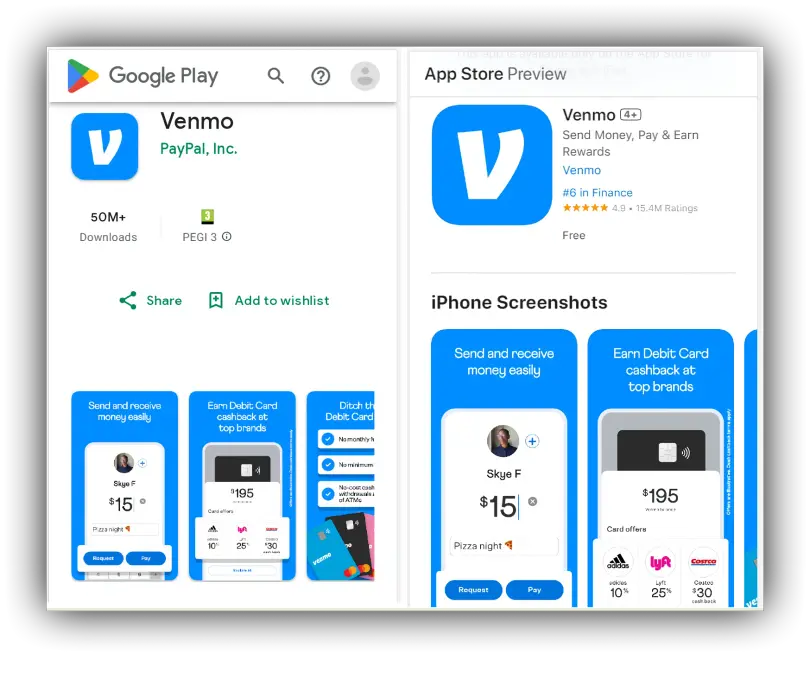
- Locate the App: Navigate to the Apple App Store (for iOS devices) or Google Play Store (for Android devices). Search for “Venmo.”
- Download and Install: Tap “Get” or “Install.” The app’s relatively small footprint means a quick download over Wi-Fi or cellular data.
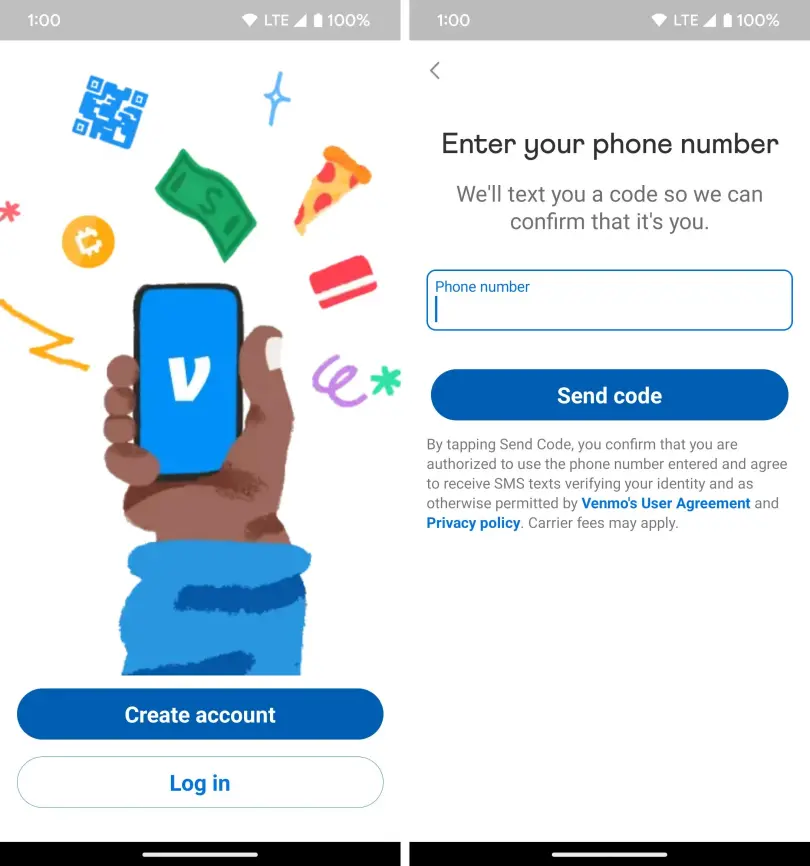
- First Launch: Upon successful installation, open the Venmo app. You will be greeted with introductory screens explaining Venmo’s core functionality.
- Sign Up Option: Select “Get Started” or “Sign Up” to begin the account creation process. This initiates the sequence of data collection and verification unique to new users.
Account Creation: User Details and Credentials
This phase is about establishing your digital identity within the Venmo ecosystem.
- Personal Information: You’ll be prompted to enter your full legal name, date of birth, and a valid email address. These details are crucial for compliance with financial regulations and for account recovery.
- Phone Number Verification: Enter your U.S. mobile phone number. Venmo will send a verification code via SMS. Inputting this code into the app is a critical security step, confirming ownership of the phone number.
- Password Creation: Choose a strong, unique password. Venmo’s system will likely enforce complexity requirements (e.g., minimum length, mix of characters) to bolster account security against brute-force attacks.
- Username Selection: You will create a unique Venmo username. This handle is publicly visible and can be used by others to find and send you money. Thoughtful selection is advisable as it forms part of your public digital identity on the platform.
- Privacy Settings: During signup, or shortly after, you’ll encounter options to configure your transaction privacy settings (Public, Friends, or Private). This demonstrates Venmo’s commitment to user control over their data visibility, a key aspect of modern app design.
Securing Your Digital Wallet: Verification and Authentication
Security is paramount in financial applications. Venmo employs several mechanisms to protect your account.
- Email Verification: After creating an account, you’ll receive an email with a verification link. Clicking this link confirms your email address, crucial for account security and communication.
- PIN Creation/Biometrics: You’ll be prompted to create a Personal Identification Number (PIN) for enhanced security, especially when using the Venmo Debit Card or accessing certain features. For supported devices, Venmo integrates with biometric authentication (fingerprint ID or facial recognition), offering a convenient yet highly secure method to access your account without a password or PIN. This leverages hardware-level security features of your smartphone.
- Multi-Factor Authentication (MFA): While phone number verification is an initial form of MFA, users are often encouraged to enable additional MFA methods, such as app-based authenticators, further safeguarding against unauthorized access even if your password is compromised.
Integrating Funding Sources: Connecting Your Finances
The final step in activation is linking your external financial accounts to empower transactions.
- Add a Bank Account: This is typically done using an instant verification service (like Plaid), where you log into your bank via a secure, encrypted pop-up window within the Venmo app. Alternatively, you can manually enter your bank’s routing and account numbers, which usually requires micro-deposit verification (Venmo sends two small deposits to your bank account, which you then confirm in the app, a legacy but still effective security measure).
- Add a Debit or Credit Card: You can enter card details directly into the app. Venmo’s payment gateway integrates with major card networks (Visa, Mastercard, American Express, Discover), encrypting and tokenizing your card information to protect it.
Upon successful linking of at least one funding source, your Venmo account is fully operational and ready to facilitate digital payments.
Mastering Venmo’s Core Functionalities and Advanced Features
Once your Venmo account is set up, a world of digital payment functionalities becomes accessible. Beyond simple money transfers, Venmo has evolved to offer a suite of features designed to enhance its utility as a comprehensive digital wallet.
Seamless Peer-to-Peer Transactions: The Heart of Venmo
The primary function of Venmo is its P2P transaction capability.
- Sending Money: To send money, you search for a user by their username, phone number, or email. The app’s interface clearly displays the recipient’s profile picture and name, reducing errors. You input the amount, add a descriptive note (which contributes to the social feed), and select the funding source. The entire process is designed for minimal latency, with most transfers completing in seconds.
- Requesting Money: Conversely, users can request money from others, a common feature for splitting bills or reminding friends of shared expenses. The request mechanism is technically identical to sending, ensuring symmetrical functionality.
- Transaction Feed: All transactions, depending on privacy settings, are logged in a customizable social feed. This not only adds a social element but also provides a transparent, immutable record of financial interactions within your network, leveraging a simple database structure for efficient retrieval and display.
Exploring the Venmo Debit Card and Credit Card
Venmo has extended its digital presence into physical and online retail through its branded cards, bridging the gap between its app-based balance and broader merchant ecosystems.
- Venmo Debit Card: This Mastercard-powered debit card is directly linked to your Venmo balance. It allows users to spend their Venmo balance anywhere Mastercard is accepted, online or in physical stores. From a technical standpoint, this involves integrating Venmo’s internal ledger system with a traditional payment network, converting your digital balance into spendable currency via a standard debit card mechanism. It also offers features like instant transaction notifications and the ability to track spending within the app.
- Venmo Credit Card: Issued by Synchrony Bank and powered by the Visa network, the Venmo Credit Card is a more traditional credit product but deeply integrated with the Venmo app. It offers cash back on eligible purchases, automatically depositing rewards into your Venmo balance. The card features a dynamic QR code on the physical card for easy payments to Venmo users, showcasing an innovative blend of traditional credit with modern digital payment technology. All card management, including payments and transaction history, is handled directly within the Venmo app, centralizing the user’s financial control panel.
Business Profiles and Merchant Capabilities
Recognizing the need for small businesses and freelancers to accept digital payments, Venmo introduced Business Profiles.
- Dedicated Business Accounts: Users can create a separate profile specifically for business transactions. This offers distinct functionalities like enhanced payment tracking, tax documentation, and the ability to accept payments from customers without sharing a personal account.
- QR Code Payments: Venmo supports QR code payments, allowing customers to scan a merchant’s unique QR code to pay instantly. This leverages camera technology and specific data encoding to facilitate quick, contactless transactions, a boon for small vendors.
- Integrated Payment Processing: For businesses, Venmo acts as a low-cost payment processor, offering competitive rates compared to traditional point-of-sale systems. The underlying technology processes these transactions securely, segregating business income from personal funds, and providing tools for simplified financial reconciliation.
Understanding Privacy Settings and Data Management
Venmo’s social feed and the very nature of digital transactions necessitate robust privacy controls.
- Transaction Privacy: Users can set the privacy level for each transaction: Public (visible to all Venmo users), Friends (visible only to your Venmo friends), or Private (visible only to the sender and receiver). This granular control over data visibility is crucial for user autonomy.
- Friend Activity Privacy: You can also control who sees your friend activity and your friends list, offering another layer of data management.
- Data Encryption: All personal and financial data stored on Venmo’s servers, as well as data transmitted during transactions, is protected using industry-standard encryption protocols (e.g., TLS/SSL). This ensures that sensitive information remains confidential and secure from eavesdropping or data breaches. Venmo’s data management policies are designed to comply with privacy regulations, offering users control over their data while ensuring operational security.
Ensuring Digital Security and Troubleshooting Common Issues
While Venmo strives for simplicity and convenience, the digital realm always presents security challenges. Understanding Venmo’s security measures and common troubleshooting steps is crucial for a smooth and secure experience.
Venmo’s Security Architecture
Venmo, as a subsidiary of PayPal, inherits a robust security framework designed to protect user data and financial assets.
- Encryption Standards: All communications between the Venmo app and its servers are encrypted using Transport Layer Security (TLS), preventing unauthorized interception of data. Sensitive financial information, like bank account and credit card numbers, is tokenized and encrypted at rest, meaning it’s stored in an unreadable format.
- Fraud Detection Algorithms: Venmo employs sophisticated machine learning algorithms to monitor transactions for suspicious patterns indicative of fraud. These systems analyze vast amounts of data in real-time to identify and flag potentially fraudulent activities, often leading to temporary transaction holds or account suspensions for investigation.
- Regulatory Compliance: As a financial technology platform, Venmo adheres to various U.S. financial regulations, including those related to money laundering prevention (AML) and data privacy. This compliance ensures a high standard of operational security and accountability.
- Account Protection: In cases of unauthorized transactions due to account compromise, Venmo typically offers buyer protection for eligible purchases, though this is primarily for goods and services rather than P2P transfers between individuals.
User Best Practices for Account Protection
While Venmo provides strong security, user vigilance is key to preventing breaches.
- Strong, Unique Passwords: Always use complex passwords that are not reused on other platforms. Consider a password manager.
- Enable Multi-Factor Authentication (MFA): This adds an extra layer of security, typically requiring a code from your phone in addition to your password.
- Recognize Phishing Attempts: Be wary of unsolicited emails or messages asking for your Venmo login credentials or personal information. Venmo will never ask for your password via email or text.
- Keep Your App Updated: Regular app updates often include security patches and bug fixes that protect against newly discovered vulnerabilities.
- Monitor Account Activity: Regularly review your Venmo transaction history for any unauthorized activity. Report suspicious transactions immediately.
- Be Mindful of Privacy Settings: Set transaction privacy to “Private” for most personal transactions to avoid inadvertently sharing sensitive information.

Addressing Onboarding and Transactional Hurdles
Despite sophisticated design, users may encounter issues during setup or transaction processing.
- Connectivity Issues: Ensure a stable internet connection. Intermittent network access can disrupt verification processes or transaction finalization.
- Failed Verifications: If your phone number, email, or bank account fails verification, double-check all entered information for typos. For bank linking via micro-deposits, ensure you’re entering the correct amounts once they appear in your bank statement. If issues persist, contact your bank to ensure there are no blocks on third-party integrations, or contact Venmo support.
- Transaction Limits: New accounts or unverified accounts may have lower transaction limits. Providing an SSN and completing full identity verification can increase these limits.
- Payment Rejections: Payments might be rejected due to insufficient funds in the linked account, an expired card, or bank-imposed restrictions. Review your funding source details and contact your bank if necessary.
- App Glitches: Occasionally, the app might freeze or behave unexpectedly. A simple restart of the app or your device can often resolve minor software glitches. For persistent issues, reinstalling the app might be necessary.
- Contacting Support: For complex problems, Venmo’s customer support, accessible through the app or their website, provides technical assistance, often leveraging AI-powered chatbots for initial queries before escalating to human agents.
By understanding these technical underpinnings, security measures, and troubleshooting tips, users can confidently navigate the Venmo ecosystem, fully harnessing its potential as a powerful and convenient digital payment tool. The ability to acquire and maintain a Venmo account represents not just access to a financial service, but an embrace of modern mobile technology that continues to reshape our financial lives.
aViewFromTheCave is a participant in the Amazon Services LLC Associates Program, an affiliate advertising program designed to provide a means for sites to earn advertising fees by advertising and linking to Amazon.com. Amazon, the Amazon logo, AmazonSupply, and the AmazonSupply logo are trademarks of Amazon.com, Inc. or its affiliates. As an Amazon Associate we earn affiliate commissions from qualifying purchases.