
In the rapidly evolving landscape of digital finance, mobile payment applications like Cash App have become indispensable tools for managing personal funds, sending money to friends and family, and even investing. With its user-friendly interface and comprehensive features, Cash App has garnered millions of users. However, a common query that frequently arises among both new and seasoned users pertains to the cost of accessing their funds: “How much does Cash App charge to withdraw?” Understanding these fees is crucial for effective financial planning and ensuring that you maximize the value of your money. This comprehensive guide will delve into the various withdrawal options offered by Cash App, break down their associated charges, and provide actionable strategies to help you minimize or even avoid these costs.

Demystifying Cash App’s Withdrawal Options and Associated Costs
Cash App offers several pathways to withdraw your funds, each with its own fee structure designed to cater to different user needs and urgency levels. From standard bank transfers to instant options and ATM withdrawals via the Cash Card, knowing the specifics can save you money and headaches.
Standard vs. Instant Bank Transfers: A Detailed Breakdown
When moving funds from your Cash App balance to your linked bank account, you typically encounter two primary options: standard deposits and instant deposits. The choice between these two largely dictates whether you incur a fee.
-
Standard Deposits: The Cost-Free Option
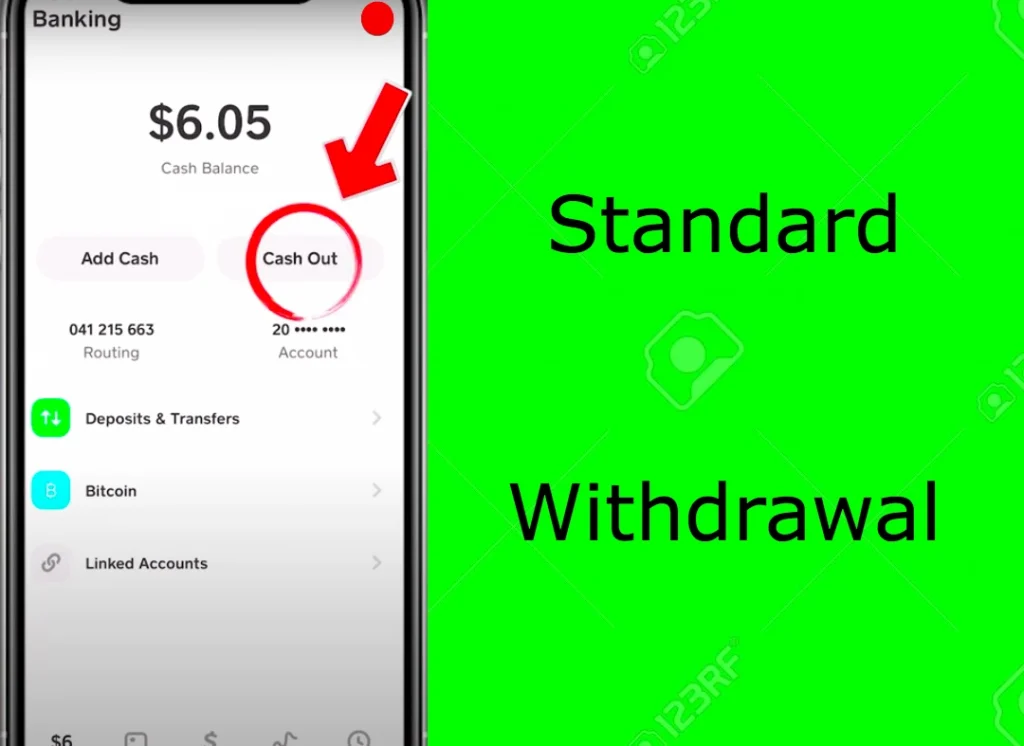
The most economical way to transfer money from Cash App to your bank account is by opting for a standard deposit. This method typically takes 1 to 3 business days for the funds to reflect in your linked bank account. Critically, Cash App does not charge any fees for standard deposits. This makes it the preferred choice for users who are not in immediate need of their funds and prioritize cost savings. The exact timing can sometimes vary depending on your bank’s processing times, but generally, it’s a reliable and free way to access your money. -
Instant Deposits: Speed at a Price
For those moments when time is of the essence, Cash App provides an instant deposit option. As the name suggests, this method processes the transfer immediately, making the funds available in your bank account within minutes, often within seconds. However, this convenience comes with a charge. Cash App typically charges a fee of 0.5% to 1.75% of the transaction amount for instant deposits, with a minimum fee of $0.25. This percentage-based fee means that the larger the amount you transfer, the higher the fee you will pay. For instance, withdrawing $100 instantly might cost you between $0.50 and $1.75. While the instant access can be invaluable in emergencies or for urgent payments, it’s a cost to factor into your financial decisions.
Navigating ATM Withdrawals with Your Cash Card
The Cash App Card, a free debit card linked to your Cash App balance, expands your withdrawal options beyond bank transfers by enabling ATM withdrawals. However, using your Cash Card at an ATM involves a unique set of potential fees.
-
Understanding Cash App’s ATM Fees
For users who haven’t set up direct deposit with Cash App, Cash App charges a $2 fee for each ATM withdrawal. This fee is consistent regardless of the amount withdrawn. However, there’s a significant advantage for users who regularly receive direct deposits into their Cash App account. If you receive at least $300 in direct deposits into your Cash App account each month, Cash App waives its $2 ATM withdrawal fee. This perk makes the Cash Card a much more appealing option for accessing physical cash for those who use Cash App as a primary banking alternative. -
Third-Party ATM Charges and Surcharges
It’s crucial to understand that Cash App’s fees are only one part of the equation. Most ATMs are operated by third-party banks or financial institutions, and these operators often levy their own surcharge fees for non-customers. These third-party ATM fees can range from $2.00 to $3.50 or even more per transaction, and they are independent of any fees Cash App might charge. When using your Cash Card at an ATM, you will typically be notified of any third-party fees before completing the transaction, giving you an opportunity to cancel if you deem the cost too high. To minimize these, look for fee-free ATMs within networks like Allpoint or other surcharge-free networks, though Cash App does not have a direct partnership with these for fee waiver, only that you aren’t charged by the ATM operator.
Bitcoin Withdrawals: What You Need to Know About Fees
Cash App has embraced cryptocurrency, allowing users to buy, sell, and withdraw Bitcoin. While this feature opens up new avenues for digital asset management, withdrawing Bitcoin also involves specific fees that differ from traditional fiat withdrawals.
-
Cash App’s Bitcoin Withdrawal Fee Structure
When you sell Bitcoin on Cash App and transfer the proceeds to your Cash App balance, the subsequent withdrawal to your bank account follows the standard/instant transfer fees discussed above. However, if you choose to withdraw Bitcoin directly from Cash App to an external Bitcoin wallet (i.e., sending BTC off the platform), there are different considerations. Cash App generally does not charge a direct fee for transferring Bitcoin out of the platform to an external wallet. Instead, the primary cost associated with Bitcoin withdrawals comes from the blockchain network itself. -
Blockchain Network Fees
Bitcoin transactions, including withdrawals to external wallets, require a network fee (also known as a “miner fee” or “transaction fee”). This fee is paid to the Bitcoin miners who process and validate transactions on the blockchain. Cash App typically passes this network fee directly to the user. The amount of this fee can fluctuate significantly based on network congestion. During times of high demand, network fees can be considerably higher, leading to a more expensive withdrawal. Cash App will usually display the estimated network fee before you confirm your Bitcoin withdrawal, allowing you to decide if the cost is acceptable given current network conditions. This fee ensures your transaction is processed in a timely manner on the decentralized network.
Strategies to Minimize or Avoid Cash App Withdrawal Fees
Understanding the fee structure is the first step; the next is implementing strategies to keep more of your money. By making informed choices, you can significantly reduce the costs associated with withdrawing funds from your Cash App account.
Embrace Standard Transfers for Savings
The most straightforward way to avoid withdrawal fees for bank transfers is to simply opt for the standard deposit option. If you can plan your finances a few days in advance and don’t require immediate access to your funds, always choose the 1-3 business day transfer. This zero-fee option is a fundamental money-saving habit for any Cash App user. By making it a routine, you can prevent unnecessary charges from eating into your balance.
Leverage Direct Deposit for Fee-Free ATM Access

For users who frequently need physical cash, setting up direct deposit into your Cash App account is a game-changer. By receiving at least $300 in direct deposits each month (e.g., from your paycheck, unemployment benefits, or government payments), you unlock fee-free ATM withdrawals from Cash App’s side. While you might still encounter third-party ATM surcharges, eliminating Cash App’s $2 fee significantly reduces your overall cost of accessing cash. This strategy effectively turns your Cash Card into a more robust tool for daily financial management.
Optimize Cash Card Usage for Purchases
Remember that the Cash Card functions like a standard debit card. Instead of withdrawing cash from an ATM and potentially paying fees, consider using your Cash Card directly for purchases wherever debit cards are accepted. This completely bypasses any withdrawal fees, whether from Cash App or a third-party ATM operator. For everyday spending, groceries, online shopping, and bill payments, using the Cash Card directly from your Cash App balance is always the most cost-effective solution.
Proactive Planning for Financial Management
A little foresight can go a long way in avoiding unexpected fees. Regularly review your financial needs and plan your withdrawals accordingly. If you know you’ll need a large sum of cash, transfer it via standard deposit well in advance. Keep a small buffer in your traditional bank account for immediate needs, reducing the reliance on instant Cash App transfers. For Bitcoin, monitor network congestion before initiating a withdrawal to an external wallet, as fees can fluctuate. By being proactive, you maintain greater control over your funds and minimize impulse decisions that incur fees.
Beyond Withdrawal Fees: Understanding Cash App’s Broader Cost Structure
While withdrawal fees are a primary concern for many users, Cash App, like most financial platforms, has a broader cost structure. Understanding these other potential fees provides a holistic view of managing your money through the app.
Cash App’s Investing Features and Associated Fees (Stocks & Bitcoin)
Cash App allows users to invest in fractional shares of stocks and buy/sell Bitcoin directly within the app.
- Stock Investing: Cash App generally promotes commission-free stock trading. This means you typically don’t pay a fee to buy or sell stocks through the platform. However, be aware that there are still standard regulatory fees (like SEC and FINRA fees) that are minuscule and passed on, but these are not Cash App’s direct charges. The primary “cost” here is often the spread (the difference between the buy and sell price), which is common in brokerage services.
- Bitcoin Investing: While buying and selling Bitcoin on Cash App, you’ll encounter a service fee, often presented as a “spread.” This spread is the difference between the market price of Bitcoin and the price Cash App offers you. It’s how Cash App profits from facilitating these transactions. This fee fluctuates based on market conditions and the size of your transaction, and it is usually displayed transparently before you confirm your purchase or sale.
P2P Transfers and Other Core Services: Are They Free?
The core functionality of Cash App, sending and receiving money peer-to-peer (P2P), is generally free for personal use.
- Sending and Receiving Money: If you use your Cash App balance, linked debit card, or bank account to send money to another Cash App user, there are typically no fees. Receiving money from other users is also free.
- Credit Card Fees: A notable exception to free P2P transfers is when you use a linked credit card to send money. Cash App charges a 3% fee for sending money via a credit card. This fee is common among P2P payment apps and is levied to cover the processing costs associated with credit card transactions.
Potential Fees for Business Accounts and Advanced Features
For users leveraging Cash App for business purposes or accessing advanced features, additional fees might apply.
- Business Account Fees: If you use Cash App for your business to accept payments, Cash App typically charges a fee per transaction. For receiving payments via Cash App for business, the standard fee is 2.75% per transaction. This fee is comparable to rates charged by other payment processors for small businesses and covers the cost of facilitating commercial transactions.
- Other Services: While the primary focus is on withdrawals, it’s worth noting that Cash App might introduce new features or services in the future that could come with their own fee structures. Always stay updated with Cash App’s terms of service for the most current information.
Making Informed Financial Decisions with Cash App
Navigating the various fees associated with Cash App withdrawals and other services requires a strategic approach. By understanding the nuances of its fee structure and integrating this knowledge into your financial habits, you can leverage Cash App as an efficient and cost-effective tool.
Reading the Fine Print: Always Check In-App Notifications
Cash App is generally transparent about its fees. Before you confirm any transaction that incurs a charge – whether it’s an instant deposit, an ATM withdrawal, or a Bitcoin transaction – the app will typically display the exact fee amount. It is paramount to always review these notifications carefully before finalizing your transaction. This simple step can prevent unexpected charges and help you make an informed decision in real-time. Don’t blindly click “confirm”; take a moment to understand the cost.
The Trade-off Between Speed and Cost
A recurring theme in Cash App’s fee structure is the inherent trade-off between speed and cost. Instant access to funds, whether through instant bank deposits or quick Bitcoin transactions, almost always comes with a price. Standard transfers and planned Bitcoin withdrawals (when network fees are lower) are designed to be free or minimal. Reflect on your urgency for funds. If you can afford to wait, choosing the slower, free option is almost always the financially prudent decision. Only pay for speed when it is absolutely necessary.
Integrating Cash App into Your Overall Financial Strategy
For many, Cash App is more than just a P2P payment tool; it’s an integral part of their personal finance ecosystem. To optimize its use, consider how it fits into your broader financial strategy.
- Budgeting: Incorporate potential Cash App fees into your monthly budget, especially if you frequently use instant transfers or ATM withdrawals without direct deposit benefits.
- Emergency Fund: Use standard transfers to move money to and from your emergency fund, saving on instant transfer fees.
- Primary Bank Alternative: If you rely heavily on Cash App, especially with direct deposit for fee-free ATM access, treat it with the same diligence as a traditional bank account. Regularly monitor your balance, review transactions, and understand all associated costs.
In conclusion, while Cash App offers incredible convenience and flexibility for managing digital money, understanding its withdrawal fees is paramount to using the service effectively and economically. By choosing standard transfers, leveraging direct deposit for ATM benefits, utilizing your Cash Card for purchases, and being mindful of Bitcoin network fees, you can keep more of your hard-earned money in your pocket. Always prioritize informed financial decisions and let speed be a luxury you pay for only when absolutely necessary.
aViewFromTheCave is a participant in the Amazon Services LLC Associates Program, an affiliate advertising program designed to provide a means for sites to earn advertising fees by advertising and linking to Amazon.com. Amazon, the Amazon logo, AmazonSupply, and the AmazonSupply logo are trademarks of Amazon.com, Inc. or its affiliates. As an Amazon Associate we earn affiliate commissions from qualifying purchases.