
In an increasingly digital financial landscape, peer-to-peer (P2P) payment applications have revolutionized how individuals send and receive money. Among the most popular and user-friendly platforms is Cash App, developed by Block, Inc. Formerly known as Square Cash, Cash App has carved out a significant niche by offering a seamless, secure, and rapid method for managing personal finances on the go. Its intuitive interface and comprehensive features make it an indispensable tool for millions looking to simplify transactions, pay friends, split bills, and even receive salaries directly.
For many, the primary appeal of Cash App lies in its ability to facilitate instant money transfers with minimal fuss. Whether you’re collecting payment for a shared expense, receiving a thoughtful gift, or expecting a professional payment, understanding the mechanics of receiving money on Cash App is crucial for maximizing its utility. This guide delves into the various methods of receiving funds through the platform, offering insights into best practices, security measures, and how to effectively manage the money once it’s in your account. Embracing Cash App means adopting a modern approach to personal finance, where convenience and accessibility are paramount.

Understanding the Core Mechanisms of Receiving Funds
At its heart, Cash App is designed for simplicity, making the process of receiving money straightforward. However, a deeper understanding of its underlying mechanisms can enhance user experience and ensure smooth transactions every time. The platform primarily operates on a P2P model, enabling direct transfers between users, but also extends its functionality to more structured financial operations like direct deposits.
The Dynamics of Cash App Payments
Cash App transactions hinge on a unique identifier called a “Cashtag” (e.g., $YourCashtag), which users create upon account setup. This Cashtag, along with your registered phone number or email address, serves as your personal address for receiving money. When someone wants to send you funds, they simply need one of these identifiers. Unlike traditional bank transfers that can take days, Cash App payments between users are often instant, appearing in your Cash App balance within moments of being sent. This speed is a significant advantage, especially in situations requiring immediate financial liquidity.
The system is engineered to minimize friction, eliminating the need for complex routing numbers or bank account details for typical P2P transactions. This streamlined approach fosters a sense of financial freedom, allowing users to move money effortlessly. It’s important to note that while the transfer is instant to your Cash App balance, cashing out to an external bank account might involve standard bank processing times if you opt for the “Standard Deposit” (1-3 business days), though “Instant Deposit” is available for a small fee.
Essential Information for Senders
To facilitate a smooth transaction, communicating the correct information to the sender is vital. The three primary pieces of information you can provide are:
- Your Cashtag: This is your unique identifier and the most common way people send money on Cash App. It’s easy to remember and share.
- Your Registered Phone Number: The phone number linked to your Cash App account can also be used by senders to find you and initiate a payment.
- Your Registered Email Address: Similarly, your email address associated with your Cash App profile can serve as a conduit for receiving funds.
Before sharing any of these details, always double-check that your Cash App account is fully set up and verified, including linking a bank account or debit card. While you don’t need a linked bank account to receive money, you will need one to cash out funds from your Cash App balance. Providing clear, accurate information upfront prevents delays and ensures the money reaches the intended recipient without complications.
Navigating Instant vs. Scheduled Payments
Most Cash App P2P payments are instant, meaning the funds are available in your Cash App balance almost immediately. However, the concept of “scheduled payments” primarily applies to features like recurring direct deposits (e.g., paychecks, government benefits) rather than ad-hoc P2P transfers. When setting up direct deposit with Cash App, you provide your unique account and routing numbers (found in the banking tab of the app) to your employer or benefits provider. These scheduled payments then arrive on your designated payday, much like a traditional bank account direct deposit. The speed of these deposits can sometimes be faster than traditional banks, with some users reporting access to funds up to two days early, depending on the sender’s bank processing times. Understanding these distinctions is key to managing your expectations regarding fund availability.
Step-by-Step Guide to Receiving Funds on Cash App
Receiving money on Cash App is designed to be intuitive, but knowing the specific steps for different scenarios can help streamline the process. From direct payments to more structured deposits, Cash App offers several avenues for acquiring funds.
Receiving Direct Payments from Other Cash App Users
This is the most common method. When another Cash App user sends you money using your Cashtag, phone number, or email, the funds typically land in your Cash App balance automatically. In most cases, you don’t need to take any action to “accept” the payment. You’ll receive a notification within the app and usually a text or email confirming the transaction.
To verify:
- Open the Cash App.
- Tap on the “Activity” tab (clock icon) on the bottom right.
- Here you will see a list of all your recent transactions. The received payment should appear with the sender’s name and the amount.
The funds will immediately be reflected in your Cash App balance on the main screen.
Accepting Payment Requests
Sometimes, instead of sending money directly, another user might send you a “payment request.” This is common when someone wants to remind you about a pending payment or confirm an amount before sending.
To accept a payment request:
- Open the Cash App.
- Tap on the “Activity” tab.
- Look for a pending payment request. It will typically show the sender’s name and the requested amount, with options to “Accept” or “Decline.”
- Tap “Accept.”
- Follow any on-screen prompts to confirm the acceptance.
Once accepted, the funds will be transferred to your Cash App balance. This method gives you a moment of verification before the transaction is finalized.
Setting Up Direct Deposit with Cash App
Cash App provides unique account and routing numbers, effectively allowing your account to function like a traditional bank account for direct deposits. This is an excellent feature for receiving paychecks, tax refunds, unemployment benefits, or other recurring payments directly into your Cash App balance.
To set up direct deposit:
- Open the Cash App.
- Tap on the “Banking” tab (house icon) on the bottom left.
- Scroll down and tap on “Direct Deposit.”
- Here you will find your Cash App routing and account numbers.
- Provide these numbers to your employer’s payroll department, government agency, or any other entity that offers direct deposit. They will usually require you to fill out a direct deposit form.
Ensure you provide the correct information to avoid delays. Once set up, funds will be automatically deposited into your Cash App balance on your scheduled payday.
Receiving Money from Non-Cash App Users
This scenario is generally not possible for direct transfers into your Cash App account in the same way. Cash App is primarily a P2P platform for its users. If someone who doesn’t use Cash App wants to send you money, they would typically need to use an alternative method (e.g., traditional bank transfer, another P2P app, wire transfer, or physical cash). However, you could potentially request that they send money to a linked bank account of yours, and then you could transfer that money into your Cash App balance if desired. The directness of Cash App is contingent on both parties being Cash App users for P2P transactions.
Managing Your Received Funds Effectively
Once money lands in your Cash App balance, you have several options for how to manage it. Understanding these choices is crucial for maximizing the utility of your funds within the Cash App ecosystem and integrating it seamlessly into your broader financial strategy.
Keeping Money in Your Cash App Balance
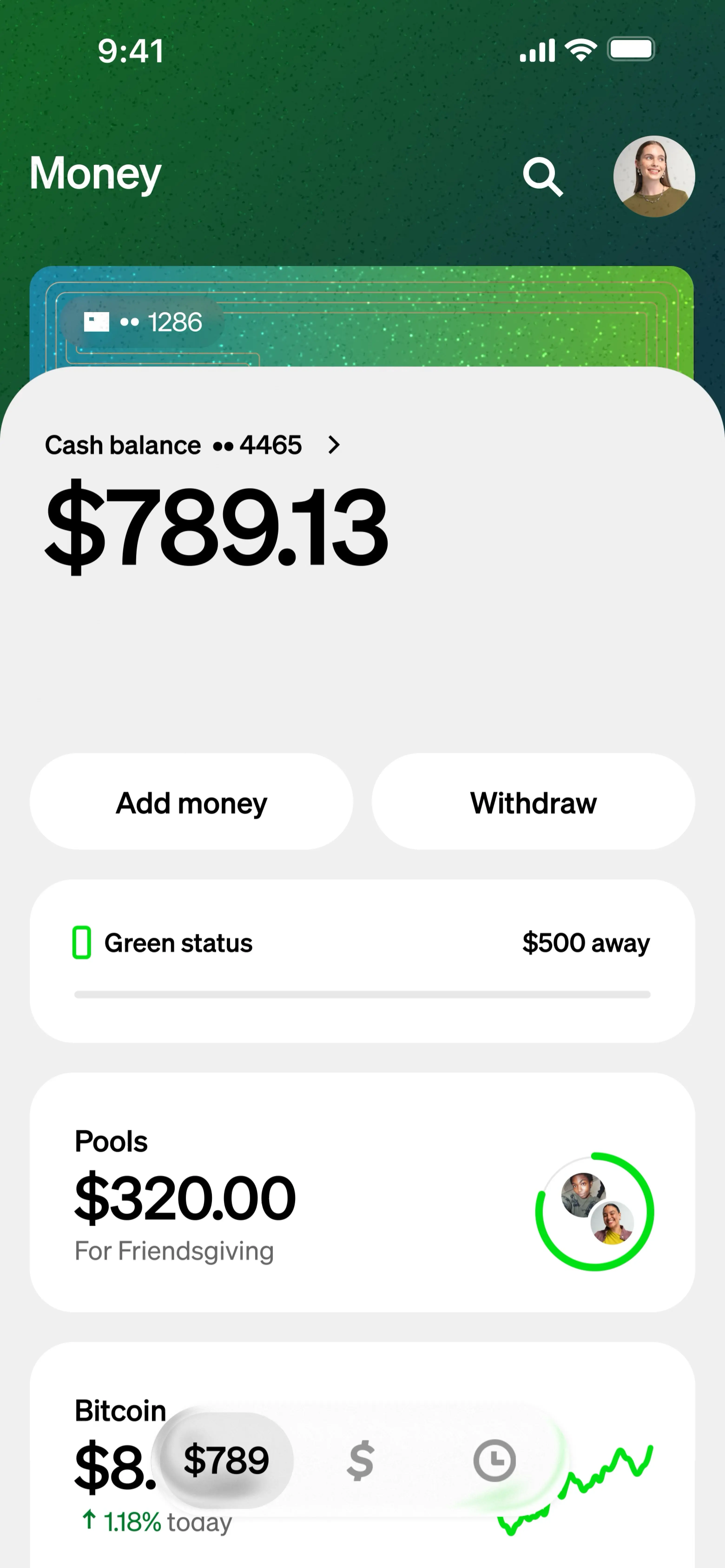
One option is simply to leave the money in your Cash App balance. This allows for quick future transactions within the app, such as sending money to friends, making purchases with your Cash Card, or investing in Bitcoin or stocks directly through Cash App (where available). Keeping a balance can be convenient for immediate, small-scale transactions. However, it’s worth noting that Cash App balances are not FDIC insured like traditional bank accounts unless they are held with a partner bank that provides such insurance. For larger sums, it’s generally advisable to transfer funds to an FDIC-insured bank account.
Cashing Out to Your Linked Bank Account
This is arguably the most common action after receiving money. You can transfer funds from your Cash App balance to your linked bank account.
To cash out:
- Open the Cash App.
- Tap on the “Banking” tab.
- Tap “Cash Out.”
- Enter the amount you wish to transfer.
- Choose your deposit speed:
- Standard Deposit (Free): Funds typically arrive in your bank account within 1-3 business days.
- Instant Deposit (Fee applies): Funds are usually transferred to your debit card-linked bank account immediately (within minutes), for a small percentage-based fee (e.g., 0.5% – 1.75%).
- Confirm the transaction.
Always review the amount and the chosen deposit speed before confirming to avoid unexpected fees or delays.
Utilizing the Cash Card for Purchases
The Cash Card is a free, customizable debit card linked directly to your Cash App balance. It allows you to spend the money in your Cash App account anywhere Visa is accepted, both online and in physical stores. This provides immense flexibility, turning your digital balance into a tangible spending tool without needing to transfer funds to an external bank account first. The Cash Card also comes with “Boosts,” which are instant discounts at specific retailers, adding another layer of value for users. Applying for a Cash Card is simple and can be done directly through the app.
Understanding Transaction Limits and Fees
Cash App implements limits on how much money you can send and receive, especially for unverified accounts. Initially, unverified users might have lower sending and receiving limits (e.g., send $250 in any 7-day period and receive $1,000 in any 30-day period). Verifying your account by providing your full legal name, date of birth, and the last four digits of your SSN significantly increases these limits, often allowing you to send up to $7,500 per week and receive an unlimited amount.
Regarding fees:
- Sending/receiving money between Cash App users is generally free.
- Instant Deposits to your bank account incur a small fee (as mentioned above).
- Using your Cash Card is free, though standard ATM fees might apply if you withdraw cash and don’t meet specific direct deposit requirements for free ATM withdrawals.
- There can be fees associated with buying/selling Bitcoin or investing in stocks, depending on market conditions and specific transactions.
Being aware of these limits and potential fees is crucial for efficient financial planning and avoiding unexpected charges.
Security and Best Practices for Safe Transactions
While Cash App offers incredible convenience, its digital nature necessitates a strong focus on security. Protecting your account and understanding common scams are paramount to safeguarding your funds and personal information.
Protecting Your Account: PIN, Touch ID, and 2FA
Cash App employs several security features to protect your account:
- Login Verification: Every time you log in, Cash App often requires verification via a code sent to your registered phone or email.
- Security Lock: You can enable a Security Lock requiring your PIN, Touch ID, or Face ID for every transaction, adding an essential layer of protection against unauthorized use if your phone falls into the wrong hands.
- Two-Factor Authentication (2FA): While not explicitly a separate 2FA system like some other apps, the login verification acts as a form of 2FA. Always ensure your registered phone number and email are secure and accessible only to you.
Regularly update your PIN and use strong, unique passwords for your email and phone accounts linked to Cash App. Never share your login credentials or PIN with anyone.
Recognizing Scams and Fraud
The popularity of Cash App also makes it a target for scammers. Be vigilant for:
- Phishing Scams: Emails or texts pretending to be from Cash App, asking for your login details or personal information. Cash App will never ask for your PIN or full sign-in code via email or text.
- “Payment Pending” Scams: Scammers might send fake notifications claiming a large payment is pending, but you need to send a smaller amount first to “verify” your account. Legitimate payments do not require you to send money first.
- Fake Customer Support: Scammers create fake customer support numbers or websites. Always use the official support channels found within the app or on the official Cash App website.
- Overpayment Scams: Someone sends you more money than requested and asks you to send the difference back. The initial payment might be reversed later, leaving you out of pocket.
- Giveaway Scams: Be wary of accounts promoting fake Cash App giveaways that require you to send money or provide personal information to enter.
If something feels suspicious, it probably is. Always double-check sender identities and never click on suspicious links.
Verifying Senders and Amounts
Before accepting any payment, especially from unfamiliar sources or for significant amounts, always verify the sender’s identity and the correct amount. A simple message or phone call can confirm legitimacy. If you receive an unexpected payment, or a payment from someone you don’t recognize, it’s best to report it to Cash App support immediately and avoid interacting with the funds until its origin is clarified. Cash App transactions are difficult to reverse once completed, making preventative caution your best defense.
Troubleshooting Common Issues
Even with a user-friendly platform like Cash App, occasional issues can arise. Knowing how to address common problems can save time and reduce frustration, ensuring your financial flow remains uninterrupted.
Payment Not Received
If a sender claims to have sent you money but it hasn’t appeared in your Cash App balance or activity feed:
- Check Your Activity Tab: Double-confirm it’s not there. Sometimes there’s a slight delay, but most P2P payments are instant.
- Verify Sender’s Information: Ask the sender to confirm they sent it to your correct Cashtag, phone number, or email. A common error is a typo.
- Check Sender’s Status: Ensure the sender’s account isn’t locked or facing issues.
- Confirm Payment Status: Ask the sender to check their activity tab to see if the payment shows as “Completed” or “Pending.”
- Contact Cash App Support: If all details are correct and the payment is still missing after a reasonable time (e.g., a few hours for instant payments, 3-5 business days for direct deposits), reach out to Cash App support directly through the app.
Declined Transactions
Occasionally, a sender might face a declined transaction when trying to send you money. This usually isn’t an issue on your end (as the recipient) but rather with the sender’s account. Common reasons for declined sends include:
- Insufficient Funds: The sender doesn’t have enough money in their Cash App balance or linked bank account.
- Bank Restrictions: The sender’s bank might be declining the transaction due to security concerns or daily limits.
- Cash App Limits: The sender might have hit their daily or weekly sending limits.
- Security Flags: Cash App’s security system might have flagged the transaction as potentially suspicious.
The sender should contact their bank or Cash App support to resolve the issue. As the recipient, ensure your account is fully verified, as unverified accounts can sometimes face receiving limitations, though this is less common for typical P2P transactions.
Contacting Cash App Support
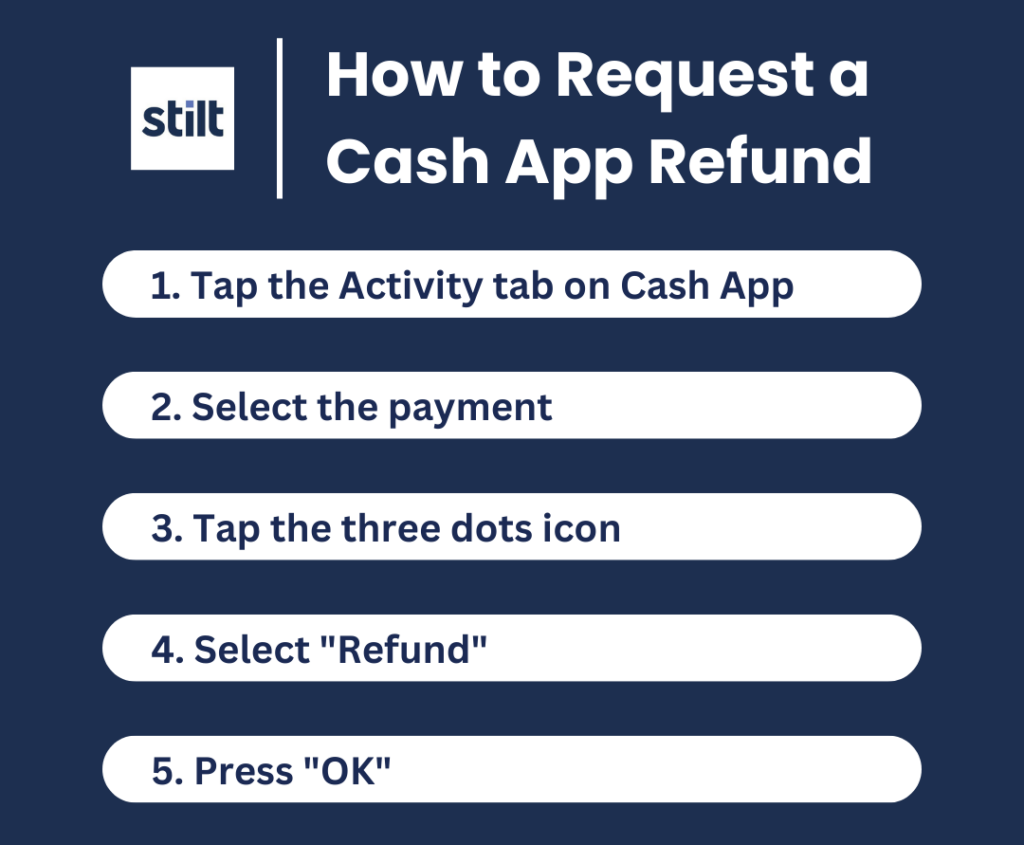
For any unresolved issues, or if you suspect fraud, contacting official Cash App support is the best course of action.
- Through the App: This is the recommended method.
- Tap the profile icon on the main Cash App screen.
- Scroll down and tap “Support.”
- Tap “Something Else” and follow the prompts to describe your issue. You can often chat with a representative directly.
- Official Website: Visit cash.app/help for FAQs and support options.
Be wary of unofficial support channels, especially phone numbers found via search engines, as these are frequently scams. Cash App primarily provides support through its in-app chat and official website. When contacting support, be prepared to provide transaction details, screenshots, and account information (but never your PIN or full SSN).
By mastering the art of receiving money on Cash App and adhering to best financial practices, you can leverage this powerful financial tool to its full potential, ensuring your transactions are always smooth, secure, and seamlessly integrated into your personal finance management.
aViewFromTheCave is a participant in the Amazon Services LLC Associates Program, an affiliate advertising program designed to provide a means for sites to earn advertising fees by advertising and linking to Amazon.com. Amazon, the Amazon logo, AmazonSupply, and the AmazonSupply logo are trademarks of Amazon.com, Inc. or its affiliates. As an Amazon Associate we earn affiliate commissions from qualifying purchases.