
In an increasingly digital economy, managing one’s finances effectively requires diligence and a clear understanding of where your money resides. PayPal, a ubiquitous platform for online payments, remittances, and commerce, often serves as a significant hub for personal and business transactions. For many, it’s more than just a payment gateway; it’s a dynamic digital wallet holding funds derived from online sales, freelance work, family transfers, or refunds. Consequently, knowing “how to check balance on PayPal” isn’t merely a technical query but a fundamental aspect of sound financial management, empowering users to make informed spending decisions, track income, and maintain overall financial health. This guide delves into the practical steps and strategic insights necessary to master your PayPal balance, ensuring you remain in control of your digital financial landscape.
The Imperative of Regular Financial Monitoring
In the realm of personal and business finance, visibility is paramount. Your PayPal balance, though seemingly a small component of your overall financial portfolio, can significantly impact your day-to-day liquidity and long-term financial planning. Regular monitoring of this balance transcends simple curiosity; it’s a strategic move towards greater financial control and security.
Why Your PayPal Balance Matters for Personal Finance
For individuals and small businesses alike, the PayPal balance is often a critical indicator of immediate available funds.
- Budgeting and Expenditure Tracking: Knowing your exact PayPal balance is crucial for adhering to a budget. Whether you’re making an online purchase, paying for a subscription, or transferring money, understanding what’s available prevents overspending or dipping into funds allocated for other purposes. It helps in categorizing and tracking online expenditures, a vital step in any robust personal finance strategy.
- Preventing Overdrafts or Unexpected Fees: If your PayPal account is linked to a bank account or credit card, an insufficient PayPal balance for a transaction could lead to the platform attempting to pull funds from linked sources. While often seamless, this can sometimes lead to unexpected bank charges or an overdraft if not managed proactively. Regular checks mitigate this risk by ensuring you only transact with available funds.
- Managing Online Income/Side Hustle Payouts: For freelancers, online sellers, or those with side hustles, PayPal often serves as the primary channel for receiving payments. Monitoring your balance allows you to confirm income receipts, plan transfers to your primary bank account, and integrate these earnings into your broader financial plan, whether for savings, investments, or daily expenses.
- Ensuring Funds are Available for Planned Purchases: Many online retailers accept PayPal, making it a convenient payment method. If you’ve earmarked specific funds within your PayPal account for a particular purchase, verifying the balance beforehand ensures a smooth transaction and prevents last-minute payment issues or the need to switch payment methods.
PayPal as a Micro-Financial Hub
PayPal has evolved far beyond a simple payment processing service. It now functions as a micro-financial hub, connecting various facets of your digital money management.
- Connecting to Bank Accounts, Credit/Debit Cards: The platform seamlessly integrates with your traditional banking infrastructure, allowing for easy transfers between your PayPal balance and your bank accounts, or leveraging linked cards for payments. This interconnectedness makes it a central point for managing funds across different financial vehicles.
- Handling Various Forms of Digital Transactions: From peer-to-peer payments to e-commerce checkouts, subscription services, and international remittances, PayPal facilitates a vast array of digital transactions. Each transaction directly impacts your balance, underscoring the need for continuous oversight.
- Its Role in the Broader Personal Financial Ecosystem: For many, PayPal acts as a gateway to the digital economy. It allows participation in online marketplaces, access to international services, and quick payments without directly exposing primary bank details. Understanding its specific role in your financial life – whether as a spending account, an income holding account, or a transfer medium – is key to integrating it effectively into your overall financial strategy and using it as a tool for wealth management.
Navigating Your PayPal Account: Step-by-Step Balance Retrieval
Accessing your PayPal balance is designed to be straightforward, whether you’re at your desk or on the go. The platform provides multiple intuitive pathways to view your current funds, enabling you to stay updated with minimal effort.
Checking Your Balance via the PayPal Website (Desktop/Browser)
The web interface offers a comprehensive view of your account, making it ideal for detailed financial oversight and management.
- Login Process: Open your web browser and navigate to www.paypal.com. Click “Log In” in the top right corner. Enter your email address or mobile number and password. If you have two-factor authentication (2FA) enabled, you’ll need to complete this step, usually by entering a code sent to your phone.
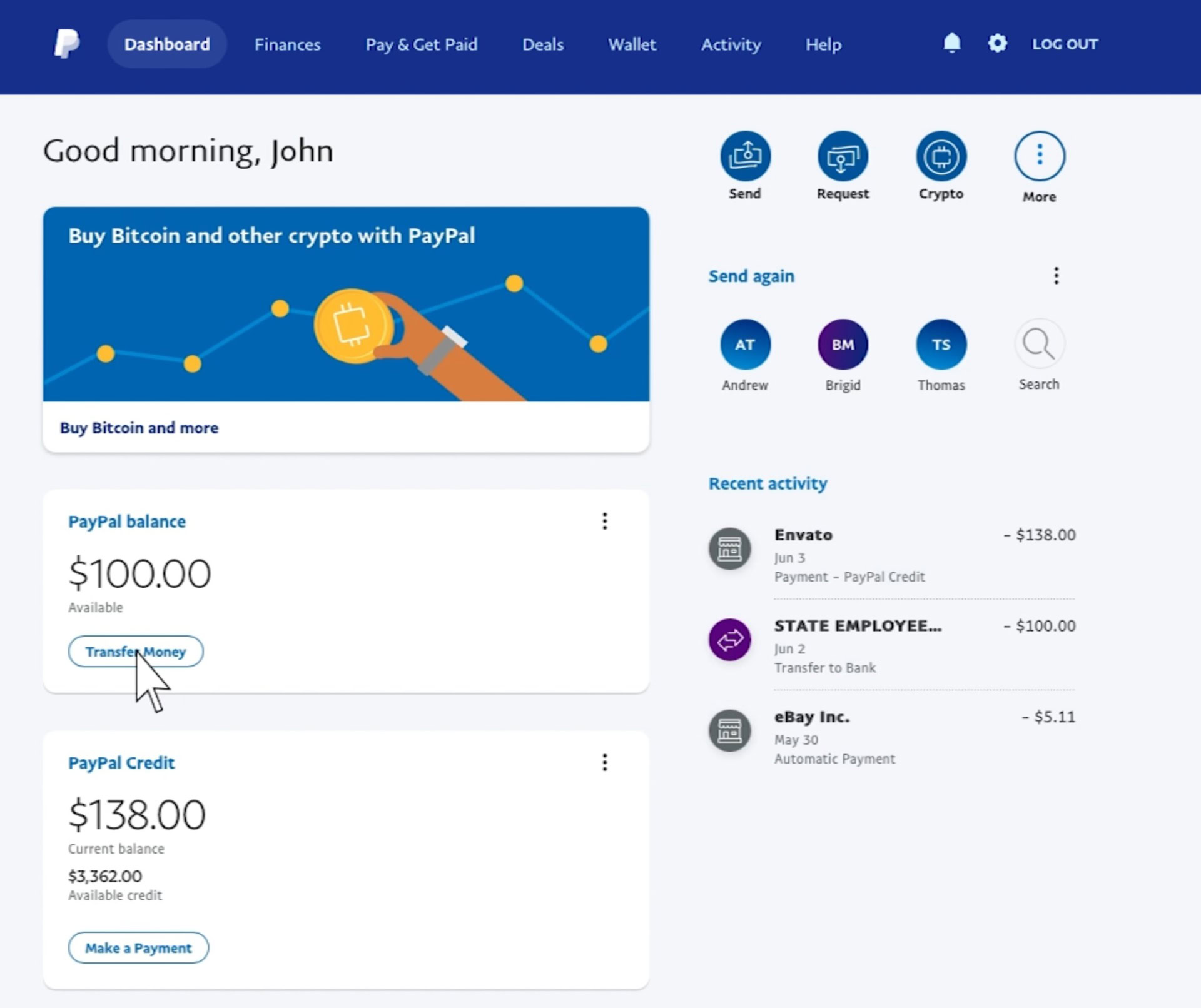
- Locating the Balance Display on the Dashboard: Once logged in, you’ll land on your PayPal Summary or Dashboard. Your current “PayPal Balance” is typically displayed prominently on this page, often near the top or in a dedicated “Wallet” section. This is the primary figure representing the funds directly held within your PayPal account.
- Understanding the “PayPal Balance” vs. Other Linked Funds: It’s critical to distinguish your actual PayPal Balance from funds available in linked bank accounts or credit cards. The figure displayed on the dashboard specifically refers to the money you have in your PayPal account itself, not what’s available through your linked financial instruments. While PayPal can draw from these linked sources for transactions if your PayPal Balance is insufficient, they are separate entities.
- Viewing Recent Activity/Transaction History as a Supplement: Below your balance, or accessible via a separate “Activity” tab, you’ll find a detailed list of your recent transactions. This history is invaluable for understanding how your balance has changed, identifying specific debits or credits, and reconciling your PayPal account with your other financial records. It provides the context behind your current balance.
Accessing Funds Information through the PayPal Mobile App
For convenience and on-the-go monitoring, the PayPal mobile app provides quick and easy access to your financial details.
- Opening the App and Logging In: Download the PayPal app from your device’s app store (iOS App Store or Google Play Store) if you haven’t already. Open the app and log in using your credentials. Many users opt for biometric login (fingerprint or facial recognition) for speed and security.
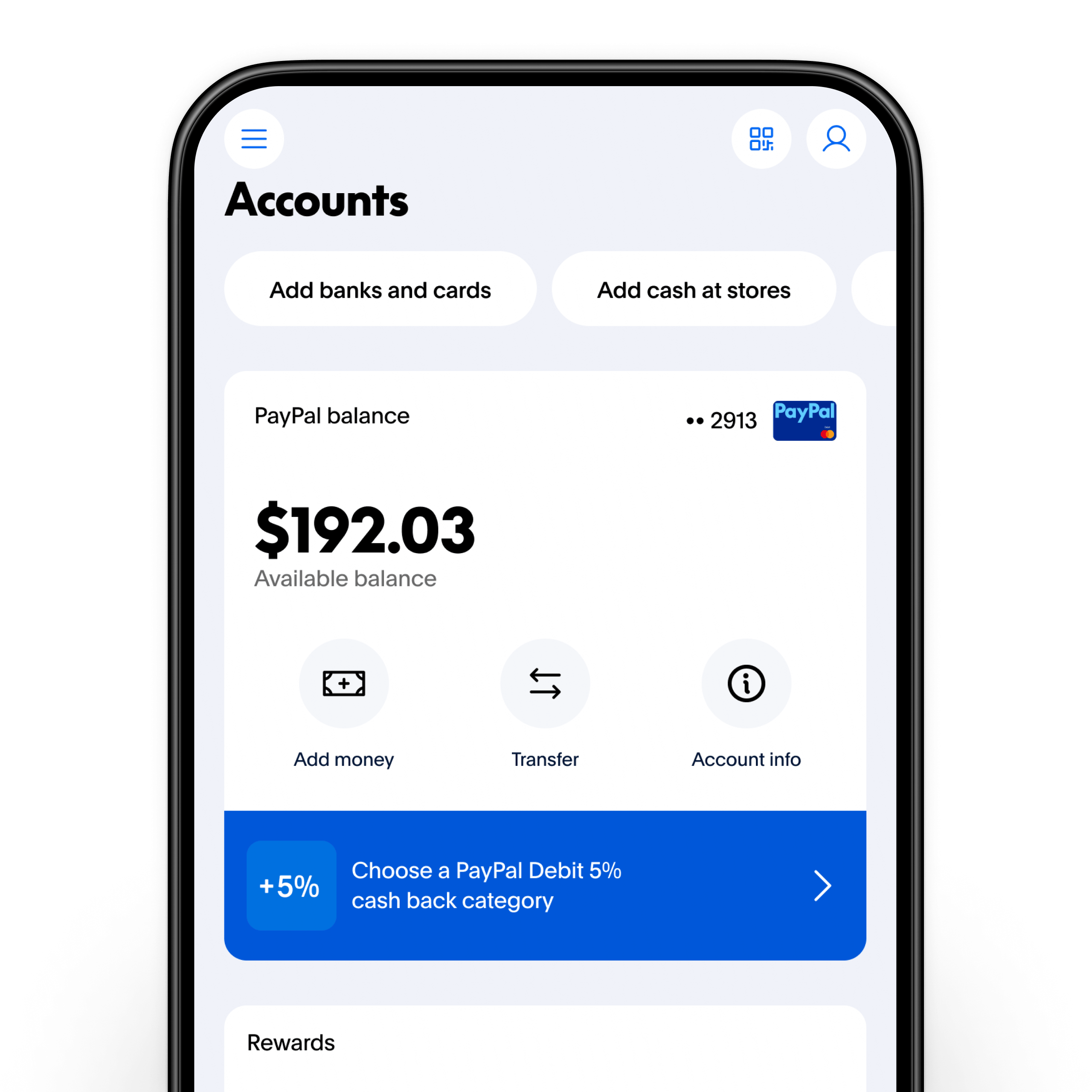
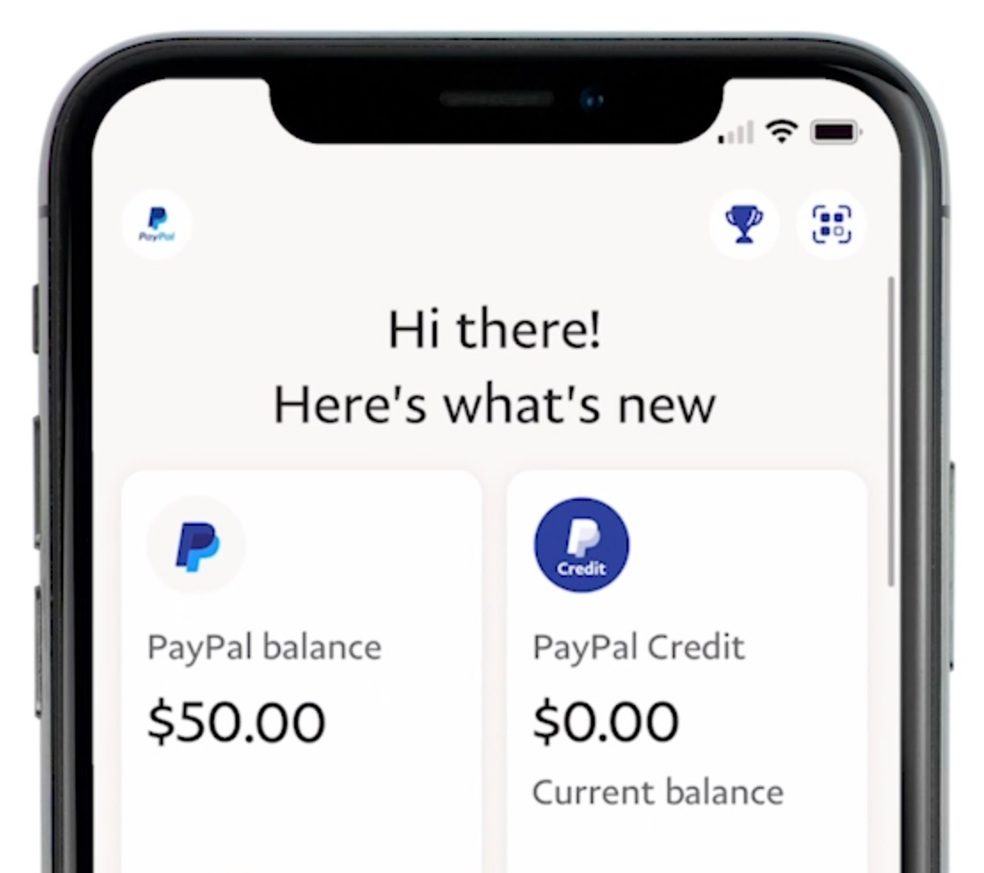
- Dashboard View on Mobile: Similar to the website, the app’s home screen (Dashboard) typically displays your “PayPal Balance” front and center. It’s designed for instant visibility, allowing you to see your available funds at a glance.
- Quick Glance at Primary Balance: The primary balance on the app’s home screen is usually sufficient for most quick checks, providing the immediate financial information you need before making a purchase or transfer.
- Exploring Wallet Section for Detailed Fund Sources: For a more in-depth look, navigate to the “Wallet” section within the app (often an icon at the bottom of the screen). Here, you can see your PayPal Balance in detail, along with all your linked bank accounts, debit cards, and credit cards. This section offers a comprehensive overview of all your potential funding sources within the PayPal ecosystem.
Other Avenues for Balance Inquiry (Email Notifications, Statements)
While direct login is the most reliable method, other tools can offer insights into your PayPal funds.
- How Automated Emails Can Provide Updates: PayPal often sends email notifications for significant transactions, such as receiving payments or making purchases. While these emails don’t typically display your live balance, they allow you to track changes to your account and prompt you to log in for verification. You can also set up customized alerts for specific activity.
- Accessing Monthly Statements for Reconciliation: PayPal provides monthly statements that summarize all activity on your account. These statements, accessible from the “Activity” or “Statements” section on the website, are invaluable for financial reconciliation, tax purposes, and gaining a holistic view of your income and expenditure over time. They serve as an official record of your balance at specific points.
Beyond the Balance: Optimizing Your PayPal for Financial Health
Understanding your PayPal balance is merely the first step. True financial mastery involves strategically utilizing the platform to enhance your overall financial health, managing cash flow, and fortifying your digital security.
Differentiating PayPal Balance from Linked Funding Sources
A common misconception is treating the PayPal balance as synonymous with your bank account. However, these are distinct, and understanding their relationship is crucial for effective money management.
- Understanding How PayPal Prioritizes Funding: When you make a payment, PayPal typically attempts to use your PayPal Balance first. If that’s insufficient, it will then draw from linked bank accounts or cards, often in a default order you can customize. Being aware of this hierarchy helps in planning payments and avoiding unexpected deductions from your primary bank account.
- Implications for Cash Flow Management: Your PayPal balance represents funds immediately available for digital transactions within PayPal. Funds in a linked bank account, while accessible through PayPal, are part of your broader bank cash flow. Strategically managing how much money you keep in PayPal versus your bank can optimize liquidity, interest earnings (if applicable in a bank account), and overall cash flow.
- Avoiding Unnecessary Transfers or Fees: Some actions, like instant transfers from PayPal to your bank, may incur a small fee. By knowing your balance and planning transactions, you can opt for standard transfers (usually free, but take longer) when time isn’t critical, thus saving on unnecessary costs.
Strategies for Managing PayPal Funds Effectively
Proactive management of your PayPal funds can significantly contribute to your financial well-being.
- Transferring Funds to a Bank Account (and why): It’s often advisable not to keep large sums of money in your PayPal balance for extended periods. Transferring funds to a linked bank account (especially an interest-bearing one) allows your money to potentially grow, offers broader protection (e.g., FDIC insurance in the U.S. for bank accounts), and makes it more readily available for non-digital expenses. Regular transfers can be part of a disciplined savings or investment strategy.
- Using PayPal for Online Purchases vs. Other Methods: While convenient, consider when PayPal is the most advantageous payment method. For instance, some credit cards offer better rewards for online purchases or stronger consumer protections. Evaluate the benefits of using your PayPal balance versus a linked card or bank account for each transaction, aligning with your financial goals (e.g., maximizing rewards, minimizing fees, budgeting specific funds).
- Setting Up Auto-Transfers for Regular Income: If you frequently receive income via PayPal, explore options for automatic transfers to your bank account. This ensures consistent cash flow into your primary financial system without manual intervention, streamlining income management.
- Monitoring Spending Patterns Through PayPal History: Leverage the detailed transaction history within PayPal to analyze your online spending habits. Categorize expenses, identify recurring payments, and look for areas where you might save. This data is a valuable input for refining your budget and achieving financial discipline.
Security and Fraud Prevention for Your Digital Wallet
Protecting your PayPal account is paramount, as it holds sensitive financial data and funds.
- Importance of Strong Passwords, 2FA: Always use a strong, unique password for your PayPal account, ideally generated by a password manager. Enable two-factor authentication (2FA) for an added layer of security. This makes it significantly harder for unauthorized individuals to access your account, even if they somehow obtain your password.
- Recognizing Phishing Attempts: Be vigilant against phishing emails or messages that claim to be from PayPal. These attempts often try to trick you into revealing your login credentials or financial information. Always check the sender’s email address, look for grammatical errors, and never click suspicious links. When in doubt, go directly to the PayPal website by typing the URL into your browser.
- Safeguarding Your Financial Data Within the PayPal Ecosystem: Regularly review your linked funding sources and remove any old or unused bank accounts or cards. Keep your contact information updated. Be cautious about public Wi-Fi networks when accessing sensitive financial accounts. PayPal employs robust security measures, but user vigilance is the first line of defense.
Common Challenges and Troubleshooting for Financial Clarity
Even with careful management, you might encounter situations where your PayPal balance seems off or transactions are not as expected. Understanding these common challenges and knowing how to troubleshoot them is vital for maintaining financial clarity.
What to Do If Your Balance Appears Incorrect
Discrepancies can be unsettling but are often resolvable with a systematic approach.
- Reviewing Recent Activity: The first step is to thoroughly review your “Activity” or “History” tab on both the PayPal website and app. Look for any transactions you don’t recognize, pending payments, or recently completed purchases that might have altered the balance.
- Checking Pending Transactions: Some transactions, especially e-checks or funds sent with specific holds, may not immediately clear or be reflected in your available balance. Check for “pending” status on any recent payments or transfers.
- Contacting PayPal Support: If, after reviewing your activity, the balance still appears incorrect or you identify unauthorized transactions, contact PayPal customer support immediately. They can investigate discrepancies, flag suspicious activity, and guide you through the resolution process.
Understanding Holds and Pending Transactions
PayPal implements various holds and processing times for different types of transactions, which can affect when funds become available.
- Buyer/Seller Protection Holds: For sellers, funds from certain transactions might be placed on hold as part of PayPal’s Buyer Protection policy. This is common for new sellers, high-value items, or items shipped internationally, ensuring buyer satisfaction before funds are released. This impacts the available balance, even if the money has been received.
- E-check Processing Times: If a payment is made via e-check from a linked bank account, it can take several business days for the funds to clear. During this period, the transaction will show as pending, and the balance won’t reflect the finalized amount until processing is complete.
- Impact on Immediate Fund Availability: These holds and processing times mean that the “PayPal Balance” you see might not always be the entirely liquid amount. It’s crucial to understand these nuances, especially if you rely on immediate access to funds for other obligations.
Reconciling Your PayPal Account with Broader Financial Records
For comprehensive financial management, integrating your PayPal data with your overall financial picture is essential.
- Integrating PayPal Data into Personal Budgeting Software: Many modern budgeting tools and personal finance apps offer direct integration with PayPal or allow for manual import of transaction data. This helps consolidate your spending and income from all sources into a single, cohesive view, making budgeting more accurate and insightful.
- Periodically Comparing PayPal Statements with Bank Statements: Regular reconciliation involves comparing your PayPal monthly statements with your linked bank account statements. This process helps identify any unauthorized transactions, ensures all transfers were correctly processed, and provides a comprehensive audit trail for your finances. It’s a key practice for maintaining financial accuracy and peace of mind.
In conclusion, regularly checking your PayPal balance and understanding the nuances of the platform is more than just a functional task; it’s an indispensable component of sound digital financial management. By adopting a professional, insightful, and proactive approach to monitoring and optimizing your PayPal account, you can effectively manage your online income and expenditures, secure your digital wallet, and ensure this powerful financial tool consistently supports your broader financial goals. Consistent vigilance and strategic utilization will empower you to navigate the complexities of the digital economy with confidence and control.
aViewFromTheCave is a participant in the Amazon Services LLC Associates Program, an affiliate advertising program designed to provide a means for sites to earn advertising fees by advertising and linking to Amazon.com. Amazon, the Amazon logo, AmazonSupply, and the AmazonSupply logo are trademarks of Amazon.com, Inc. or its affiliates. As an Amazon Associate we earn affiliate commissions from qualifying purchases.