
In the landscape of high-energy physics (HEP) and theoretical modeling, the bridge between a mathematical Lagrangian and experimental simulation is often the most challenging path to navigate. For researchers and developers working on Beyond the Standard Model (BSM) physics, FeynRules has emerged as an indispensable Mathematica-based software package. It automates the calculation of Feynman rules from any given Lagrangian, significantly reducing the margin for human error and accelerating the workflow of phenomenology. This guide provides an in-depth, technical walkthrough on how to install FeynRules, configure your environment, and integrate it into a modern computational physics pipeline.

Understanding the FeynRules Ecosystem and Prerequisites
Before diving into the installation process, it is essential to understand the software environment required to run FeynRules effectively. Unlike standalone applications, FeynRules operates as a package within Wolfram Mathematica. This architectural choice allows it to leverage Mathematica’s powerful symbolic manipulation capabilities, which are necessary for deriving complex vertex functions from dense Lagrangians.
System and Software Requirements
To ensure a stable installation, your system should meet specific technical benchmarks. While FeynRules itself is a lightweight script, Mathematica—its host environment—requires significant memory and processing power for complex calculations.
- Wolfram Mathematica: Version 7.0 or higher is required, though version 11.0 and above are recommended for better compatibility with modern Universal FeynRules Output (UFO) formats.
- Operating System: Linux distributions (Ubuntu, CentOS, Fedora) are the industry standard for HEP research. macOS is also fully supported. Windows users can run the package, but they may encounter pathing difficulties when interfacing with external simulators like MadGraph5_aMC@NLO.
- Memory: At least 8GB of RAM is recommended, as symbolic derivation of 4-point vertices in complex models can be memory-intensive.
Directory Organization
For a professional tech setup, directory management is paramount. It is highly recommended to create a dedicated “HEP” or “PhysicsTools” folder in your home directory. This prevents path conflicts and simplifies the process of linking FeynRules to other tools like CalcHEP, Sherpa, or MadGraph. Avoid using spaces in your folder names (e.g., use ~/HEP/FeynRules rather than ~/HEP/Feyn Rules), as Mathematica and terminal-based tools often struggle with whitespace in file paths.
Step-by-Step Installation and Initialization
The installation of FeynRules is unique because it does not involve a standard “installer” executable. Instead, it involves placing the package files in a location where Mathematica can index them and then initializing the package within a notebook environment.
Downloading the Source Files
The first step is to acquire the latest stable version of the package.
- Navigate to the official FeynRules website (usually hosted via the University of Pittsburgh or the CERN HepForge repository).
- Download the tarball (.tar.gz) or ZIP file containing the source code.
- Move the downloaded file to your chosen directory. In a terminal, you can use:
mv feynrules_template_v2.3.tar.gz ~/HEP/FeynRules/ - Extract the files:
tar -xvf feynrules_v2.3.tar.gz
Loading FeynRules in Mathematica
Once the files are extracted, you must tell Mathematica where to find the FeynRules.m file. This is the core script that contains all the package’s functions.
- Launch Mathematica and open a new notebook.
- Set the working directory to the path where you extracted the package. Use the command:
SetDirectory["/home/username/HEP/FeynRules/"] - Load the package using the
<<operator:
<< FeynRules.m
If the installation is successful, Mathematica will display a banner showing the FeynRules version number and a list of authors. If you receive an error stating the file cannot be found, double-check your SetDirectory path or ensure that the FeynRules.m file is in the root of the folder you have specified.
Configuring Global Paths
To avoid running SetDirectory every time you open a new project, you can install FeynRules into the Mathematica $UserBaseDirectory. This is a more “permanent” tech solution. By moving the FeynRules folder into ~/.Mathematica/Applications/, you can load the package from any notebook simply by typing << FeynRules without any path definitions. This is the preferred method for power users who manage multiple physics projects simultaneously.
Integrating FeynRules with External HEP Tools
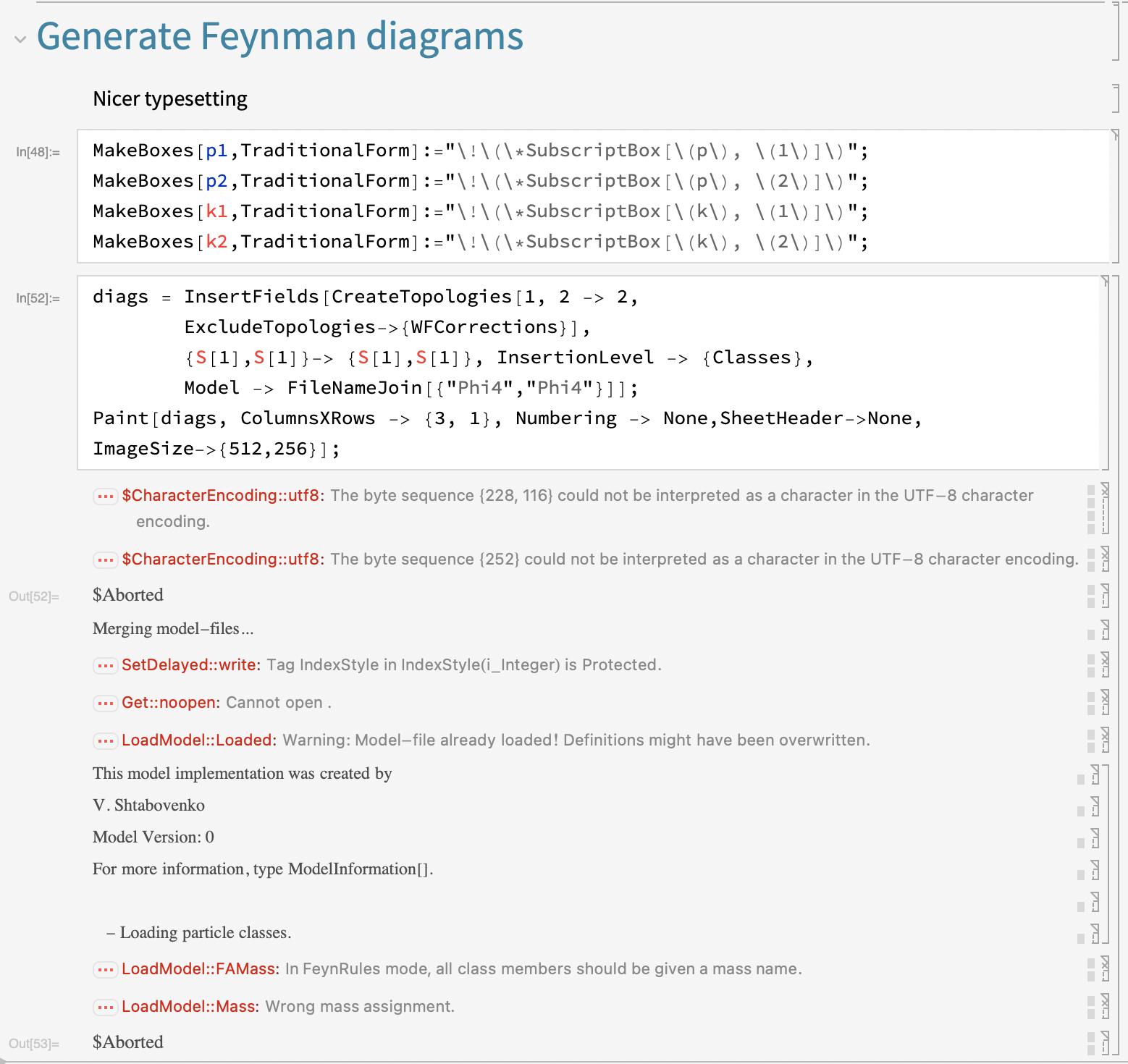
The true power of FeynRules lies in its ability to export models to various matrix-element generators. This is achieved through “interfaces” or “translators” included in the package.
The Universal FeynRules Output (UFO)
In the modern tech stack for particle physics, the UFO format is the gold standard. It allows for a Python-based representation of the model that can be read by MadGraph5_aMC@NLO, Herwig, and Sherpa. To ensure your installation can generate these files:
- Verify that your system has a functional Python environment (Python 3.x is now standard).
- Within your FeynRules notebook, after loading your model, use the command
WriteUFO[L], whereLis the name of your Lagrangian. - The package will create a folder containing
.pyfiles that define the particles, parameters, and vertices.
Interfacing with CalcHEP and CompHEP
For researchers using legacy or specific localized tools like CalcHEP, FeynRules provides dedicated functions. Installing these interfaces typically requires no extra steps, as they are bundled with the main package. Use the WriteCHOutput[L] command to generate the .mdl files required for CalcHEP. Understanding these export functions is vital for cross-validating your model across different simulation platforms, a standard practice in computational physics.
Validating Your Installation and First Model Run
An installation isn’t complete until it is verified through a test case. The FeynRules package comes with several pre-defined model files, the most important being the Standard Model (SM) implementation.
Running the Standard Model Test
To verify that your installation is processing physics correctly, follow these steps:
- In your Mathematica notebook, load the Standard Model file provided in the
Modelsdirectory:
LoadModel["SM.fr"] - Check if the particles are loaded correctly by typing
M$PartList. - Run the Feynman rule derivation for a simple sector, such as the QED Lagrangian.
- Execute
FeynmanRules[LQED].
If Mathematica returns a list of vertices with the correct coupling constants and Lorentz structures, your installation is fully functional. If the kernel crashes, it may indicate that Mathematica’s heap size is too small or that there is a conflict with another loaded package.
Troubleshooting Common Issues
One common technical hurdle is the “Internal Error: List Expected” message. This often occurs if the .fr (FeynRules) model file has syntax errors or if it was saved with incorrect encoding. Always ensure your model files are saved as plain text. Another frequent issue involves the PATH environment variable in Linux. If FeynRules cannot find the FeynArts interface, ensure that the FeynArts directory is properly linked within the FeynRules.m configuration section or located within the same parent folder.
Best Practices for Model Building and Maintenance
Installing the software is only the beginning. Maintaining a clean development environment will prevent technical debt in your research projects.
Version Control for Physics Models
As you modify .fr files to include new particles or interactions, use Git for version control. This allows you to track changes in your Lagrangian and revert to previous versions if your Feynman rules suddenly become non-physical or if the code fails to compile in MadGraph. Storing your FeynRules installation and your custom models in separate repositories is a best-practice approach that mirrors professional software development.

Optimizing Performance for Large Lagrangians
For complex models like the MSSM (Minimal Supersymmetric Standard Model), the symbolic expansion of the Lagrangian can be slow. To optimize:
- Modularize your code: Break the Lagrangian into smaller sectors (e.g.,
L_Kinetic,L_Yukawa,L_Potential) and process them individually. - Use Parallel Computing: Modern versions of Mathematica support multi-core processing. While FeynRules is primarily single-threaded in its symbolic derivation, you can parallelize independent tasks like calculating different decay widths.
- Keep Software Updated: Regularly check for updates on the FeynRules HepForge page. Physics software is frequently updated to fix bugs related to new Mathematica releases or to improve the compatibility of the UFO output with new experimental constraints.
By following this technical guide, you ensure that your FeynRules installation is not just a collection of files, but a robust, integrated component of your computational physics toolkit. This setup allows you to move seamlessly from theoretical hypothesis to experimental simulation, harnessing the full power of automated symbolic calculation.
aViewFromTheCave is a participant in the Amazon Services LLC Associates Program, an affiliate advertising program designed to provide a means for sites to earn advertising fees by advertising and linking to Amazon.com. Amazon, the Amazon logo, AmazonSupply, and the AmazonSupply logo are trademarks of Amazon.com, Inc. or its affiliates. As an Amazon Associate we earn affiliate commissions from qualifying purchases.