
In an increasingly interconnected world, where our smartphones serve as our primary gateway to information, communication, and productivity, the humble SIM card remains a foundational component of our digital lives. While seemingly a trivial piece of plastic, the Subscriber Identity Module (SIM) card is the essential key that links your mobile device to a cellular network, authenticating your identity and enabling you to make calls, send texts, and access the internet on the go. For anyone navigating the expansive landscape of modern tech – from gadget enthusiasts to digital entrepreneurs – understanding how to properly install and manage your SIM card is not just a basic skill; it’s a critical step towards optimizing your mobile experience, ensuring digital security, and maximizing productivity.

This comprehensive guide delves into everything you need to know about SIM card installation, from the basics of what a SIM card is and its historical evolution to a detailed, step-by-step installation process. We’ll also explore the emerging trends like eSIM technology, offer practical troubleshooting tips, and discuss how your SIM card choices can impact everything from your personal finance to your digital security posture. Whether you’re setting up a brand-new device, switching carriers, or simply need a refresher, this article is designed to empower you with the knowledge for seamless and reliable mobile connectivity.
The Crucial Role of SIM Cards in Our Connected World
The journey of the SIM card began in 1991, with the first cards being the size of a credit card. Its primary function was, and still is, to securely store an International Mobile Subscriber Identity (IMSI) number and related keys used to identify and authenticate subscribers on mobile telephony devices. Without a SIM card, a vast majority of mobile phones are simply Wi-Fi-enabled devices, unable to connect to cellular networks for essential services like calls or mobile data. This fundamental piece of technology, therefore, underpins our ability to stay connected, making it indispensable for personal communication, professional networking, and accessing vital online resources.
As technology advanced, SIM cards shrunk dramatically, evolving from standard (1FF) to mini (2FF), micro (3FF), and finally to the widely used nano (4FF) SIMs that are barely larger than a fingernail. This miniaturization has been crucial for enabling the sleek, compact designs of modern smartphones and other connected gadgets. Beyond its physical form, the SIM card also stores contacts, SMS messages (though less common now with cloud backups), and crucial network authentication information. For individuals deeply immersed in the “Tech” sphere, understanding the mechanics of a SIM card is akin to understanding the engine of a car – it’s fundamental to leveraging your device’s full capabilities and staying abreast of “Technology Trends.” Proper installation ensures immediate activation, allowing users to dive straight into using their apps, accessing AI tools, and enhancing their “Productivity” without unnecessary delays.
Understanding Your SIM: Types, Sizes, and Evolution
Before you even think about installation, it’s vital to understand the different types and sizes of SIM cards, as well as the revolutionary shift towards embedded SIMs (eSIMs). This knowledge is key to avoiding compatibility issues and embracing the latest in mobile connectivity.
What is a SIM Card? The Core Identity of Your Mobile Device
At its heart, a SIM card is a small, portable memory chip that securely stores information about your mobile subscriber account. It’s essentially your digital passport for the cellular network, identifying you to your carrier and granting access to their services. This security is paramount, preventing unauthorized access to your account and safeguarding your personal data. Each SIM card is unique, tied to a specific phone number and service plan, making its proper handling and installation critical for maintaining “Digital Security” and uninterrupted service.
The Evolution of Physical SIMs: Standard, Micro, Nano
The physical SIM card has undergone several transformations to keep pace with the ever-shrinking size of mobile devices:
- Standard SIM (1FF): The original, credit card-sized SIM, rarely seen today outside of historical contexts.
- Mini SIM (2FF): Introduced in 1996, this was the standard for many feature phones and early smartphones. It’s about 25mm x 15mm.
- Micro SIM (3FF): Launched in 2003, this smaller version (15mm x 12mm) allowed for thinner devices and was prevalent in many mid-2010s smartphones.
- Nano SIM (4FF): The current standard for most modern smartphones and “Gadgets,” introduced in 2012. Measuring just 12.3mm x 8.8mm, it’s almost entirely chip, allowing for extremely compact designs.
It’s crucial to identify the correct SIM card size for your device. Most new phones come with a universal SIM card that can be punched out to the required size (mini, micro, or nano), but using an adapter for a smaller SIM in a larger tray can sometimes lead to issues or even damage the tray.
The Rise of eSIM Technology: The Future of Connectivity
Perhaps the most significant “Technology Trend” in mobile connectivity is the advent of the embedded SIM, or eSIM. Instead of a physical card, an eSIM is a small chip built directly into your device’s motherboard. Users can then digitally download and activate their carrier profiles. This offers numerous advantages:
- Convenience: No need to physically swap cards when changing carriers or traveling internationally. You can manage multiple profiles digitally.
- Flexibility: Easier to switch between different service providers or data plans, potentially offering “Money” savings for travelers or those seeking competitive rates.
- Design Freedom: Eliminates the need for a physical SIM tray, allowing device manufacturers to create sleeker, more water-resistant “Gadgets” and potentially free up space for other components.
- IoT Integration: Ideal for connecting a wider range of devices beyond smartphones, such as smartwatches, tablets, and various Internet of Things (IoT) devices.
While physical SIMs are still dominant, eSIM adoption is rapidly growing, especially in premium smartphones. Understanding eSIMs is crucial for anyone interested in “Technology Trends” and how they shape the future of mobile “Productivity” and device design.
Step-by-Step: Mastering Physical SIM Card Installation
Installing a physical SIM card is a straightforward process, but attention to detail is key to a smooth, error-free setup. Follow these steps meticulously to ensure your device is ready for connection.
Pre-Installation Checklist: Preparing for a Smooth Setup
Before you even touch your phone, a little preparation can save you a lot of hassle.
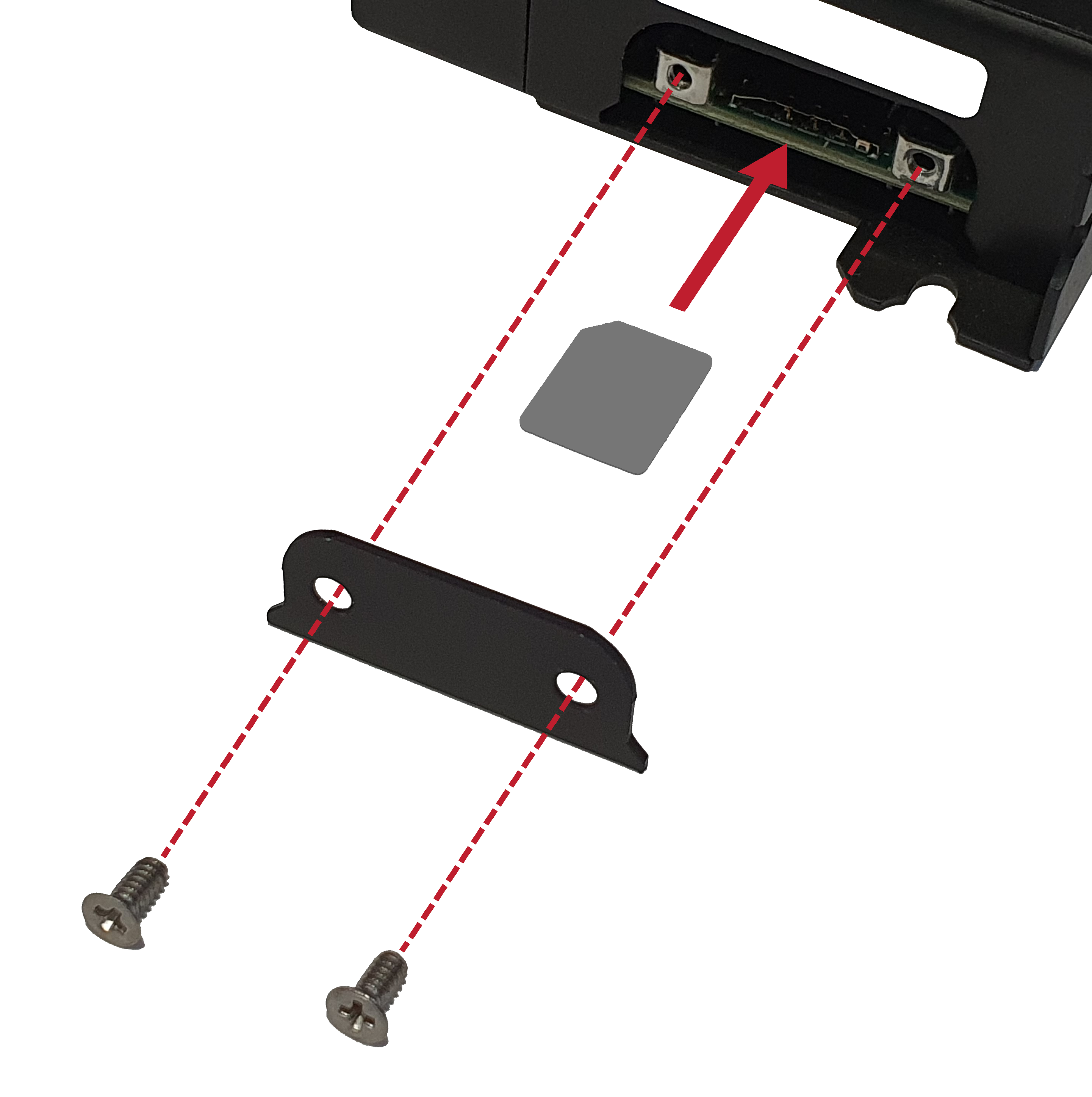
- Identify SIM Card Size: Check your phone’s manual or the manufacturer’s website to confirm the required SIM card size (mini, micro, or nano). Ensure your new SIM card matches or can be safely punched down to the correct size.
- Gather Necessary Tools: Most phones come with a small SIM ejector tool, often found in the phone’s original packaging. If you don’t have one, a straightened paperclip can serve as an effective substitute.
- Power Down Your Device: Always power off your smartphone completely before inserting or removing a SIM card. This prevents potential data corruption, network errors, and ensures the phone properly registers the new SIM upon startup. It’s a small but significant step for maintaining the health of your “Gadget.”
- Back Up (Optional, but good practice): While not directly related to SIM installation, if you’re switching phones or carriers, it’s always wise to back up your device’s data (contacts, photos, apps) to the cloud or a computer. This aligns with best practices for “Digital Security” and data integrity.
The Installation Process: A Detailed Walkthrough
With your preparations complete, you’re ready to install the SIM card.
- Locating the SIM Tray: On most modern smartphones, the SIM card tray is located on the side of the device. It typically looks like a small, thin slot with a tiny pinhole next to it. Some older or less common models might have the SIM tray under the battery cover (if the battery is removable).
- Ejecting the Tray: Insert the SIM ejector tool (or paperclip) gently but firmly into the small pinhole next to the SIM tray. You should feel a slight click, and the tray will pop out partially. Do not force it.
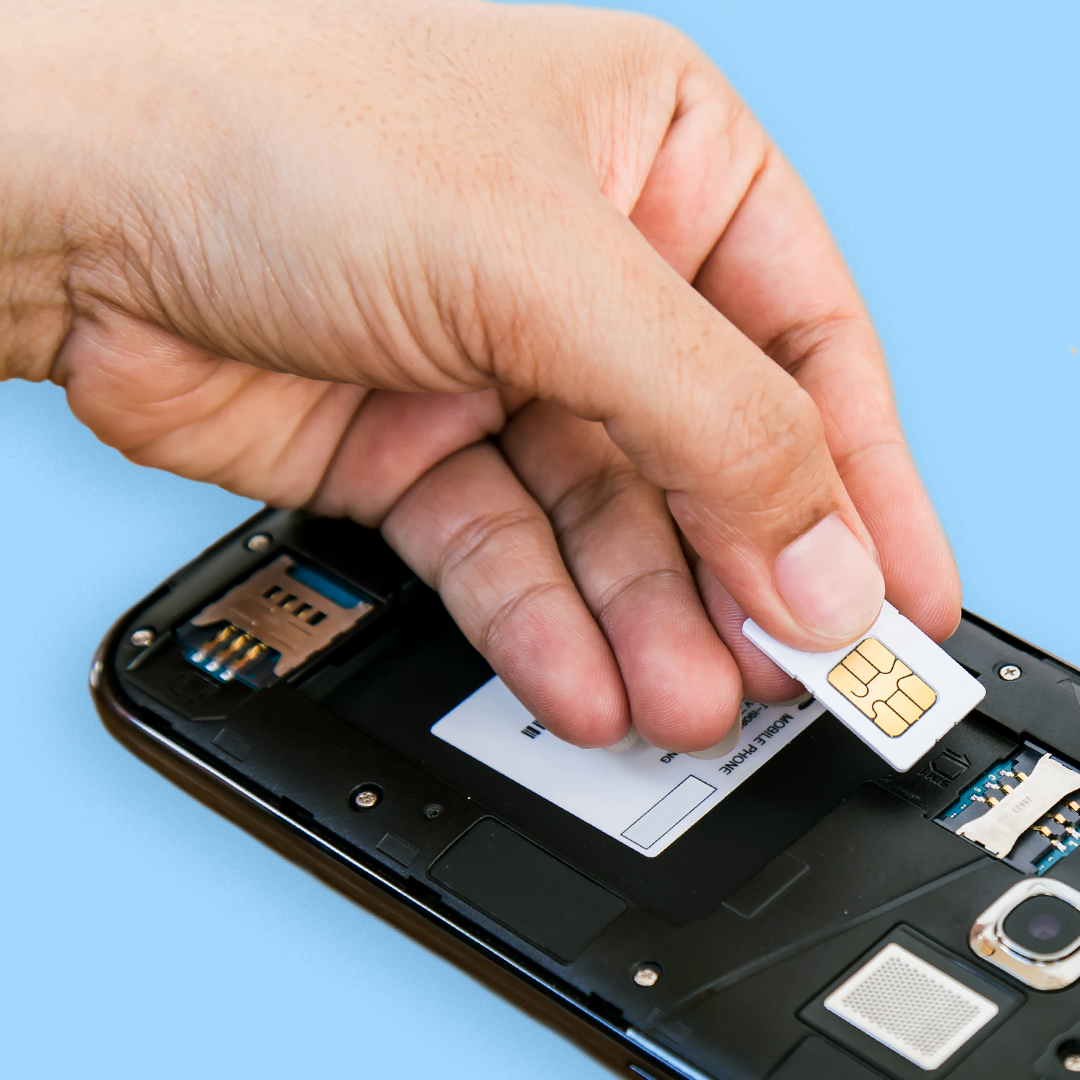
- Positioning the SIM Card Correctly: Carefully pull the tray all the way out. You’ll notice that the tray has a specific cutout shape designed to perfectly fit your SIM card. Most SIM cards have a notched corner to guide correct orientation. Place your SIM card into the tray, ensuring the gold contacts on the SIM face downwards (or sometimes upwards, depending on the phone model; check your phone’s manual if unsure). It should sit snugly and flush within the tray. If your device supports dual SIM, there will be two slots – ensure you place it in the correct slot for your primary line, or both if you’re using two.
- Re-inserting the Tray Securely: Gently slide the tray back into the phone until it’s flush with the device’s body. Make sure it clicks into place and doesn’t feel loose or wobbly. Again, avoid forcing it.
- Powering On and Verifying Activation: Now, power on your smartphone. Once it boots up, check the notification bar at the top of your screen. You should see your network carrier’s name (e.g., AT&T, Verizon, Vodafone, etc.) and a signal strength indicator. If you’re prompted for a SIM PIN, enter it (usually provided by your carrier; the default is often 0000 or 1234, but it’s advisable to change it for “Digital Security”). Try making a quick call or sending a text message to confirm everything is working correctly. You can also check your phone’s settings under “About Phone” or “Network & Internet” to verify that the SIM card is recognized.
Troubleshooting Common SIM Card Issues and Optimizing Your Connection
Even with careful installation, sometimes issues arise. Knowing how to troubleshoot and how to optimize your mobile connection can save you time and frustration, enhancing your overall “Productivity” and digital experience.
Common Installation Hurdles: What to Do When Things Go Wrong
- “No Service” or “SIM Not Detected”:
- Reboot: Often, a simple restart of your phone can resolve temporary glitches.
- Re-insert SIM: Power off your phone, remove the SIM tray, ensure the SIM card is properly seated, and re-insert it.
- Check Network Settings: Go to your phone’s settings > Network & Internet > Mobile Network > Network Operators. Try manually selecting your network provider. Ensure “Mobile data” is turned on.
- Airplane Mode Toggle: Turn Airplane Mode on for 30 seconds, then off. This can often reset network connections.
- Test with Another SIM/Phone: If possible, try your SIM in another compatible phone, or another known-good SIM in your phone. This helps determine if the issue is with the SIM card or the device itself.
- Incorrectly Sized SIM Cards: Using a SIM card that’s too small with an adapter can lead to poor contact or even damage the tray. A SIM that’s too large won’t fit. Always ensure the correct size. If you’ve trimmed a SIM yourself, inconsistencies can cause issues.
- Damaged SIM or SIM Tray: Inspect both the SIM card (for scratches on gold contacts) and the SIM tray (for bent pins or deformation). A damaged component will need replacement, typically through your carrier or a phone repair shop. Physical damage can be costly, highlighting the importance of careful handling of your “Gadgets.”
Beyond Installation: Maximizing Your Mobile Connectivity
Effective SIM card management goes beyond just installation. It involves strategic choices that impact your user experience, personal finance, and digital safety.
- Choosing the Right Network Provider: Your carrier choice significantly impacts your experience. Research their “Brand” reputation, network coverage in your frequently visited areas, data speeds, customer support, and pricing. A reliable network ensures consistent “Productivity” and access to “AI Tools” or “Apps” when you need them most.
- Understanding Data Plans and Cost Management: In the “Money” section of our website, we often discuss financial tools and wise spending. Your data plan is a major part of your mobile expenses. Compare unlimited plans, pay-as-you-go options, and family plans. For international travel, consider local SIMs, international roaming packages, or the use of eSIMs to avoid exorbitant roaming charges, aligning directly with smart “Personal Finance” decisions. Dual SIM phones can also offer cost savings by allowing you to use different carriers for calls/data or for personal/business use.
- Digital Security and Mobile Data: Your SIM card is linked to your identity. Always use a SIM PIN to prevent unauthorized use if your phone is lost or stolen. Be cautious about public Wi-Fi and consider a Virtual Private Network (VPN) for sensitive online activities, especially when relying on mobile data in unfamiliar locations. This strengthens your “Digital Security” posture.
- Leveraging Connectivity for Productivity and Online Income: A stable mobile connection, facilitated by a well-installed and managed SIM, is vital for today’s remote work environment, “Side Hustles,” and “Online Income.” Whether it’s video conferencing, managing business apps, or accessing cloud-based documents, reliable cellular data is indispensable for maintaining workflow and leveraging “Productivity” tools on the go.
The Future of Mobile Connectivity: Embracing the eSIM Era and Beyond
The evolution of the SIM card is far from over. As we look ahead, the trajectory is clearly moving towards greater integration, flexibility, and security, driven by advancements in “Technology Trends.”
Advantages of eSIM for the Modern User
The eSIM is poised to become the dominant form of mobile connectivity. Its key benefits for the modern user are:
- Ultimate Convenience: Seamlessly switch between carriers or plans without physical interaction, perfect for international travelers or those who frequently experiment with new “Apps” and services.
- Enhanced Security: An embedded chip is harder to remove or tamper with than a physical card, offering a layer of physical security.
- Multi-Device Management: Easily connect wearables, tablets, and IoT devices to your existing mobile plan, expanding the reach of your “Productivity” ecosystem.
- Eco-Friendly: Reduces plastic waste associated with physical SIM cards.
Impact on Gadget Design and Technology Trends
The shift to eSIM has profound implications for “Gadget” design. Removing the SIM tray allows for more internal space, potentially leading to larger batteries, more advanced camera modules, or thinner devices. It also makes devices more resistant to water and dust. This trend aligns with the industry’s push for minimalist aesthetics and enhanced durability. Furthermore, eSIMs are crucial for the expansion of the Internet of Things (IoT), enabling countless devices to be connected directly to cellular networks without the need for complex provisioning.
Strategic Considerations for Brands and Consumers
For mobile network “Brands,” eSIMs present opportunities for innovative service offerings and improved customer experience through digital onboarding. However, it also demands robust back-end systems for profile management and customer support. For consumers, the choice between physical SIM and eSIM, or even dual SIM devices, becomes a strategic one, weighing convenience against compatibility, particularly when considering specific “Tech” preferences or “Money” saving options. As “Technology Trends” accelerate, staying informed about these developments is crucial for making smart choices about your mobile connectivity.
Conclusion: Empowering Your Digital Journey
The SIM card, though small, is mighty. It’s the silent workhorse that enables the vast majority of our mobile interactions, underpinning our communication, productivity, and access to the digital world. From understanding its historical evolution and various physical forms to mastering the installation process and embracing the future with eSIMs, comprehensive knowledge about this critical component is indispensable.
By meticulously following the installation steps, knowing how to troubleshoot common issues, and making informed choices about your network provider and data plans, you not only ensure seamless connectivity but also optimize your digital experience. This holistic approach empowers you to leverage your “Gadgets” effectively, enhance your “Productivity,” maintain strong “Digital Security,” and even manage your “Personal Finance” more wisely. As “Technology Trends” continue to reshape our world, a solid understanding of fundamental elements like the SIM card remains your essential key to staying connected, secure, and productive in an ever-evolving digital landscape.
aViewFromTheCave is a participant in the Amazon Services LLC Associates Program, an affiliate advertising program designed to provide a means for sites to earn advertising fees by advertising and linking to Amazon.com. Amazon, the Amazon logo, AmazonSupply, and the AmazonSupply logo are trademarks of Amazon.com, Inc. or its affiliates. As an Amazon Associate we earn affiliate commissions from qualifying purchases.