
In an increasingly interconnected digital world, the quest for privacy and anonymity has become a paramount concern for individuals, organizations, and even governments. As digital footprints grow larger and online surveillance becomes more sophisticated, tools designed to protect user identity and data have gained significant traction. Among these, Tor Browser stands out as a leading solution for anonymous web browsing. Its fundamental design choice – installing as a standalone application directly on your desktop – is not arbitrary, but a deliberate and strategic decision that underpins its core mission. Understanding why Tor Browser operates this way provides crucial insight into its effectiveness, its unique security architecture, and its indispensable role in the modern digital landscape.
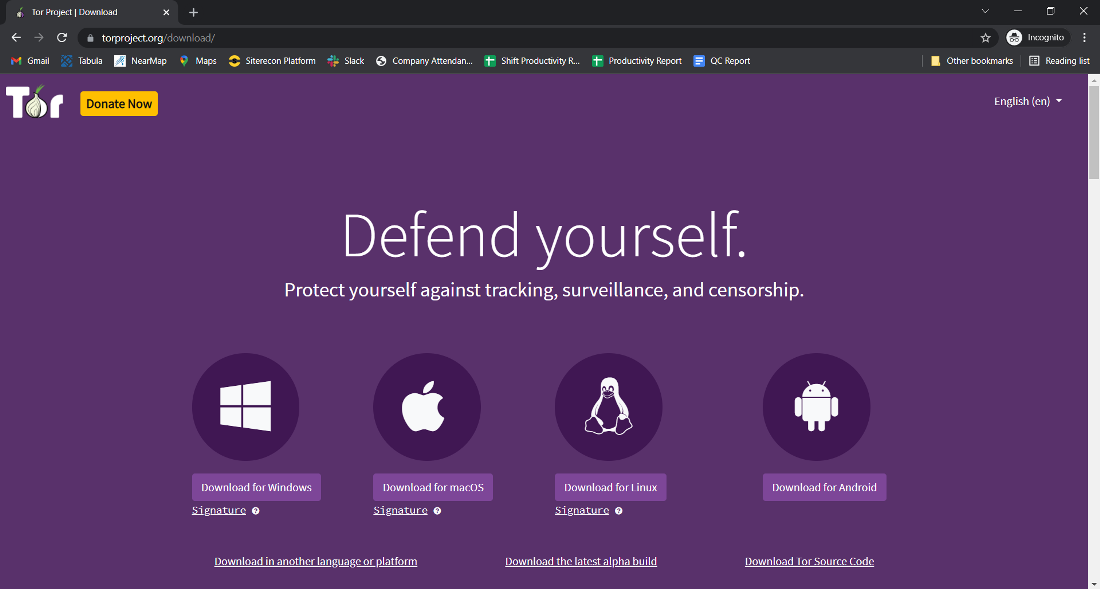
This article delves into the technical and practical reasons behind Tor Browser’s desktop installation, exploring its mechanics, the benefits it offers over alternative approaches, and its broader implications for digital security and freedom. We’ll unpack the concept of “The Onion Router” and dissect how this specific installation method empowers users with unparalleled control over their online anonymity, making it a critical tool for journalists, activists, privacy advocates, and anyone navigating a complex digital environment.
Understanding Tor Browser: A Shield for Your Digital Identity
Before we can fully appreciate the rationale behind its desktop installation, it’s essential to grasp what Tor Browser is and how it functions at a foundational level. Often colloquially referred to as “the dark web browser,” Tor is far more than just a gateway to hidden corners of the internet; it is primarily a powerful privacy tool designed to anonymize internet traffic.
What is Tor and How Does it Work?
Tor, an acronym for “The Onion Router,” is free and open-source software that enables anonymous communication. It directs internet traffic through a worldwide, volunteer-run overlay network consisting of thousands of relays. The core principle behind Tor is “onion routing,” a technique that involves encapsulating data in multiple layers of encryption, much like the layers of an onion.
When you use Tor Browser:
- Entry Node (Guard Relay): Your initial connection is encrypted and sent to a randomly selected entry node in the Tor network. This node knows your real IP address but not your ultimate destination.
- Middle Node: The entry node decrypts the first layer of encryption to reveal the address of the next node (a middle relay) and passes the traffic along. The middle node knows only the entry and exit nodes, not your original IP or final destination.
- Exit Node: The traffic finally reaches an exit node, which decrypts the last layer of encryption and sends the request to the target website. The website sees the IP address of the exit node, not yours.
This multi-layered, distributed routing makes it incredibly difficult to trace the traffic back to its source, providing a high degree of anonymity. Each node in the circuit only knows the IP address of the node immediately preceding it and the node immediately following it. No single node knows the entire path, thereby preventing comprehensive surveillance and analysis of user activity. This ingenious design is the bedrock of Tor’s privacy assurances.
The Pursuit of Anonymity and Privacy
In an era defined by ubiquitous data collection, targeted advertising, and state-sponsored surveillance, the need for robust anonymity tools has never been greater. Governments, corporations, and malicious actors constantly seek to monitor, analyze, and profit from online behavior. From tracking browsing habits to logging IP addresses, the conventional internet leaves a clear trail of digital breadcrumbs that can compromise personal privacy, freedom of speech, and even physical safety.
Tor Browser directly addresses these concerns by providing a robust shield for your digital identity. It prevents internet service providers (ISPs), network administrators, and third-party trackers from monitoring your online activities. For individuals operating in restrictive environments, journalists protecting sources, activists organizing protests, or whistleblowers exposing corruption, Tor offers a vital lifeline, ensuring their communications and research remain private and secure. It’s a tool that champions the fundamental right to privacy in a world where that right is increasingly under threat.
The Strategic Choice: Why Desktop Installation is Key
The decision to develop Tor Browser as a self-contained desktop application, rather than a system-wide VPN or a browser extension, is a cornerstone of its security and usability model. This strategic choice offers distinct advantages in terms of isolation, portability, and ease of access, all of which are crucial for maintaining its integrity as a privacy tool.
Self-Contained and Portable Functionality
One of the most significant reasons Tor Browser installs as a desktop application is its design as a self-contained, standalone package. Unlike a VPN client that might configure system-wide network settings, or a browser extension that relies on an existing browser, Tor Browser bundles everything it needs to run:
- Modified Firefox Browser: It uses a heavily patched version of Firefox, configured specifically for Tor.
- Tor Client Software: The underlying software that manages connections to the Tor network.
- Necessary Dependencies: All required libraries and configurations.
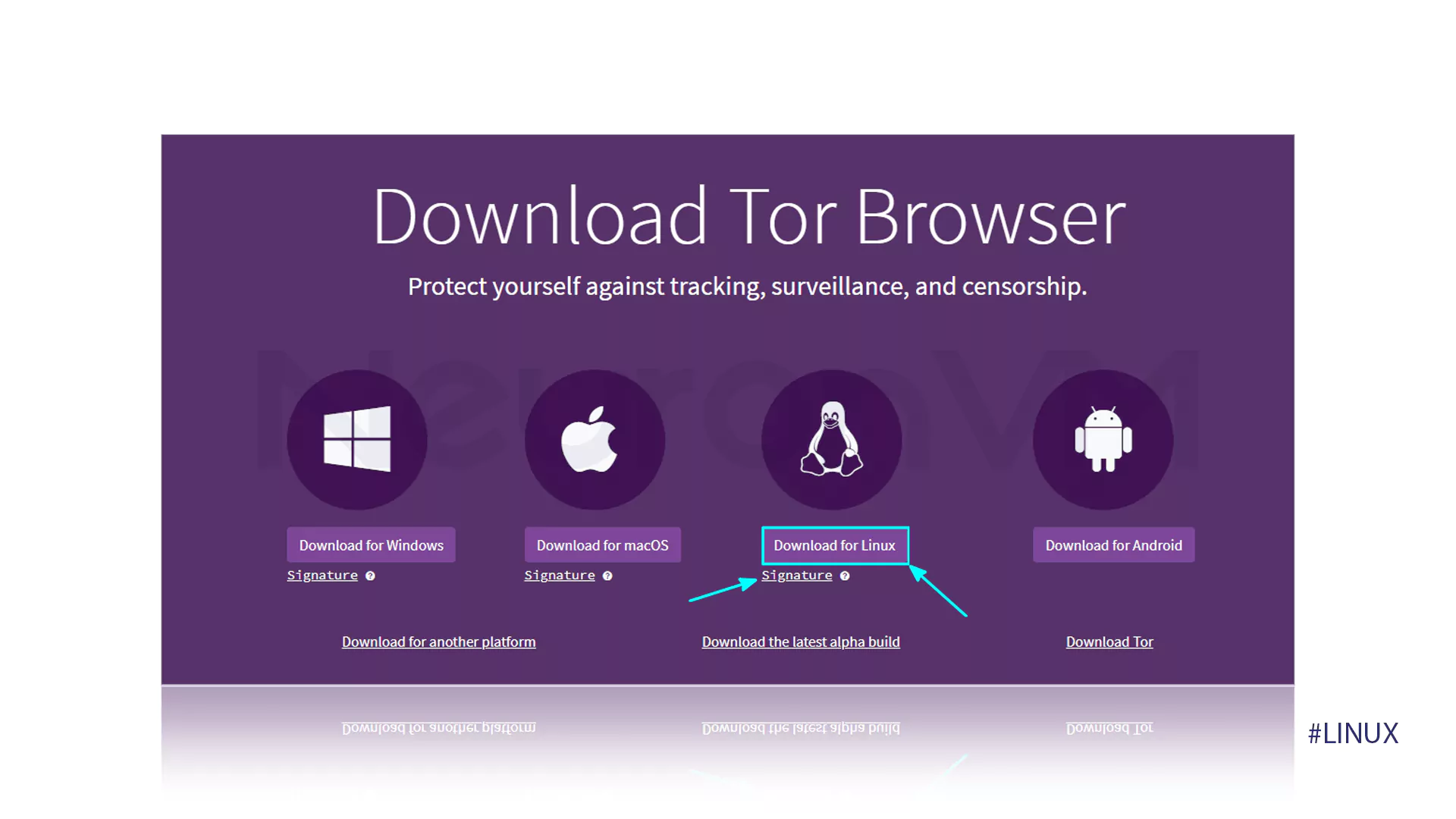
This means that when you download and run Tor Browser, it doesn’t modify your operating system’s network settings or install persistent files across your system that could potentially leave traces. You can simply download the archive, extract it to any folder (even a USB drive), and run the start-tor-browser.exe (or equivalent) file. This portable functionality offers several critical benefits:
- No System-Wide Configuration: It doesn’t interfere with your regular internet connection or other applications. Only traffic originating from Tor Browser itself is routed through the Tor network.
- Easy Deployment: Users can run it from almost any location without needing administrative privileges or complex installation procedures.
- Portability: The ability to run from a USB drive makes it an excellent tool for sensitive situations where leaving no trace on a host computer is paramount. A user can carry their Tor Browser with them and simply plug it into any compatible computer to browse anonymously, then remove the drive without leaving persistent data behind.
This self-contained nature significantly reduces the attack surface and minimizes the potential for configuration errors that could compromise anonymity.
Enhanced Isolation and Security
The desktop application model is pivotal for achieving the high level of isolation and security that Tor Browser promises. By operating as a separate, specialized browser environment, it creates a robust barrier between your anonymous browsing activities and the rest of your operating system and other applications.
- Browser-Level Isolation: Tor Browser isolates your browsing session from your regular browser (e.g., Chrome, Edge, Safari). This prevents cookies, browsing history, and other tracking data from your everyday web use from being inadvertently associated with your Tor activities.
- Prevention of Data Leakage: If Tor were merely a proxy configured at the system level, other applications on your computer might inadvertently send unanonymized traffic through the Tor network, or conversely, bypass Tor when they shouldn’t, leading to potential leaks of your real IP address or other identifying information. By operating as a distinct application, Tor Browser ensures that only traffic initiated within the browser itself goes through the Tor network, significantly reducing the risk of such leaks.
- Built-in Privacy Features: Tor Browser comes pre-configured with several essential privacy and security add-ons and settings that are crucial for maintaining anonymity. These include:
- NoScript: Prevents JavaScript from running by default, reducing fingerprinting risks.
- HTTPS Everywhere: Forces an encrypted HTTPS connection whenever possible, protecting against eavesdropping.
- Automatic Cookie Deletion: All cookies are deleted at the end of each session.
- Fingerprinting Protection: It works to make all Tor Browser users appear as identical as possible, making it harder for websites to track individual users based on unique browser characteristics.
This layered approach to security, built into the application itself, is far more reliable than relying on users to correctly configure system settings or install multiple extensions in a standard browser. The desktop installation model allows the Tor Project to deliver a tightly integrated and secure browsing environment “out of the box.”
Ease of Use and Accessibility
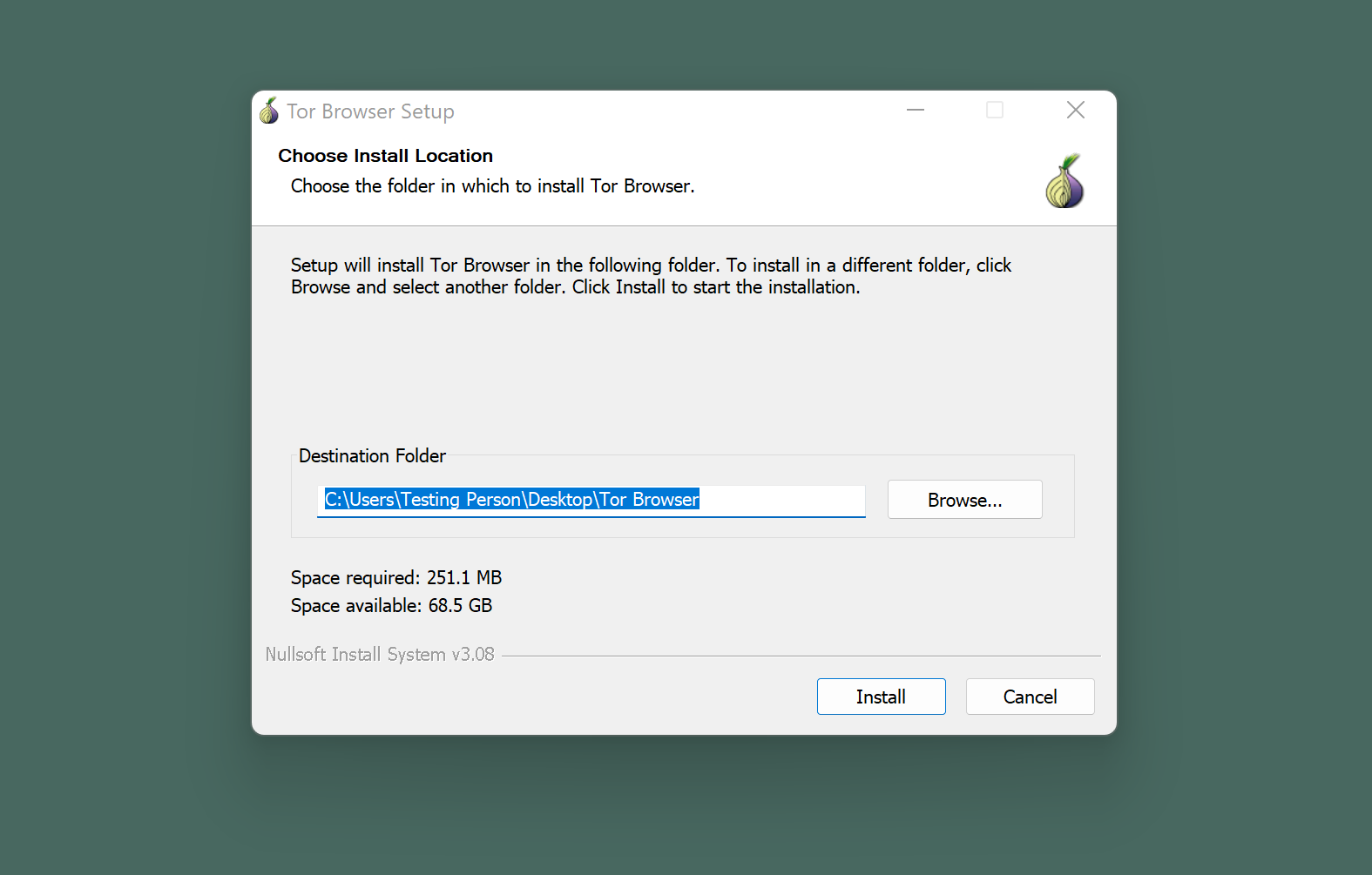
Despite its sophisticated underlying technology, Tor Browser is designed to be remarkably easy to use and accessible for a broad audience, including those without deep technical knowledge. The desktop application model directly contributes to this user-friendliness:
- Simple “Download and Run” Model: For most users, getting started with Tor Browser is as simple as downloading an executable file, running it, and clicking “Connect.” There’s no need to manually configure proxy settings, understand complex network protocols, or install various components.
- Unified Experience: All the necessary components (browser, Tor client, privacy extensions) are bundled together, presenting a single, cohesive interface. This reduces confusion and the potential for misconfiguration, which could inadvertently compromise anonymity.
- Self-Updating: As a standalone application, Tor Browser manages its own updates, ensuring users always have the latest security patches and features without needing to worry about updating individual components.
This focus on accessibility is vital for its mission. If Tor were too complex to set up, it would be inaccessible to many of the individuals who need it most – those in repressive regimes, activists, or simply everyday users concerned about their privacy who lack technical expertise. The desktop installation simplifies the path to anonymity, democratizing access to secure communication.
Beyond Privacy: Diverse Applications of Tor Browser
While often associated with accessing the “dark web,” Tor Browser’s utility extends far beyond. Its desktop installation enables a wide array of legitimate and crucial applications, making it an indispensable tool for various demographics and scenarios.
Bypassing Censorship and Geo-restrictions
For individuals living under authoritarian regimes or in countries with strict internet censorship, Tor Browser is often the only reliable means to access unbiased news, communicate freely, and circumvent government firewalls. By routing traffic through relays in other parts of the world, it allows users to bypass geo-restrictions and access content that might otherwise be blocked in their region. This is particularly vital for:
- Journalists and Researchers: Gaining access to information and sources without being tracked or censored by local authorities.
- Activists and Political Dissidents: Organizing, sharing information, and speaking out against injustice without fear of reprisal.
- Everyday Citizens: Accessing international news, social media, and educational resources that are otherwise unavailable.
The desktop installation allows it to operate independently of other system-level controls that might be imposed by a censoring authority, providing a robust, direct path to an uncensored internet.
Protecting Sensitive Communications
Professionals who handle sensitive information, such as journalists, human rights workers, and whistleblowers, rely on Tor Browser to protect their communications and sources. The anonymity it provides ensures that their investigations and reporting cannot be easily traced back to them, safeguarding both their work and their personal safety. When accessing confidential documents, communicating with vulnerable individuals, or researching dangerous topics, the desktop installation’s isolated environment offers a crucial layer of protection, preventing accidental data leaks or tracking.
For the Everyday Privacy Advocate
Beyond these critical scenarios, Tor Browser serves the general internet user who is simply concerned about the rampant surveillance and data collection prevalent online. Many individuals use Tor Browser for:
- Private Research: Conducting sensitive personal research (e.g., medical conditions, legal issues) without advertisers or data brokers building profiles based on their queries.
- Avoiding Targeted Advertising: Browsing without being constantly bombarded by ads based on their past online behavior.
- General Privacy Enhancement: Simply as a way to occasionally browse the internet without leaving a persistent digital trail, exercising their right to online anonymity.
The desktop application format means that these users can easily switch between anonymous browsing and their regular internet activities without complex setup or configuration changes, making privacy a more accessible choice.
Maximizing Tor’s Potential: Best Practices and Considerations
While Tor Browser’s desktop installation offers significant advantages for privacy and security, it’s crucial to understand its limitations and adopt best practices to maximize its effectiveness. No single tool guarantees absolute anonymity, and user behavior remains a critical factor.
Limitations and Misconceptions
It’s important to dispel common misconceptions about Tor:
- Not 100% Anonymous: While highly effective, Tor is not infallible. User errors (e.g., logging into personal accounts, downloading torrents over Tor, installing risky browser extensions) can compromise anonymity. Furthermore, highly sophisticated adversaries might be able to exploit vulnerabilities or monitor a significant portion of the network (e.g., owning many entry and exit nodes), though this is extremely difficult.
- Speed Considerations: Due to the multi-layered routing and volunteer-run nature of the network, browsing with Tor is generally slower than conventional internet browsing. It’s not designed for high-bandwidth activities like streaming high-definition video or large file downloads.
- Not a VPN Replacement: Tor and VPNs serve different purposes. A VPN encrypts your connection to a single server and provides a new IP, but the VPN provider can see your real IP and your traffic (unless they log nothing). Tor provides multi-hop anonymity from the outset. While they can be used together (often Tor over VPN is recommended for specific use cases), they are not interchangeable. The desktop installation ensures Tor operates distinctively, without masquerading as a system-wide VPN.
Secure Usage Guidelines
To leverage Tor Browser most effectively and maintain anonymity, users should adhere to several secure usage guidelines:
- Keep Software Updated: Always use the latest version of Tor Browser to benefit from security patches and bug fixes. The desktop application’s self-update mechanism makes this straightforward.
- Avoid Installing Extensions: Resist the urge to install additional browser extensions, as they can introduce vulnerabilities, compromise anonymity through browser fingerprinting, or bypass the Tor network. Tor Browser comes pre-configured with essential privacy add-ons.
- Don’t Download Files Directly: Be cautious about downloading files directly via Tor, especially executables. Malware embedded in downloaded files could reveal your identity. Consider using a secure operating system like Tails for extreme security.
- Use HTTPS Whenever Possible: While Tor encrypts traffic within its network, the final connection between the exit node and the target website might be unencrypted if the site doesn’t use HTTPS. Tor Browser’s HTTPS Everywhere helps, but always look for the padlock icon.
- Avoid Logging into Personal Accounts: If you log into services with your real identity (e.g., email, social media), those services can link your Tor activity to your real identity. Use separate accounts for anonymous browsing.
- Be Mindful of Your Behavior: Your browsing patterns, writing style, and the information you reveal can be used to deanonymize you. Practice good operational security (OpSec).
By installing as a dedicated desktop application, Tor Browser provides a carefully controlled environment, making it easier for users to follow these guidelines and maintain their anonymity, rather than relying on complex manual configurations that are prone to error.
Conclusion
The decision for Tor Browser to install as a desktop application is not a mere technicality, but a fundamental design choice that underpins its mission to provide robust anonymity and privacy to its users. This architecture ensures self-contained functionality, enhanced isolation, and a simplified user experience—all critical elements for a tool designed to operate in a potentially hostile digital environment.
From bypassing oppressive censorship and protecting sensitive journalistic sources to empowering everyday individuals to browse without constant surveillance, Tor Browser’s desktop presence provides a powerful, accessible, and secure gateway to digital freedom. While vigilance and adherence to best practices are always necessary, the inherent design of Tor Browser as a standalone, purpose-built application significantly strengthens its capacity to act as a shield for your digital identity. In an age where digital autonomy is increasingly threatened, understanding and utilizing tools like Tor Browser, in its thoughtfully designed desktop format, becomes not just a technical choice, but a critical step towards reclaiming control over our online lives.
aViewFromTheCave is a participant in the Amazon Services LLC Associates Program, an affiliate advertising program designed to provide a means for sites to earn advertising fees by advertising and linking to Amazon.com. Amazon, the Amazon logo, AmazonSupply, and the AmazonSupply logo are trademarks of Amazon.com, Inc. or its affiliates. As an Amazon Associate we earn affiliate commissions from qualifying purchases.