
When browsing the lineup of Apple’s latest tablets, consumers are invariably presented with a choice that dictates both the price and the utility of the device: “Wi-Fi” or “Wi-Fi + Cellular.” While the nomenclature might seem self-explanatory to the tech-savvy, the technical implications, hardware differences, and long-term utility of a cellular-enabled iPad go far beyond simple internet access.
In the modern landscape of mobile computing, an iPad is no longer just a media consumption device; it is a professional tool, a creative workstation, and a portable communication hub. Understanding what “iPad Cellular” truly means requires a deep dive into the hardware architecture, the evolution of mobile networking, and the specific technological advantages that a dedicated data connection provides to the iPadOS ecosystem.

Decoding the Hardware: The Difference Between Wi-Fi and Cellular Models
To the naked eye, a Wi-Fi-only iPad and a Wi-Fi + Cellular iPad look nearly identical. However, the internal architecture and external design cues reveal a significant divergence in engineering. The “Cellular” designation indicates that the device is equipped with a cellular radio, similar to those found in an iPhone, allowing it to connect to mobile networks (LTE or 5G) when away from a local wireless router.
The Physical Distinction and Antenna Design
If you look at the back of a cellular iPad, you will notice thin, plastic strips or “windows” near the top and bottom. These are antenna bands. Because metal blocks radio waves, Apple must design these RF-transparent windows to allow the cellular, GPS, and Bluetooth signals to move freely. Wi-Fi-only models have a more uniform metal chassis because their networking requirements are less complex. Furthermore, cellular models include a physical SIM tray (on older or international models) and an integrated eSIM, a programmable chip that allows for digital activation of data plans.
The Dedicated GPS Advantage
One of the most overlooked technical differences in the “iPad Cellular” definition is the inclusion of a dedicated GNSS (Global Navigation Satellite System) chip. Wi-Fi-only iPads do not have a built-in GPS. Instead, they use “Wi-Fi Triangulation” to estimate your location based on known local networks. While this works well in urban environments, it fails in remote areas. The cellular model, conversely, features an A-GPS (Assisted GPS) and GLONASS chip. This allows the device to pinpoint its exact coordinates anywhere on earth with high precision, making it a critical tool for pilots, mariners, and field researchers who require offline navigation capabilities.
Performance and Battery Management
Running a cellular radio requires sophisticated power management. Apple integrates specialized modems—often sourced from Qualcomm—into the logic board of the cellular iPad. These modems are designed to toggle between low-power states and high-performance data bursts. While using cellular data does consume more battery than Wi-Fi, the iPad is engineered with a larger thermal envelope than a phone, allowing it to maintain high-speed 5G connections for longer durations without the aggressive throttling often seen in smaller mobile devices.
Understanding Connectivity: LTE, 5G, and the Evolution of Mobile Data
The “Cellular” in iPad has evolved through several generations of telecommunications technology. Today, choosing a cellular model means stepping into the world of high-speed, low-latency mobile broadband that often rivals or exceeds home fiber-optic connections.
From 4G LTE to Ultra-Fast 5G
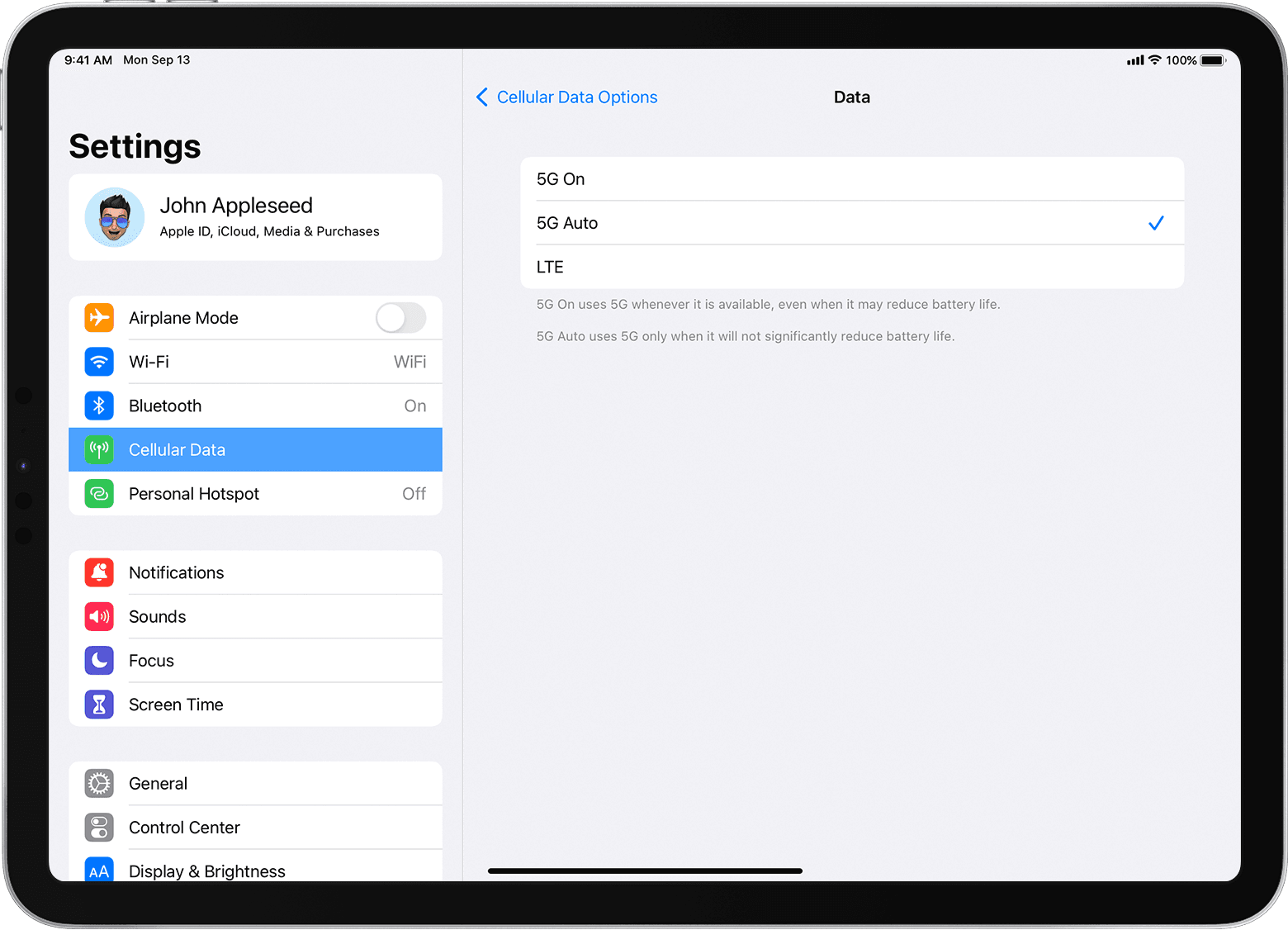
Current-generation iPads, including the iPad Pro and iPad Air, support 5G connectivity. This is a transformative shift for tablet users. 5G technology is split into two main categories: Sub-6 GHz and mmWave. Sub-6 GHz provides broad coverage and is faster than 4G, while mmWave (available on high-end models in certain regions) offers “gigabit” speeds that allow for the instantaneous download of massive 4K video files or complex CAD designs. This tech enables the iPad to function as a true “cloud-first” device, where files are synced to servers in real-time without the lag associated with older mobile standards.
The Role of the eSIM
The transition from physical SIM cards to eSIM (embedded SIM) technology has simplified the “Cellular” experience. For an iPad user, this means you no longer need to visit a carrier store to get a plastic card. You can browse data plans directly in the iPadOS Settings app and activate a short-term or long-term plan instantly. This is particularly useful for international travelers; upon landing in a new country, a user can download a local “travel eSIM” and have immediate internet access without searching for a Wi-Fi hotspot or dealing with expensive roaming fees.
Carriers and Data Provisioning
An iPad Cellular model is “unlocked” by default when purchased directly from Apple. This is a crucial technical distinction. Unlike many smartphones that are tied to specific carriers via software locks, a cellular iPad is designed to be carrier-agnostic. This flexibility allows users to switch between providers like Verizon, AT&T, or T-Mobile based on who offers the best coverage in their specific area or the most competitive “tablet add-on” pricing.
Practical Use Cases: Why Choose a Cellular iPad?
The decision to opt for a cellular model is usually driven by the need for “frictionless” connectivity. While many argue that they can simply “tether” their iPad to their iPhone’s hotspot, there are distinct technical and practical reasons why a built-in cellular connection is superior.
Remote Work and the “Office Anywhere” Lifestyle
For professionals who work in “third spaces”—cafes, parks, trains, or construction sites—the cellular iPad provides an “always-on” experience. Tethering to a phone often drains the phone’s battery rapidly and can result in dropped connections during incoming calls. A cellular iPad maintains its own independent link to the tower, ensuring that Zoom calls remain stable and Slack notifications arrive the second they are sent. It transforms the iPad from a localized tablet into a truly global workstation.
Reliability vs. Public Wi-Fi Security
Public Wi-Fi is notoriously insecure. Open networks in airports and coffee shops are prime targets for “man-in-the-middle” attacks, where hackers intercept data packets. Cellular networks, by contrast, use advanced encryption standards (such as those found in 5G NR) that are significantly harder to breach. For users handling sensitive corporate data or personal financial information, using a cellular iPad provides a layer of digital security that public Wi-Fi simply cannot match.
Real-Time Navigation and Outdoor Fieldwork
Because of the aforementioned GPS chip, cellular iPads are the industry standard for specific technical niches. In aviation, pilots use “Electronic Flight Bags” (EFBs) on cellular iPads to track their position on digital charts in real-time. In agriculture, farmers use cellular iPads to map fields and manage automated machinery via GPS. Without the cellular hardware, these high-precision tasks would be impossible, as Wi-Fi-only models lack the necessary satellite-linked sensors.
Comparing the Ecosystem: iPadOS Features Enhanced by Cellular
Apple’s software, iPadOS, includes several features specifically engineered to take advantage of a constant data stream. These features enhance the “Continuity” between Apple devices and ensure that the iPad remains a proactive part of the user’s digital life.
Find My and Device Security
If a Wi-Fi-only iPad is stolen or lost, it can only be tracked via the “Find My” network if it happens to connect to a known Wi-Fi signal. A cellular iPad, however, can report its location to the owner via the cellular grid even if it is sitting in the back of a moving vehicle or in a park. This makes the “Activation Lock” and “Remote Wipe” features much more effective, as the device remains reachable by Apple’s servers as long as it has a signal.
Instant Hotspot and Continuity
While we discussed the downsides of tethering, Apple has optimized the “Instant Hotspot” feature for its ecosystem. If you have a cellular iPad, you can actually share its connection to your Mac or other devices more seamlessly. Furthermore, features like “Universal Control” and “Handoff” rely on low-latency communication between devices. Having a cellular iPad ensures that your iCloud Drive and Photo Library are always in sync, meaning a document edited on your Mac at the office is ready for you on the iPad the moment you sit down on the train.
App Functionality: Cloud Syncing on the Go
Many modern apps—such as Notion, Lucidchart, and the Adobe Creative Cloud suite—rely heavily on live syncing. On a Wi-Fi-only model, you might find yourself in “offline mode,” unable to access the latest version of a project. A cellular iPad eliminates this “sync-anxiety.” Whether you are sketching in Procreate or editing a spreadsheet in Excel, the data is pushed to the cloud in the background, ensuring that no work is lost and collaboration with teammates remains synchronous.
Making the Decision: Is the Premium Worth It?
The “iPad Cellular” option typically carries a price premium of approximately $130 to $200, depending on the model, plus the ongoing cost of a data plan. When evaluating whether this tech is necessary, one must weigh the hardware longevity against the initial investment.
Initial Hardware Cost vs. Ongoing Fees
The hardware premium is a one-time cost that often translates to better resale value. A cellular iPad is generally more desirable on the secondary market because it is the “fully featured” version of the device. Regarding the data plans, many carriers now offer “pay-as-you-go” or “on-demand” plans. This means you don’t necessarily have to pay a monthly fee; you can activate data only during months when you are traveling or working remotely, providing a cost-effective way to manage the technology.

Future-Proofing Your Investment
As 5G networks continue to expand and become the global standard, having a device that can tap into this infrastructure is a form of future-proofing. As apps become more data-intensive and the “Internet of Things” (IoT) grows, the ability for your primary mobile computer to function independently of a router will likely move from a “luxury” to a “necessity.”
In conclusion, “iPad Cellular” means much more than just a SIM card slot. It represents a suite of hardware enhancements—from 5G modems and sophisticated antenna arrays to dedicated GPS silicon—that liberate the device from the constraints of local networks. For the professional, the traveler, or the security-conscious user, the cellular iPad is the definitive version of Apple’s vision for the future of mobile computing: a powerful, secure, and perpetually connected window into the digital world.
aViewFromTheCave is a participant in the Amazon Services LLC Associates Program, an affiliate advertising program designed to provide a means for sites to earn advertising fees by advertising and linking to Amazon.com. Amazon, the Amazon logo, AmazonSupply, and the AmazonSupply logo are trademarks of Amazon.com, Inc. or its affiliates. As an Amazon Associate we earn affiliate commissions from qualifying purchases.