
With the release of iOS 18, Apple has signaled a significant shift in its approach toward mobile gaming. While the iPhone has long been a powerhouse for casual gaming, the introduction of “Game Mode” marks the company’s most concerted effort to court the “hardcore” and professional gaming communities. Previously a feature reserved for macOS Sonoma, Game Mode has officially transitioned to the mobile ecosystem, promising to transform the iPhone into a more focused and responsive gaming machine.
But what exactly does it do under the hood? Far from being a mere “Do Not Disturb” toggle, Game Mode on iOS 18 is a sophisticated system-level optimization tool designed to maximize hardware efficiency and minimize the technical bottlenecks that have historically plagued mobile gaming.
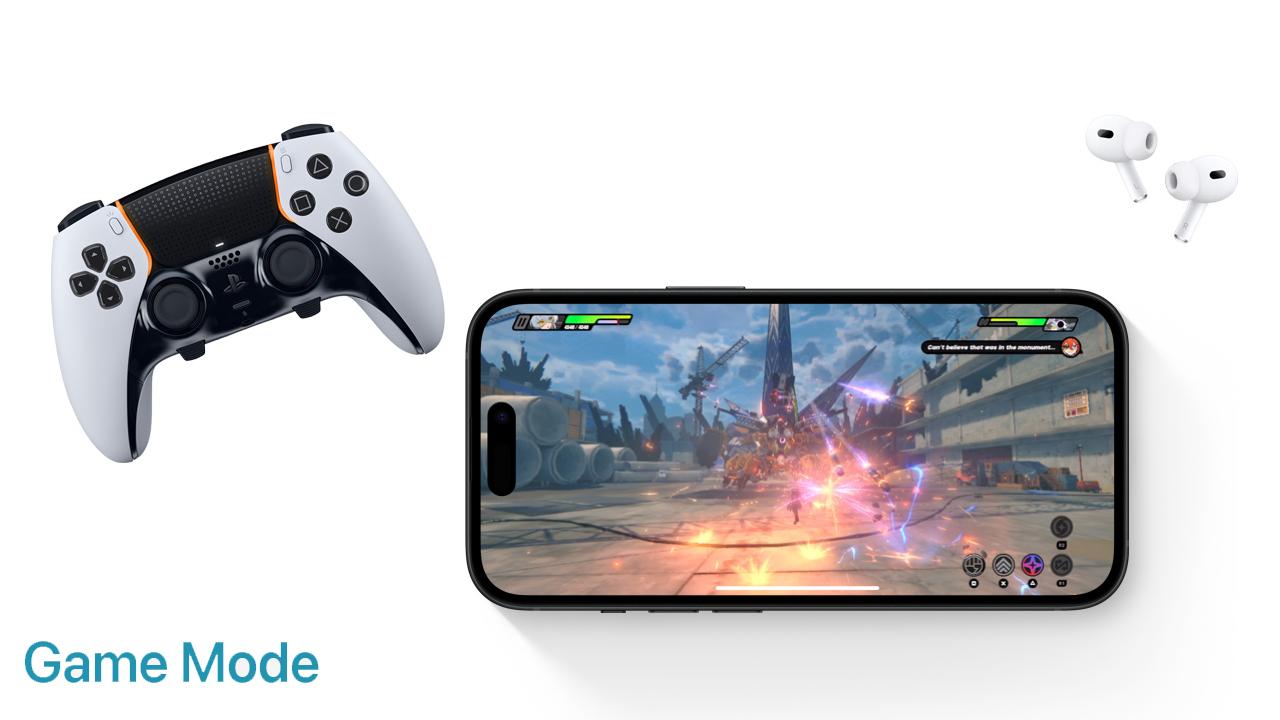
Understanding the Core Mechanics: How Game Mode Enhances Performance
At its heart, Game Mode is designed to ensure that the game you are playing receives the absolute highest priority from the iPhone’s internal resources. In a standard operating environment, an iPhone is a multitasking marvel, constantly balancing background processes like iCloud syncing, mail fetching, and app updates. Game Mode fundamentally alters this priority list.
CPU and GPU Prioritization
The primary function of Game Mode is to manage the allocation of the System-on-a-Chip (SoC) resources. When a game is launched and Game Mode activates, the iOS kernel instructs the CPU and GPU to dedicate the majority of their cycles to the active game process. This is particularly crucial for AAA titles—such as Resident Evil Village or Death Stranding—which demand high sustained performance.
By prioritizing the game, iOS 18 ensures more consistent frame rates. In mobile gaming, “micro-stutters” or “frame drops” often occur when a background task suddenly spikes in CPU usage. Game Mode mitigates this by “throttling” or pausing non-essential background activities, ensuring that the game’s frame pacing remains smooth even during graphically intensive sequences.
Minimizing Background Tasks and Thermal Management
Heat is the enemy of performance. When an iPhone gets too hot, the system automatically engages in thermal throttling, slowing down the processor to protect the hardware. Game Mode helps delay this threshold by reducing the workload of background tasks. By minimizing the energy consumed by apps you aren’t currently using, the overall thermal envelope of the device is better managed. This allows the iPhone to maintain its peak performance for longer periods, which is vital for competitive players who engage in hour-long sessions.
Reducing Latency: A Smoother Connection for Peripheral Devices
Performance isn’t just about how many frames per second appear on the screen; it is also about how quickly the game responds to your inputs. Wireless interference and Bluetooth protocols have traditionally introduced “latency”—the millisecond delay between an action and its result. iOS 18’s Game Mode specifically targets this bottleneck by doubling the Bluetooth polling rate.
Enhancing Audio Response with AirPods
For many gamers, sound is a tactical tool. In first-person shooters, hearing a footstep a fraction of a second late can mean the difference between winning and losing. Game Mode significantly reduces audio latency when using AirPods, particularly the latest generation models.
By optimizing the way audio data is packaged and transmitted over Bluetooth, Game Mode ensures that the sound remains perfectly synced with the visuals. This optimization is particularly noticeable when using the AirPods Pro (2nd Generation), where the combination of the H2 chip and Game Mode’s software tweaks results in one of the lowest-latency wireless audio experiences available on any mobile platform.
Boosting Wireless Controller Responsiveness
Just as it does for audio, Game Mode prioritizes the input signals from wireless game controllers. Whether you are using a PlayStation DualSense, an Xbox Wireless Controller, or a third-party MFi (Made for iPhone) controller, Game Mode reduces the input lag.

By doubling the Bluetooth sampling rate for these peripherals, the iPhone registers your button presses and joystick movements faster. This results in a “snappier” feel that mimics the responsiveness of a wired connection. For genres that require frame-perfect inputs, such as fighting games or precision platformers, this reduction in latency is perhaps the most impactful feature of the iOS 18 update.
The User Experience: How to Activate and Manage Game Mode
Apple is known for its “it just works” philosophy, and Game Mode is a prime example of this design language. Unlike some Android “Game Turbo” modes that require manual configuration or adding games to a specific folder, Game Mode on iOS 18 is designed to be invisible until it is needed.
Seamless Integration and Automatic Detection
Game Mode activates automatically as soon as you launch an app that is categorized as a “Game” within the App Store. There are no settings to toggle deep within the menus to turn it on. When the game enters full-screen mode, a brief notification appears at the top of the screen stating “Game Mode On.”
This automation ensures that even casual users benefit from the performance boosts without needing to understand the technical nuances of CPU scheduling. It also means that the iPhone can revert to its standard, power-efficient state the moment you swipe up to exit the game, ensuring that your battery life isn’t unnecessarily drained by high-performance settings when you’re just checking your email.
Visual Cues and Manual Control
While the mode is automatic, Apple provides users with a degree of transparency. When you pull down the Control Center while a game is running, you can see the Game Mode status. If for some reason you wish to disable it—perhaps to save battery during a low-intensity puzzle game—you can tap the status icon in the Control Center to toggle it off. This manual override is a welcome addition for power users who want total control over their device’s behavior.
The Strategic Context: Why Apple is Prioritizing Mobile Gaming Now
The introduction of Game Mode on iOS 18 is not an isolated update; it is part of a broader strategic pivot by Apple to dominate the high-end gaming market. For years, the hardware in iPhones (the A-series chips) has outpaced the software demands of most mobile games. Now, Apple is finally closing that gap.
Competing with Dedicated Gaming Handhelds
The rise of the Steam Deck, ASUS ROG Ally, and Nintendo Switch has proven that there is a massive market for high-quality gaming on the go. By introducing Game Mode, Apple is positioning the iPhone (and by extension, the iPad) as a legitimate alternative to these dedicated handhelds. With the A17 Pro and A18 chips featuring hardware-accelerated ray tracing, the iPhone now possesses the raw power to run console-quality games. Game Mode is the software layer that ensures that power is used efficiently.
Supporting AAA Titles on the iPhone
Apple has been working closely with major developers like Ubisoft, Capcom, and Kojima Productions to port “AAA” titles to the iOS ecosystem. These games are significantly more resource-intensive than the typical mobile fare. To keep these developers interested, Apple must provide an environment where their games can shine. Game Mode provides a standardized performance target, giving developers confidence that their titles won’t be hindered by background OS tasks or laggy peripheral connections.

The Future of Mobile Gaming on iOS
As we look toward the future, Game Mode is likely just the beginning. It sets the foundation for more advanced features, such as dedicated thermal management settings or perhaps even a “Pro Game Mode” that allows for customized frame rate caps and resolution scaling.
For the average user, Game Mode on iOS 18 means their games will run smoother and their controllers will feel more responsive. For the tech enthusiast, it represents the moment the iPhone truly matured into a gaming platform. By intelligently managing hardware resources and slashing latency, Apple has removed the “mobile” compromise from mobile gaming, proving that the device in your pocket is capable of much more than just scrolling through social media.
In conclusion, Game Mode on iOS 18 is a vital update for anyone who uses their iPhone for entertainment. It is a sophisticated, automatic, and highly effective tool that ensures the iPhone remains the gold standard for mobile performance, bridging the gap between casual play and professional-grade gaming experiences.
aViewFromTheCave is a participant in the Amazon Services LLC Associates Program, an affiliate advertising program designed to provide a means for sites to earn advertising fees by advertising and linking to Amazon.com. Amazon, the Amazon logo, AmazonSupply, and the AmazonSupply logo are trademarks of Amazon.com, Inc. or its affiliates. As an Amazon Associate we earn affiliate commissions from qualifying purchases.